
Free Whatsapp Business API (WABA)
Redefine your customer communication using Free Whatsapp Business API (WABA) service of Fast2SMS. We, at Fast2SMS enable businesses to scale their brands and automate interactions using our Free Whatsapp Business API or WABA. In this post, we will discuss what is Whatsapp Business API, and how to maximise conversions using the services of Fast2SMS.

What is Whatsapp Business API (WABA)?
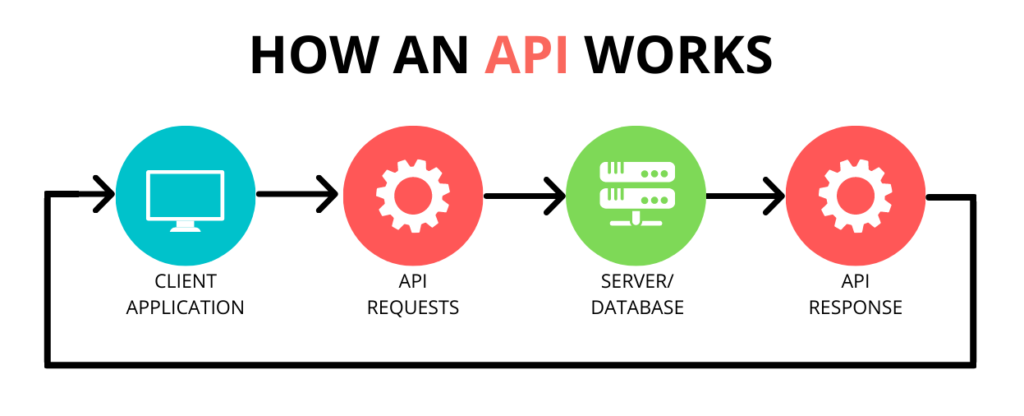
API refers to Application Programming Interface. Whatsapp Business API was started officially by Facebook in the year 2018. It enables business owners to connect with their target audience and send messages to them via whatsapp. Contrary to free whatsapp business app, API offers additional features such as managing broadcast, CRM integration, message templates and multimedia support.
Why your business needs Whatsapp API in 2026?
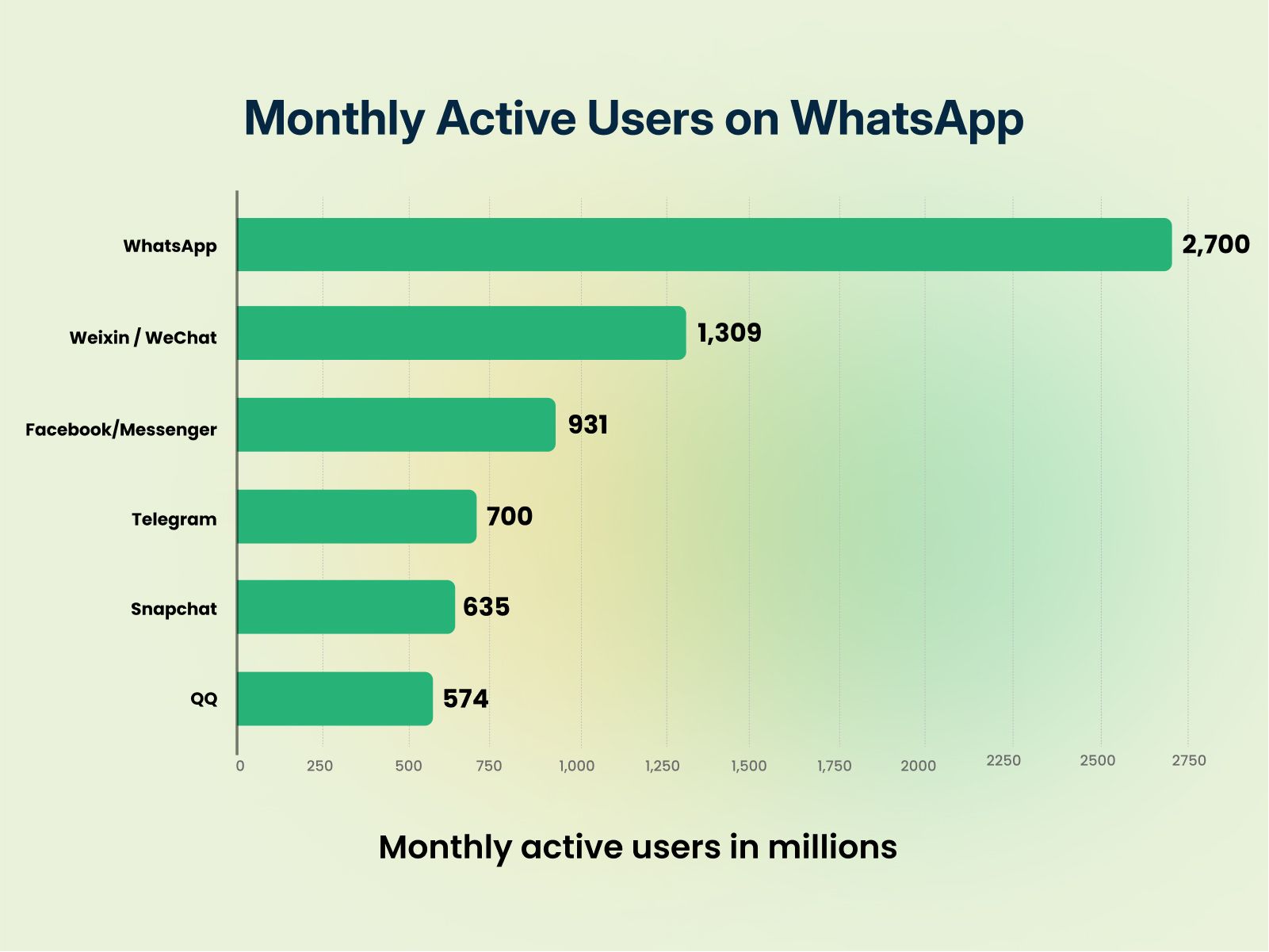
If you aim to maximise your promotions and marketing strategy, Whatsapp Business API is a must in the year 2026. Let us know the reasons why every business or brand needs to use whatsapp in today’s mobile era:
- Whatsapp is the most popular social media app with over 3 billion monthly active users.
- Whatsapp is the second most downloaded app on Google Play store.
- Whatsapp notifications have 98% open rates while emails have only 21% open rates.
- On an average, a user opens whatsapp more than 23 times in a day.
Features of Fast2SMS Whatsapp Business API (WABA)
- User-friendly platform
- Seamless and fast API integration
- Approved message templates
- Instant customer reach
- Real-time results
- Secure panel
- Quickest customer support
- Email support
- Chat support
- Complete Transparency
- No monthly cost
- No setup costs
- Per message delivery cost only
- Full refund of failed messages
How to send messages via Fast2SMS Whatsapp Business API?
Here, we will discuss the complete process of sending Whatsapp business API messages via Fast2SMS. Whether you want to send OTP messages, transactional messages or promotional business messages using whatsapp, you can easily send these messages using Fast2SMS API.
If you have an existing number or are sending messages via whatsapp business app, you can integrate API with the same existing number. So, your messages will be sent by the same number. Else, if you want to send whatsapp messages with a new number, you can get your brand approved, thereafter your brand name will be displayed on those messages.
As per Meta rules, you cannot use the same number in your mobile app and you need to submit the company documents for beginning the onboarding process. Whichever way you choose to send messages, it is mandatory to have a Fast2SMS account. Let us look into the details.
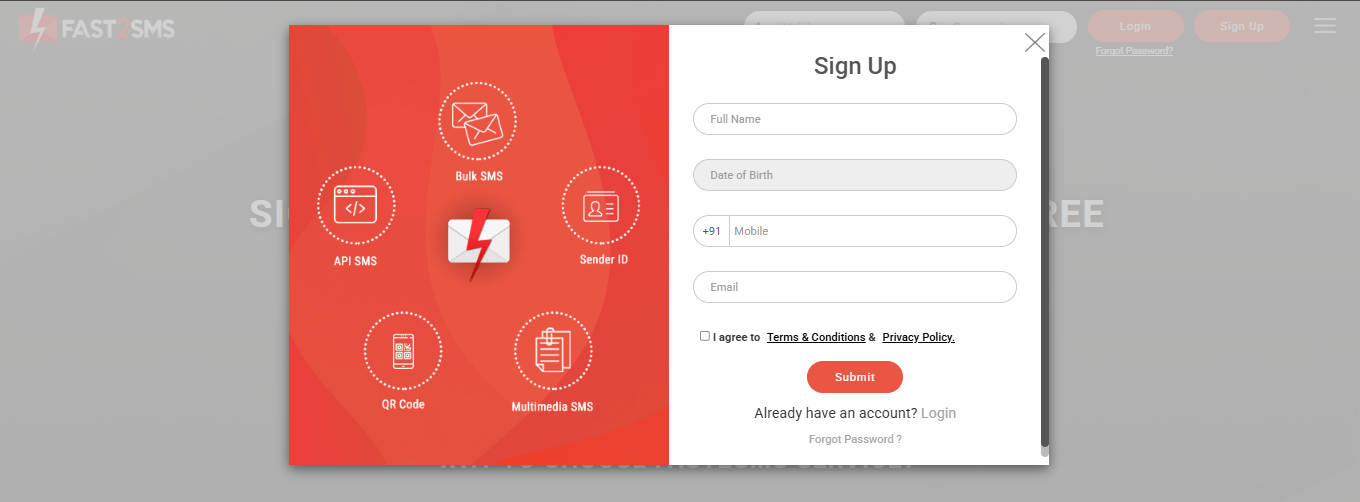
1. Visit Fast2SMS.com, if you have not yet signed up, the image will be displayed as shown below. As soon as you complete the sign up process, your account will get created on Fast2SMS. Once the accounts gets registered, you will receive free credit through which you can send 200 free Whatsapp OTP Business messages.
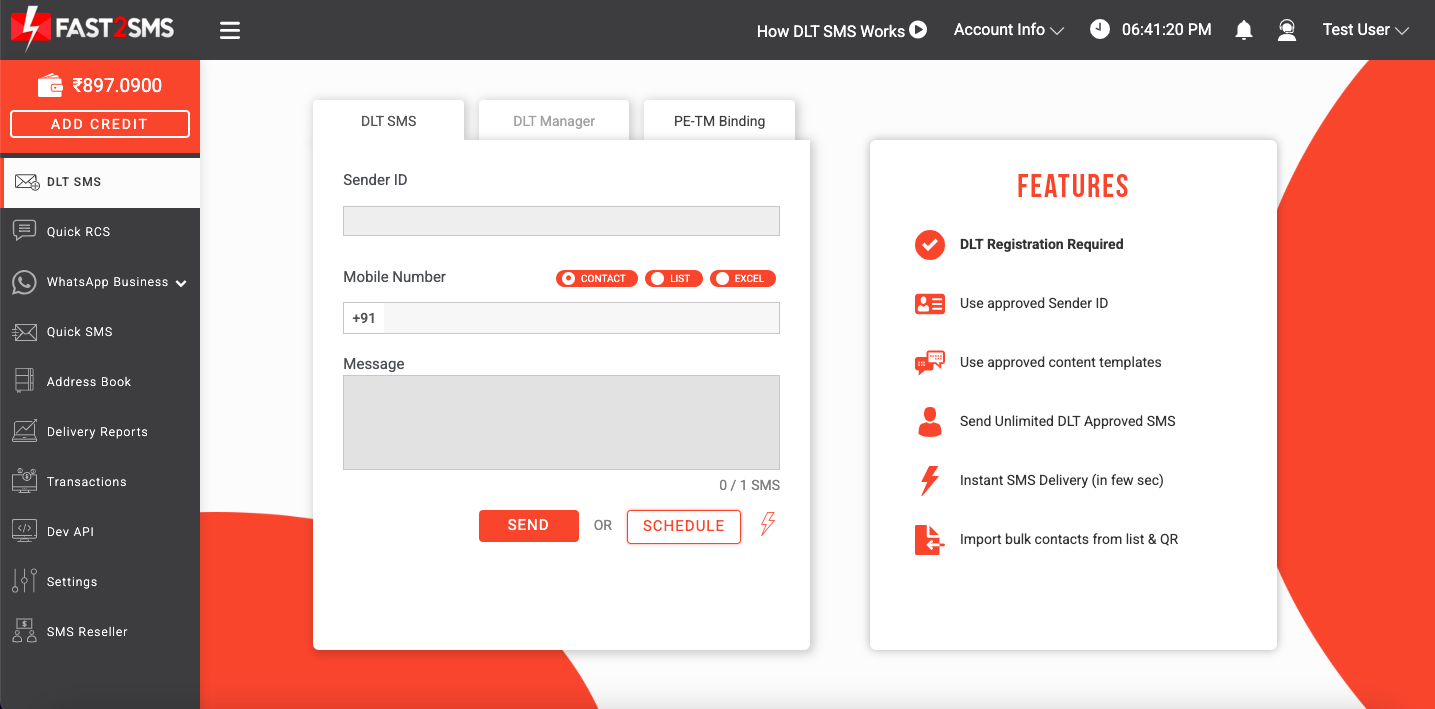
2. Once you login, the Fast2SMS panel will get displayed as shown in the image below. You need to select Whatsapp Business tab shown in the left side of the panel.
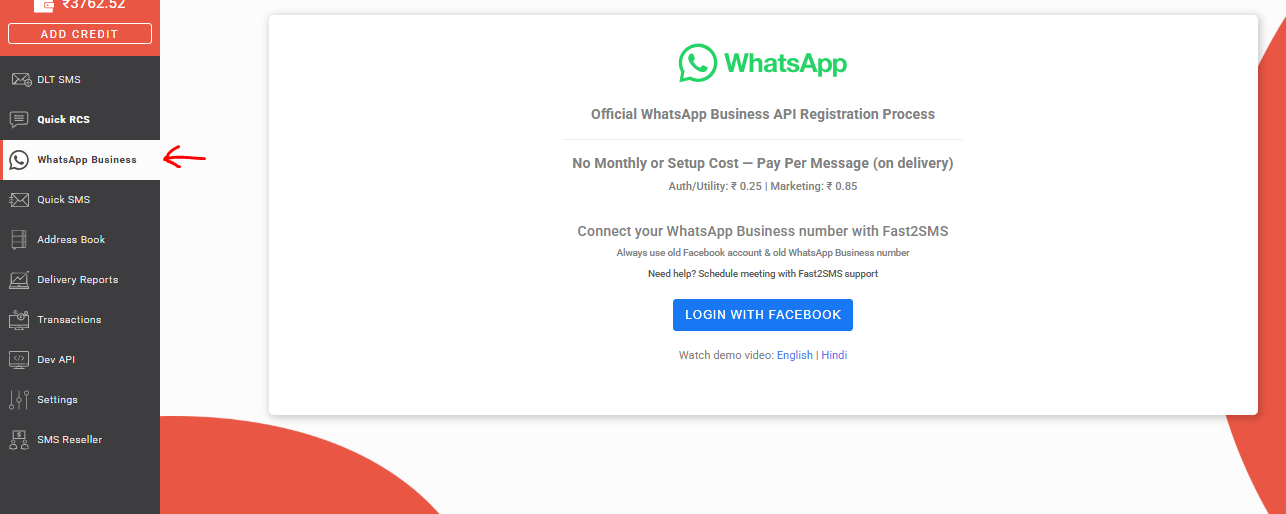
3. Once you click on Whatsapp Business tab, the following image will be shown. You will need to complete a process by logging into your facebook account.
Note: Avoid using new facebook account as it might get blocked or blacklisted by Meta. So, make sure you log into an old facebook account.
After login, a business profile for your company gets created in which you can link your existing whatsapp number or new whatsapp number. Click on Login with Facebook tab.
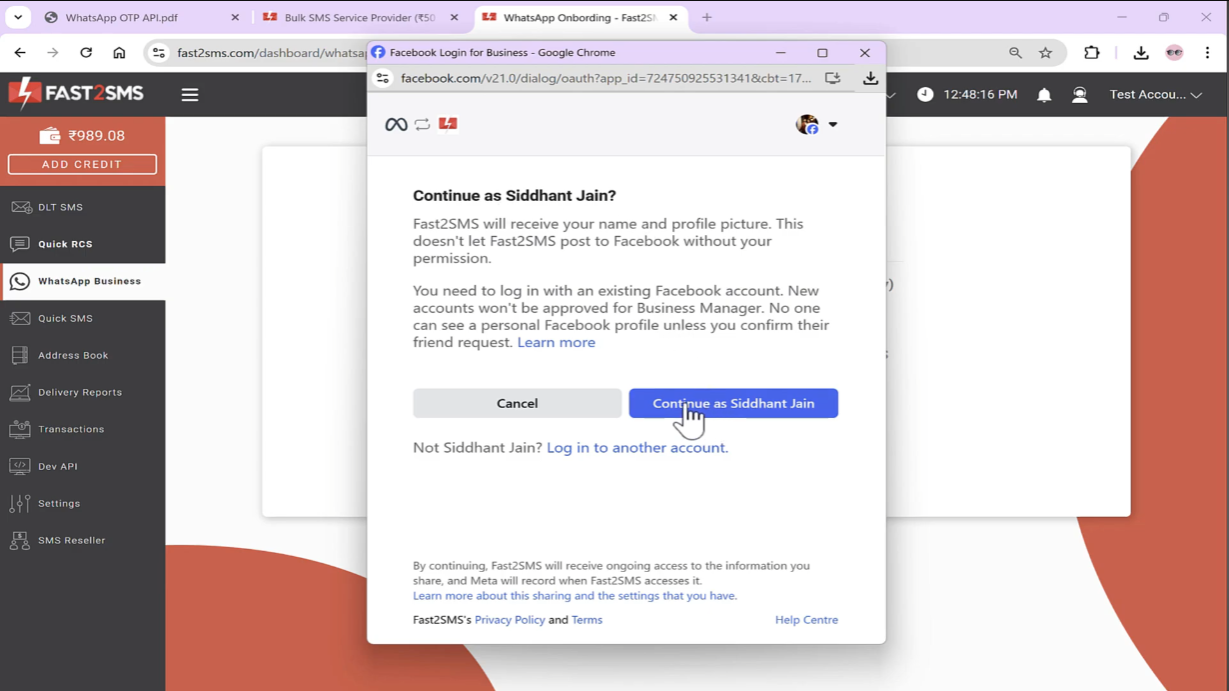
4. Once your Facebook account has been logged in, your name will get displayed as shown below. You need to click on Continue tab to proceed further.
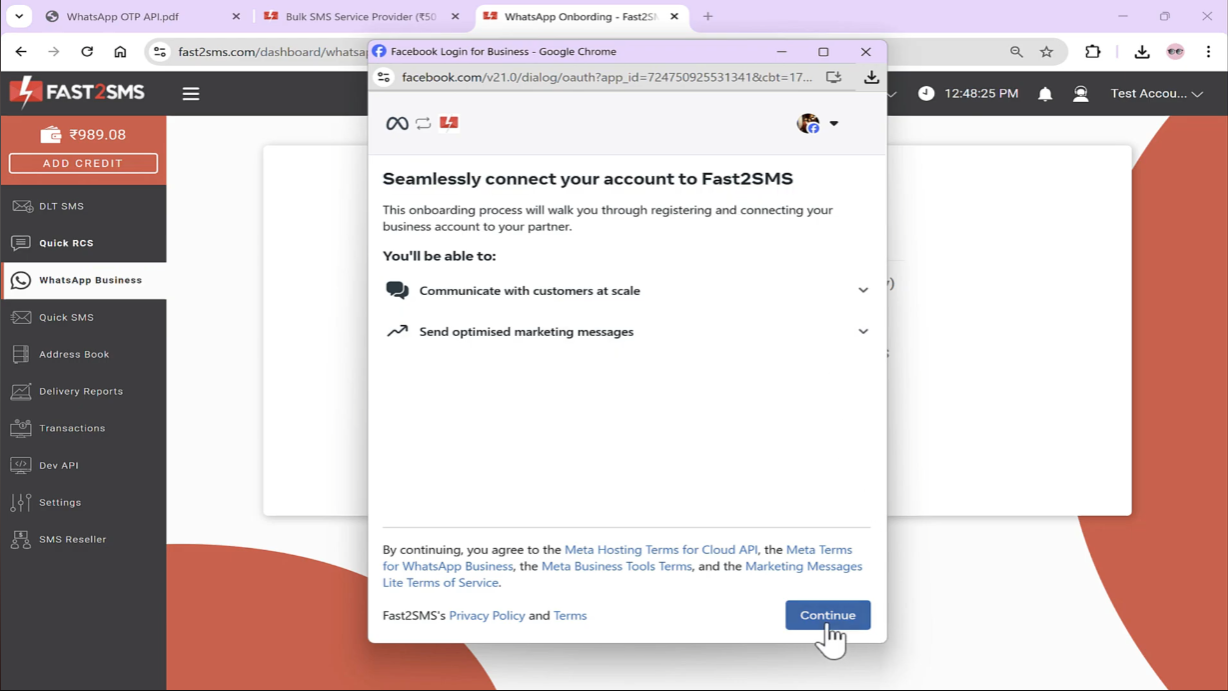
5. Next screen will be visible as shown below. You need to again select Continue to proceed.
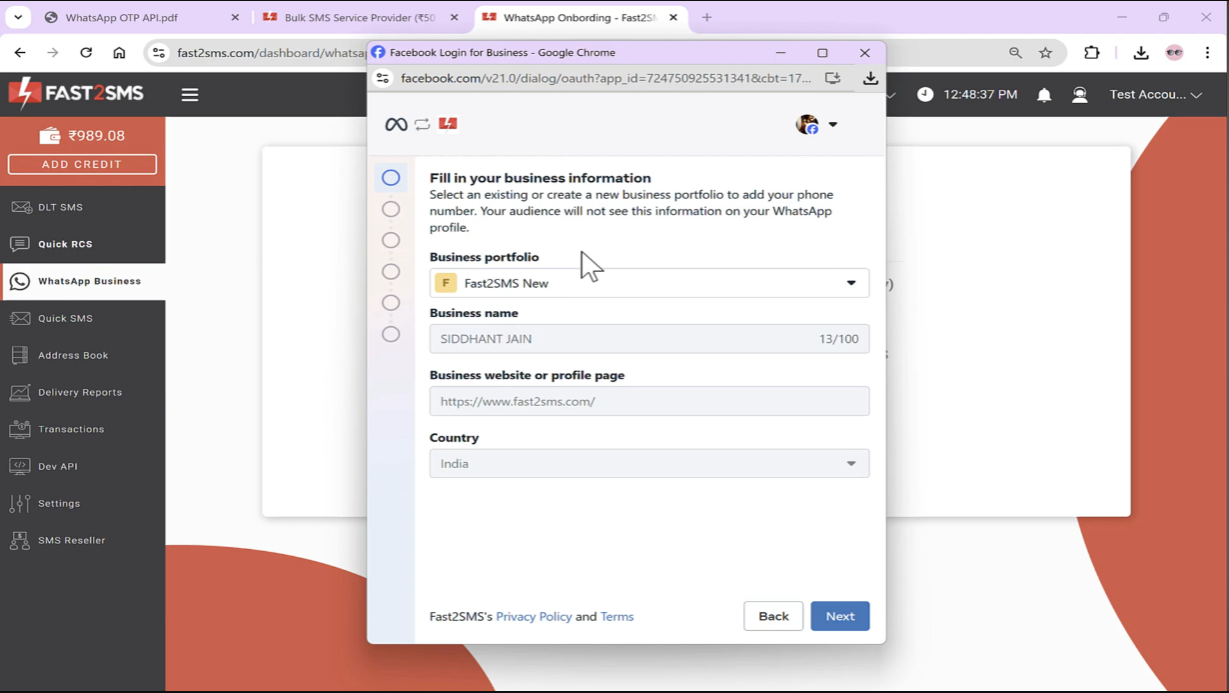
6. Next, your business portfolio has to be created. If you already have an existing business portfolio, enter that.
Note: Make sure you have mentioned your working website in the form, else Meta might ban or suspend your account. Hence, it is recommended to first complete your brand website with its logo so that when Meta manually reviews your site, it is in working condition.
You can also mention your website name in the Business name tab. Once you have entered all the business details ,click on Next tab.
7. In the next step, two options will be shown as in the image below. If you select the first option – Connect your existing Whatsapp Business app, your existing whatsapp business app number will get linked to your account.
To use this feature, you need to visit your mobile app, scan the QR code shown, then a new session gets opened similar to web whatsapp that will be linked to your Fast2SMS account. You can then use the existing number on the mobile app, web whatsapp app and the same number will also get linked to your Fast2SMS account.
If you want to complete the onboarding process using a new number, you can choose the second option – Start with a new Whatsapp phone number.
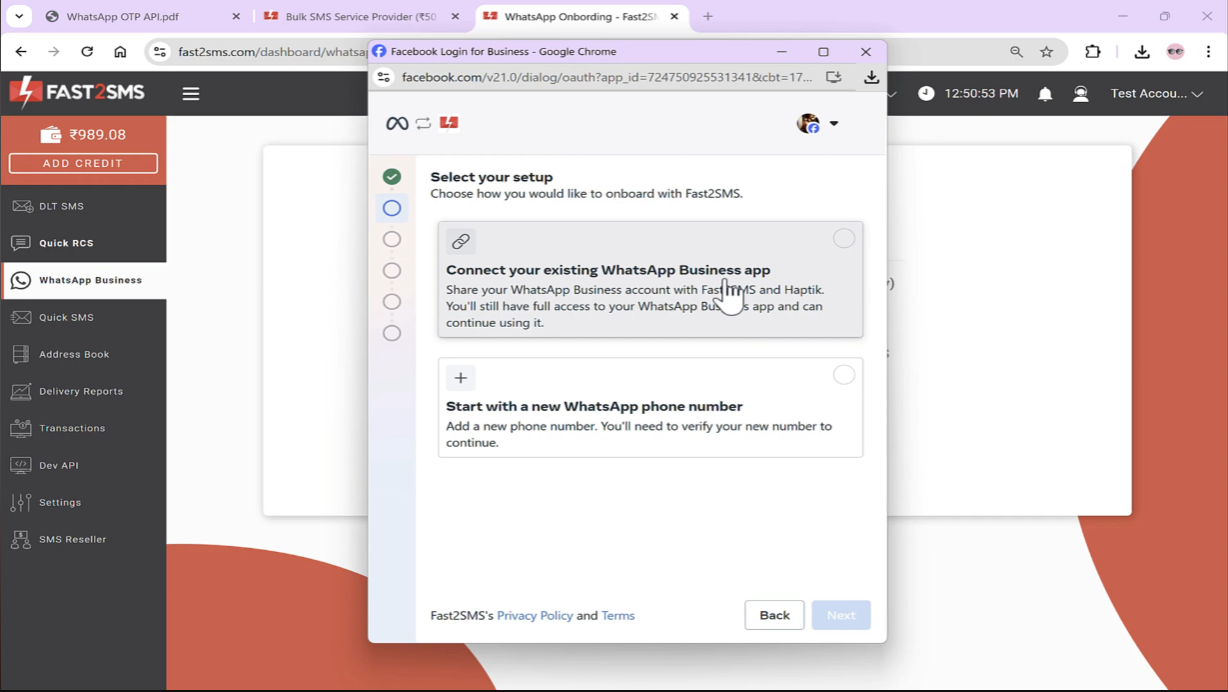
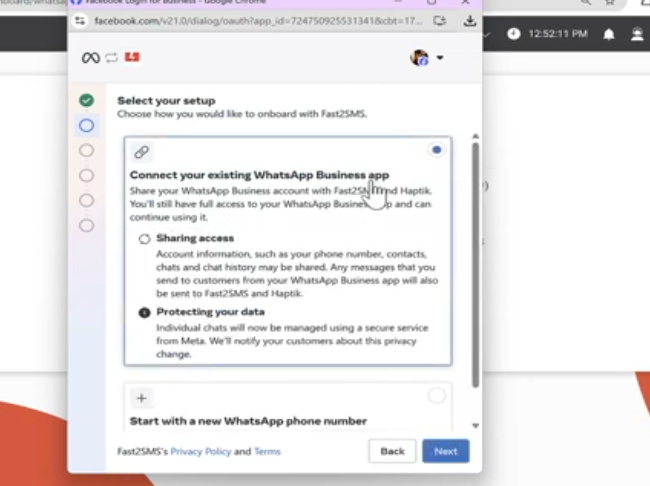
Now we have chosen the first option – Connect your existing Whatsapp Business app. Click on Next tab to continue the process further.
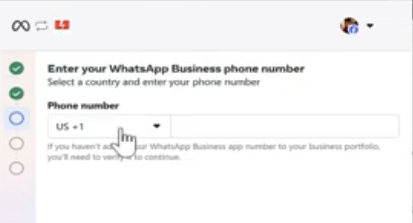
8. Now you will need to enter your Whatsapp Business phone number. Enter the number, select India, click Next.
9. An OTP will get sent to your number, once it is verified, your business name that you have set in your whatsapp will automatically appear as shown below. If the correct time zone is not appearing, select it from the drop down menu and then click on Next.
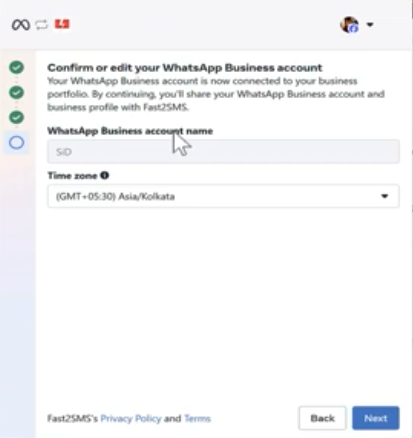
As soon as you click Next, Connecting your account message will appear on your screen.
You will then need to review the details and then click on Continue tab.
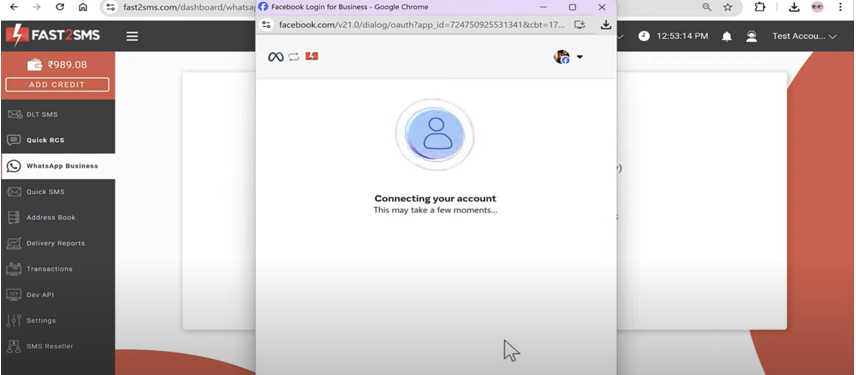
You will then receive a QR code. A message will appear in your whatsapp from Facebook that you will have to scan the QR code. Once you scan the QR code, the following screen will appear with the message stating that “Your account is connected with Fast2SMS“.
Your daily message limit is 250. If you want to increase the message sending limit, contact our support team, we will help you verify your company documents at Meta. Once your documents are verified by Meta, your message limit will increase automatically.
Make sure to click the Finish tab to complete your onboarding process successfully. If you close the browser without clicking on Finish tab, your account will not get linked with Fast2SMS and you will have to complete the process again from the beginning.
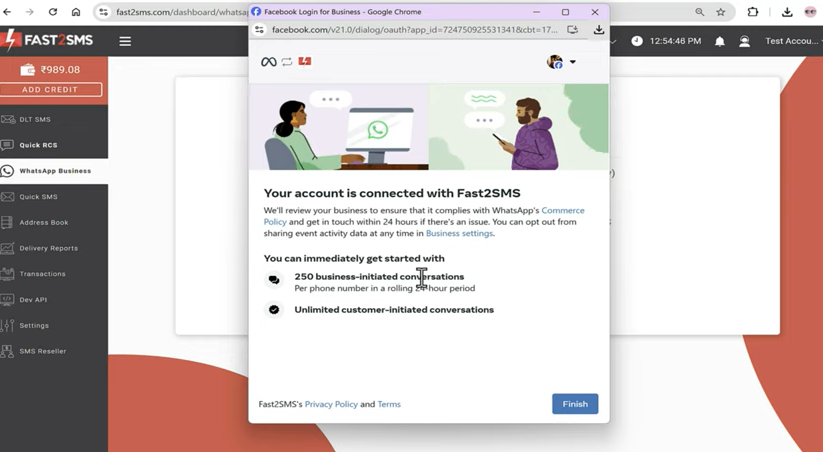
Once you have clicked on the Finish tab, your account will get linked with Fast2SMS and the message will appear as shown below.

Now when you click on Select Number, your number will appear on the right side of the panel as shown below.
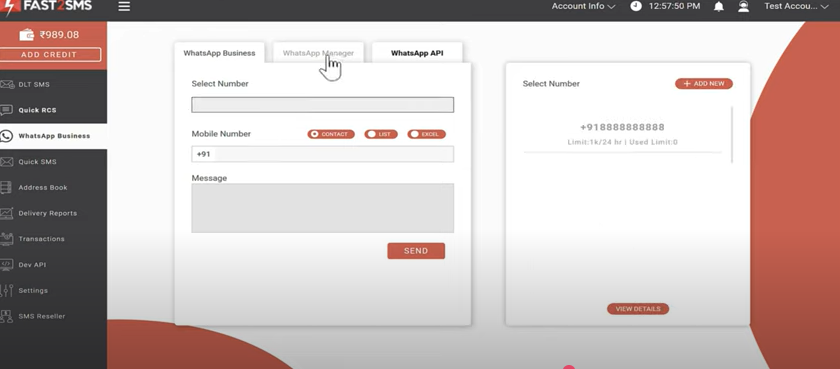
Once you click on Whatsapp Manager, your number, business name, status, quality rating will be visible.
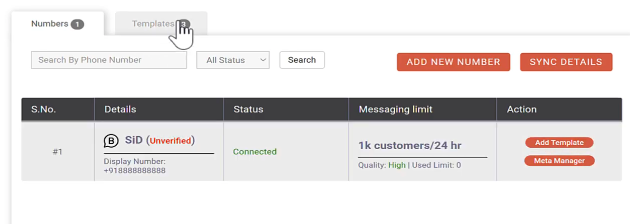
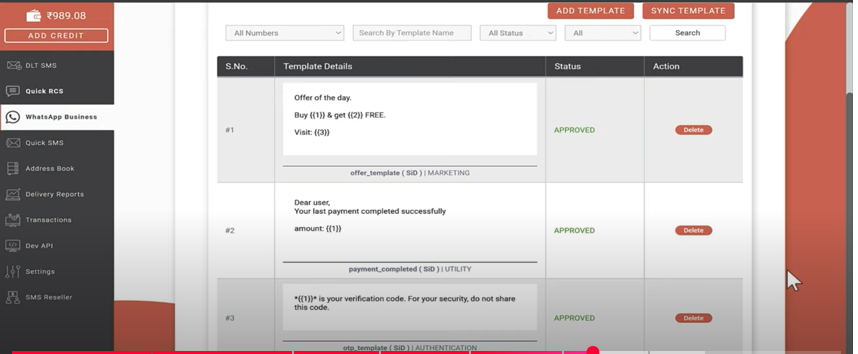
When you select the Template tab, template details of every category – marketing, utility, authentication, will appear as shown below which you can use for testing purposes.
According to whatsapp terms, when you send messages from your mobile app, you can send any message without approval and without any cost. But, to send messages via Fast2SM, you will have to get a template approved and once it gets approved, you can send it via panel or API.
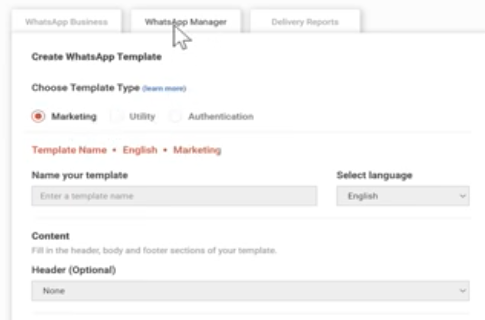
To create new templates, select the Add Template tab.
You can create template among any of the three categories.
- Marketing
- Utility
- Authentication
Marketing template consists of messages sent for promotional and marketing purposes. Utility template includes OTP messages, Whereas Authentication templates include all transactional and informative messages except OTP.
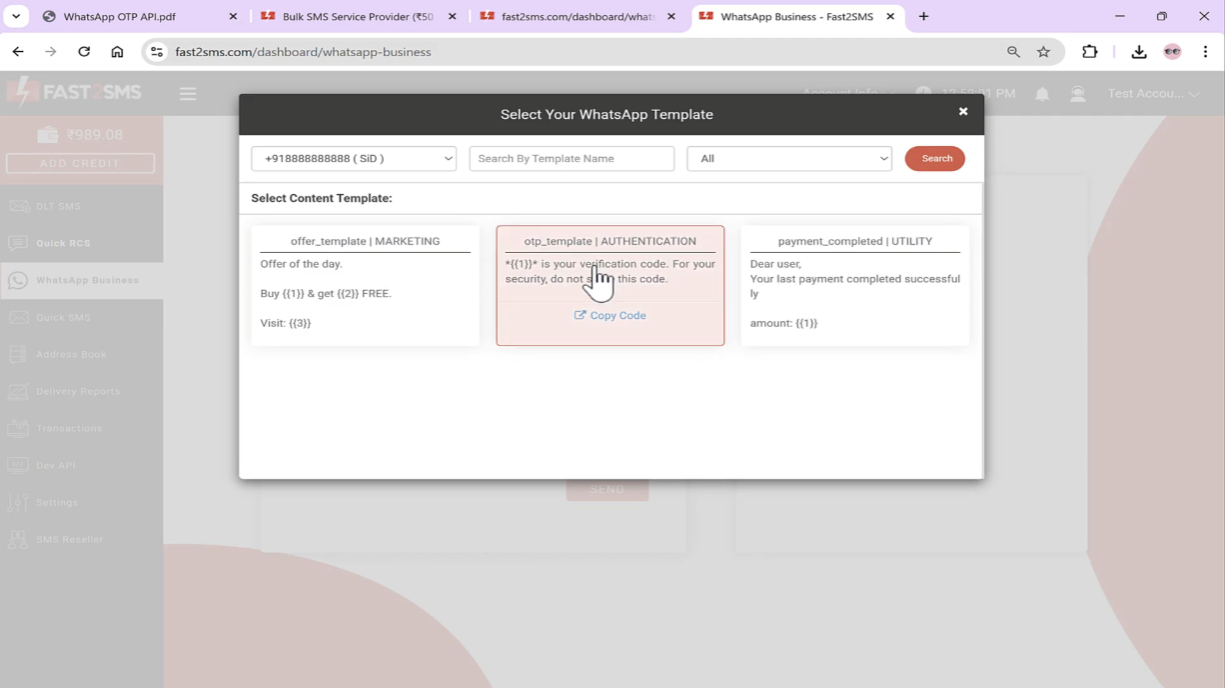
By default, Fast2SMS provides three categories of message templates.
Once you click on the message box in the panel, a popup will appear with all your approved templates. Select the template which you want to send.
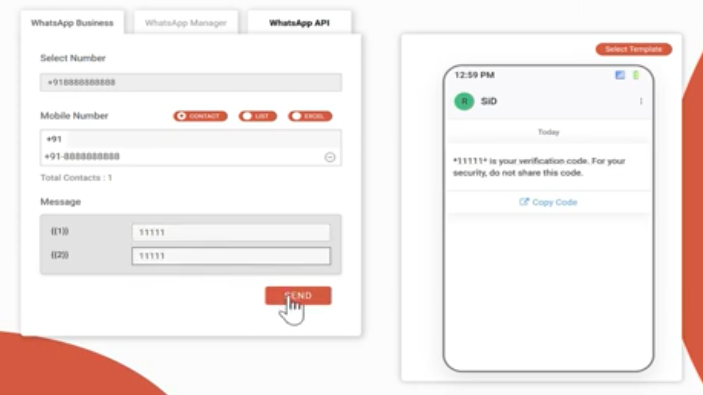
Next, you will be asked to enter the variable values. Click on Send tab.
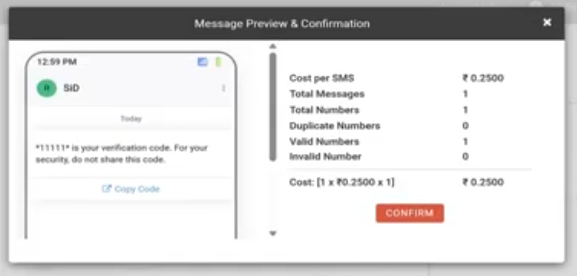
A pop up will appear with the message details. Click on Confirm to send the message.
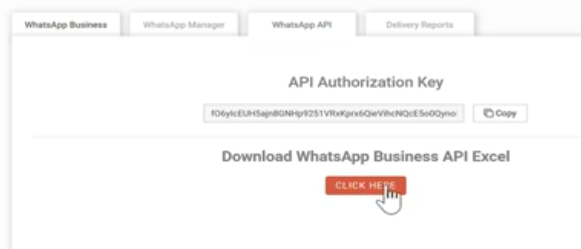
To send messages via API, click on Whatsapp API, your API authorization key will be displayed. Click on Click here tab.
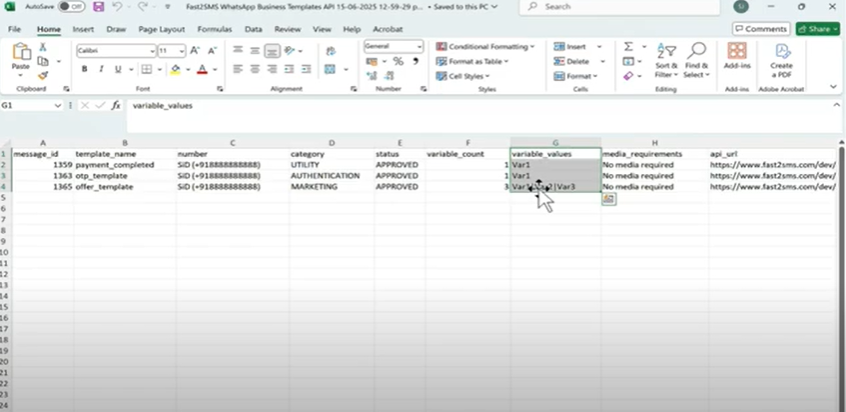
An excel file will get downloaded with all your approved whatsapp templates. You can directly integrate these APIs into your mobile app or website. As displayed in the image, unique ID of each template is created that you need to hit from your API. We have made API of each and every message in which you just need to add the variable values.
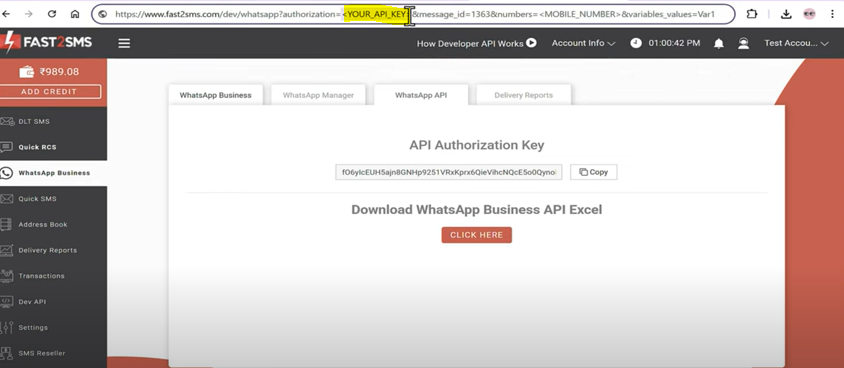
Message id will remain same as it is. Enter your API key, and the mobile number to which we have to send message. Next enter the variable values and press enter. A message will appear stating that “Whatsapp message sent successfully”
Now you can check the status of the messages from the Delivery report section.
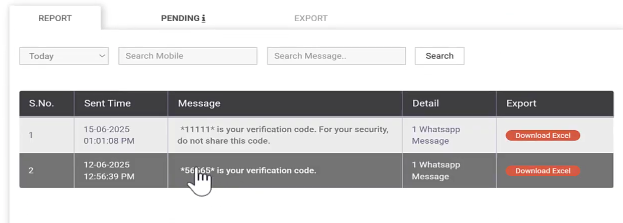
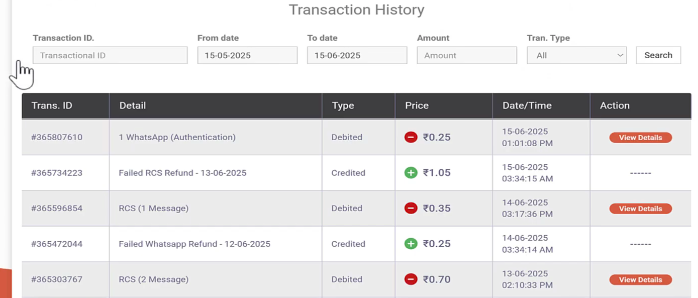
Note: Amount of all the failed messages will be auto refunded into your Fast2SMS wallet within 48 hours. You can view the refunded amount status in the Transaction History tab.
Switch to Fast2SMS Free Whatsapp Business API to escalate your revenue, boost conversions and drive leads like never before. Take your business to the next level using Whatsapp Business API services from Fast2SMS. Contact our customer support via chat, email or call and accelerate your whatsapp marketing campaigns easily and effortlessly.
We at Fast2SMS are here to help your businesses reach great heights of success through data-driven business solutions at the most affordable cost. Call now!