
Integrate CleverTap with Fast2SMS
You can integrate Fast2SMS SMS API easily into CleverTap, by following below simple steps:
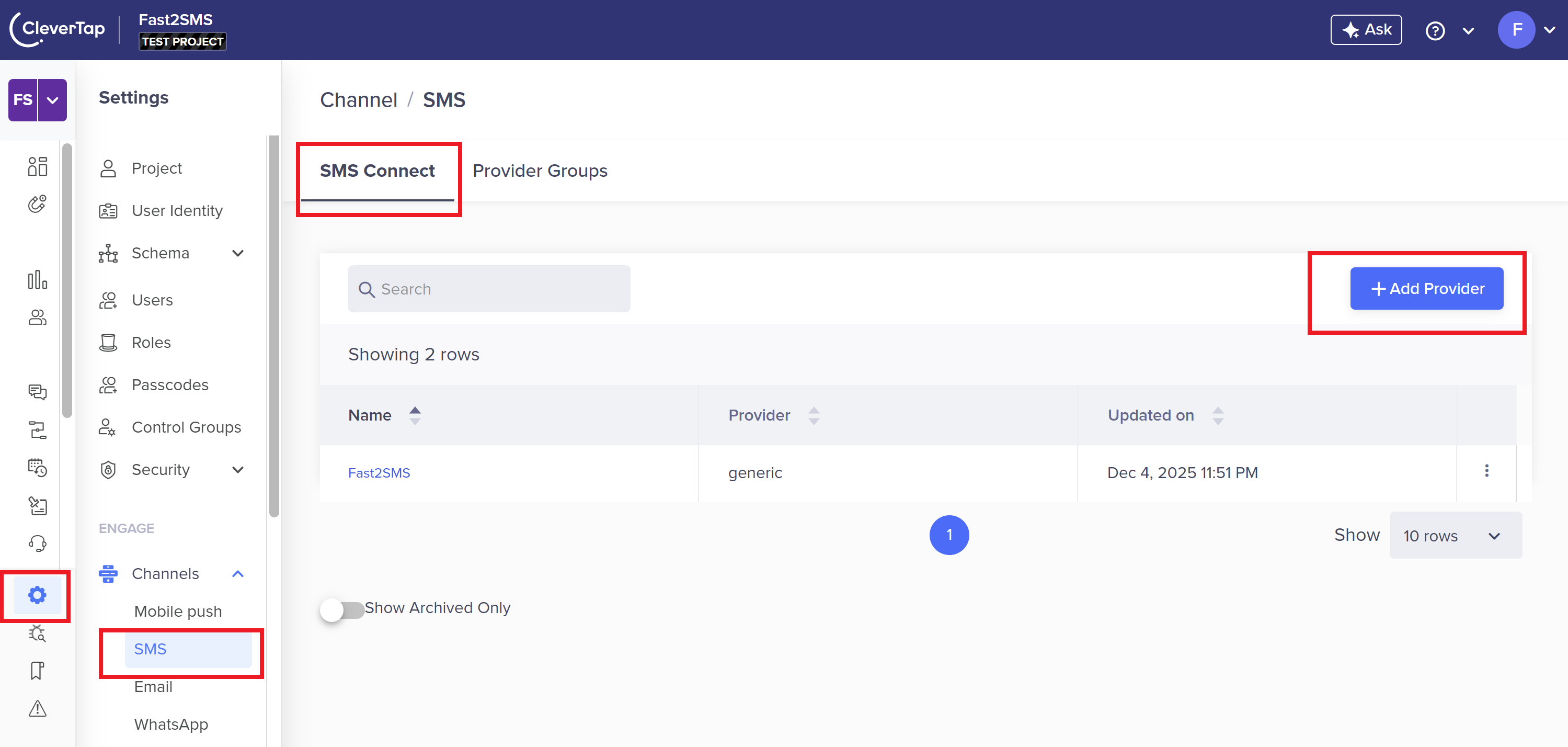
1. In the CleverTap Dashboard, navigate to Settings, click on SMS tab and press Add Provider button.
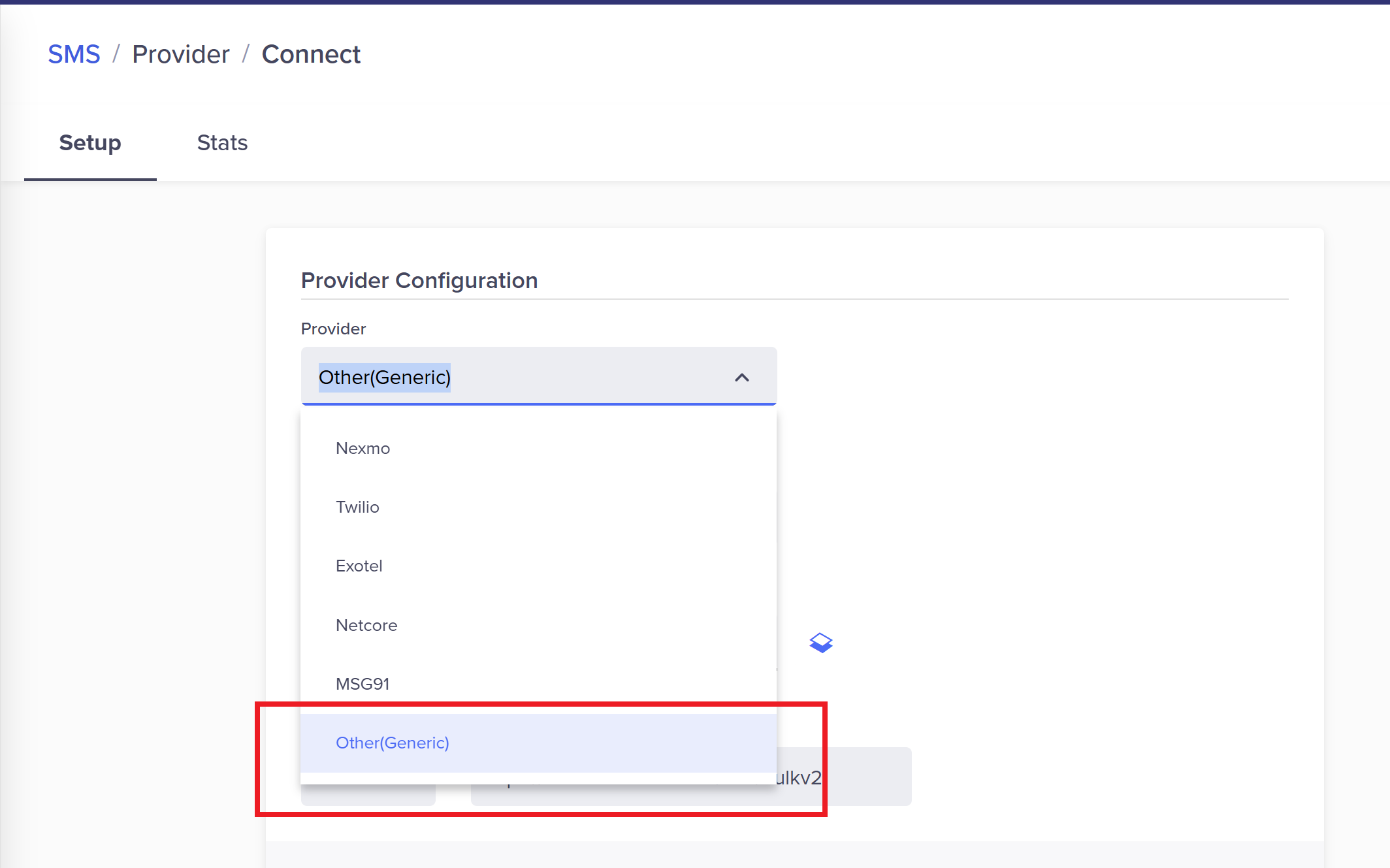
2. In Provider select Other(Generic) option from the drop down to add Fast2SMS SMS API into CleverTap
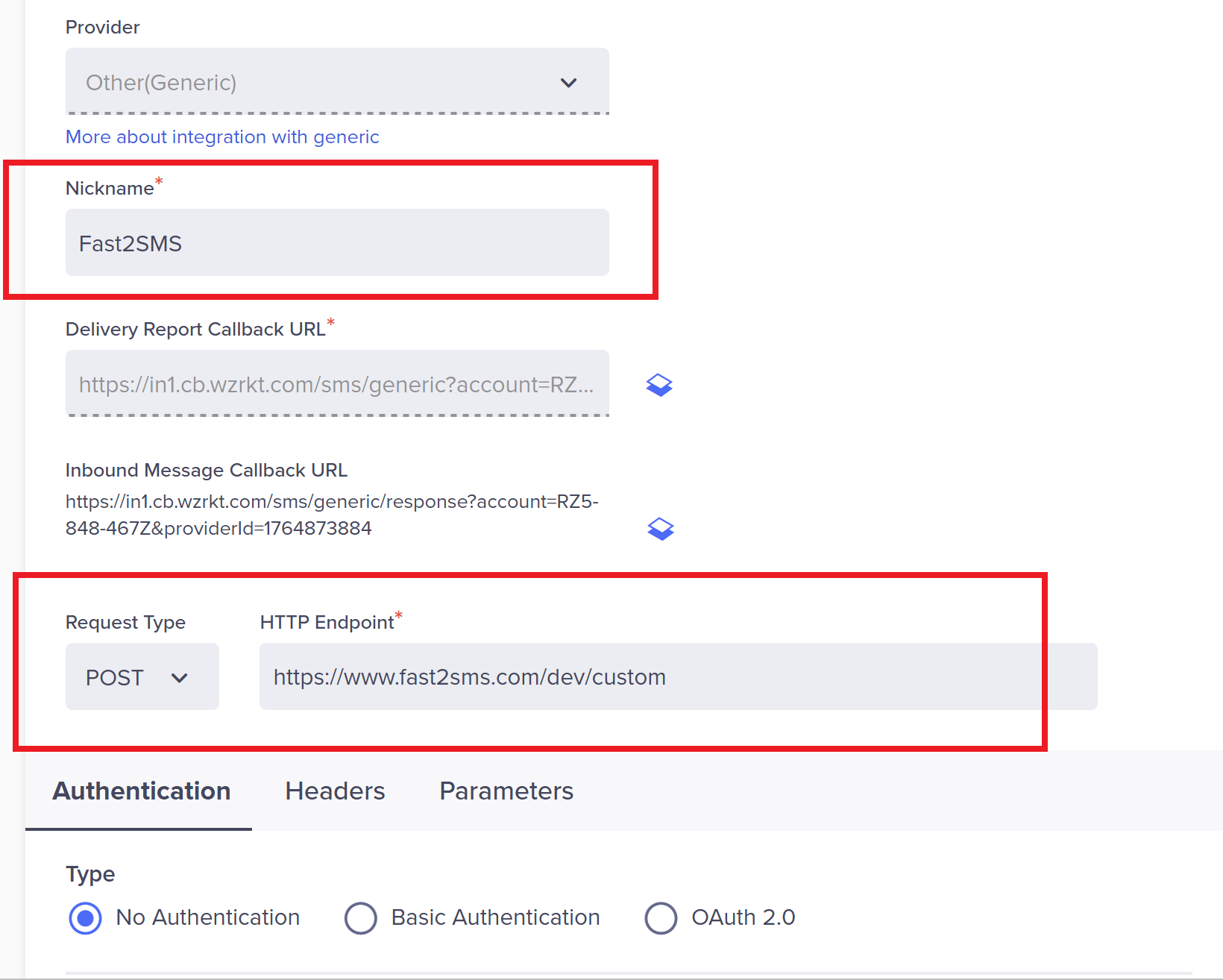
3) Enter nickname: Fast2SMS
Request Type: POST
HTTP Endpoint: https://www.fast2sms.com/dev/custom
NOTE: Fast2SMS reseller (Bulk9) users can use their whitelisted URL in above endpoint eg: https://yourdomain.com/dev/custom
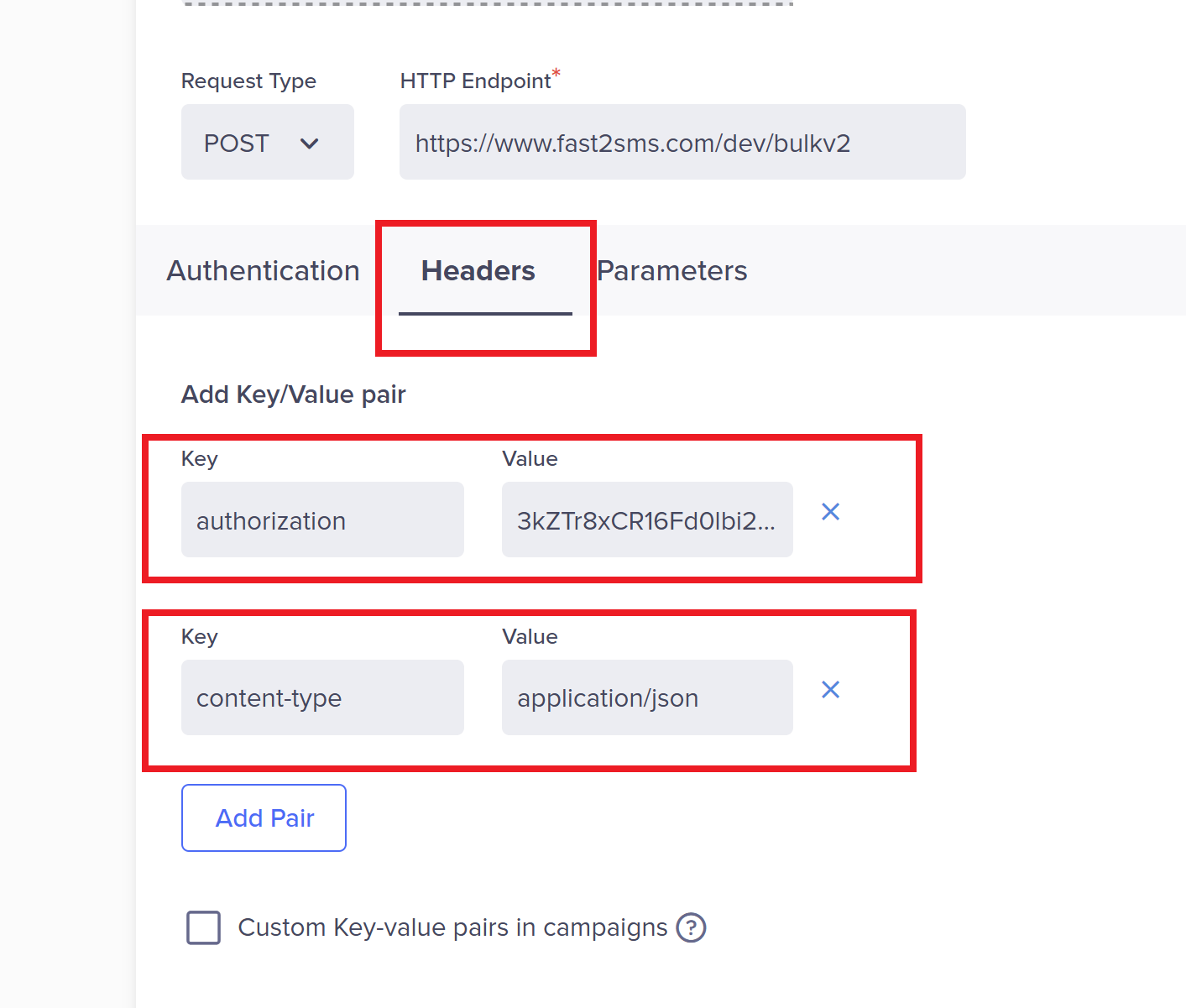
4. Select Headers tab and add these fields:
key: authorization
value: YOU_API_KEY (get YOU_API_KEY from Fast2SMS Dev API section)
key: content-type
value: application/json
5. Open Parameters Tab & select Type: JSON
Copy below code into the black box:
{
“route”: “dlt_manual”,
“requests”: [
{
“sender_id”: “FSTSMS”,
“entity_id”: “1111111111”,
“template_id”: “$$TemplateID”,
“message”: “$$Body”,
“flash”: 0,
“numbers”: “$$To”
}
]
}
NOTE: Here you need to change FSTSMS to your DLT_SENDER_ID & 1111111111 to your DLT_ENTITY_ID
Do not change anything other than FSTSMS & 1111111111 from the above code.
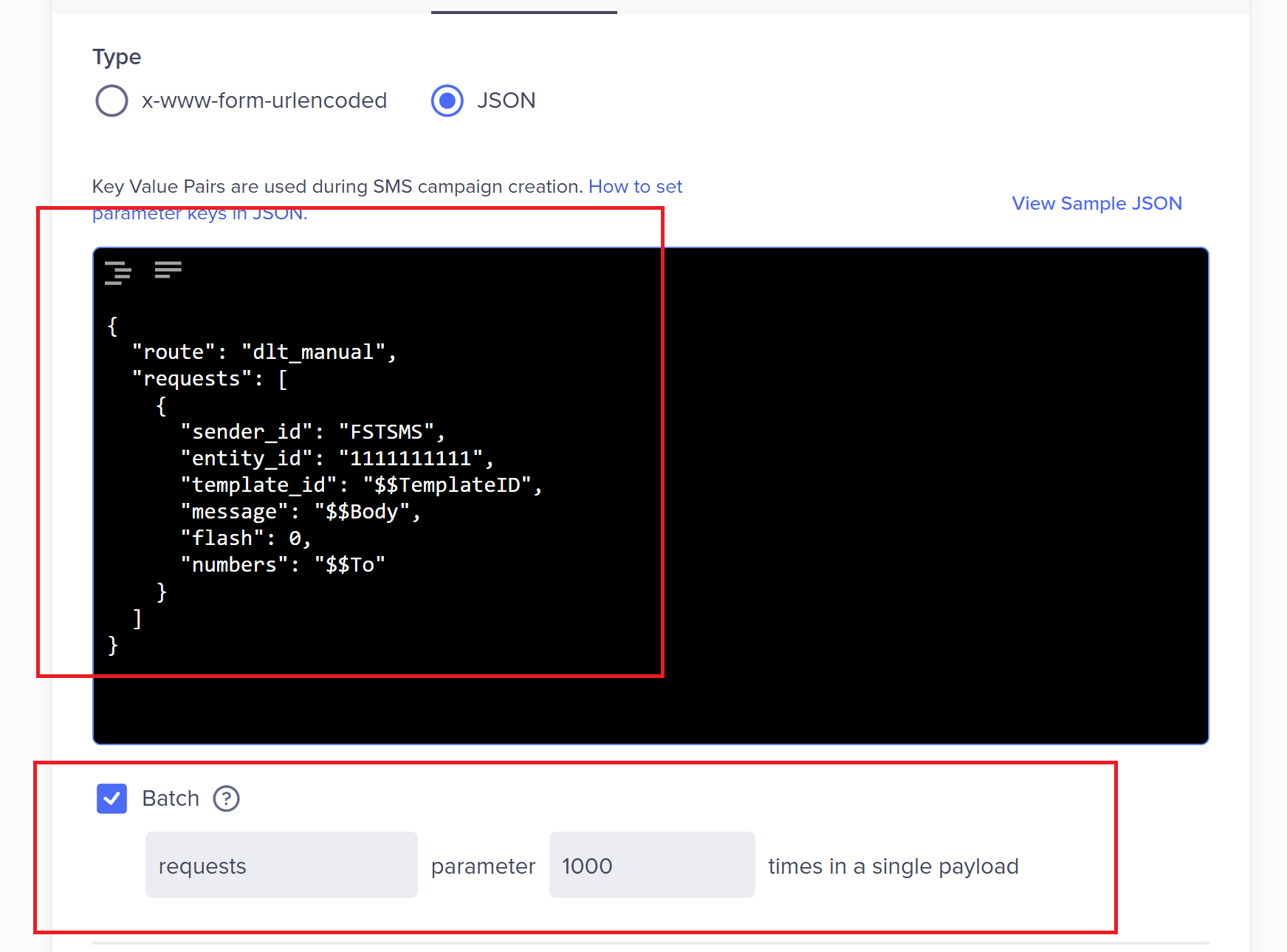
Click checkbox on “Batch” & type requests with parameter 1000
6. Send test SMS then save configuration to use Fast2SMS DLT SMS API within CleverTap.
Enter mobile number with country code
In Template ID: Type your DLT approved template id of the message
In Message: Type your DLT approved sms with all the real values of {#var#}.
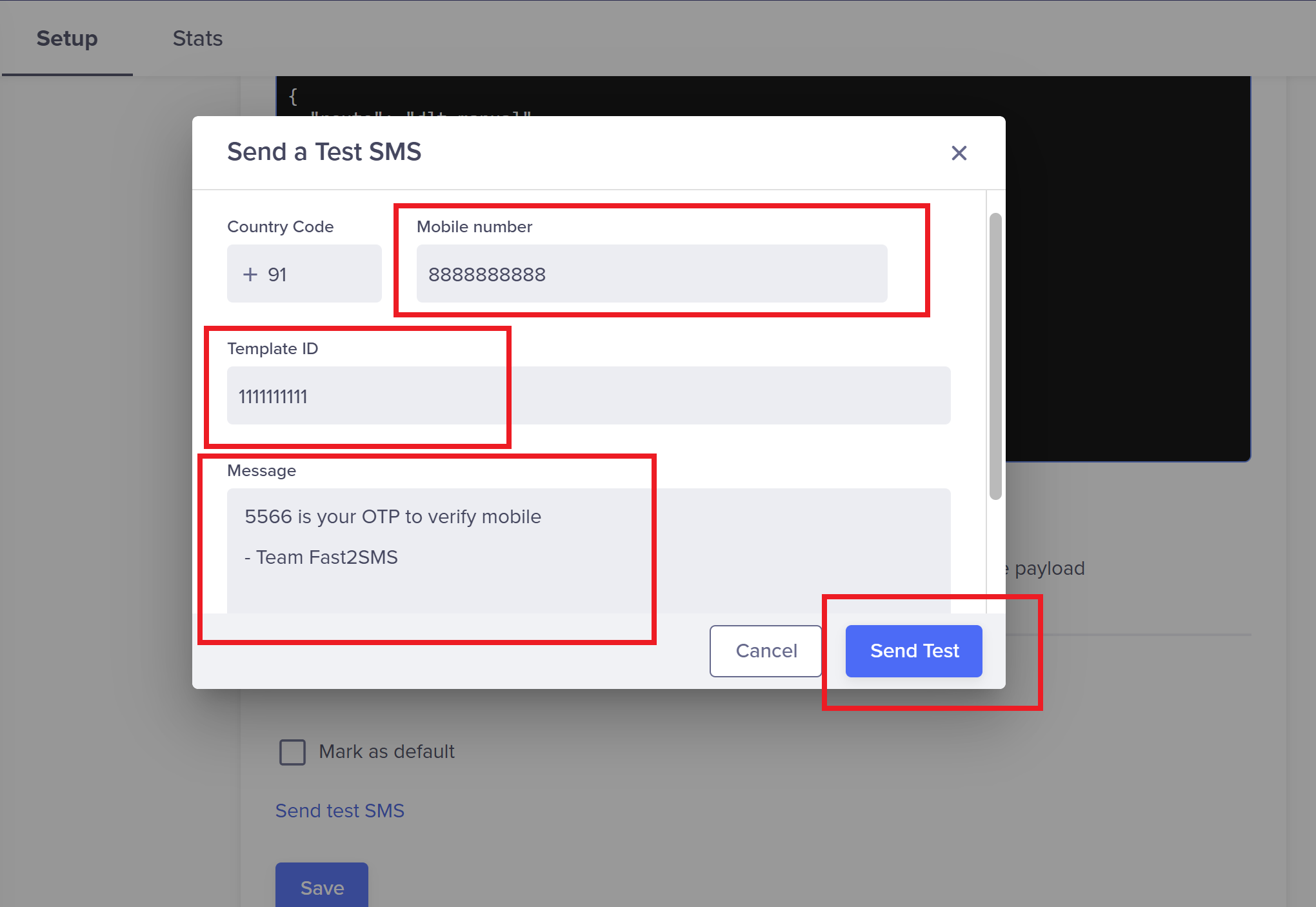
Click Send Test & if you get below success messages it means API configuration is successful:
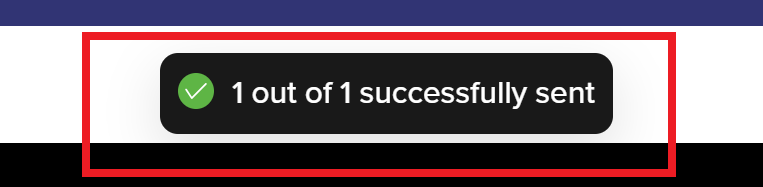
If you get success message in CleverTap & SMS not received then check Fast2SMS delivery report section for failure reason. Might be your template_id, entity_id, sender_id or messages text is mismatched with approved DLT content.
For any help email us on: [email protected]