
Authentication is the process of confirming the truth of an attribute of a single piece of data. In the context of SMS API, it involves verifying the identity of the user or application that is attempting to access the API.

API Key authentication involves using a unique API key provided by the SMS API provider to authenticate and authorize API requests. In this article, we will be discussing everything about SMS API Authentication And Security.
Security Measures For SMS API
Ensuring secure communication is crucial for SMS API to protect sensitive user data and maintain trust with customers.
Secure communication helps prevent unauthorized access and interception of messages, safeguarding the privacy and integrity of the transmitted data.
Implementing SSL/TLS encryption for the SMS API is essential for establishing a secure connection between the client and server.
This encryption method ensures that data exchanged between the two parties is encrypted, making it significantly more difficult for malicious actors to intercept or tamper with the information.
Employing end-to-end encryption for SMS API communications adds an extra layer of security by ensuring that the message content remains encrypted throughout its entire journey, from the sender to the recipient.
This method helps protect the confidentiality of the message content and mitigates the risk of unauthorized access at any point along the transmission path.
Maintaining the privacy and protection of user data is a fundamental aspect of SMS API security.
Implementing robust data privacy measures involves adhering to relevant data protection regulations, securing data storage, and limiting access to authorized personnel.
By prioritizing data privacy and protection, businesses can foster trust with their users and demonstrate a commitment to safeguarding sensitive information.
Best Practices for Implementing SMS API Authentication and Security
Following are some best practices for Implementing SMS API Authentication and Security.
Role-based access control
Implement a role-based access control system to ensure that only authorized individuals or systems can access the SMS API. This can help prevent unauthorized access and misuse of the API.
Regular security audits and updates
Conduct regular security audits to identify and address any vulnerabilities in the SMS API. Keep the API updated with the latest security patches and improvements to stay ahead of potential security threats.
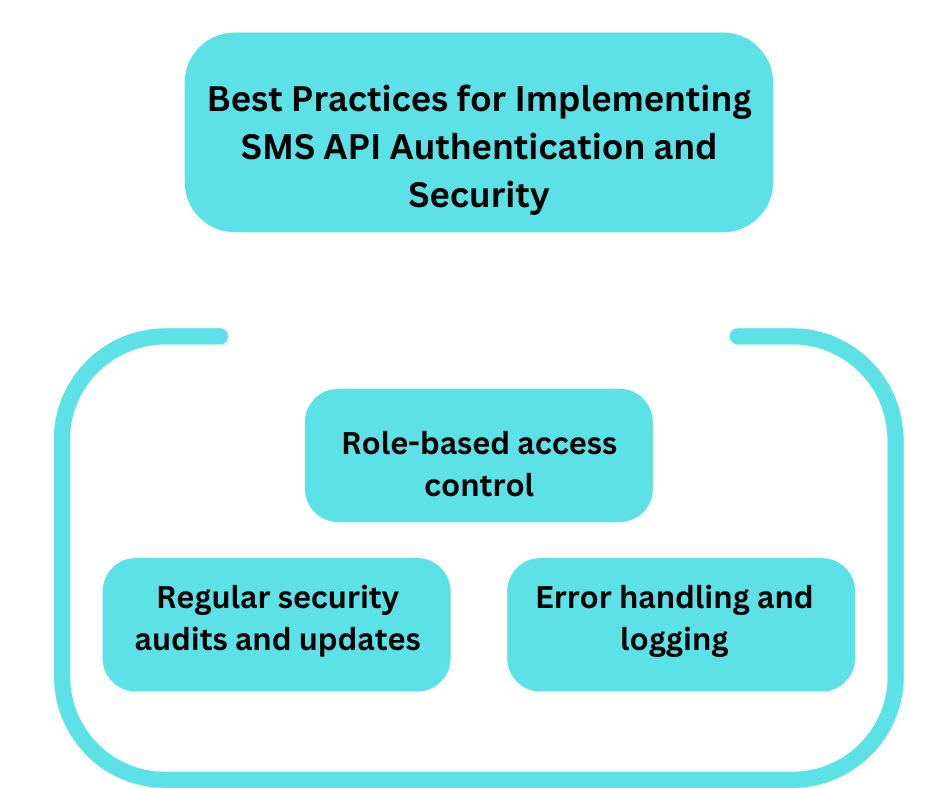
Error handling and logging
Implement robust error-handling mechanisms to gracefully manage unexpected issues that may arise when using the SMS API.
Additionally, maintain detailed logs of API usage and errors to aid in troubleshooting and monitoring for any suspicious activities.
Future Trends in SMS API Authentication and Security
In the future, we can expect to see advancements in SMS API authentication and security. This may include the development of more sophisticated authentication methods to enhance the security of SMS APIs.
Additionally, there will likely be a greater emphasis on integrating SMS API authentication with multi-factor authentication systems to provide an extra layer of security.
Frequently asked questions
How do I send the API key in an SMS API request?
For POST requests, send it in the Authorization header. For GET requests you can pass it as the authorization parameter, but the header is safer because URLs often end up in logs. A Bearer prefix is also accepted.
What is IP whitelisting for an SMS API?
When API Security is on, only the server IPs you list can call the API, and other IPs get “IP is blacklisted from Dev API section”. The page also shows other IPs that tried to use your key. See API security and IP whitelisting.
What should I do if my SMS API key is leaked?
Reset it at once from Settings > API Key with the OTP. The old key stops working right away, so update the new key in your apps, then turn on IP whitelisting. Read how to reset your API key.
Can I put the SMS API key in my mobile app or website code?
No. Anyone can pull a key out of app or browser code and send SMS from your wallet. Keep the key on your server and let your app ask your server to send the SMS.
Can I stop all API access without changing my key?
Yes. Turn off API Access on the API Key page, confirmed with an OTP. Every Dev API request is then rejected until you turn it back on, and Quick API Access is turned off too.
Is SMS content encrypted end to end?
No. HTTPS protects the request from your server to the API, but SMS on the phone network is not end-to-end encrypted. Never send passwords, full card numbers or other secrets in an SMS.