
Free WhatsApp Chatbot for Business: Build Auto-Reply Flows Without Coding
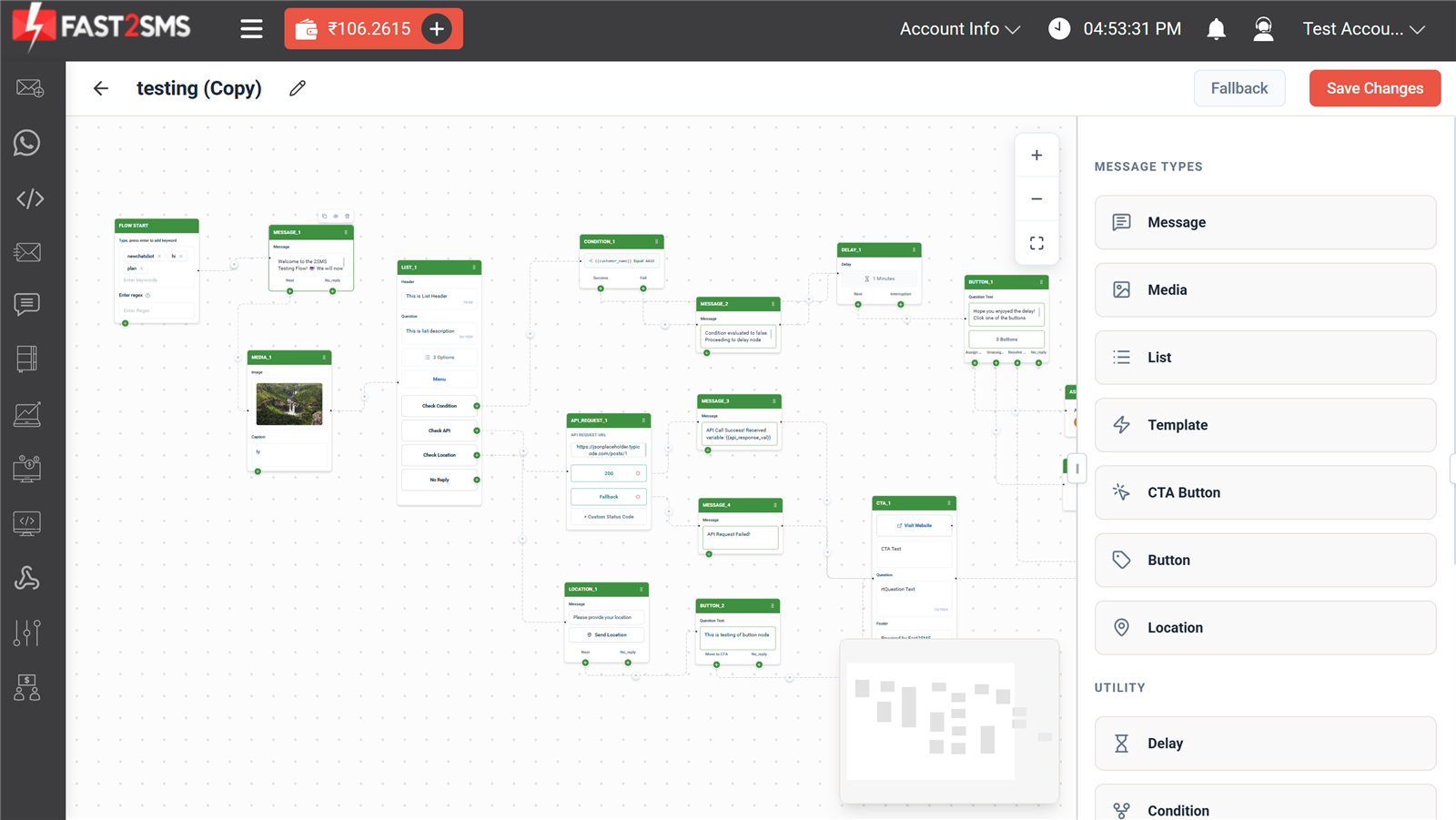
Customers ask the same questions all day. Price, delivery time, catalogue, office hours. A WhatsApp chatbot answers them in seconds, at midnight too, while your team sleeps. With Fast2SMS the chatbot builder is free. You drag blocks on a canvas, connect them, and your bot is live.
No coding. This guide shows how it works.
What the chatbot can do
- Keyword triggers. A customer types “hi” or “price” and the right flow starts.
- Message types. Text, images, documents, list menus, buttons, CTA buttons, location, even approved templates.
- Conditions. Branch the flow based on what the customer picked or on saved values like their name.
- API requests. The bot can call your own website’s API mid-conversation and reply with live data, like order status or stock.
- Delays and fallbacks. Wait a minute before the next message, or send a fallback when the customer types something unexpected.
- Human handoff. One block moves the chat to your Live Chat inbox, where a real agent takes over.
What you need
- A free Fast2SMS account.
- A WhatsApp number connected to the free Business API. Use a new number or your existing WhatsApp Business app number. Setup steps are in the free Cloud API guide.
Build your first bot in five steps
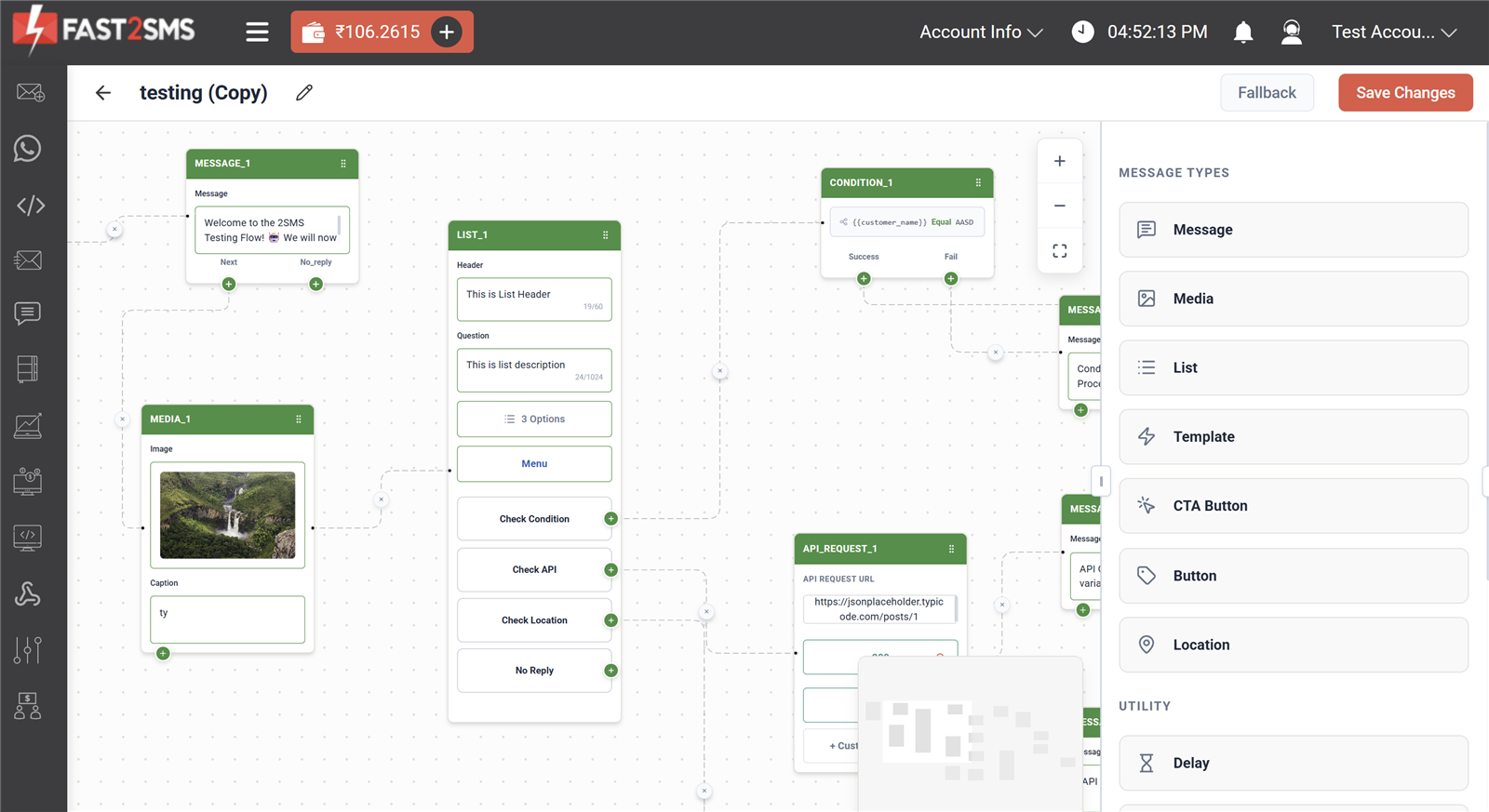
- Open the chatbot builder in your Fast2SMS panel and create a new flow.
- Add keywords to the Flow Start block, like “hi”, “hello”, “menu”. When a customer types one, the bot starts.
- Add a welcome message. Drag a Message block, type your greeting, connect it to the start.
- Add a List menu. Give customers 3 options, like Products, Pricing, Talk to an agent. Connect each option to its own reply.
- Save changes. The bot is live on your number immediately. Message it yourself and watch it answer.
Hand over to a human when it matters
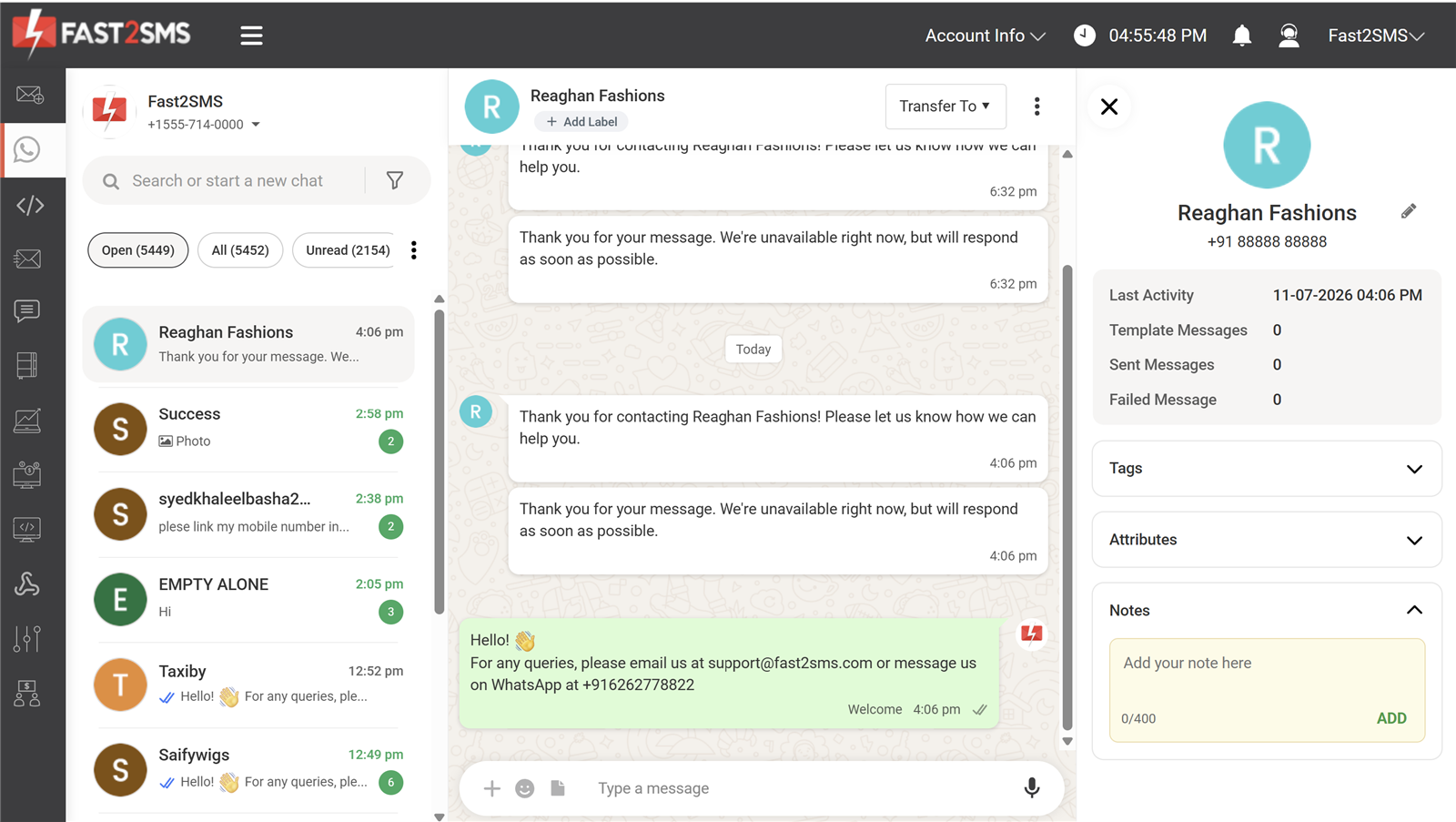
Bots should not trap people. Add a “Talk to an agent” option and the conversation moves to the Fast2SMS Live Chat, a WhatsApp Web style inbox for your whole team. Agents see the full history, add tags and notes, and transfer chats to each other.
What does it cost?
The chatbot builder and the Live Chat inbox are free. There is no monthly fee for the WhatsApp Business API on Fast2SMS either. You pay only normal per-message WhatsApp conversation charges from your own wallet. Details in the pricing guide.
Good first bots to copy
- Catalogue bot. Menu of product categories, each option sends a PDF or image with prices.
- Order status bot. Asks for the order number, calls your API, replies with live status.
- Lead qualifier. Asks 3 questions, saves the answers, hands hot leads to an agent.
- After-hours bot. Answers instantly at night and promises a human reply in the morning.
Frequently asked questions
Is the WhatsApp chatbot really free?
Yes. The builder is included free with your Fast2SMS account. You pay only standard per-message WhatsApp charges, with no platform fee.
Do I need to know coding?
No. The builder is drag and drop. The only technical block is the optional API request, and your developer can set that one up in minutes.
Can the bot send images and PDFs?
Yes. Media blocks send images, documents and more. List menus and buttons make replies one-tap easy.
What happens when the bot cannot answer?
Set a fallback message, or hand the chat to a human agent in the Live Chat inbox. The customer never hits a dead end.
Can it work with my existing WhatsApp Business number?
Yes. Connect your existing number with coexistence and keep using your app while the bot handles incoming chats.
Can I send bulk messages too?
Yes, same account. See how to send bulk WhatsApp messages.
Build your bot today
Create your free account, connect your WhatsApp number, and your first bot can be answering customers within the hour.
Questions? Write to [email protected].