
WhatsApp Two-Factor Authentication for WordPress: Free OTP 2FA Setup
A password alone does not protect a WordPress site anymore. Passwords get reused across sites, leaked in breaches, and guessed by bots that never sleep. Two-factor authentication fixes this by asking for something a hacker does not have: the user’s phone. This guide sets up WhatsApp OTP as a second factor on WordPress, free, with the official Fast2SMS plugin.
What two-factor authentication actually adds
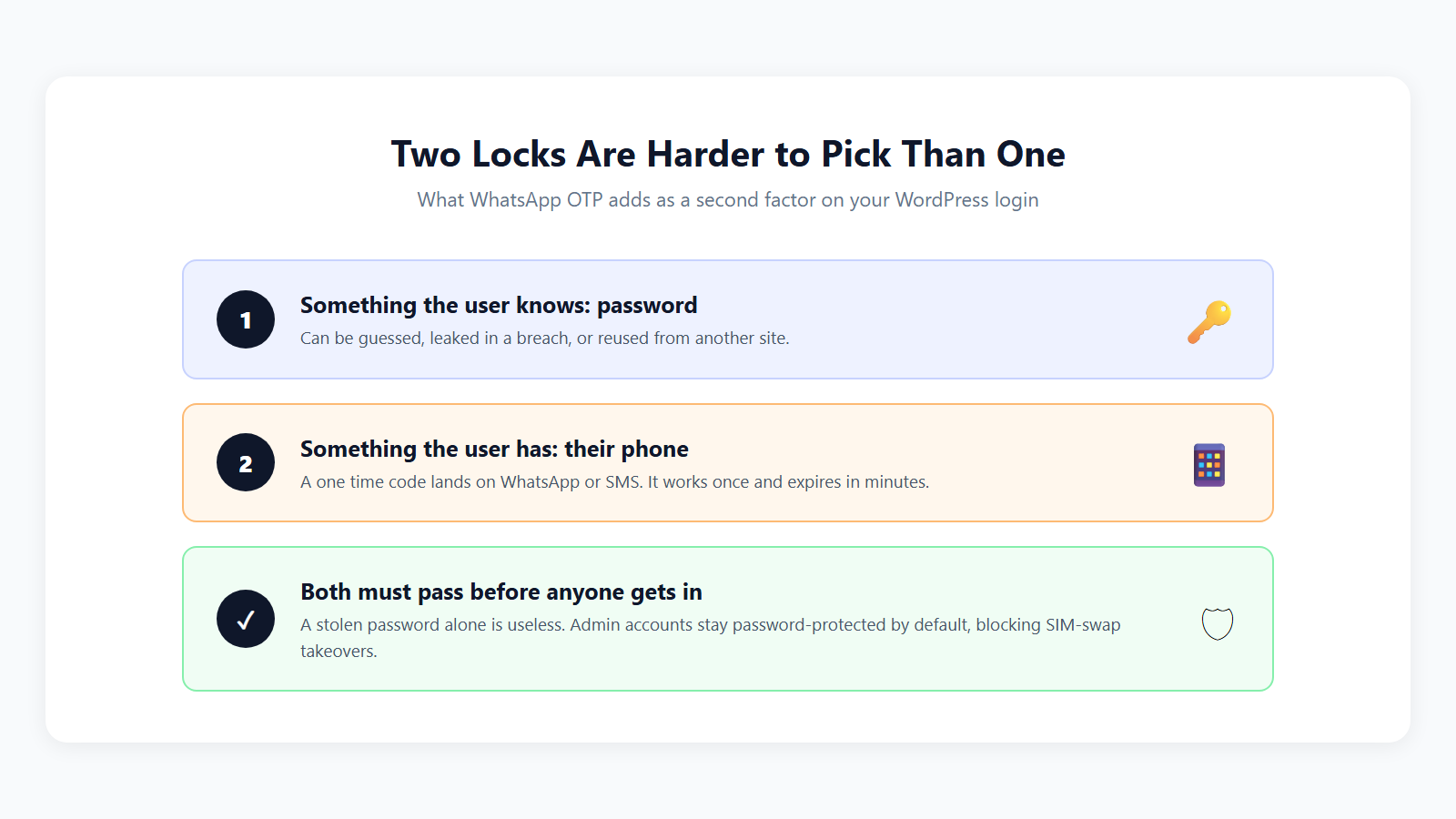
With the Fast2SMS plugin you get this protection two ways, and you can use both:
- OTP as the login. Users sign in with their mobile number and a one time code on WhatsApp or SMS. No password to steal at all.
- OTP as verification. Registration and sensitive actions require a code to the user’s verified number, proving the human behind the form.
Why WhatsApp for the second factor
- Users check it instantly. WhatsApp is open all day on Indian phones.
- Your verified business name appears on the message, so users trust the code.
- Copy code button. WhatsApp authentication templates include one-tap copy, so entry takes two seconds.
- Cheaper than SMS. INR 0.25 per delivered code, refunded automatically on failure.
- SMS fallback built in. If WhatsApp delivery fails, Smart OTP retries the same code on SMS. Read how in the Smart OTP guide.
Set it up in four steps
- Install the free plugin. In wp-admin go to Plugins > Add New, search for Fast2SMS, install and activate. Or grab it from WordPress.org.
- Connect your account. Paste your Fast2SMS API key and click Validate & Save.
- Create a WhatsApp OTP ID. In your Fast2SMS panel, open Smart OTP, add an OTP template with WhatsApp as the channel, and set SMS as fallback. Copy the OTP ID.
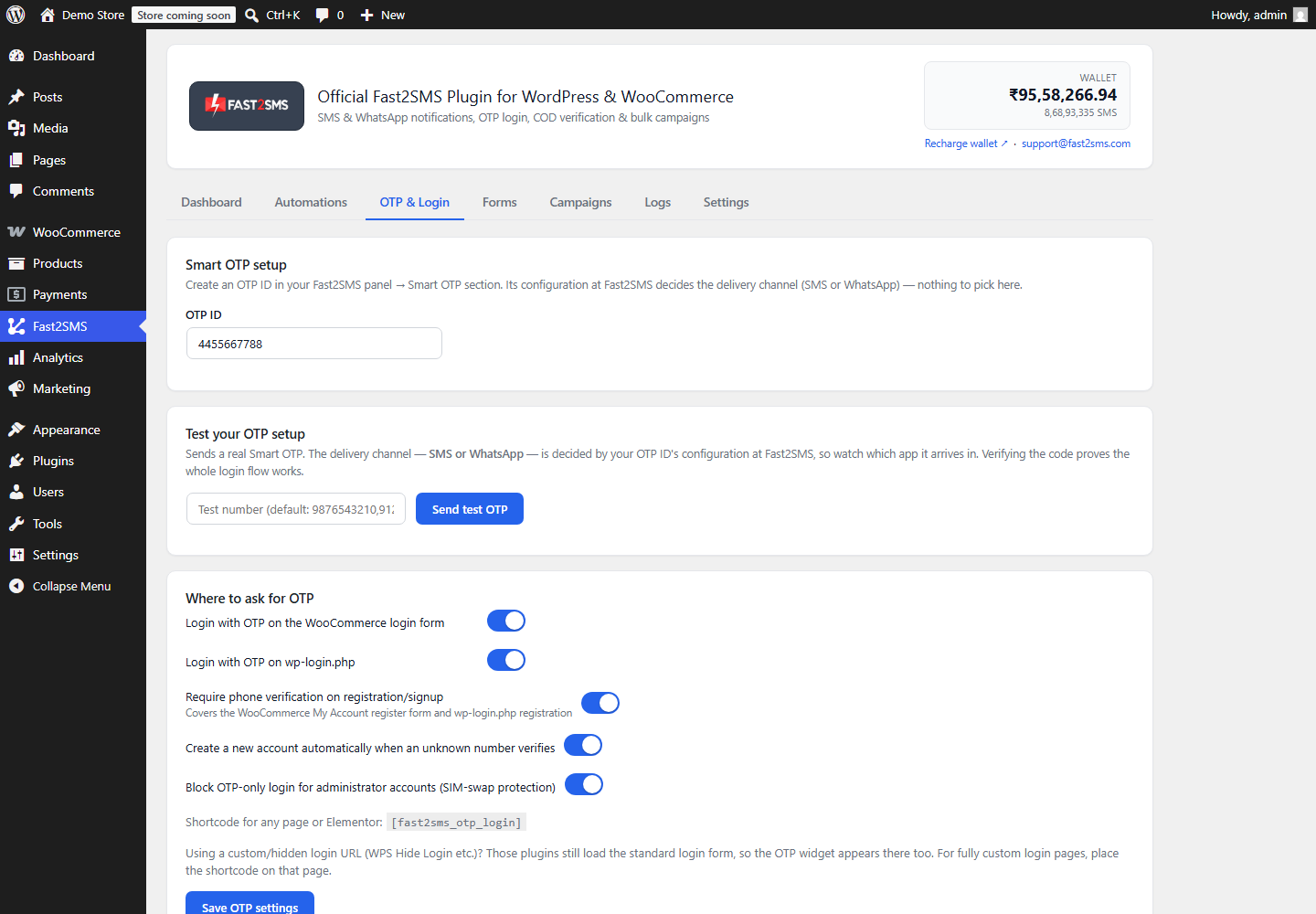
- Switch it on. In the plugin’s OTP & Login tab, paste the OTP ID and enable Login with OTP on wp-login.php (and the WooCommerce login if you run a store). Save.
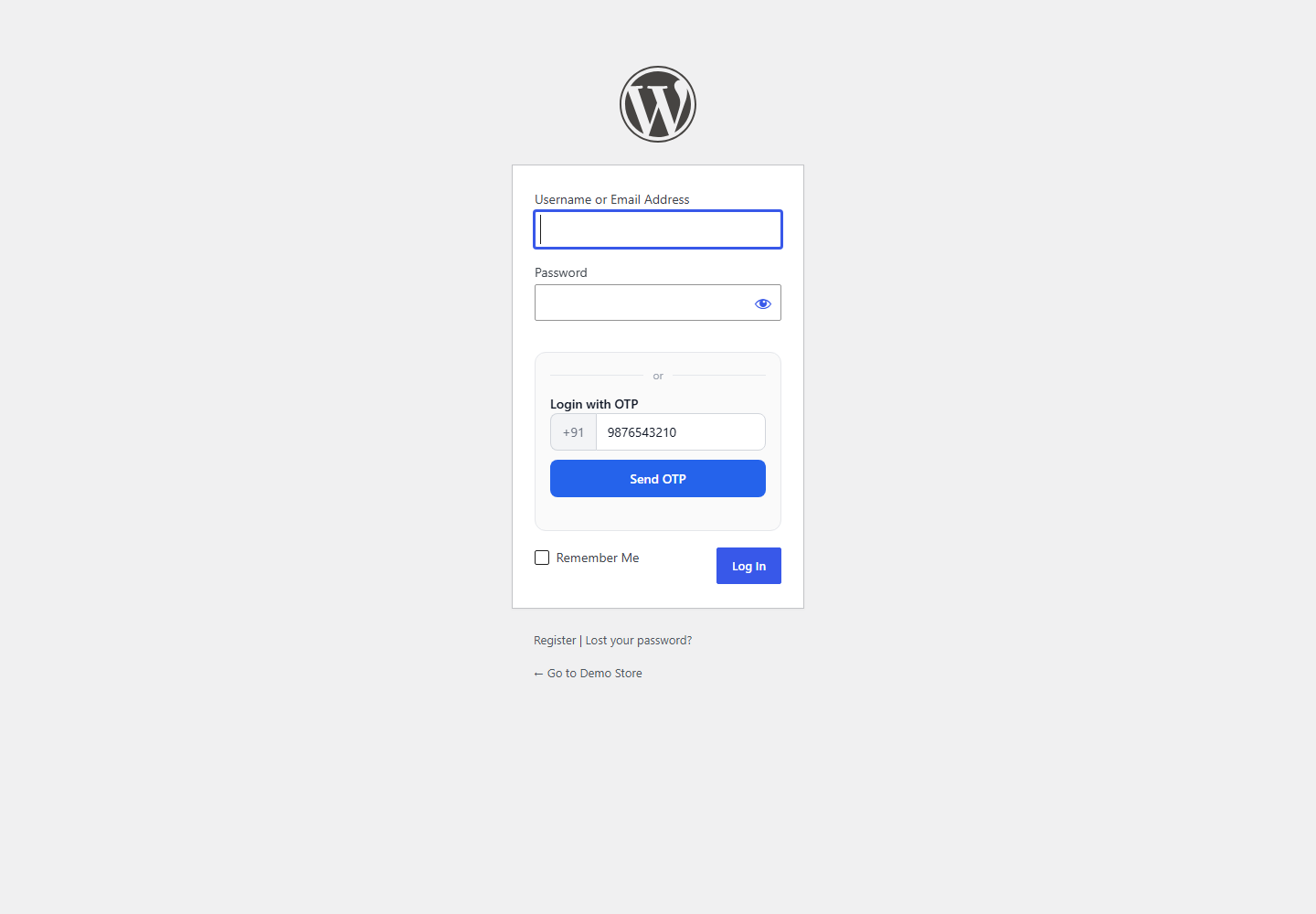
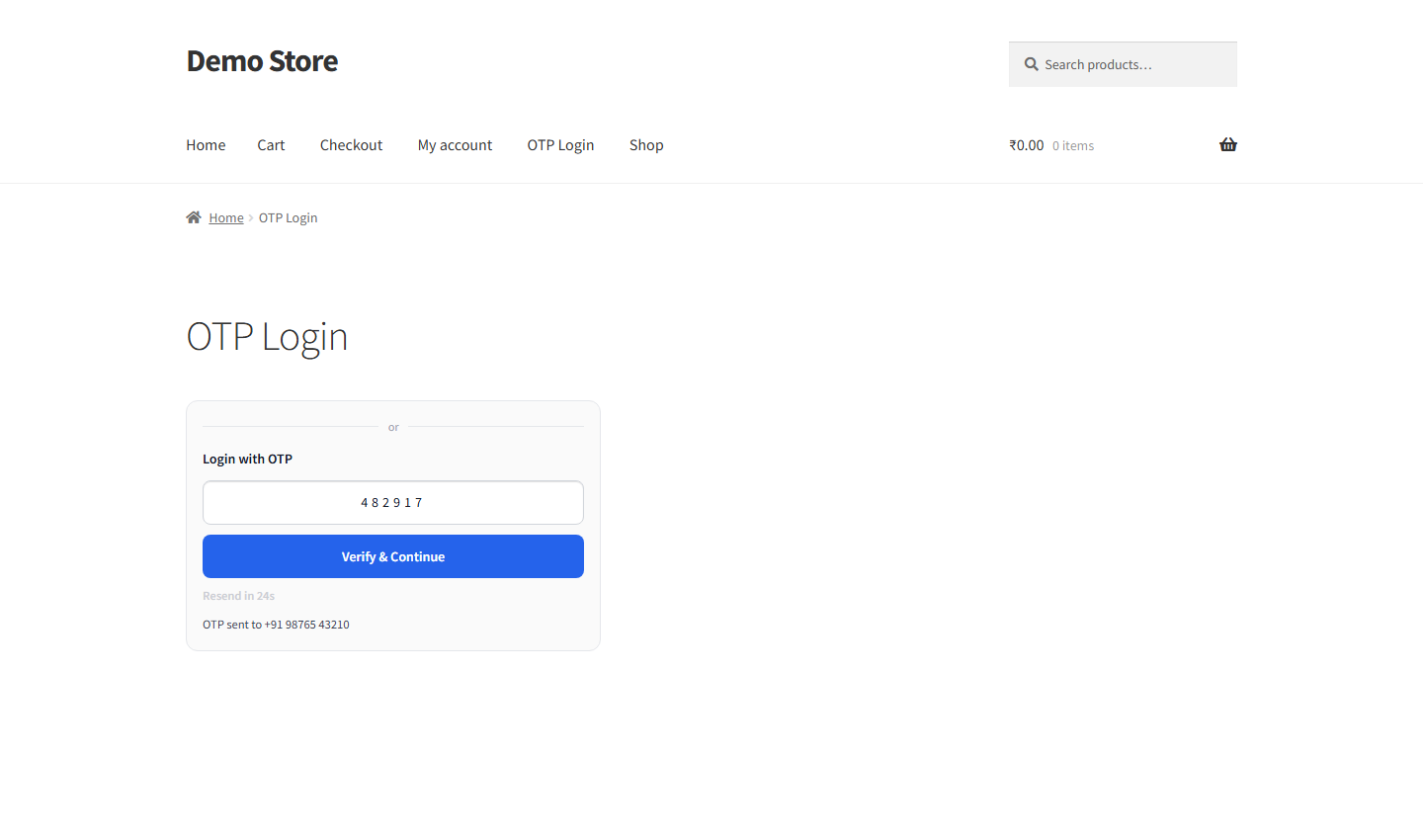
What login looks like afterwards
The security details that matter
- Administrator accounts stay locked to passwords. By default, OTP alone can never open an admin account. If someone hijacks a SIM, your site’s most powerful accounts are still safe.
- Codes are single-use and expire quickly. A stolen OTP from yesterday is worthless.
- Rate limits everywhere. Per-phone and per-IP caps, verify-attempt limits, and a resend cooldown stop brute force and SMS bombing.
- Tokens are flow-bound. A verification from the login flow cannot be replayed on the registration flow.
How this compares with paid 2FA plugins
Most WordPress 2FA plugins, miniOrange included, sell yearly licences per site, and SMS or WhatsApp delivery still needs a separate gateway subscription on top. Capable tools, but you pay twice before the first code is sent.
The Fast2SMS route is one piece: the plugin is free, the WhatsApp Business API access is free, and you pay only per delivered code from your own wallet. For an Indian site, DLT compliance and Indian routes are native, not an add-on. Full comparison in the miniOrange alternative guide.
Frequently asked questions
Is this real two-factor authentication?
Yes, in the way that matters: proving possession of the user’s phone. Use OTP as a verification layer on top of passwords, or as passwordless login where the phone code is the single strong factor.
Is the plugin free?
Yes. No licence, no per-site fee. You pay only per delivered OTP: INR 0.25 on WhatsApp, your DLT rate on SMS.
What if the user does not have WhatsApp?
Set SMS as the fallback in your OTP ID. The same code arrives by SMS automatically when WhatsApp delivery fails.
Can admins be locked out by a lost phone?
No. Admin accounts keep password login by default, and OTP-only access to them is blocked deliberately for SIM-swap safety.
Does it work with WooCommerce and custom login pages?
Yes. It covers wp-login.php, the WooCommerce My Account login, and any page through the [fast2sms_otp_login] shortcode, including Elementor layouts.
Which numbers are supported?
Indian 10-digit mobile numbers. Fast2SMS is built for Indian sites with full DLT compliance on the SMS side.
Do I need coding skills?
No. Everything is switches in the plugin and one OTP ID pasted from your panel.
Can I try the flow before users see it?
Yes. The OTP & Login tab has a test card that sends and verifies a real code on your own number.
Add the second lock today
Install the free plugin, create one WhatsApp OTP template, and your WordPress login stops depending on passwords alone.
Install Free Plugin
Signup Now
Questions? Write to [email protected].
More WooCommerce OTP, SMS and WhatsApp guides
- WooCommerce OTP plugin: 110 FAQs
- WooCommerce checkout OTP verification
- WooCommerce login with mobile number
- Phone number verification at registration
- WooCommerce WhatsApp OTP login
- WooCommerce COD OTP verification
- WooCommerce OTP not received: fixes
- WooCommerce OTP cost
- Best WooCommerce OTP plugins compared
- Free mobile login plugin alternative
- WooCommerce WhatsApp plugin: 100+ FAQs
- WooCommerce SMS notification plugin: 100+ FAQs
- Order status SMS and WhatsApp
- COD to prepaid and pending payment reminders
- Abandoned cart recovery on WhatsApp and SMS
- Back in stock notifier
- WooCommerce SMS marketing campaigns
- Best WooCommerce SMS and WhatsApp plugins
- Twilio SMS alternative for India
- WooCommerce OTP plugin guide in Hindi
High volume? Rates are negotiable: call sales on +91-6262778811, email [email protected] or book a free meeting with our team.