
Tally WhatsApp Integration: Complete Setup Guide with Free Plugin
Tally WhatsApp integration means one thing for a business owner: invoices, receipts and payment reminders reaching customers on WhatsApp straight from TallyPrime, without anyone exporting PDFs and forwarding them by hand. There are several ways to get there, from Tally’s own paid connected service to free plugins, and they differ a lot in cost and setup effort. This guide compares the options honestly, then walks through the full setup of the free Fast2SMS integration, which runs on the official WhatsApp Business API and charges only per message.
Your options for connecting Tally with WhatsApp
| Option | How it works | Cost model | Good and bad |
|---|---|---|---|
| Manual sharing | Export PDF, send from phone or WhatsApp Web | Free | Zero setup, but slow, error-prone and impossible to scale |
| Tally’s official connected service | Built into TallyPrime through a partner BSP | Paid subscription plans | Native experience, but recurring subscription on top of message costs |
| WhatsApp Web automation tools | Software clicks WhatsApp Web for you | Usually paid licence | Cheap-looking, but unofficial: numbers get banned and there are no delivery reports |
| Fast2SMS free plugin | .TCP add-on using official WhatsApp Business API | Free plugin, pay per message only | No subscription, official API, ready templates, SMS included in same plugin |
The rest of this guide sets up the last option, start to finish.
What the integration can send
- Sales invoices with the PDF attached as a WhatsApp document, in three formats: with closing balance, without, or with order details.
- Delivery notes, sales orders, purchase orders and POS vouchers.
- Bank and cash receipts and payments.
- Credit notes, journal and ledger vouchers.
- Outstanding payment reminders, single or bulk, and ledger confirmations.
- Stock summary, profit and loss, balance sheet and trial balance reports.
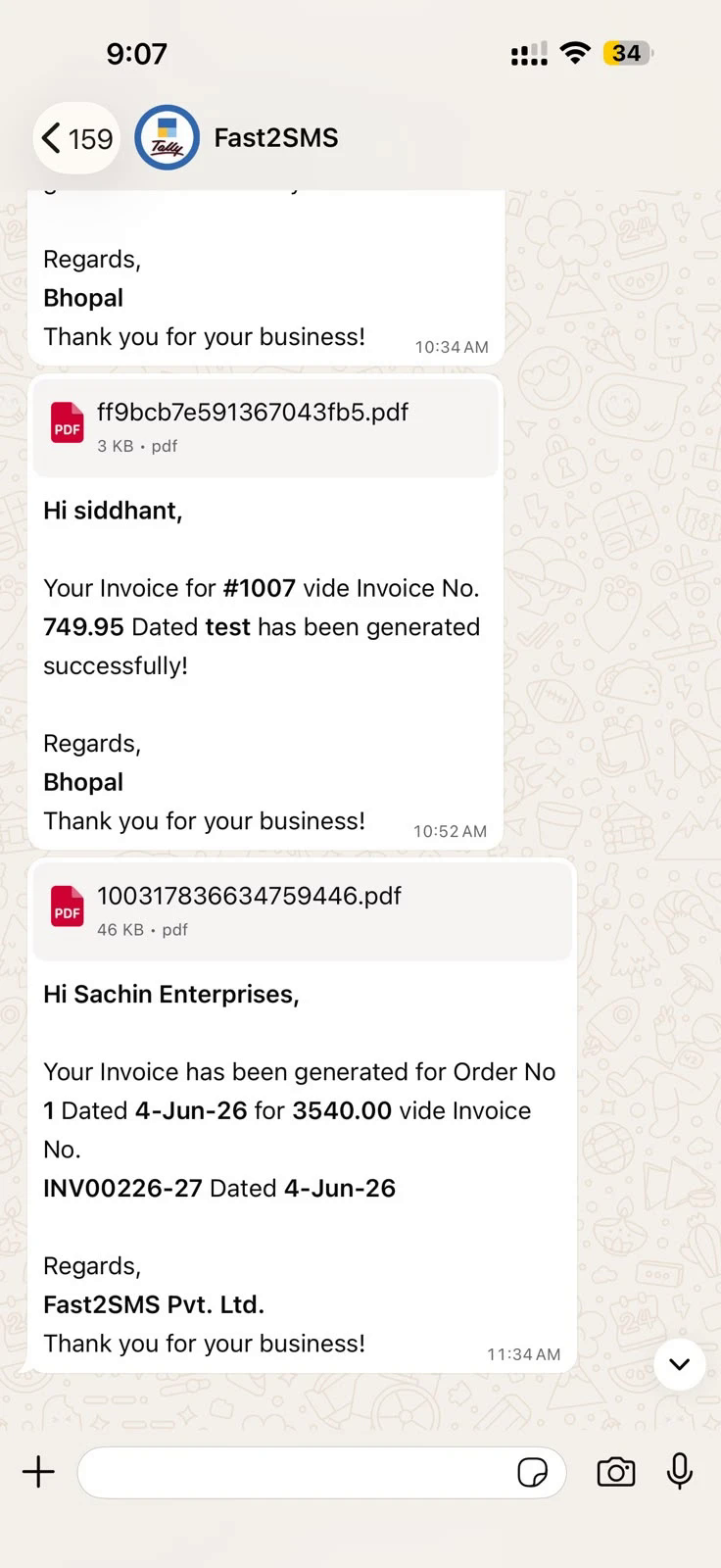
Twenty templates cover all of it, and every send is logged in a delivery report inside Tally and in your Fast2SMS panel. A real delivered sample:
Setup part 1: Install and connect
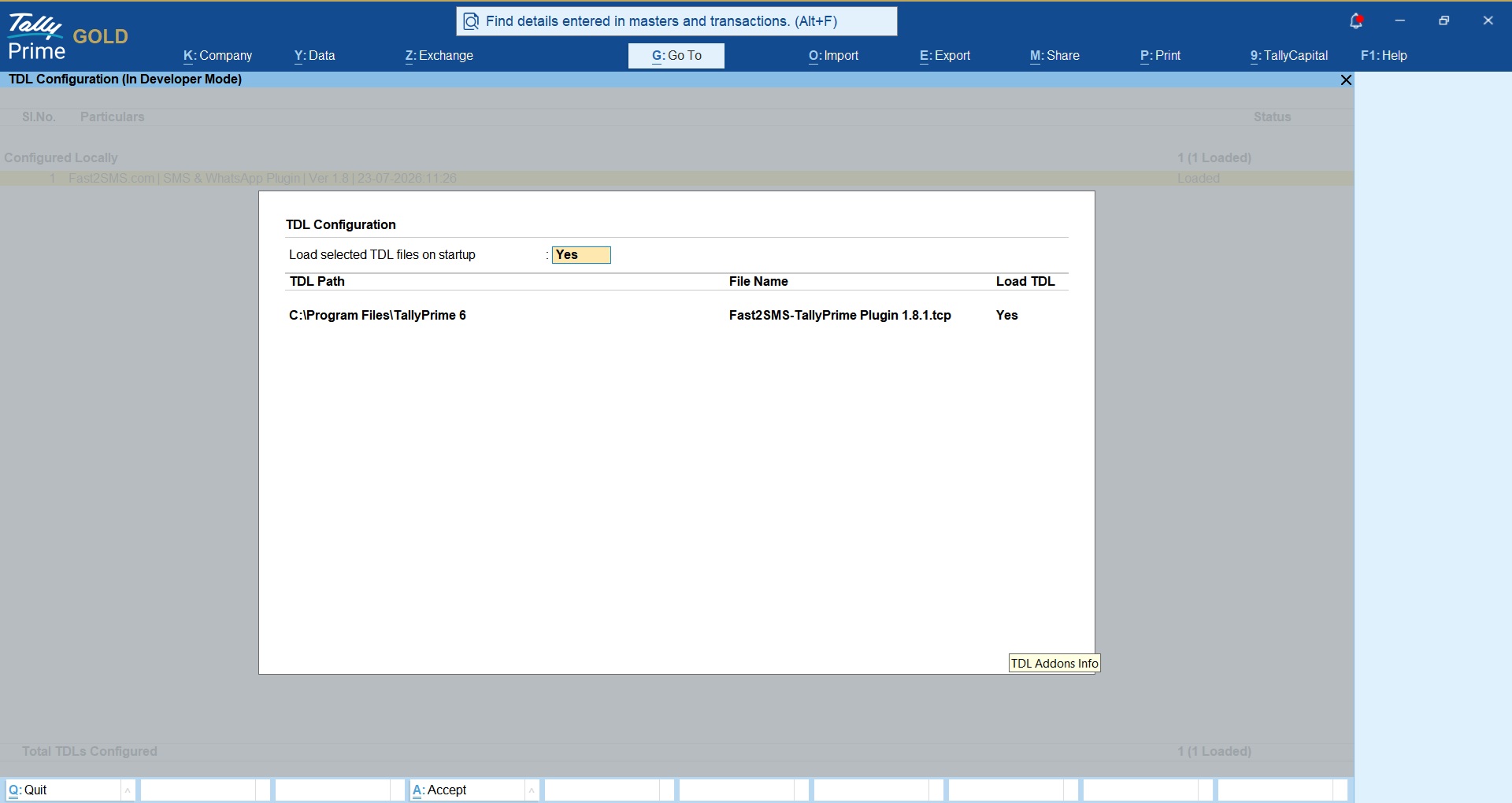
- Download the plugin and load the .TCP file in TallyPrime as a Local TDL, or as an Account TDL through Tally.NET.
- Press F1: Help > TDLs & Add-ons > F6: Add-On Features and enable the WhatsApp module (admin only sees this switch).
- Create your free account at fast2sms.com, copy the API key from the Dev API section, and paste it in the plugin’s API Key Update screen.
Setup part 2: The WhatsApp menu
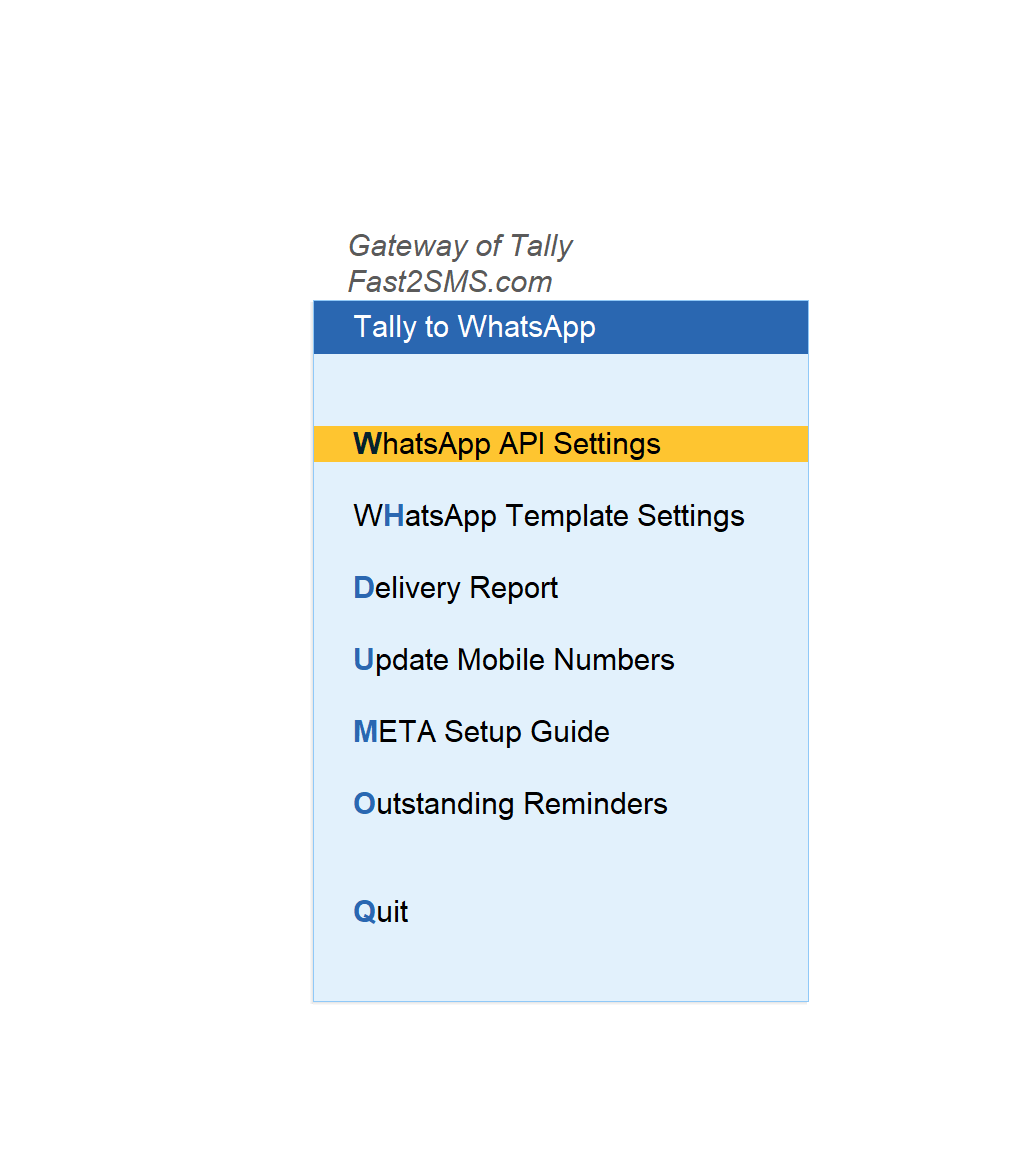
The Gateway of Tally now has a Fast2SMS.com menu, and everything WhatsApp lives under Tally to WhatsApp:
Setup part 3: Choose your start
Fast start: ready templates on the default sender
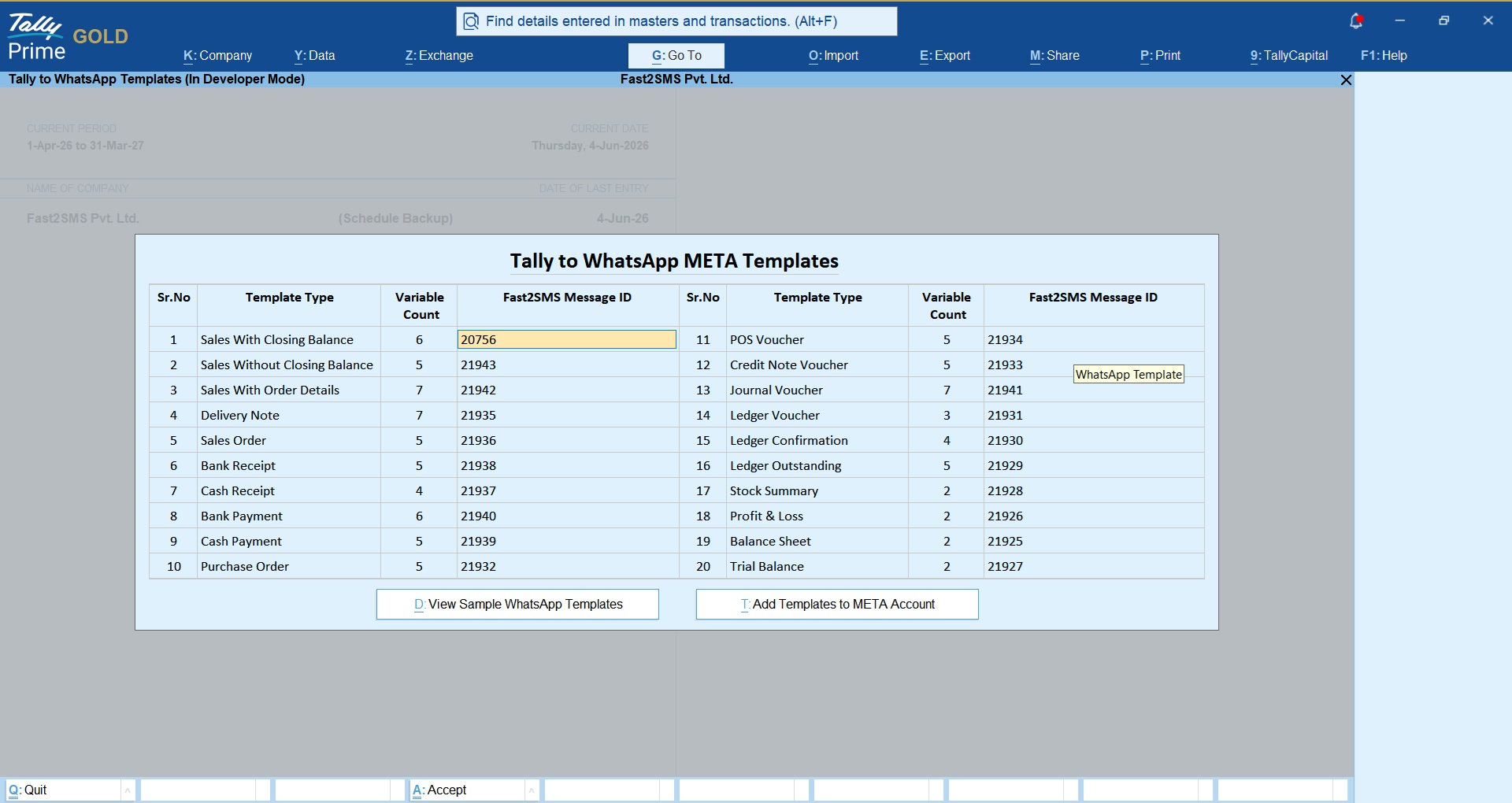
Fast2SMS pre-approved 20 templates on a ready number, so the integration works today with two entries: in WhatsApp API Settings type 123456789 as the WABA Phone Number ID, and in WhatsApp Template Settings enter message IDs T101 to T120. That is the whole setup; messages go out from the Fast2SMS default sender.
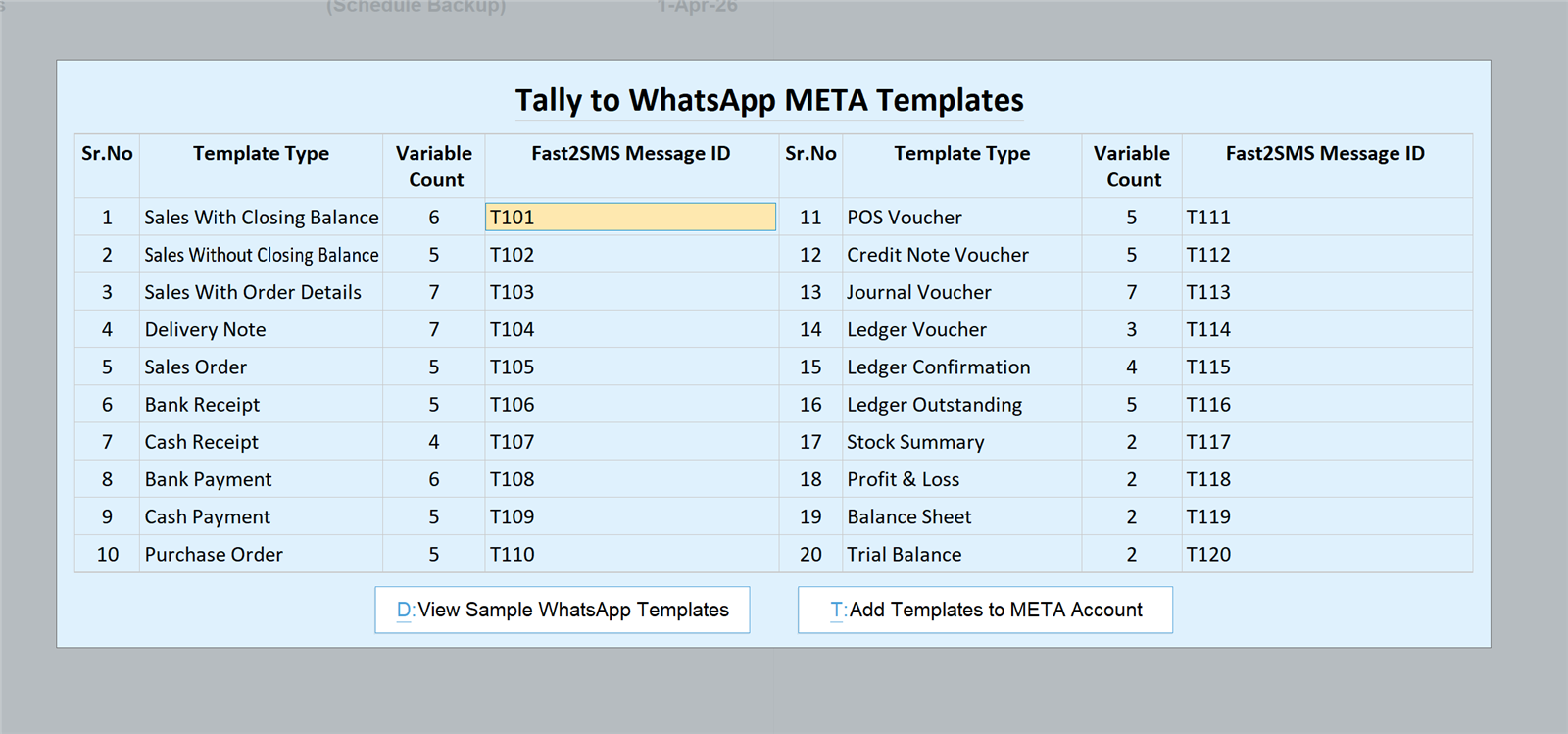
The complete voucher-to-message-ID table is in the full Tally plugin guide.
Branded: your own WhatsApp Business number
When you want your business name on every message, connect your own number free of monthly charges: complete the Meta embedded signup from your Fast2SMS panel, press Add Templates to META Account in the plugin so all 20 templates go for approval on your WABA in one click, then swap 123456789 for your own phone number ID and T101 to T120 for your approved IDs.
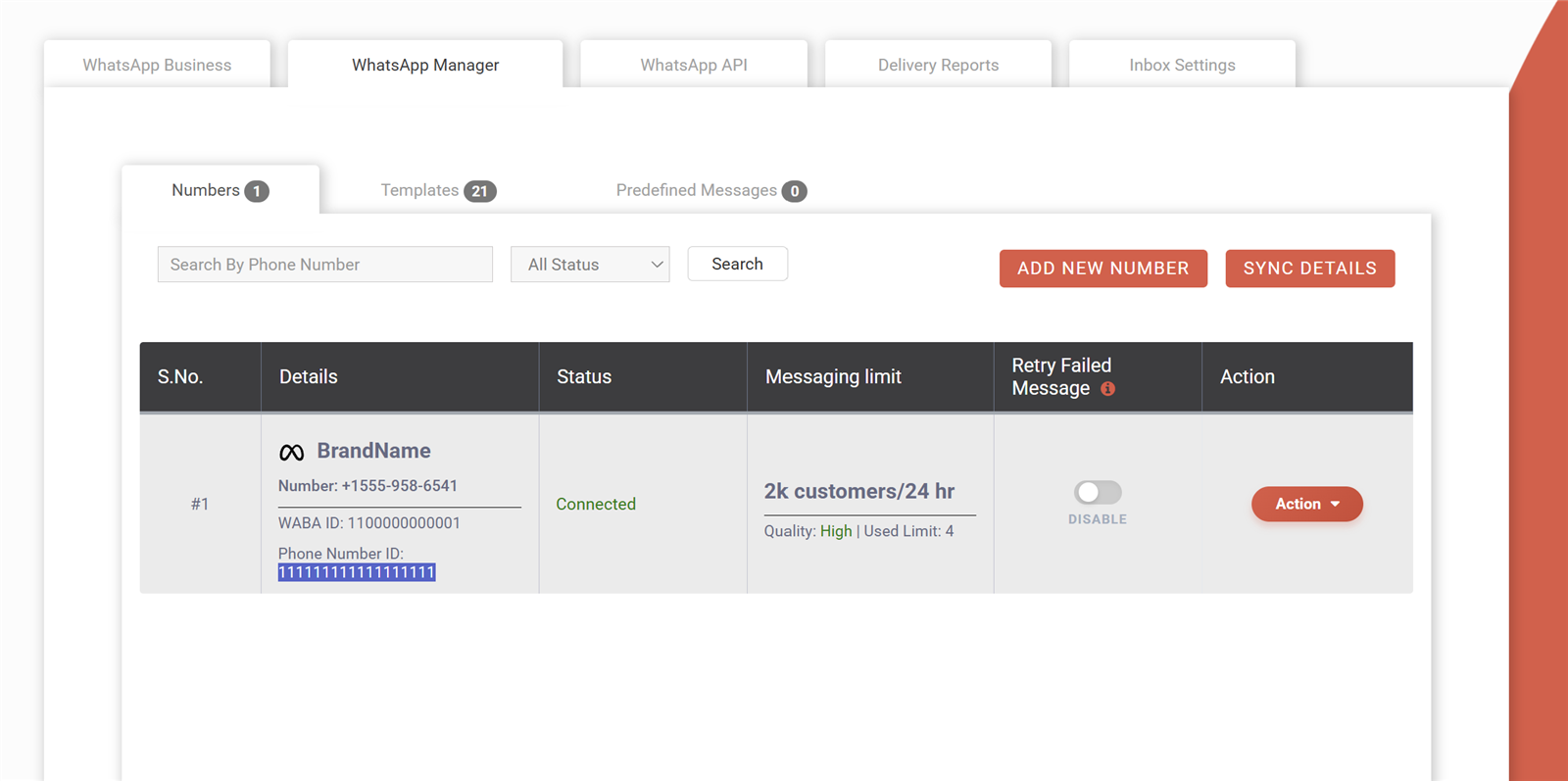
Fast2SMS charges no monthly fee, no setup fee and no per-number fee for WhatsApp Business API access; billing is per message on delivery basis, with auto refund of failed messages. Details: free WhatsApp Cloud API access.
Daily use
- From the voucher: send buttons appear on sales, receipt, payment and other voucher screens, with a preview before each send. Full walkthrough: send invoice on WhatsApp from Tally.
- Automatic: per voucher type, send the WhatsApp the moment a voucher is created or altered.
- Bulk: pick invoices in the sales register and send together; outstanding reminders go bulk from Statement of Account.
- Delivery reports: check status inside Tally or in your panel, message by message.
Frequently asked questions
Is Tally WhatsApp integration official or a hack?
The Fast2SMS plugin uses the official WhatsApp Business API through Meta’s Cloud API. It is not a WhatsApp Web automation tool, so there is no ban risk and every message has a delivery status.
What does the integration cost?
The plugin is free and there is no subscription. You pay the per-message WhatsApp rate from your Fast2SMS wallet, on delivery basis with auto refund for failed messages.
Do I need my own WhatsApp Business API account?
Not to start. The default sender with phone number ID 123456789 and templates T101 to T120 works immediately. Your own branded number is a free upgrade later.
How is this different from Tally’s own WhatsApp feature?
Tally’s connected service is a paid subscription through a partner provider. The Fast2SMS plugin has no subscription: same official API underneath, but you only ever pay per message, and the same plugin also covers DLT SMS.
Can it send reports, not just invoices?
Yes: stock summary, profit and loss, balance sheet, trial balance, ledger reports and confirmations all send on WhatsApp.
Does the customer need anything special?
Only WhatsApp. The invoice arrives as a normal document message they tap to open.
What if a message fails?
Failed WhatsApp messages auto-refund to your wallet within 48 hours, and the delivery report shows the reason.
Who do I contact for setup help?
Email [email protected] or call +91-6262778822; the team helps with installation, templates and Meta signup.
Connect Tally with WhatsApp today
Download the plugin, paste your API key, type two defaults, and your Tally starts talking to your customers on WhatsApp.
Download Tally Plugin
Signup Now
Questions? Write to [email protected] or call +91-6262778822.