
Free Tally SMS Plugin: Send SMS from TallyPrime Without Licence Fee
Most Tally SMS modules on the market charge an annual licence before you send a single message, and then SMS costs come on top. The Fast2SMS Tally SMS plugin flips that: the plugin is completely free, forever, and you pay only the per-SMS rate from your own wallet. It sends invoices, receipts, payments and outstanding reminders as DLT-compliant SMS straight from TallyPrime, with the invoice PDF auto-converted into a short link inside the message. Here is the full setup, step by step.
Free plugin vs paid Tally SMS modules
| Typical paid SMS module | Fast2SMS Tally plugin | |
|---|---|---|
| Plugin cost | Annual licence fee | Free, no licence ever |
| Message cost | Separate SMS credits | Per-SMS rate only, from your wallet |
| Invoice PDF on SMS | Rarely | Yes, auto short link to the PDF |
| WhatsApp in same plugin | Usually separate product | Included, official API |
| DLT support | Do it yourself | Free DLT support + registration shortcut inside Tally |
| Renewal pressure | Stops working when licence lapses | Nothing to renew |
What you can send as SMS from Tally
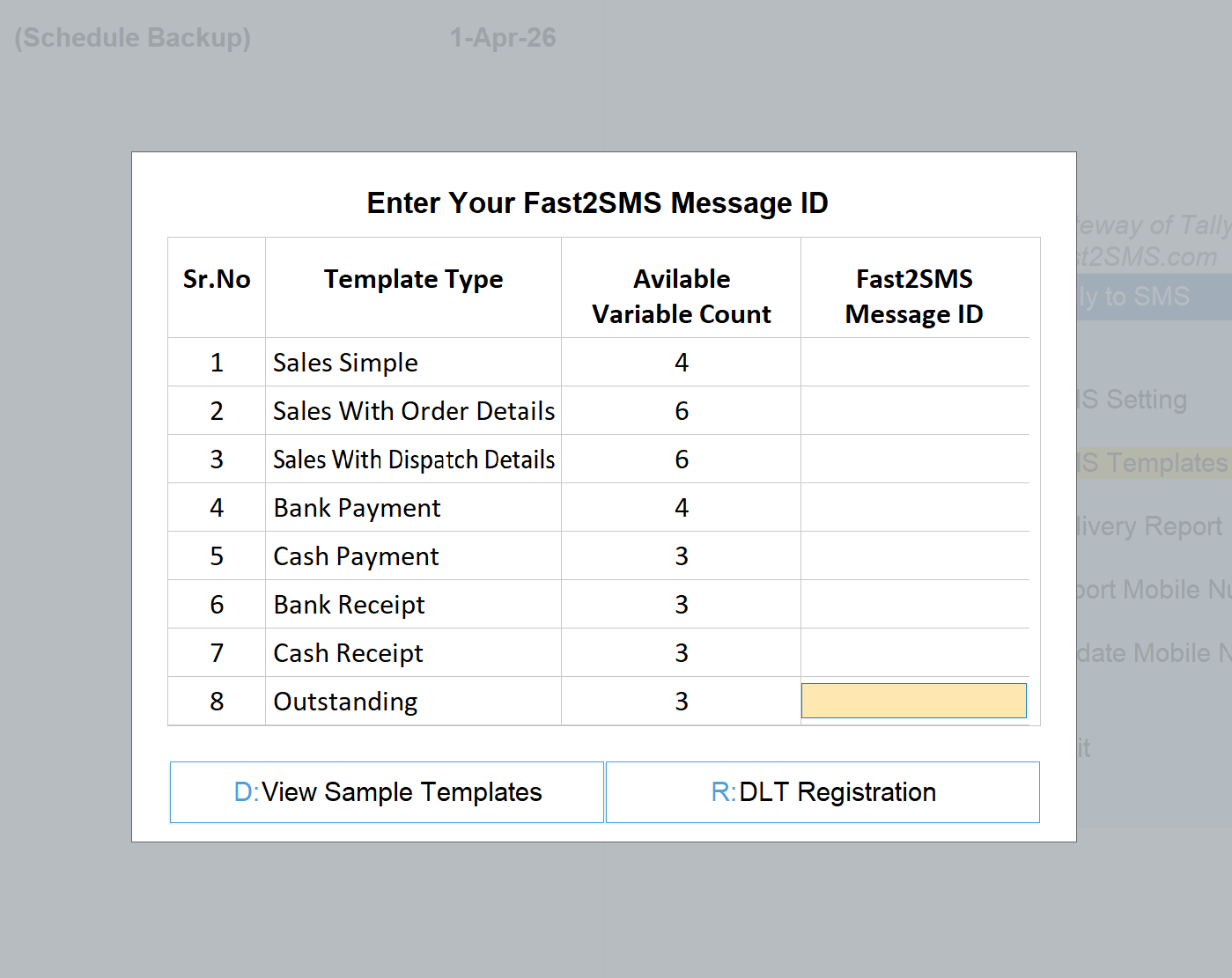
Eight template types cover the daily flow of a business:
| SMS template type | When it goes out |
|---|---|
| Sales Simple | Invoice saved: number, date, amount + PDF link |
| Sales With Order Details | Invoice against an order, order reference included |
| Sales With Dispatch Details | Goods dispatched, dispatch document details included |
| Bank Payment | You pay a party by bank |
| Cash Payment | You pay a party by cash |
| Bank Receipt | Customer payment received in bank, instant confirmation |
| Cash Receipt | Cash received, instant confirmation |
| Outstanding | Payment reminder with pending amount |
The clever part for invoices: SMS cannot carry a file, so the plugin uploads the invoice PDF and converts it into a short URL inside the SMS. Your customer taps the link and the invoice opens in the browser, no WhatsApp needed, works on every phone.
Step 1: Install the plugin
- Download the plugin and copy the .TCP file into your TallyPrime folder as a Local TDL, or load it as an Account TDL via Tally.NET.
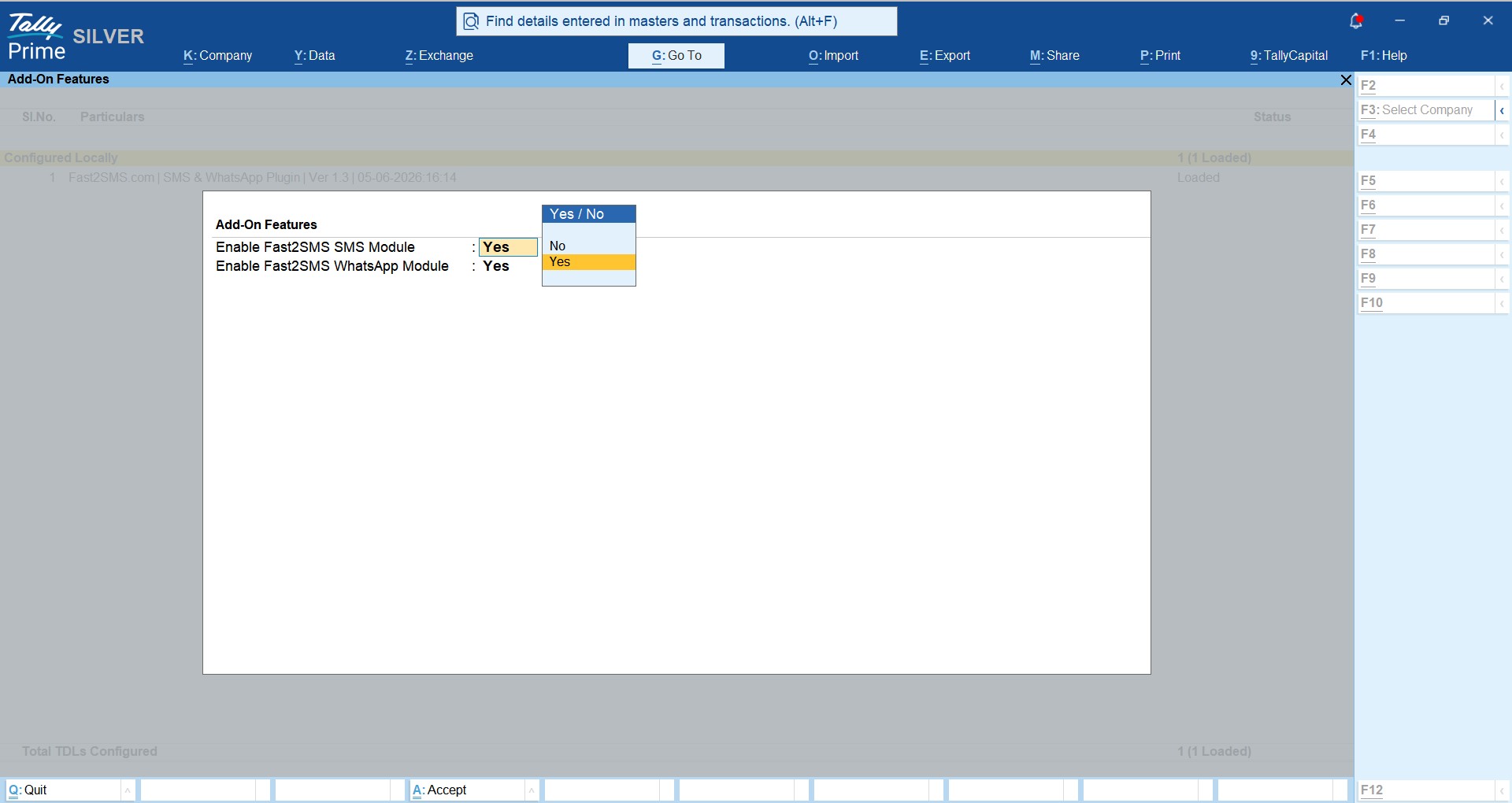
- Press F1: Help > TDLs & Add-ons > F6: Add-On Features and set Enable Fast2SMS SMS Module to Yes (visible to the administrator only).
- Paste your API key from the Fast2SMS panel’s Dev API section into the plugin’s API Key Update screen.
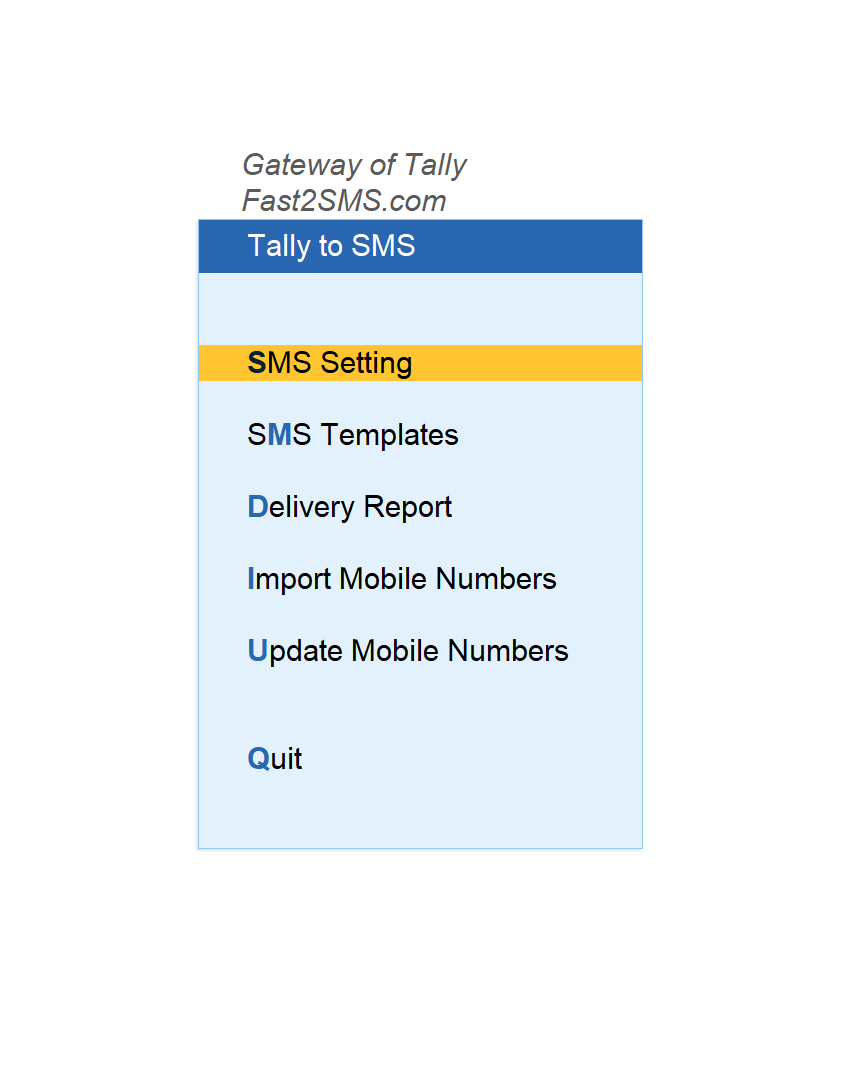
Step 2: Open the Tally to SMS menu
Step 3: DLT sender ID and templates
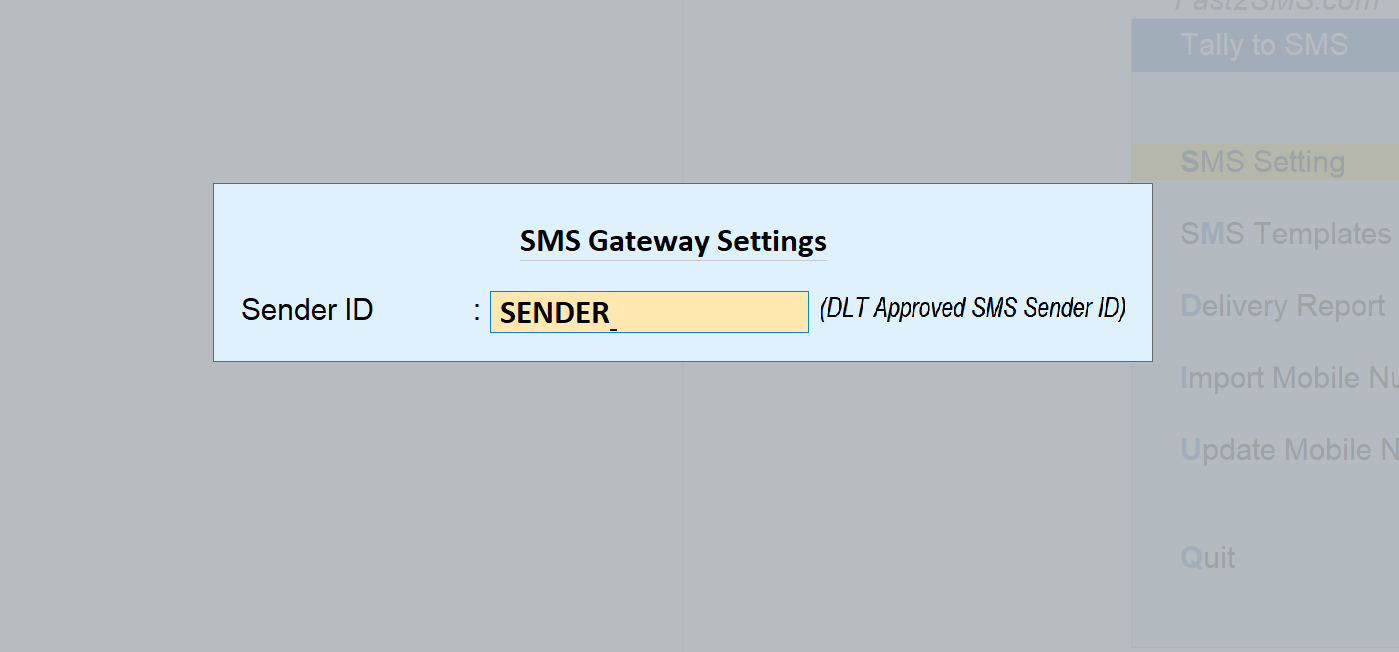
Business SMS in India runs on DLT: your sender ID and message templates registered once on a DLT portal, as TRAI requires. Fast2SMS gives free DLT support and the plugin carries a DLT Registration shortcut right inside the template screen. New to this? The DLT guide in plain English explains the whole system.
Set your sender ID in Tally to SMS > SMS Setting:
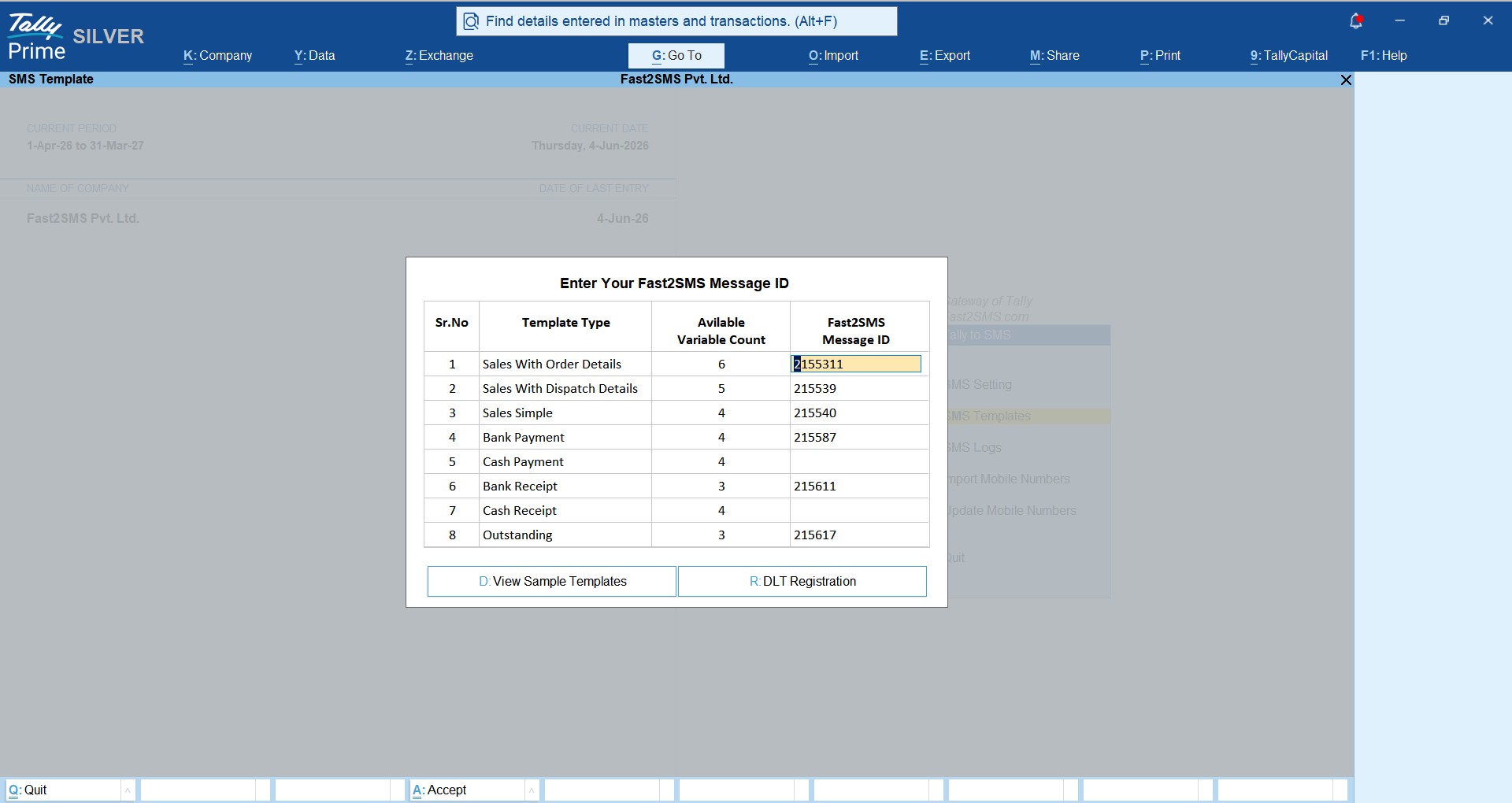
Enter your message IDs in Tally to SMS > SMS Templates. Approve the eight templates on Fast2SMS (View Sample Templates shows ready wording you can submit for DLT), then paste each approved message ID against its type:
Step 4: Customer mobile numbers
Add the number in each customer’s ledger master, update the whole debtor group at once from Update Mobile Numbers, or import from Excel with the sample file under Import Mobile Numbers. One import and your full ledger list is SMS-ready.
Step 5: Send
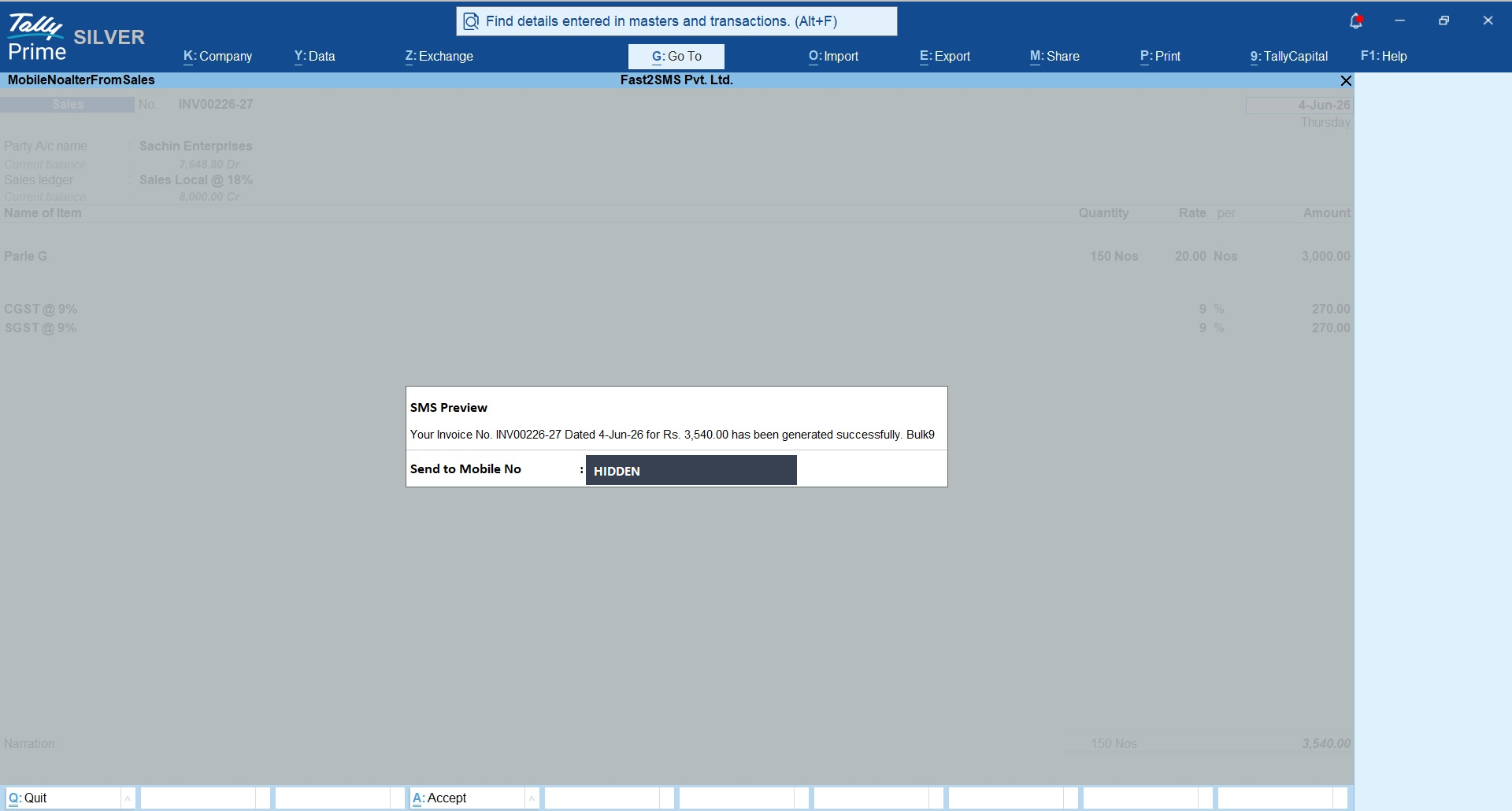
Every mapped voucher screen now carries a send button, with a preview of the message and the customer’s number before it goes out:
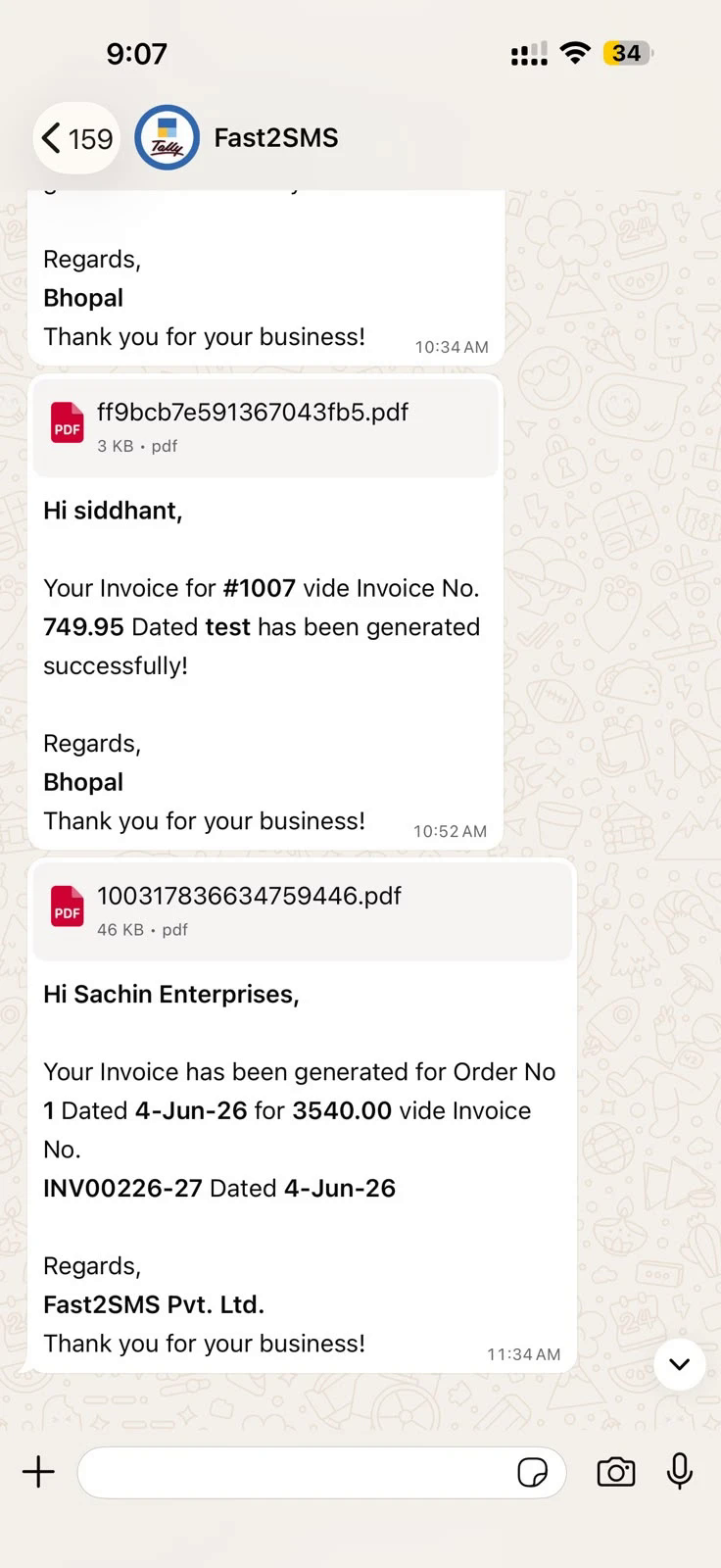
And if you enable the WhatsApp module in the same plugin, the invoice goes out there too, PDF attached as a document:
- Bulk invoices: select from the sales register and send together.
- Payment reminders: single ledger or bulk from Statement of Account > Outstanding > Group > Debtors; full guide: Tally payment reminders.
- Delivery report: inside the Tally to SMS menu, plus complete logs in your panel.
- Wallet: balance and recharge without leaving Tally.
Frequently asked questions
Is the Tally SMS plugin free to download?
Yes, completely. No licence fee, no annual renewal, no setup cost. You pay only the per-SMS rate from your Fast2SMS wallet.
Does it work with TallyPrime?
Yes, it loads as a standard .TCP add-on in TallyPrime, either as a Local TDL or through your Tally.NET account.
Do I need DLT registration?
Yes, DLT is mandatory for business SMS in India. Fast2SMS provides free DLT support, sample templates ready to submit, and a registration shortcut inside the plugin.
How does the customer see the invoice from an SMS?
The plugin converts the invoice PDF into a short link inside the SMS. One tap opens the PDF in the phone’s browser, on any handset.
Can I send payment reminders in bulk?
Yes, select all overdue customers from Statement of Account and send outstanding reminders in one action.
Can SMS go automatically when a voucher is saved?
Yes, enable auto-send per voucher type and the message fires on creation or alteration.
Does the same plugin do WhatsApp too?
Yes. The same .TCP file includes the WhatsApp module with invoice PDFs attached as documents; see the Tally WhatsApp integration guide.
What speeds and reliability can I expect?
Fast2SMS runs on 99.9% uptime infrastructure with delivery-basis reporting; security certificates are public at fast2sms.com/certificates.
Where do I get help with setup?
Email [email protected] or call +91-6262778822.
Stop paying licence fees for SMS from Tally
Download the free plugin, set your sender ID and message IDs, and your next invoice, receipt and reminder go out by SMS from inside TallyPrime.
Download Tally Plugin
Signup Now
Questions? Write to [email protected] or call +91-6262778822.