
Tally WhatsApp Sender: Default Sender vs Your Own Brand Name
When your Tally invoice lands on WhatsApp, the first thing your customer sees is the sender: the name and profile at the top of the chat. Get that wrong and the message looks like spam; get it right and it looks like your business talking. The free Fast2SMS Tally plugin gives you two sender choices: a ready default sender that works within minutes with zero setup, and your own branded WhatsApp Business sender you can switch to any time, free. This guide explains both, with the exact settings.
Sender option 1: The ready default sender
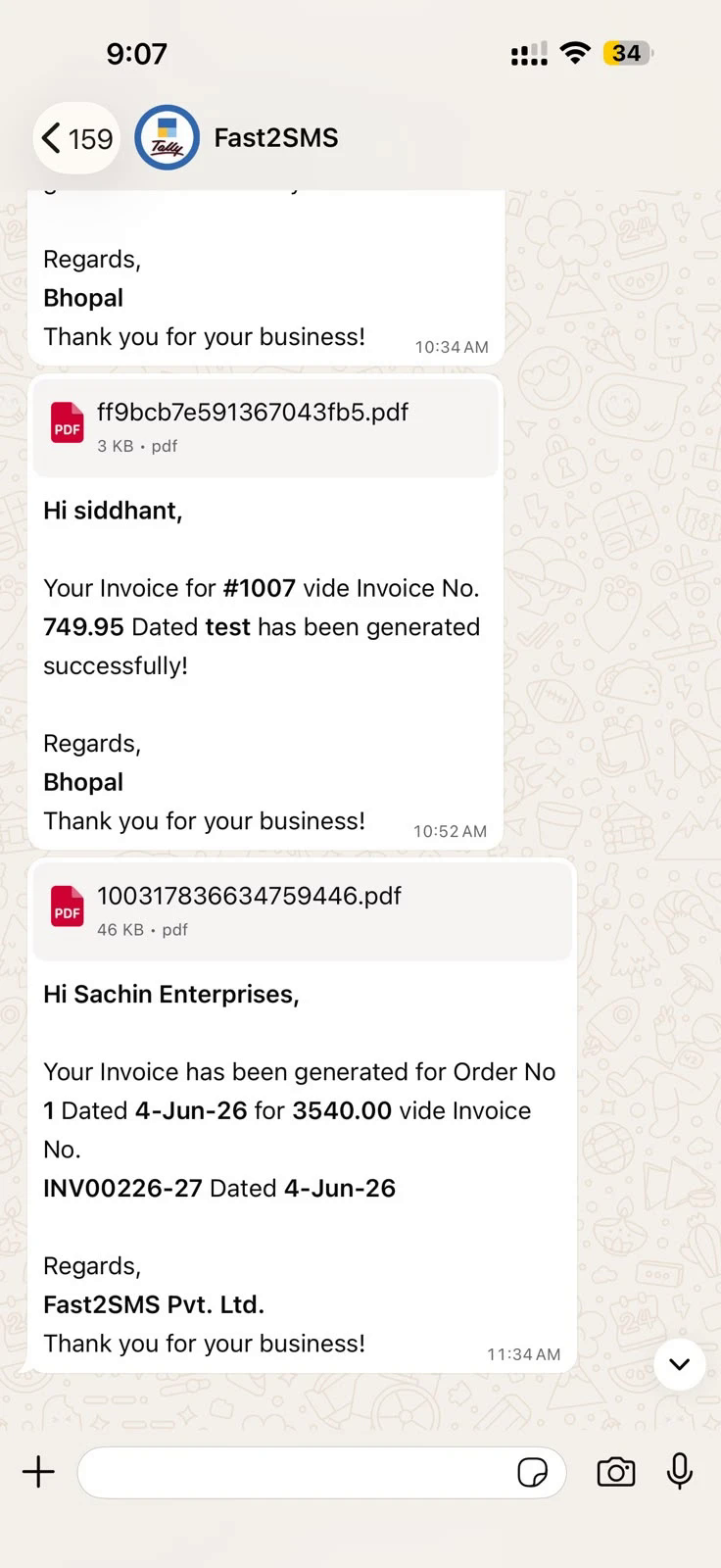
Out of the box, messages send from the Fast2SMS default WhatsApp sender, a verified business number with 20 pre-approved templates for every Tally voucher and report. Your business name still appears prominently inside the message (“Regards, Your Business Name”), so the customer knows who the invoice is from:
Setup is two fields in the plugin:
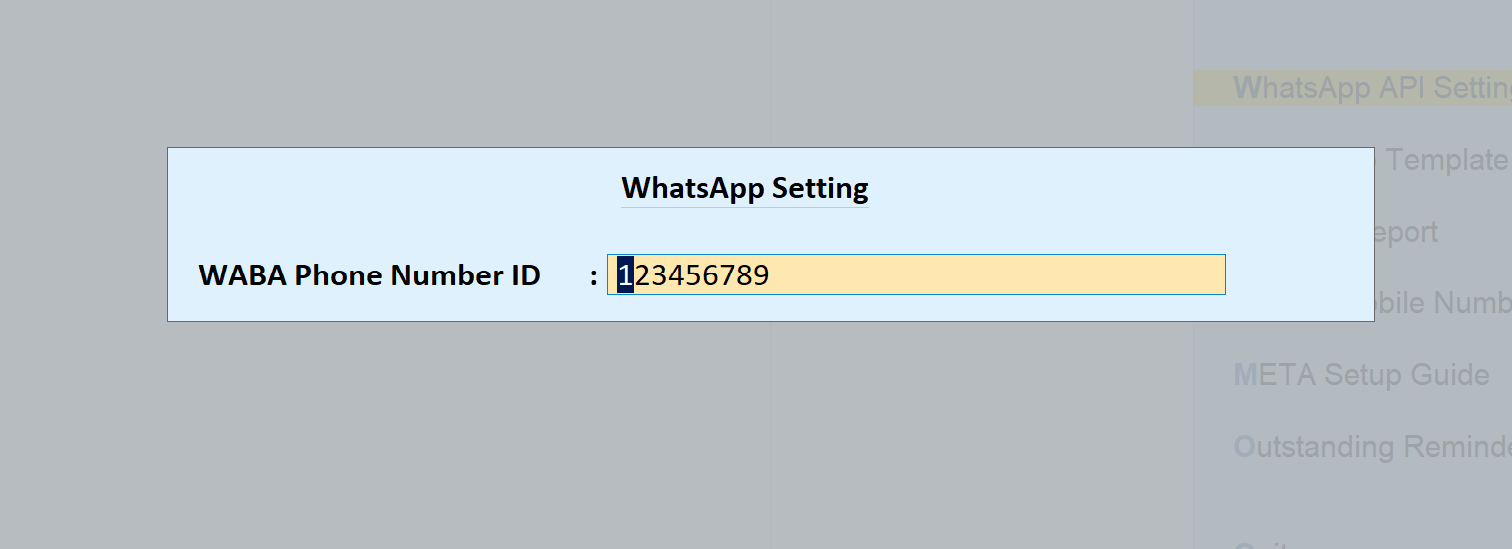
- Tally to WhatsApp > WhatsApp API Settings: type 123456789 as the WABA Phone Number ID.
- Tally to WhatsApp > WhatsApp Template Settings: enter message IDs T101 to T120 (T101 Sales With Closing Balance, through T120 Trial Balance; full table in the complete guide).
Best for: starting today, testing the flow, small teams that care about delivery more than chat branding.
Sender option 2: Your own brand as the sender
With your own WhatsApp Business API sender, the chat header shows your business name, your logo as the profile photo, and your number. Customers reply to you, message history builds under your brand, and your display name is eligible for Meta’s verified-business treatment. Fast2SMS charges no monthly fee, no setup fee and no per-number fee for this; you keep paying per message only.
Three steps, all free:
- Connect your number: complete the Meta embedded signup from your Fast2SMS panel’s WhatsApp Business section. You can use your existing WhatsApp Business app number. Walkthrough: free WhatsApp Cloud API access.
- Approve the templates: in the plugin’s WhatsApp Template Settings press Add Templates to META Account; all 20 Tally templates go to your WABA for approval in one click.
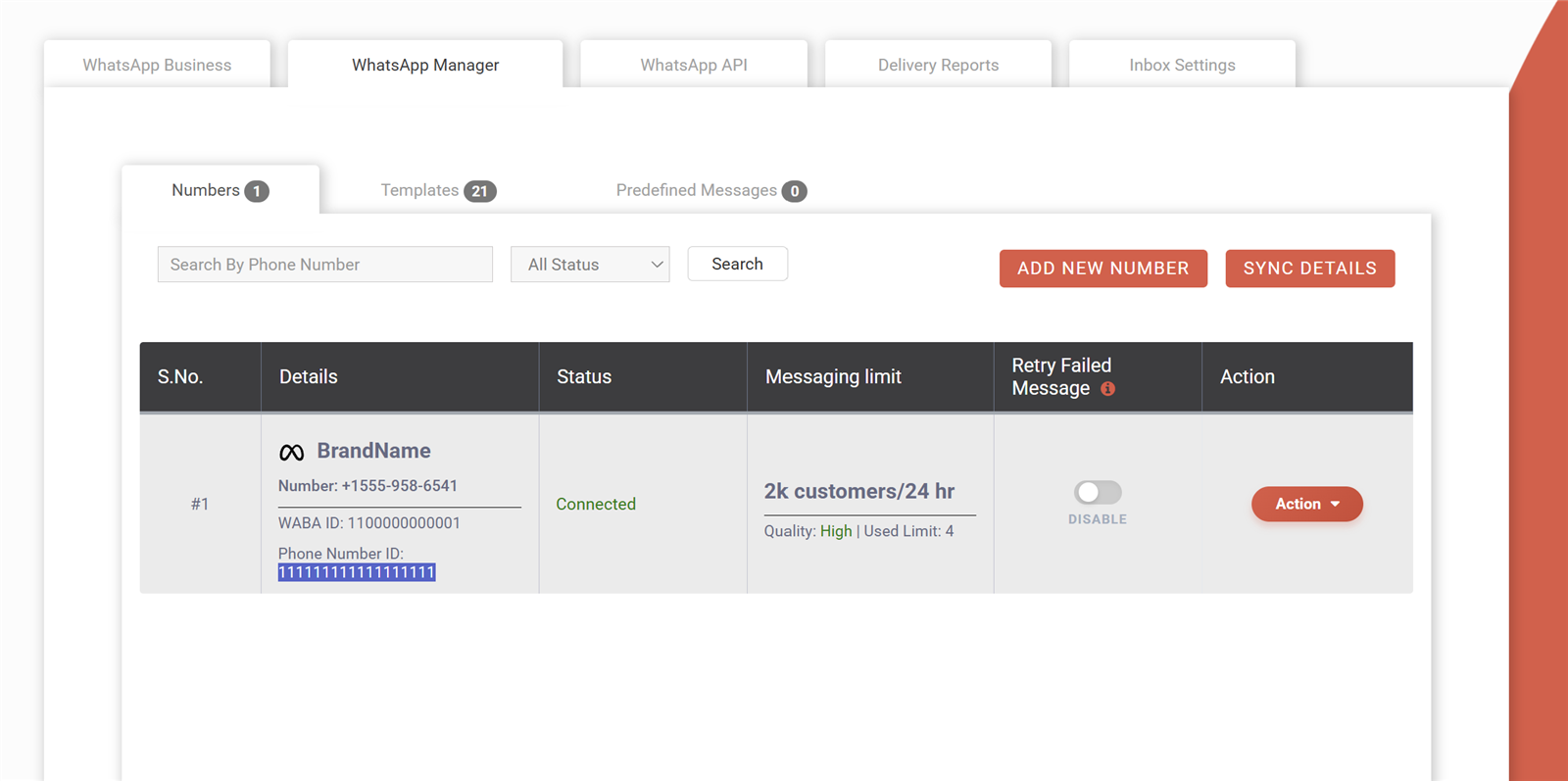
- Swap the two settings: copy your phone number ID from WhatsApp Manager and enter it in place of 123456789, then replace T101 to T120 with your approved message IDs.
Best for: brands that message customers regularly and want replies, recognition and a green-tick-ready profile.
Default vs own sender at a glance
| Default sender | Your own sender | |
|---|---|---|
| Setup time | Minutes | A day or two (Meta approval) |
| Chat header shows | Fast2SMS default sender | Your brand name and logo |
| Your name in message body | Yes | Yes |
| Template approval needed | No, T101–T120 ready | One click, one-time |
| Extra cost | None | None, per message only |
| Customer replies come to | Default inbox | Your number, your panel inbox |
Most businesses start on the default sender the same day, then switch to their own brand once Meta approval completes. Nothing else in Tally changes; the send buttons, auto-send and reports work identically. Setup from zero: Tally WhatsApp integration guide.
Frequently asked questions
What is a Tally WhatsApp sender?
The WhatsApp Business identity your Tally messages send from: the name, number and profile the customer sees at the top of the chat.
Which sender do messages use by default?
The Fast2SMS default sender, active as soon as you enter phone number ID 123456789 and message IDs T101 to T120. Your business name appears inside every message.
Does my own sender cost monthly?
No. Connecting your number and using it as sender is free; you pay the same per-message rate as before, on delivery basis with auto refund for failures.
Can I use my existing WhatsApp Business app number?
Yes, the embedded signup can take over an existing business number, keeping it usable through the Fast2SMS panel with Live Chat.
How long does Meta approval take?
Number connection is immediate through embedded signup; template approval typically clears within a day or two. Until then the default sender keeps working.
Can I switch back and forth?
Yes, the sender is just two fields in the plugin. Change the phone number ID and message IDs, and the next message uses the other sender.
Who helps me set the sender up?
Email [email protected] or call +91-6262778822.
Pick your sender and go live
Start with the default sender today, upgrade to your brand when approval lands, and either way your invoices reach WhatsApp free of module fees.
Download Tally Plugin
Signup Now
Questions? Write to [email protected] or call +91-6262778822.