
Difference between Utility and Authentication Templates in Whatsapp Cloud API
With the rise of WhatsApp Business communication, connecting with customers has become faster, smarter, and more efficient than ever before. Businesses no longer face challenges in reaching their audience. Instead, they can connect with their target customer group in real-time with ease and precision.
Utility and authentication templates play a pivotal role in this transformation, enabling brands to deliver timely updates, secure verifications, and highly relevant messages. Utility and Authentication templates have made every customer interaction direct, instant and customised thereby enhancing the customer service experience. In this post, we will dive deep into Utility and Authentication templates, understand their meaning, differences, use cases and much more.
What are Utility message templates?
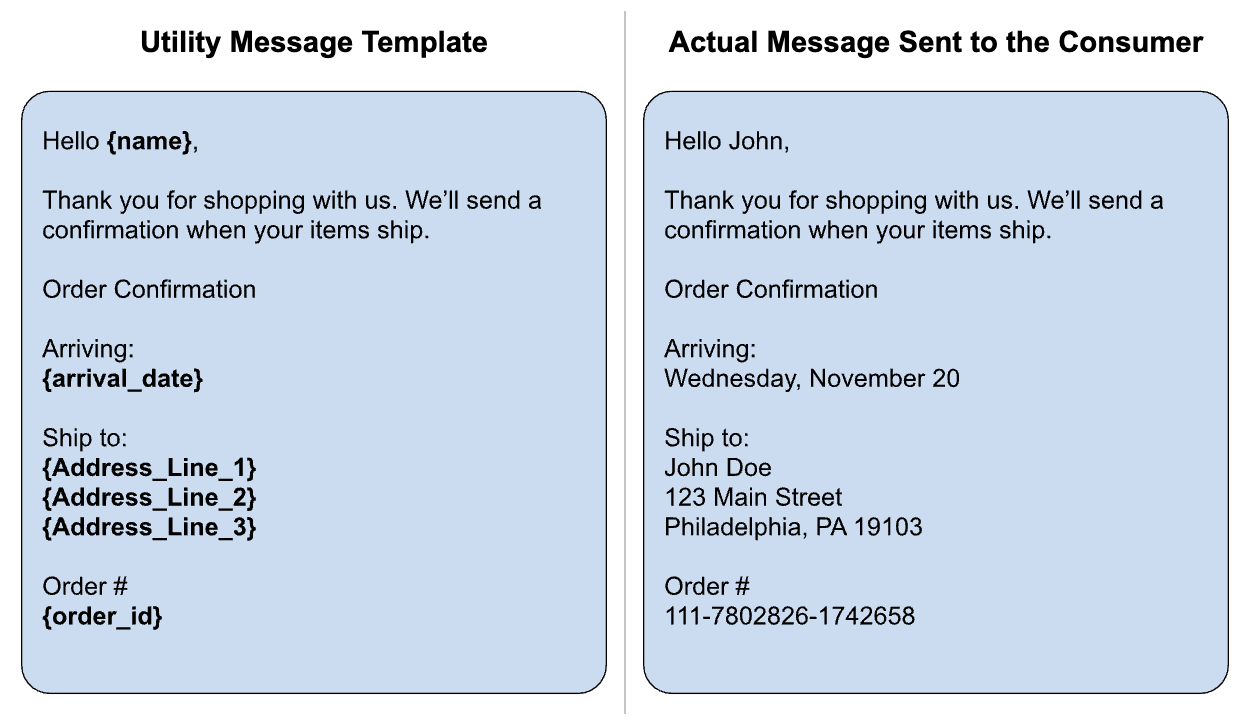
Utility messages are transactional messages that provides information to the customer about an order, update, alert , etc. These are non promotional in nature and are sent to convey an important reminder or update after the customer takes an action. Some of their uses are:
- Used for order updates and delivery confirmations
- Order tracking updates, shipping status
- Bill receipts or payment updates
- Subscription plan reminders or renewal update
- Service status updates
- Appointment reminders and details
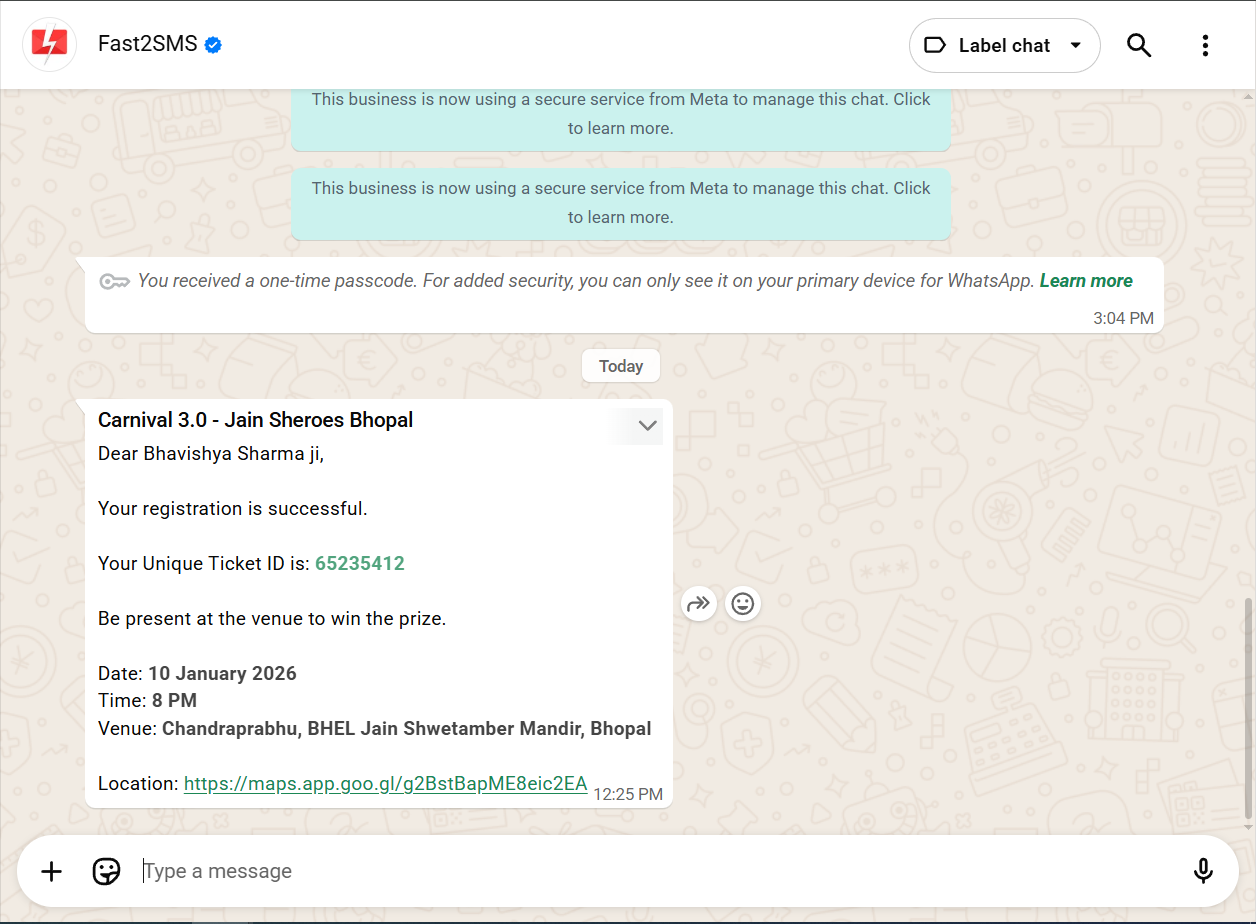
Examples of Utility message templates
Some common examples of Utility template include:
Order confirmation “Your order #734848 has been confirmed. Expected delivery: 22nd March”
Shipping update “Your order #14588 has been shipped and will be delivered in 2 days.”
Appointment reminder “Hi Neha, your appointment at Agarwal Hospital is fixed for today 2pm, Reply Confirm or Reschedule“
Payment receipt “Payment of INR 7000 received for Invoice #IMK-404. Thank you! Download receipt“
Subscription renewal “Your subscription for health app expired in 3 days. Kindly renew it to continue using it“
What are Authentication message templates?
Authentication message templates are used for sending one time passwords (OTPs), verification codes for authorisation or identity verification. They are mainly for security purposes with zero promotional content. Common Authentication use cases include:
- Account signup
- Phone verification
- Login and Two-factor authentication
- Step-up verification for sensitive actions like changing password, updating payment details
- Payment related messages or transaction approval
- New device verification
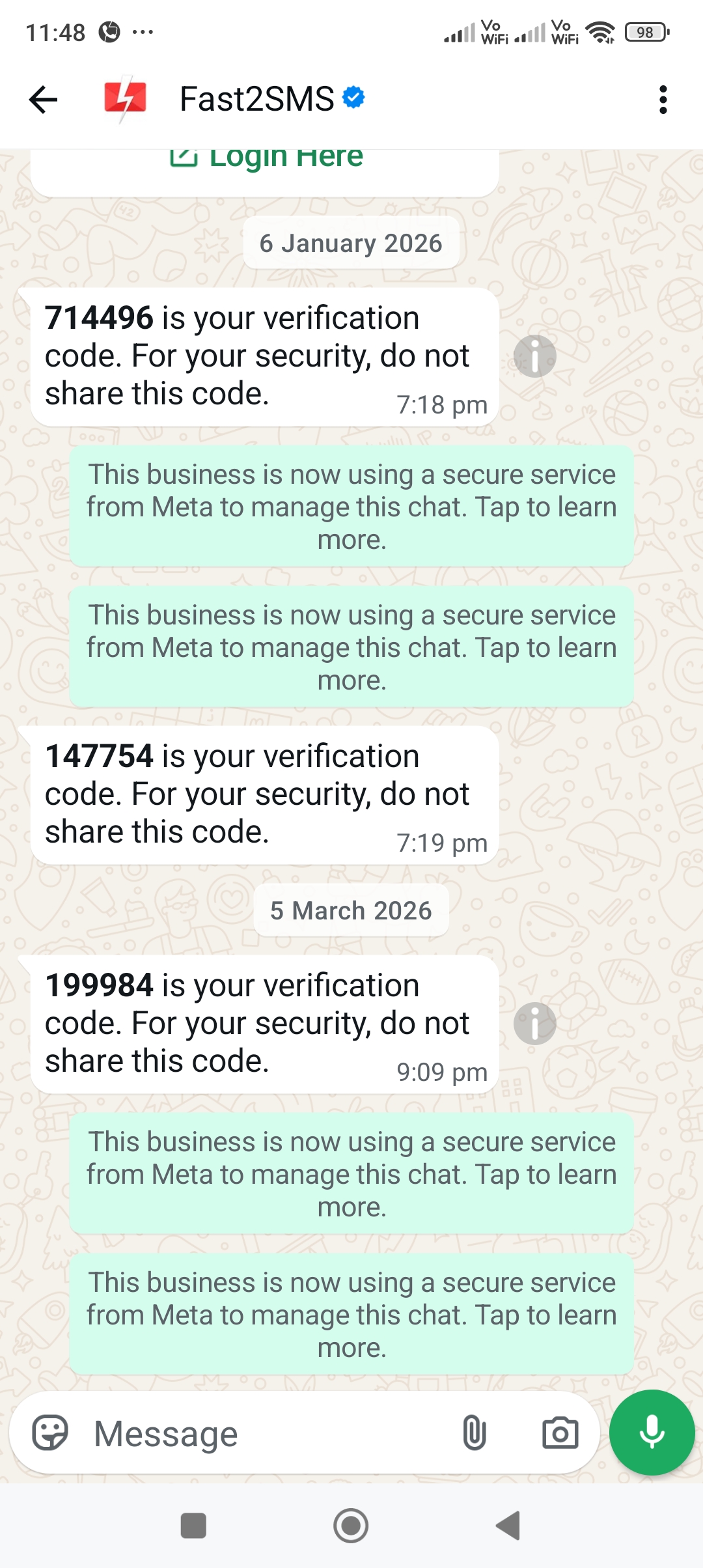
Examples of Authentication message templates
Some common example of Authentication message templates are:
OTP Authentication “Your OTP for login is 78344. Do not share it with anyone”
Password reset authentication “Your password reset code is 18977, valid for 5 min. Enter it to create new password“
Transaction verification “OTP to verify your payment of Rs. 12000 is 89991- Bankname”
Two-factor Authentication “Your 2FA code for account login is 54332, valid for 5 min“
Difference between Utility and Authentication Templates in Whatsapp Cloud API
| Basis | Utility | Authentication |
| Purpose | Main purpose is to convey updates, alerts | Main purpose is for verifying identity |
| Content | Alerts, reminders, confirmations | OTP |
| Delivery priority | High but lower than Authentication | Highest |
| Nature of message | Informative | Urgent |
| Promotional content | Not allowed | Not allowed |
| Example | Your order has been shipped | Your OTP for login is 56373 |
Best Practices for Template Approval
- Make sure to classify each template with the right category.
- Keep separate templates for promotional and transactional category.
- Avoid using spammy content in the templates.
- Authentication templates must contain only the password, do not include any kind of promotional content in it.
- Ensure that you have reviewed all templates before submitting them.
FAQs on Utility and Authentication Templates
Q: How many kinds of templates are there?
A: There are three kinds of templates – Marketing, Utility and Authentication.
Marketing templates are used for promoting products and services. They are used for advertising new product launches, campaigns, offers, seasonal discounts, etc.
Utility templates are transactional in nature and used for conveying important updates, reminders, alerts, and notifications.
Authentication templates are used for identity verification and sending One time passwords (OTPs)
Q: Can I send marketing messages as Utility?
A: No. This is not allowed and is regarded as violation of terms and conditions. As all templates are manually approved by Meta, if we submit any kind of marketing message as Utility it will get rejected. So, do not send any promotional template for Utility template approval, promotional message templates can be send only as Marketing templates.
Q: Which conversation type should I use for abandoned cart messages?
A: Abandoned cart messages are considered promotional in nature. So, it will come under the Marketing template category. As the intent here is to remind the customer to complete the purchase, it will be in the Marketing template category as we are encouraging the customer to take the purchase action.
Q: Can one template be used for other categories as well?
A: No, you cannot use one approved template for multiple categories, it is violation of Whatsapp rule.
Q: What will happen if my template gets rejected?
A: If your template gets rejected due to incorrect category submission, you just need to resubmit it with the correct category. The rejection is the part of review process, it does not penalise your account. But, remember to avoid frequent rejection as it may lead to account penalisation.
Q: How do I know if my business needs all three conversation types?
A: Mostly, businesses needs all three conversation types. For promoting products and services, use Marketing template. For sending product updates, alerts, use Utility template and for sending OTPs, use Authentication.
Q: How does Fast2SMS pricing work for different message categories?
A: Fast2SMS follows pay-per-delivered message billing. There is not setup or monthly costs involved in sending these messages. The cost of Marketing template is 0.95 INR. The cost of Utility and Authentication is 0.25 INR.
Why use Fast2SMS for sending Utility and Authentication templates?
Using Fast2SMS, you can enjoy monthly free Whatsapp API access. You do not need to pay setup costs or incur any monthly expenses. Pricing model is pay per delivered message only. All the failed messages will get auto refunded into your Fast2SMS wallet. Our platform empowers businesses to connect with their target audience instantly and directly, ensuring fast, reliable, and efficient interactions.
In conclusion, Whatsapp API message templates have become a prominent tool for businesses aiming to deliver fast, consistent, and reliable communication at scale. Whether it’s sending timely updates through utility templates or ensuring secure user verification with authentication templates, these structured messages help create a seamless and trustworthy customer experience.
Enjoy seamless and cost-effective communication with Fast2SMS WhatsApp API services, designed to deliver maximum value without hidden charges. Get started with zero setup fees and no recurring monthly costs, while benefiting from a flexible model where failed messages are automatically refunded. Fast2SMS provides solutions that simplify communication while helping your business grow smarter and faster. Sign up now!