
DLT Variable Tagging Explained: Every Tag, Rule and Sample Template
DLT templates used to treat every variable the same. A {#var#} could carry a name, an amount, or a link, and the operator had no way to tell. Under TRAI’s new direction, that changes: every variable in an SMS template must now be tagged with its data type. This page is the complete reference: all six tags, their validation rules, and ready sample templates for each one.
The 6 variable tags at a glance
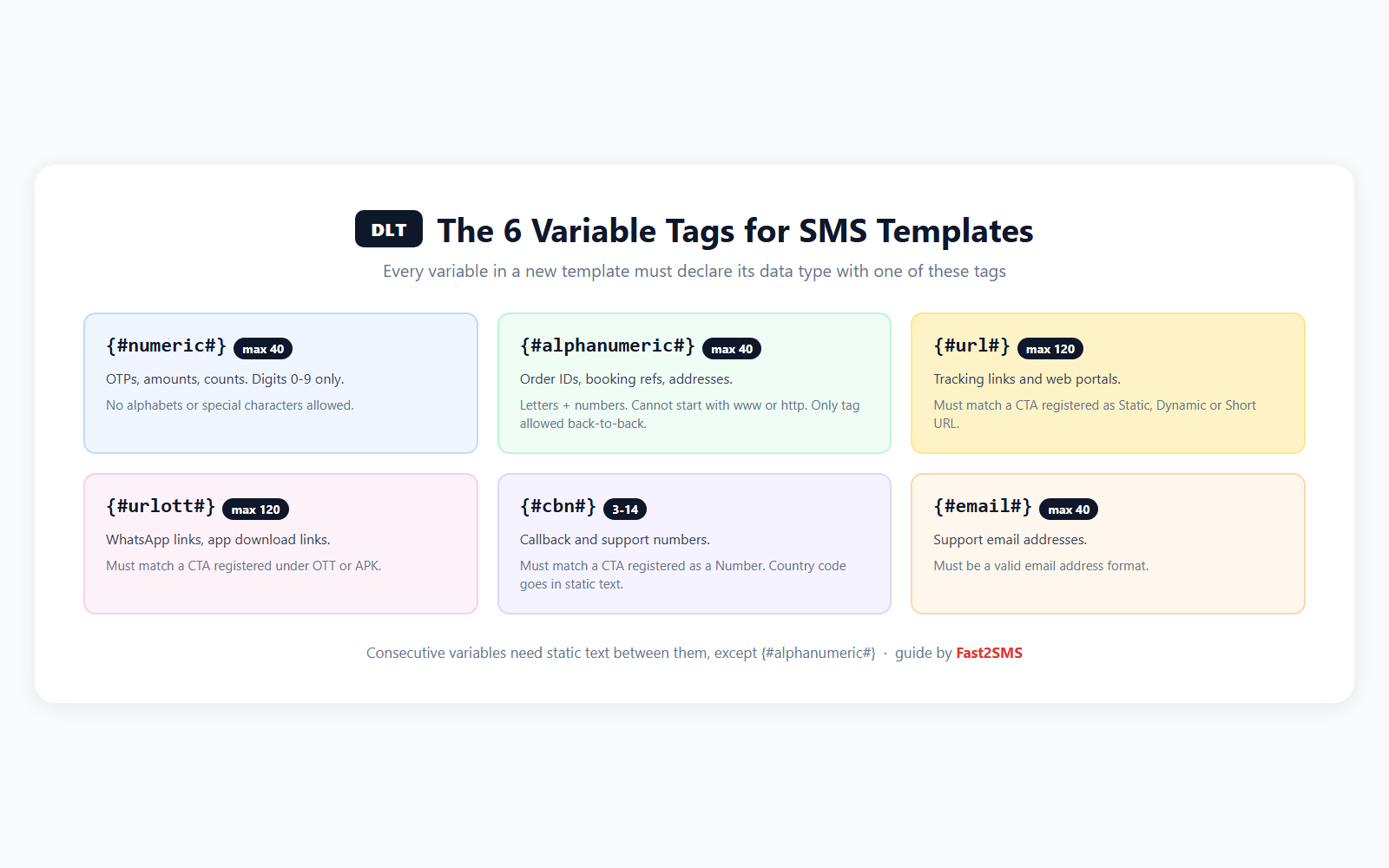
On some operator portals the same tags appear in short form: {#num#}, {#alp#}, {#urg#} for url, {#uro#} for urlott, {#cbn#} and {#eml#}. Same rules, shorter names.
What changed, in one picture
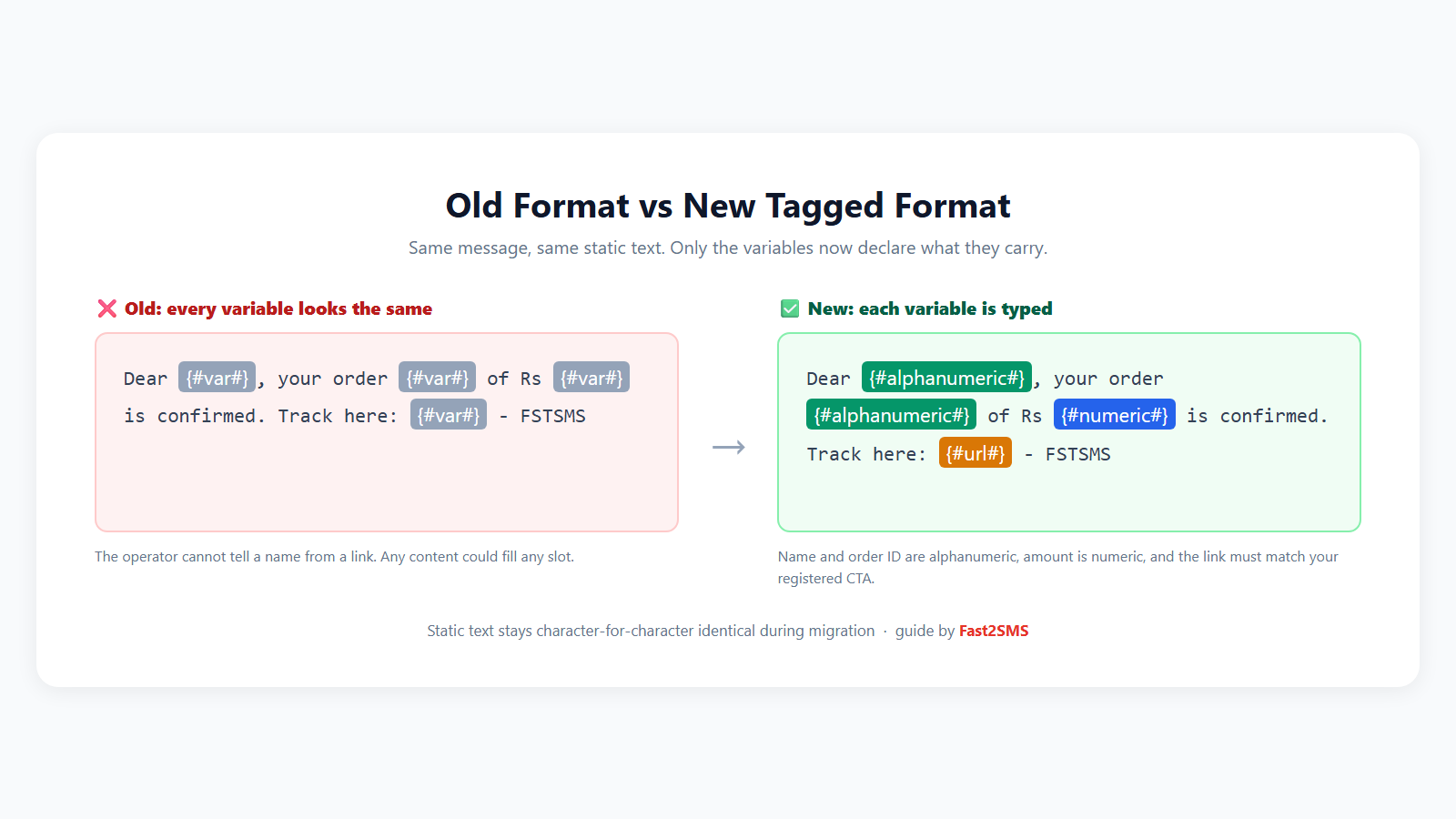
The point of the change is anti-spam: a variable tagged {#numeric#} can never smuggle in a link, and a {#url#} variable only delivers if the link matches a CTA you registered. Misuse of open placeholders was how bad actors slipped scam links into approved templates. Typed variables close that door.
Each tag with rules and sample templates
{#numeric#} — digits only, max 40
For OTPs, amounts, quantities. Digits 0 to 9 only, no alphabets, no special characters.
{#numeric#} is your OTP for BRAND. Valid for 10 minutes. Do not share it with anyone. – BRAND
Dear customer, we have received your payment of Rs {#numeric#}. Thank you for shopping with BRAND. – BRAND
{#alphanumeric#} — letters and numbers, max 40
For order IDs, booking references, names, addresses. Cannot start with www, http or https, so it can never hide a link. This is the only tag allowed back-to-back without static text between variables, and more than three consecutive ones need a written justification.
Dear {#alphanumeric#}, your order {#alphanumeric#} has been placed successfully. We will update you when it ships. – BRAND
Your service request {#alphanumeric#} is assigned. Our engineer will visit on {#alphanumeric#}. – BRAND
{#url#} — web links, max 120
For tracking pages and portals. The link sent must match a CTA registered against the template as a Static, Dynamic or Short URL. Register the CTA first, then the template.
Good news! Your BRAND order {#alphanumeric#} is out for delivery. Track it live: {#url#} – BRAND
Your invoice for order {#alphanumeric#} is ready. Download here: {#url#} – BRAND
{#urlott#} — OTT and app links, max 120
For WhatsApp links and app download links. Must match a CTA registered under OTT or APK.
Chat with BRAND support on WhatsApp: {#urlott#} – BRAND
Manage your account on the go. Download the BRAND app: {#urlott#} – BRAND
{#cbn#} — callback numbers, 3 to 14 characters
For support and callback numbers. Must match a CTA registered under Number (mobile, landline or toll-free). If you show a country code like +91, the code goes in the static text, not inside the variable.
Your BRAND appointment is confirmed for {#alphanumeric#}. To reschedule, call {#cbn#}. – BRAND
Delivery attempted for order {#alphanumeric#}. Call {#cbn#} to arrange redelivery. – BRAND
{#email#} — email addresses, max 40
For support email addresses. The value must be a valid email format.
Thanks for contacting BRAND. Your ticket {#alphanumeric#} is open. For updates, write to {#email#}. – BRAND
The rules people miss
- Consecutive variables need static text between them, except {#alphanumeric#}. So
{#numeric#}{#numeric#}is invalid, butRs {#numeric#} on {#alphanumeric#}is fine. - URL, URLOTT and CBN variables are checked against registered CTAs. If the CTA is not registered, delivery fails even with an approved template.
- Enforcement arrives in phases. Operators first run the new checks in logger mode: non-compliant messages still deliver but get flagged so you can fix the template. After full enforcement, non-compliant messages are rejected outright. Fix templates while flags are still warnings.
- OTPs now sit in Transactional for everyone. The Transactional category covers OTPs from e-commerce sites and apps too, not only banks. Good news if you send login OTPs from a store.
What Fast2SMS users need to do
Less than you fear. Your approved templates live in your Fast2SMS panel and the plugin and API fetch them from there, so once a template is registered or migrated with tagged variables, everything downstream keeps working. The panel maps your old and new templates automatically.
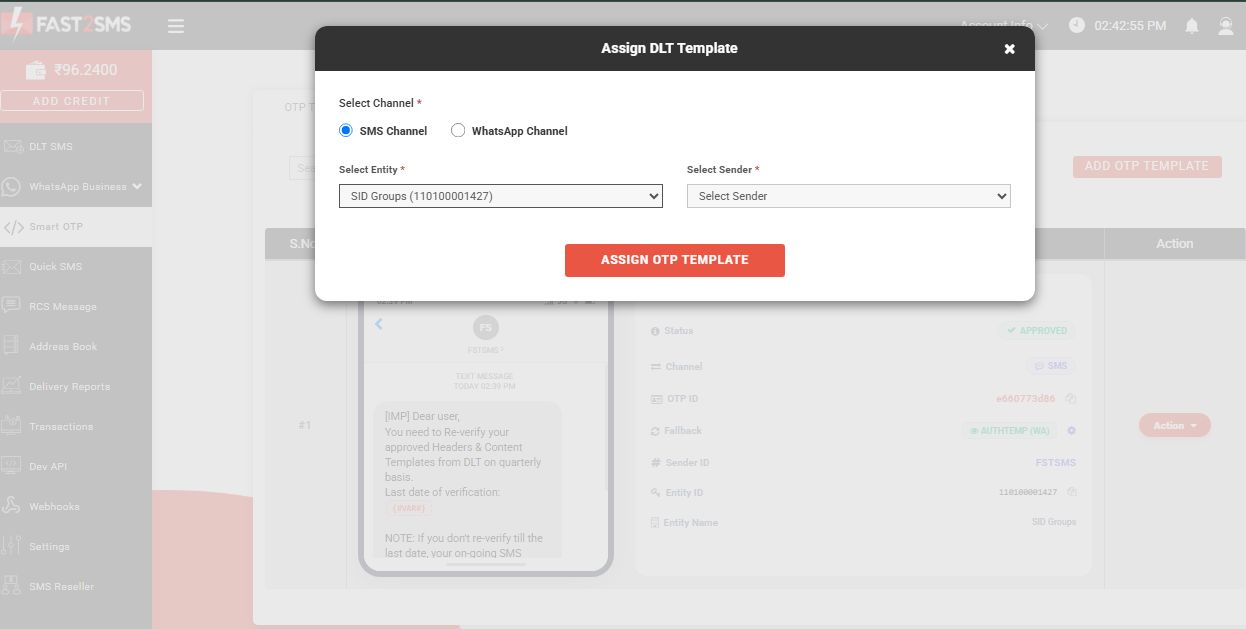
Three suggestions while you are re-registering templates:
- Have existing templates to update? Follow the DLT template migration guide, it covers the CSV bulk process step by step.
- Move OTPs to Smart OTP. One OTP ID with WhatsApp primary and SMS fallback means your OTP keeps flowing even while SMS templates are in transition, since WhatsApp needs no DLT at all. Setup in the Smart OTP guide, and sending is one API call:
curl --request POST \
     --url https://www.fast2sms.com/dev/otp/send \
     --header 'Authorization: YOUR_API_KEY' \
     --header 'content-type: application/json' \
--data '{ "otp_id": "11111111", "mobile": "8888888888" }'- Free DLT support. The Fast2SMS DLT team reviews your new tagged templates before you submit, free. It is the difference between approval on the first pass and a week of rejections. Details: free premium DLT support.
Frequently asked questions
What is DLT variable tagging?
A TRAI requirement that every variable in an SMS content template must declare its data type using one of six tags: numeric, alphanumeric, url, urlott, cbn or email. Operators validate the actual message content against the tag at send time.
Do my old {#var#} templates stop working?
Not immediately. Operators run the new validations in logger mode first, where non-compliant messages deliver but get flagged. After enforcement, unmigrated templates fail. Migrate early using the migration guide.
Which tag do I use for order IDs like ORD1234?
{#alphanumeric#}. It accepts letters and numbers together, up to 40 characters.
Can I put a link in an alphanumeric variable?
No. Values starting with www, http or https are blocked in {#alphanumeric#}. Links must use {#url#} or {#urlott#} and match a registered CTA.
What does the CTA validation mean?
For url, urlott and cbn variables, the actual link or number you send must match a Call-To-Action registered against the template on the DLT portal. Register your domain or number as a CTA first.
Can two variables sit next to each other?
Only if both are {#alphanumeric#}. Every other combination needs static text between the variables. More than three consecutive alphanumeric variables need justification.
Are WhatsApp messages affected?
No. DLT and variable tagging apply to SMS only. WhatsApp templates go through Meta approval instead, which is one reason many businesses now send WhatsApp first with SMS as backup.
Where do I get ready-made templates?
The DLT template library for stores has copy-paste examples, and every sample on this page is written to pass the new validations.
Register your tagged templates with free help
Create your free account, let the free DLT support team check your wording, and your tagged templates can be approved this week.
Questions? Write to [email protected].