
Bulk9 Reseller Panel Guide: From Signup to Your First Paying Client
Bulk9 is the white-label reseller panel from Fast2SMS: your own SMS, WhatsApp and RCS business under your own brand and subdomain, powered by our infrastructure. You buy credit at reseller rates, create client accounts, set each client’s price, and collect payments directly. This is the complete walkthrough of every screen, from signup to daily operations.
New to the business side? Read how to become a bulk SMS reseller first. This page is the hands-on manual.
Step 1: Sign up as a reseller
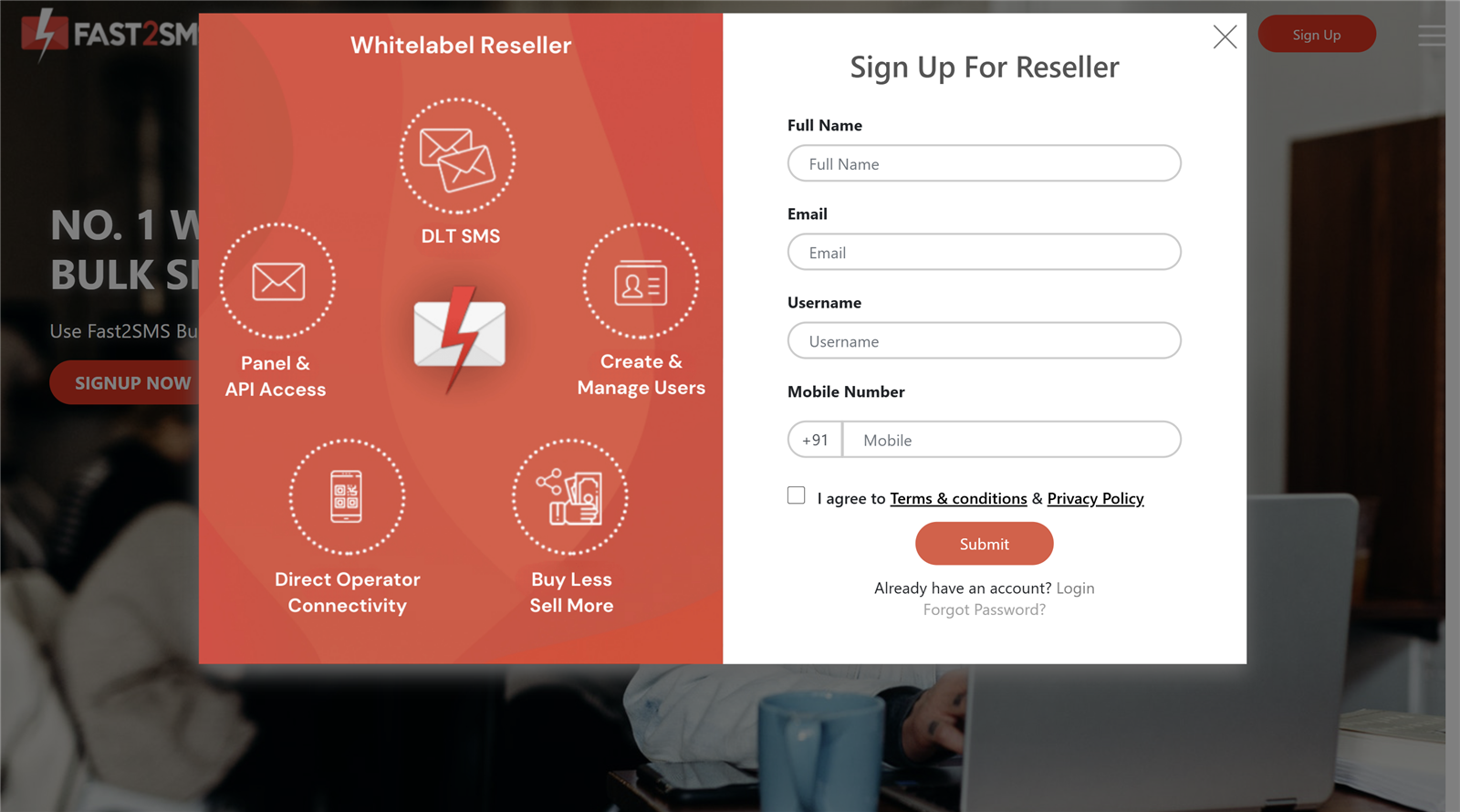
- Open fast2sms.com/reseller.
- Fill in your full name, email and mobile number.
- Type your preferred username. The panel checks availability live and confirms with a green “Username available” message.
- Tick the Terms and Privacy checkbox and click Submit.
Step 2: Log in
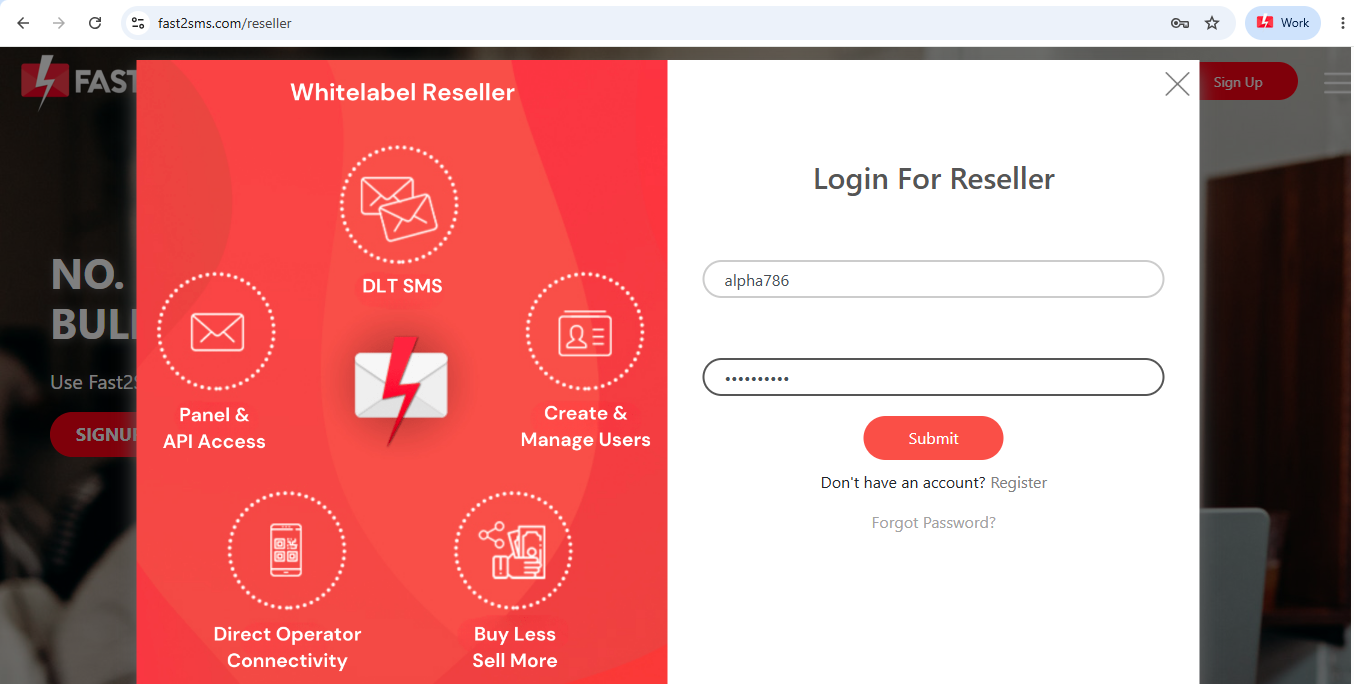
Your login credentials come by SMS after signup. Return to the same reseller URL, switch to the Login tab, and sign in. A Forgot Password link sits on the same screen if you ever need it.
Step 3: Know your dashboard
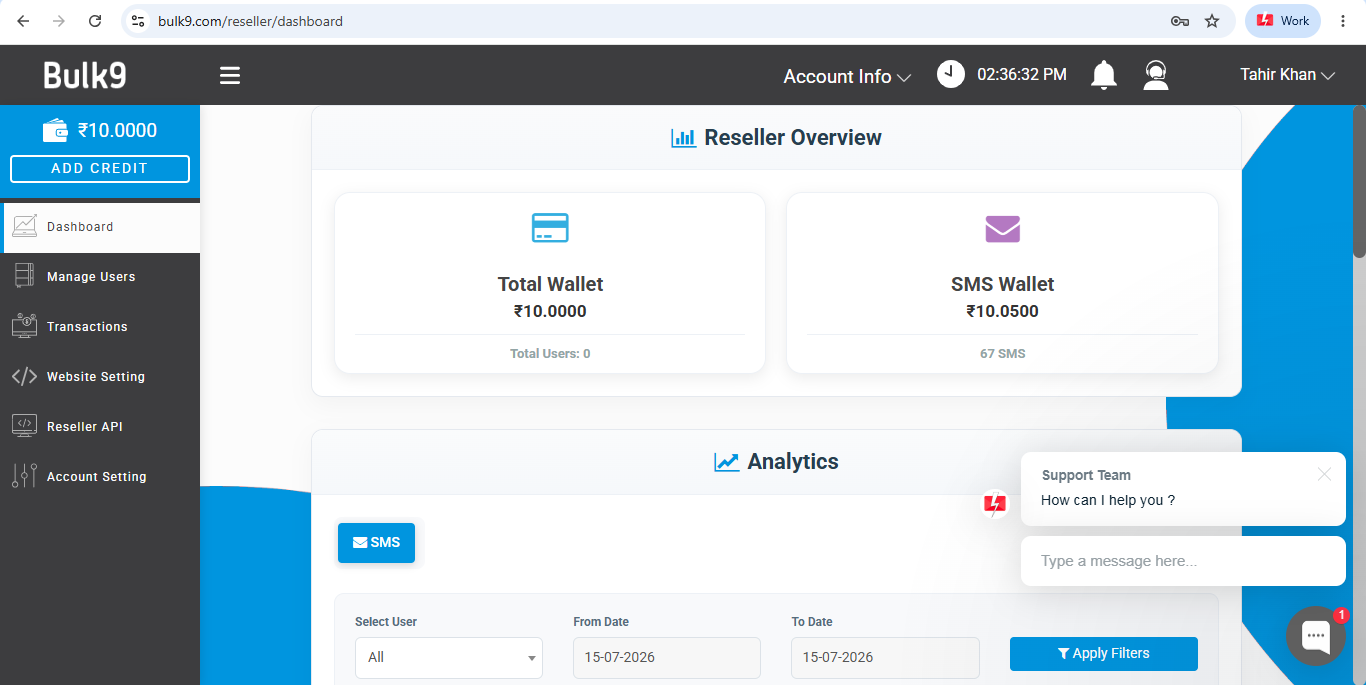
- Left sidebar: your wallet balance with an always-visible ADD CREDIT button, plus the main menu: Dashboard, Manage Users, Transactions, Website Setting, Reseller API, Account Setting.
- Overview cards: Total Wallet and per-channel wallets like SMS Wallet. New accounts start with Rs 10 in test funds so you can try before you buy.
- Analytics: filter by channel, user and date range to see usage for all clients together or one client at a time.
- Top bar: account info, server time (handy for reading transaction timestamps), notifications, and the support chat.
Step 4: Add credit and see reseller pricing
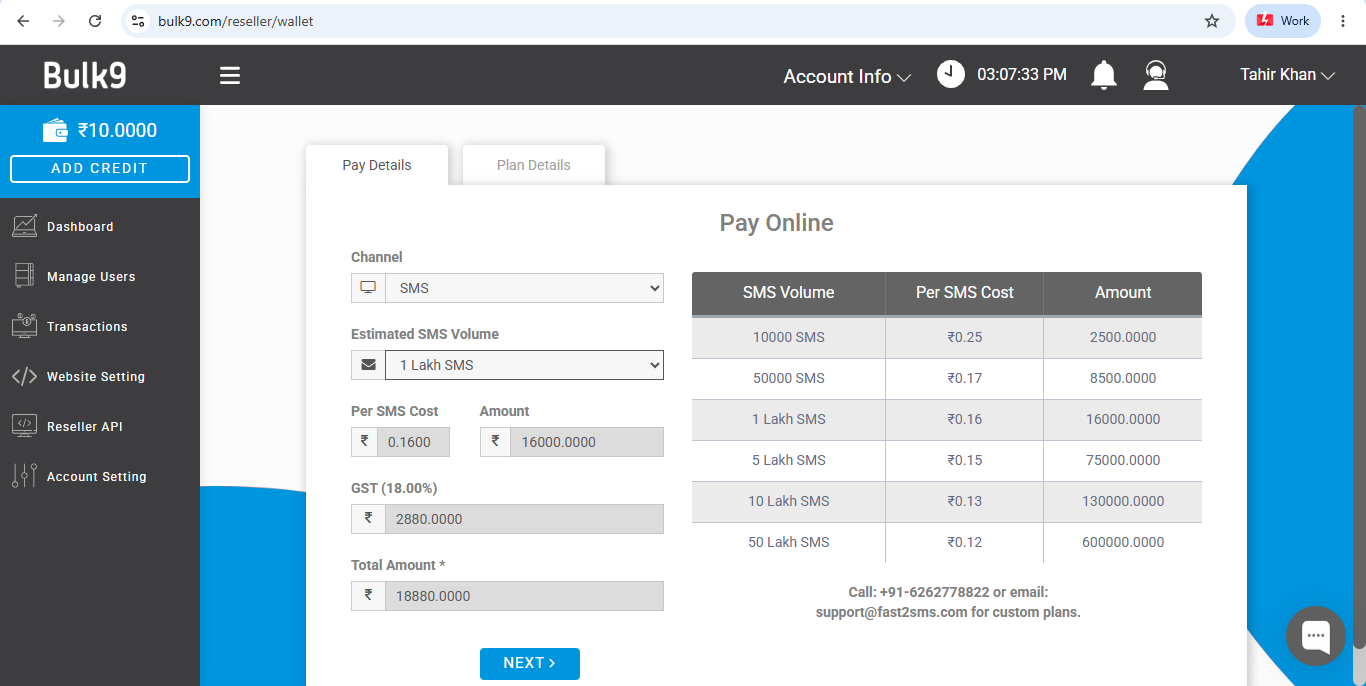
- Click ADD CREDIT (always visible, top-left).
- Select the channel to fund: SMS, WhatsApp or RCS. Credit is channel-specific: SMS funds resell only as SMS, so fund each channel you plan to sell.
- Choose an estimated volume. Per-message cost and amount auto-calculate: tiers run from 10,000 SMS at Rs 0.25 down to 50 lakh SMS at Rs 0.12.
- GST at 18% and the total calculate automatically. Click NEXT and pay online.
For custom plans and bulk volumes beyond the listed tiers, contact [email protected].
Step 5: Add your first client
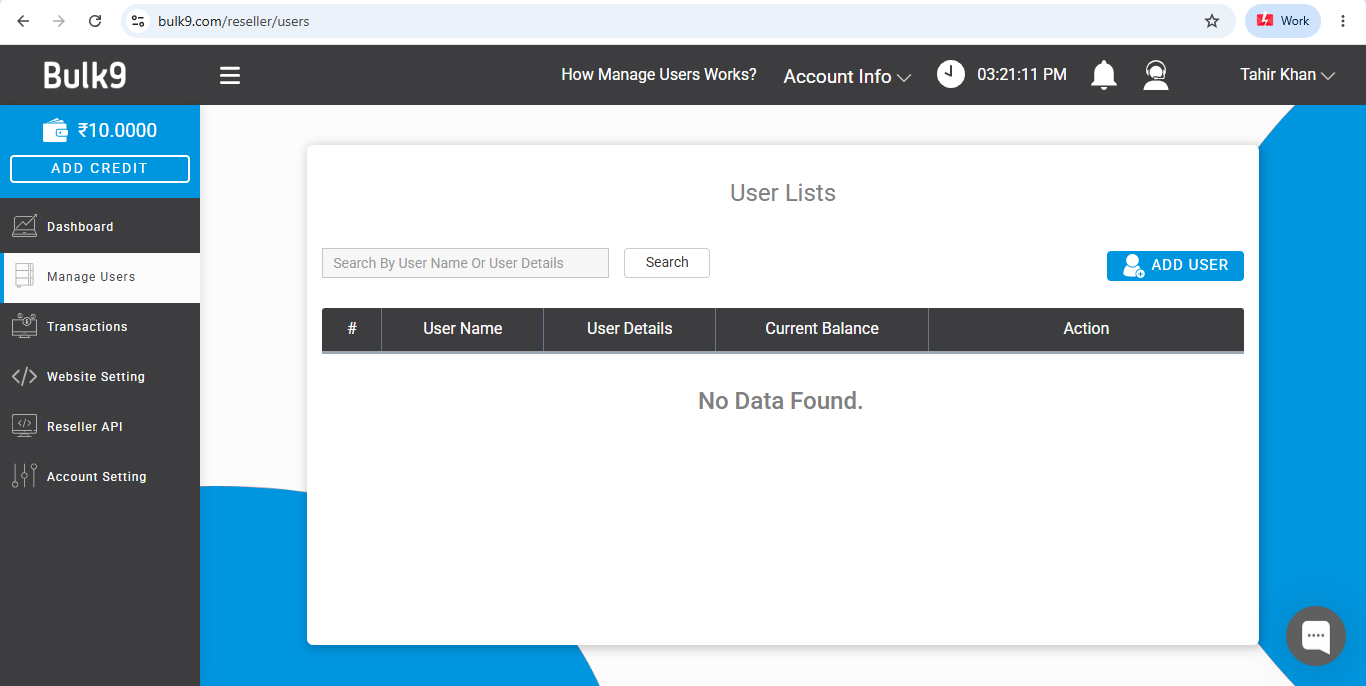
Open Manage Users and click ADD USER to create a client account. As your list grows, the search bar finds any client by name or details.
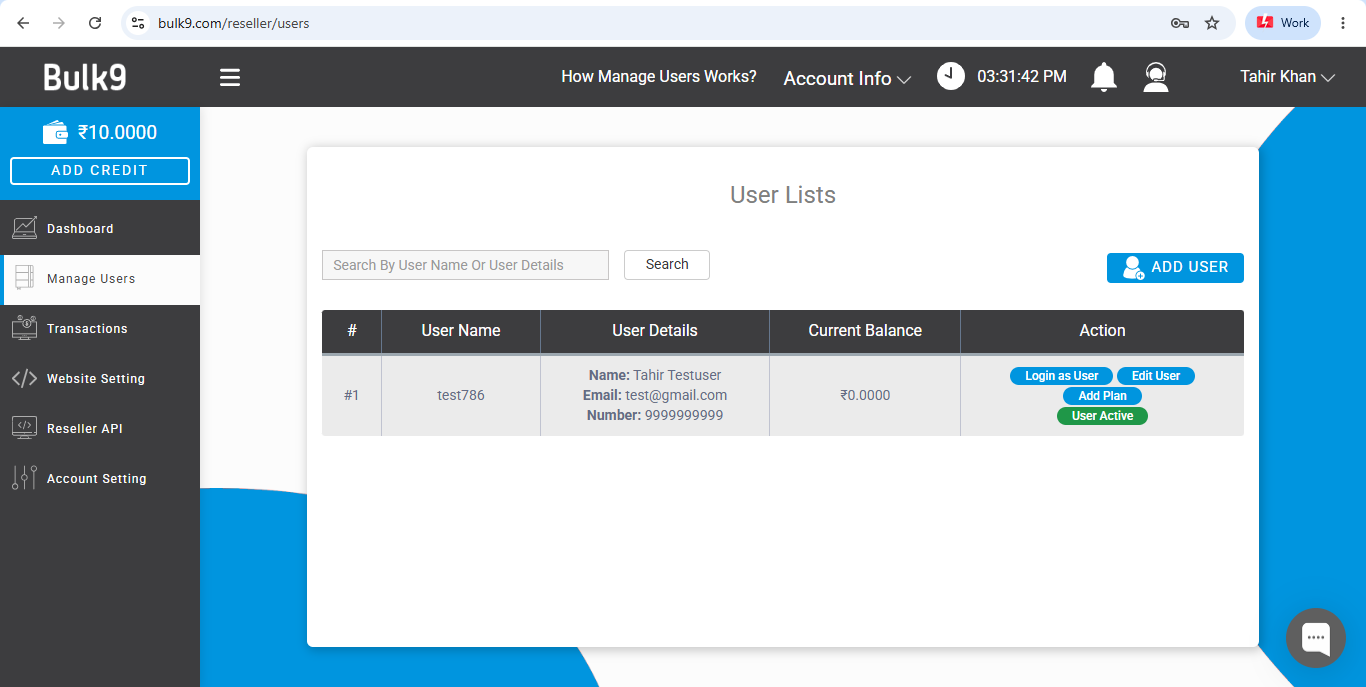
| Button | What it does |
|---|---|
| Login as User | Opens the client’s own account view, ideal for troubleshooting or adding their DLT details for them. |
| Edit User | Update name, email, mobile, username or password. |
| Add Plan | Set the client’s message allocation and per-message price (next step). |
| User Active | Toggle the account on or off. |
Step 6: Set a client’s price and watch your profit
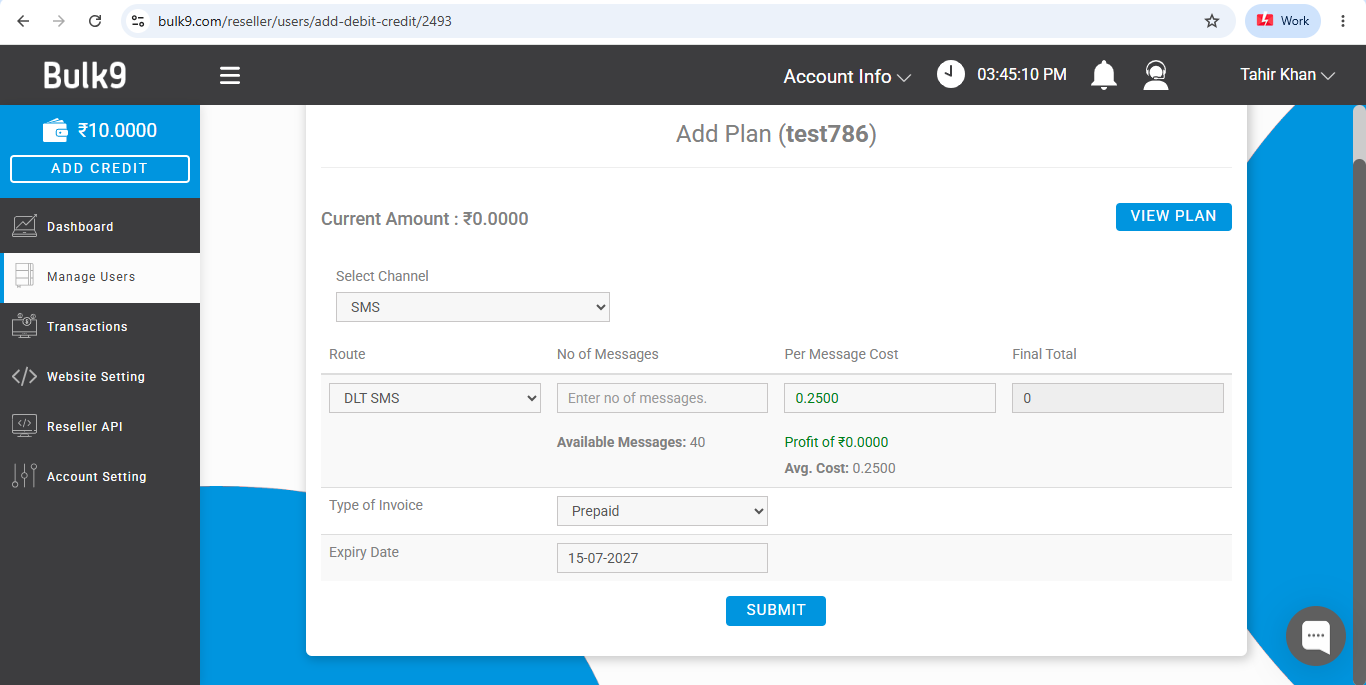
- Click Add Plan on the client’s row.
- Select the channel and route (for example, SMS on the DLT SMS route).
- Enter the number of messages you are allocating.
- Set the per-message cost the client pays you. This is separate from what you paid, and the panel shows your available balance, your profit on this plan, and the average cost automatically.
- Pick the invoice type (for example, Prepaid), set an expiry date, and SUBMIT.
This screen is your pricing engine: different clients can pay different rates, and the margin on each plan is visible before you commit.
Step 7: Track every rupee in Transactions
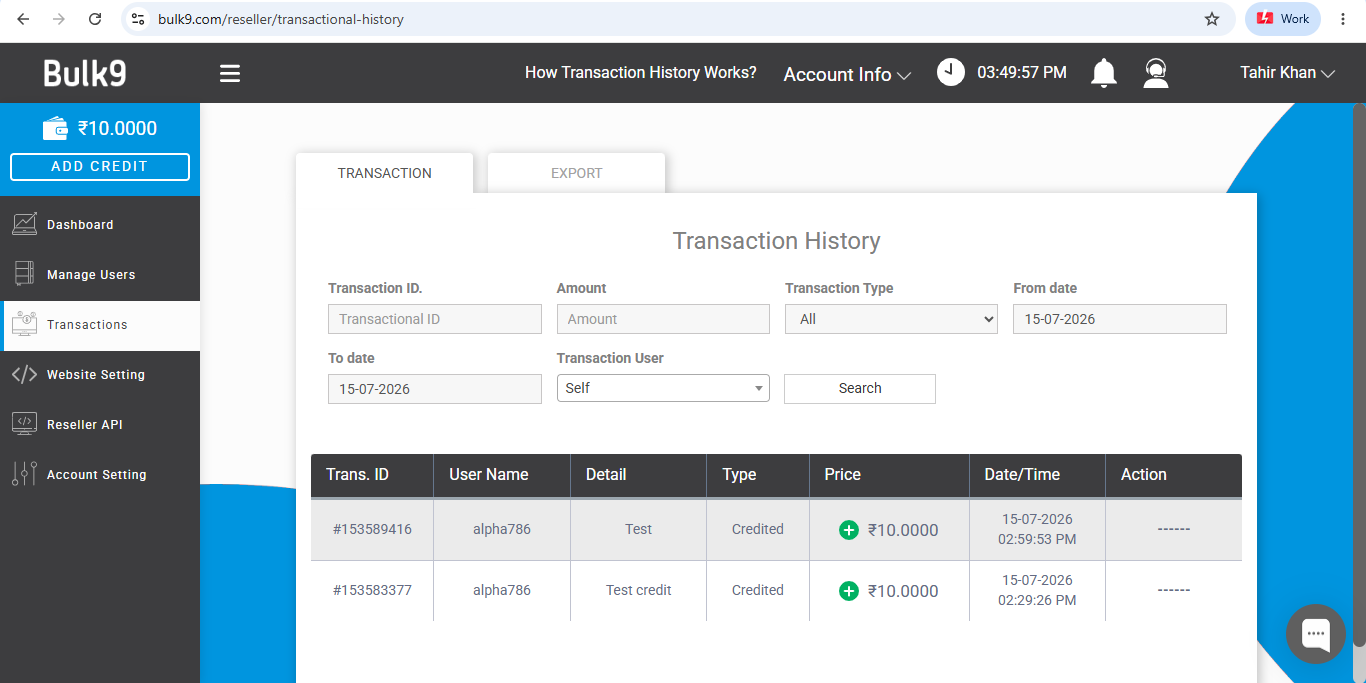
The Transactions section records every credit and debit across your account and all client accounts. Set Transaction User to Self for your own entries or pick a client, and use the EXPORT tab for downloadable records at billing time.
Step 8: Brand your panel (the white-label part)
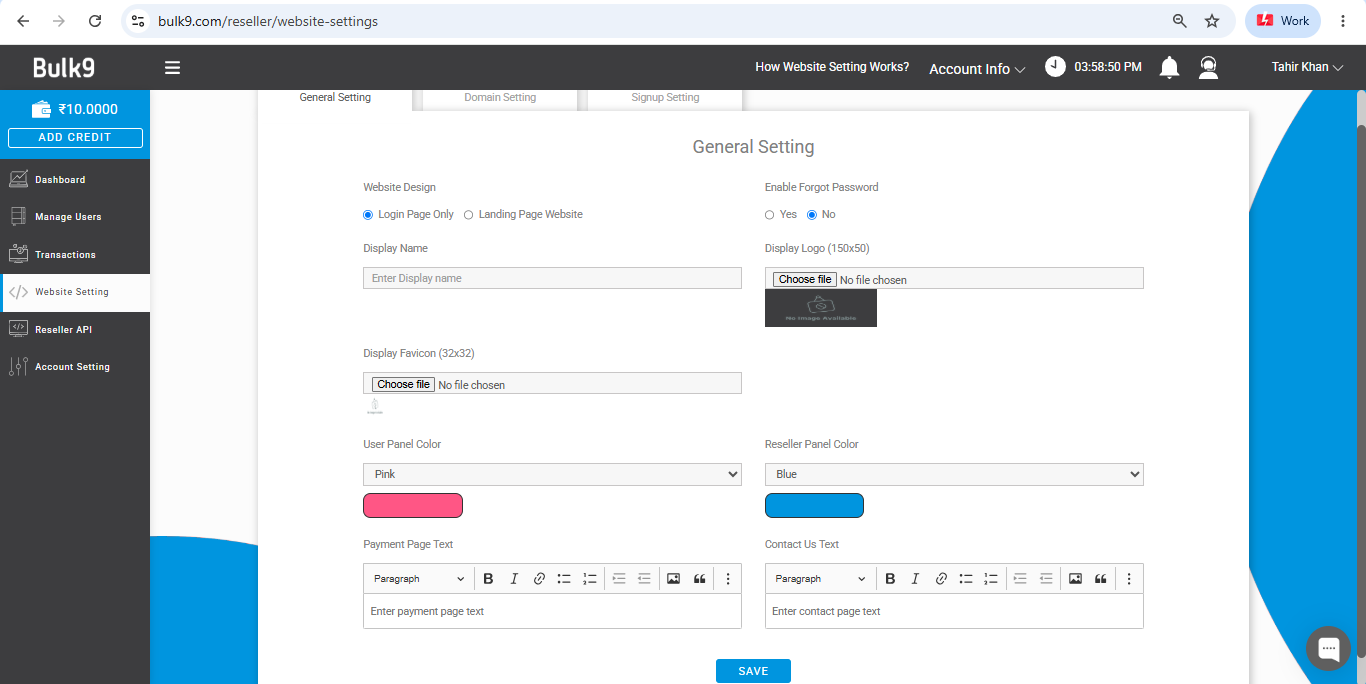
Website Setting has three tabs:
- General Setting: choose Login Page Only or a full Landing Page Website, upload your display logo (150×50) and favicon (32×32), set your display name, pick separate color themes for the client panel and your reseller view, and customise the payment page and contact text. Save when done.
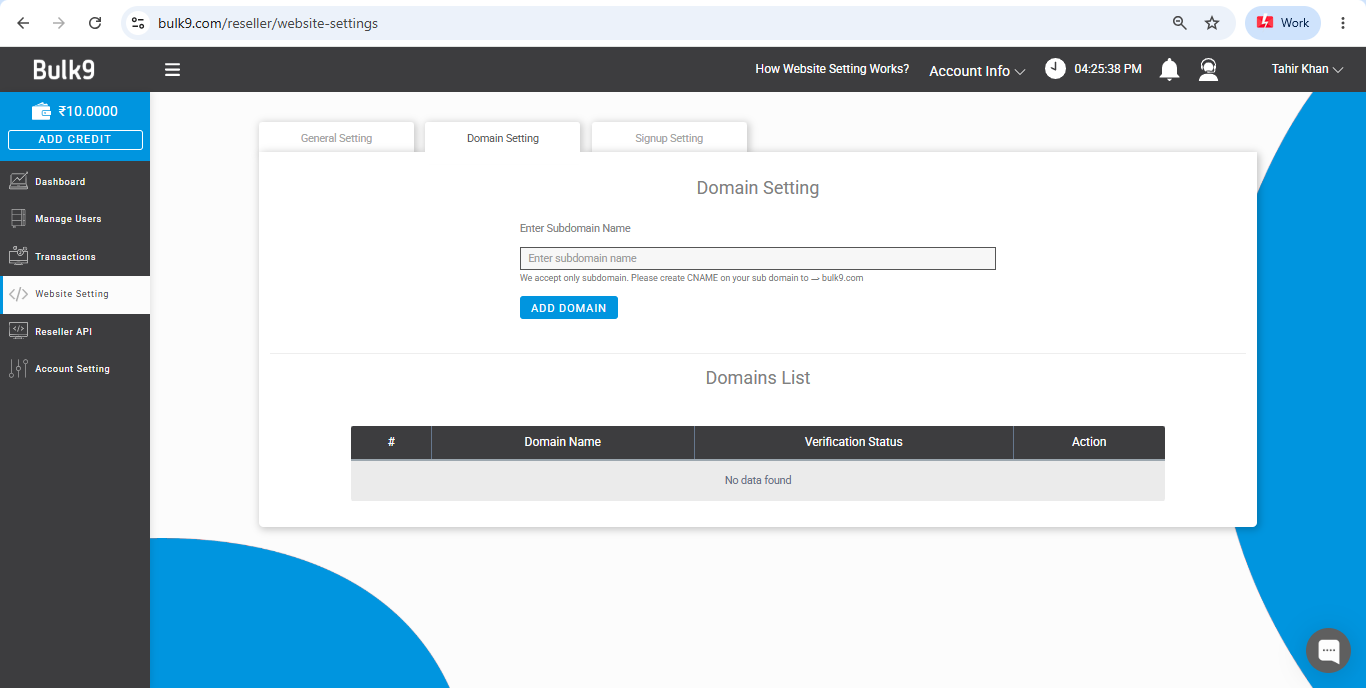
- Domain Setting: enter your preferred subdomain and click ADD DOMAIN. Subdomains are supported (like panel.yourbrand.com); create a CNAME record pointing to bulk9.com at your DNS provider to verify. Status shows in the Domains List.
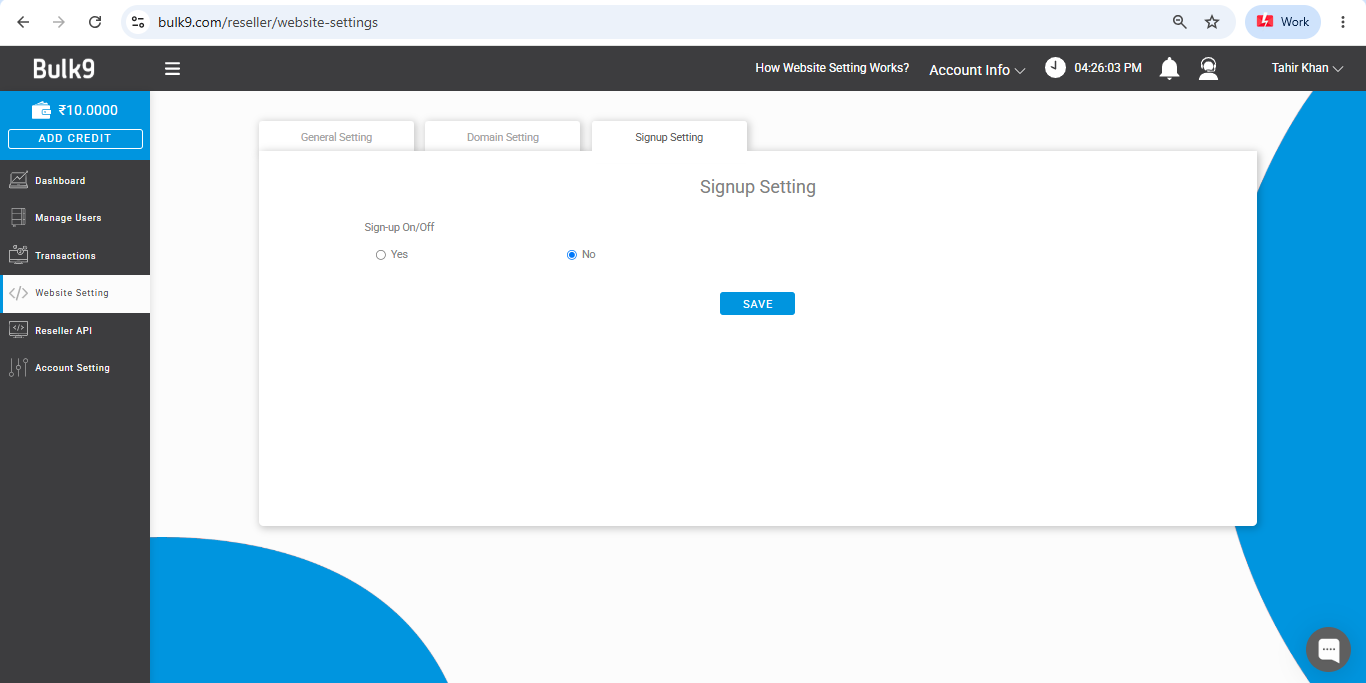
- Signup Setting: one toggle decides whether visitors can create their own accounts on your branded site, or whether every client is added by you through Manage Users.
Step 9: Reseller API for developers
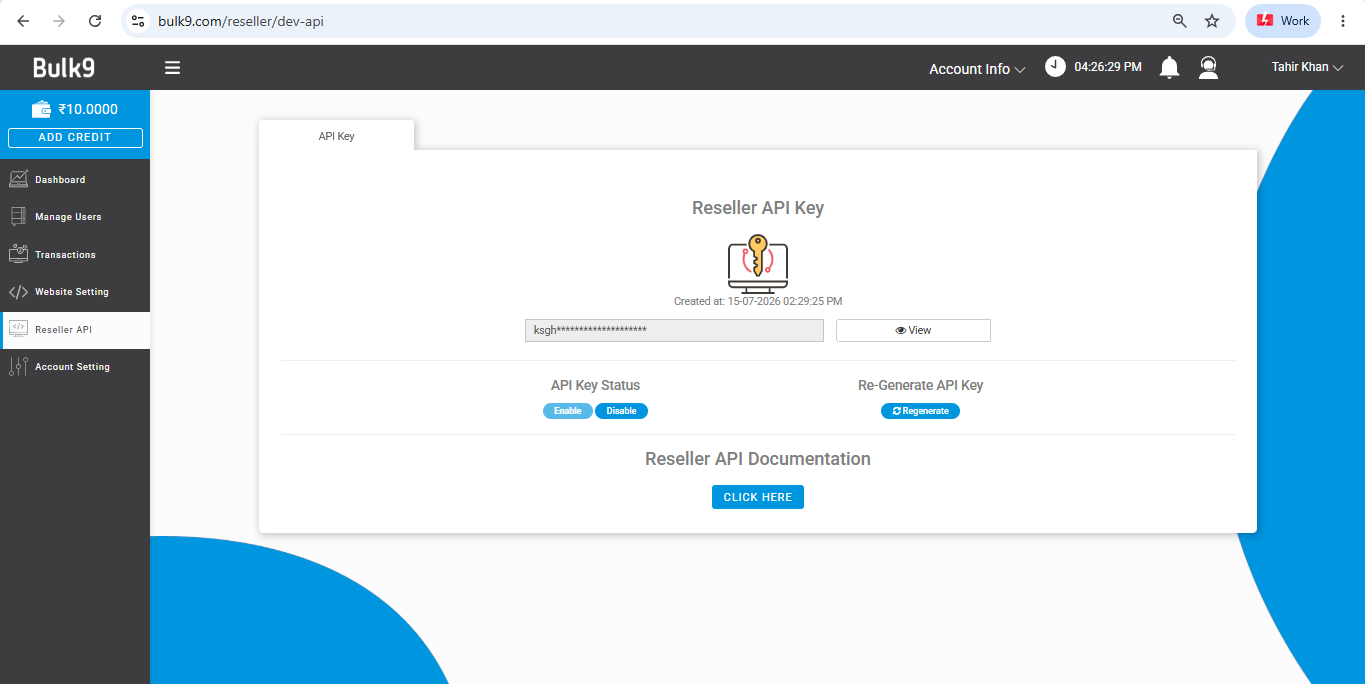
Want to plug the reseller platform into your own systems? The Reseller API section holds your key (click View to reveal), an enable/disable status switch, and a Regenerate button. Note: regenerating kills the old key instantly, so update any live integration right away. Full documentation is linked on the screen.
Step 10: Account settings and security
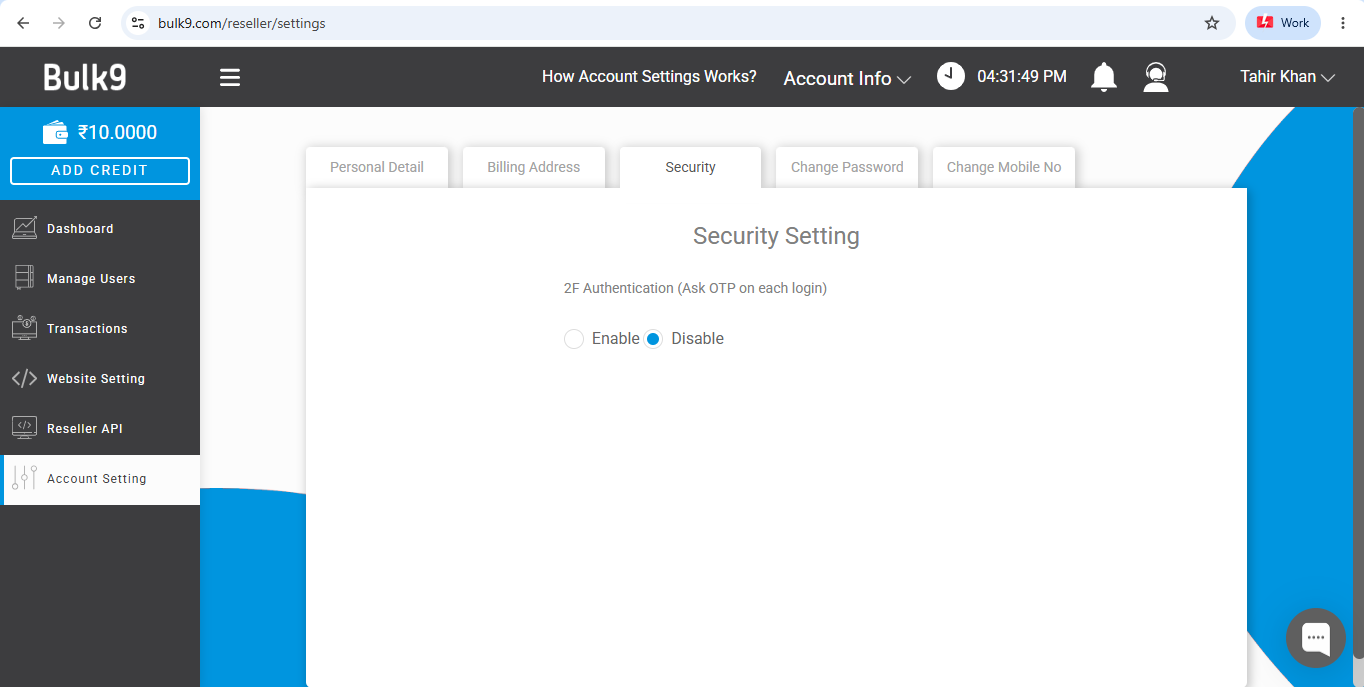
Account Setting covers five tabs:
- Personal Detail: update your name and email (username is permanent). New emails show a verify prompt until confirmed.
- Billing Address: add GST number and company name (optional) plus your address details, required for invoicing.
- Security: enable 2F Authentication to require an OTP on every login. Recommended, since this account holds your business.
- Change Password and Change Mobile No: both require your current password to confirm.
Quick reference: where everything lives
| Menu item | What it is for |
|---|---|
| Dashboard | Wallet balances, usage analytics, account overview |
| Manage Users | Add, edit and manage every client account |
| Transactions | Full credit and debit history, with filters and export |
| Website Setting | Branding: design, colors, logo, subdomain, client signup access |
| Reseller API | Your API key and technical documentation |
| Account Setting | Personal details, billing address, 2FA, password, mobile number |
Frequently asked questions
What is the Bulk9 reseller panel?
A white-label SMS, WhatsApp and RCS reseller platform by Fast2SMS. You run a messaging business under your own brand and subdomain, buy credit at reseller rates, set client pricing, and collect payments directly.
Is there a setup fee, hosting cost or monthly charge?
No, none of the three. The panel is ready-made and included. You pay only for the messaging credit you buy, and a working start costs around Rs 10,000.
Can I try it before paying?
Yes. New reseller accounts include Rs 10 in test credit, so you can explore the whole panel and send test messages first.
Does one credit balance cover SMS, WhatsApp and RCS?
No, wallets are channel-specific. Fund each channel you plan to resell. All three live in the same account and panel.
Can I use my own domain?
Subdomains are supported, like panel.yourbrand.com, verified with one CNAME record pointing to bulk9.com. Combined with your logo and colors, clients never see Fast2SMS.
What if I get stuck anywhere?
The live support chat sits inside the panel on every page, and [email protected] answers by email. That is the reseller support we provide; your clients get their support from you, under your brand.
Go from zero to reseller today
Behind your brand: infrastructure running since 2011, 99.9% uptime, and certified data security (fast2sms.com/certificates). For custom bulk pricing, contact [email protected].
Questions? Write to [email protected].