
Skip to content
Fast2SMS Help Center
API Docs Contact Us Sign up free

How to contact support team?

We at Fast2SMS ensure that you get the best experience of bulk SMS marketing. For our users convenience, we have made a user-friendly interface. We have made our system versatile, adaptive to use. Enhance your advertising campaign with us and reach your target audience easily. Our support team is always ready to help you.

For your comfort and queries we have made a help section wherein you will find answers to all your doubts. Here you will find all the Frequently Asked Questions( FAQs). Make sure to check them.


Following are steps to contact support team

1. Login to Fast2SMS.

2. Click on Support in the top bar and choose Contact Support. The following screen will be shown.
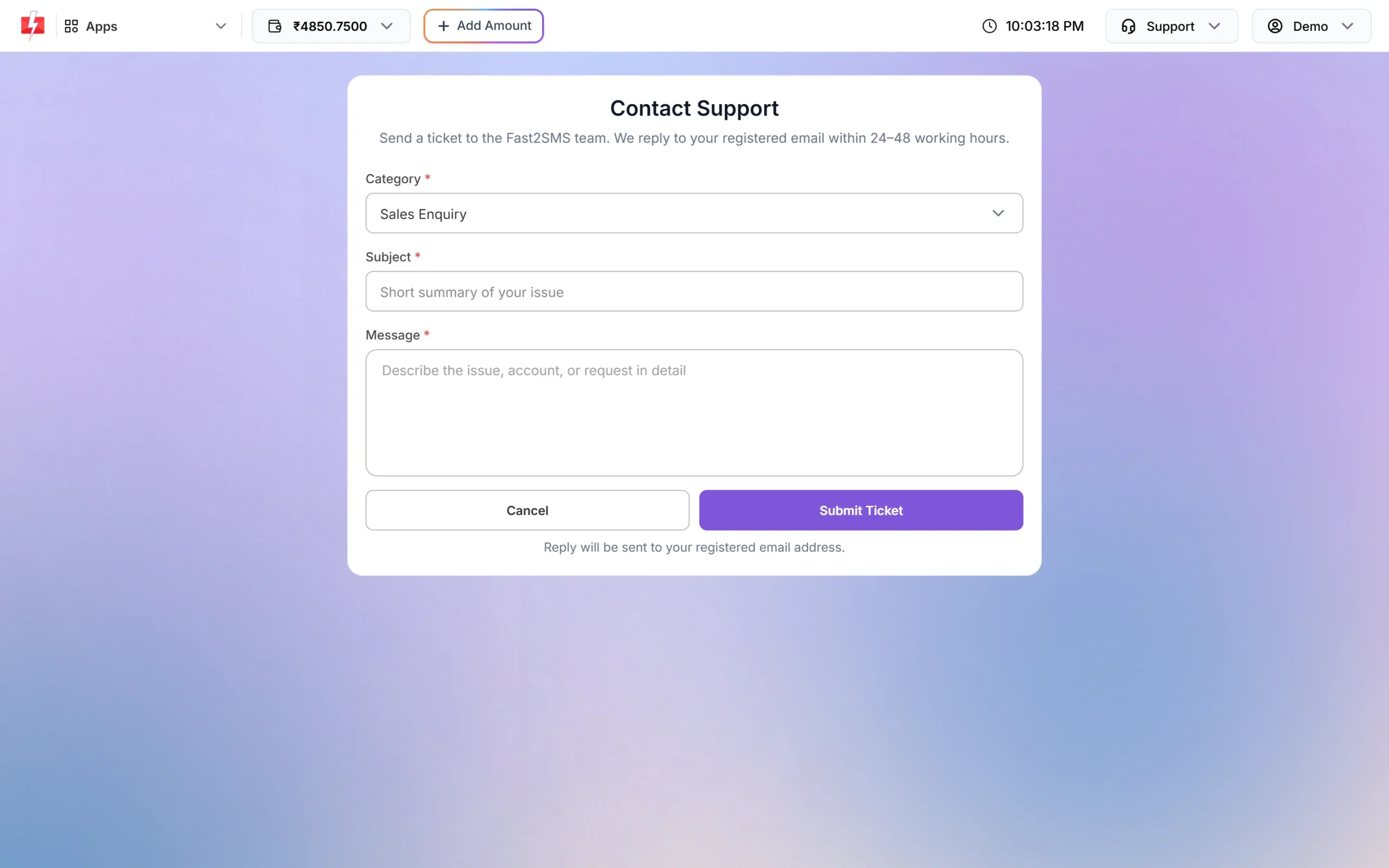
Fast2SMS panel: Contact Support form (Category, Subject, Message)


3. If you are having any doubts, click on FAQ in the same Support menu.
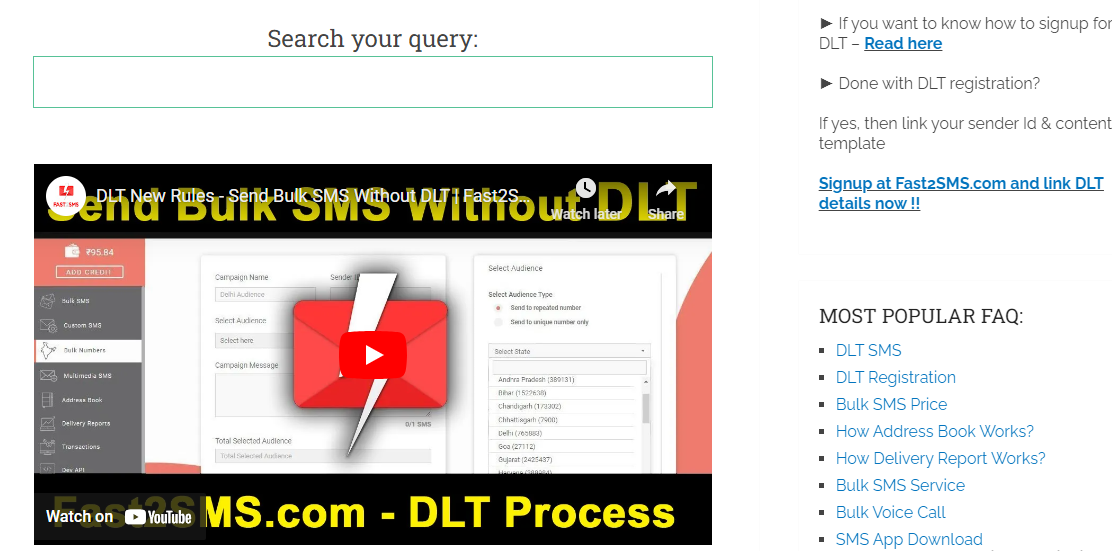
faq section fast2sms

4. If your answer is not there in the FAQs section or you are facing some different issue then you can reach out to us at Contact Support. Use the Contact Support form.


5. Fill all the details in the form. First select the category which describes your problem. Suppose your DLT template is not approved yet. Select DLT Related in the category. Then type the subject. Then write the details of the problem. After that click on the Submit Ticket button. We have taken an example below to make it easy to understand.
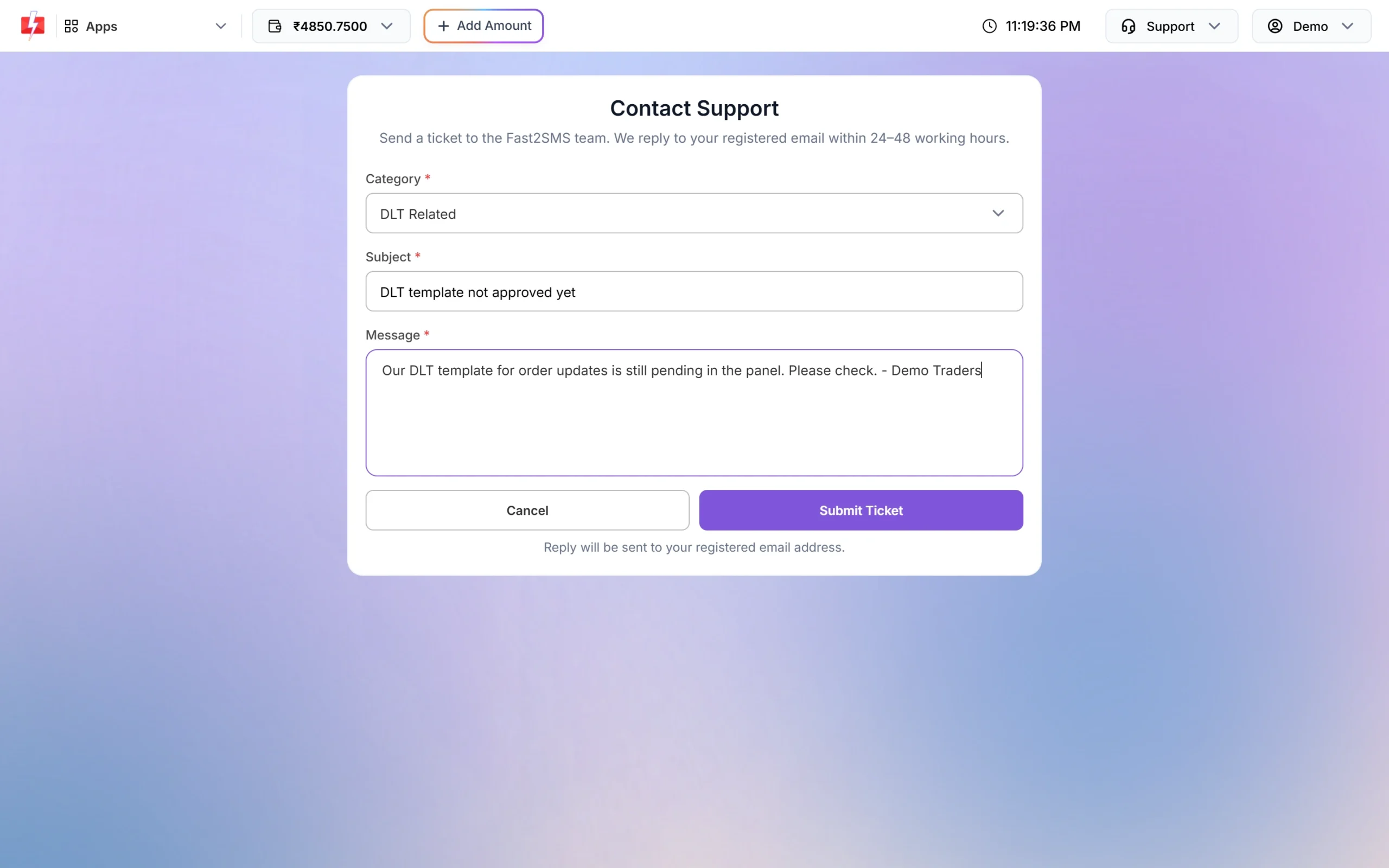
Fast2SMS panel: Filled ticket form, ready to submit (not submitted)


6. Our support team will reply to your registered email within 24 to 48 working hours.


Feel free to reach out to us and do check the FAQs, they will prove to be of great help. We make sure to reply to each of the message within 24 to 48 hours itself. Our goal is to give you the maximum return on your investment. Don’t forget do visit Fast2SMS for sending bulk SMS in the most affordable and expedient way.
https://files.fast2sms.com/help/uploads/2018/03/Try-Fast2SMS-service.jpg

Related articles

  • Team member can’t see WhatsApp chats or numbers? Live Chat access problems fixed
  • How to contact Fast2SMS support: ticket, email, meeting and feature requests
  • Fast2SMS new panel tour: dashboard, apps, wallet rates and where everything moved
  • Paid but wallet not credited, or payment failed? What to do after a Fast2SMS recharge

    New to Fast2SMS?

    Get ₹50 free credit when you sign up.

    Sign up free or book a free meeting

    Topics

    • Bulk SMS
    • WhatsApp
    • OTP
    • RCS
    • Voice Call
    • DLT
    • Delivery Report
    • Transaction
    • Address Book
    • Webhooks

    Products

    • Bulk SMS Service
    • WhatsApp Business API
    • OTP SMS
    • RCS Messaging
    • Voice Call (OBD)
    • Cloud Telephony
    • Quick SMS without DLT
    • Campaign Flow Builder
    • Integrations

    Pricing

    • Bulk SMS Pricing
    • WhatsApp Pricing
    • RCS Pricing
    • Voice Call Pricing
    • Cloud Telephony Pricing

    Guides

    • How to send bulk SMS in India
    • Send bulk WhatsApp messages
    • Official WhatsApp Business API
    • WhatsApp OTP API
    • RCS business messaging
    • Bulk voice call service
    • WooCommerce SMS & WhatsApp plugin
    • Shopify SMS & WhatsApp app
    • DLT Registration

    Bulk SMS for

    • Bulk SMS API
    • OTP SMS provider in India
    • Bulk SMS for marketing
    • Bulk SMS for E-commerce
    • Bulk SMS for Schools
    • Bulk SMS for Hospitals
    • Bulk SMS for Real Estate
    • Bulk SMS in Delhi
    • Bulk SMS in Mumbai

    Company

    • About Us
    • Why Fast2SMS
    • Certificates
    • SMS Reseller
    • Contact Us
    • API Docs
    • Sitemap
    Fast2SMS [email protected] +91 6262778822

    Social links

    Meta Business Partner
    © 2026 Fast2SMS. All rights reserved. Privacy Policy · Terms · Article sitemap · Page sitemap