
WhatsApp Reseller – WhatsApp Business API White Label Reseller Panel
If you are looking for a perfect WhatsApp reseller program, you have come to the right place. We provide a white label reseller panel that you can use to sell under your own brand name, domain, and logo. This allows you to establish your brand identity while offering powerful WhatsApp Business API services to your customers without investing in developing your own platform. Continue reading to know more about our Fast2SMS WhatsApp Business API White Label Reseller Panel and how it can help you grow your business.

What is White Label Reselling Services?
White label reselling services allow businesses, agencies, and entrepreneurs to sell products or services developed by another company under their own brand name. Instead of creating the software or platform from scratch, resellers get a ready-to-use solution that can be customised with their own logo, domain, and branding. This enables them to offer professional services to their clients, generate recurring revenue, and expand their business with minimal investment and technical effort.
Benefits of Reselling Services
White label reselling services offer numerous advantages for businesses looking to expand their product offerings without the cost and complexity of developing their own platform. Some of the major benefits include:
- Launch your own branded WhatsApp messaging business quickly.
- Sell services using your own company name, logo, and custom domain.
- No need to invest in software development or infrastructure.
- Generate recurring income by managing multiple customer accounts.
- Easily scale your business as your client base grows.
- Offer reliable WhatsApp Business API services with minimal operational effort.
- Save time and resources while focusing on sales, marketing, and customer support.
- Build stronger customer trust with a fully branded reseller panel.
How Does the Fast2SMS WhatsApp Reseller Program Work?
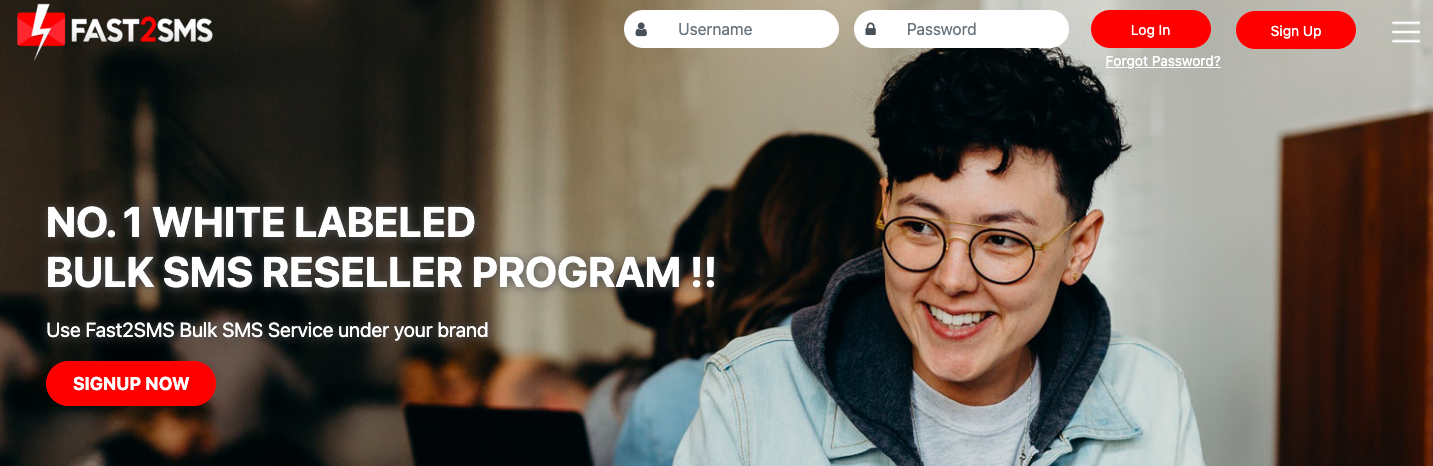
1. Open the site https://www.fast2sms.com/reseller, the following page will appear. Login with your credentials, if you are not signed up, complete the sign up process.
2. Once you logged in, click on the Add User tab.
3. The following screen will appear once you clicked on Add user tab. Fill up the details.
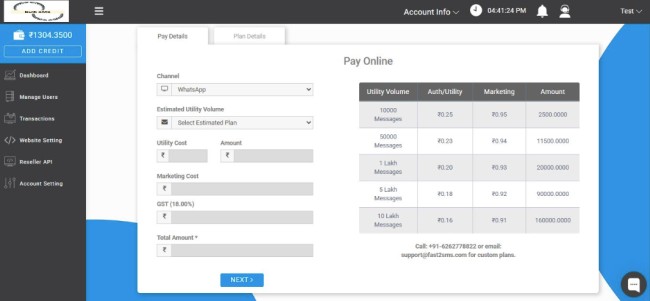
4. Enter the details as per your requirement.
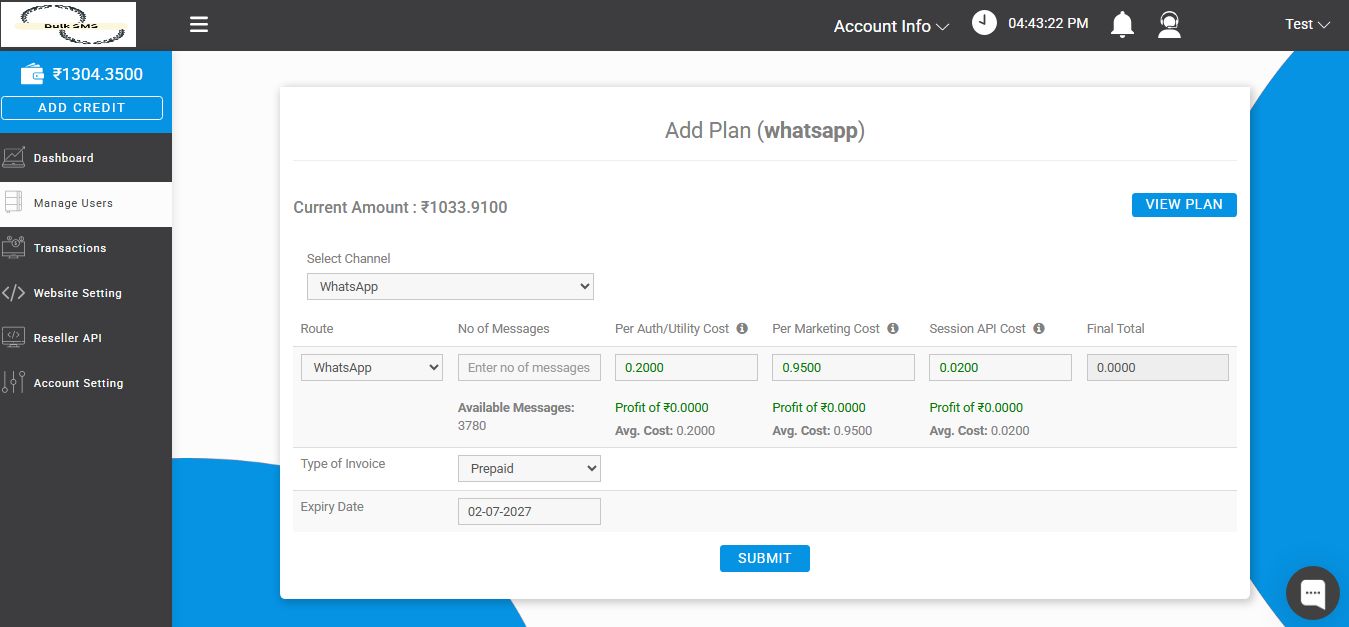
5. Once you clicked on Submit, the following screen will appear.
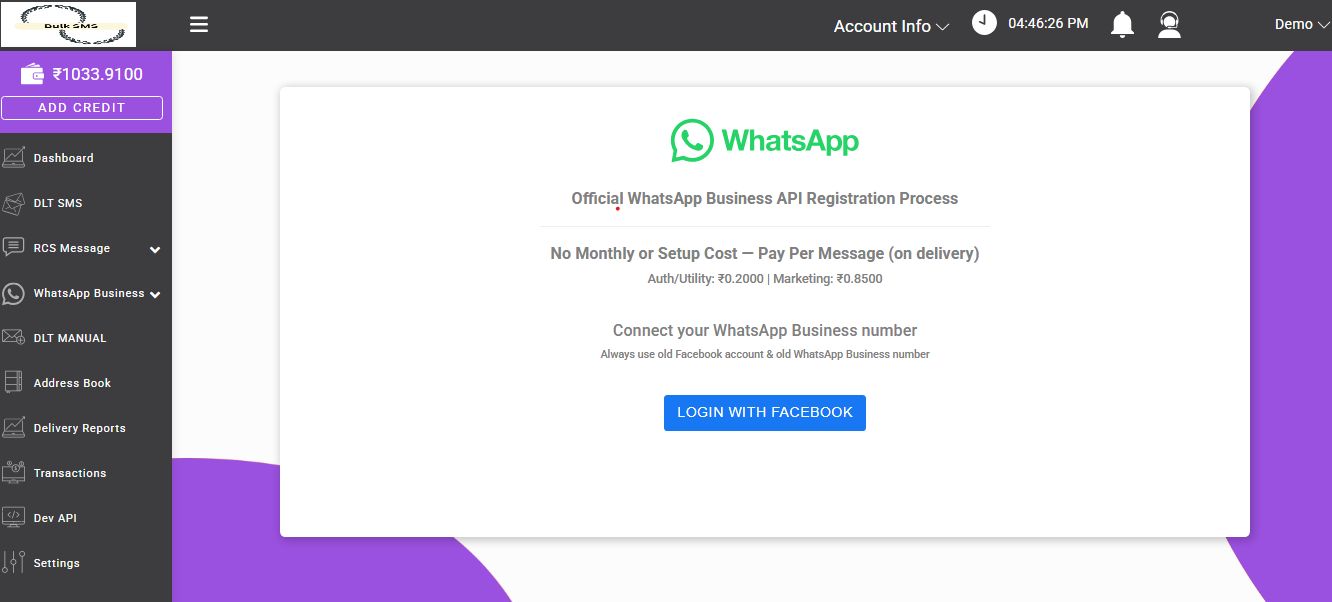
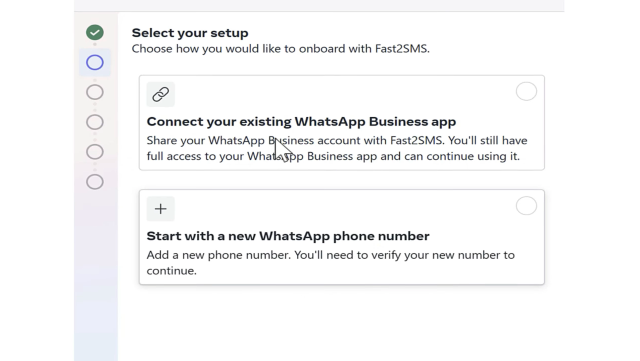
6. As you login into Facebook, the following two options will be shown. You can either connect using your existing number or start with a new phone number. If you are using a new number, it will be managed only with Fast2SMS, and cannot be managed with your mobile app.
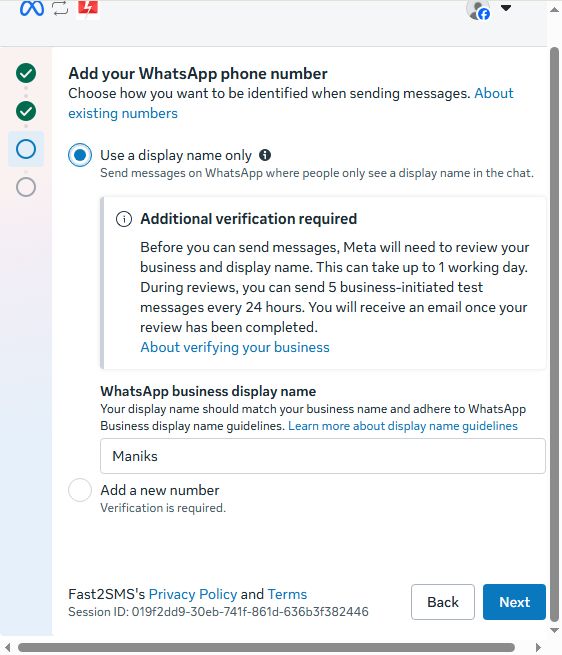
7. If user clicked on “Use a display name only” then there user can provide their display name under “WhatsApp business display name” then they just need to click on next to proceed further.
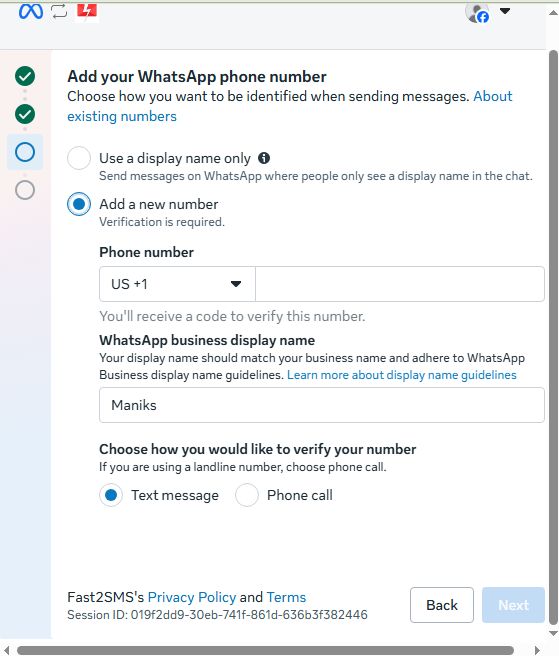
8. If you want to use a new number, click “Add a new number.” You can then provide either a fresh phone number or an existing WhatsApp Business App number.
Next, enter your preferred display name in the “WhatsApp Business Display Name” field. After that, choose your preferred verification method (SMS or phone call) to verify your phone number.
Once you click “Next,” you will receive a verification code through your selected verification method. Enter the code to complete the verification process.
9. On the following page, they should click “Confirm.” Meta will then assign a Cloud API phone number automatically. After that, the final page will appear, where the user can complete the setup process.
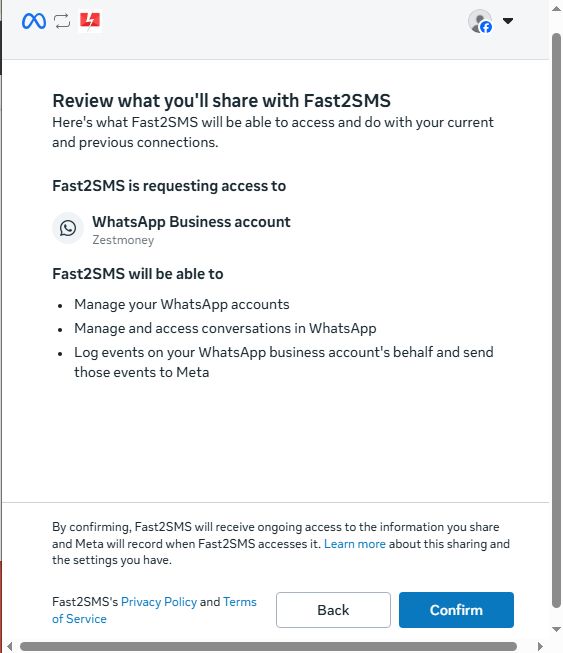
10. Now you will need to enter your Whatsapp Business phone number. Enter the number, select India, click Next.
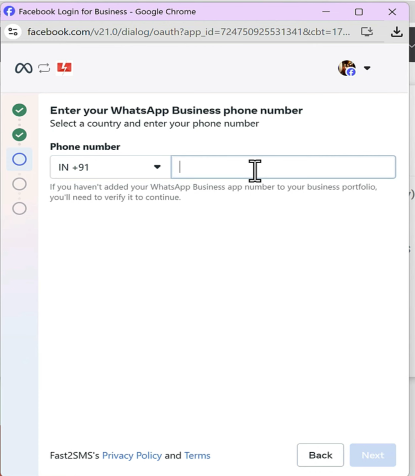
11. An OTP will get sent to your number, once it is verified, your business name that you have set in your whatsapp will automatically appear as shown below. If the correct time zone is not appearing, select it from the drop down menu and then click on Next.
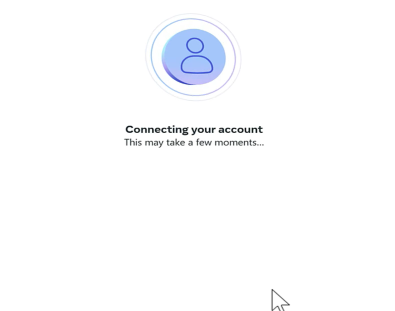
As soon as you click Next, Connecting your account message will appear on your screen.
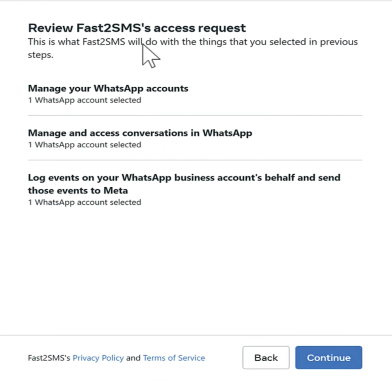
You will then need to review the details and then click on Continue tab.
You will then receive a QR code. A message will appear in your whatsapp from Facebook that you will have to scan the QR code.
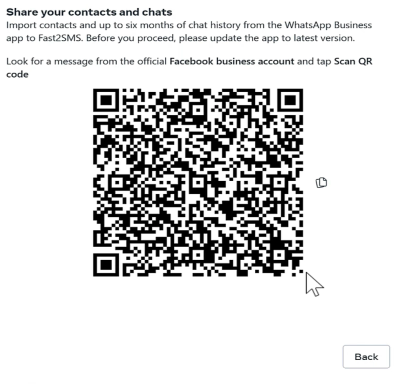
When you scan the QR code, the following message will appear in your mobile screen.
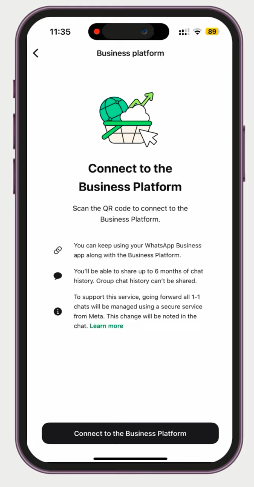
When you select the option ; ‘Connect to the Business Platform’, you will get two options to choose from as shown in the image below. If you want to share chat history, select the first option, else choose second one.
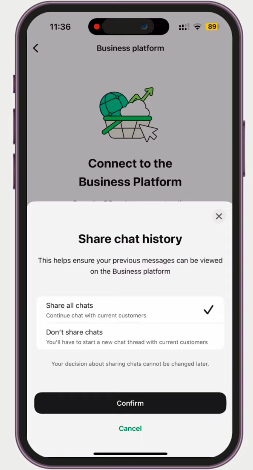
When you click on Confirm tab, you will get the option to Scan QR. Once you scan the QR code, you will get the option ‘You are connected to Fast2SMS’ as shown in the image below.
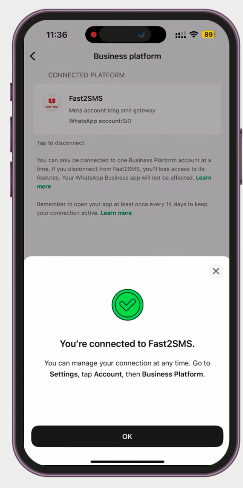
You have to click on OK tab. When you click on it, you account will be connected to Fast2SMS. You can use this account in business platform, Fast2SMS, or web whatsapp. It will be synced in all the three places.
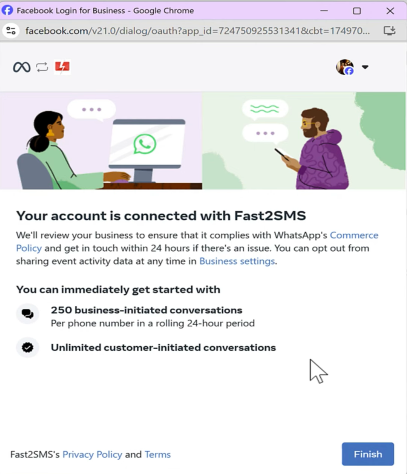
Your daily message limit is 250. If you want it to increase, you can contact Fast2SMS team, they will help you in submitting documents to Meta. Once you documents are verified, the message sending limit will increase.
Note: Make sure to click on the Finish tab. If you close the browser without clicking on the Finish button, your account will not be created and you will need to repeat the complete process from the scratch.
With our reseller program, you can begin your WhatsApp reseller journey without any investment while building your business under your own brand name, logo, and domain. To help you get started, we offer FREE credits worth INR 100 with every sign-up so you can explore the reseller panel and its features firsthand. Start earning by launching your own white label WhatsApp reseller business today. Sign up now with Fast2SMS reseller and take the first step towards building a profitable messaging business with your own brand identity.