
Tally to WhatsApp Without QR Scan: The Official API Way
If you have used a Tally to WhatsApp tool that starts with “scan this QR code”, you already know how the story goes. It works for a week. Then the phone goes offline, or WhatsApp Web logs out, or worse, the number gets banned for bulk sending, and your invoices silently stop reaching customers. There is a way to connect Tally to WhatsApp with no QR scan, no phone dependency and no ban risk: the official WhatsApp Business API, which the free Fast2SMS plugin uses. Here is why QR tools fail and how the official route works.
Download Tally Plugin
Signup Now
Why QR-based Tally tools keep breaking
A QR-based tool is automation sitting on top of WhatsApp Web. It logs in as your personal number and “types” the messages for you. That design carries four built-in problems:
- Phone dependency: WhatsApp Web mirrors your phone’s session. Phone off, battery dead, network gone: sending stops.
- Session logouts: WhatsApp expires linked sessions; every logout means someone notices failed sends, finds the phone, rescans the QR.
- Ban risk: automated bulk sending from a normal number is exactly what WhatsApp’s anti-spam systems look for. Banned number means lost chats, lost contacts, lost trust.
- No delivery reports: the tool “sent” the message into WhatsApp Web; whether it delivered, nobody can prove.
The official way: WhatsApp Business API
The Fast2SMS plugin sends through Meta’s official WhatsApp Business API from the server side. Nothing runs on your phone or browser:
| QR / WhatsApp Web tool | Official API (Fast2SMS plugin) | |
|---|---|---|
| QR scan needed | Yes, repeatedly | Never |
| Phone must stay online | Yes | No, server-side sending |
| Ban risk | High for bulk sends | None, approved templates |
| Delivery reports | No | Per message, in Tally + panel |
| Invoice PDF attachment | Depends on session | Native document message |
| Cost | Paid licence, often yearly | Free plugin, pay per message |
Worried the API route means paperwork? That is the part Fast2SMS removed. The plugin ships with a ready default sender: no Meta account, no website, no new SIM, no template approval. Full price context on paid QR and API modules: TDL price comparison.
Setup without a single QR code
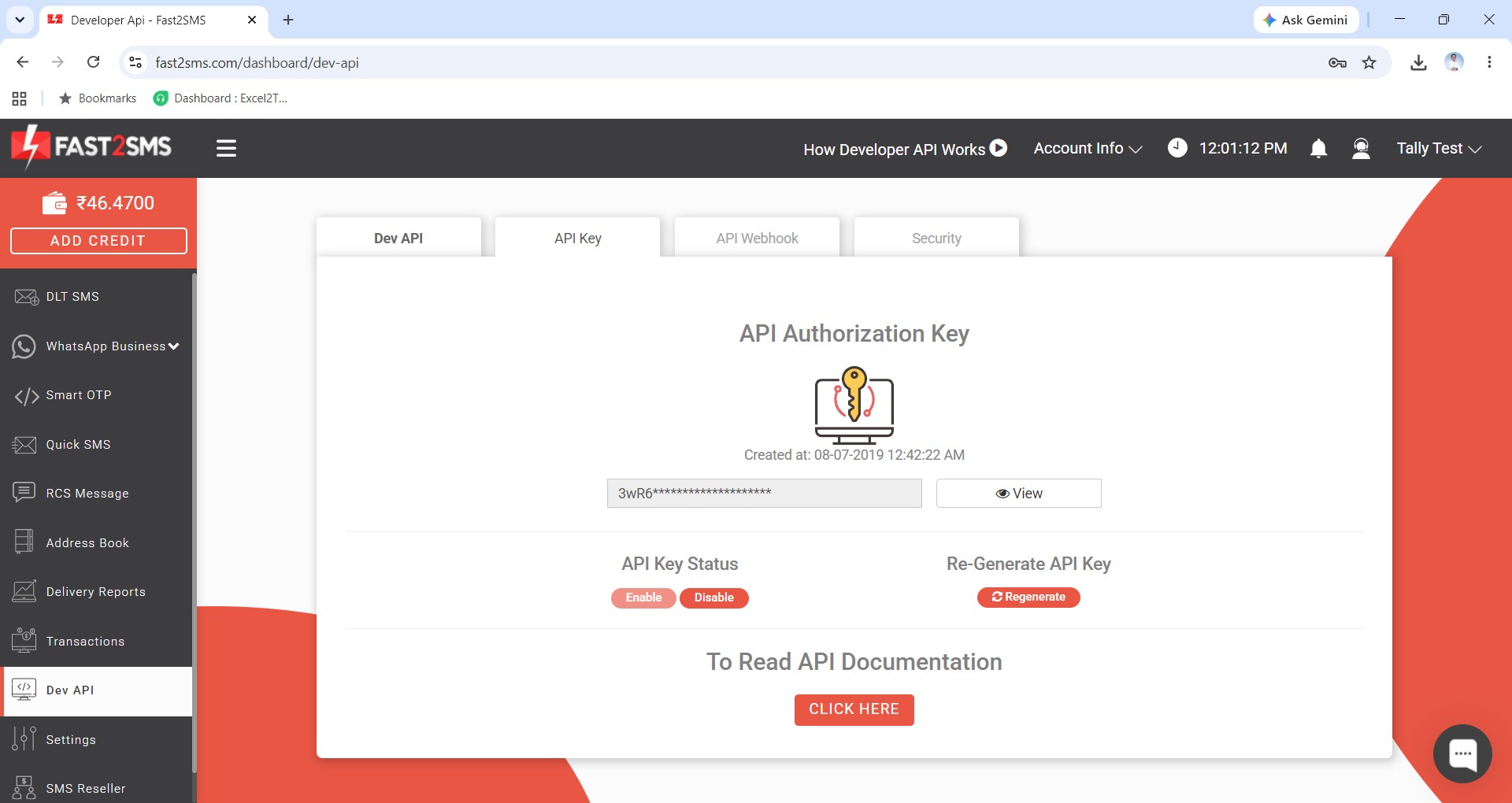
- Signup free at fast2sms.com; the API key from the Dev API section is the mandatory connection, and it replaces every QR scan forever.
- Download the plugin and load the .TCP in TallyPrime (F1 > TDLs & Add-ons > F6 to enable the WhatsApp module).
- Paste the API key in the plugin’s API Key Update screen.
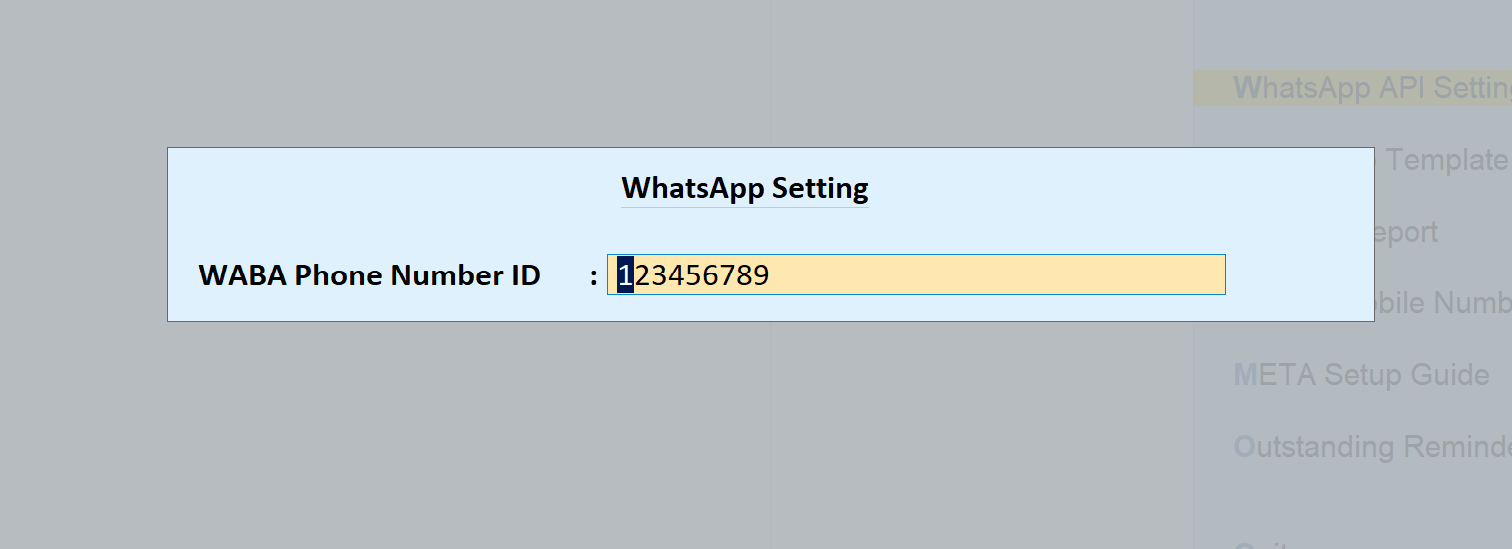
- Type the two defaults: phone number ID 123456789 and message IDs T101 to T120.
Ten minutes, and it does not unravel next week. Full screen-by-screen setup: complete Tally plugin guide.
What sending looks like after the switch
Send buttons on every voucher screen, auto-send on voucher save if you want it, bulk sending from registers, and each message logged with a delivery status. The customer gets a proper business template with the invoice PDF attached:
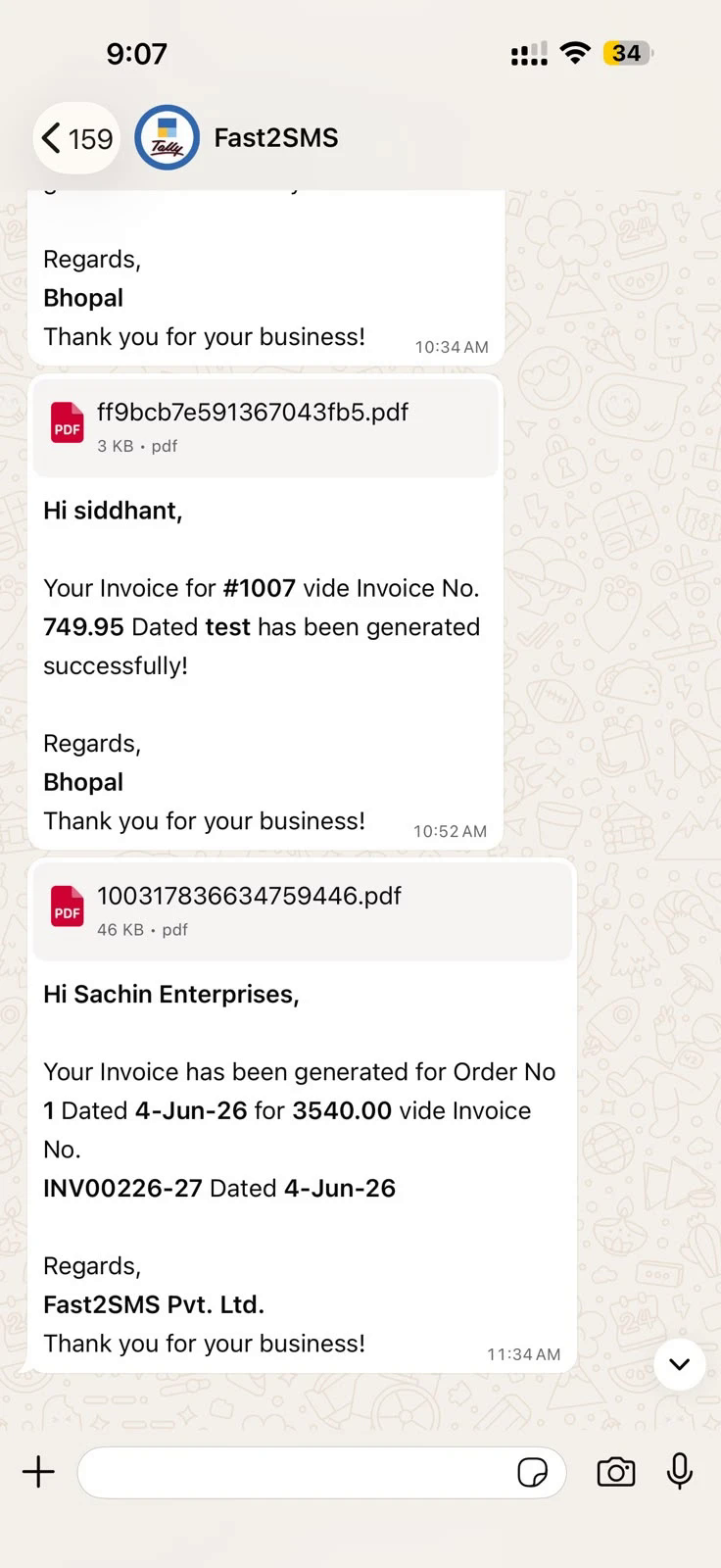
Want your own brand name in the chat header instead of the default sender? Connect your number free through Meta embedded signup (still no QR for sending): Tally WhatsApp sender guide.
Download Tally Plugin
Signup Now
Frequently asked questions
Can Tally send WhatsApp without scanning a QR code?
Yes. The Fast2SMS plugin sends through the official WhatsApp Business API using an API key; no QR scan is ever involved.
Does my phone need to be on for messages to send?
No. Sending happens server-side. Your phone can be off, and Tally keeps sending.
Will my WhatsApp number get banned?
Not through this plugin: messages are approved templates on the official API, which is built for business sending. Bans happen to personal numbers driven by WhatsApp Web automation.
Is the official API route expensive?
The plugin is free, the default sender is free, and connecting your own number has no monthly, setup or per-number fee. You pay per message, delivery basis, with failed messages auto-refunded within 48 hours.
What is mandatory to start?
Only a free Fast2SMS account for the API key, plus the plugin itself. Then two typed defaults: 123456789 and T101 to T120.
I already use a QR tool. How do I switch?
Install the plugin alongside, set it up in ten minutes, compare a few sends, then retire the QR tool. Ledger mobile numbers stay where they are; nothing migrates.
Does it also cover SMS?
Yes, the same plugin sends DLT SMS with the invoice PDF as a short link: Tally SMS plugin guide.
Who helps if I get stuck?
Email [email protected] or call +91-6262778822.
Retire the QR code today
Signup free, download the plugin, paste one API key, and your Tally to WhatsApp connection stops depending on a phone in someone’s pocket.
Download Tally Plugin
Signup Now
Questions? Write to [email protected] or call +91-6262778822.