
Send GST Invoice on WhatsApp & SMS from Tally (Free Plugin)
A GST invoice is not just a bill: your buyer needs it to claim input credit, so it must reach them complete, with GSTIN, HSN codes, tax breakup and totals exactly as Tally printed them. A photo of a printout or a retyped summary does not cut it. The free Fast2SMS Tally plugin sends the actual GST invoice PDF from TallyPrime to the customer on WhatsApp as a document, and on SMS as a tap-to-open link, seconds after you save the voucher. Here is the full setup and what the buyer receives.
Download Tally Plugin
Signup Now
Why the PDF matters for GST invoices
The plugin does not retype your invoice into a message. It takes Tally’s own print output as a PDF and attaches it to the WhatsApp message as a document. Whatever your invoice format shows: GSTIN of both parties, HSN/SAC codes, CGST/SGST/IGST split, declaration, bank details, signature block, arrives exactly like that on the buyer’s phone. The message text on top carries the summary: invoice number, date, amount, so the buyer sees the essentials without even opening the PDF.
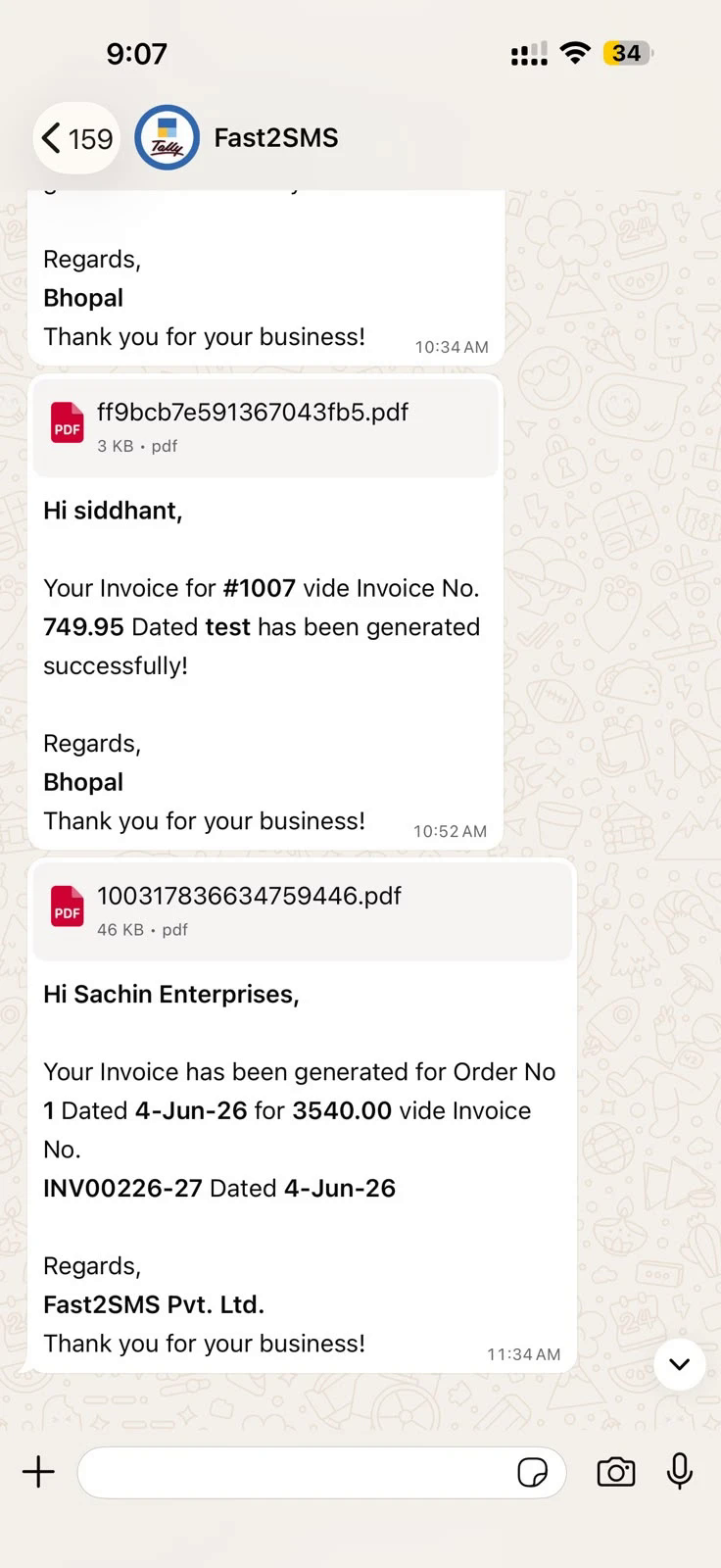
Setup: signup, install, two defaults
The plugin needs an API key from a free Fast2SMS account: that is the one mandatory connection, so do it first.
- Signup at fast2sms.com and copy your API key from the Dev API section.
- Install: download the plugin, copy the .TCP into your TallyPrime folder (or Tally.NET Account TDL), enable the SMS and WhatsApp modules under F1 > TDLs & Add-ons > F6, and paste the API key.
- WhatsApp defaults: type 123456789 as WABA Phone Number ID and fill message IDs T101 to T120. Three invoice templates matter most for GST billing: T101 sales with closing balance, T102 without, T103 with order details.
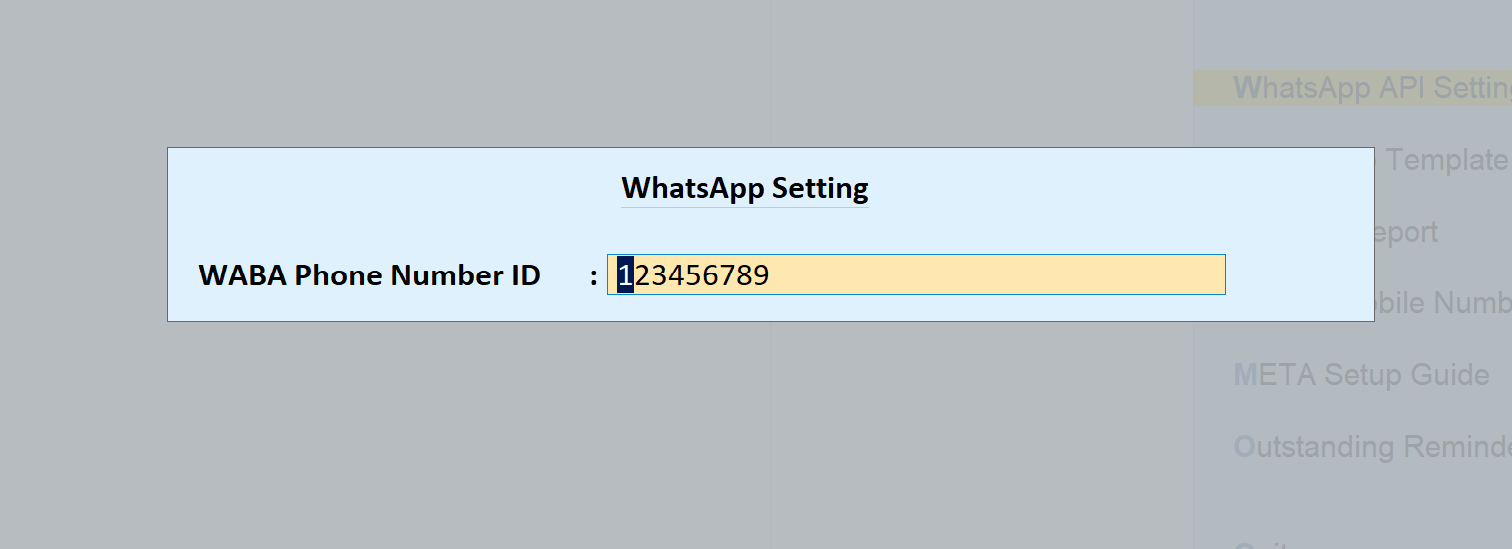
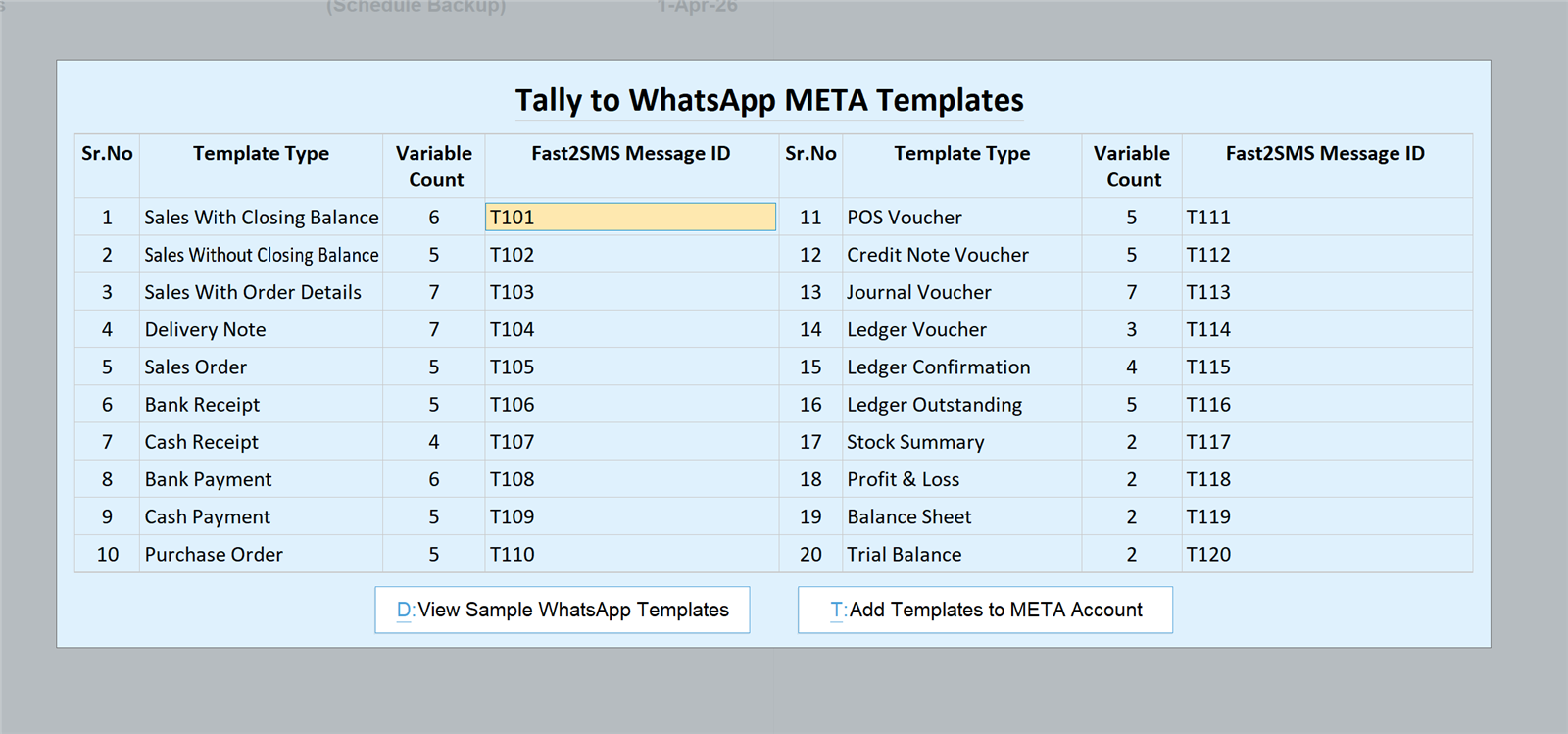
Complete screen-by-screen walkthrough: full Tally plugin guide. Messages go from the Fast2SMS default sender; switching to your own brand name later is free via Meta embedded signup, covered in the sender guide.
Sending the GST invoice
- One at a time: the send button sits on the sales voucher screen, with a preview of the message and the buyer’s number before it goes.
- Instantly on save: enable auto-send for the Sales voucher type and every saved invoice delivers itself; details in send Tally invoices instantly.
- In bulk: select invoices in the sales register and send together, useful for the day’s billing at closing time.
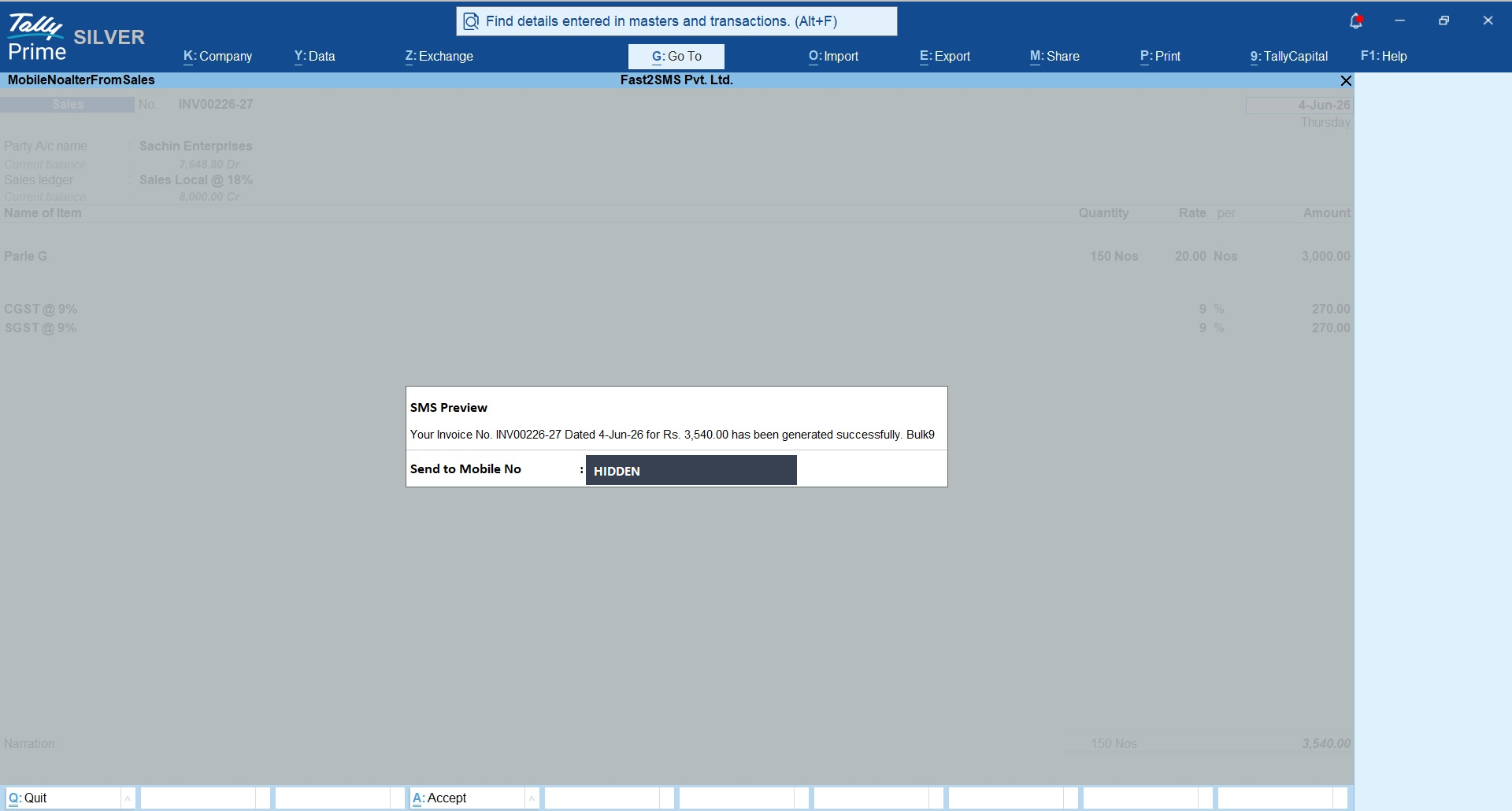
GST invoice on SMS too
Not every buyer is on WhatsApp, and transporters often just need the document link. The SMS module sends a DLT-approved message where the invoice PDF becomes an auto-shortened URL: one tap opens the full GST invoice in any phone’s browser. Sender ID and template setup for SMS is a one-time job with free DLT support, walked through in the Tally SMS plugin guide.
What this replaces
| Old way | Problem | With the plugin |
|---|---|---|
| Print and hand over / courier | Cost, delay, lost copies | PDF on the buyer’s phone in seconds |
| Export PDF, WhatsApp from personal phone | Manual, mixes business with personal chats | Sent from Tally, logged with delivery report |
| Photo of the invoice | Unreadable HSN and tax figures | Tally’s own print PDF, every field sharp |
| Unread for days | WhatsApp open rates, SMS link as backup |
Download Tally Plugin
Signup Now
Frequently asked questions
Does the WhatsApp message carry the full GST invoice?
Yes, the complete invoice PDF as Tally prints it, attached as a document: GSTIN, HSN codes, tax breakup, totals, everything your format includes.
Can the buyer use it for input credit?
The buyer receives the same invoice document you would hand over physically; it is your regular GST invoice, just delivered digitally.
Is the plugin free? What is mandatory?
The plugin is free with no licence or renewal. A free Fast2SMS account is mandatory for the API key, and you pay only per message sent.
Does it change my invoice format in Tally?
No. It sends whatever your configured Tally invoice print produces, so your existing format, logo and declarations stay as they are.
Can invoices send automatically after billing?
Yes, auto-send on voucher creation or alteration, per voucher type, so counter billing needs zero extra steps.
What about e-invoices with IRN and QR code?
The plugin sends the invoice PDF exactly as Tally prints it for the voucher, so whatever your print format shows, including IRN and QR where your Tally is set up for e-invoicing, appears in the delivered PDF.
Do I need DLT for WhatsApp sending?
No, DLT applies only to the SMS side. WhatsApp needs just the API key and the two default entries.
Where do I get setup help?
Email [email protected] or call +91-6262778822.
Bill, save, delivered
Signup free, load the plugin, and from today every GST invoice you raise in Tally can reach the buyer before the goods do.
Download Tally Plugin
Signup Now
Questions? Write to [email protected] or call +91-6262778822.