
DLT SMS Templates for WooCommerce: Ready to Copy Order Notification Examples
Every business SMS in India needs a DLT-approved template, and most rejections happen because the wording breaks a small rule nobody explained. This page fixes that. Below are ready-to-copy DLT SMS templates for every WooCommerce event, written in the new tagged-variable format, plus the rules that keep them from bouncing.
New to DLT itself? Start with the DLT guide for WordPress store owners, then come back for the templates.
How a DLT template works
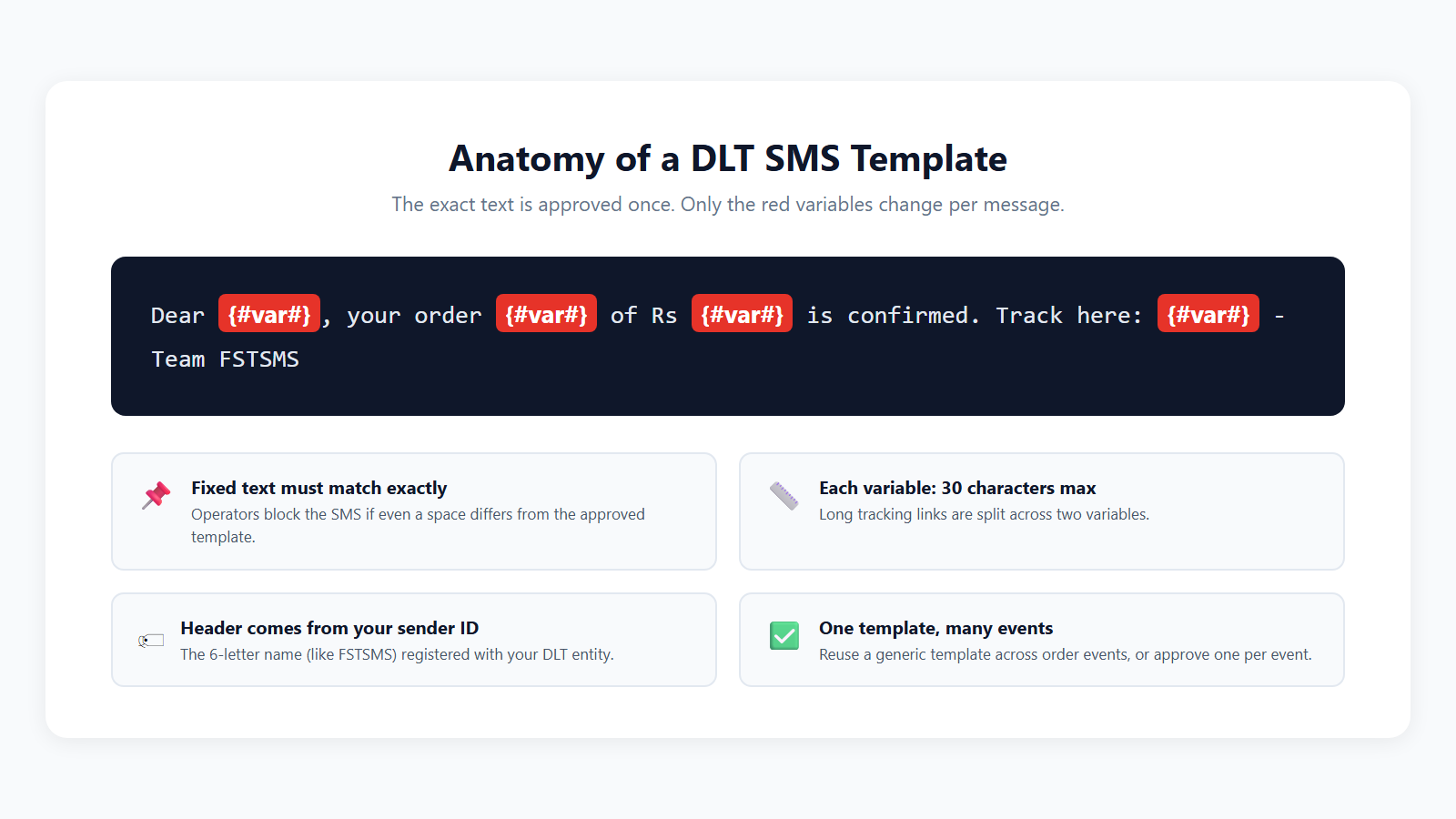
Under the new rules, every variable declares its data type with a tag: {#numeric#} for digits, {#alphanumeric#} for names and IDs, {#url#} for links. Full reference in the DLT variable tagging guide.
Ready-to-copy templates for WooCommerce
Replace BRAND with your store name before submitting. Register these as Service Implicit unless noted, and the coloured chip on each variable tells you its type.
Dear {#alphanumeric#}, your order {#alphanumeric#} of Rs {#numeric#} has been placed successfully. We will update you when it ships. – BRAND
Dear {#alphanumeric#}, we have received your payment of Rs {#numeric#} for order {#alphanumeric#}. Thank you for shopping with us. – BRAND
Good news {#alphanumeric#}! Your order {#alphanumeric#} is on its way. Track it here: {#url#} – BRAND
Dear {#alphanumeric#}, your COD order {#alphanumeric#} of Rs {#numeric#} is confirmed. Please keep the amount ready at delivery. – BRAND
Hi {#alphanumeric#}, your cart at BRAND is waiting. Complete your order of Rs {#numeric#} here: {#url#} – BRAND
{#numeric#} is your OTP for BRAND. Valid for 10 minutes. Do not share it with anyone. – BRAND
Welcome to BRAND, {#alphanumeric#}! Your account is ready. Browse our latest collection at {#url#} – BRAND
Hi {#alphanumeric#}, hope you loved your recent order {#alphanumeric#}. Share a quick review here: {#url#} – BRAND
New order alert: {#alphanumeric#} placed order {#alphanumeric#} of Rs {#numeric#} via {#alphanumeric#}. – BRAND
Five rules that prevent rejections
- Tag every variable by type. Digits use {#numeric#}, IDs and names use {#alphanumeric#}, links use {#url#}. The variable length limits are 40 characters for numeric, alphanumeric and email, 120 for url and urlott, and 3 to 14 for cbn.
- End with your brand name. Operators expect a clear identifier like “- BRAND” in the template.
- Do not stack variables with no text between them. Only {#alphanumeric#} may sit back-to-back; every other tag needs static text between variables.
- Register your links and numbers as CTAs first. {#url#}, {#urlott#} and {#cbn#} values are validated against the CTAs registered for the template.
- Submit the final wording. Even one changed space between the approved template and the sent message blocks delivery.
Want templates for schools, appointments, registrations and more? See the full sample SMS template library.
Add approved templates to Fast2SMS
Once DLT approves your templates, add them in your Fast2SMS panel: entity first, then sender ID, then each template. They appear as simple dropdowns after that.
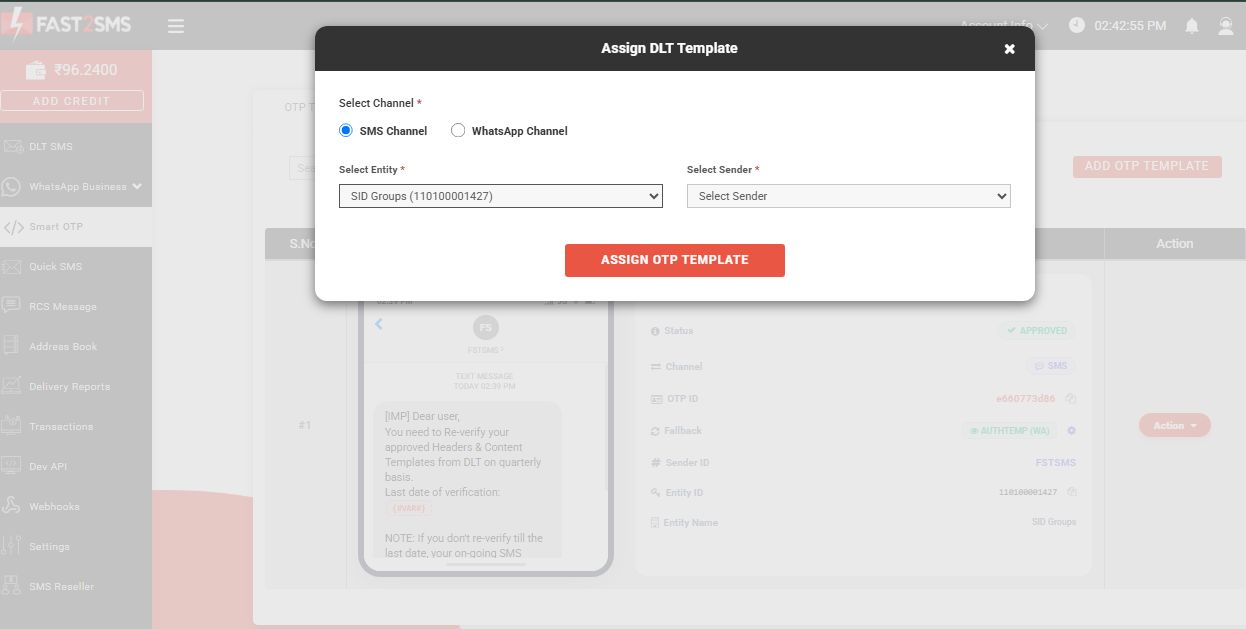
Use them in WooCommerce with one click
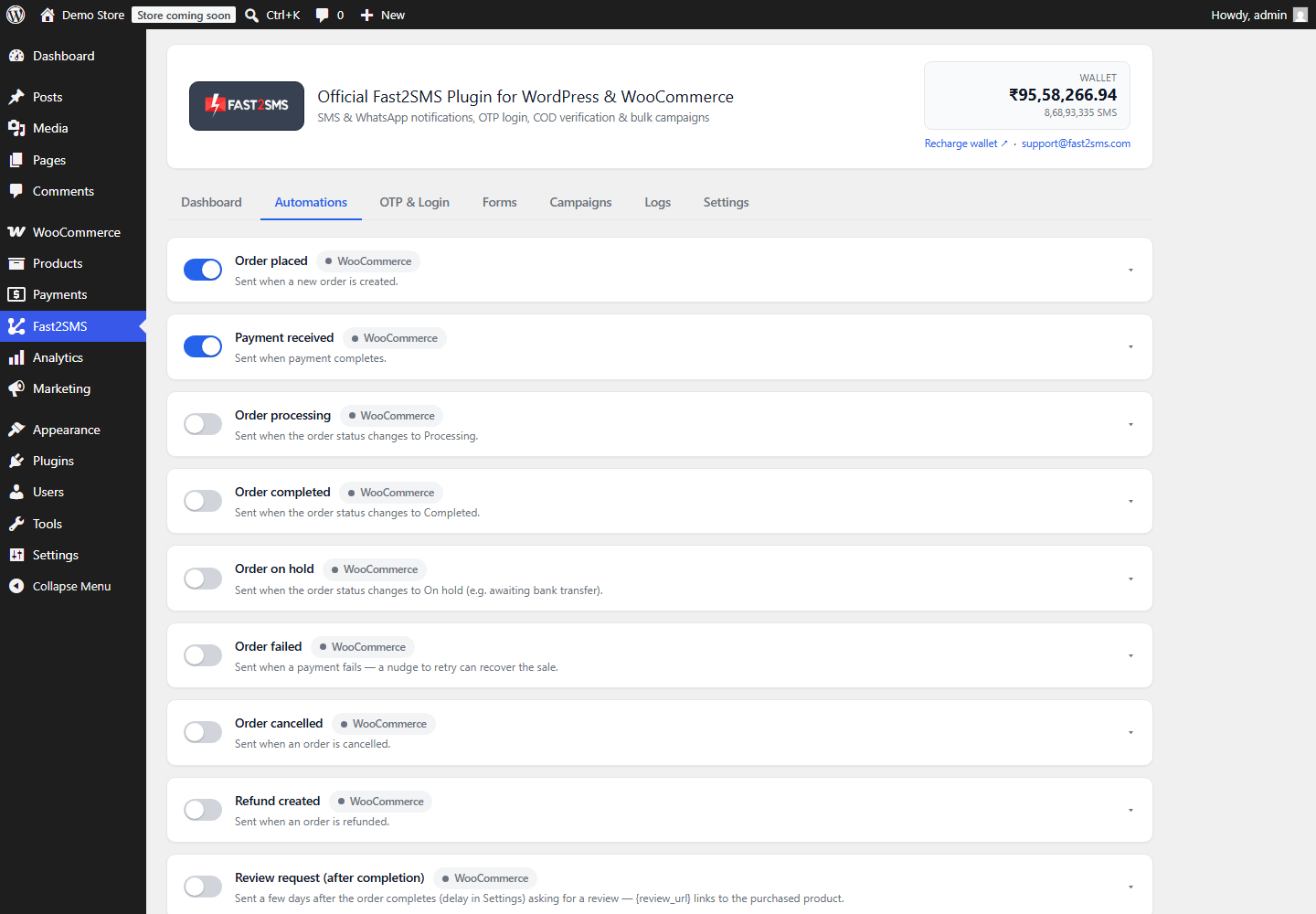
In the free Fast2SMS plugin, open any automation and click Fetch templates from Fast2SMS. Your approved DLT templates load into the picker, and you map each variable to order data with dropdowns while a live preview shows the final message.
Frequently asked questions
Can I copy these templates exactly?
Yes, that is what they are for. Swap BRAND for your store name, submit them on your DLT portal under your entity, and keep the tags and variable positions as shown.
How long does template approval take?
Usually a few hours to a couple of working days, faster than entity registration. Fast2SMS free DLT support can review your wording before you submit.
Why was my template rejected?
The usual causes: a link in an {#alphanumeric#} variable, unregistered CTAs for {#url#} or {#cbn#}, consecutive non-alphanumeric variables, or the wrong category. Fix against the five rules above and resubmit.
Can one template serve several events?
Yes. A generic template like the order placed one can be reused across events in the plugin, each with its own variable mapping. Separate templates read better though.
Do WhatsApp messages need DLT templates?
No. WhatsApp needs Meta template approval instead, managed from the same Fast2SMS panel. Many stores send WhatsApp first and keep these SMS templates as backup.
Where do the plugin variables come from?
The plugin offers order data like {name}, {order_id}, {amount}, {payment_method}, {city} and more for each event. You map them to your template variables once and save.
Get your templates approved this week
Create your free account, let free DLT support handle the registration, and paste these templates in. Your store can send compliant SMS within days.
Signup Now
Install Free Plugin
Questions? Write to [email protected].
More WooCommerce OTP, SMS and WhatsApp guides
- WooCommerce OTP plugin: 110 FAQs
- WooCommerce checkout OTP verification
- WooCommerce login with mobile number
- Phone number verification at registration
- WooCommerce WhatsApp OTP login
- WooCommerce COD OTP verification
- WooCommerce OTP not received: fixes
- WooCommerce OTP cost
- Best WooCommerce OTP plugins compared
- Free mobile login plugin alternative
- WooCommerce WhatsApp plugin: 100+ FAQs
- WooCommerce SMS notification plugin: 100+ FAQs
- Order status SMS and WhatsApp
- COD to prepaid and pending payment reminders
- Abandoned cart recovery on WhatsApp and SMS
- Back in stock notifier
- WooCommerce SMS marketing campaigns
- Best WooCommerce SMS and WhatsApp plugins
- Twilio SMS alternative for India
- WooCommerce OTP plugin guide in Hindi
High volume? Rates are negotiable: call sales on +91-6262778811, email [email protected] or book a free meeting with our team.