
WooCommerce Back in Stock Notifier on WhatsApp and SMS
Your best-selling kurta sells out. For the next two weeks, shoppers land on the product page, see “Out of stock” and leave. When the new stock arrives, most of them never find out. A WooCommerce back in stock notifier fixes that: shoppers ask to be told, and the moment you restock, they get a message on the phone they carry everywhere.
This guide shows how to run WooCommerce back in stock notifications on WhatsApp and SMS with the free Fast2SMS plugin. You will see the “Notify me when back in stock” option on out-of-stock products, how subscribed customers get the Back in stock message, how admin low stock and out of stock alerts keep you ahead of sell-outs, plus template examples and the marketing rules Indian stores must follow.
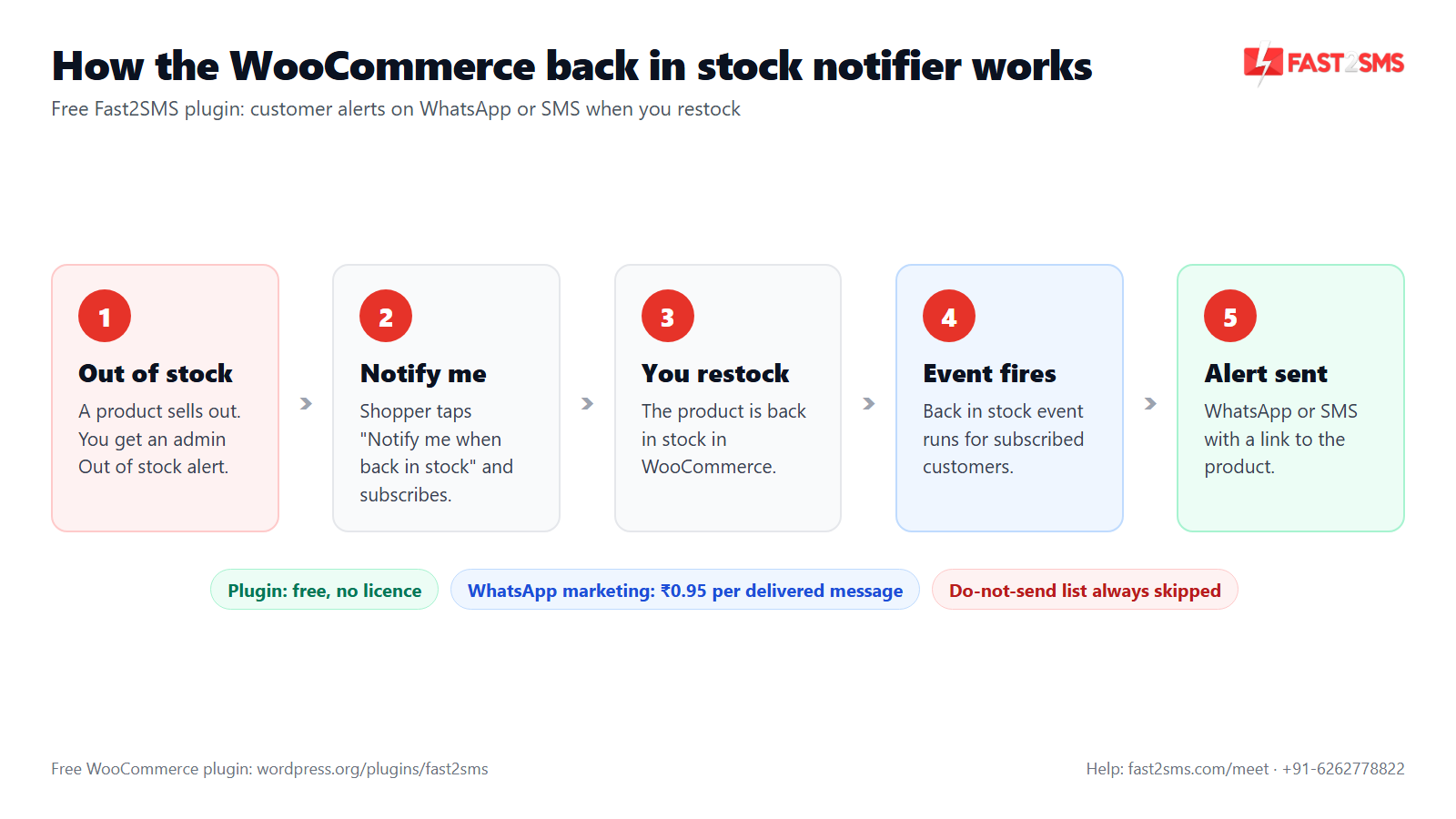
How the WooCommerce back in stock notifier works
The Fast2SMS plugin handles stock messages in two directions. Customers who asked to be told get the Back in stock event. You and your team get Low stock and Out of stock admin alerts. All three live in the Automations tab.
- A product goes out of stock. If the Out of stock admin alert is on, your admin numbers get a message.
- Shoppers visiting that product see a “Notify me when back in stock” option and subscribe with their mobile number.
- You restock the product in WooCommerce.
- The Back in stock event runs for the subscribed customers of that product.
- Each subscriber gets your approved template on WhatsApp, SMS or both, unless their number is on your do-not-send list.
You don’t need a separate stock alert plugin for this. The same free plugin also works as your WooCommerce SMS plugin and WooCommerce WhatsApp plugin for order updates, abandoned carts and campaigns.
WooCommerce “notify me when back in stock” on out-of-stock products
The customer-facing part is simple. On a product that is out of stock, the plugin shows a “Notify me when back in stock” option. The shopper leaves their mobile number and goes on with their day. When you restock, the message comes to them.
Why a phone number and not an email? In India, a WhatsApp or SMS alert is hard to miss. The shopper sees it on the same phone they used to browse your store, and one tap brings them back to the product. The plugin works with Indian 10-digit mobile numbers.
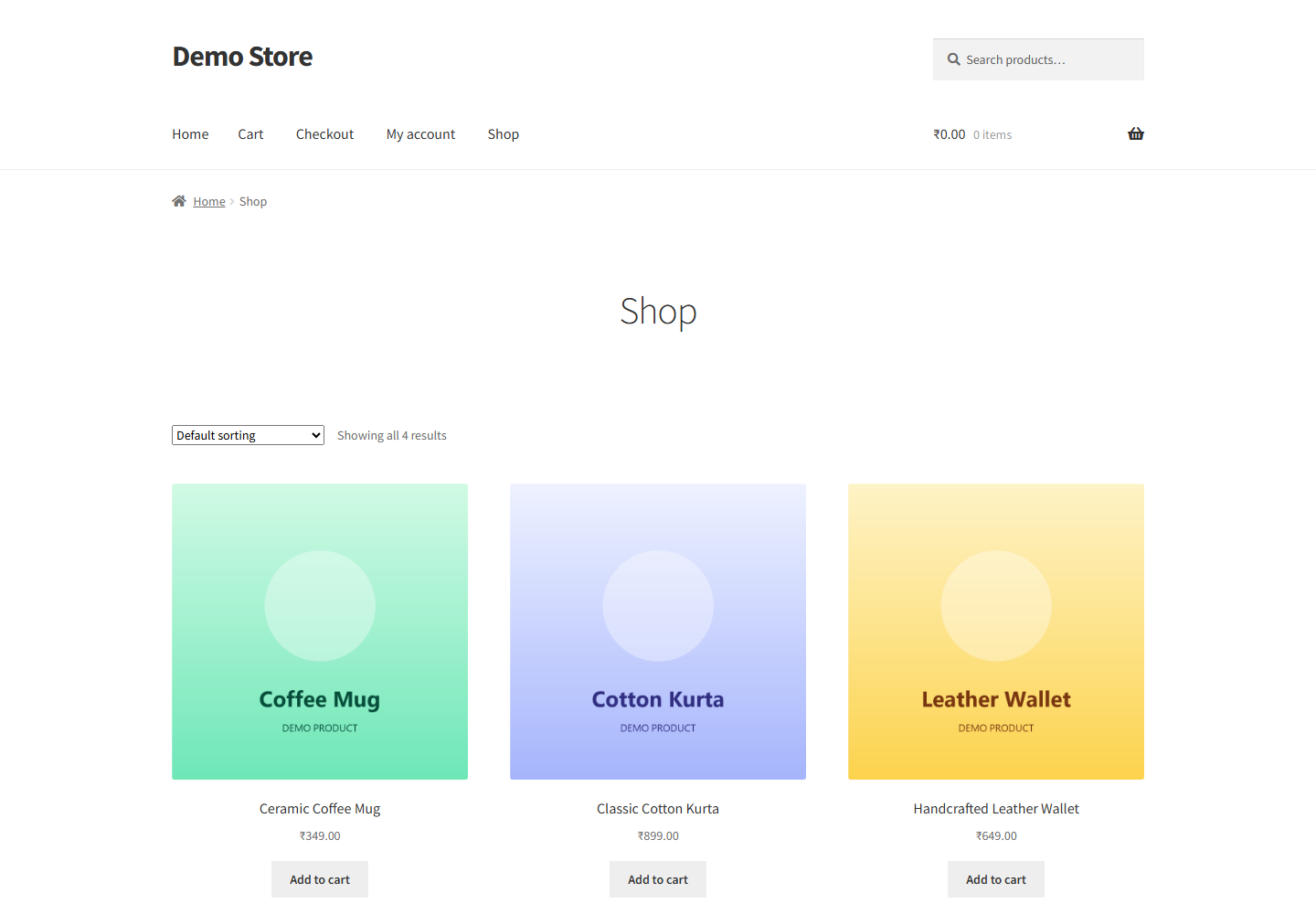
A shopper who asks to be told is one of the warmest leads you will ever get. They wanted the product badly enough to leave their number. Treat that request with respect: send one clear message when the product is back, and nothing unrelated.
How to set up WooCommerce back in stock notifications
If the plugin is already installed and your API key is in, this takes a few minutes once your template is approved. New to the plugin? Start with the Fast2SMS WordPress plugin setup guide.
- Install and connect. In WP Admin go to Plugins > Add New, search “Fast2SMS”, install and activate. Paste your Fast2SMS API key on the Dashboard tab. WooCommerce features switch on by themselves.
- Get a marketing template approved. A WhatsApp marketing template approved by Meta, a Promotional DLT SMS template, or both.
- Switch on Back in stock. In the Automations tab, turn on the Back in stock card, choose SMS, WhatsApp or both, and pick your template from the searchable picker.
- Map the variables. Fill each template slot from the variable dropdown on the card. Use the values it offers for this event. The live phone preview shows the final message.
- Send a test. Press Send test. You get the real message on your phone and a request_id for support if anything looks off.
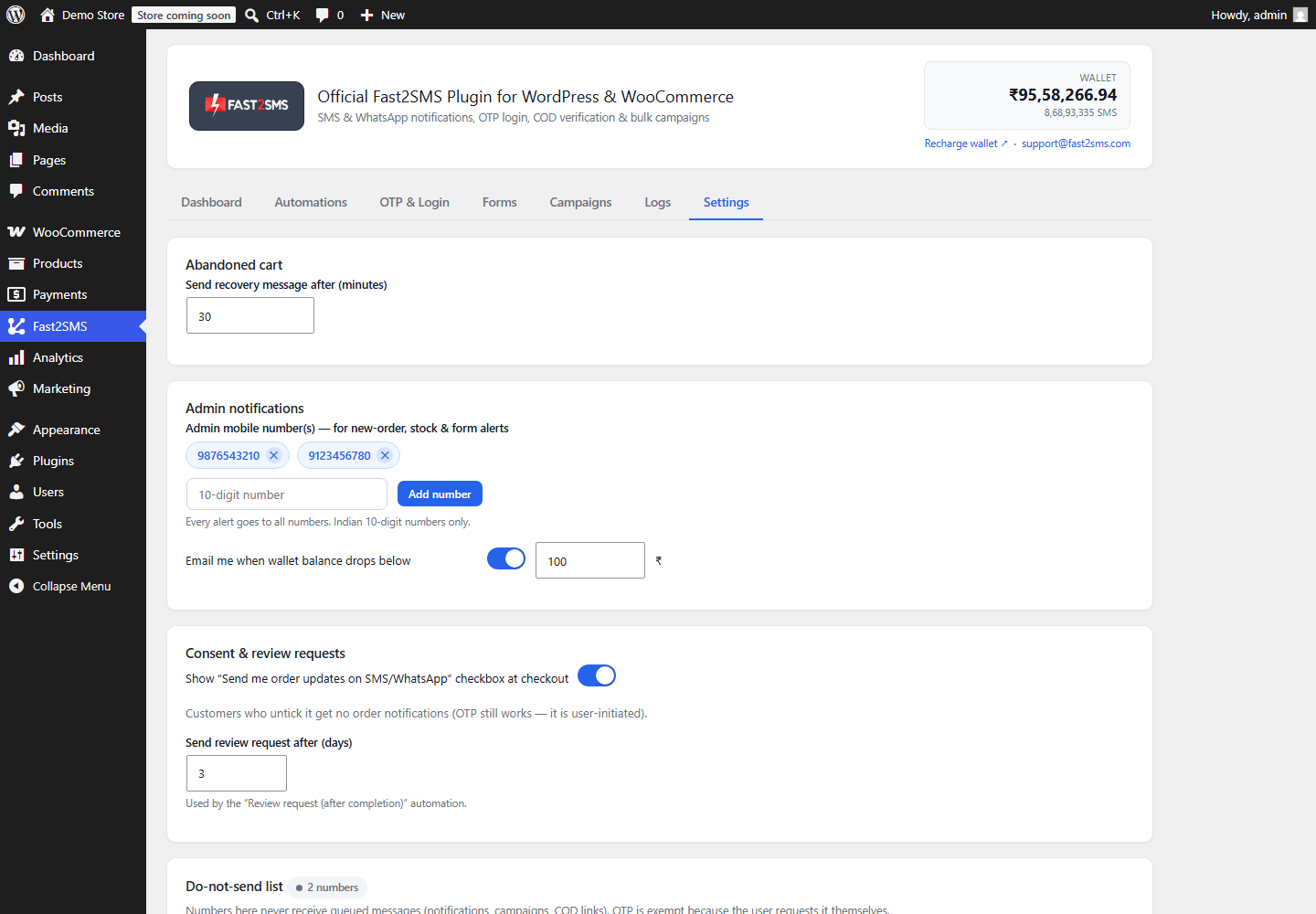
- Add admin alerts. Add your team’s numbers in Settings, then switch on the Low stock and Out of stock cards.
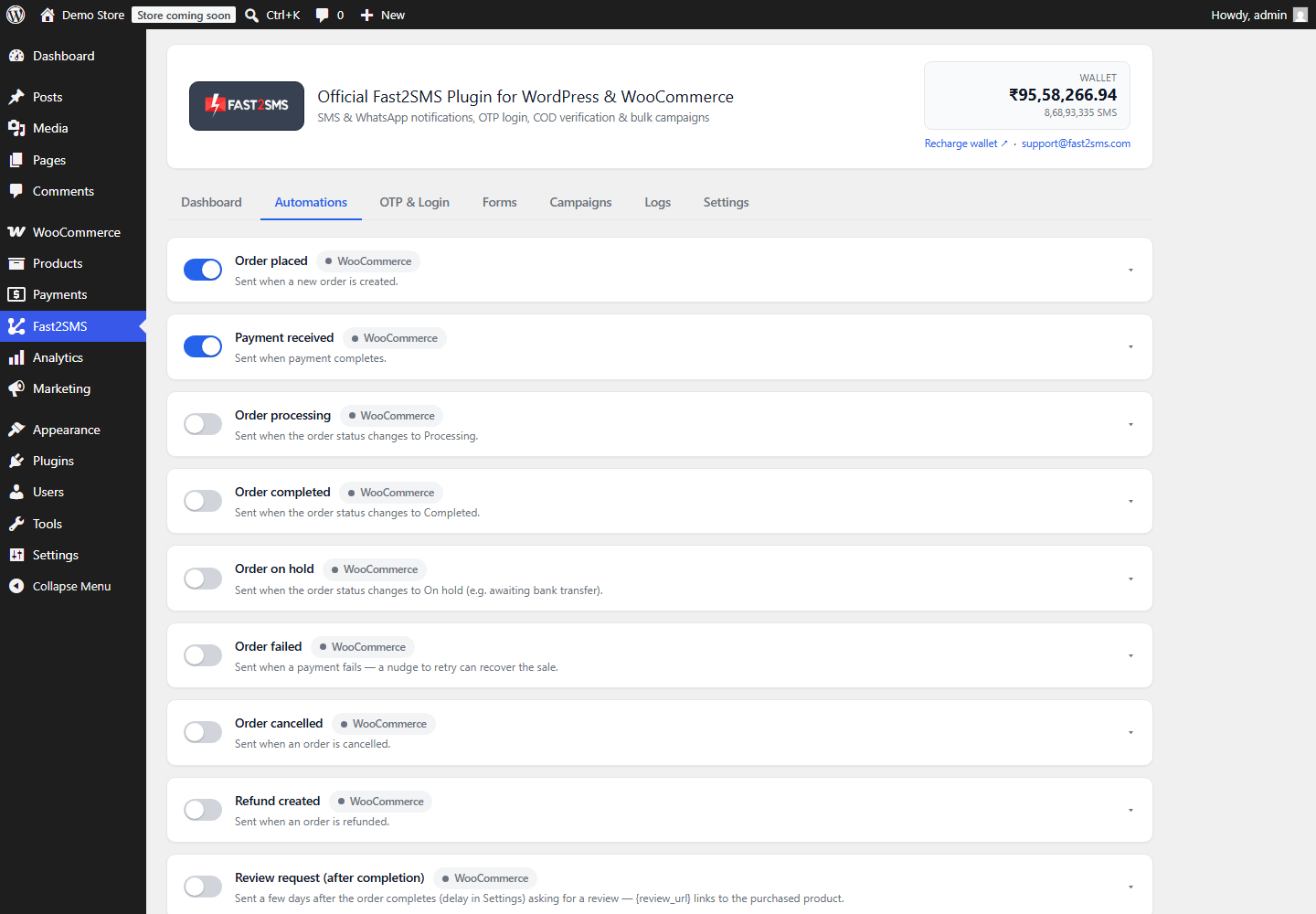
Admin low stock and out of stock alerts in WooCommerce
The back in stock notifier helps you win back shoppers. Admin stock alerts help you avoid losing them in the first place. With the Low stock alert, you hear about a product running low while there is still time to reorder. With the Out of stock alert, you know the moment it sells out.
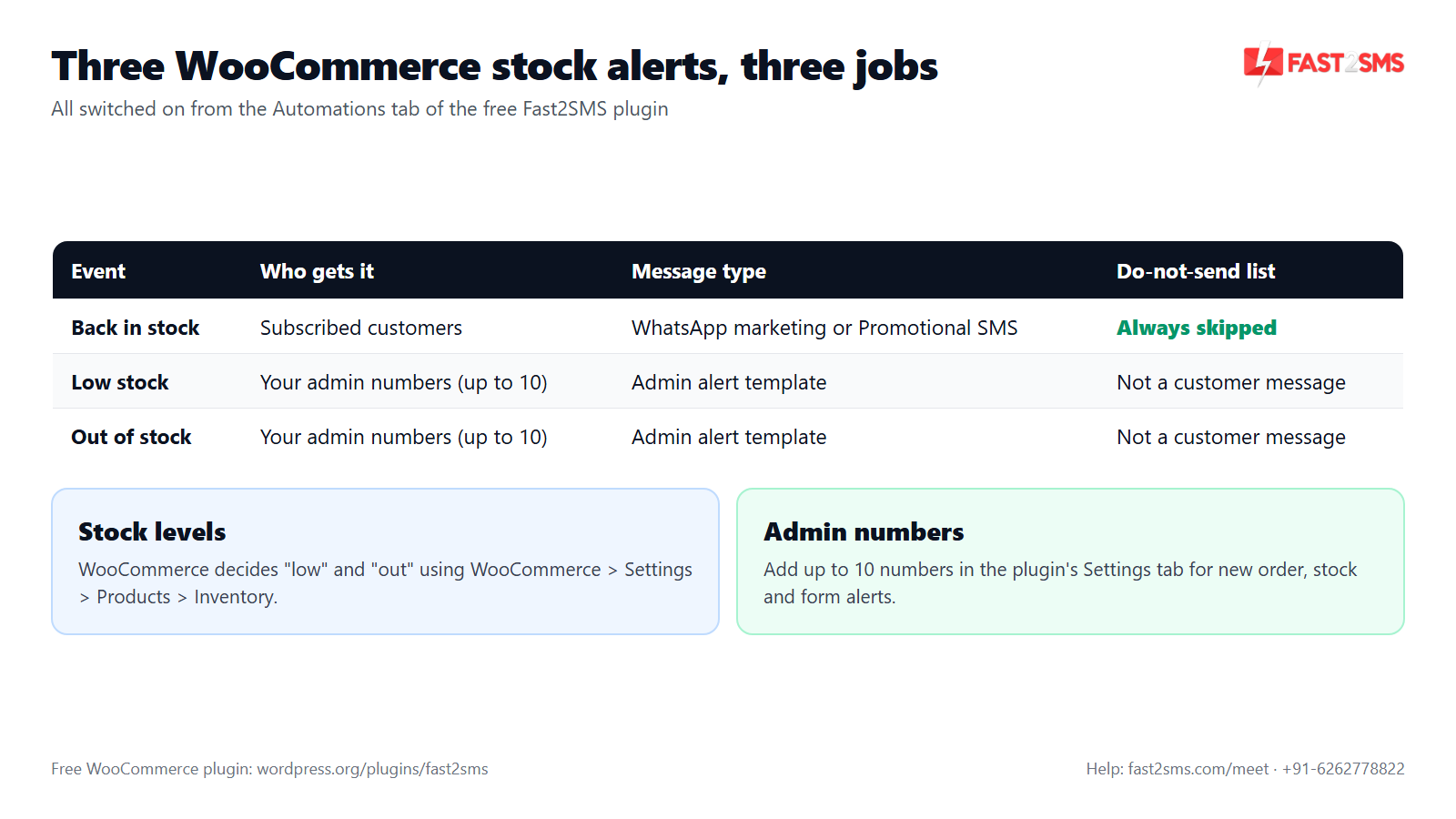
- Who gets them: the admin numbers you add in the plugin’s Settings tab. You can add up to 10 numbers, for example yourself, your warehouse manager and your purchase person. The same numbers are used for new order and form alerts.
- When “low” and “out” happen: WooCommerce decides this using the stock thresholds in WooCommerce > Settings > Products > Inventory. Set a low stock threshold that gives you enough time to reorder.
- Channel: SMS, WhatsApp or both, set on each card.
| Event | Who gets it | Message type | Do-not-send list |
|---|---|---|---|
| Back in stock | Customers who subscribed to that product | WhatsApp marketing template or Promotional DLT SMS | Numbers on the list are always skipped |
| Low stock | Your admin numbers (up to 10) | Admin alert template | Not a customer message |
| Out of stock | Your admin numbers (up to 10) | Admin alert template | Not a customer message |
WooCommerce back in stock notifications are marketing messages
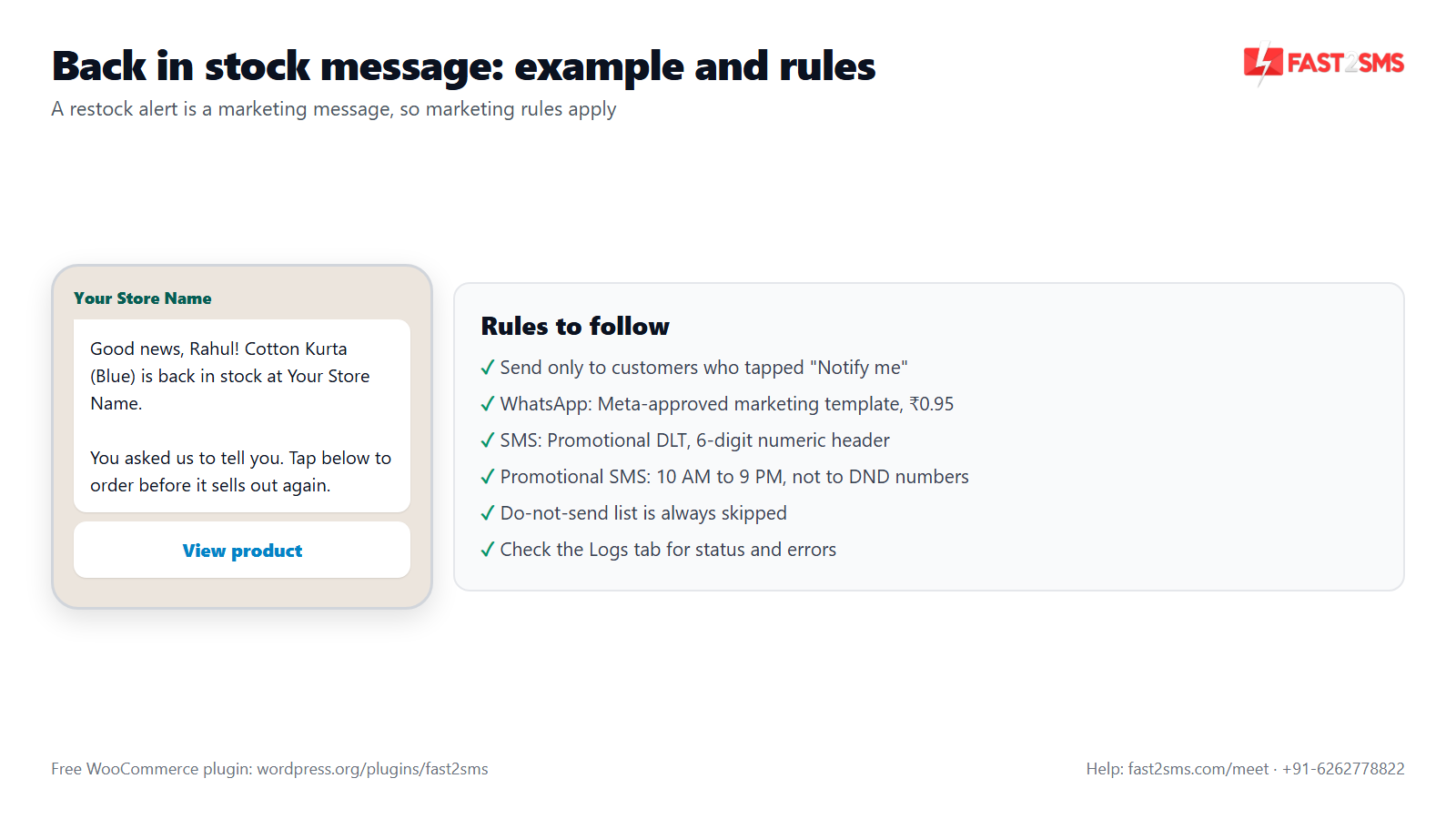
Even though the customer asked for it, a back in stock alert invites them to buy. On both WhatsApp and SMS, that makes it a marketing message. Plan your templates with that in mind.
On WhatsApp
Use a marketing template approved by Meta. It costs ₹0.95 per delivered message on Fast2SMS, and failed WhatsApp messages are refunded within 48 hours. You can add a product photo as the image header and a URL button that opens the product page. Don’t submit it as a utility template; Meta reviews the content and can reject or re-categorise it. Our template approval FAQ covers common rejections, and WhatsApp marketing without getting banned covers safe sending.
On SMS
A back in stock SMS goes out as Promotional DLT SMS. That means:
- A 6-digit numeric header, not your 6-letter brand header.
- Delivery only between 10 AM and 9 PM.
- No delivery to numbers registered on DND.
Service Explicit has been merged into Promotional, so consent-based SMS now follows these same rules. See Service Explicit to Promotional for the details.
The do-not-send list
The do-not-send list in Settings stops all marketing messages from the plugin: back in stock, abandoned cart, welcome, review request, campaigns and COD-to-Prepaid. If a customer asks you to stop, add their number and they drop out of every marketing flow at once. Order updates are not affected.
Pricing: free WooCommerce plugin, pay only per message
- The plugin is free: no licence, no monthly fee, no setup fee.
- WhatsApp OTP and order updates: ₹0.25 per delivered message; WhatsApp marketing messages such as back in stock alerts: ₹0.95 per delivered message; failed WhatsApp messages are refunded within 48 hours.
- SMS: your DLT SMS rate per message.
- High volume? Rates are negotiable: call +91-6262778811, email [email protected] or book a free meeting.
- Free signup with ₹50 test credit.
WooCommerce back in stock template examples
Copy these, swap in your brand name, and send them for approval. In the plugin, map each slot from the variable dropdown on the card and check the live preview.
Back in stock · WhatsApp marketing template
Good news, {{1}}! {{2}} is back in stock at YourBrand. You asked us to tell you, so here it is. Tap below to order before it sells out again.
Header: product photo (optional). Button: “View product”, a URL button to the product page. Map the slots to the customer name and product name if the variable dropdown offers them; otherwise keep the text general, like “an item you asked about”.
Back in stock · Promotional DLT SMS
{#alphanumeric#} is back in stock at YourBrand. Order now before it sells out: {#url#} – YourBrand
Sample: Cotton Kurta Blue is back in stock at YourBrand. Order now before it sells out: yourbrand.in/kurta – YourBrand. Sent from a 6-digit numeric header, 10 AM to 9 PM, not to DND numbers. Typed tags help approval; see DLT variable tagging.
Low stock · admin alert · Service Implicit SMS
Stock alert: {#alphanumeric#} is running low at YourBrand. Please plan a reorder. – YourBrand
This goes only to your own admin numbers, so it is not a marketing message. Use the same idea for an Out of stock alert. On WhatsApp, submit it as a utility template; Meta decides the final category. More DLT template help in DLT SMS templates for WooCommerce.
Tips for better WooCommerce back in stock alerts
- Restock properly before you update WooCommerce. The alert goes out when the product is back in stock. If you only got a few units, early subscribers will buy them and the rest will be disappointed.
- Keep the message about that product. A shopper asked about one item. Don’t turn the alert into a sale flyer.
- Use a product photo on WhatsApp. The shopper sees exactly what came back.
- Mind the SMS window. If you restock late at night, promotional SMS can’t be delivered until the window opens. WhatsApp has no DLT time window.
- Watch the Logs tab. It shows every message with event, channel, masked number, status, error and time, with one-click retry and CSV export.
- Set up the server cron. The Dashboard gives you a cron URL or the
wp fast2sms workerWP-CLI command, so queued messages don’t wait for a site visit.
Email back in stock notifiers vs SMS and WhatsApp
Many WooCommerce back in stock notifier plugins collect an email address and send an email alert. That works, and you can keep it. The difference is where the alert lands: an email can sit unread in a promotions tab, while a WhatsApp or SMS alert shows up on the phone. With Fast2SMS you also get admin low stock and out of stock alerts, order updates, abandoned cart recovery and bulk campaigns in one free plugin, paying only per message. For order updates on WhatsApp, see WooCommerce WhatsApp notifications.
Want help setting up back in stock alerts on your WooCommerce store? Our team will do it with you, free.
We can help you write the WhatsApp marketing template, prepare your DLT templates and switch on the Back in stock, Low stock and Out of stock events. Schedule a free meeting, call +91-6262778822 or email [email protected].
Frequently asked questions
What is a WooCommerce back in stock notifier?
A WooCommerce back in stock notifier lets shoppers ask to be told when an out-of-stock product returns, and then messages them when it does. The free Fast2SMS plugin sends these alerts on WhatsApp, SMS or both.
How do I add “notify me when back in stock” to WooCommerce?
Install the free Fast2SMS plugin, connect your API key and switch on the Back in stock event in the Automations tab with an approved template. The plugin’s “Notify me when back in stock” option on out-of-stock products lets shoppers subscribe.
Is there a free WooCommerce back in stock notifier plugin for WhatsApp and SMS?
Yes, the Fast2SMS plugin is free on WordPress.org and includes back in stock notifications on WhatsApp and SMS, with no licence and no monthly fee. You only pay Fast2SMS for each message you send.
How do customers subscribe to back in stock notifications?
On an out-of-stock product, the shopper uses the “Notify me when back in stock” option and leaves their Indian mobile number. When the product is back in stock, the Back in stock event messages everyone who subscribed to it.
When is the back in stock message sent?
The Back in stock event runs when the product is back in stock in WooCommerce, and it messages the customers who subscribed to that product. Numbers on your do-not-send list are skipped, and promotional SMS follows the 10 AM to 9 PM window.
How much does a back in stock WhatsApp message cost?
A back in stock alert on WhatsApp uses a marketing template, which costs ₹0.95 per delivered message on Fast2SMS, and failed WhatsApp messages are refunded within 48 hours. High-volume stores can ask sales about negotiated rates.
How much does a back in stock SMS cost?
A back in stock SMS is charged at your DLT SMS rate on Fast2SMS, the same per-message rate as your other SMS, and the free plugin adds no extra charge. For large volumes, call sales on +91-6262778811.
Is a back in stock alert a marketing message or a transactional message?
A back in stock alert is a marketing message, because it invites the customer to buy something they have not ordered yet. On WhatsApp it needs a marketing template, and on SMS it goes out as Promotional DLT SMS.
Do I need DLT to send back in stock SMS in India?
Yes, back in stock SMS in India must use an approved Promotional DLT template on your registered entity, sent from a 6-digit numeric header. WhatsApp alerts do not need DLT, only a Meta-approved marketing template.
Does the plugin charge a monthly fee for back in stock notifications?
No, the Fast2SMS plugin is free with no licence, no setup fee and no monthly fee for back in stock notifications. You pay Fast2SMS only for messages sent: ₹0.95 per delivered WhatsApp marketing message, or your DLT SMS rate.
Do I pay anything if no customer subscribed to a product?
No, you pay only per message sent, so if nobody subscribed to a product, the Back in stock event has no one to message and nothing is charged. The plugin itself never adds a fee.
Can I send back in stock SMS at night?
No, Promotional SMS in India is delivered only between 10 AM and 9 PM, so a late-night restock cannot trigger a night-time SMS delivery. WhatsApp has no DLT time window, so it is the better channel for late restocks.
Will back in stock SMS reach numbers on DND?
No, Promotional DLT SMS is not delivered to numbers registered on DND, even if that customer subscribed on your store. Use WhatsApp for those customers, or choose both channels on the Back in stock card.
Can I send back in stock alerts on both WhatsApp and SMS?
Yes, the Back in stock card in the Automations tab lets you choose SMS, WhatsApp or both for your subscribed customers. If you pick both, each subscriber gets two messages and you pay for both.
Can I add a product photo to the back in stock WhatsApp message?
Yes, the plugin supports WhatsApp media headers (image, video or PDF) and dynamic URL button variables, so your back in stock template can show the product photo and a “View product” button that opens the product page.
How do I stop back in stock messages to a customer who opted out?
Add their number to the do-not-send list in the plugin’s Settings tab, and they will not get back in stock alerts again. The list also blocks every other marketing message from the plugin, like abandoned cart reminders and campaigns.
Does the do-not-send list stop order updates too?
No, the do-not-send list only blocks the plugin’s marketing messages, which are back in stock, abandoned cart, welcome, review request, campaigns and COD-to-Prepaid. Order updates like order placed, shipped or delivered still reach the customer.
How do I get a low stock alert on WhatsApp or SMS in WooCommerce?
Add your admin numbers in the Fast2SMS plugin’s Settings tab, then switch on the Low stock card in the Automations tab with an approved template. The alert goes to your admin numbers on SMS, WhatsApp or both.
How do I get an out of stock alert in WooCommerce on my phone?
Switch on the Out of stock admin alert in the Fast2SMS Automations tab and add your team’s numbers in Settings. When a product sells out, your admin numbers get a WhatsApp or SMS alert, so you can reorder quickly.
How many admin numbers can get WooCommerce stock alerts?
You can add up to 10 admin numbers in the plugin’s Settings tab, for example the owner, the warehouse manager and the purchase team. The same admin numbers also receive new order and form submission alerts.
Where do I set the low stock threshold in WooCommerce?
WooCommerce sets low stock and out of stock thresholds in WooCommerce > Settings > Products > Inventory, and that decides when a product counts as low or out. Pick a low stock level that leaves time to reorder.
Are low stock and out of stock alerts marketing messages?
No, low stock and out of stock alerts go only to your own admin numbers, so they are internal alerts, not marketing. Use a service-style DLT template for SMS, and submit a utility template for WhatsApp; Meta decides the final category.
Can I test the back in stock message before customers get it?
Yes, use the live phone preview and the Send test button on the Back in stock card to send the real template to your own phone. The test shows a request_id you can share with Fast2SMS support if needed.
How do I check if back in stock alerts were delivered?
Open the Logs tab in the plugin, which shows each message’s event, channel, masked number, status, any error and time. You can retry one failed message or all of them, and export the log to CSV.
Why are my WooCommerce back in stock notifications not being sent?
Common causes are a missing server cron, an empty wallet, an unapproved template, a number on the do-not-send list, or SMS blocked by DND or the 10 AM to 9 PM window. Check the Logs tab first for the exact error.
Does the back in stock notifier work with international numbers?
No, the Fast2SMS plugin works with Indian 10-digit mobile numbers only, so back in stock alerts can only reach shoppers with Indian numbers. It is built for WooCommerce stores selling in India.
Is SMS and WhatsApp better than email for back in stock notifications?
For Indian shoppers, a WhatsApp or SMS alert lands on the phone they already use to shop, while email can sit unread in a promotions tab. You can keep an email notifier and add Fast2SMS for WhatsApp and SMS.
Can the same plugin do OTP login and order notifications?
Yes, Fast2SMS is also a free WooCommerce OTP plugin with login by OTP, phone verification and checkout OTP, plus order updates on SMS and WhatsApp. Checkout OTP works with the classic (shortcode) checkout only, not the block checkout. See the WooCommerce SMS notification FAQ.
Turn “out of stock” into a sale with WooCommerce back in stock alerts
Install the free plugin, get one marketing template approved, and switch on Back in stock for your customers plus Low stock and Out of stock for your team. Keep your do-not-send list current and check the Logs tab now and then. Shoppers who asked will hear from you the moment you restock, and you pay only for the messages that go out.
Need help? Schedule a free meeting · [email protected] · +91-6262778822 · Sales and volume pricing: +91-6262778811