
WooCommerce Mobile Number Verification at Registration (Make the Phone Number Required)
A default WooCommerce store will happily create an account for anyone with an email address. There is no phone field on the registration form, and nothing checks the number a customer types at checkout. For an Indian store, where the mobile number is how you confirm orders, send updates and reach the courier’s customer, that is a gap. WooCommerce mobile number verification closes it: the customer proves they own the number with a one-time code on WhatsApp or SMS before the account exists.
This guide shows how to add a WooCommerce registration OTP with the free Fast2SMS plugin, how customers can sign up with just a mobile number, and what the Edit link and resend countdown do. It also covers how to make the phone number required in WooCommerce at checkout, and how OTP verification cuts down fake accounts on the My Account page and on wp-login.php.
Why verify the mobile number at WooCommerce registration
Out of the box, WooCommerce registration is built around email. Depending on your settings, the customer types an email address and maybe a password, and the account is created. The phone number only appears later, as the billing phone at checkout, and WooCommerce never checks it.
That causes real problems on Indian stores:
- Fake and throwaway accounts. Anyone can sign up with any email, and junk accounts that never buy anything pile up in your customer list.
- Wrong numbers. A one-digit typo in the phone number means your order updates, COD calls and delivery calls all go nowhere.
- Customers who do not use email much. Plenty of shoppers in India live on WhatsApp and rarely open their inbox. Email-based signup and password resets lose them.
- Forgotten passwords. A customer who cannot log in often just places a guest order with a new, unverified number, and you end up with two records for one person.
Verifying the number at signup fixes the root of all four. Every account on your store is tied to a number that actually received your OTP.
How to make the phone number required in WooCommerce
“Required” and “verified” are two different things. A required field only means the customer must type something. A verified number means they proved they own it. Here is where each is handled:
| Where | Make the phone required | Verify it with OTP |
|---|---|---|
| Registration (My Account) | Switch on phone verification on registration in the Fast2SMS plugin | Yes, the OTP is part of signup |
| Login (My Account and wp-login.php) | Login with OTP uses the mobile number as the login | Yes, and new numbers get an account automatically |
| Classic checkout | WooCommerce’s own phone field setting in the Customizer | Yes, with Fast2SMS checkout OTP verification |
| Block checkout | The phone setting in the Checkout block | No checkout OTP; use COD OTP confirmation after COD orders |
For the classic checkout, WooCommerce lets you set the phone field to hidden, optional or required under Appearance > Customize > WooCommerce > Checkout. That makes the customer type a number but does not check it. To verify it, add WooCommerce checkout OTP verification, which works on the classic (shortcode) checkout only. Block checkout stores can use COD OTP confirmation after COD orders instead.
How WooCommerce registration OTP works
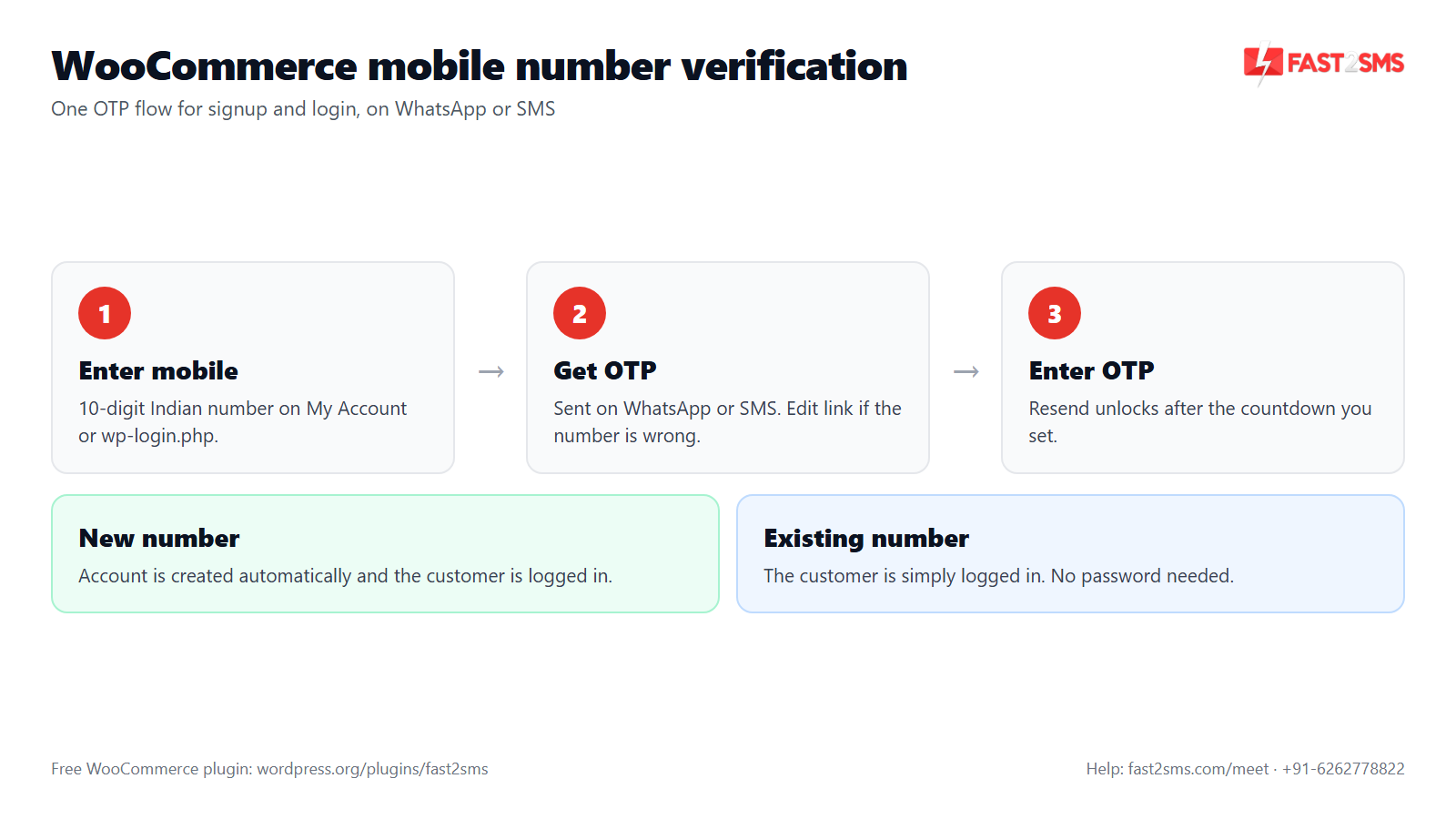
Once you switch on phone verification on registration, signup on your store looks like this:
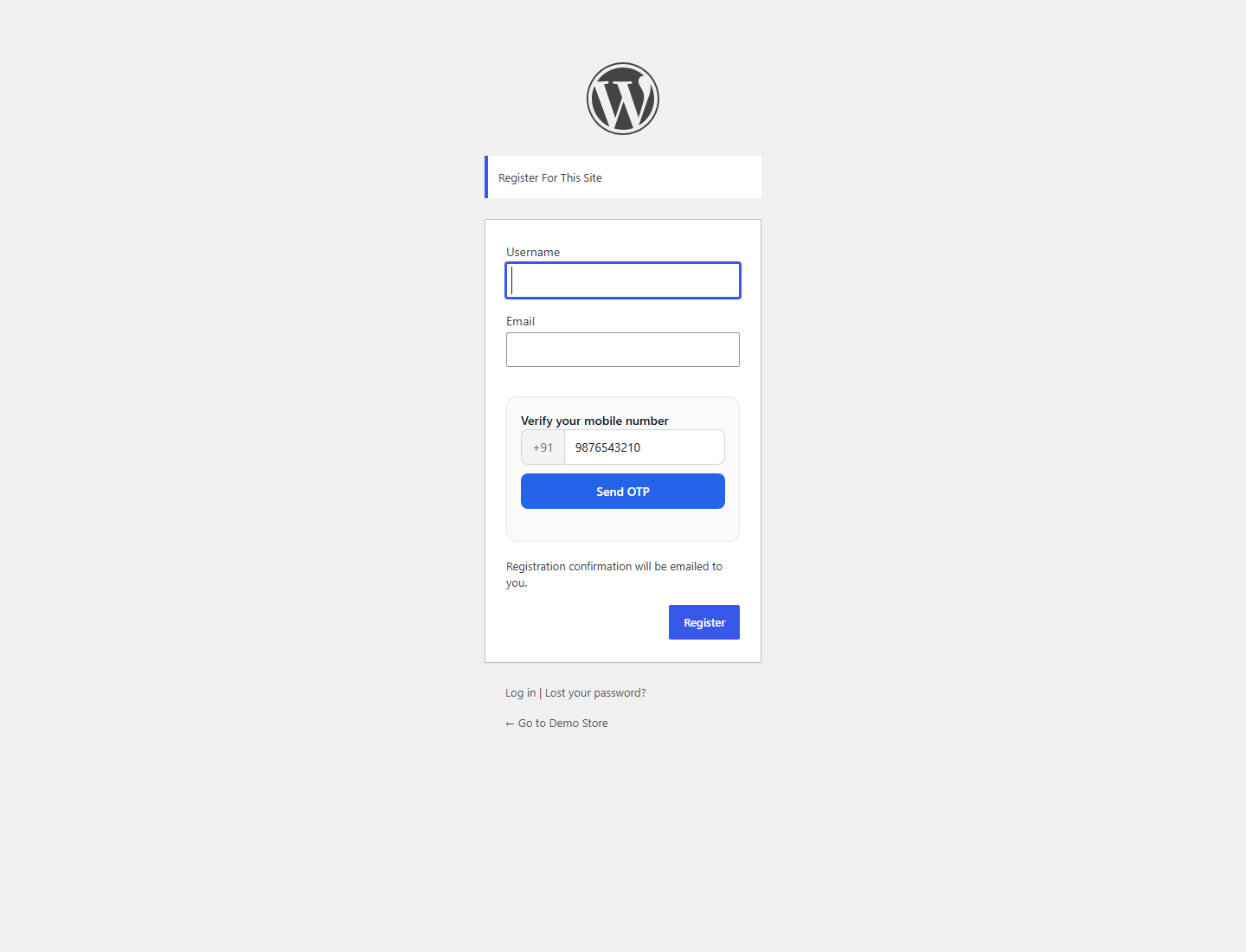
- The customer enters their 10-digit mobile number on the registration form.
- They get an OTP on WhatsApp or SMS, depending on your Smart OTP setting at Fast2SMS. WhatsApp first with SMS fallback is a common choice.
- They enter the OTP. If it matches, the number is verified and the signup goes through.
That is it. No email link to click, no waiting for an inbox. The customer finishes signup on the same screen, on their phone.
Automatic account creation for new numbers
Many Indian shoppers do not want to “register” at all. They want to type their number, get a code and be in. The plugin supports exactly that. When Login with OTP is on and a number that has no account logs in, the plugin creates the account automatically and logs the customer in.
- New number: verified with OTP, account created, customer logged in.
- Existing number: verified with OTP, customer logged in to their existing account. No password needed.
In practice this turns your login form into a signup form too, and every account created this way has a verified mobile number from the first minute. If you want to greet new customers, the “Welcome new customer” automation in the Automations tab can send them a WhatsApp or SMS message after they join. Our guide to WooCommerce login with mobile number covers the login side in more detail.
The Edit link and resend countdown
Two small details make a big difference to how many customers finish signing up.
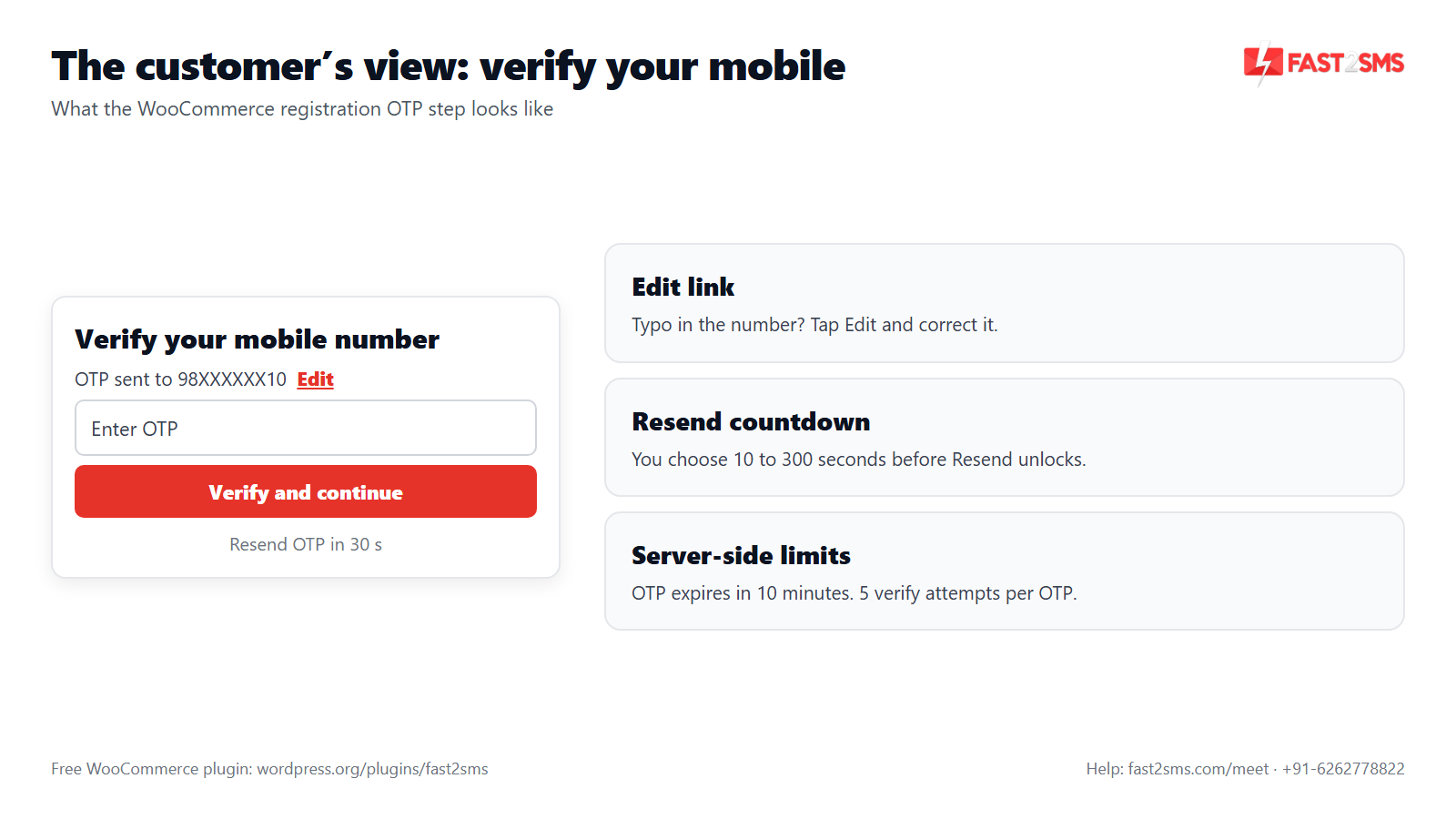
The Edit link. After the OTP is sent, the box shows a masked number such as “OTP sent to 98XXXXXX10” with an Edit link next to it. If the customer typed a wrong digit, they tap Edit, correct the number and send a new code. Without this, a typo means starting again or leaving.
The resend countdown. The Resend button becomes active after a countdown that you set anywhere from 10 to 300 seconds. A short countdown, around 30 seconds, suits most stores: long enough for WhatsApp or SMS to arrive, short enough that the customer does not give up. The server also enforces limits, so a short countdown does not let anyone flood a number with codes.
Stop fake accounts with WooCommerce SMS verification
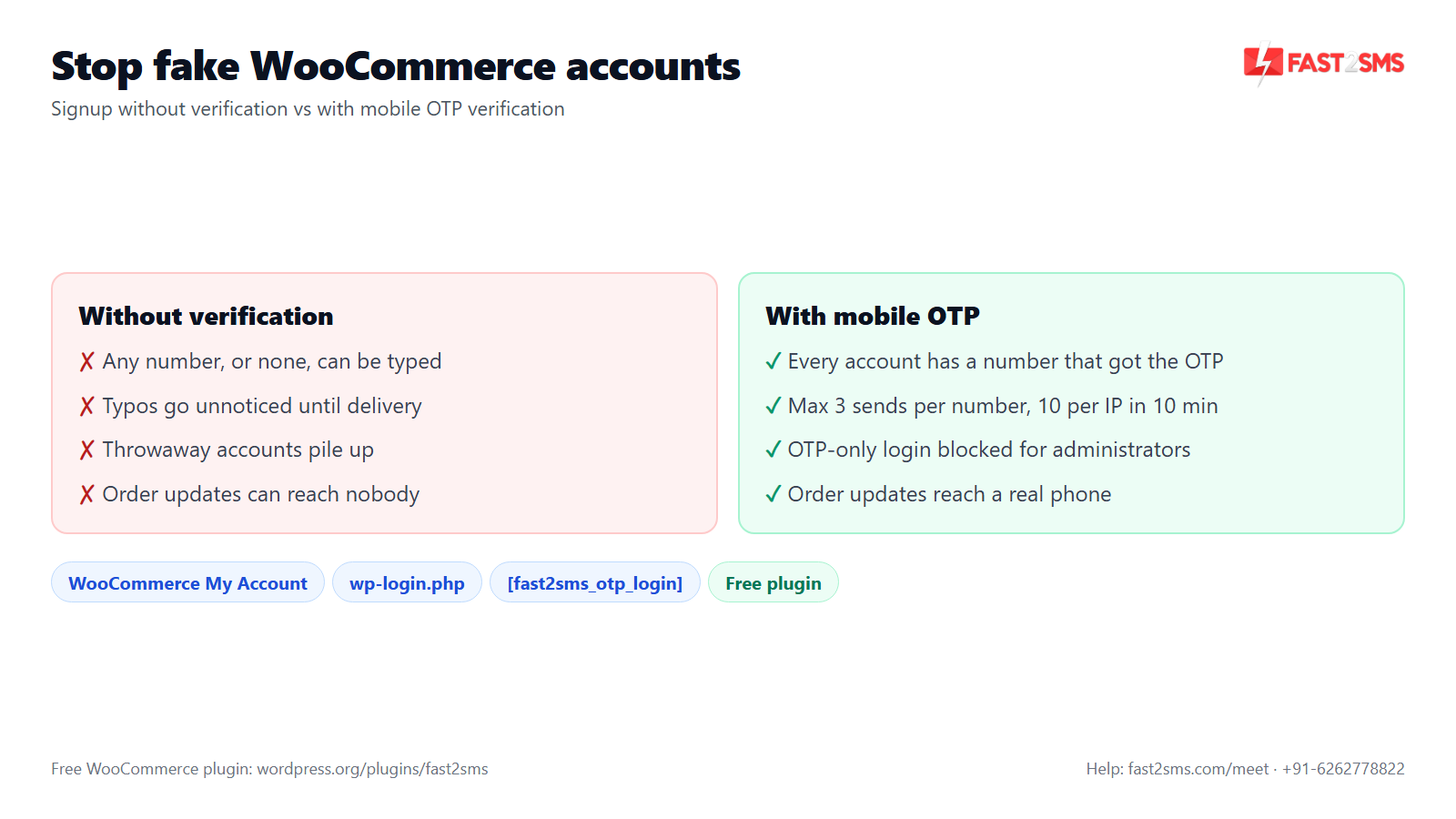
Fake accounts are cheap to make when all you need is an email address. They are much harder to make when every signup needs a real Indian mobile number that can receive a code. WooCommerce SMS verification, or WhatsApp verification, raises that bar. The plugin also enforces these limits on the server, not just in the browser:
- Send limits: at most 3 OTP sends per number and 10 per IP address in 10 minutes.
- Verify attempts: 5 attempts per OTP, then a new code is needed.
- Expiry: each OTP expires in 10 minutes.
- Single-use token: a successful verification gives a single-use token valid for 15 minutes.
These limits also protect your wallet. A bot hammering your signup form cannot send hundreds of OTPs at your cost.
One more setting worth turning on: block OTP-only login for administrators. This stops anyone from getting into an admin account with just an OTP, which protects you if an admin’s SIM is ever swapped. Admins keep logging in with their password. For extra admin protection, see WhatsApp two-factor authentication for WordPress.
Be realistic about what verification does. It proves that the person signing up can receive a code on that number. It does not prove they will buy, and it will not stop every determined bad actor. What it does is remove the easy junk and make sure every account has a number that works.
Where it works: WooCommerce My Account, wp-login.php and custom pages
The plugin adds mobile OTP in three places, so you can put it wherever your customers actually sign in:
- WooCommerce My Account page. Login with OTP appears on the WooCommerce login form, next to the usual email and password login. Most WooCommerce stores send customers here.
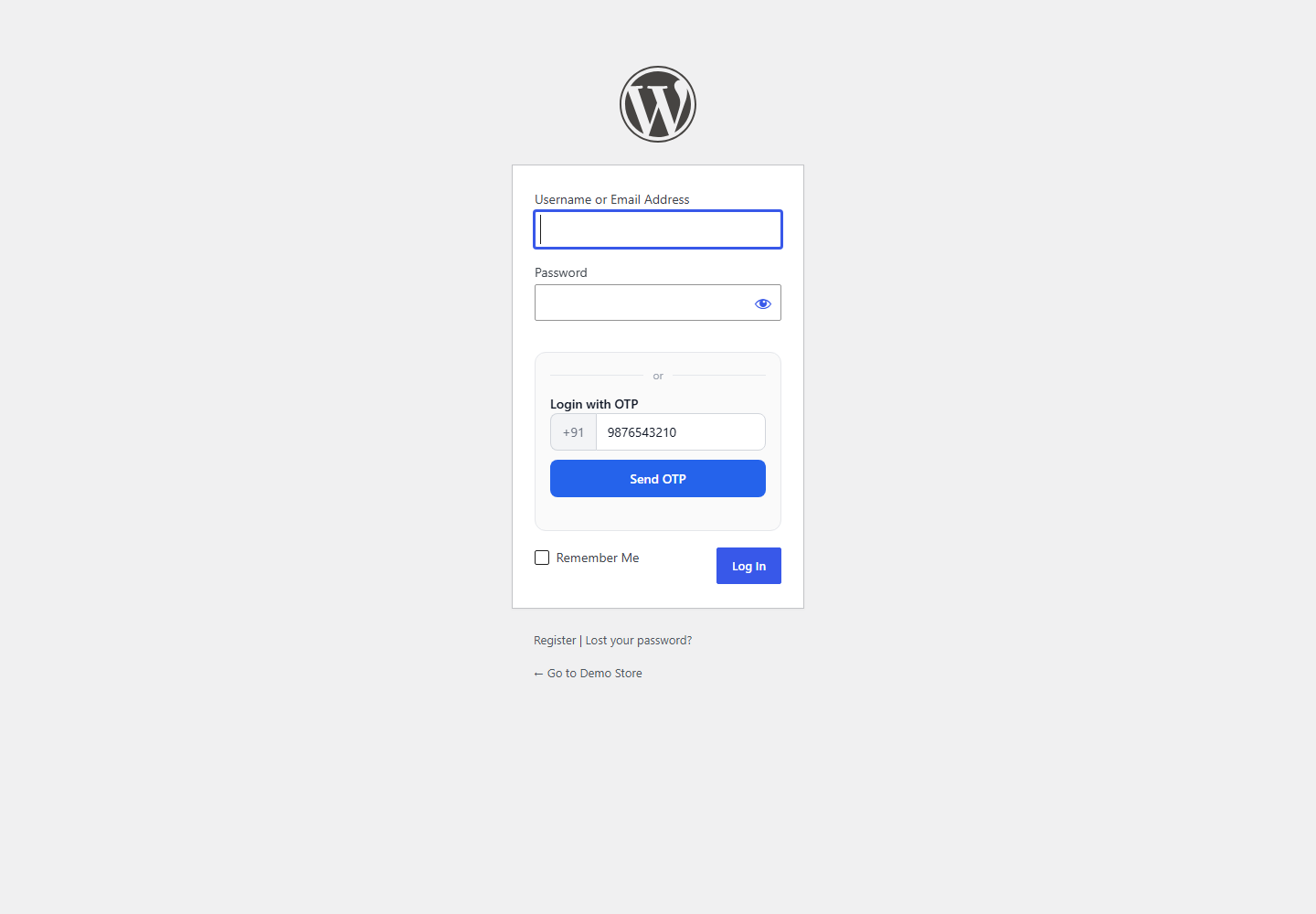
- wp-login.php. Login with OTP also works on the standard WordPress login page. This matters for plain WordPress sites without WooCommerce, and for stores where some users still log in through wp-login.php.
- Any page, with a shortcode. Paste
[fast2sms_otp_login]on a page to show the OTP login box there, for example on a landing page or a custom account page.
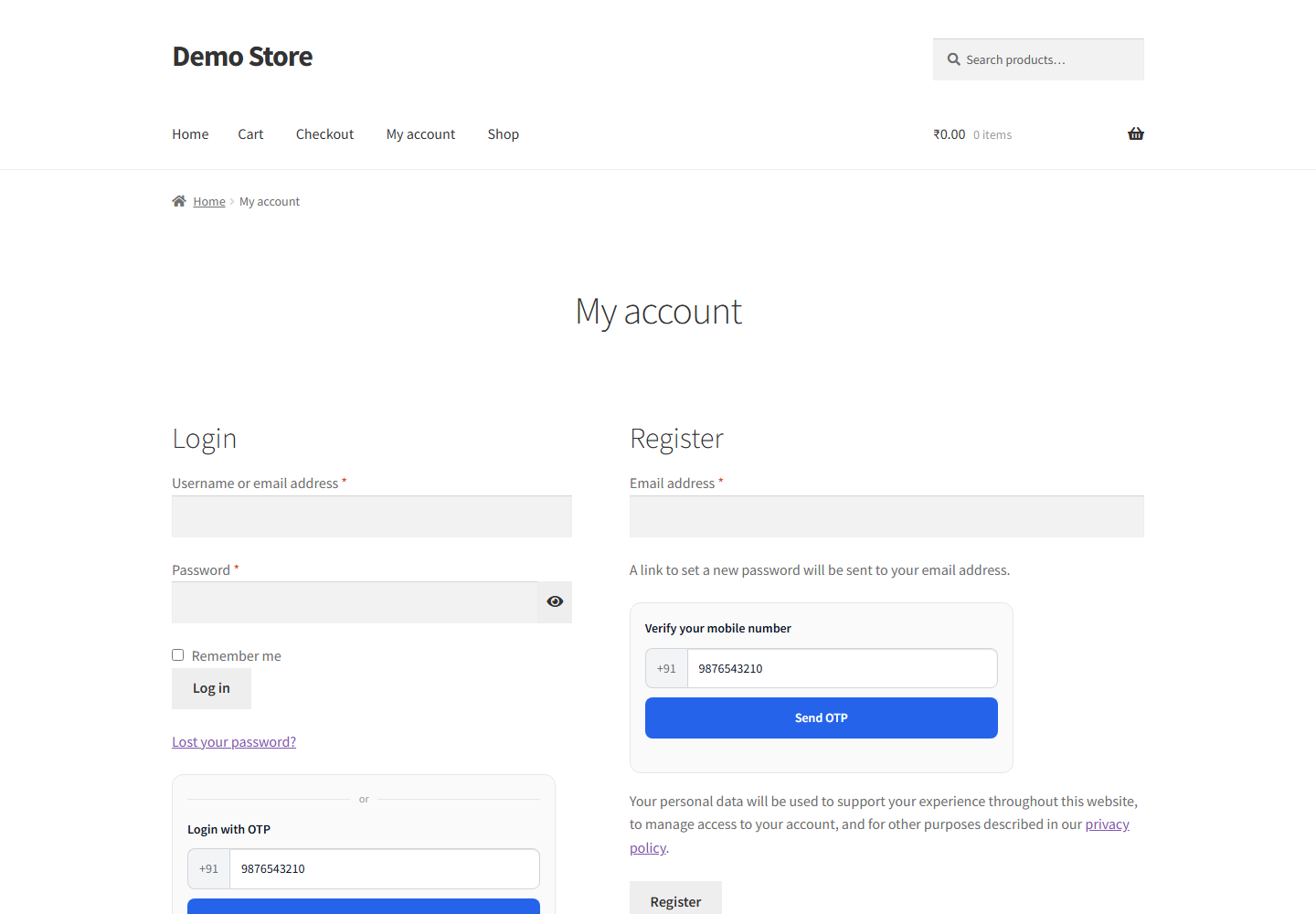
You can style the OTP form to match your store from the OTP & Login tab: light or dark theme, accent colour, corner style (sharp, rounded, soft or pill) and a custom title, with a live preview as you change them.
How to set up WooCommerce mobile number verification
- Install the plugin. In WP Admin go to Plugins > Add New, search “Fast2SMS” and install “Fast2SMS – OTP Login & SMS Notifications”.
- Connect your API key on the Fast2SMS Dashboard. It is checked live and stored encrypted.
- Add your Smart OTP ID in the OTP & Login tab. This decides WhatsApp, SMS or both with fallback. See our Smart OTP guide.
- Send a test OTP from the same tab to your own phone and verify it.
- Switch on what you need: phone verification on registration, Login with OTP on the WooCommerce login form, Login with OTP on wp-login.php, and auto account creation for new numbers.
- Set the resend countdown and turn on the block on OTP-only login for administrators.
- Test in a private window on your phone: sign up with a new number, then log in with it again.
The full walkthrough, with the other tabs, is in our Fast2SMS WordPress plugin setup guide.
What WooCommerce registration OTP costs
Fast2SMS is a free WooCommerce OTP plugin, an OTP plugin for WooCommerce with no licence and no monthly fee. It is also a WooCommerce SMS plugin and WooCommerce WhatsApp plugin for order updates, so one install covers OTP and notifications. You pay only for the messages you send, from your own Fast2SMS wallet. If you are comparing paid options, our free alternative to paid WooCommerce mobile login plugins guide lays it out, and WooCommerce OTP cost works through the per-message numbers.
Pricing: free WooCommerce plugin, pay only per message
- The plugin is free: no licence, no monthly fee, no setup fee.
- WhatsApp OTP and order updates: ₹0.25 per delivered message; failed WhatsApp messages are refunded within 48 hours.
- SMS: your DLT SMS rate per message.
- High volume? Rates are negotiable: call +91-6262778811, email [email protected] or book a free meeting.
- Free signup with ₹50 test credit.
WhatsApp OTP needs no DLT registration, so you can go live quickly. SMS OTP needs DLT: a registered entity, a 6-letter header, an approved OTP template (Transactional now covers OTPs for any business) and a PE-TM chain bound to a registered telemarketer; from 30th September mismatched chains are blocked. Our DLT SMS templates for WooCommerce guide covers the template side.
Want help setting up mobile number verification on your WooCommerce store? Our team will do it with you, free.
We can set up Smart OTP with WhatsApp and SMS fallback, switch on registration OTP and auto account creation, and test signup with you on your phone. Schedule a free meeting, call +91-6262778822 or email [email protected].
Frequently asked questions
How do I make the phone number required in WooCommerce registration?
Install the free Fast2SMS plugin and switch on phone verification on registration in the OTP & Login tab, so every new customer must enter a 10-digit mobile number and verify it with an OTP before the account is created.
Does WooCommerce verify phone numbers by default?
No, default WooCommerce registration is built around email and has no phone verification, and the billing phone at checkout is never checked. You need a plugin such as the free Fast2SMS plugin to verify mobile numbers with an OTP.
How do I add SMS verification to WooCommerce registration?
Connect your Fast2SMS API key in the free plugin, add a Smart OTP ID set to SMS or SMS with WhatsApp fallback, and switch on phone verification on registration. SMS OTP needs an approved DLT template; WhatsApp OTP does not.
What is WooCommerce registration OTP?
WooCommerce registration OTP is a one-time code sent to the customer’s mobile number during signup, on WhatsApp or SMS, which they must enter before the account is created. It proves the customer owns the number they gave you.
Is there a free WooCommerce mobile number verification plugin?
Yes, “Fast2SMS – OTP Login & SMS Notifications” is a free WooCommerce mobile number verification plugin on WordPress.org with no licence or monthly fee, and you pay only per OTP message. Install it from wordpress.org/plugins/fast2sms.
Can customers sign up on WooCommerce with only a mobile number?
Yes, with Login with OTP and auto account creation switched on, a customer can type their mobile number, verify the OTP and get an account automatically, without an email-based registration step or a password.
What happens when a new number logs in with OTP?
When a number that has no account on your store logs in with OTP, the plugin creates a new customer account automatically and logs the customer in, so the account starts with a verified mobile number.
What happens when an existing customer’s number is used?
If the mobile number already belongs to an account, the customer verifies the OTP and is logged in to that existing account with no password needed. No duplicate account is created for the same number.
Can a customer fix a wrong number during WooCommerce signup?
Yes, after the OTP is sent the box shows the masked number with an Edit link next to it, so the customer can tap Edit, correct the number and request a new code without starting the whole signup again.
How long does a customer wait before resending the OTP?
The customer waits for the resend countdown, which you set anywhere from 10 to 300 seconds in the OTP & Login tab. Around 30 seconds suits most stores, because it gives WhatsApp or SMS time to arrive.
Does mobile number verification stop fake WooCommerce accounts?
It stops most easy fake accounts, because every signup needs a real Indian mobile number that can receive the OTP. It cannot prove someone will buy, but it removes throwaway signups and makes sure each account has a working number.
Does WooCommerce OTP verification stop bots from sending OTPs?
The server limits OTPs to 3 sends per number and 10 per IP address in 10 minutes, with 5 verify attempts per OTP, so a bot cannot flood your form or drain your wallet with hundreds of codes.
Does phone verification work on wp-login.php?
Yes, Login with OTP works on the standard WordPress wp-login.php page as well as on the WooCommerce My Account login form, and a new number that logs in there can get an account automatically if you switch that on.
Does mobile verification work on the WooCommerce My Account page?
Yes, Login with OTP appears on the WooCommerce My Account login form next to the normal email and password login, and it is where most WooCommerce stores send customers to sign up and sign in.
Can I put the OTP signup and login box on a custom page?
Yes, paste the [fast2sms_otp_login] shortcode on any page to show the OTP login box there, for example on a landing page or a custom account page. New numbers that log in through it can also get an account automatically.
Is the registration OTP sent on WhatsApp or SMS?
The registration OTP goes on WhatsApp or SMS depending on your Smart OTP setting at Fast2SMS, and you can send WhatsApp first with automatic SMS fallback or the reverse. Many Indian stores start with WhatsApp because it needs no DLT.
Do I need DLT registration for WooCommerce registration OTP?
You need DLT only if you send the registration OTP by SMS, because WhatsApp OTP needs no DLT registration at all. For SMS you need a registered entity, a 6-letter header, an approved Transactional OTP template and a correct PE-TM chain.
How much does WooCommerce mobile number verification cost?
The plugin is free, a WhatsApp OTP costs ₹0.25 per delivered message with failed WhatsApp messages refunded within 48 hours, and an SMS OTP costs your DLT SMS rate. High-volume stores can call +91-6262778811 for negotiable rates.
How do I make the phone number required at WooCommerce checkout?
On the classic checkout, go to Appearance > Customize > WooCommerce > Checkout and set the phone field to required; the block checkout has its own phone setting in the Checkout block. Required does not mean verified, so add checkout OTP on classic checkout.
Can I verify the phone number at checkout as well as registration?
Yes, on the classic (shortcode) checkout you can add Fast2SMS checkout OTP verification so the billing number is verified before the order is placed. It does not work on the block checkout, where COD OTP confirmation after the order is the option.
Can administrators log in with only an OTP?
You can block OTP-only login for administrators with a single setting, which protects admin accounts if a SIM is ever swapped. Admins then keep logging in with their password while customers use OTP.
Does WooCommerce mobile verification work for international numbers?
No, the Fast2SMS plugin works in India only with 10-digit Indian mobile numbers, so customers with foreign numbers cannot verify through it. It is built for Indian WooCommerce stores and their customers.
How long is the registration OTP valid?
Each WooCommerce registration OTP expires 10 minutes after it is sent, and each code allows 5 verify attempts before the customer has to request a fresh one. After a successful check, the single-use verification token is valid for 15 minutes.
Does mobile number verification work without WooCommerce?
Yes, the Fast2SMS plugin works on plain WordPress sites too, with Login with OTP on wp-login.php and the [fast2sms_otp_login] shortcode. WooCommerce features such as the My Account login and order messages switch on automatically when WooCommerce is installed.
Can I change how the WooCommerce OTP signup form looks?
Yes, in the OTP & Login tab you can choose a light or dark theme, an accent colour, a corner style (sharp, rounded, soft or pill) and a custom title, with a live preview so you see the result before customers do.
Is customer phone data stored securely?
Yes, the plugin encrypts phone numbers, message variables and your API key with AES-256-GCM, shows masked numbers such as 98XXXXXX10 in admin, supports WordPress privacy export and erase, and can auto-purge OTP sessions after the days you set.
Can I send a welcome message after a customer signs up?
Yes, the “Welcome new customer” automation in the Automations tab can send a WhatsApp or SMS message to new customers, and because the number was verified at signup, the message goes to a number that works.
What if customers do not receive the registration OTP?
Check the Logs tab first, which shows each message with its status and error, since the usual causes are a low wallet balance, an unapproved SMS template, a DLT chain issue or a wrong number. See our OTP not received guide.
Verify every new WooCommerce customer’s mobile number
Switch on phone verification on registration and Login with OTP, set a short resend countdown, block OTP-only admin login and test signup on your phone. From then on, every new account on your store comes with a mobile number that has already received your code.
Need help? Schedule a free meeting · [email protected] · +91-6262778822 · Sales and volume pricing: +91-6262778811