
Shopify Abandoned Cart Recovery on WhatsApp and SMS (Free App)
Most shoppers who reach your Shopify checkout never finish. They get distracted, doubt the shipping time, or plan to come back later and forget. A WhatsApp or SMS reminder with a link back to their cart brings many of them home. The free Fast2SMS app does this automatically for Indian stores.
Why WhatsApp works for cart recovery
- People read it. Cart emails sit unopened. A WhatsApp message gets seen in minutes.
- One tap back to checkout. The message carries the cart link. The customer continues where they stopped.
- Images sell. A WhatsApp template with a product image reminds them what they wanted.
- It only costs when it sends. No monthly fee. A utility WhatsApp message costs INR 0.25 from your own Fast2SMS wallet.
How the app keeps reminders polite
Nobody wants spam. Three built-in protections:
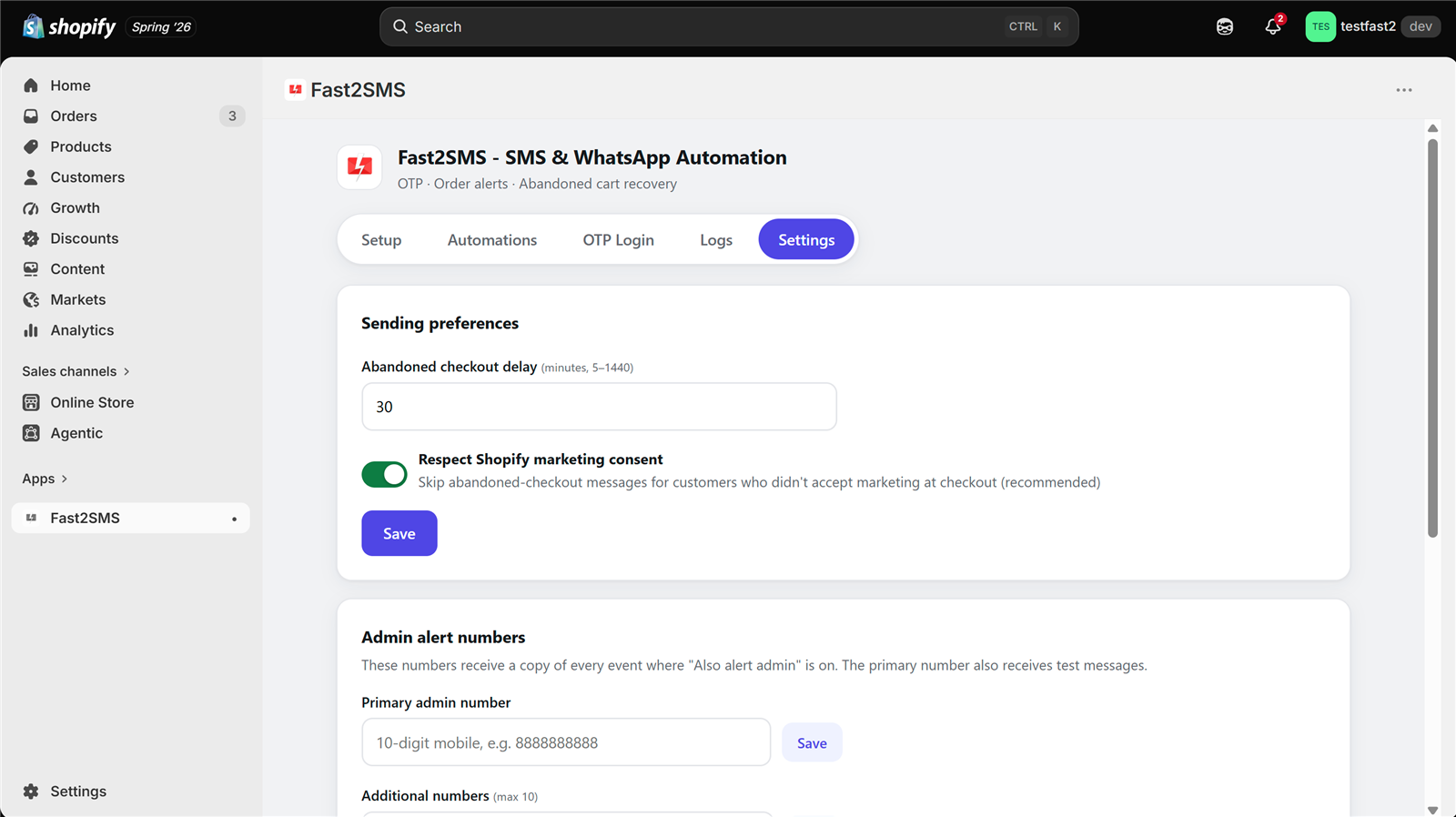
- Configurable delay. The reminder waits 5 minutes to 24 hours after checkout is abandoned. Default is 30 minutes.
- Auto-cancel. If the customer completes the order before the timer, the reminder is cancelled automatically. No embarrassing “you forgot something” after they paid.
- Consent respected. The app can skip customers who did not tick Shopify’s marketing consent at checkout. This switch is on by default.
Set it up in four steps
- Install the free app from the Shopify App Store and paste your Fast2SMS API key. The full walkthrough is in the Fast2SMS Shopify app guide.
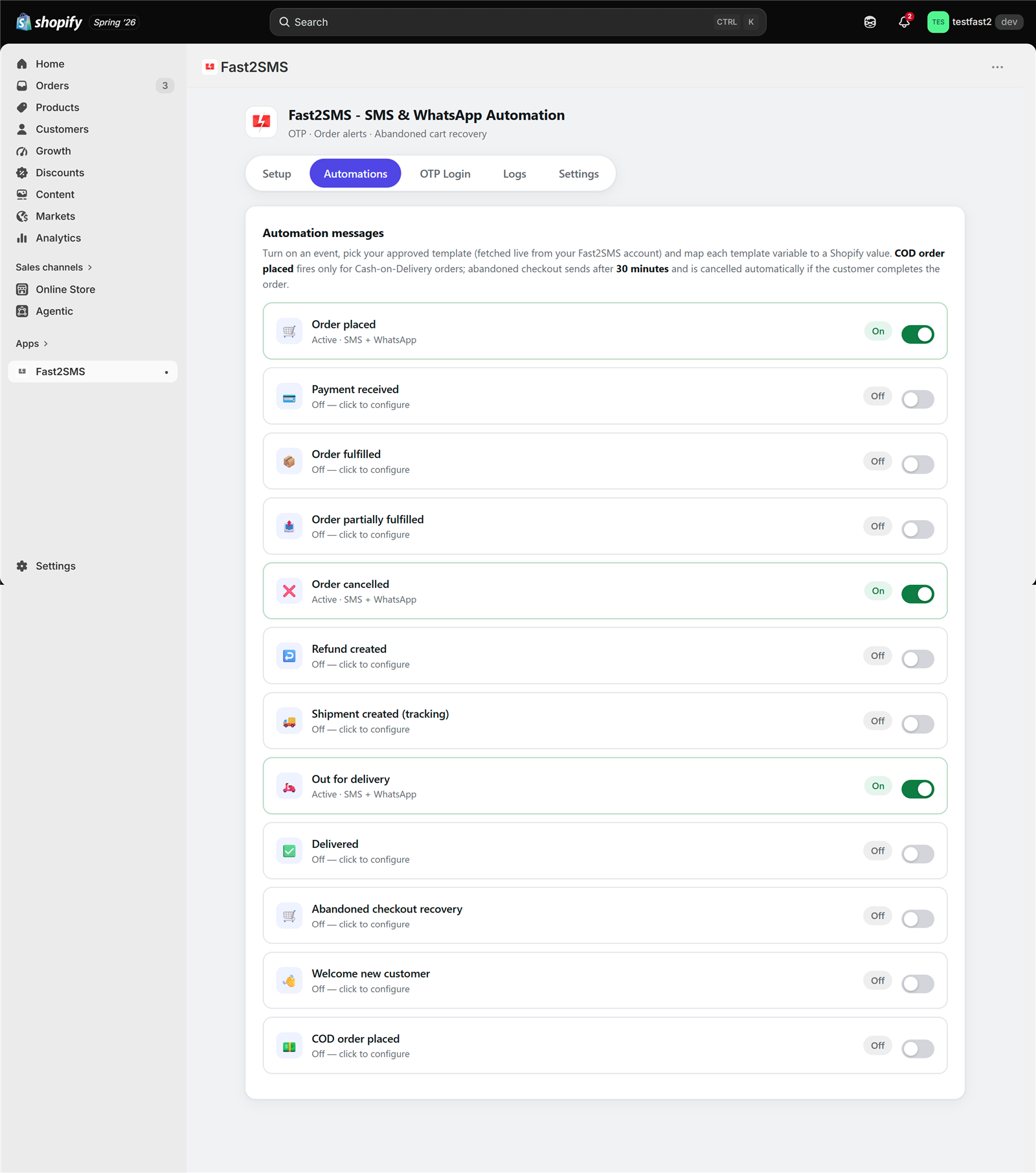
- Open Automations and switch on Abandoned checkout recovery.
- Pick your template. Click Fetch from Fast2SMS and choose an approved SMS or WhatsApp template. Map the variables, including the cart link, and check the live phone preview.
- Set the delay in Settings and save. Done.
What to write in the reminder
Keep it short and warm. A pattern that works:
“Hi {name}, your cart at {store} is waiting. Your items are reserved for now. Complete your order here: {cart_link}”
Add a product image header on WhatsApp for extra pull. Avoid pushy language, and send one reminder, not five. Get the template approved in your Fast2SMS panel first; the app fetches it automatically.
Track what it recovers
The Logs tab shows every reminder with delivery status. Failed sends can be retried with one click. Compare your Shopify abandoned checkout numbers before and after, and the message cost against recovered orders. At INR 0.25 per reminder, one saved order usually pays for months of reminders.
Frequently asked questions
Is abandoned cart recovery free on Shopify?
The app is free with no monthly fee. You pay only per message sent, from your own Fast2SMS wallet.
When does the reminder send?
After the delay you choose, 5 minutes to 24 hours. If the customer completes the order first, the reminder cancels itself.
Can I send SMS instead of WhatsApp?
Yes. Each automation sends SMS, WhatsApp, or both, using your approved templates.
Will customers who refused marketing get reminders?
Not if you keep the consent switch on (it is on by default). The app also has an opt-out list that always wins.
Do I need approved templates?
Yes. DLT templates for SMS, Meta-approved templates for WhatsApp, both managed free in your Fast2SMS panel with free DLT support.
Which stores can use this?
Shopify stores with Indian (+91) customer numbers. Fast2SMS is built for India.
More Shopify SMS and WhatsApp guides
- Free SMS and WhatsApp app for Shopify: 100+ FAQs
- Shopify SMS alerts with DLT: 100+ FAQs
- 12 Shopify order events: what to send at each step
- Shopify DLT SMS templates (copy-paste)
- Shopify WhatsApp message templates (copy-paste)
- Bulk SMS and WhatsApp campaigns for Shopify customers
- Shopify COD verification methods compared
- Best SMS and WhatsApp apps for Shopify India
- Shopify SMS and WhatsApp cost
- Shopify app FAQ in Hindi
Start recovering carts today
Install the free app, switch on one automation, and your first recovered order might arrive this week. Also turn on WhatsApp order notifications and COD alerts while you are there.
Questions? Write to [email protected].