
Fast2SMS Shopify App: Free SMS & WhatsApp Order Notifications for Indian Stores
Fast2SMS now has an official Shopify app. Install it once, connect your Fast2SMS API key, and your store sends automatic order updates on SMS and WhatsApp. Abandoned cart recovery, COD alerts, delivery updates, even invoice PDFs on WhatsApp. The app is free.
This guide walks through the full setup, screen by screen.
What the app does
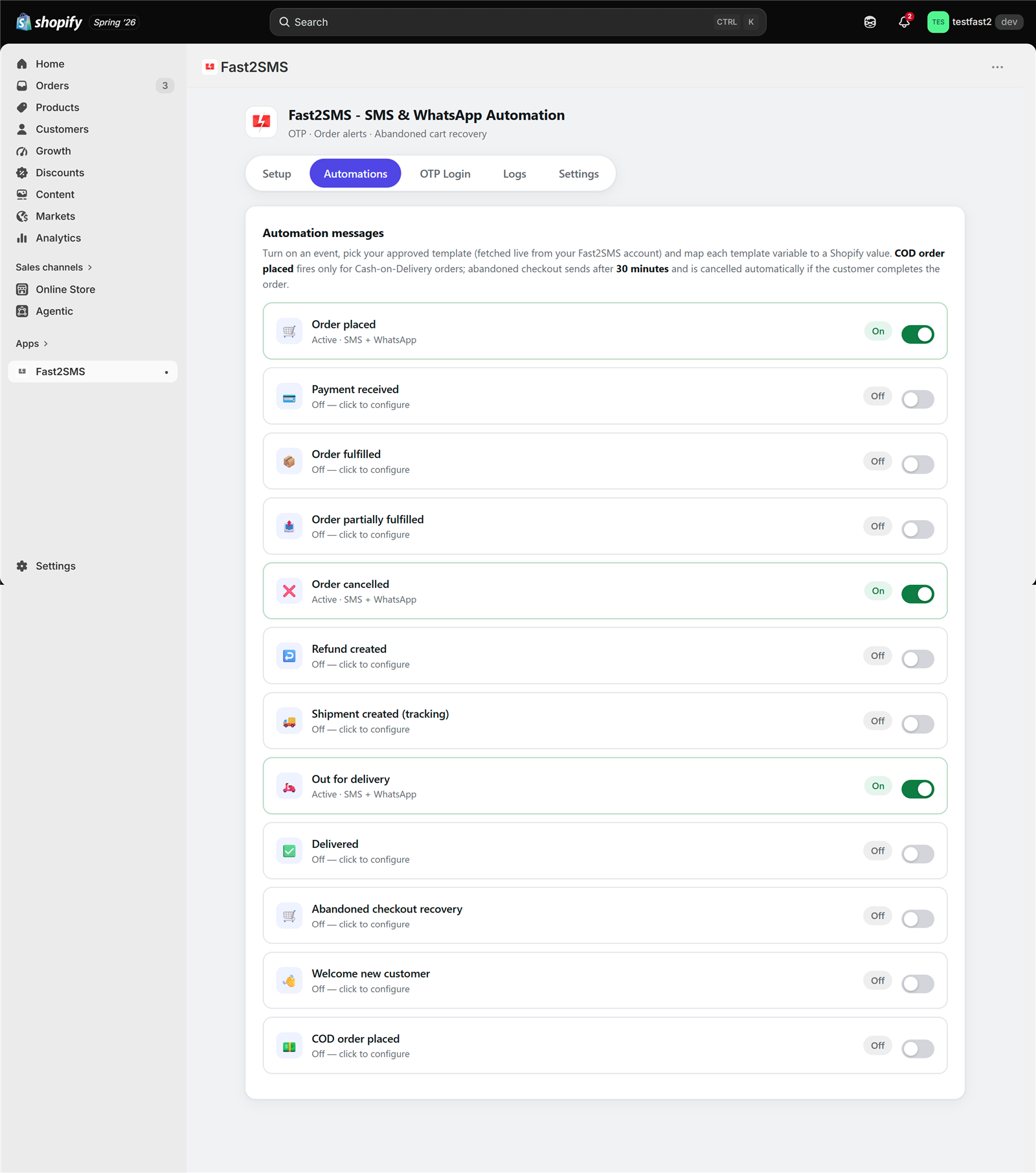
- 12 automated events. Order placed, payment received, fulfilled, partially fulfilled, cancelled, refund created, shipment created with tracking link, out for delivery, delivered, abandoned checkout, welcome new customer, and COD order placed.
- SMS, WhatsApp, or both for every event. Pick approved templates straight from your Fast2SMS account.
- Invoice PDFs on WhatsApp. The app generates a clean order invoice automatically and attaches it as a WhatsApp document. No invoice app needed.
- Admin alerts. Get a copy of any event on your own phone, plus up to 10 team numbers.
- OTP login. Customers sign in with phone and OTP instead of email and password (works on legacy customer accounts, more on this below).
- Fast sending. Messages go out within seconds of the order event.
Is it really free?
Yes. The app is free to install and free forever. There is no subscription, no Shopify charge, and no per-message markup. You connect your own Fast2SMS API key, so messages are billed to your own Fast2SMS wallet at your account rates. Delivery reports stay in your own Fast2SMS panel. Most SMS apps resell messages at a markup. This one cannot, because the developer is Fast2SMS itself.
What you need
- A Shopify store with Indian (+91) customer numbers. Fast2SMS works with Indian 10-digit mobile numbers only.
- A free Fast2SMS account and its API key (Dev API section).
- For SMS: approved DLT templates in your Fast2SMS panel. New to DLT? Read DLT explained in simple English.
- For WhatsApp: approved WhatsApp templates. Connecting your WhatsApp Business number on Fast2SMS is free, see the WhatsApp Business API guide.
Step 1: Install the app
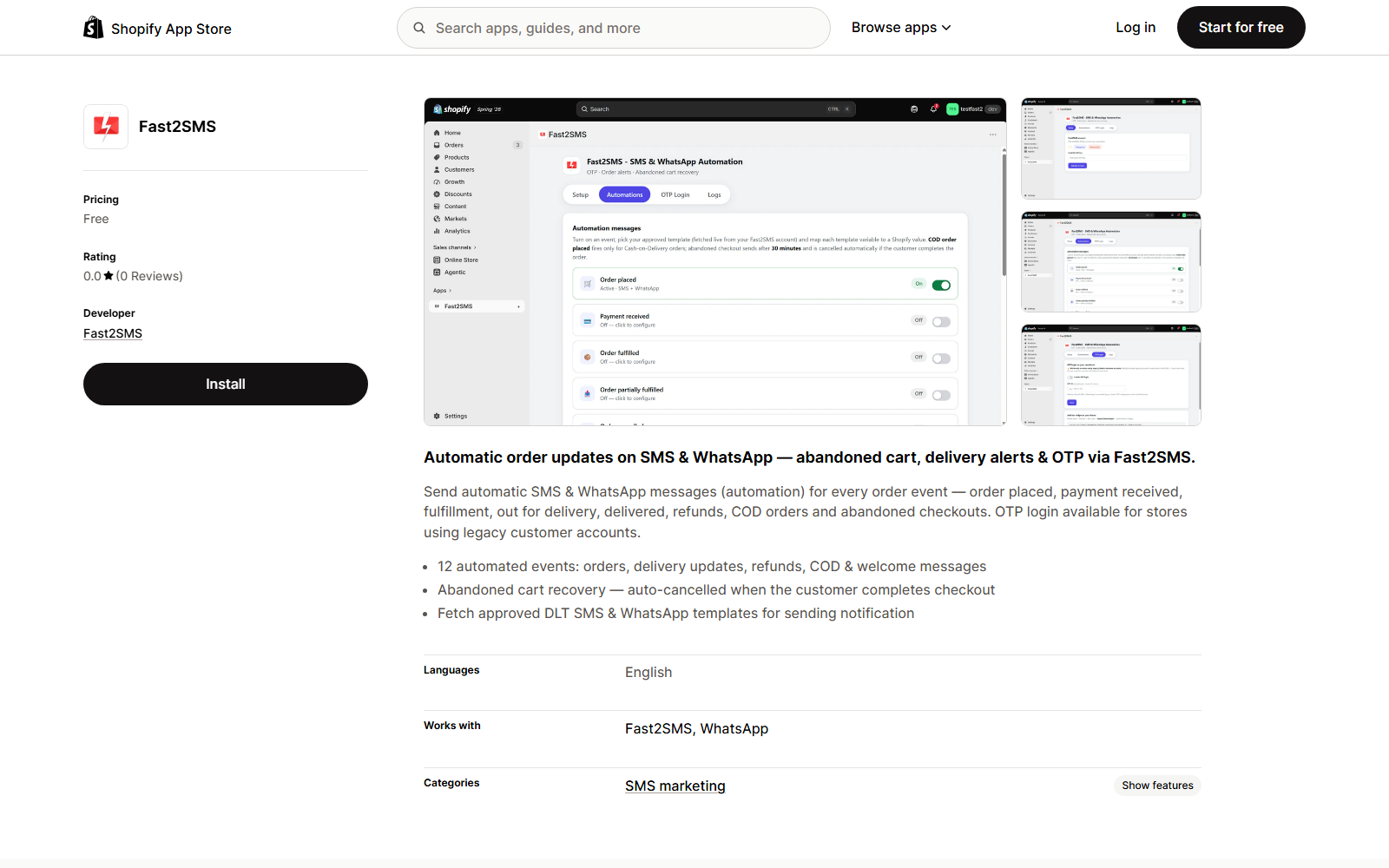
Open the Fast2SMS app on the Shopify App Store and click Install. The app appears under Apps in your Shopify admin.
Step 2: Connect your Fast2SMS account
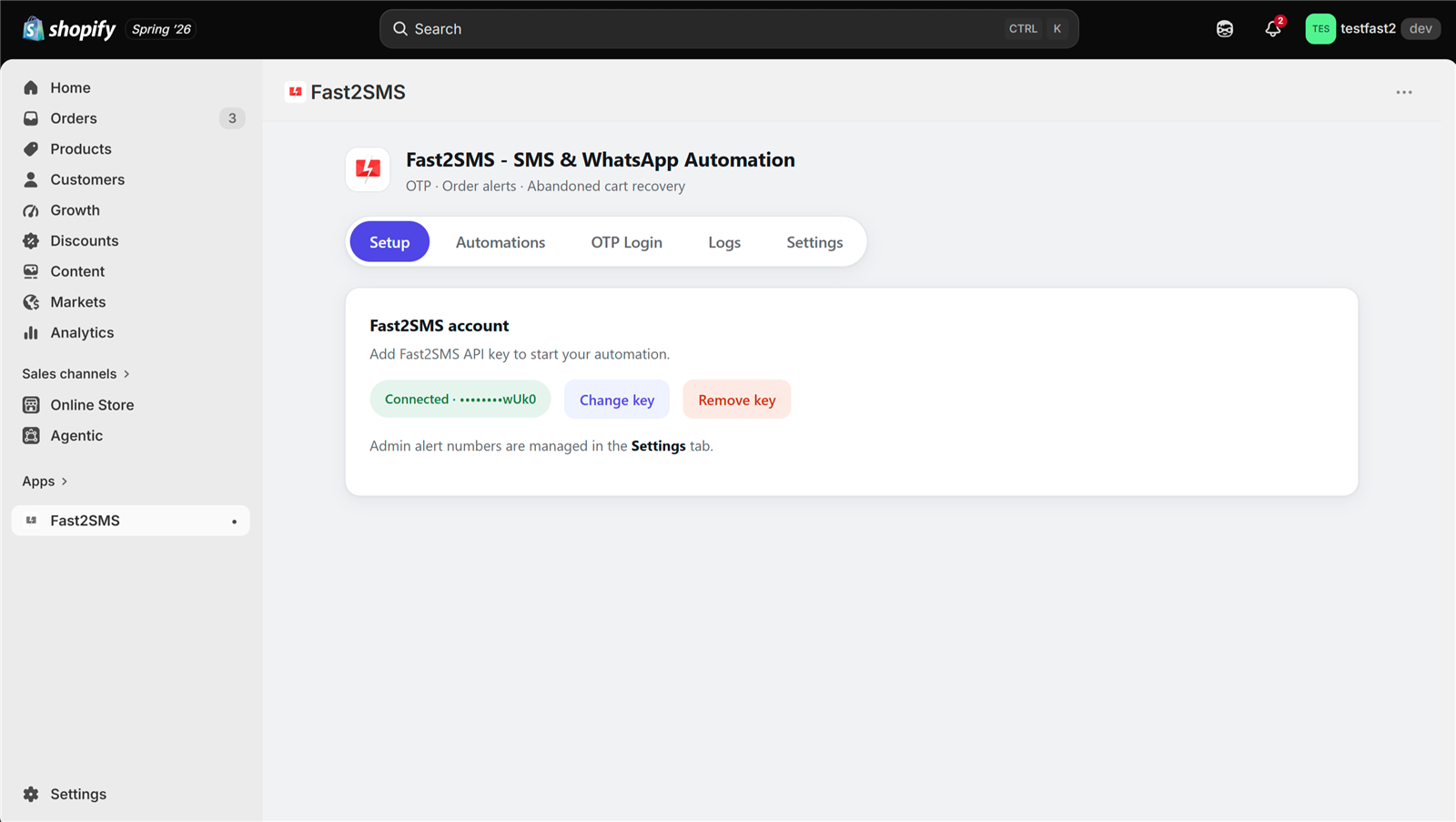
Open the app and paste your API key on the Setup tab. The key is checked live against your account. Once connected, you see the green Connected badge.
Step 3: Turn on your first order notification
Open the Automations tab. Every event has its own card with a simple switch. Flip on Order placed to start. Most stores also enable Out for delivery, Delivered, and COD order placed.
Step 4: Pick a template and map variables
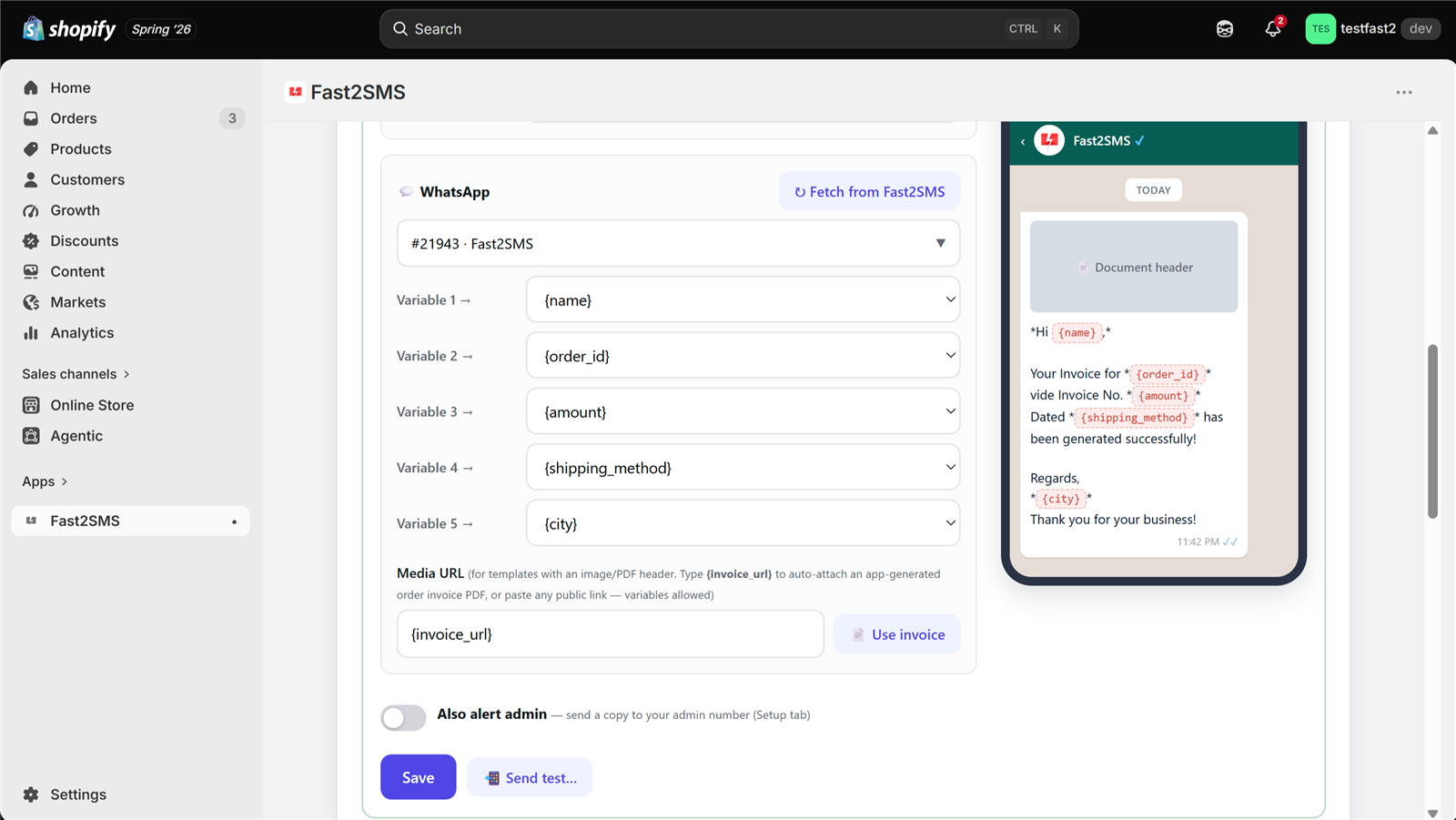
Inside each event, click Fetch from Fast2SMS. Your approved DLT SMS templates and WhatsApp templates load into a searchable picker. No copy-pasting template IDs.
The app reads how many variables your template has and shows a dropdown for each one. Map Variable 1 to {name}, Variable 2 to {order_id}, and so on. 18 variables are available, including amount, product name, coupon code, city, and payment method. A live phone preview updates as you map, so you see the exact message your customer will get. Click Send test to receive a real sample on your own phone before going live.
Send invoice PDFs on WhatsApp automatically
This is the standout feature. Type {invoice_url} in the media field of any WhatsApp template with a document header. Every order message then carries a professional PDF invoice, generated by the app on the fly: items, quantities, prices, discounts, taxes, totals, and billing address. No invoice app, no extra cost. Invoice links are private and expire automatically.
Step 5: Recover abandoned checkouts
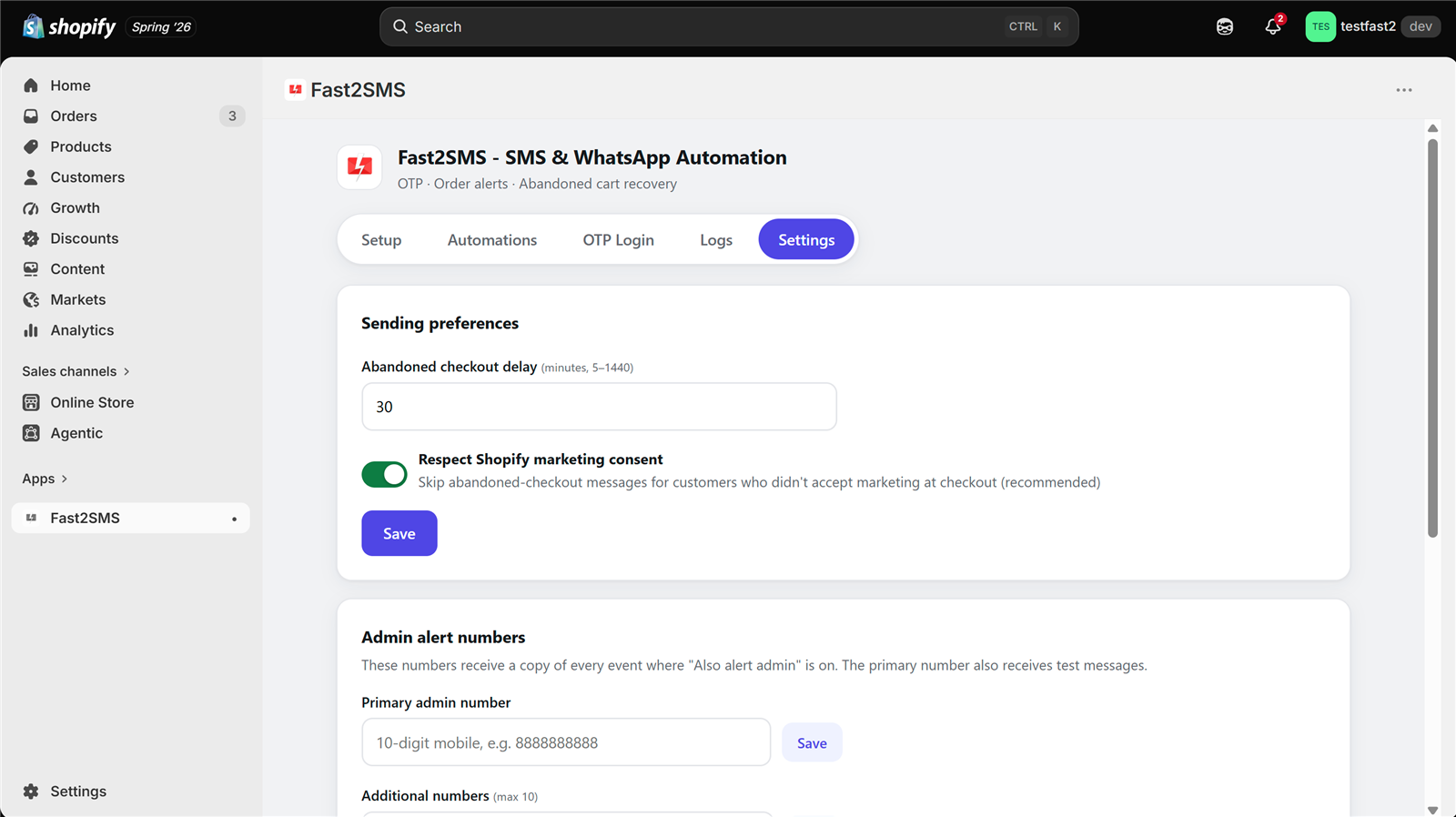
Turn on Abandoned checkout recovery and set the delay in Settings. Default is 30 minutes, you can pick anything from 5 minutes to 24 hours. If the customer completes the purchase before the timer runs out, the reminder cancels itself. The app can also respect Shopify’s marketing consent checkbox, so only customers who accepted marketing get cart reminders. That switch is on by default.
COD alerts and admin copies
COD is big in India, and fake COD orders hurt. The COD order placed event fires only for Cash on Delivery orders, so you can send a COD-specific confirmation to the customer. Turn on Also alert admin on any event and a copy goes to your own number the moment it happens. Add up to 10 team numbers in Settings.
Bonus: OTP login for your storefront
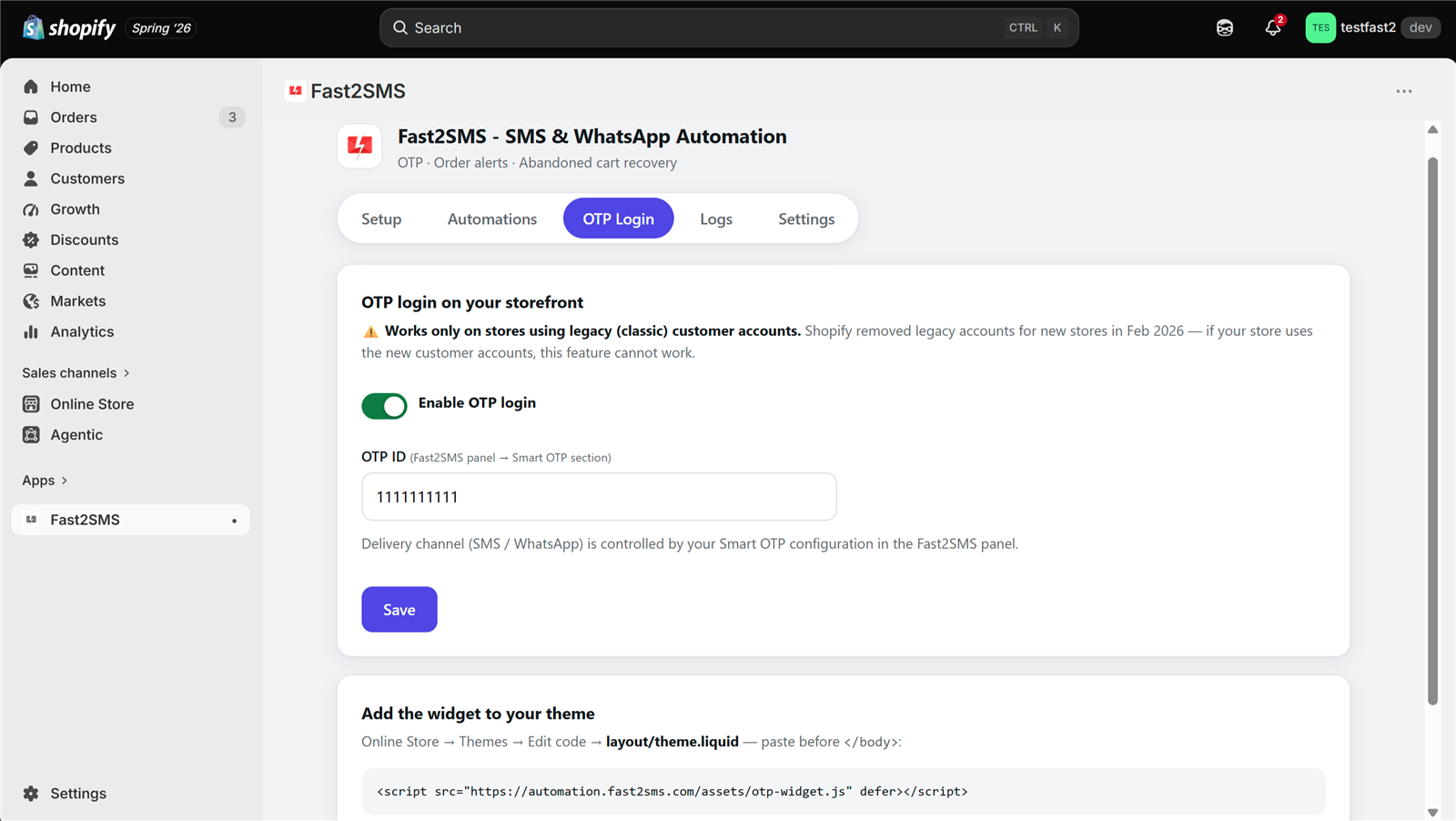
Customers can log in with their mobile number and an OTP instead of email and password. Enable it on the OTP Login tab, enter your OTP ID from the Fast2SMS panel, and add one small script tag to your theme. The OTP can arrive on SMS or WhatsApp, controlled by your Smart OTP configuration.
One honest note: OTP login works only on stores using Shopify’s legacy (classic) customer accounts. Newer stores use Shopify’s new customer accounts, where storefront scripts cannot run, so this feature will not work there. All other features work on every store.
Track every message
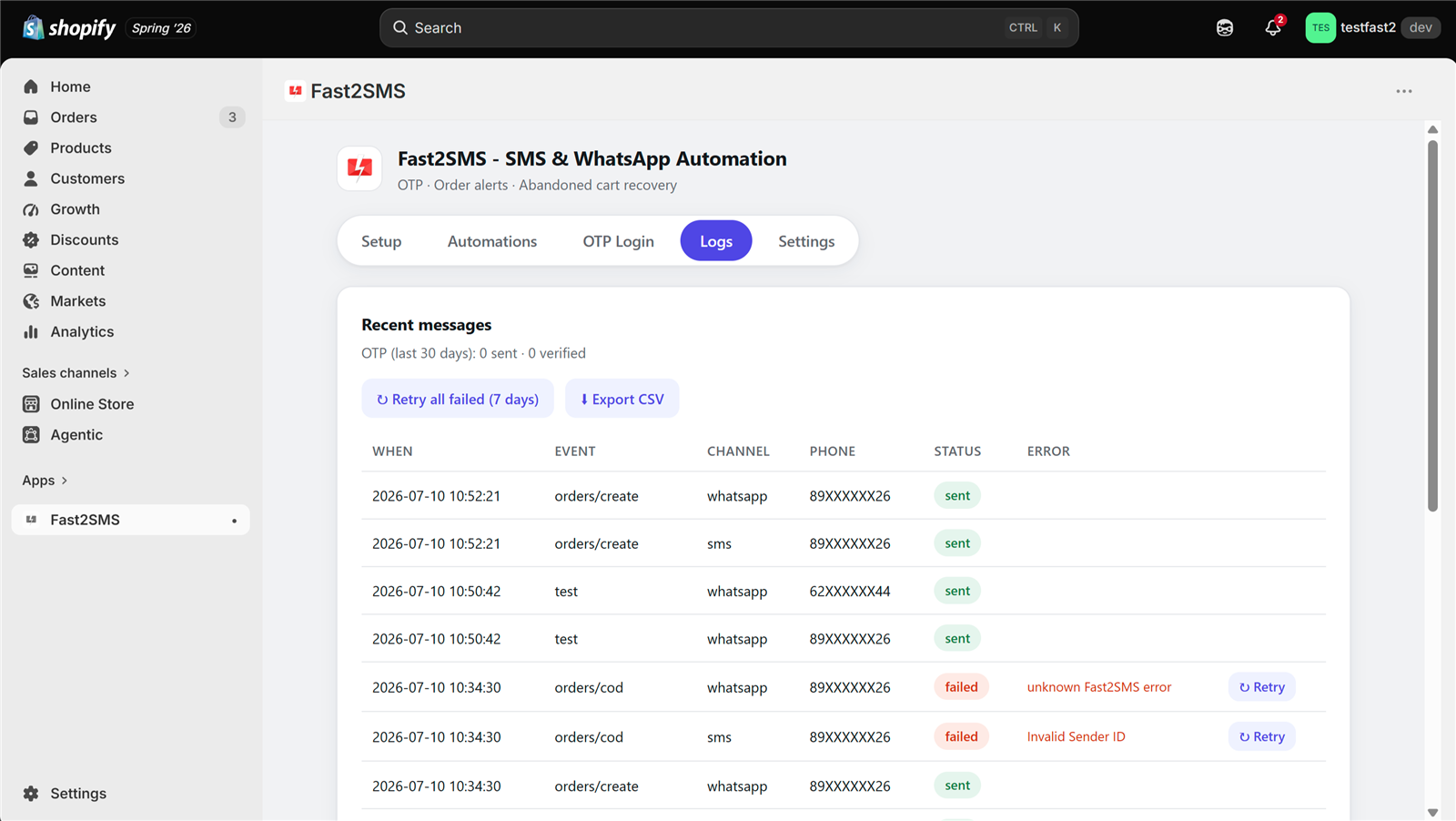
The Logs tab lists every message with time, event, channel, masked phone number, and status. Failed messages show the exact error and retry with one click. Retry all failed messages at once, or export the log as CSV. Full delivery reports are always in your own Fast2SMS panel.
Privacy and security
Customer phone numbers and message data are encrypted at rest with AES-256-GCM, and numbers are always shown masked. Old data cleans itself: OTP sessions after 30 days, logs and invoices after 90 days. The app answers Shopify’s data-deletion requests automatically. Fast2SMS holds ISO/IEC 27001:2022 and SOC 2 Type II certifications, public at fast2sms.com/certificates.
Frequently asked questions
Is the Fast2SMS Shopify app free?
Yes. Free to install, free forever. No subscription and no markup. Messages are billed by Fast2SMS to your own wallet at your account rates.
Do messages go on SMS or WhatsApp?
Your choice, per event. SMS, WhatsApp, or both. Each channel uses its own approved template.
Which stores can use it?
Stores with Indian (+91) customer numbers. Fast2SMS is an Indian platform with DLT-compliant SMS and WhatsApp Business API messaging.
Does abandoned cart recovery message everyone?
No. It waits for the delay you set, cancels itself if the customer completes the order, and can skip customers who did not accept marketing at checkout.
How does the invoice PDF work?
Type {invoice_url} in the WhatsApp media field. The app builds a PDF invoice for each order and attaches it to the message. Links are private and expire after 90 days.
Why does OTP login not work on my store?
OTP login needs Shopify’s legacy (classic) customer accounts. Stores on the new customer accounts cannot run storefront login scripts. Every other feature still works.
More Shopify SMS and WhatsApp guides
- Free SMS and WhatsApp app for Shopify: 100+ FAQs
- Shopify SMS alerts with DLT: 100+ FAQs
- 12 Shopify order events: what to send at each step
- Shopify DLT SMS templates (copy-paste)
- Shopify WhatsApp message templates (copy-paste)
- Bulk SMS and WhatsApp campaigns for Shopify customers
- Shopify COD verification methods compared
- Best SMS and WhatsApp apps for Shopify India
- Shopify SMS and WhatsApp cost
- Shopify app FAQ in Hindi
Get started
Install the free Fast2SMS app from the Shopify App Store, create your free account at fast2sms.com, and your first order update can go out in minutes. Questions? Write to [email protected].