
WhatsApp Business API for WordPress: Free Access, Simple Setup
You have heard that the WhatsApp Business API can send order updates, OTPs, and offers straight to your customers. Then you looked at the setup: Meta approvals, developer docs, monthly platform fees from most providers. Most WordPress site owners stop right there.
Here is the good news. With Fast2SMS you get official WhatsApp Business API access free, and the free Fast2SMS plugin connects it to WordPress and WooCommerce without a single line of code. This guide explains what the API is, what it costs, and the simple path from zero to your first WhatsApp message sent from WordPress.
What is the WhatsApp Business API?
The WhatsApp Business app on your phone is fine for chatting with a few customers. The WhatsApp Business API is the official way for a business to send messages at scale: automatic order updates, OTPs, reminders, and campaigns, all from software instead of your thumbs.
The API itself has no interface. You always use it through a provider. That is where Fast2SMS comes in: it gives you the API access, a panel to manage templates, and a free plugin that does the WordPress side. For a deeper explanation, read what is WhatsApp Business API.
What it costs with Fast2SMS
- API access: free. No setup fee, no monthly fee. You can start with a wallet recharge of just INR 100.
- Utility and authentication messages: INR 0.25 each. Order updates and OTPs fall here.
- Marketing messages: INR 0.95 each. High volumes get better rates.
- Pay only for delivered messages. Failed messages are refunded to your wallet automatically within 48 hours.
Compare that with platforms that charge a monthly fee before you send anything. See the full WhatsApp Business API pricing in India breakdown.
Step 1: Connect your WhatsApp number to Fast2SMS
Create your free account at fast2sms.com, open the WhatsApp Business tab, and log in with Facebook. You then have two choices:
- Connect your existing WhatsApp Business app number. You scan a QR code and the same number works in your mobile app and the API together. This is called coexistence, and it means you do not lose your chats. More in what is WhatsApp coexistence.
- Start with a new number. The number is then managed fully through Fast2SMS.
Follow the on-screen steps to create or select your Meta business portfolio. One tip: make sure your business website is live and complete, because Meta reviews it. The full onboarding walkthrough shows every screen.
Step 2: Get your templates approved
WhatsApp requires a pre-approved template for every business-initiated message. In the Fast2SMS panel you create templates in three categories:
- Utility for order updates and account messages.
- Authentication for OTPs.
- Marketing for offers and campaigns.
Templates support variables, buttons, and media headers (image, PDF, video). Approval usually takes minutes to a few hours.
Step 3: Install the free WordPress plugin
Install it from the official directory (Plugins > Add New, search for Fast2SMS — or get it from WordPress.org), then paste your Fast2SMS API key. That single key powers both SMS and WhatsApp. The setup guide has screenshots for each step.
What you can do once connected
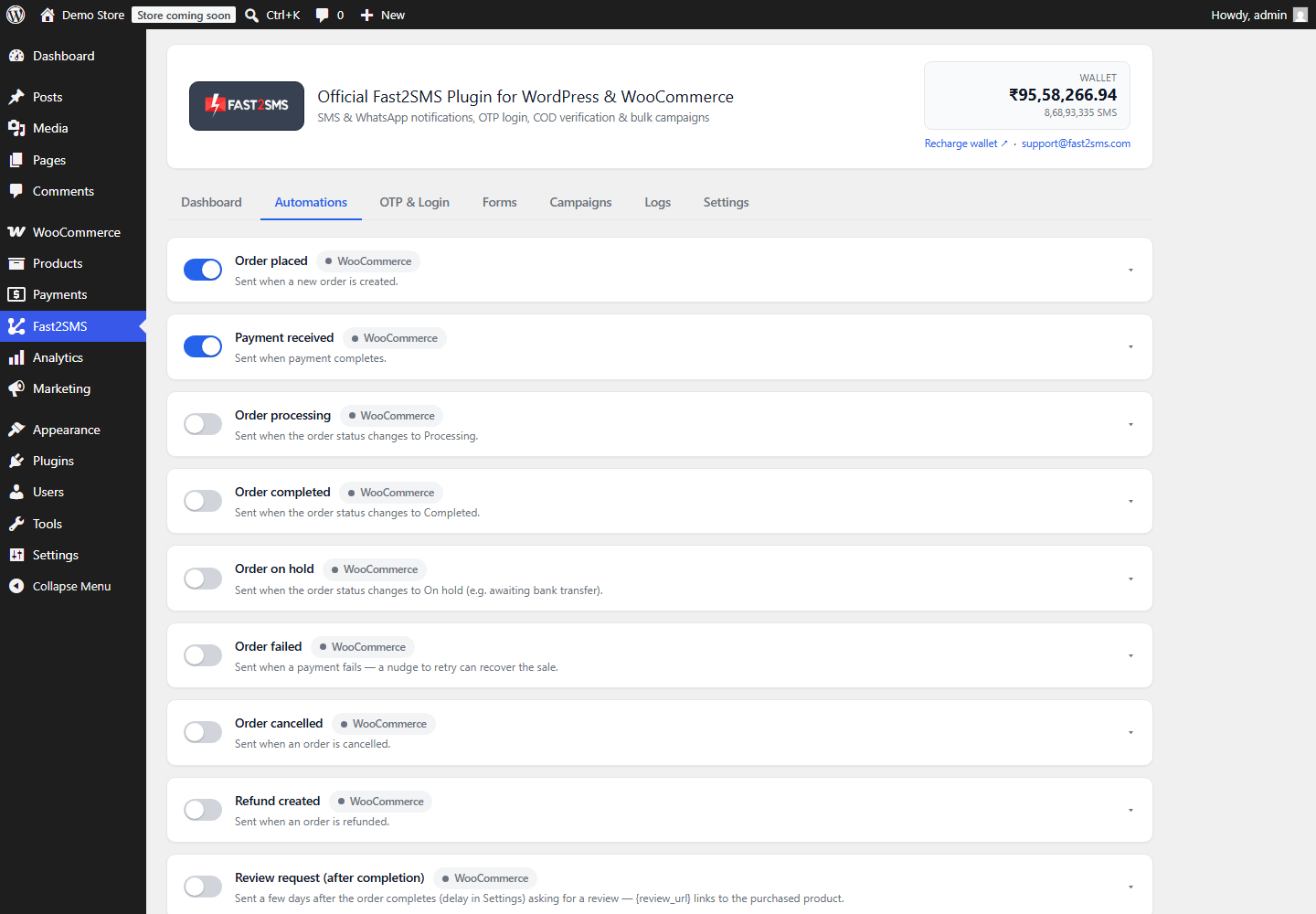
- WhatsApp order notifications for every WooCommerce status, with the invoice PDF attached if you like.
- WhatsApp OTP login and verification on your login and registration forms.
- Abandoned cart reminders with an image and a link back to checkout.
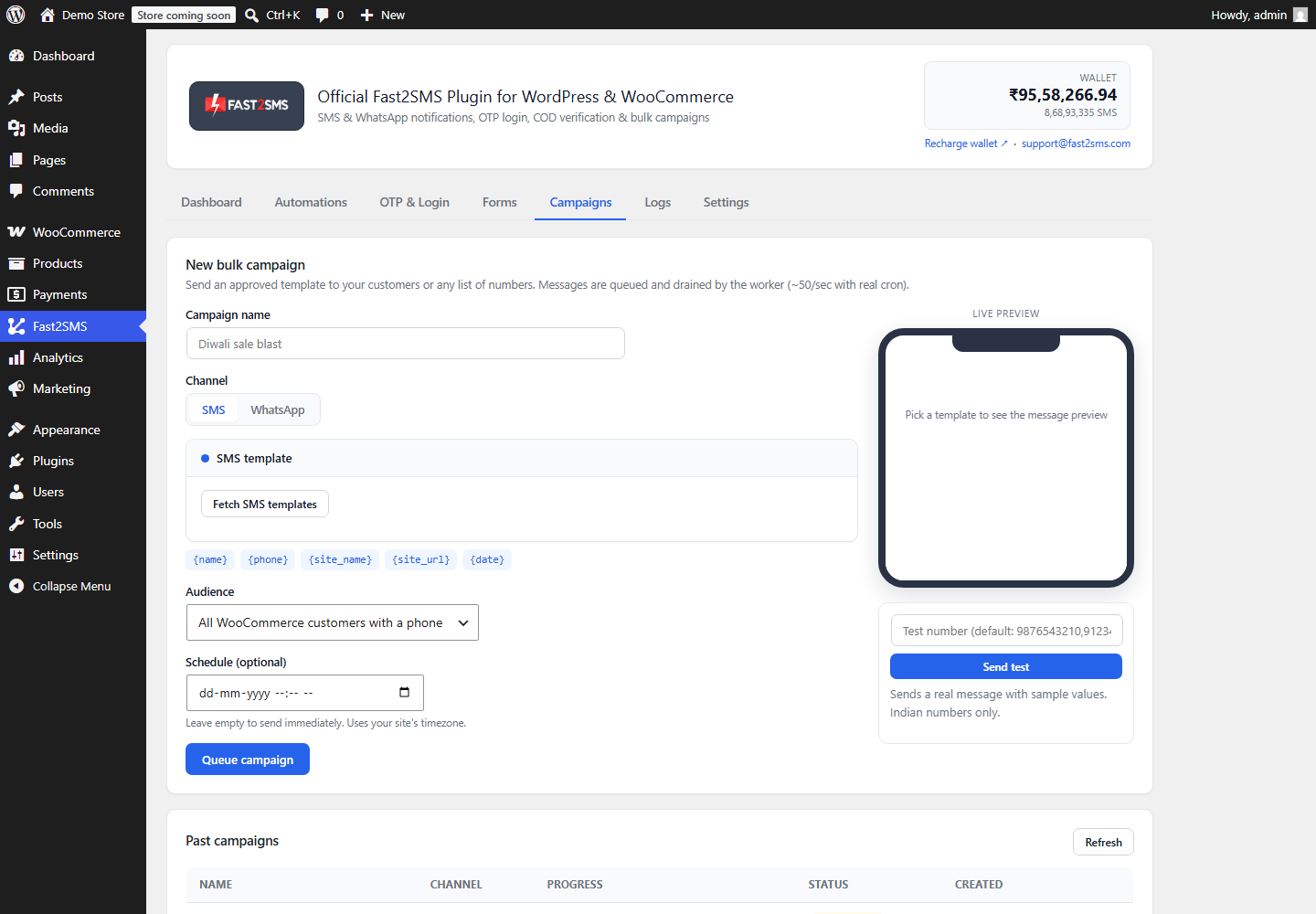
- Bulk WhatsApp and SMS campaigns to your customer list, sent now or scheduled.
- Admin alerts on your own number for new orders and low stock.
Frequently asked questions
Is WhatsApp Business API really free on Fast2SMS?
The access is free: no setup fee and no monthly platform fee. You pay per delivered message only, starting at INR 0.25 for utility and authentication messages.
Can I keep using WhatsApp on my phone?
Yes. Connect your existing WhatsApp Business app number and it keeps working on your phone while the API sends automated messages through the same number.
Do I need coding skills?
No. The Fast2SMS panel handles the API side and the free plugin handles the WordPress side. Everything is toggles, dropdowns, and previews.
How many messages can I send per day?
New numbers start with a daily limit of 250 business-initiated conversations. Fast2SMS support can help you submit documents to Meta to raise it.
Does it work without WooCommerce?
Yes. OTP login, form verification, and campaigns work on any WordPress site. WooCommerce adds order notifications, COD checks, and cart recovery.
Which customers can receive my messages?
Any WhatsApp user can receive template messages. For SMS features, Fast2SMS works with Indian 10-digit mobile numbers only.
Get started
Create your free account at fast2sms.com, connect your WhatsApp number, and install the free plugin. If you get stuck anywhere, write to [email protected] and the team will walk you through it.
More WooCommerce OTP, SMS and WhatsApp guides
- WooCommerce OTP plugin: 110 FAQs
- WooCommerce checkout OTP verification
- WooCommerce login with mobile number
- Phone number verification at registration
- WooCommerce WhatsApp OTP login
- WooCommerce COD OTP verification
- WooCommerce OTP not received: fixes
- WooCommerce OTP cost
- Best WooCommerce OTP plugins compared
- Free mobile login plugin alternative
- WooCommerce WhatsApp plugin: 100+ FAQs
- WooCommerce SMS notification plugin: 100+ FAQs
- Order status SMS and WhatsApp
- COD to prepaid and pending payment reminders
- Abandoned cart recovery on WhatsApp and SMS
- Back in stock notifier
- WooCommerce SMS marketing campaigns
- Best WooCommerce SMS and WhatsApp plugins
- Twilio SMS alternative for India
- WooCommerce OTP plugin guide in Hindi
High volume? Rates are negotiable: call sales on +91-6262778811, email [email protected] or book a free meeting with our team.