
WooCommerce OTP Verification: Verify Mobile Numbers on Signup, Login and COD Orders
Fake numbers cost real money. A wrong digit at signup means order updates go nowhere. A bot account clutters your customer list. A COD order with an unreachable number often ends as a returned parcel you paid to ship both ways. WooCommerce OTP verification closes all three doors with one free plugin.
Where verification stops the damage
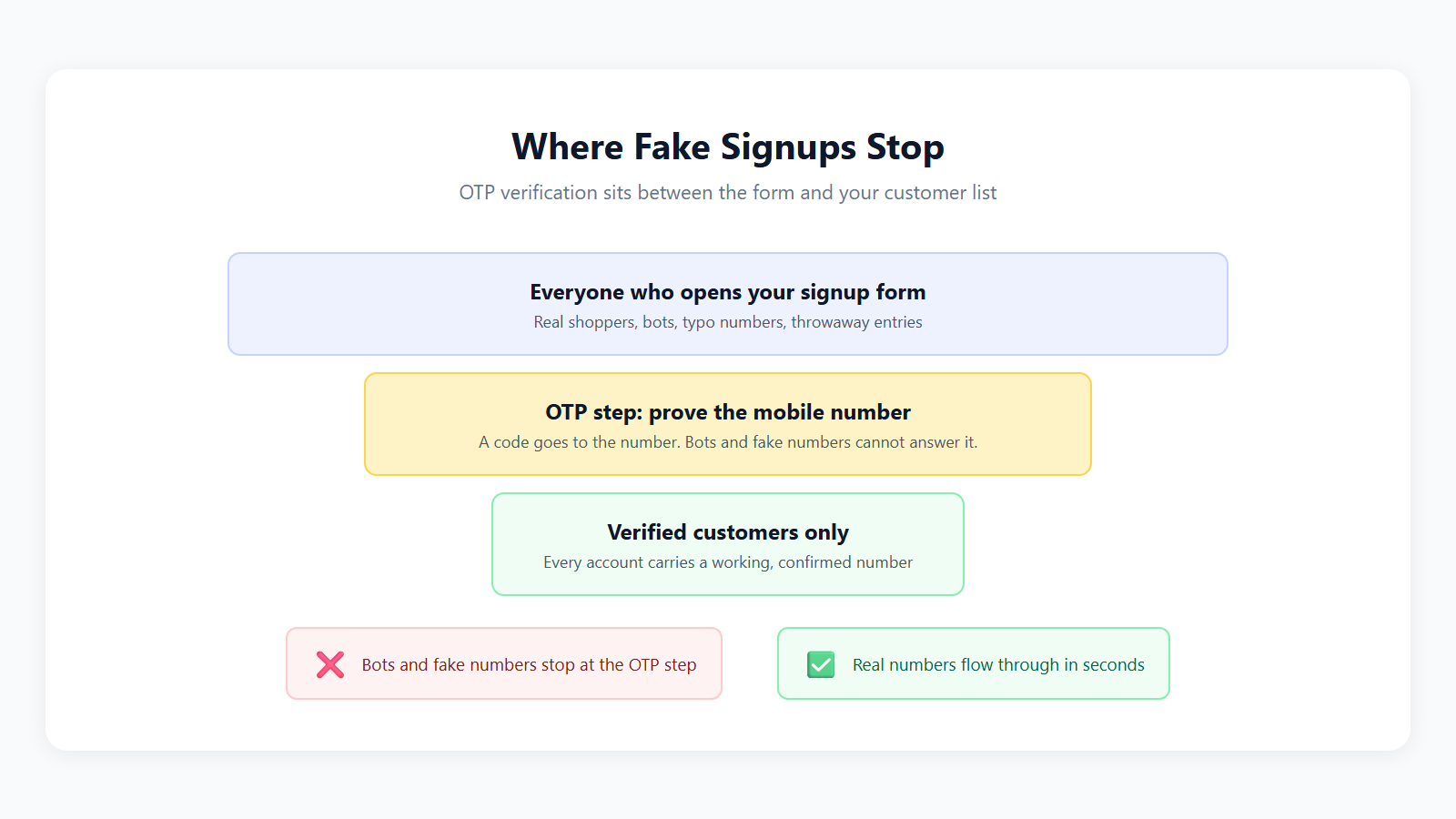
The Fast2SMS plugin verifies mobile numbers at three points, each with its own switch:
1. Verification at signup
New customers must verify their number with an OTP before the account is created. The verified number saves to the profile, ready for order updates and campaigns later.
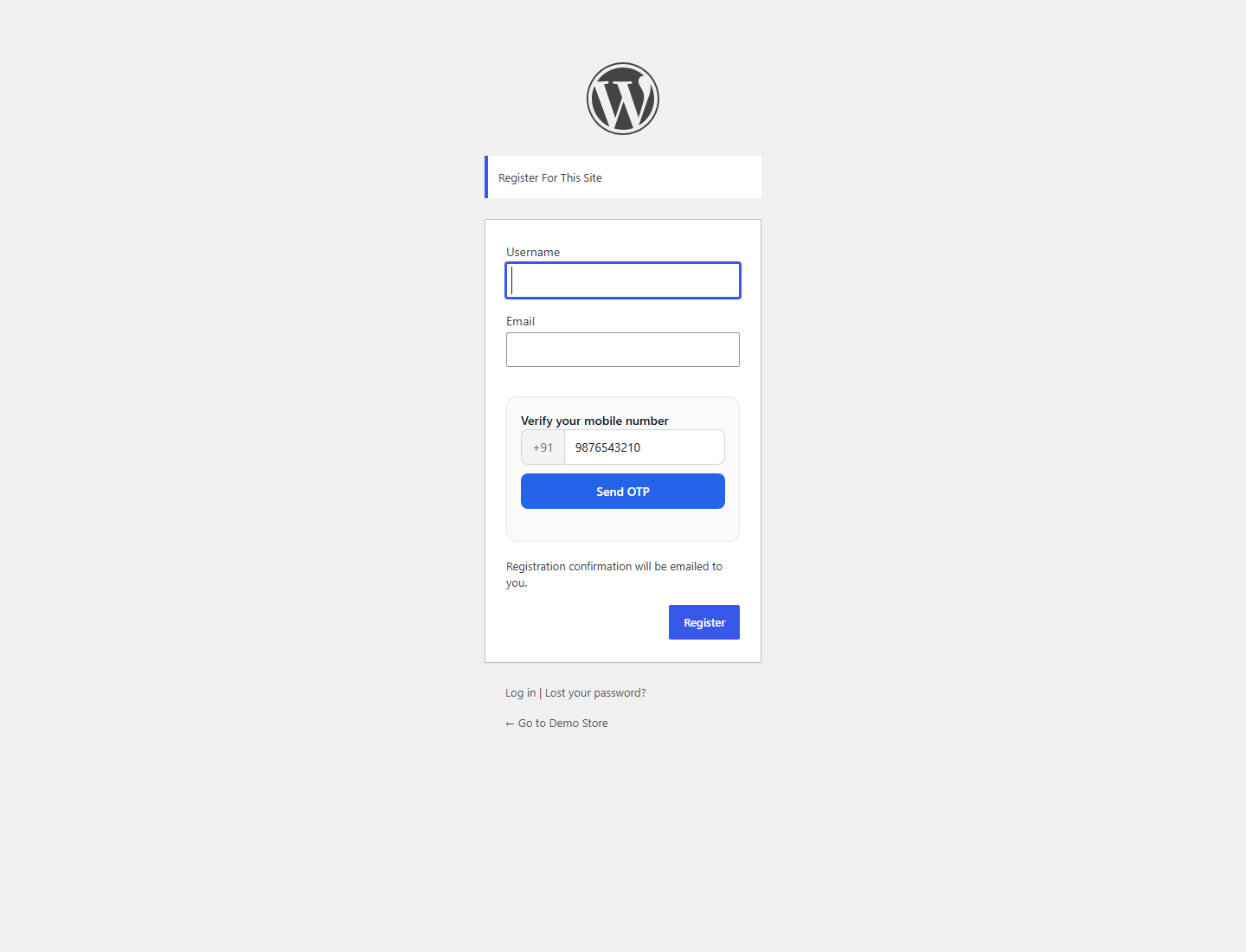
2. Verification at login
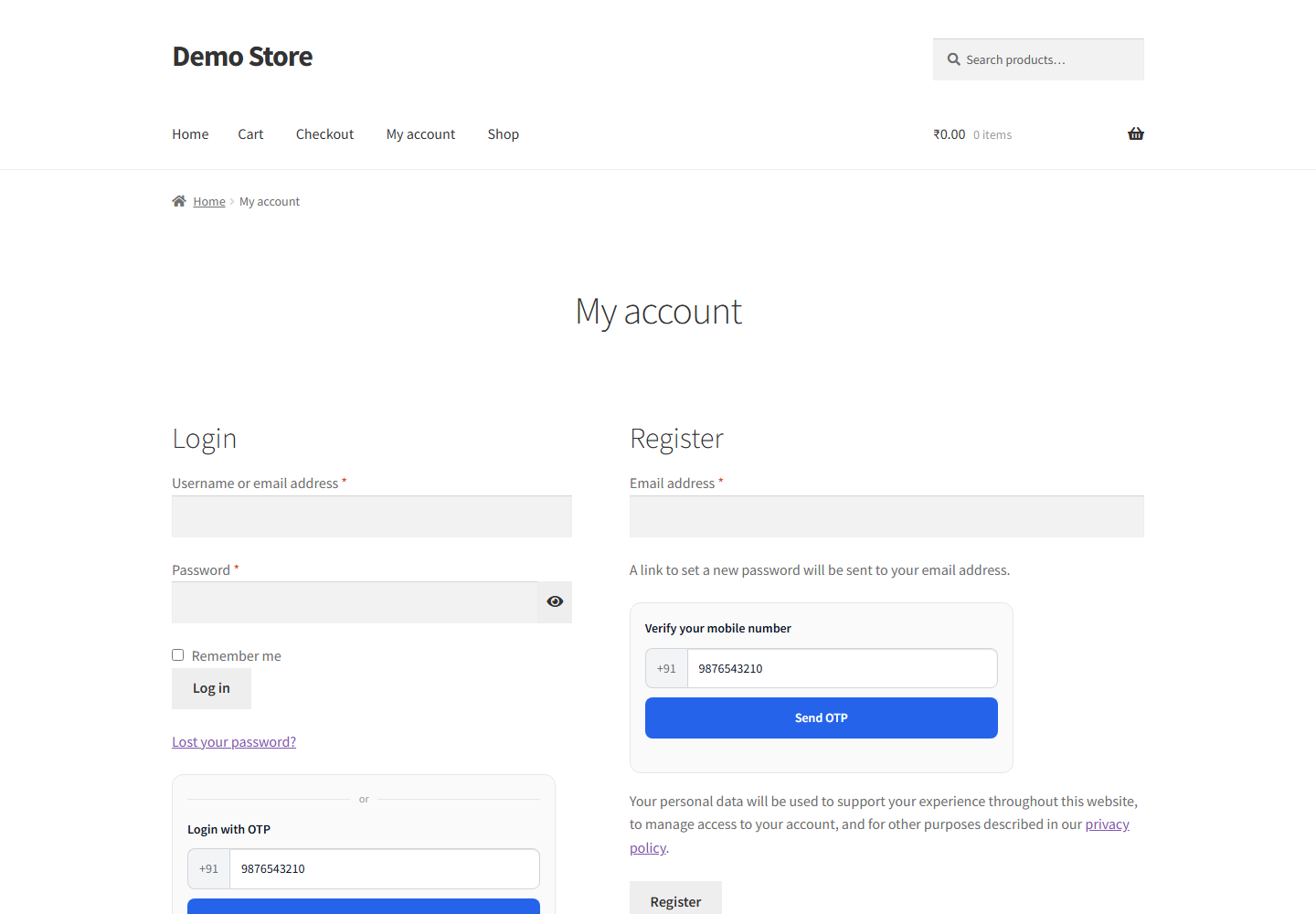
Customers log in with their verified number and a fresh OTP, on the My Account page or any page with the shortcode. Fewer forgotten passwords, fewer support emails.
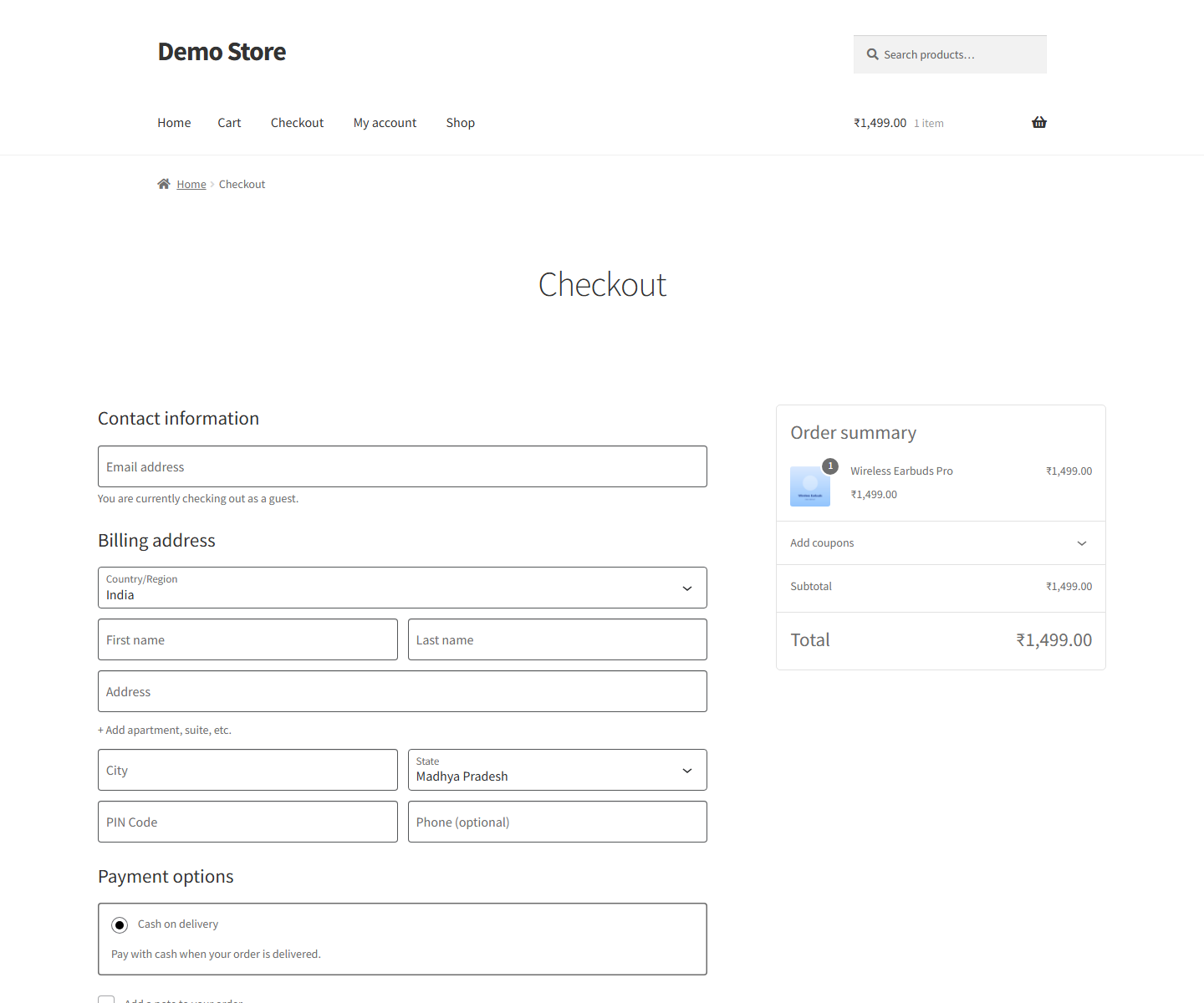
3. Verification on COD orders
Cash on Delivery is where unverified numbers hurt most. Turn on COD verification and every COD customer receives an OTP confirmation link. Verified orders get a badge in your orders list, so you ship the real ones first and call the doubtful ones.
Setup in ten minutes
- Install the plugin: Plugins > Add New, search for Fast2SMS, activate. Or from WordPress.org.
- Connect your key: paste your Fast2SMS API key and validate.
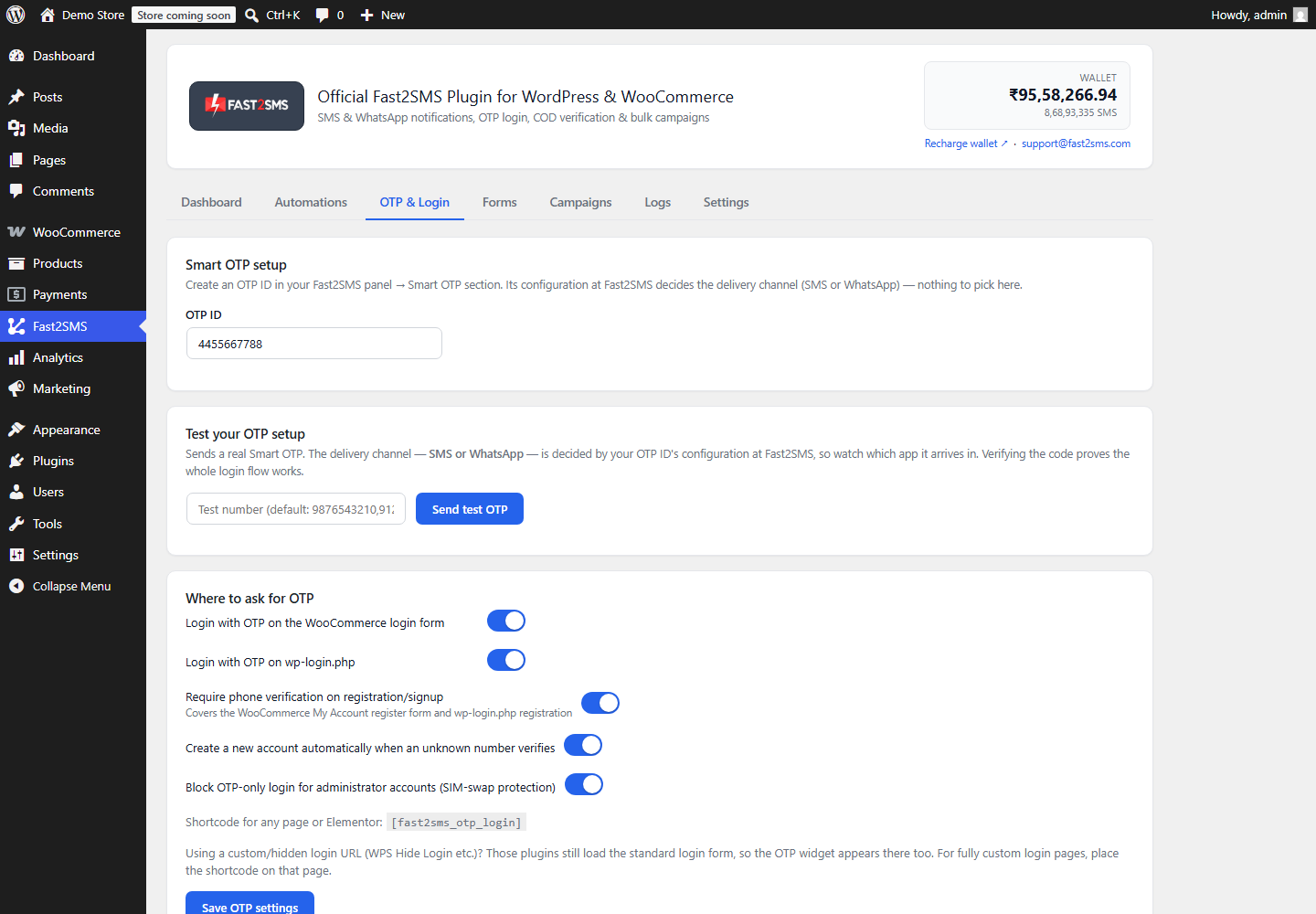
- Create an OTP ID: in the Fast2SMS panel’s Smart OTP section, choose SMS or WhatsApp with automatic fallback. How it works: Smart OTP explained.
- Flip the switches in the OTP & Login tab: registration verification, OTP login, COD verification. Run the built-in test and you are live.
What a verified customer list is worth
Every verified number multiplies the value of everything else you send:
- Order notifications reach a working phone every time.
- WhatsApp updates land with your verified business name.
- Abandoned cart reminders and campaigns stop wasting money on dead numbers.
Frequently asked questions
What is WooCommerce OTP verification?
Checking a customer’s mobile number with a one time password at signup, login or on COD orders, so every account and order carries a working, confirmed number.
Does it stop bot signups?
Yes. A bot cannot receive a code on a real Indian mobile number. Registration is blocked until the code is entered.
Is the plugin free?
Yes. You pay per OTP only: INR 0.25 on WhatsApp with automatic refunds for failures, or your DLT rate on SMS.
Can OTPs go on WhatsApp?
Yes. The OTP ID decides the channel, with automatic fallback to SMS. Users get a Copy code button on WhatsApp.
Will it annoy real customers?
One code at signup takes a few seconds, and then that customer logs in by OTP forever after, with no password to remember. Most stores see fewer login complaints, not more.
What happens to existing customers without verified numbers?
Nothing breaks. They keep logging in as before, and the plugin matches numbers from past orders too. Verification applies where you switch it on.
Does COD verification cancel unverified orders?
No, it marks them. Verified orders show a badge, and you decide how to handle the rest: ship, call first, or hold.
Do I need WooCommerce for all of this?
Signup and login verification work on plain WordPress too. COD verification needs WooCommerce. The full split is in the WordPress vs WooCommerce guide.
Verify your next customer
Install the free plugin, switch on verification, and every new signup, login and COD order proves itself.
Install Free Plugin
Signup Now
Questions? Write to [email protected].
More WooCommerce OTP, SMS and WhatsApp guides
- WooCommerce OTP plugin: 110 FAQs
- WooCommerce checkout OTP verification
- WooCommerce login with mobile number
- Phone number verification at registration
- WooCommerce WhatsApp OTP login
- WooCommerce COD OTP verification
- WooCommerce OTP not received: fixes
- WooCommerce OTP cost
- Best WooCommerce OTP plugins compared
- Free mobile login plugin alternative
- WooCommerce WhatsApp plugin: 100+ FAQs
- WooCommerce SMS notification plugin: 100+ FAQs
- Order status SMS and WhatsApp
- COD to prepaid and pending payment reminders
- Abandoned cart recovery on WhatsApp and SMS
- Back in stock notifier
- WooCommerce SMS marketing campaigns
- Best WooCommerce SMS and WhatsApp plugins
- Twilio SMS alternative for India
- WooCommerce OTP plugin guide in Hindi
High volume? Rates are negotiable: call sales on +91-6262778811, email [email protected] or book a free meeting with our team.