
WhatsApp Order Notifications for WooCommerce: Free Plugin Setup Guide
Your customer just placed an order. An email confirmation might sit unread for days. A WhatsApp message gets opened in minutes. That is the whole case for WhatsApp order notifications, and with the free Fast2SMS plugin you can switch them on for your WooCommerce store today.
This guide covers the WhatsApp side in detail: templates, media messages, pricing, and the exact setup inside WordPress.
Why WhatsApp for order updates
- People actually read it. WhatsApp messages have far higher open rates than email.
- Rich messages. Send images, PDFs, and buttons, not just plain text. Your order confirmation can carry the invoice itself.
- Fewer “where is my order” calls. Customers who get updates do not need to ask.
- You pay only for delivered messages. On Fast2SMS, failed WhatsApp messages are refunded to your wallet automatically.
What you need
- A WordPress site with WooCommerce.
- A free Fast2SMS account with WhatsApp Business API access. Connecting your number is free, with no setup fee and no monthly fee. New to this? Read how to get free WhatsApp Cloud API access.
- Approved WhatsApp templates in your Fast2SMS panel (utility templates for order updates).
- The free plugin from the official directory: wordpress.org/plugins/fast2sms.
- Customers with Indian mobile numbers. Fast2SMS works with Indian 10-digit numbers only.
Step 1: Install the plugin and connect your account
In your WordPress admin go to Plugins > Add New, search for Fast2SMS, install and activate it. Then paste your API key from the Dev API section of Fast2SMS and click Validate & Save. Your wallet balance appears at the top when the connection works.
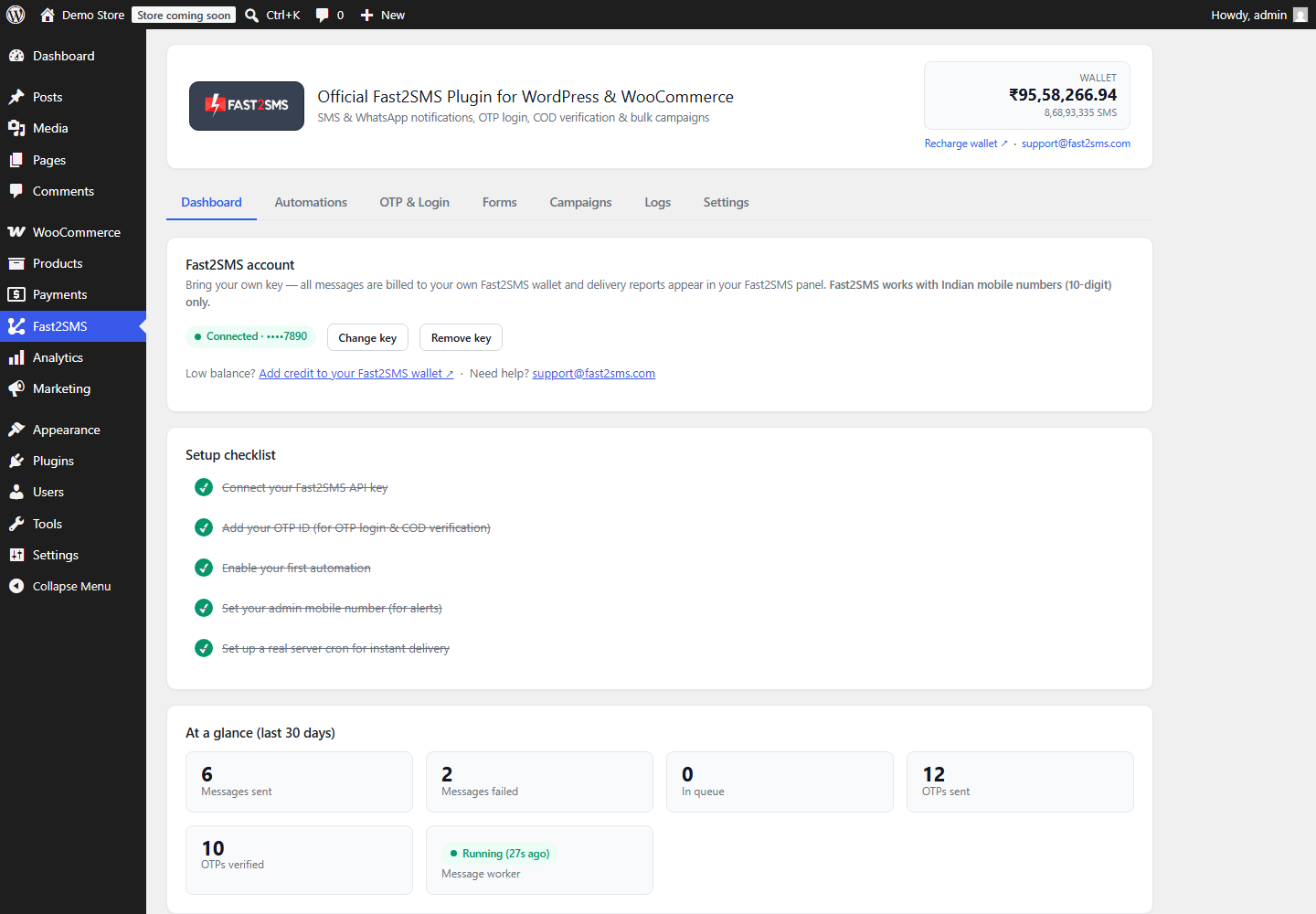
The full setup guide covers every step with more detail.
Step 2: Turn on WhatsApp for any order event
Open the Automations tab. Every WooCommerce event has its own card: order placed, payment received, processing, completed, on hold, failed, cancelled, refunded, plus review requests and admin alerts.
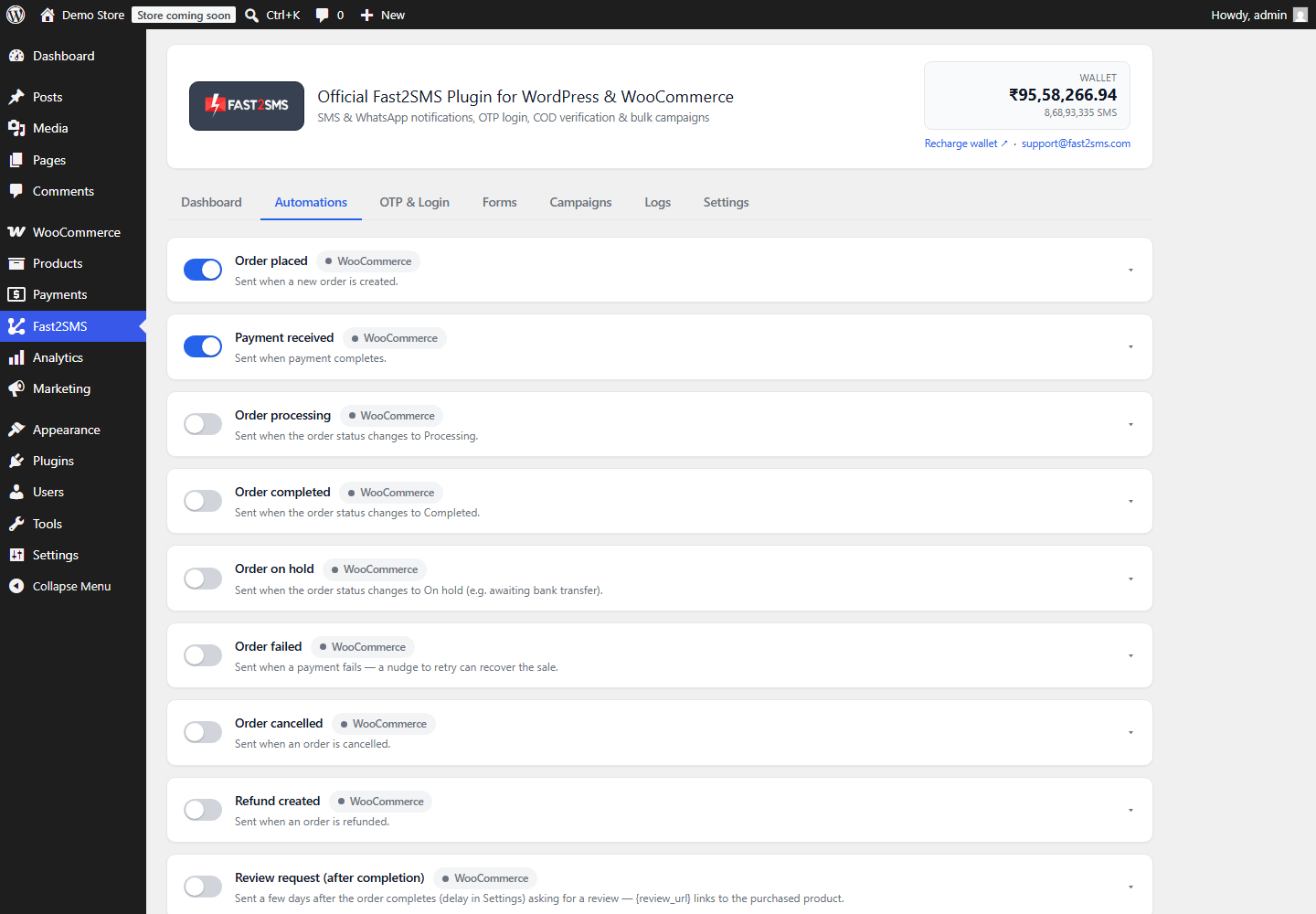
For each event:
- Flip the toggle and choose WhatsApp as the channel (or Both, to send SMS too).
- Click Fetch templates from Fast2SMS. Your approved WhatsApp templates load automatically.
- Map the template variables to order data like {name}, {order_id}, {amount} and {payment_method}.
- Check the live phone preview, send a test message to your own number, and save.
Send the invoice or an offer image on WhatsApp
WhatsApp templates can have a media header. The plugin supports them fully:
- Document header: attach a PDF invoice through a link. Order variables like {order_id} work inside both the link and the file name, so each customer gets their own invoice.
- Image header: perfect for offers, new arrivals, or abandoned cart reminders with a product photo.
Not sure which template category to use? Order updates fit WhatsApp utility templates, which also cost much less than marketing templates.
What does it cost?
The plugin is free. WhatsApp messages are billed to your own Fast2SMS wallet: utility and authentication messages cost INR 0.25 each, marketing messages INR 0.95. Failed messages are refunded automatically within 48 hours. There is no monthly fee and no setup fee. Full details are in the Fast2SMS WhatsApp Business API guide.
Track every message
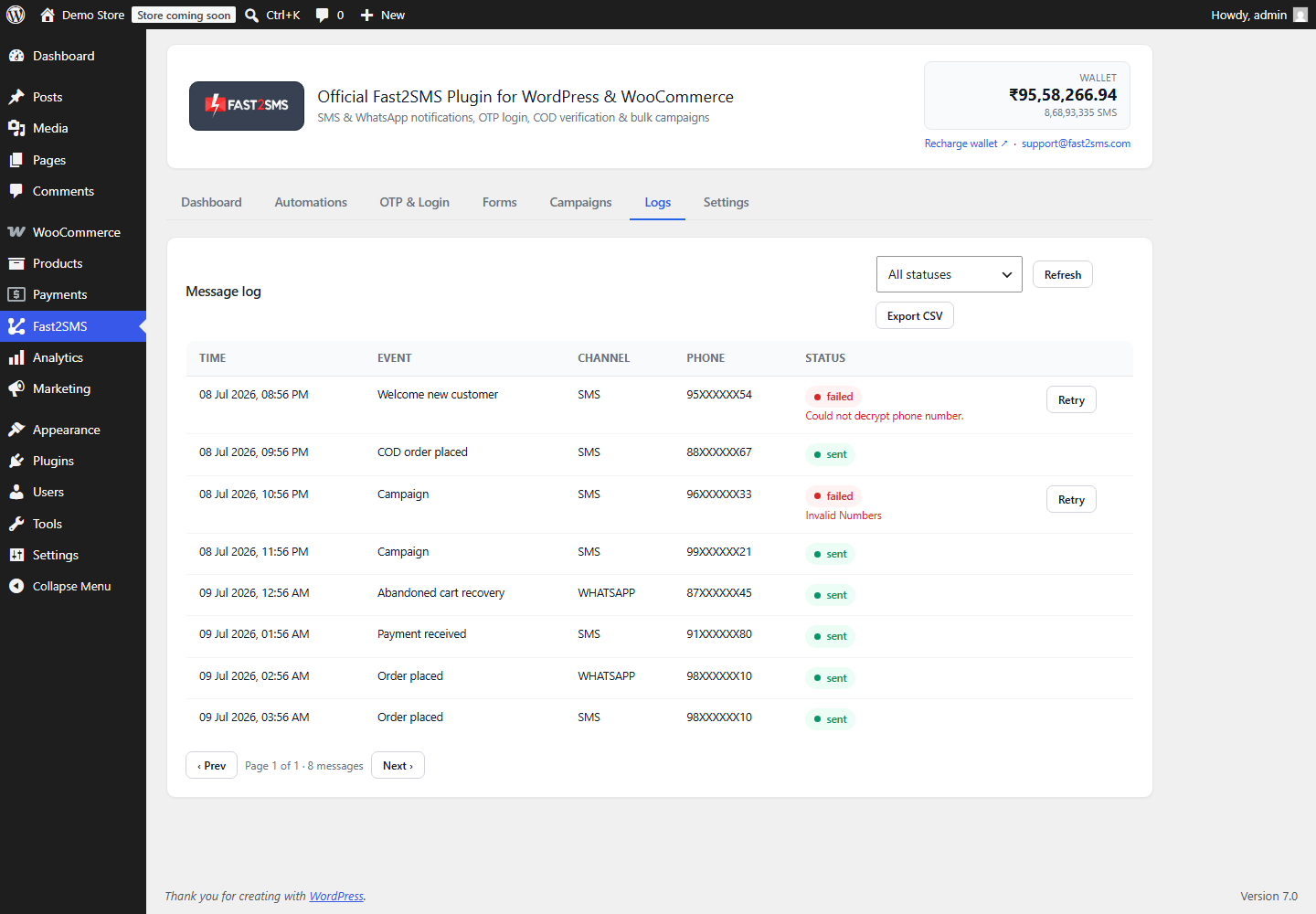
The Logs tab in the plugin shows each message with time, event, channel, and status. Failed messages show the exact reason and can be retried with one click. Full delivery reports stay in your own Fast2SMS panel, because messages go through your own account.
Frequently asked questions
Is the WhatsApp notification plugin free?
Yes. The plugin is free. You pay only for delivered WhatsApp messages from your own Fast2SMS wallet, starting at INR 0.25 per utility message.
Do I need the WhatsApp Business API?
Yes, but getting it through Fast2SMS is free and takes minutes. You can even keep using your existing WhatsApp Business app number alongside the API. See the WhatsApp Business API for WordPress guide.
Can I send SMS and WhatsApp together?
Yes. Every automation has a channel switch: SMS, WhatsApp, or Both. Many stores use WhatsApp as the main channel and SMS for backup. The combined SMS and WhatsApp guide covers this setup.
Do customers need to save my number?
No. WhatsApp template messages reach any customer who has WhatsApp, whether or not they saved your number.
What about customers who do not want messages?
The plugin includes a consent checkbox for checkout and a do-not-send list. Every notification respects them automatically.
Which numbers are supported?
Indian 10-digit mobile numbers only. Fast2SMS is an Indian service built for Indian businesses.
Start sending WhatsApp order updates
Install the free plugin from WordPress.org, create your free account at fast2sms.com, and your first WhatsApp order update can go out today. Want passwordless login too? Add OTP login for WooCommerce with the same plugin.
Questions? Write to [email protected].
More WooCommerce OTP, SMS and WhatsApp guides
- WooCommerce OTP plugin: 110 FAQs
- WooCommerce checkout OTP verification
- WooCommerce login with mobile number
- Phone number verification at registration
- WooCommerce WhatsApp OTP login
- WooCommerce COD OTP verification
- WooCommerce OTP not received: fixes
- WooCommerce OTP cost
- Best WooCommerce OTP plugins compared
- Free mobile login plugin alternative
- WooCommerce WhatsApp plugin: 100+ FAQs
- WooCommerce SMS notification plugin: 100+ FAQs
- Order status SMS and WhatsApp
- COD to prepaid and pending payment reminders
- Abandoned cart recovery on WhatsApp and SMS
- Back in stock notifier
- WooCommerce SMS marketing campaigns
- Best WooCommerce SMS and WhatsApp plugins
- Twilio SMS alternative for India
- WooCommerce OTP plugin guide in Hindi
High volume? Rates are negotiable: call sales on +91-6262778811, email [email protected] or book a free meeting with our team.