
Integrate OTP with Shopify: Complete Guide to OTP Login and Order Alerts
You want OTP on your Shopify store: customers logging in with their mobile number, and order alerts reaching them on SMS and WhatsApp. This guide covers the complete setup with the free official Fast2SMS app, from install to your first OTP login and your first order alert. No developer needed, no email to support to “activate integration”. Everything is self-serve and takes about fifteen minutes.
What OTP on Shopify actually means
Two different things, and this guide covers both:
- OTP login. Customers sign in to your storefront with their mobile number and a one time password, instead of a password they forgot.
- OTP and alert messages. Automatic SMS and WhatsApp messages for every order event: confirmations, delivery updates, COD checks, abandoned checkout reminders, even the invoice PDF.
What you need
- A Shopify store with Indian (+91) customers.
- A free Fast2SMS account and its API key (Dev API section).
- For SMS: approved DLT templates. Fast2SMS gives free DLT support to set this up.
- For WhatsApp: a connected WhatsApp Business number, free with no monthly fee.
- The free Fast2SMS app from the Shopify App Store.
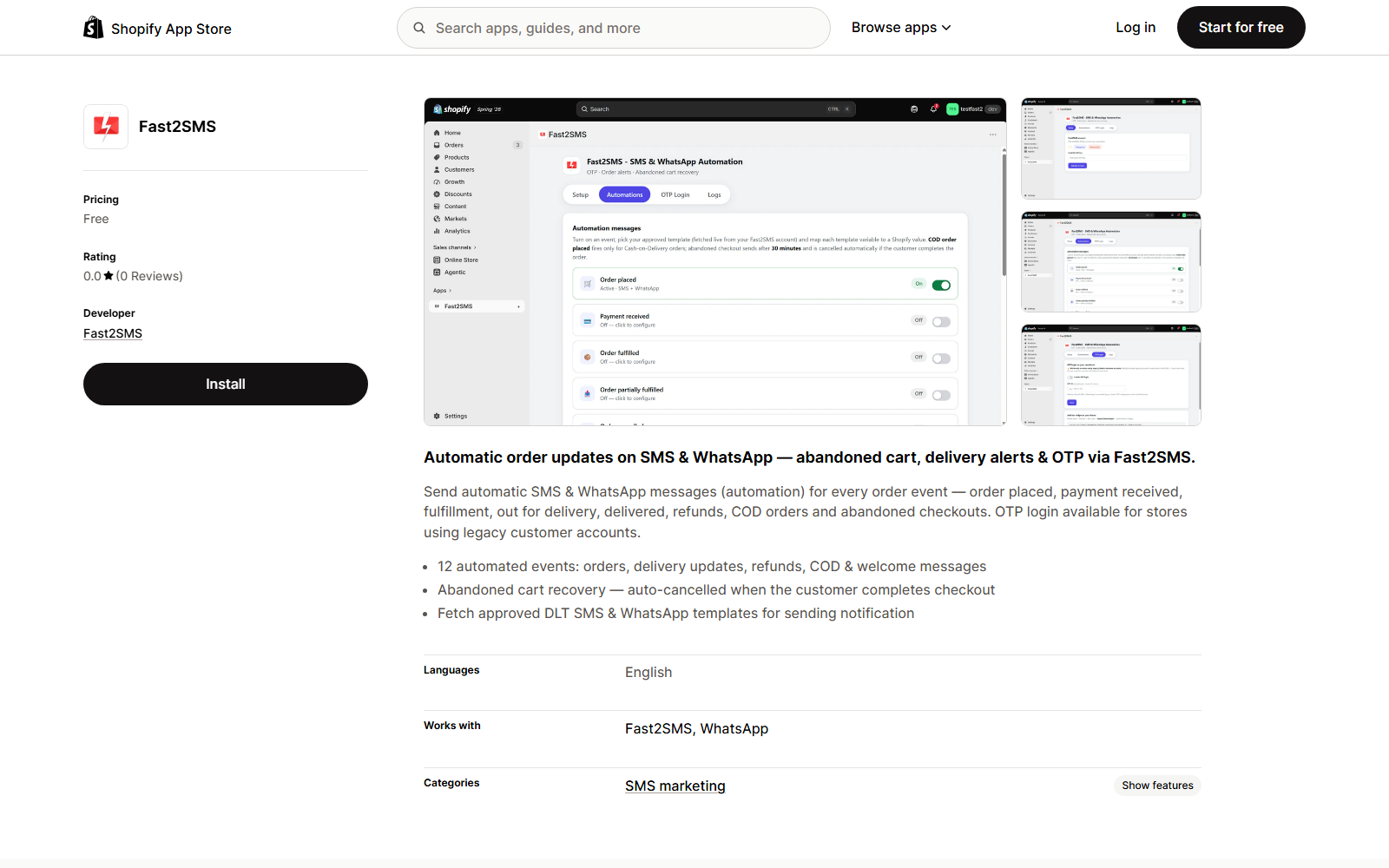
Step 1: Install the app and connect your account
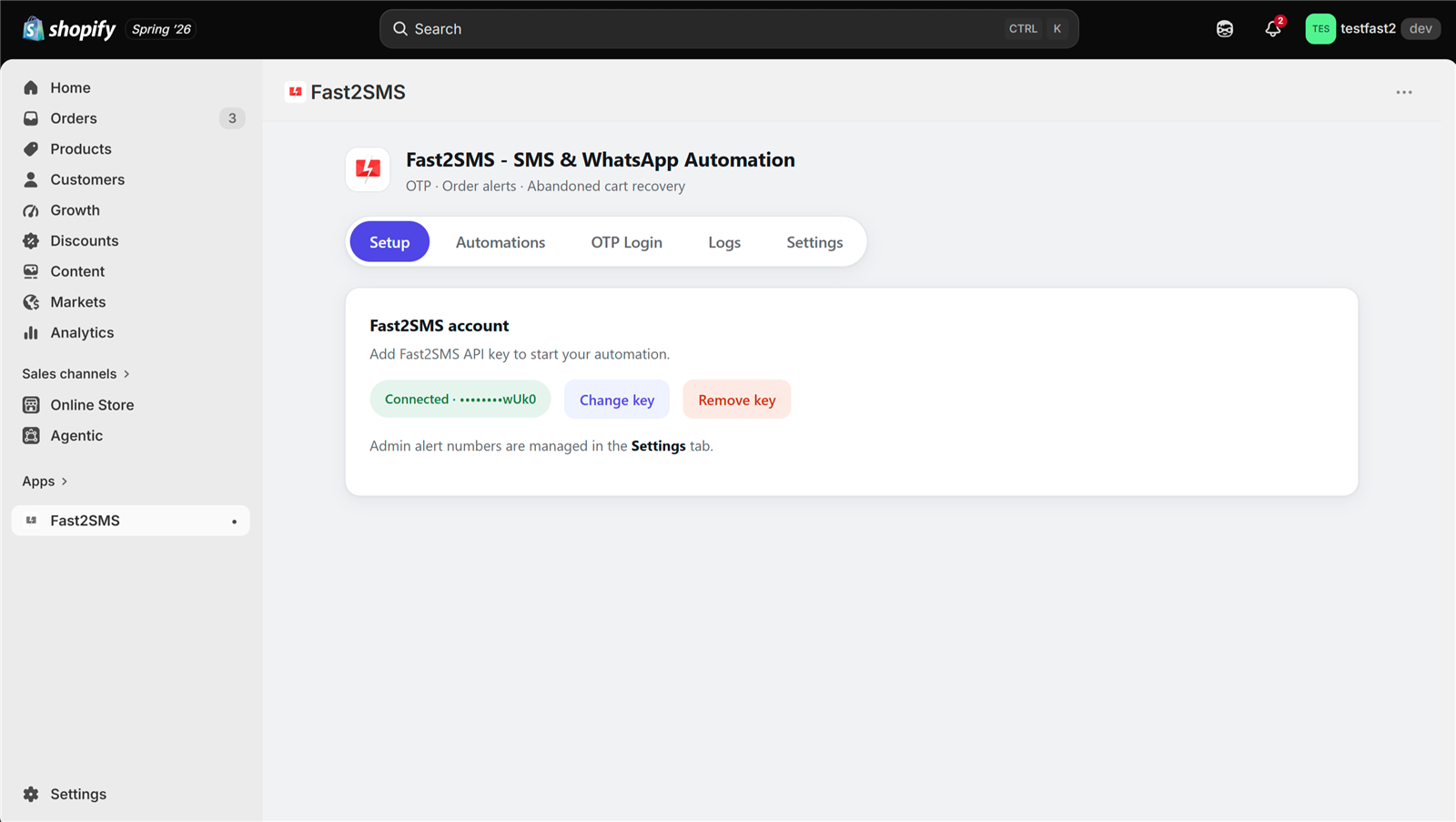
Install from the App Store, open the app in your Shopify admin, paste your Fast2SMS API key on the Setup tab and click Validate & Save. The key is checked live against your account and stored encrypted.
Step 2: Set up OTP login on your storefront
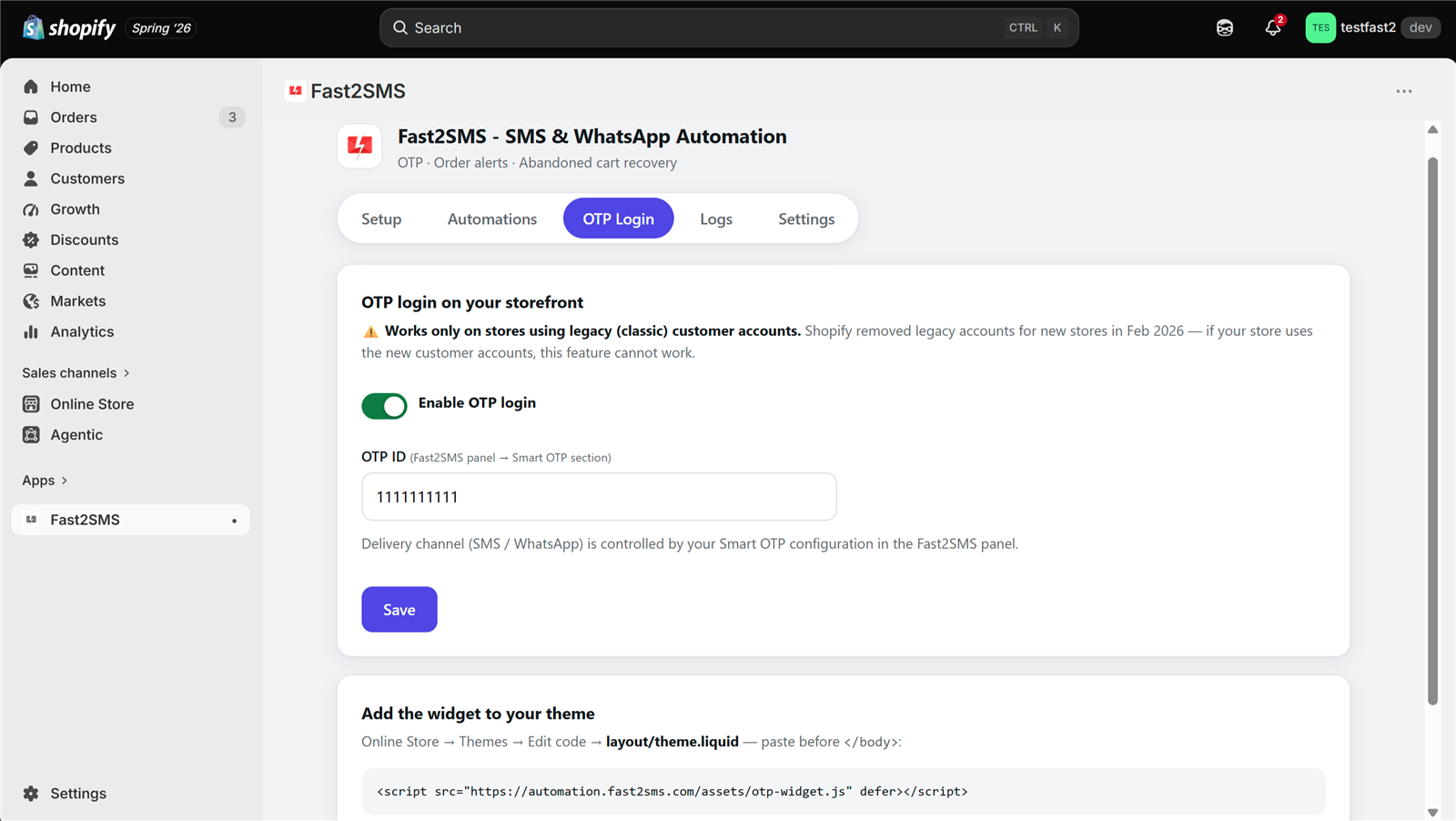
First, one honest note that most guides skip: Shopify OTP login works on stores using legacy (classic) customer accounts. Shopify’s newer customer accounts do not let apps change the login form. If your store is on legacy accounts, or you switch to them under Settings → Customer accounts, OTP login works fully.
The setup:
- Create an OTP ID at Fast2SMS. In your panel, open the Smart OTP section and add an OTP template. Pick the primary channel, SMS or WhatsApp, and optionally a fallback on the other channel. This one setting decides how your Shopify OTPs are delivered. The Smart OTP walkthrough shows every screen.
- Open the OTP Login tab in the Shopify app, switch on Enable OTP login, and paste your OTP ID.
- Add the widget to your theme. Copy the one-line snippet shown in the app into your theme’s layout file (Online Store → Themes → Edit code → theme.liquid, paste before </body>). This is copy-paste, not coding.
- Save. Your login page now offers Login with OTP.
What your customer sees
On the login page, the customer enters their 10-digit mobile number and taps Send OTP. The code arrives on SMS or WhatsApp, whichever your OTP ID is set to, with automatic fallback if the first channel fails. They type the code and they are in. No password, no reset emails.
Step 3: Turn on order alerts (SMS and WhatsApp)
OTP login is half the story. The same app sends automatic alert messages for the entire order journey. Open the Automations tab:
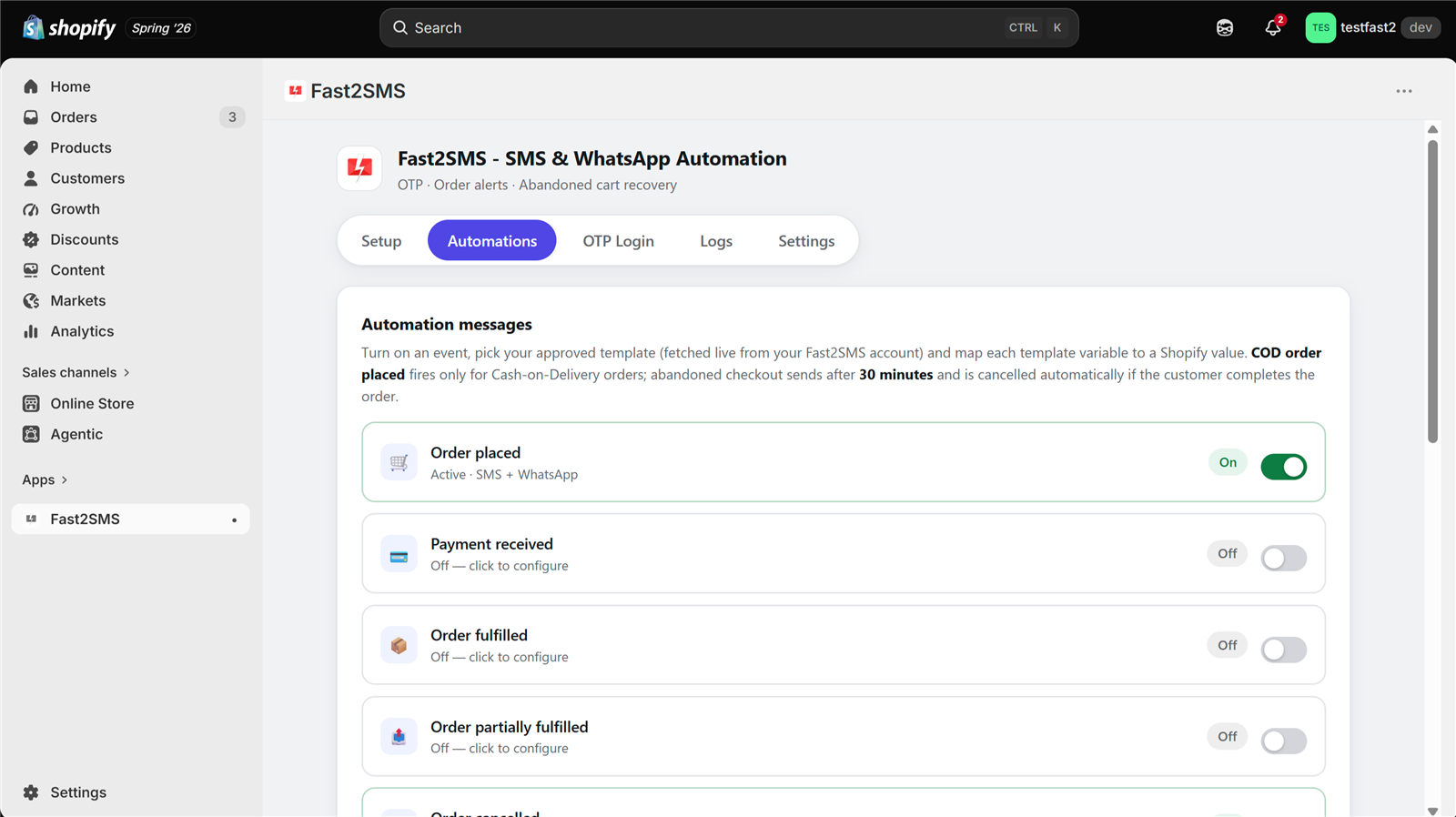
Twelve events cover everything a store needs:
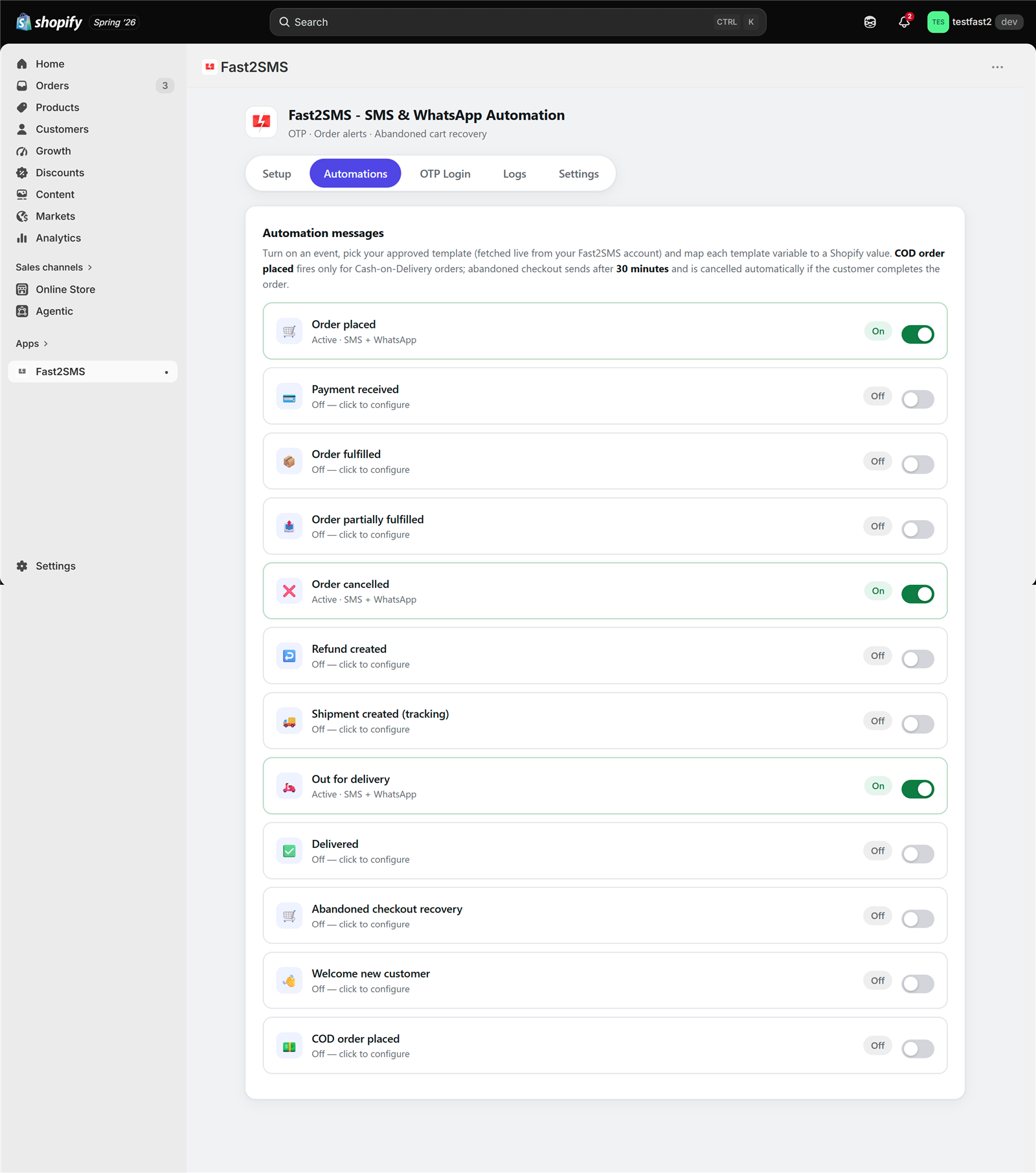
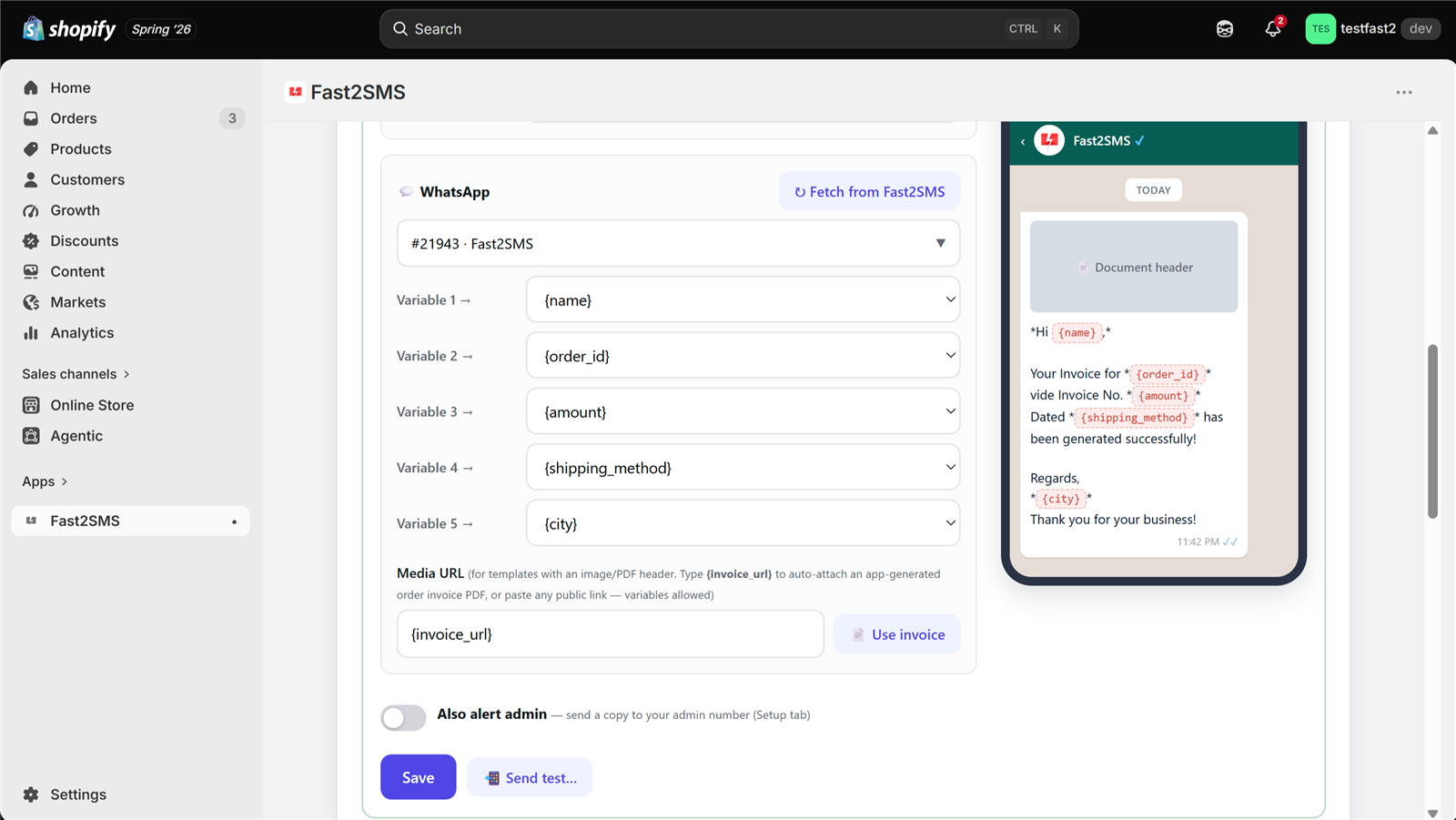
For each event you switch on: pick the channel, click Fetch from Fast2SMS to load your approved templates, map each variable to Shopify order data with a dropdown, and watch the live phone preview. Send a test to your own number before saving.
Three alert features deserve special mention:
- Invoice PDFs on WhatsApp. The app auto-generates a professional invoice for every order. Details in the invoice PDF guide.
- COD alerts. A separate event fires only for Cash on Delivery orders, and admin alerts reach up to 10 team numbers instantly. See how stores cut COD RTO.
- Abandoned checkout recovery. A reminder with the cart link, auto-cancelled if the customer completes the order. Full guide to abandoned cart recovery.
Step 4: Add your team’s alert numbers
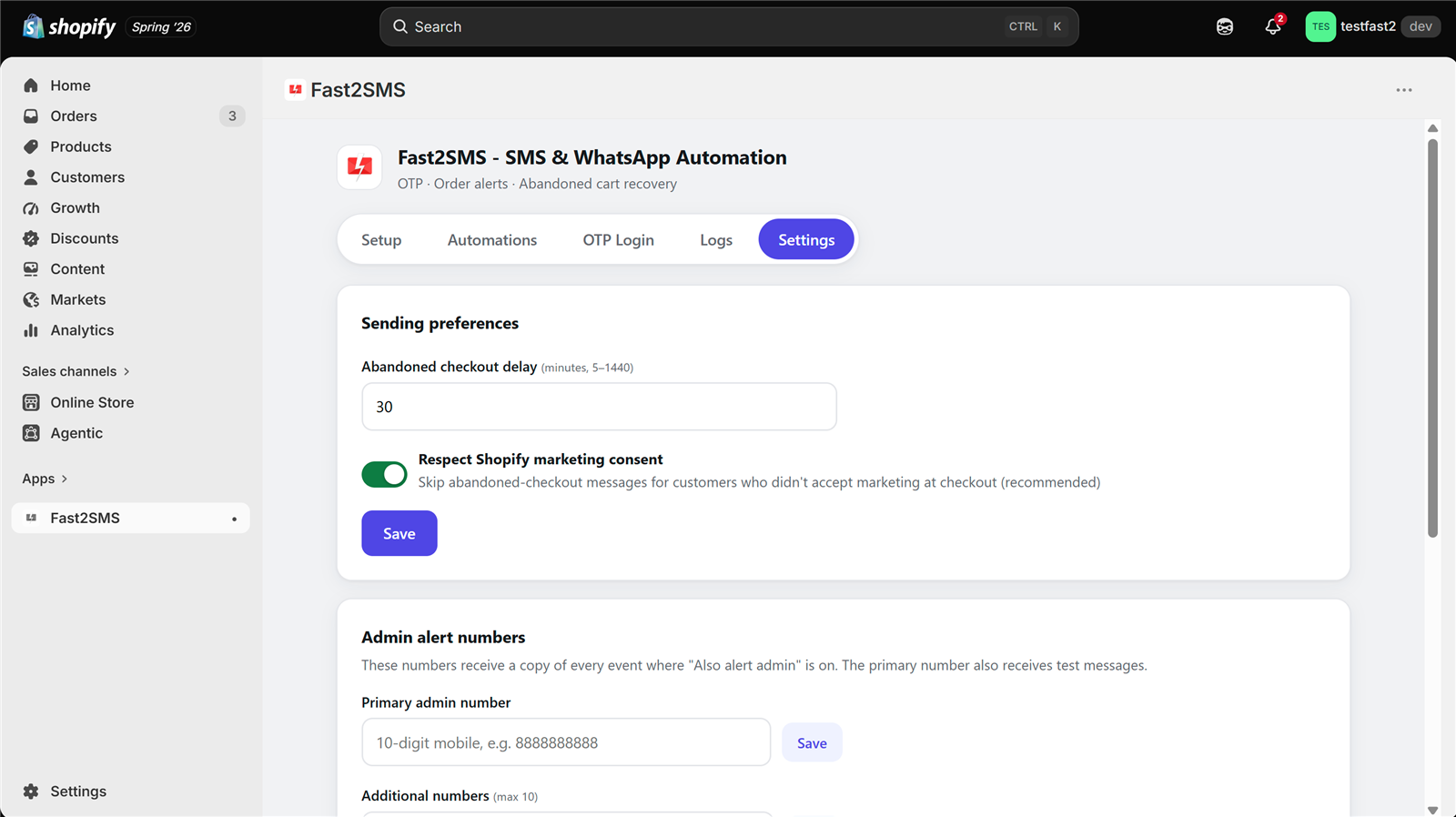
In Settings, add up to 10 admin numbers. Any automation with “Also alert admin” enabled sends a copy to all of them, so new orders and COD orders ping your phone the moment they happen. The opt-out list lives here too: numbers on it never receive marketing messages.
Step 5: Watch every message in Logs
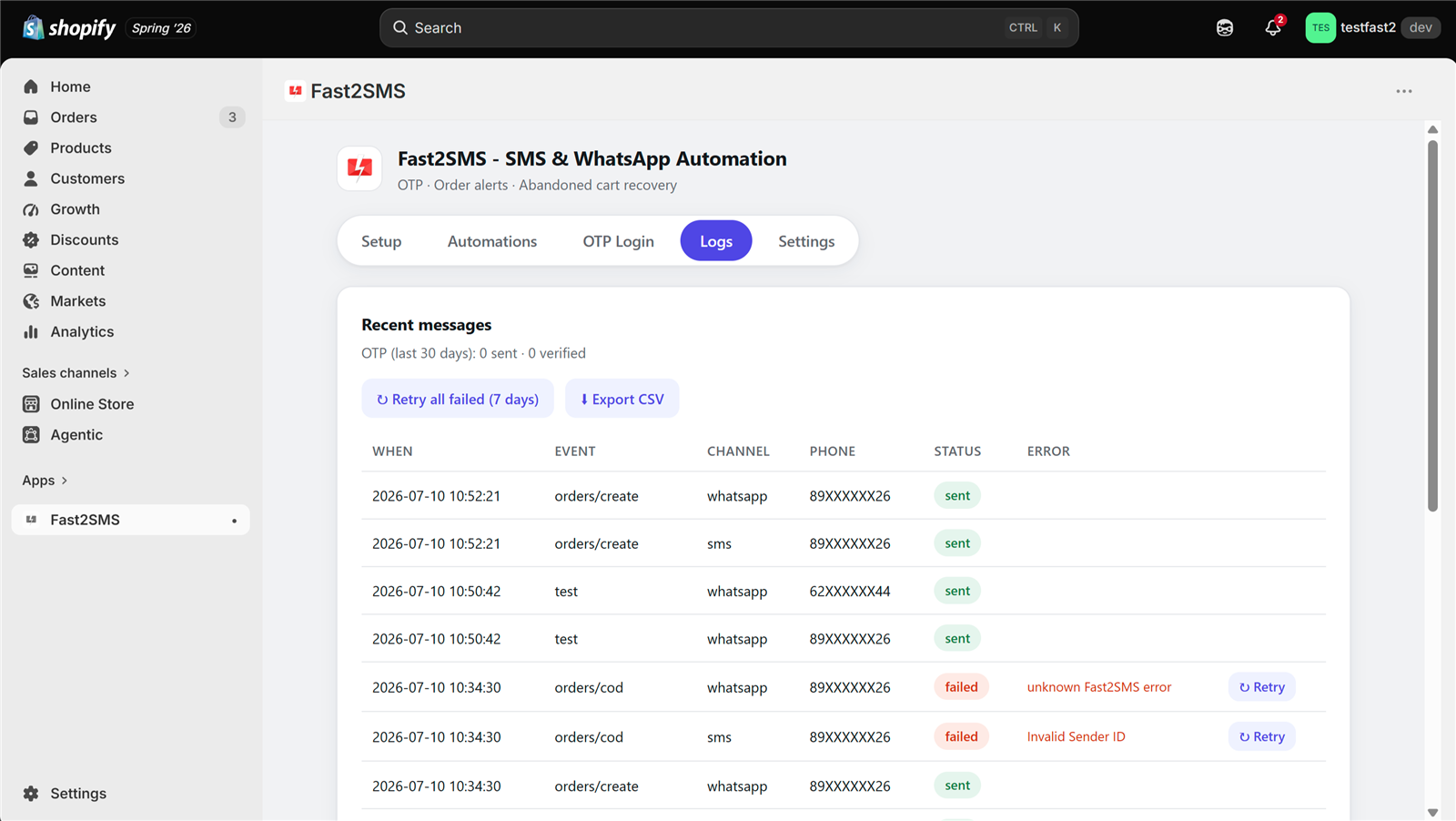
The Logs tab records every OTP and alert with time, event, channel, masked number and delivery status. Failed messages show the reason and retry with one click. Full delivery reports stay in your own Fast2SMS panel, because messages go through your own account.
What it all costs
- The app: free. No monthly fee, no trial that expires.
- OTPs and alerts: billed per message to your own Fast2SMS wallet. WhatsApp utility and authentication messages cost INR 0.25; SMS goes at your DLT bulk rate. Failed WhatsApp messages are refunded automatically.
- WhatsApp API access: free, including using your existing WhatsApp Business app number.
There is no platform markup, because the app is built by Fast2SMS itself, not a third party reselling routes.
Frequently asked questions
How do I integrate OTP with Shopify?
Install the free Fast2SMS app, paste your API key, create an OTP ID in the Fast2SMS panel, enable OTP login in the app, and paste the one-line widget snippet into your theme. The whole integration is self-serve and takes about fifteen minutes.
Does OTP login work on every Shopify store?
It works on stores using legacy (classic) customer accounts, because Shopify’s newer account pages do not allow login form changes by any app. Order alerts, COD messages and abandoned cart recovery work on every store regardless.
Can OTPs go on WhatsApp instead of SMS?
Yes. The OTP ID you create at Fast2SMS decides the channel: SMS, WhatsApp, or one as primary with the other as automatic fallback.
Do I need DLT registration?
For SMS in India, yes, it is a TRAI rule. Fast2SMS DLT support handles it free. WhatsApp messages need Meta template approval instead, no DLT.
Do I need a developer?
No. The only technical step is pasting one line into theme.liquid for the OTP widget, and the app shows you exactly where.
What about order alerts without OTP login?
Completely independent. Skip OTP login and still use all 12 alert events, COD messages, abandoned cart recovery and invoice PDFs. The full app guide covers everything.
More Shopify SMS and WhatsApp guides
- Free SMS and WhatsApp app for Shopify: 100+ FAQs
- Shopify SMS alerts with DLT: 100+ FAQs
- 12 Shopify order events: what to send at each step
- Shopify DLT SMS templates (copy-paste)
- Shopify WhatsApp message templates (copy-paste)
- Bulk SMS and WhatsApp campaigns for Shopify customers
- Shopify COD verification methods compared
- Best SMS and WhatsApp apps for Shopify India
- Shopify SMS and WhatsApp cost
- Shopify app FAQ in Hindi
Set it up today
Install the free app, connect your account, and your store gets OTP login plus SMS and WhatsApp alerts before your next order arrives.
Questions? Write to [email protected].