
WhatsApp OTP Verification API
As you know Fast2SMS has introduced its new feature Smart OTP, in which OTP messages are sent via a dedicated route to ensure faster delivery. In the earlier article, we have discussed about the process of sending OTP with Whatsapp as fallback medium and SMS as the primary mode. In this post, we will guide you to send Smart OTP messages with SMS as fallback and Whatsapp as Primary source. So, let’s continue reading!
Click here to send multi channel OTP with Whatsapp as fallback

Whatsapp OTP sending process with SMS as fallback
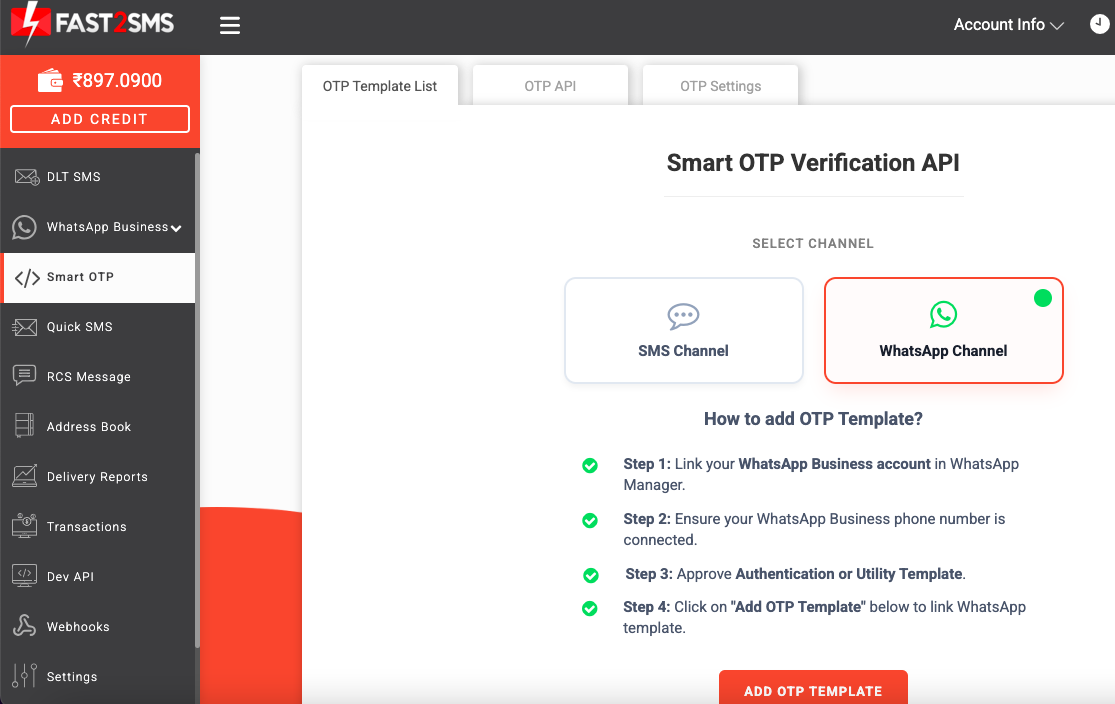
1. Login to your Fast2SMS account and select Smart OTP tab. The following screen will appear. Make sure you have completed the previous steps of Linking your WhatsApp Business account in WhatsApp Manager and connecting your Whatsapp business number with it. Also, make sure you have gotten approval of authentication or utility template. Once all the steps are done, click on the ‘Add OTP Template’ tab.
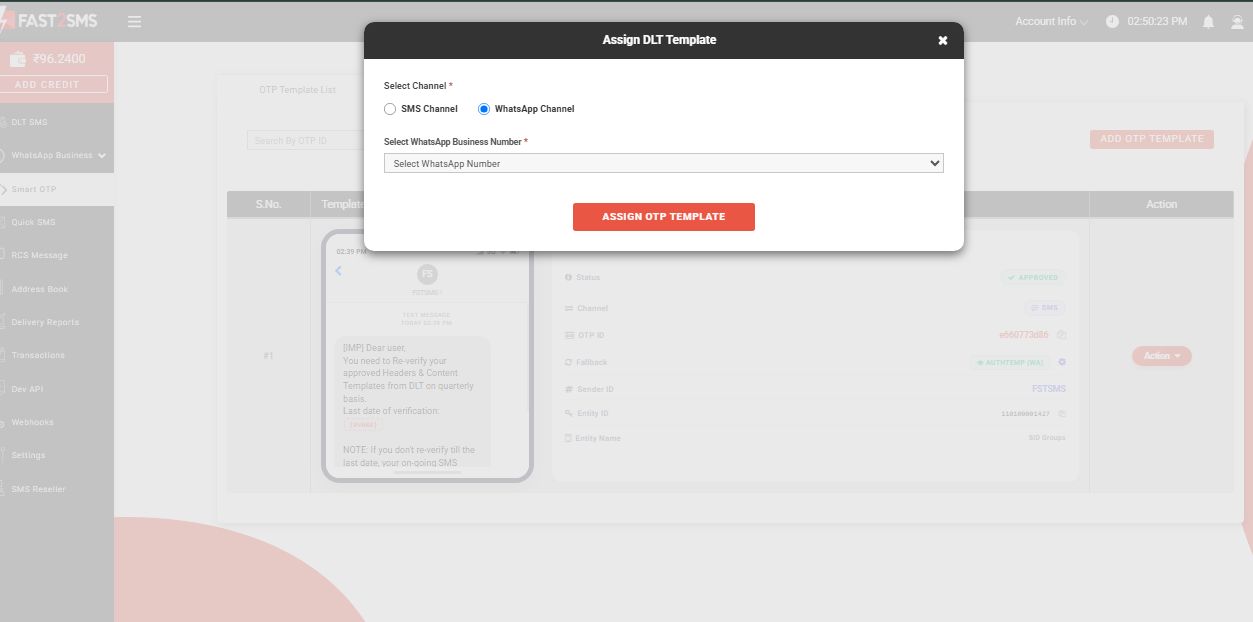
2. Once you click on the tab, the following pop-up box will appear as shown below. Here, we have selected Whatsapp as our primary channel. Click on the Select Whatsapp Business Number drop down menu, your Whatsapp Business number will be displayed that you have added into your Fast2SMS account.
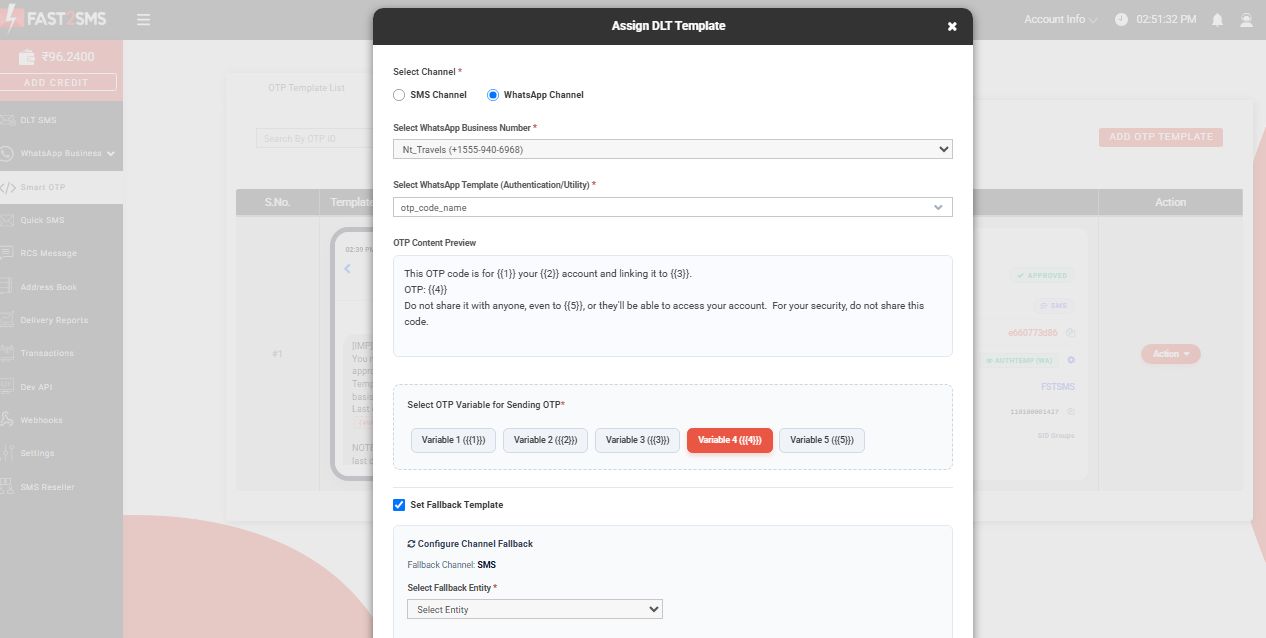
3. Next, you need to select the Whatsapp Template, authentication or utility that you have added in Fast2SMS account. Your content preview will be visible on the OTP Content Preview field. In the next field ‘Select OTP Variable for sending OTP’, you need to choose where your OTP will be shown; in Variable 1, Variable 2, Variable 3, Variable 4 or Variable 5.
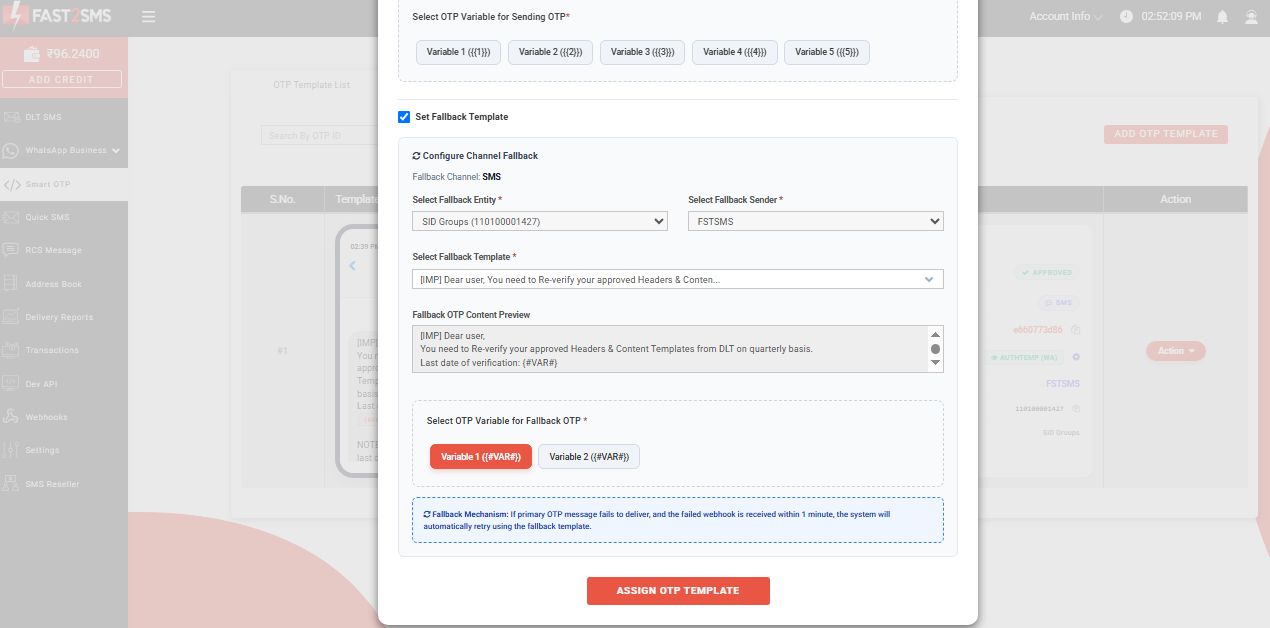
4. Click on the checkbox ‘Set Fallback Template’. After that select Fallback Entity and Fallback Sender ID from the drop down menu. After selecting the Variable, click on the tab ‘Assign OTP Template‘.
5. Once you click on the tab ‘Assign OTP Template‘, the following pop-up box will show. Enter mobile number and then select ‘Send OTP’.
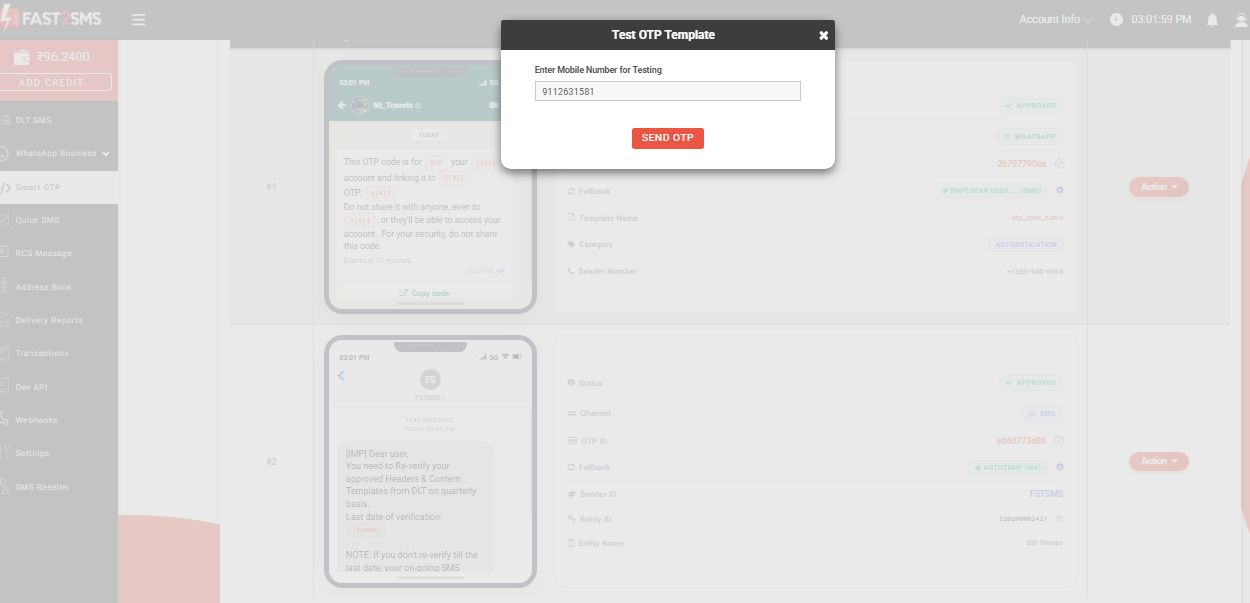
6. The following screen will appear.
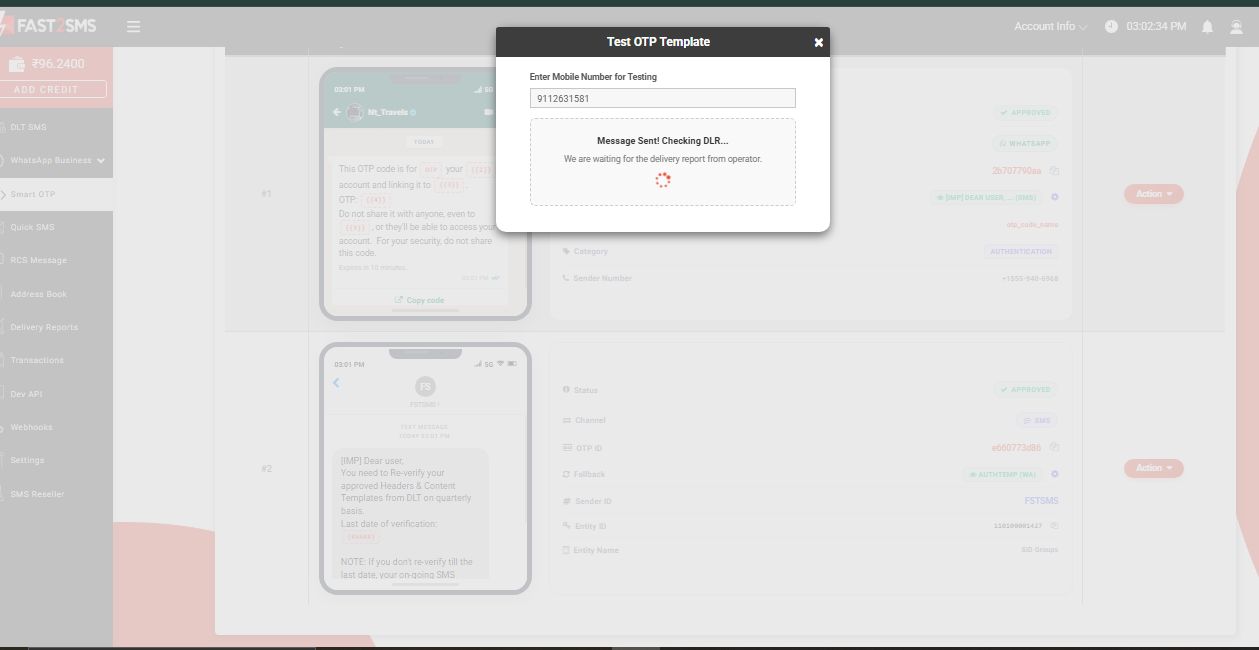
7. As you can see in the image below, your message has been sent successfully and the following details will appear.
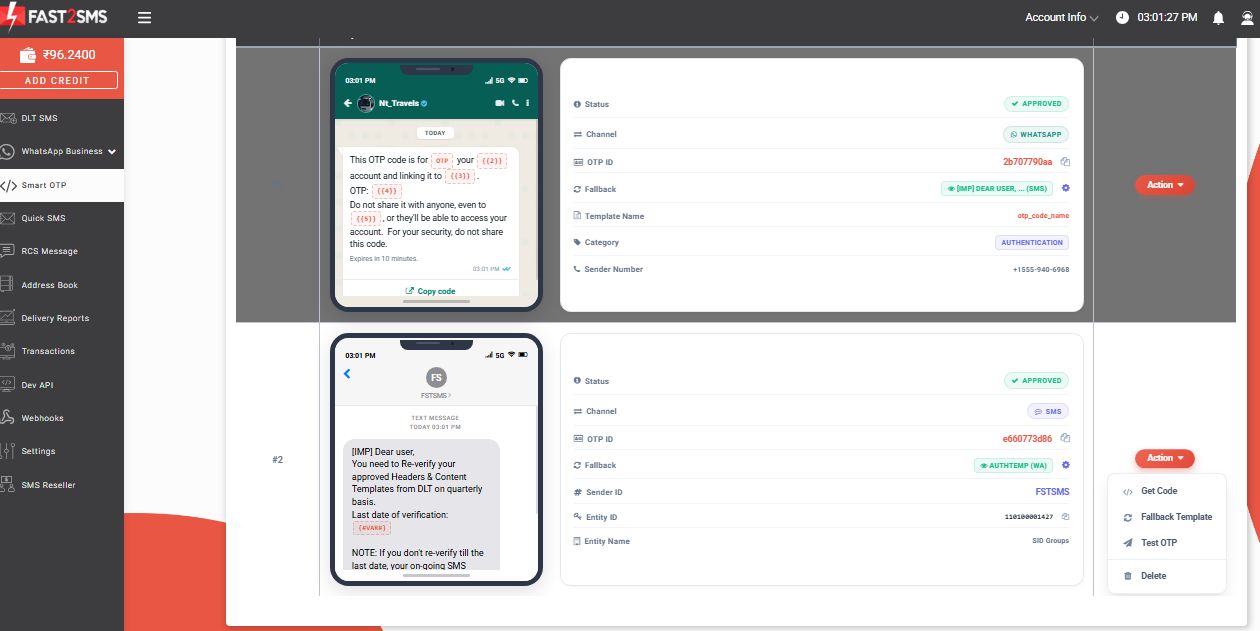
Note: If you are using SMS as your primary channel, price as per your DLT Bulk SMS plan will be deducted. Else, if you are using Whatsapp as your primary channel, price of INR 0.25 paisa will be deducted.
In the case of WhatsApp, if a message fails to deliver, the corresponding charge will be refunded as per the applicable policy. However, for SMS sent through DLT, charges are deducted on a submission basis and are not refundable.
Hope you have a clear understanding on how to send multi channel OTP messages with SMS as fallback and Whatsapp as Primary medium. Start exploring our Smart OTP feature to ensure smooth and hassle-free delivery without any interruption. Signup with Fast2SMS and take your communication journey to another level! Call or Whatsapp us at 6262778822 for more details. Visit fast2sms.com today!