
WordPress and WooCommerce: How to Send Notifications and OTP SMS (Free Plugin)
You run a WordPress site or a WooCommerce store, and you want two things: automatic notifications going out on SMS and WhatsApp, and OTP SMS protecting your logins, signups and orders. One free plugin does both. This is the complete guide, from install to your first OTP, with an honest look at what works on plain WordPress versus what needs WooCommerce.
Everything below is self-serve. You will not need to email anyone to “enable integration”, and you will not need a developer.
What you can send
Notifications: order placed, payment received, processing, completed, on hold, failed, cancelled, refunded, shipment note updates, review requests, abandoned cart reminders, welcome messages, and admin alerts to your own phone. Each one goes on SMS, WhatsApp, or both.
OTP SMS: login with OTP on your login forms, phone verification on registration, OTP checks on Contact Form 7, WPForms and Elementor forms, and OTP confirmation links for Cash on Delivery orders. OTPs can travel by SMS or WhatsApp with automatic fallback.
WordPress vs WooCommerce: what works where
The plugin runs on any WordPress site. WooCommerce simply unlocks the store features. Here is the exact split:
| Feature | Plain WordPress | With WooCommerce |
|---|---|---|
| OTP login (wp-login.php + shortcode) | Yes | Yes, plus My Account login |
| OTP on registration | Yes | Yes, both registration forms |
| OTP on Contact Form 7, WPForms, Elementor | Yes | Yes |
| Welcome message for new users | Yes | Yes |
| Form submission alerts to admin | Yes | Yes |
| Bulk SMS and WhatsApp campaigns | Yes, to all users or any list | Yes, plus all customers |
| Order notifications (all statuses) | – | Yes |
| COD verification with OTP link | – | Yes |
| Abandoned cart recovery | – | Yes |
| Review requests after delivery | – | Yes |
| Stock and new-order admin alerts | – | Yes |
| Invoice PDF on WhatsApp | – | Yes, auto-generated |
Install WooCommerce later and the locked features light up on their own. Nothing to reconfigure.
What you need
- A WordPress site (WordPress 5.8+, PHP 7.4+). WooCommerce optional.
- A free Fast2SMS account with your API key (Dev API section).
- For SMS: approved DLT templates, with free DLT support if you are new to this.
- For WhatsApp: a connected WhatsApp Business number, free with no monthly fee.
- Indian 10-digit mobile numbers. Fast2SMS is built for India.
Step 1: Install the free plugin
In your WordPress admin go to Plugins > Add New and search for Fast2SMS. Install the official plugin and activate it. That is it, the plugin is live on WordPress.org:
Step 2: Connect your Fast2SMS account
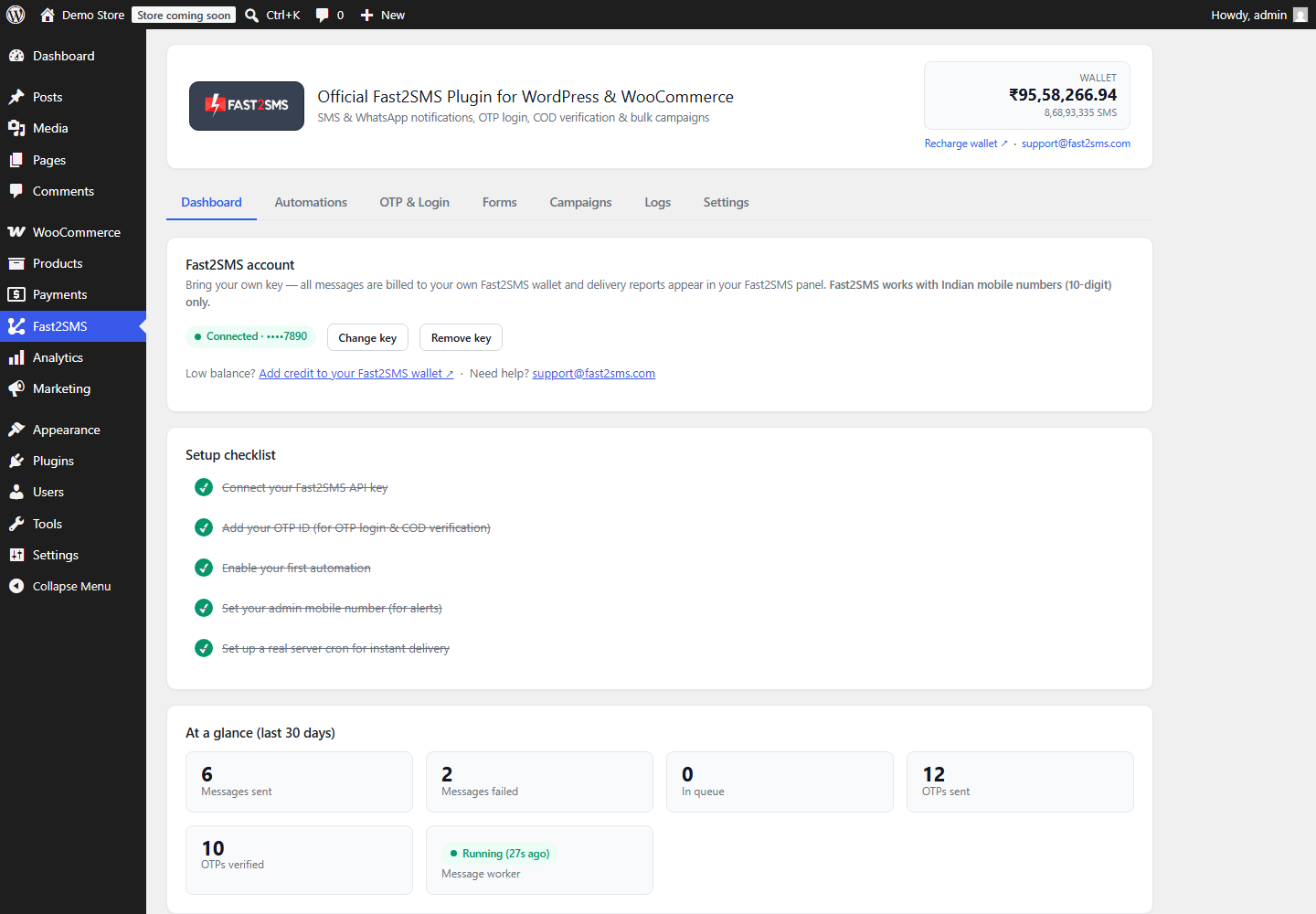
Open the Fast2SMS menu, paste your API key and click Validate & Save. The key is checked live and stored encrypted. Your wallet balance appears at the top and a setup checklist walks you through the rest.
Step 3: Turn on notifications
Open the Automations tab. Every event has its own card: flip the switch, choose SMS, WhatsApp or both, click Fetch templates from Fast2SMS, and your approved templates load into a dropdown. Map each variable to real data like {name}, {order_id} and {amount}, watch the live phone preview, and send a test to your own number before saving.
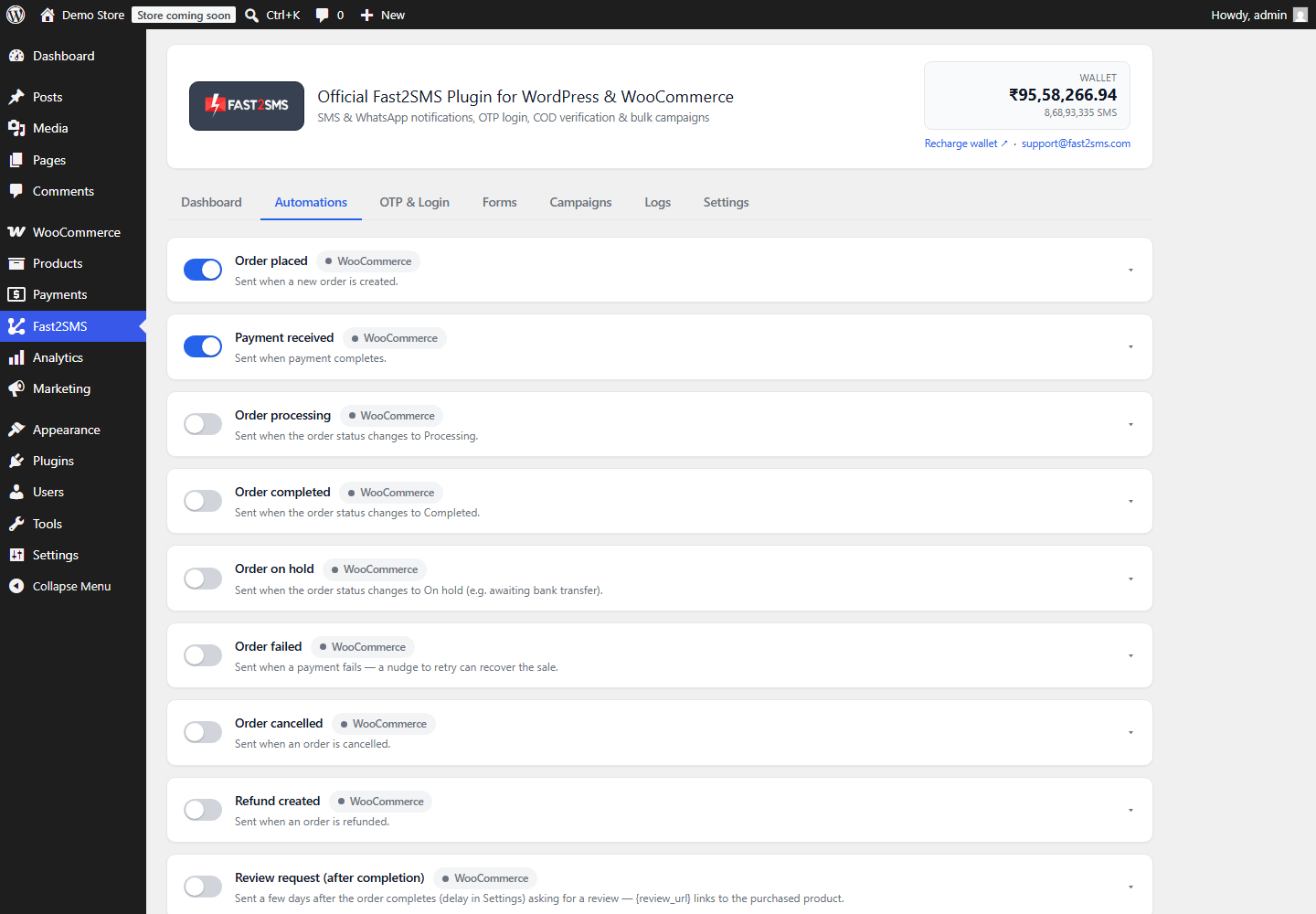
On WooCommerce stores, most owners start with Order placed, Payment received and Order completed. On plain WordPress, the welcome message and form alerts are the usual first switches. Full store walkthrough: WooCommerce order notifications guide.
Step 4: Turn on OTP SMS
Open the OTP & Login tab. Enter your OTP ID, created once in the Smart OTP section of your Fast2SMS panel. That OTP ID decides whether OTPs travel by SMS or WhatsApp, with automatic fallback to the other channel. Then flip the switches you want:
- Login with OTP on wp-login.php and the WooCommerce My Account page.
- Phone verification on registration.
- COD order verification (WooCommerce).
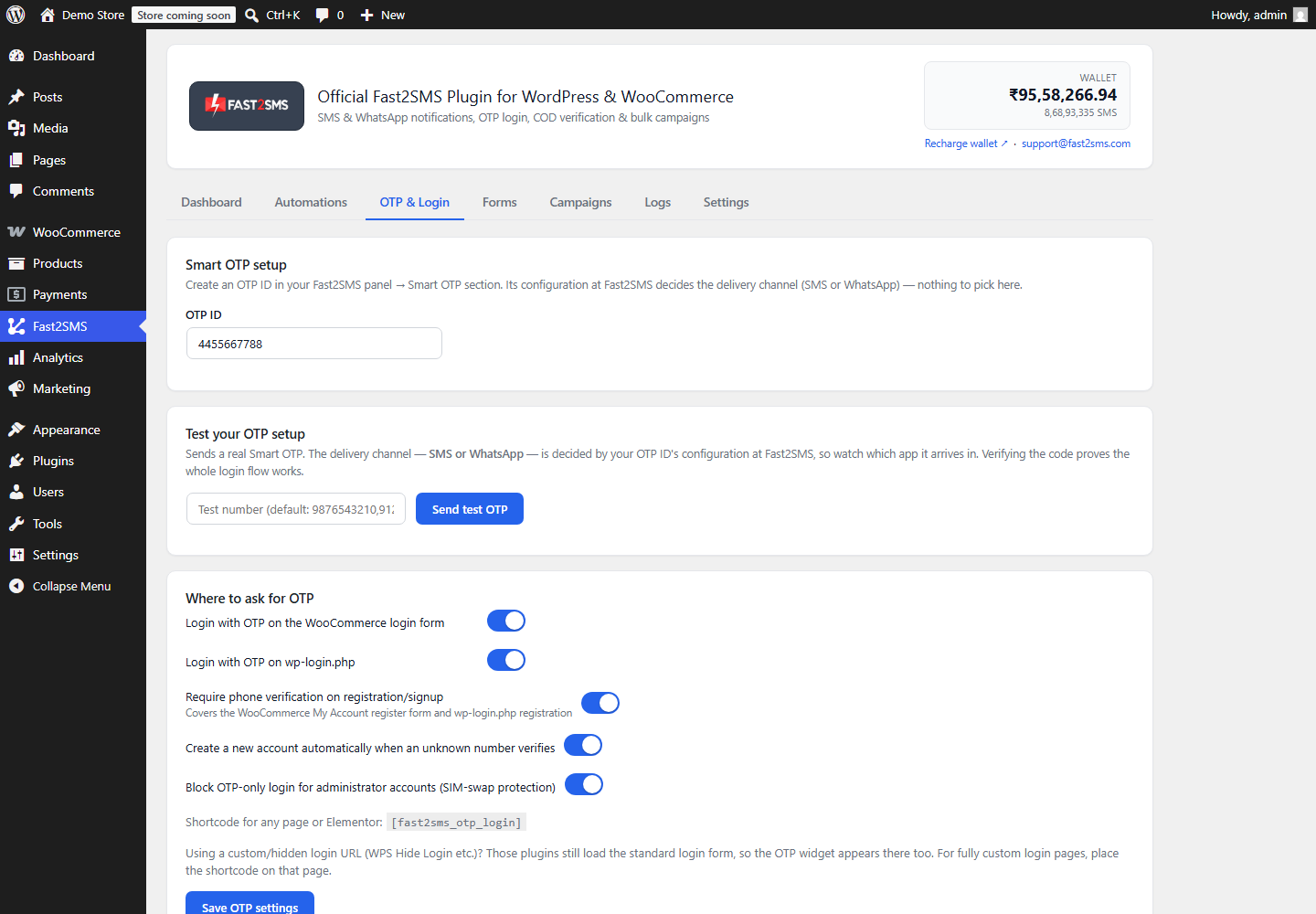
The built-in test card sends a real OTP to your own number and verifies it, proving the whole flow before any customer touches it.
What OTP login looks like to your users
A “Login with OTP” box appears below your normal login form. The user types their mobile number, receives the code, enters it, and they are in:
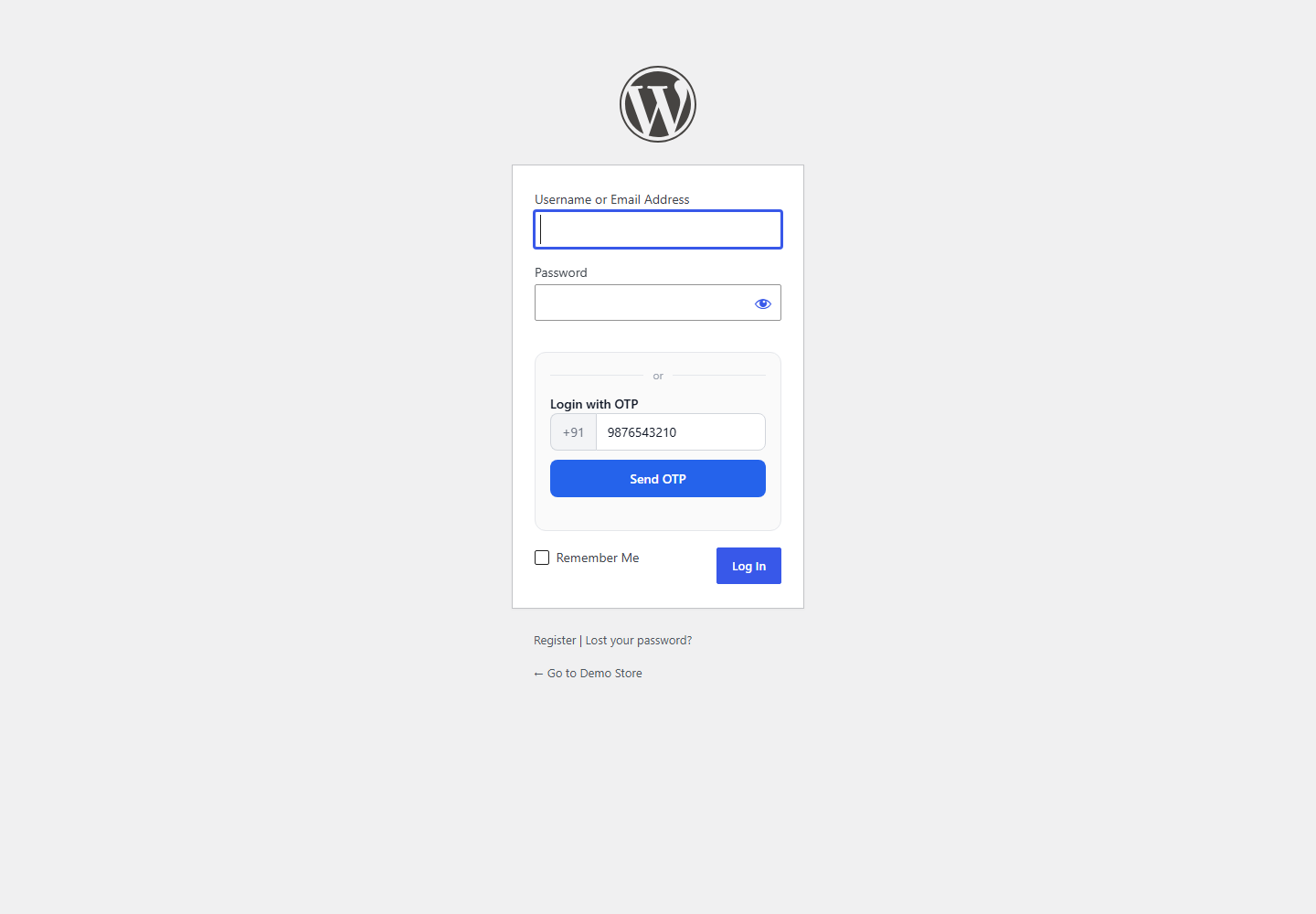
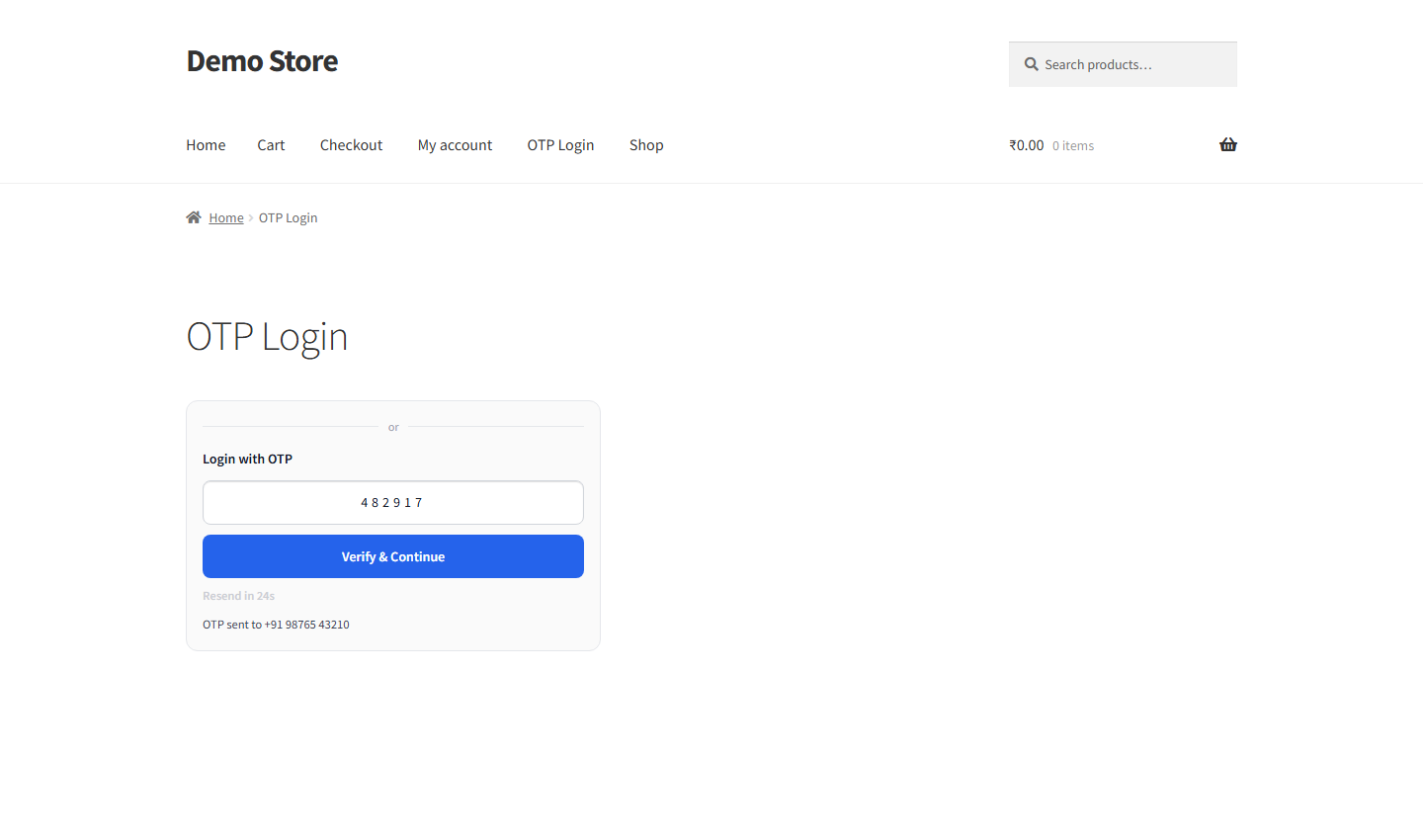
You can restyle the widget (theme, accent colour, corner radius, title) and place it on any page with the [fast2sms_otp_login] shortcode. Deep dives: OTP login for WordPress and OTP login for WooCommerce.
Step 5: OTP on your contact forms
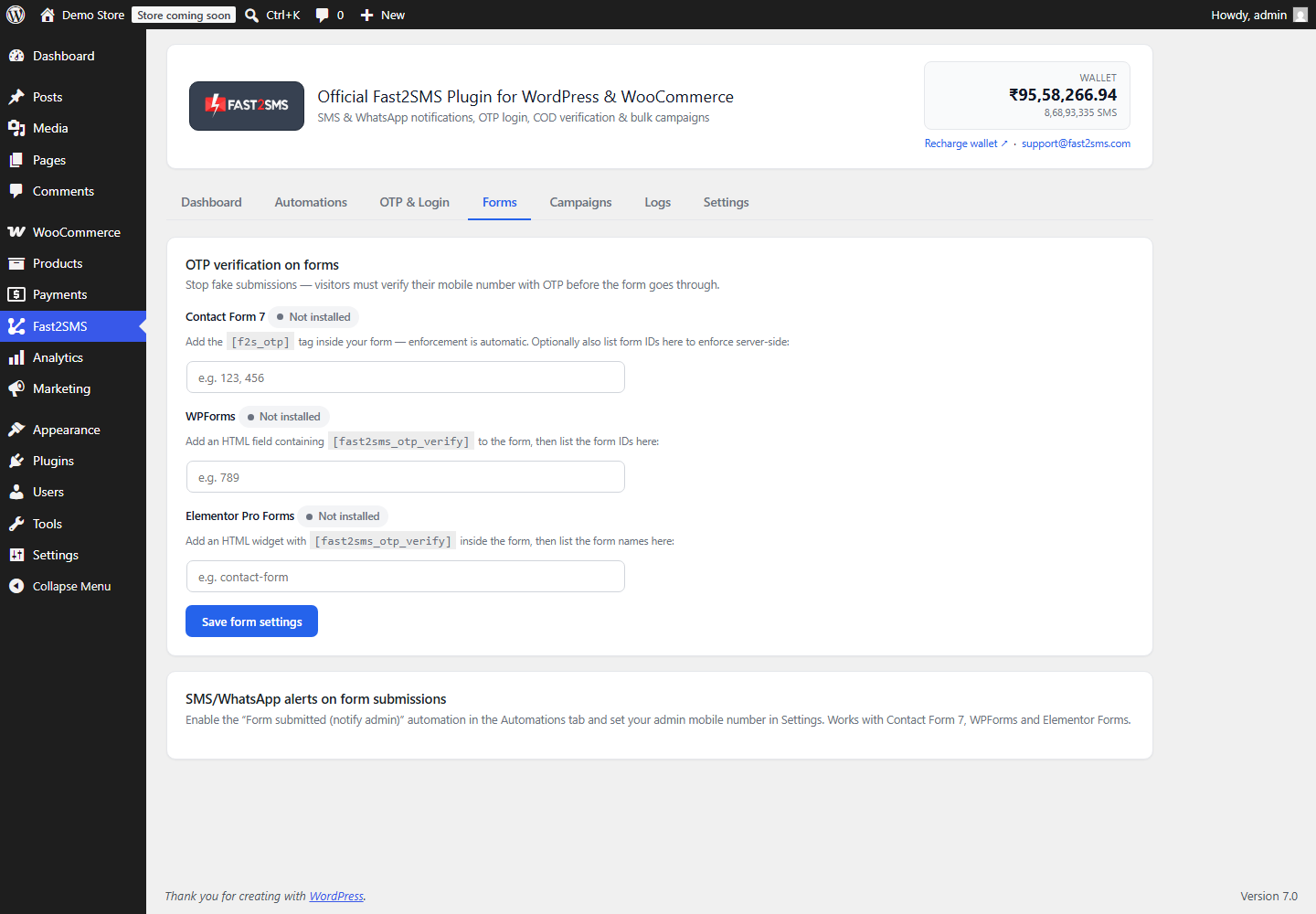
Stop fake enquiries by requiring a verified mobile number before a form submits. The Forms tab covers Contact Form 7, WPForms and Elementor Pro Forms, and can also send you an instant alert on every submission.
Step 6: Campaigns, logs and settings
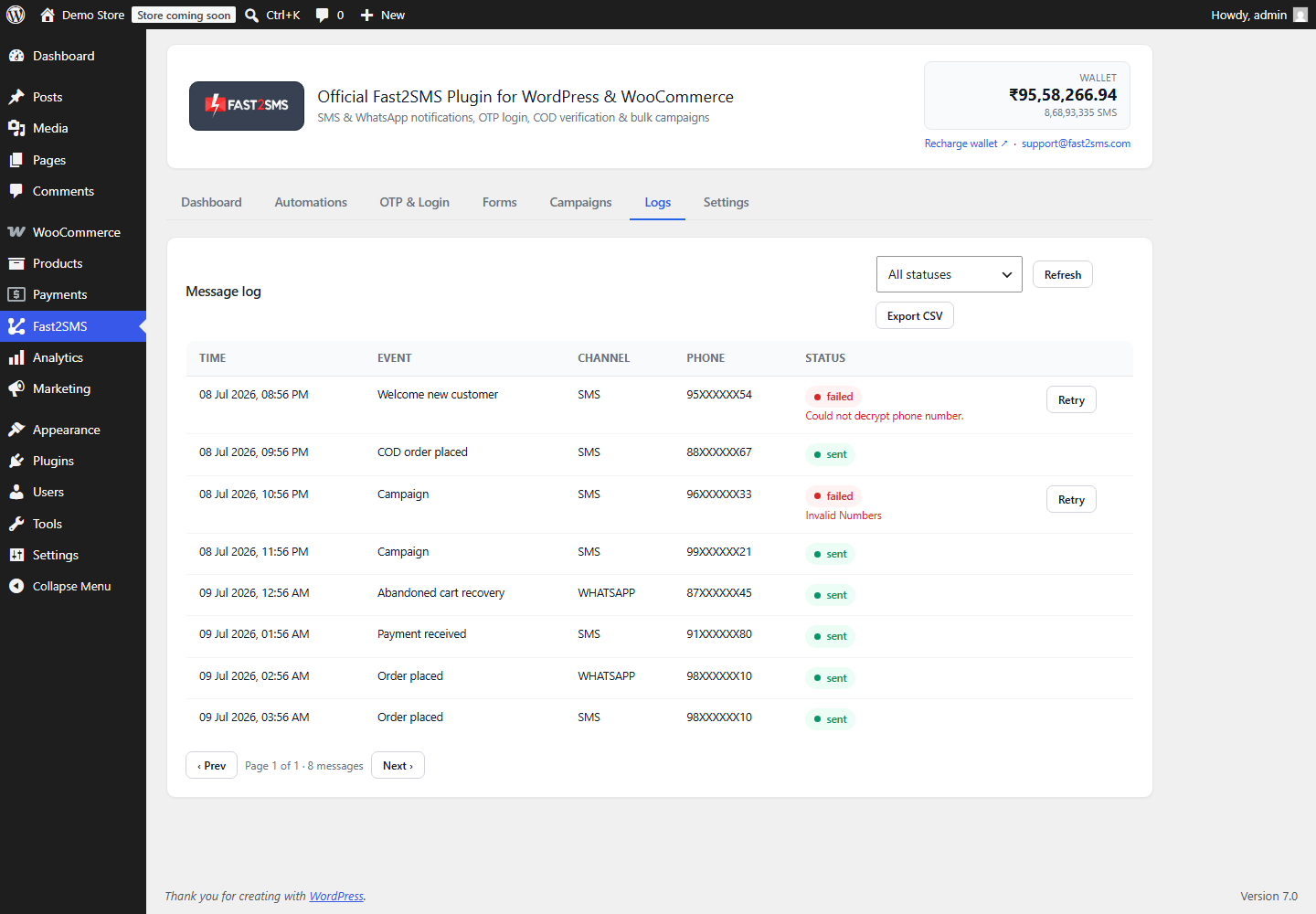
The Campaigns tab sends an approved template to all customers, all users, or any pasted list, now or scheduled. The Logs tab records every message with status and one-click retry for failures. Settings holds the consent checkbox, do-not-send list, admin alert numbers and data retention.
What it costs
The plugin is free, with no monthly fee and no per-site licence. Messages are billed to your own Fast2SMS wallet: SMS at your DLT bulk rate, WhatsApp utility and authentication messages at INR 0.25 with automatic refunds for failed deliveries. If you send nothing this month, you pay nothing this month.
Frequently asked questions
How do I send OTP SMS from WordPress?
Install the free Fast2SMS plugin, connect your API key, create an OTP ID in your Fast2SMS panel, and switch on OTP login or registration verification in the OTP & Login tab. The plugin handles sending, verifying, rate limits and resend cooldowns.
How do I send order notifications from WooCommerce?
Open the Automations tab, switch on an order event, pick your approved template, map the variables and save. Messages go out automatically within seconds of each order event.
Does this work without WooCommerce?
Yes. OTP login, registration OTP, form OTP, form alerts, welcome messages and bulk campaigns all run on plain WordPress. The comparison table above shows the exact split.
Is the plugin really free?
Yes. You pay only for the messages you send, from your own Fast2SMS wallet, at your account rates. There is no platform fee or markup.
Can notifications go on WhatsApp too?
Yes. Every automation has a channel switch: SMS, WhatsApp or both. WhatsApp templates support images and PDF attachments, including an auto-generated order invoice.
Can OTPs be delivered on WhatsApp?
Yes. Your OTP ID’s configuration at Fast2SMS decides the channel, and you can set SMS or WhatsApp as fallback so no OTP goes missing. See WhatsApp OTP for WordPress.
Do I need DLT registration?
For SMS in India, yes. It is a one-time TRAI requirement and Fast2SMS DLT support completes it with you free. WhatsApp needs no DLT. Start with the DLT guide for WordPress.
Will OTP login lock out my admin account?
No. By default administrator accounts cannot be opened with only an OTP, which blocks SIM-swap attacks. Admins keep using passwords.
What happens when an SMS fails?
It appears in the Logs tab with the exact error, and you can retry it with one click. Delivery reports also live in your own Fast2SMS panel.
How is customer data protected?
Phone numbers and your API key are encrypted at rest, numbers are masked in every screen, opted-out numbers are always respected, and old records purge automatically on a schedule you control.
Does checkout slow down when messages send?
No. Messages are queued and sent in the background, so checkout never waits for an SMS API.
I use Shopify too. Is there an app for that?
Yes, the same free approach exists for Shopify: see integrate OTP with Shopify. Deciding between platforms? Read Shopify vs WooCommerce.
Start sending today
Install the free plugin from WordPress.org, create your free Fast2SMS account, and both notifications and OTP SMS can be live on your site within the hour. The complete setup guide covers every tab in detail.
Install Free Plugin
Signup Now
Questions? Write to [email protected].
More WooCommerce OTP, SMS and WhatsApp guides
- WooCommerce OTP plugin: 110 FAQs
- WooCommerce checkout OTP verification
- WooCommerce login with mobile number
- Phone number verification at registration
- WooCommerce WhatsApp OTP login
- WooCommerce COD OTP verification
- WooCommerce OTP not received: fixes
- WooCommerce OTP cost
- Best WooCommerce OTP plugins compared
- Free mobile login plugin alternative
- WooCommerce WhatsApp plugin: 100+ FAQs
- WooCommerce SMS notification plugin: 100+ FAQs
- Order status SMS and WhatsApp
- COD to prepaid and pending payment reminders
- Abandoned cart recovery on WhatsApp and SMS
- Back in stock notifier
- WooCommerce SMS marketing campaigns
- Best WooCommerce SMS and WhatsApp plugins
- Twilio SMS alternative for India
- WooCommerce OTP plugin guide in Hindi
High volume? Rates are negotiable: call sales on +91-6262778811, email [email protected] or book a free meeting with our team.