
WooCommerce OTP Login: Free Mobile Number Login and Signup for Your Store
Most of your customers shop on their phones. Typing an email and password on a small screen is slow, and a forgotten password right before checkout can cost you the sale. OTP login removes that wall. The customer types their mobile number, gets a one time password by SMS or WhatsApp, and they are logged in to your store.
The free Fast2SMS plugin adds OTP login and OTP signup to any WooCommerce store. This guide shows the exact setup and what your customers will see.
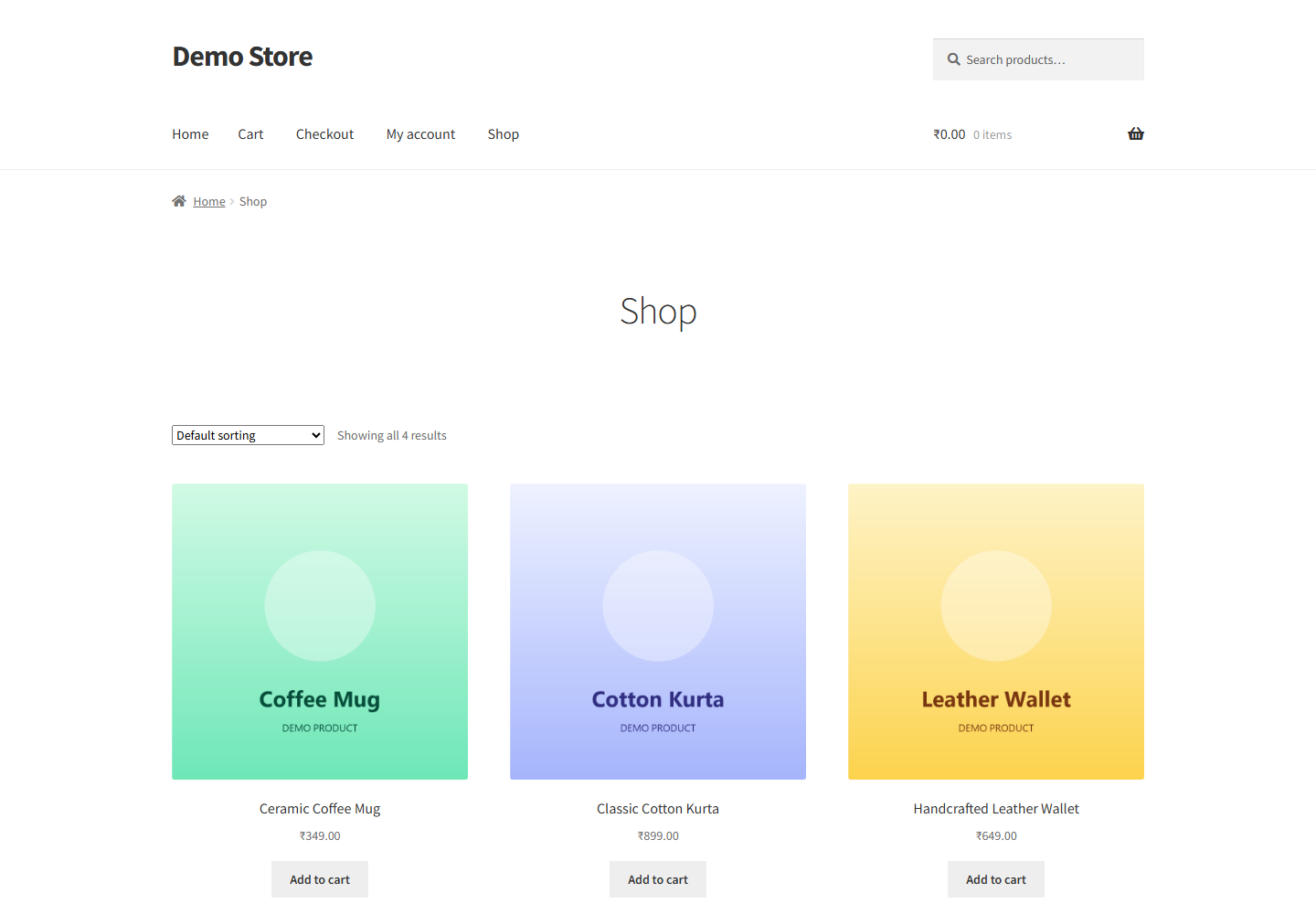
Why OTP login is a big deal for a store
- Fewer lost sales. No password reset emails standing between a customer and their order.
- More customer accounts. Signing up takes seconds, so more guests become account holders you can bring back.
- Every account has a verified mobile number. That is exactly what you need for SMS and WhatsApp order notifications, COD confirmation, and abandoned cart messages.
- Fewer fake and bot signups. A signup that needs a working mobile number keeps your customer list clean.
Is it free?
Yes. The Fast2SMS plugin is completely free. There is no monthly fee. You only pay for the OTP messages you send, from your Fast2SMS wallet, at normal rates. A quiet day with no logins costs you nothing.
What you need
- A WordPress site with WooCommerce active.
- A free Fast2SMS account and its API key.
- Customers with Indian mobile numbers. Fast2SMS works with Indian 10-digit numbers only.
Step 1: Install the free plugin
Install it from the official WordPress plugin directory. In your WordPress admin go to Plugins > Add New, search for Fast2SMS, click Install Now, and activate it. You can also get it from the official plugin page.
Step 2: Connect your Fast2SMS account
Copy your API key from the Dev API section of your Fast2SMS account and paste it into the plugin dashboard. The plugin shows your wallet balance when the key works. The full setup guide walks through this step with screenshots.
Step 3: Turn on OTP login for My Account
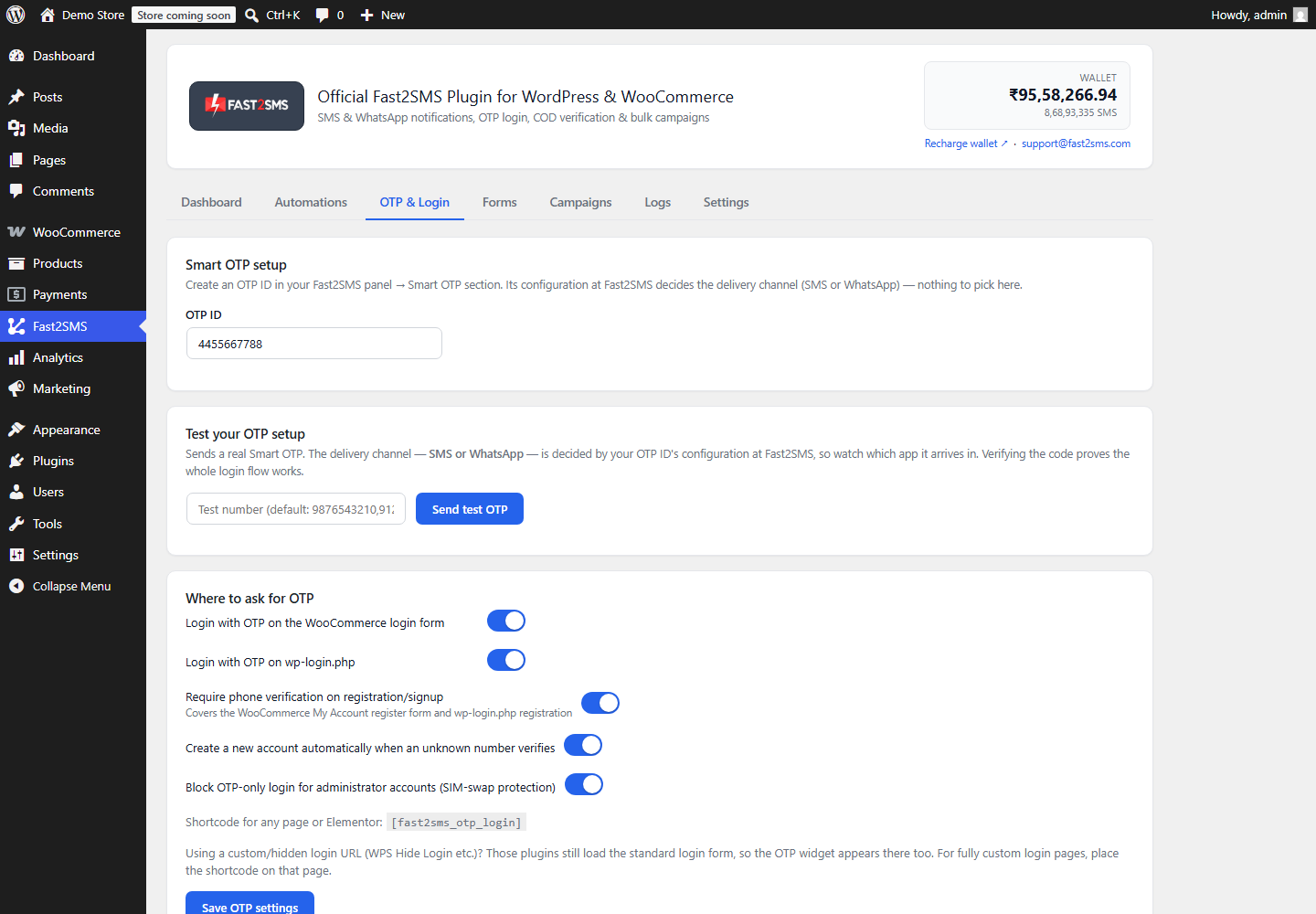
Open the OTP & Login tab and switch on Login with OTP on the WooCommerce My Account page. If you also want new customers to verify their number when they register, switch on OTP verification on registration too.
What your customers see
On the My Account page, a Login with OTP box appears right below the normal login form. On the registration side, a Verify your mobile number box appears before the Register button.
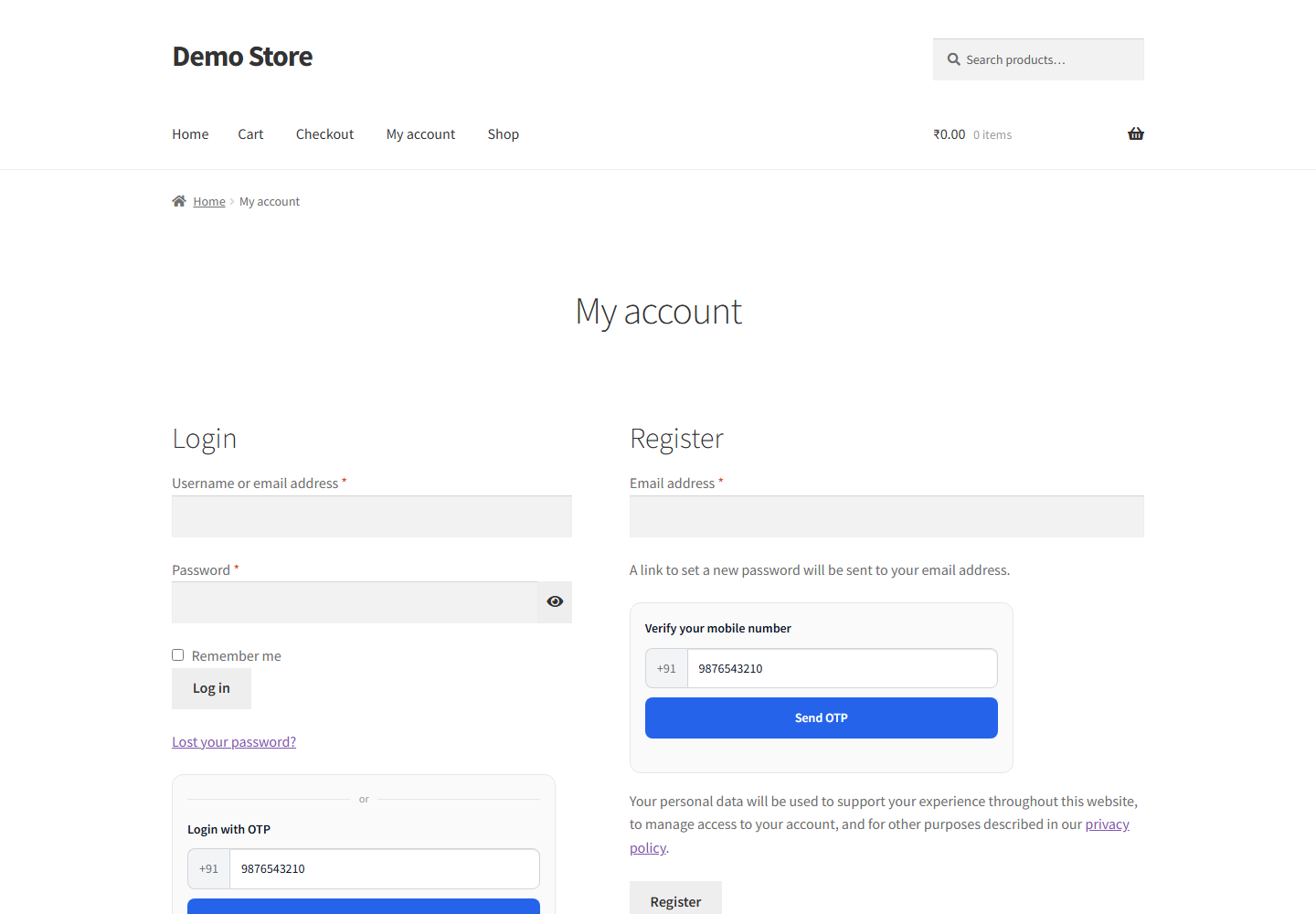
The customer enters their 10-digit number and taps Send OTP. The box switches to the code step, with a resend timer so nobody can spam the button:
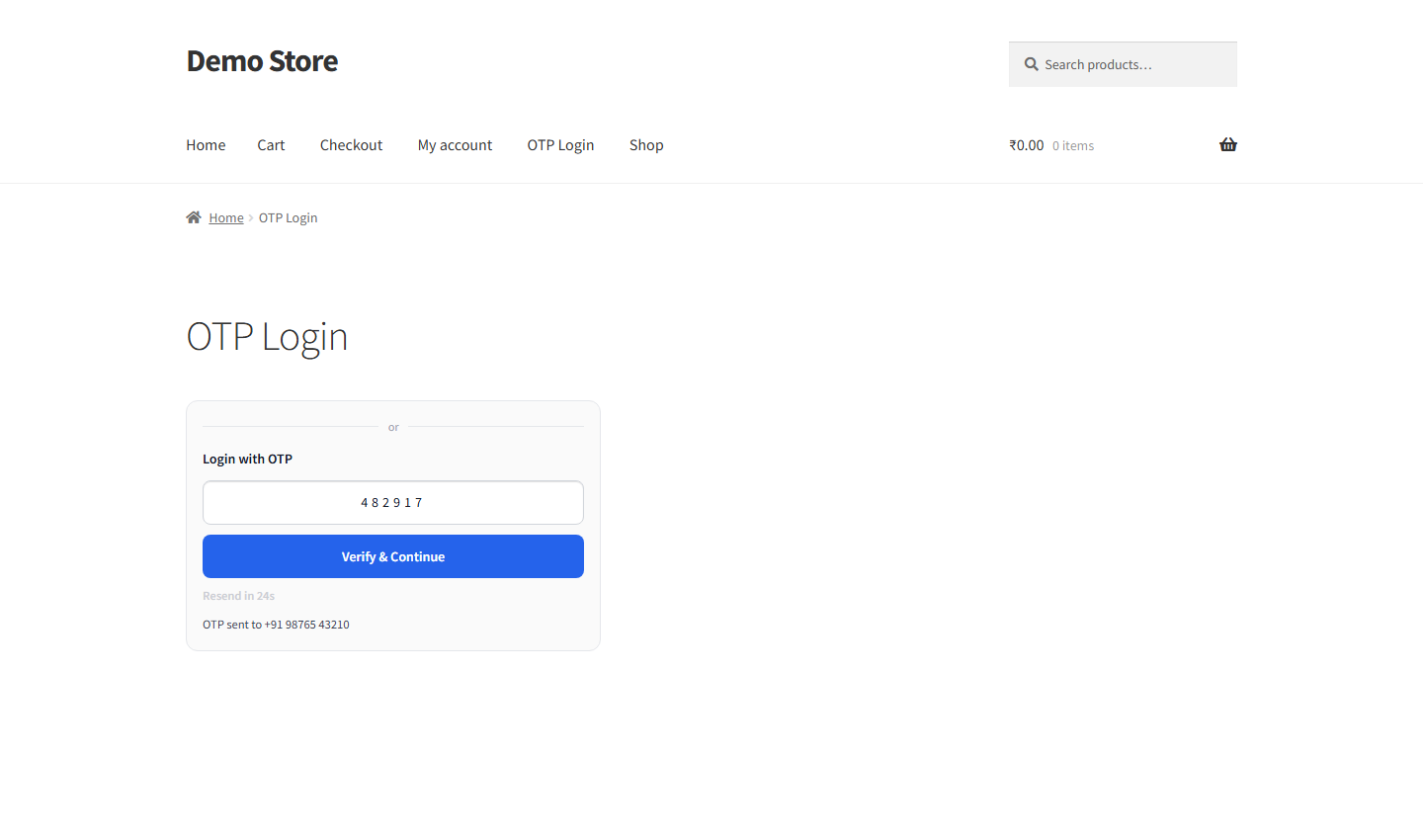
If the number belongs to an existing customer, they are logged straight in. The plugin even matches the billing phone number from past orders. If the number is new, the plugin can create a customer account on the spot, with the verified number saved to the profile. You can turn that off if you prefer.
A verified number helps across the whole order journey
OTP login is not just a nicer login. The verified mobile number it collects powers the rest of your store messaging:
- Order updates. Send order placed, shipped, and delivered messages by SMS or WhatsApp.
- COD confirmation. Verify cash on delivery orders by OTP or a confirmation link before you ship, and cut fake orders.
- Abandoned cart recovery. Remind customers about the cart they left behind.
Built-in safety
- Store admin accounts are protected. By default an administrator account can never be opened with only an OTP, so a stolen SIM cannot take over your store.
- Each OTP works once and expires quickly.
- Resend cooldown keeps your SMS costs under control.
Frequently asked questions
Is WooCommerce OTP login free?
Yes. The plugin is free. You only pay for the OTP messages you send, from your Fast2SMS wallet. No monthly fee.
Do I need to change my theme?
No. The OTP box hooks into the standard WooCommerce login and registration forms, so it works with any theme that uses them. You can adjust the accent color, corner radius, title, and light or dark style to match your design.
Can customers still use their password?
Yes. The normal WooCommerce login stays exactly as it is. OTP login is an extra option below it.
What happens when a brand new number logs in?
Your choice. The plugin can create a customer account automatically with the verified number saved, or show a message that no account exists. Both behaviours are one switch in the settings.
Which numbers are supported?
Indian 10-digit mobile numbers only. Fast2SMS is an Indian service and does not send to international numbers.
Does this work outside WooCommerce too?
Yes. The same plugin adds OTP login to the normal WordPress login page and any page via a shortcode. See the free OTP login for WordPress guide.
Get started
Install the free plugin from WordPress.org, create your free account at fast2sms.com, and follow the setup guide to connect your store in minutes.
Questions? Write to us at [email protected]. We are happy to help.
More WooCommerce OTP, SMS and WhatsApp guides
- WooCommerce OTP plugin: 110 FAQs
- WooCommerce checkout OTP verification
- WooCommerce login with mobile number
- Phone number verification at registration
- WooCommerce WhatsApp OTP login
- WooCommerce COD OTP verification
- WooCommerce OTP not received: fixes
- WooCommerce OTP cost
- Best WooCommerce OTP plugins compared
- Free mobile login plugin alternative
- WooCommerce WhatsApp plugin: 100+ FAQs
- WooCommerce SMS notification plugin: 100+ FAQs
- Order status SMS and WhatsApp
- COD to prepaid and pending payment reminders
- Abandoned cart recovery on WhatsApp and SMS
- Back in stock notifier
- WooCommerce SMS marketing campaigns
- Best WooCommerce SMS and WhatsApp plugins
- Twilio SMS alternative for India
- WooCommerce OTP plugin guide in Hindi
High volume? Rates are negotiable: call sales on +91-6262778811, email [email protected] or book a free meeting with our team.