
The Telecom Regulatory Authority of India (TRAI) has revised its guidelines to improve accountability and transparency in the telemarketing sector.
Now, the Principal Entity (PE) must establish a formal connection with telemarketers through the Distributed Ledger Technology (DLT) portal.

This connection is crucial for creating a binding relationship within the PE-TM (Principal Entity – Telemarketer) framework.
In this guide, we will explain how to add a telemarketer in JIO DLT for the PE-TM binding chain.
How to Add Telemarketer in JIO DLT for PE-TM Binding Chain?
If you are registered at the JIO DLT portal you may need to add a telemarketer in JIO DLT for PE-TM Binding Chain in the following manner:
1. Login to “JIO DLT”

2. Click on “My Telemarketer” and select “My SMS Telemarketer”
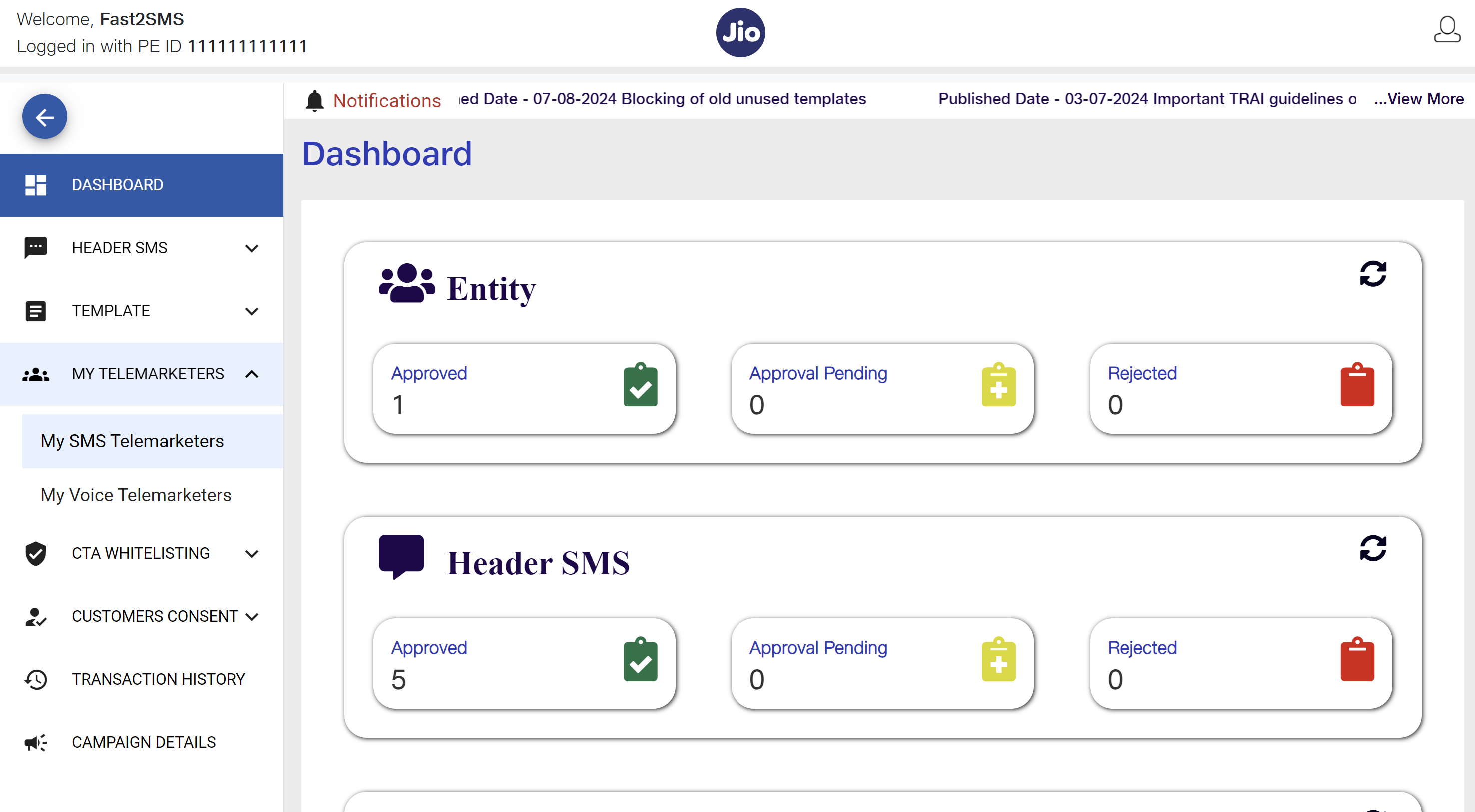
3. Click on “New Chain”
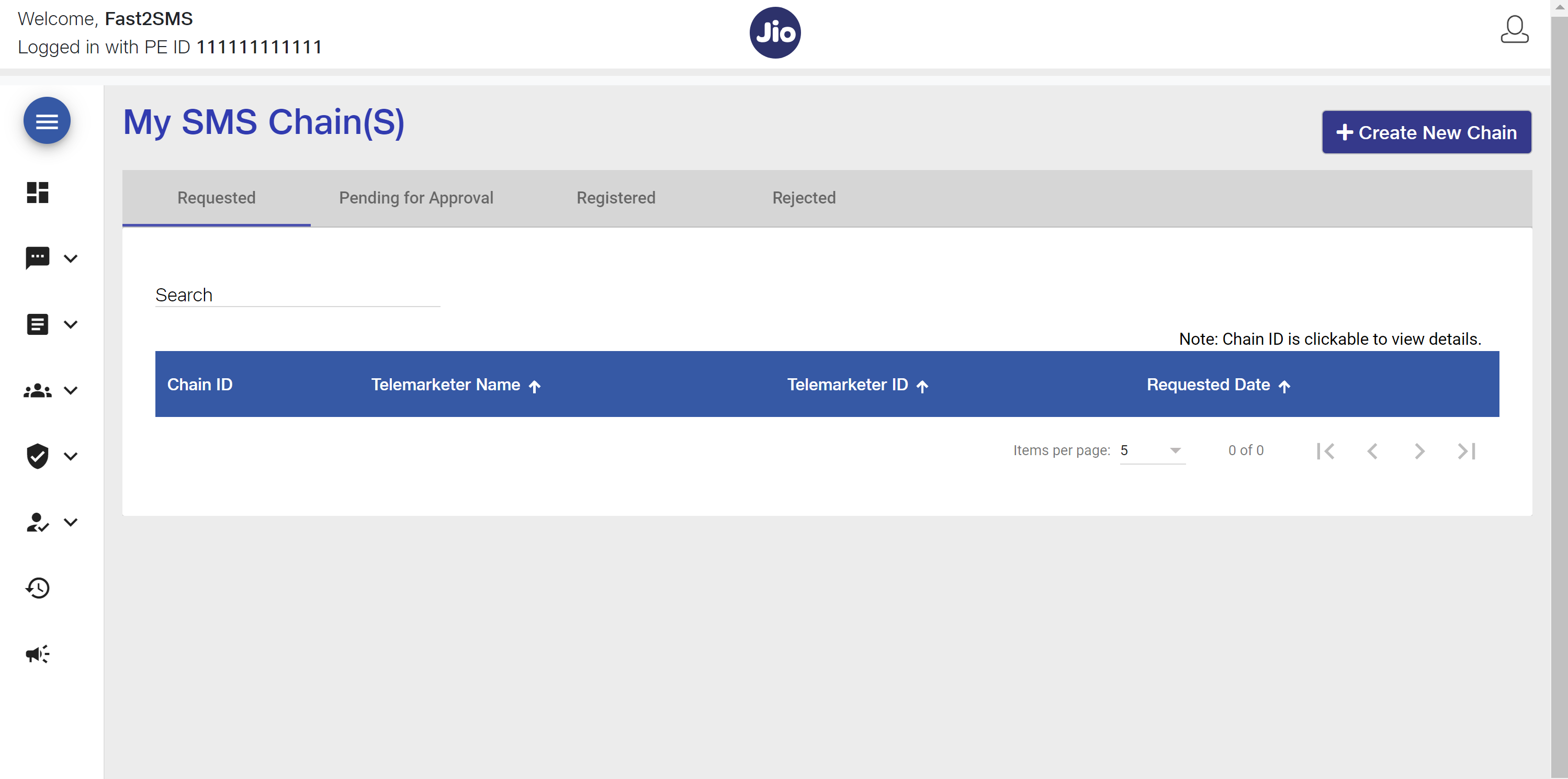
4. Search the telemarketer ID by entering the Telemarketer ID: 1702178720558766591. Fast2SMS is a SID GROUPS PRIVATE LIMITED brand. Hence, our registered Telemarketer Name is SID GROUPS PRIVATE LIMITED.
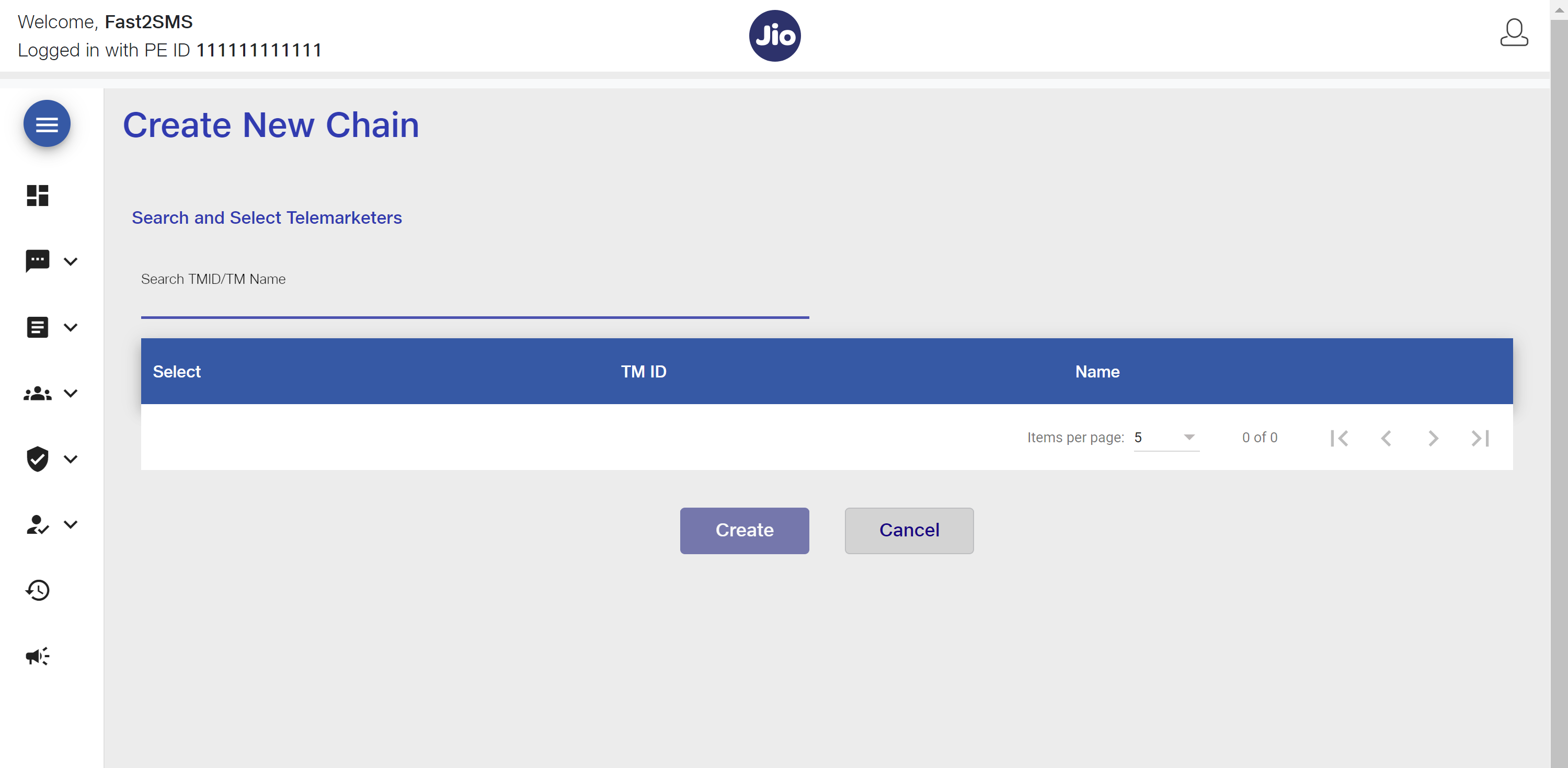
5. Select the “telemarketer ID”
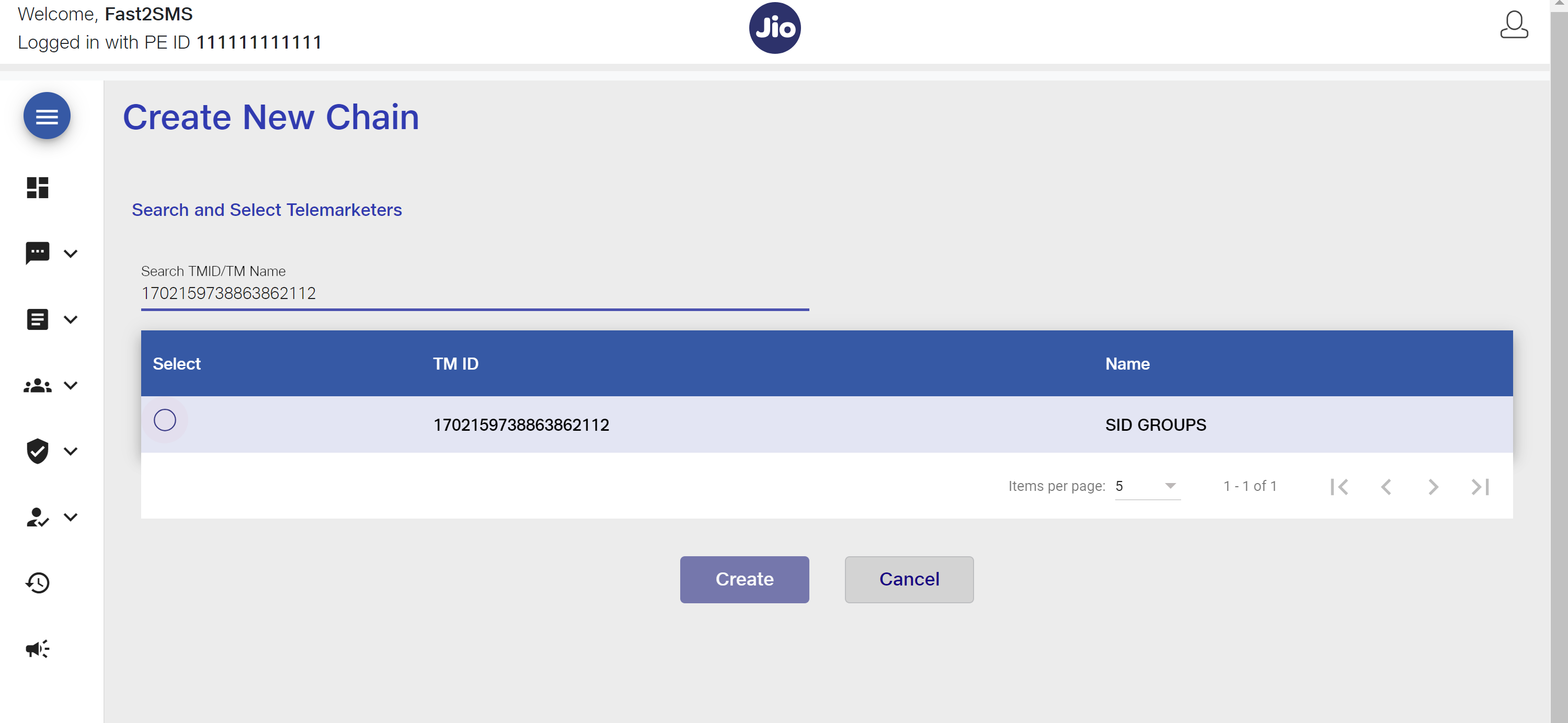
6. Click “Create”
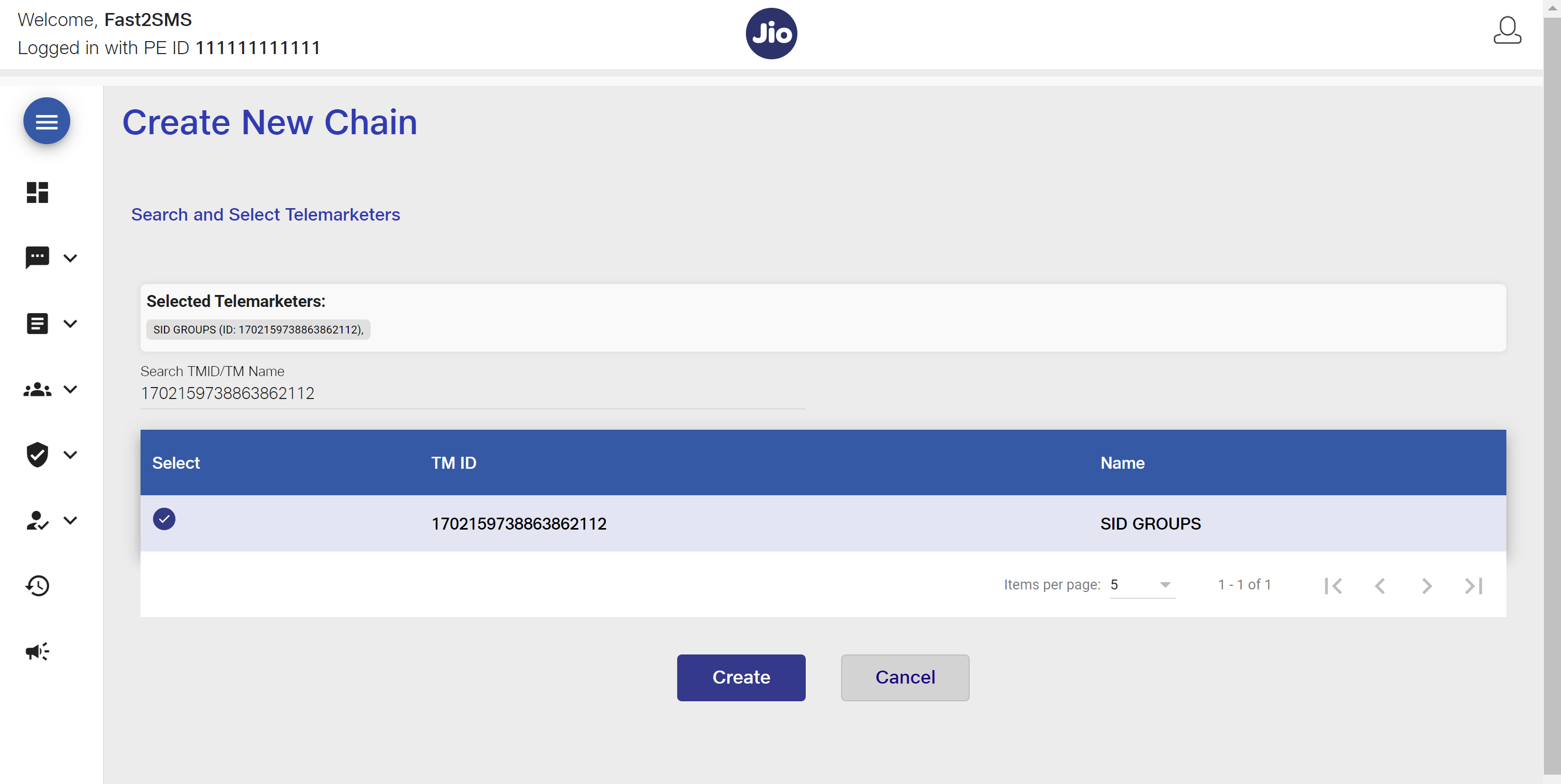
The status of the chain will display as “pending“.
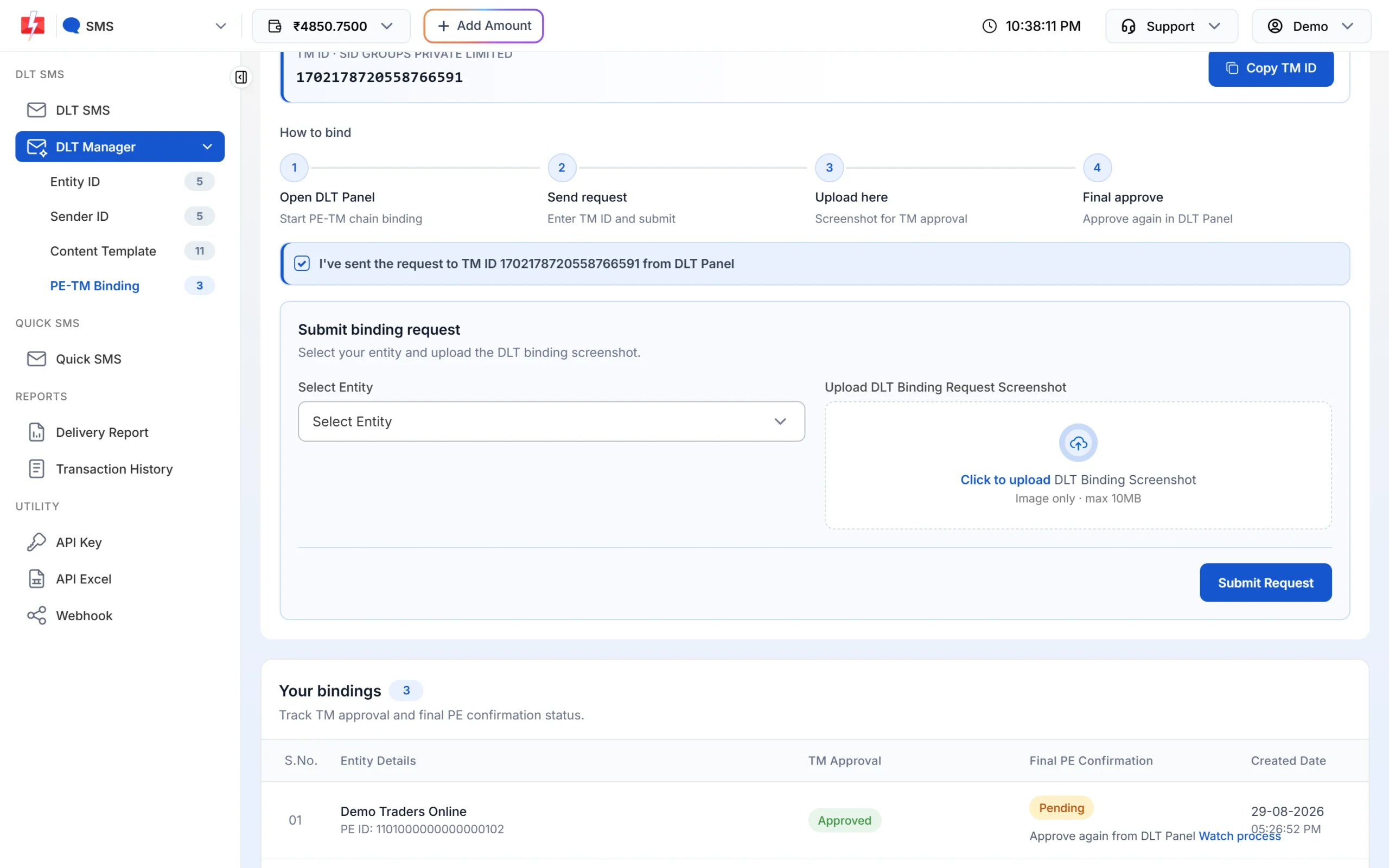
7. Take the screenshot of this page and submit it on the PE-TM Binding page in Fast2SMS (SMS app > DLT Manager > PE-TM Binding) with a registered document of the company (MOA, etc.), and a address proof (aadhar card, pan card, etc.). Tick the box “I’ve sent the request to TM ID 1702178720558766591 from DLT Panel” to open the form, select your entity, upload the files and click on Submit Request.
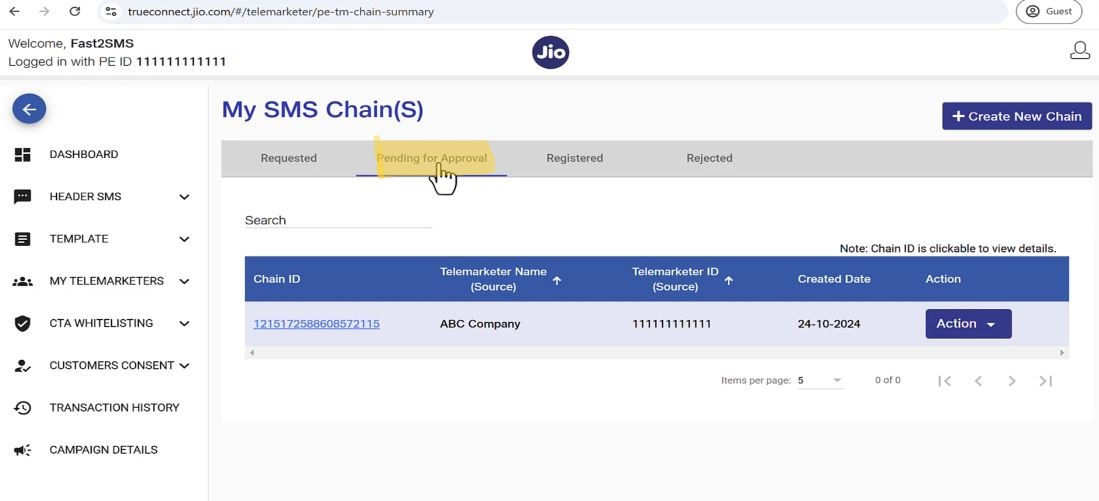
8. After SID GROUPS PRIVATE LIMITED (TM) approval, again login to DLT panel and go to “Pending Request” section
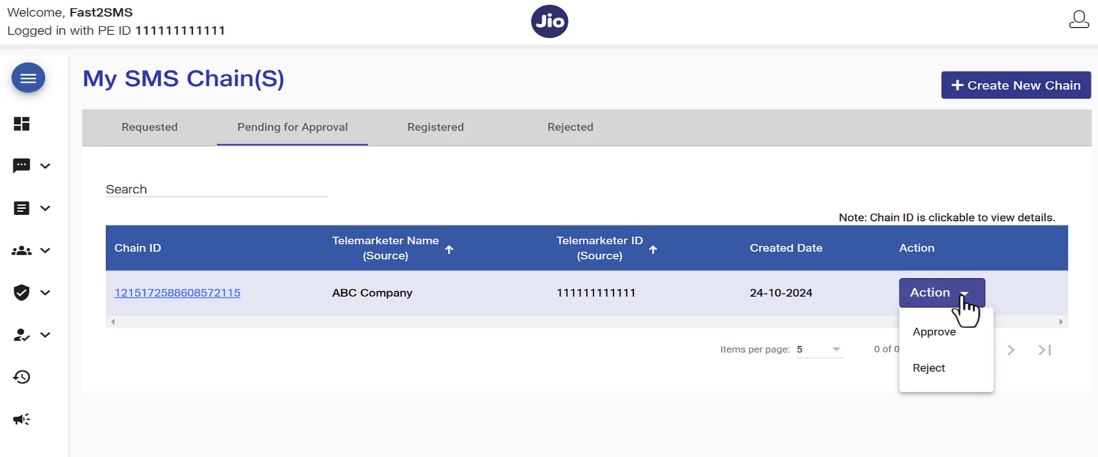
9. Click on the “Action” button and select “Approve”
10. Click “Confirm” on the confirmation pop up.
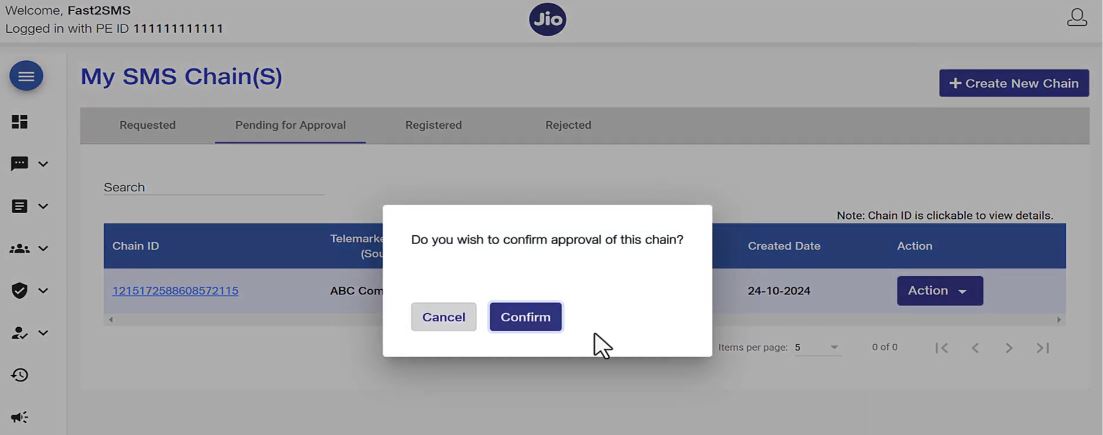
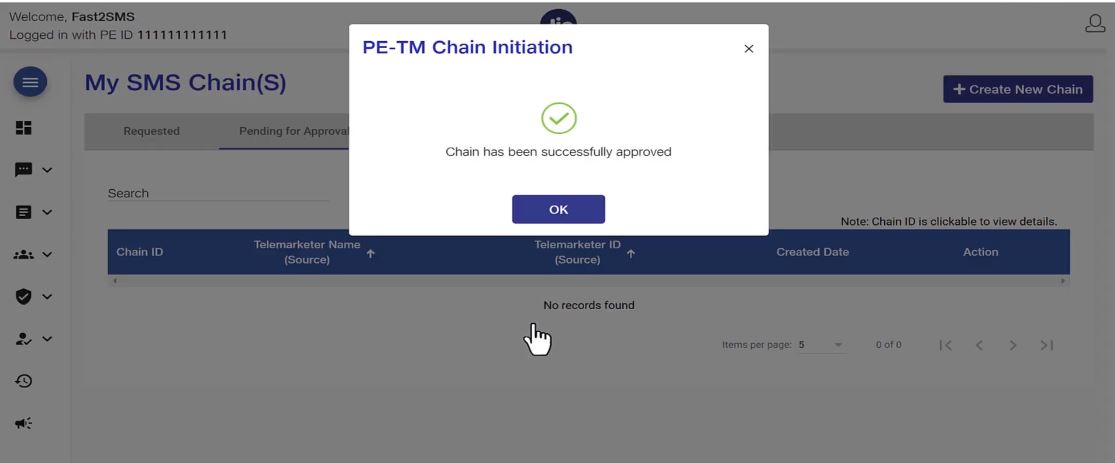
11. Your PE-TM Binding Chain process is successfully completed.
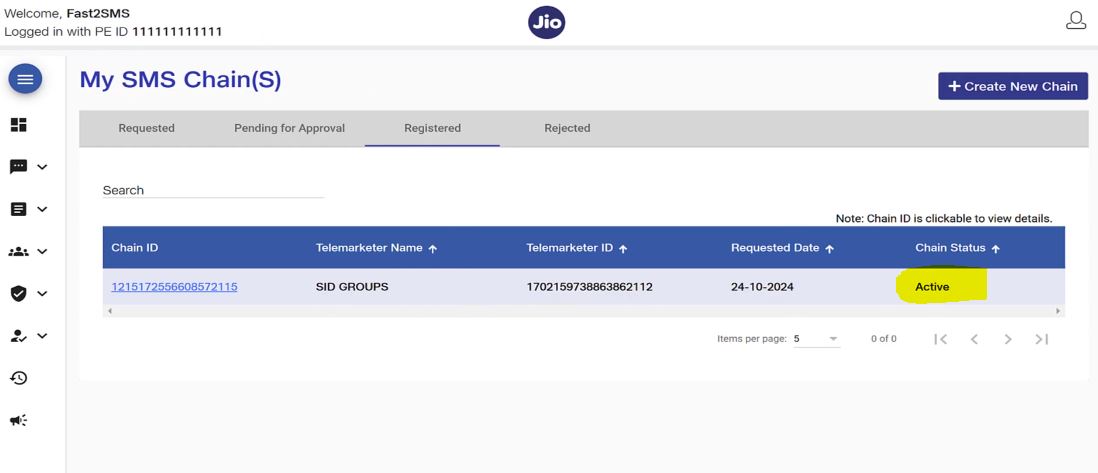
12. The Chain status becomes “Active”
If you encounter any issues during this process, please feel free to contact the Fast2SMS support team for assistance. If you are not a user of Fast2SMS bulk SMS service then do consider exploring the panel.
Get the cheapest pricing starting from just 11 paisa per SMS at the time of writing (see the current rates on the pricing page). Moreover, get the best customer support, free DLT assistance and send your bulk SMS from the fastest telemarketer in India with intelligent SMS routing systems.
Sending in bulk? For high SMS volumes our team offers discounted rates. Talk to our team or see SMS pricing.
Important Note: Please complete the process of adding a telemarketer to the JIO DLT for the PE-TM Binding Chain before December 10th, 2024.
This is essential to avoid any interruptions in your campaign releases. After this date, telecom operators will only deliver SMS messages from principal entities that have completed this process; all others will fail to deliver.

Watch: the PE-TM mismatch warning explained on screen

Facing a PE-TM chain issue? Talk to our team, free.
Fast2SMS is a registered TM-D (SID GROUPS PRIVATE LIMITED, TMD ID 1702178720558766591) with direct connectivity to Airtel, Jio, Smartping, BSNL and Tata. Our team is happy to help with binding, hash code or mismatch problems on any operator portal, at no cost. Schedule a free meeting, call +91-6262778811 or email [email protected].