
With the increase in fraudulent activities through bulk SMS communications, regulatory authorities have established stringent regulations to combat these practices.
The Telecom Regulatory Authority of India (TRAI) has revised its guidelines to enhance accountability and transparency in the telemarketing landscape.

The principal entity (PE) must now establish a formal connection with telemarketers through the DLT portal.
This connection is essential for creating a binding relationship in the PE-TM (Principal Entity – Telemarketer) framework.
In this manual, we will provide the process for adding a Telemarketer In Vilpower (Vodafone DLT) For PE-TM Binding Chain.
Add Telemarketer in Vilpower (Vodafone DLT) for PE-TM Binding Chain
The Telecom Regulatory Authority of India (TRAI) has made PE-TM Binding Chain mandatory.
It is essential for all Bulk SMS campaigns dispatched by Enterprises or individuals to be traceable. This means that each communication must have a clear origin and can be tracked throughout the process.
Follow the steps outlined below to add a Telemarketer in the Vilpower system (Vodafone DLT) for the Principal Entity – Telemarketer (PE-TM) Binding Chain:
1. Login to “Vilpower (Vodafone DLT)”
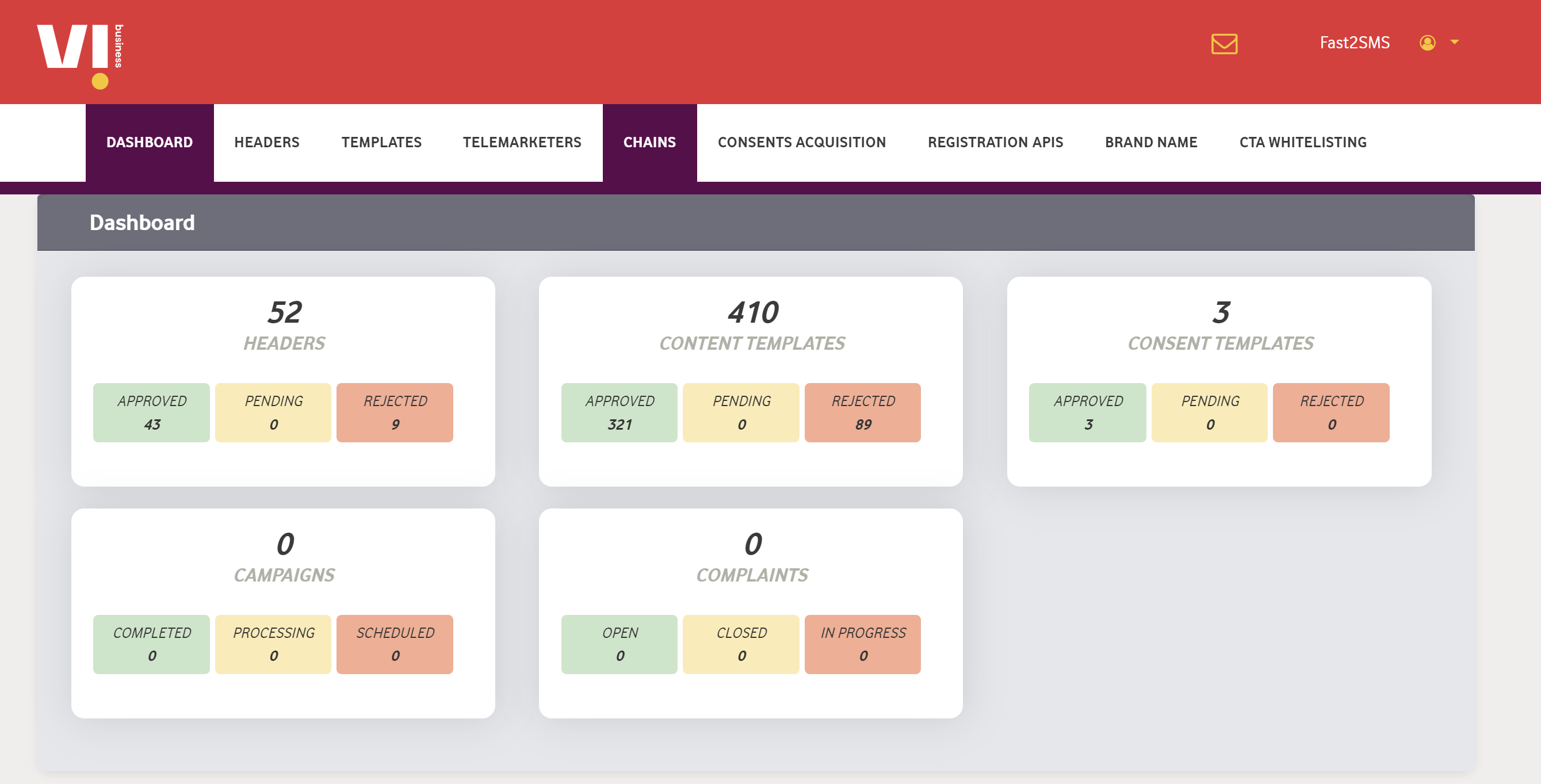
2. Click on the “CHAIN” tab
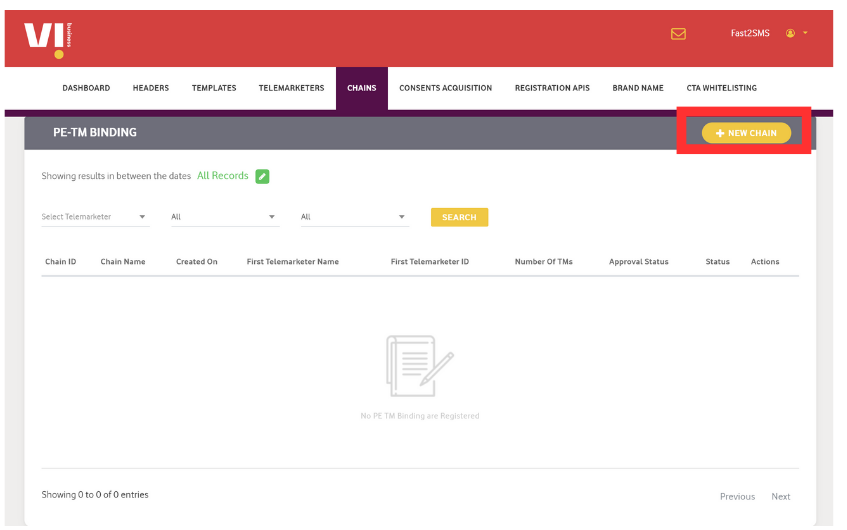
3. Click on the “New Chain” button
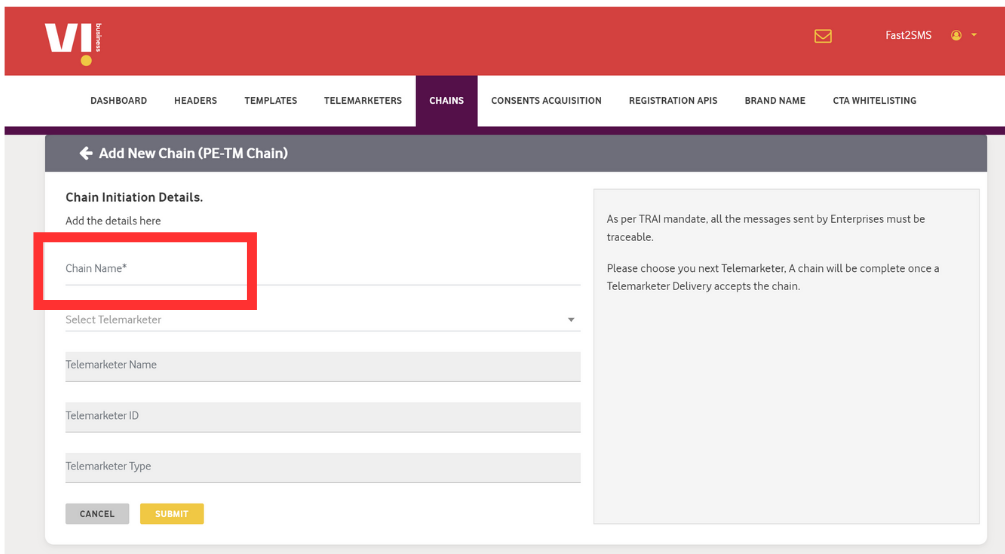
4. Enter the “Chain Name” as per your choice
5. Select the telemarketer “1702178720558766591-SID GROUPS PRIVATE LIMITED”. Fast2SMS is a sub-brand of SID GROUPS PRIVATE LIMITED. Therefore the registered brand telemarketer name is SID GROUPS PRIVATE LIMITED.
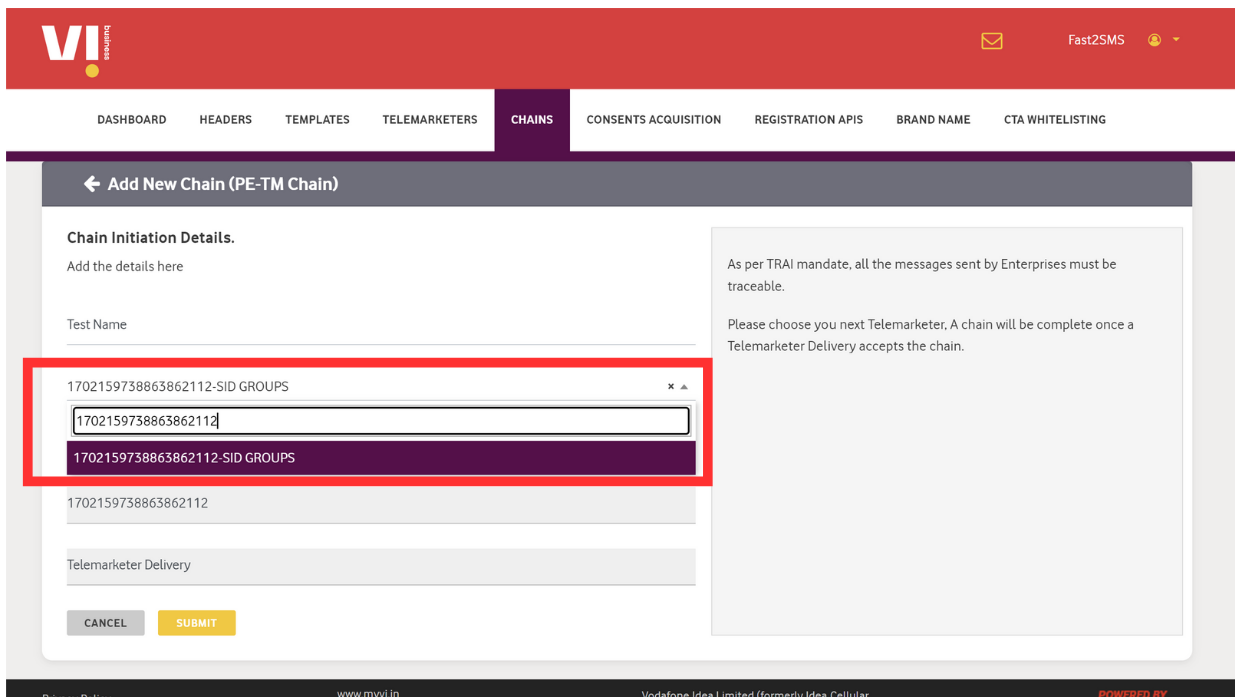
6. Click “Submit”
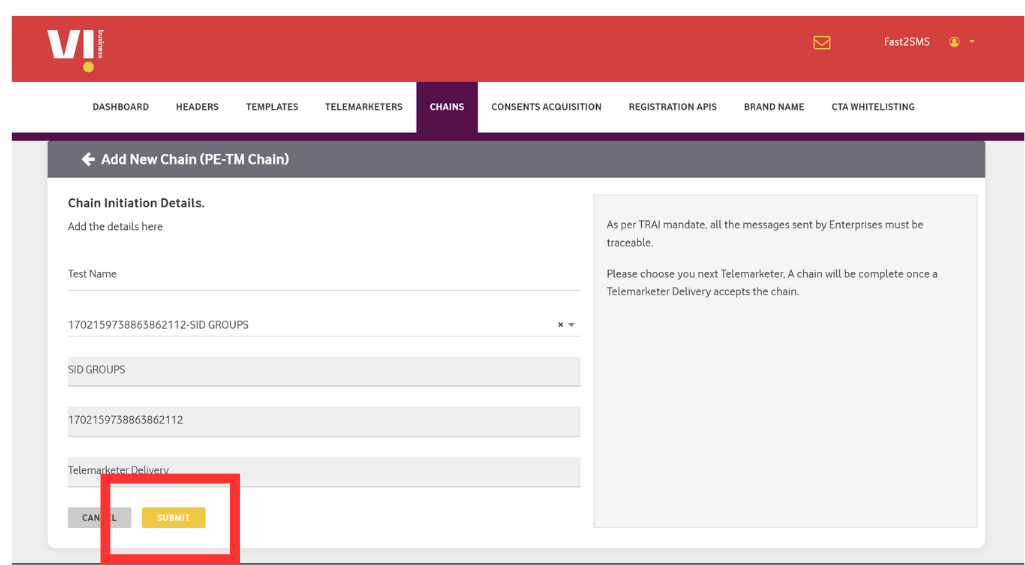
The status of the chain will be shown as pending until the telemarketer.
7. Take a screenshot of the pending page, A registered document of the business, and an address proof of the authorized person and upload them on the PE-TM Binding page in Fast2SMS (SMS app > DLT Manager > PE-TM Binding). Tick the box “I’ve sent the request to TM ID 1702178720558766591 from DLT Panel” to open the form, select your entity, upload the files and click on Submit Request.
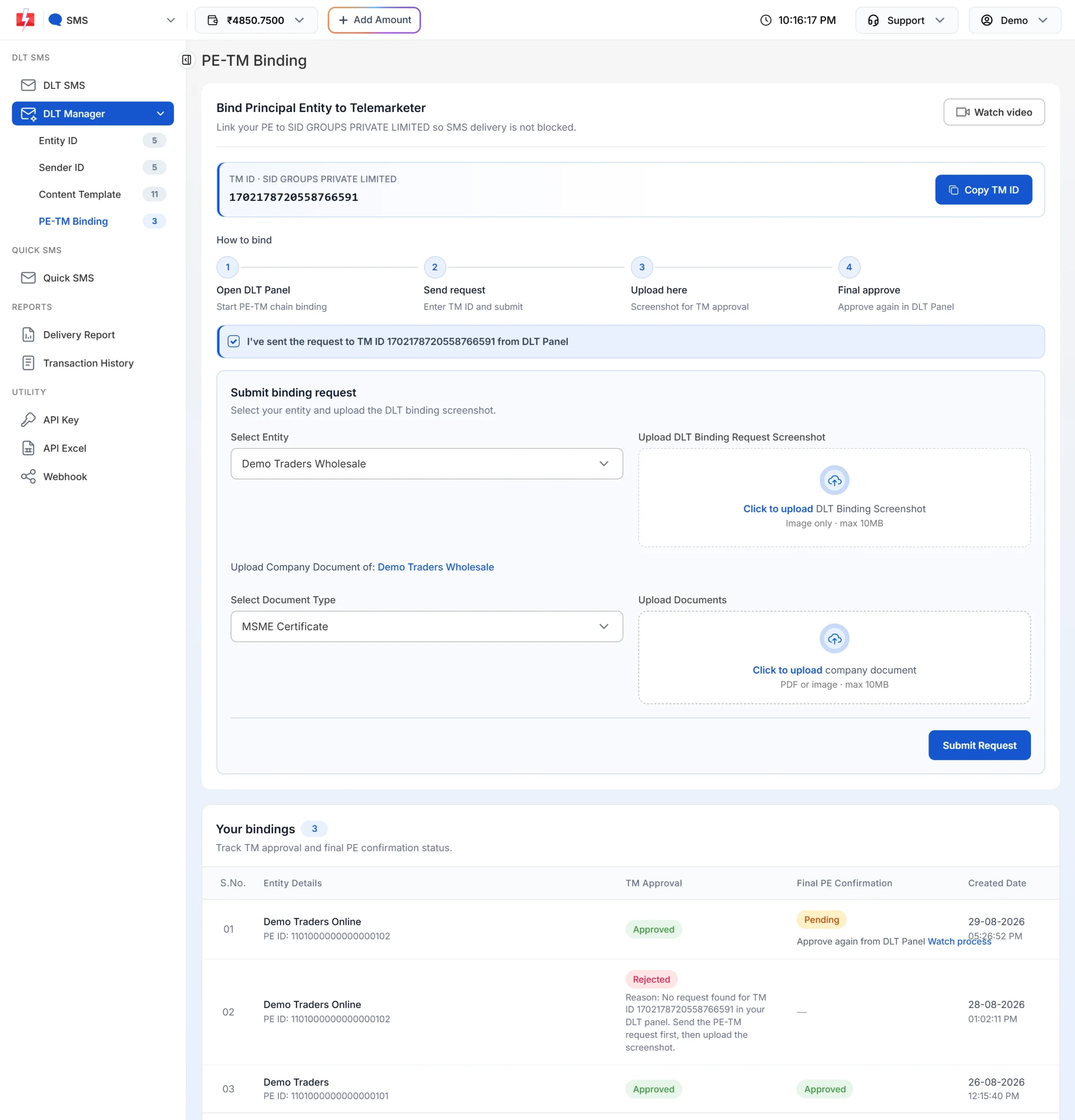
9. After approval from SID GROUPS PRIVATE LIMITED, Go back to the chain tab at VILPower DLT and Click “Action”
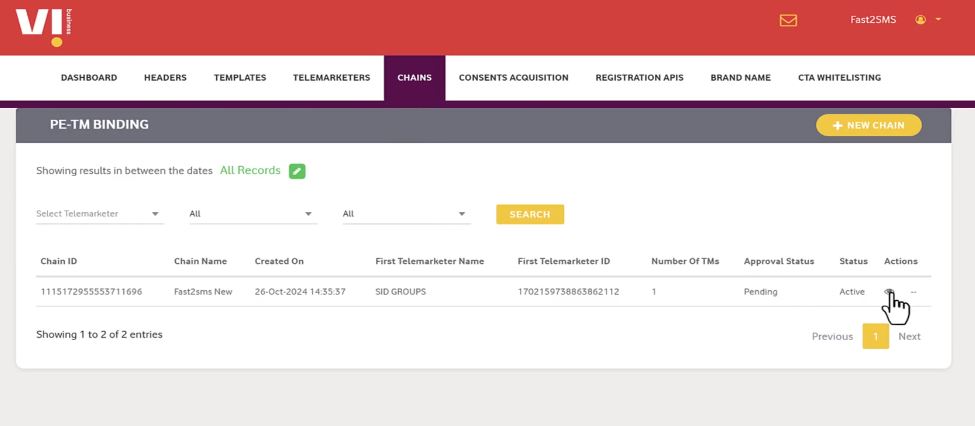
10. Click “Approve”
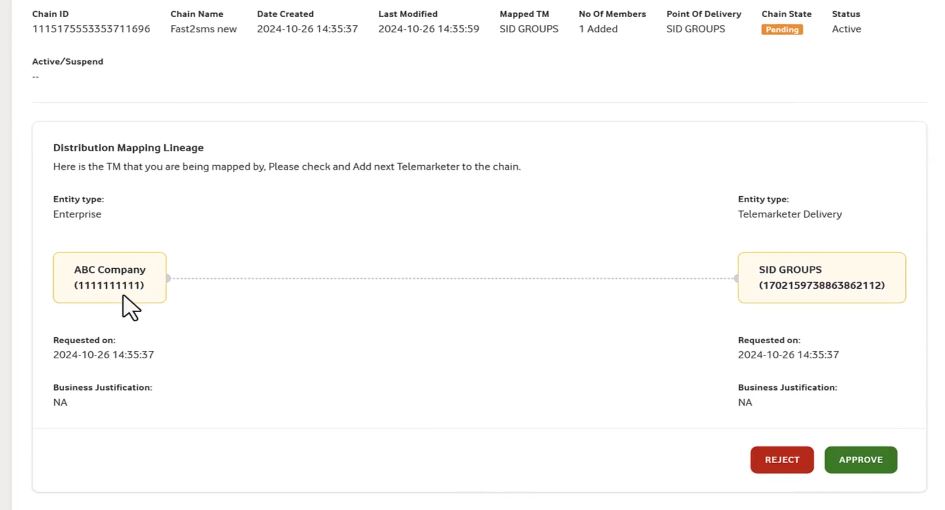
11. Click “Confirm”
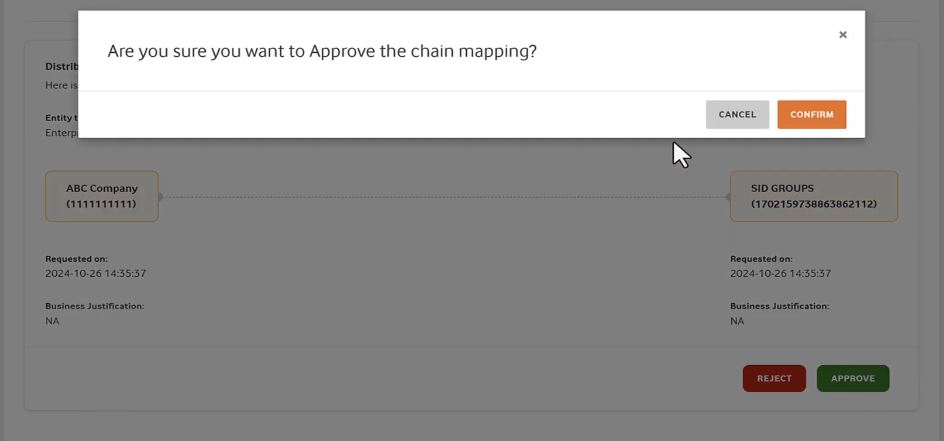
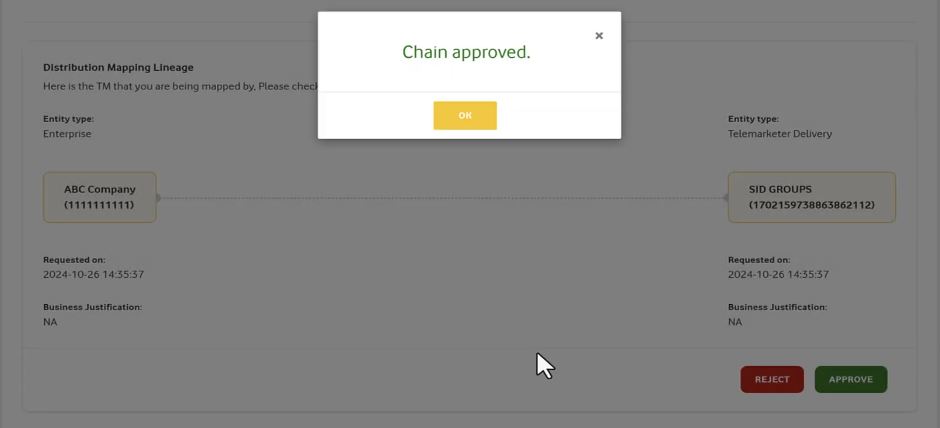
12. Chain is approved successfully.
However, if you face any issues during the process you can contact the Fast2SMS support team who will assist you with the process.
If you haven’t started using the Fast2SMS bulk SMS service yet, we encourage you to explore our platform. The bulk SMS pricing, starting at just 11 paise per SMS at the time of writing (see the current rates on the pricing page), is the cheapest in the Indian Telemarketer market.
Sending in bulk? For high SMS volumes our team offers discounted rates. Talk to our team or see SMS pricing.
Get benefits from excellent customer support, free DLT assistance, and the capability to send your bulk SMS through the fastest telemarketer in India, utilizing advanced SMS routing systems.
Note: Complete the process of adding a telemarketer in Vilpower (Vodafone DLT) for the PE-TM Binding Chain before December 10th, 2024.
This will prevent any interruption in releasing your campaigns. After November 1, Telecom operators will deliver only the SMS from the principal entity that has completed this process. Any others will fail to deliver.

Watch: the PE-TM mismatch warning explained on screen

Facing a PE-TM chain issue? Talk to our team, free.
Fast2SMS is a registered TM-D (SID GROUPS PRIVATE LIMITED, TMD ID 1702178720558766591) with direct connectivity to Airtel, Jio, Smartping, BSNL and Tata. Our team is happy to help with binding, hash code or mismatch problems on any operator portal, at no cost. Schedule a free meeting, call +91-6262778811 or email [email protected].
Frequently asked questions
What chain name should I give on Vilpower?
Any name you can recognise later works, such as your brand name with your SMS provider’s name. The chain name is only a label, and the telemarketer ID is what matters.
Which telemarketer do I select on Vilpower?
Select 1702178720558766591-SID GROUPS PRIVATE LIMITED. Fast2SMS is a brand of SID GROUPS PRIVATE LIMITED, so that is the name listed on Vi DLT.
Can I add more than one telemarketer on Vi DLT?
Yes. You can create a separate chain for each telemarketer you use. Each SMS provider can send your messages only through its own approved chain.
What do TM Approval and Final PE Confirmation mean in Fast2SMS?
TM Approval shows whether our team has approved your request. Final PE Confirmation shows whether you have approved the chain on Vilpower. Both must be approved before the chain is complete.
Is the PE-TM chain still mandatory after December 2024?
Yes. The deadline has passed, and operators now deliver commercial SMS only when the full chain from your entity to the telemarketer is registered and active. Without it, your SMS fail at the operator.
Why do my SMS fail even after adding the telemarketer?
The chain may still be pending your final approval on Vilpower, or it may not match what is sent with the SMS. Read PE-TM chain mismatch causes and fixes.