
TRAI always comes up with a new set of rules to prevent fraud. This time TRAI has arranged a system that makes every SMS more traceable. Now, the principal entity has to link itself with the telemarketer.

In this article, we will discuss the precise process of adding a Telemarketer In Smartping Or Pingconnect (Videocon DLT) For PE-TM Binding Chain.
Note: Complete this PE-TM binding chain process before December 10th, 2024, or else all the SMS will get failed from the operator end.
Add Telemarketer In Smartping Or Pingconnect (Videocon DLT) For PE-TM Binding Chain
To avoid interruptions you need to complete the PE-TE mapping at the DLT portals as soon as possible. Follow these steps to Add a Telemarketer In Smartping Or Pingconnect (Videocon DLT) For the PE-TM Binding Chain.
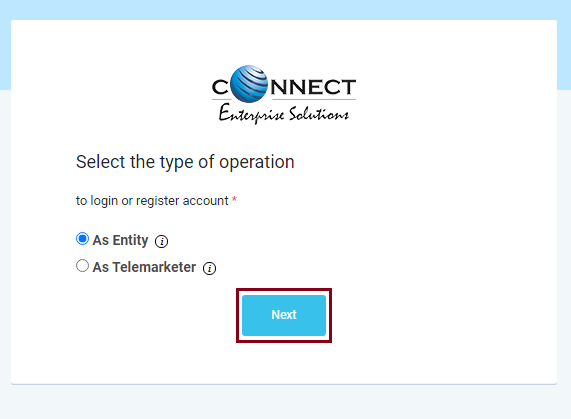
1. Login to “Smartping” DLT portal
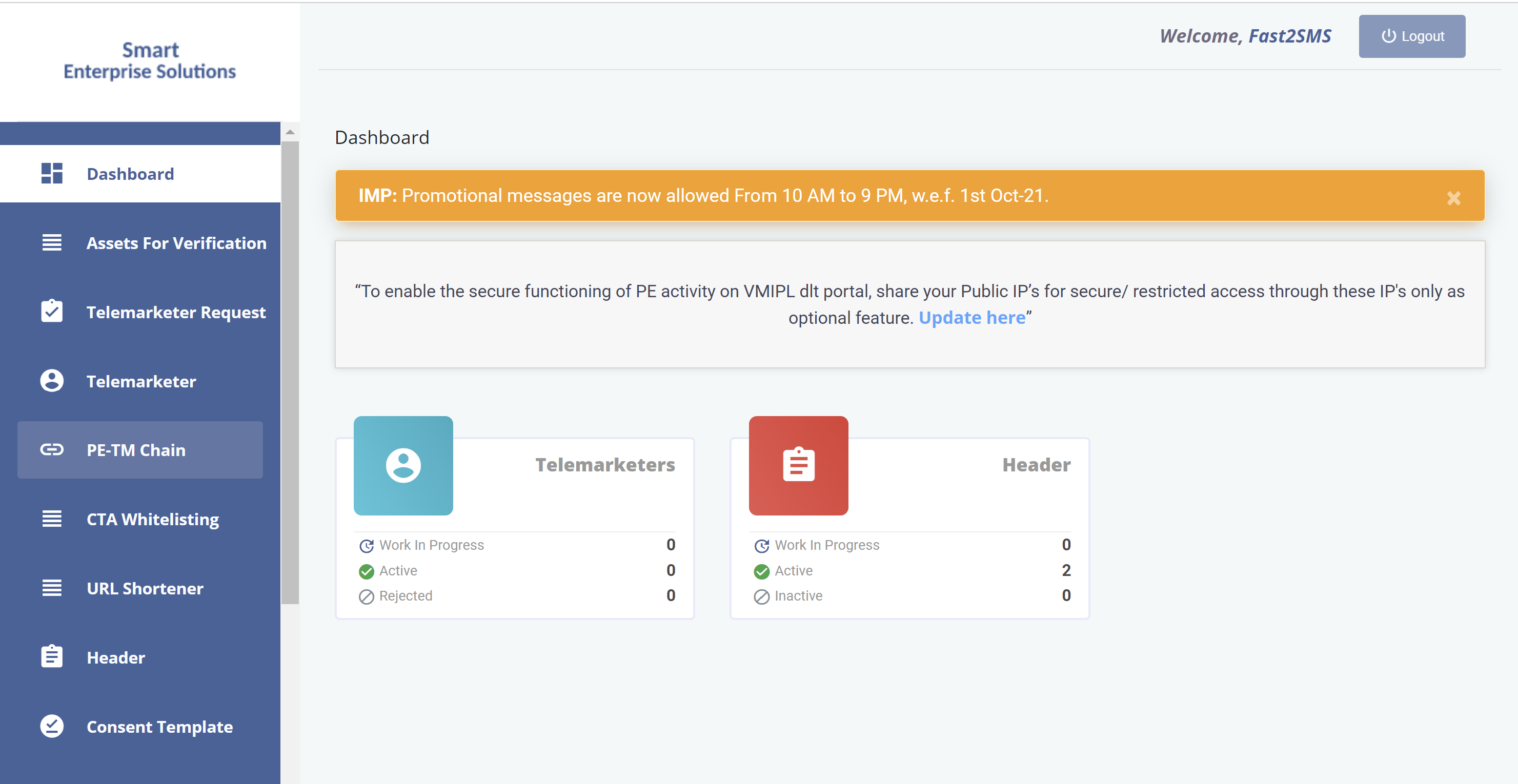
2. Click on the “PE-TE Chain” tab
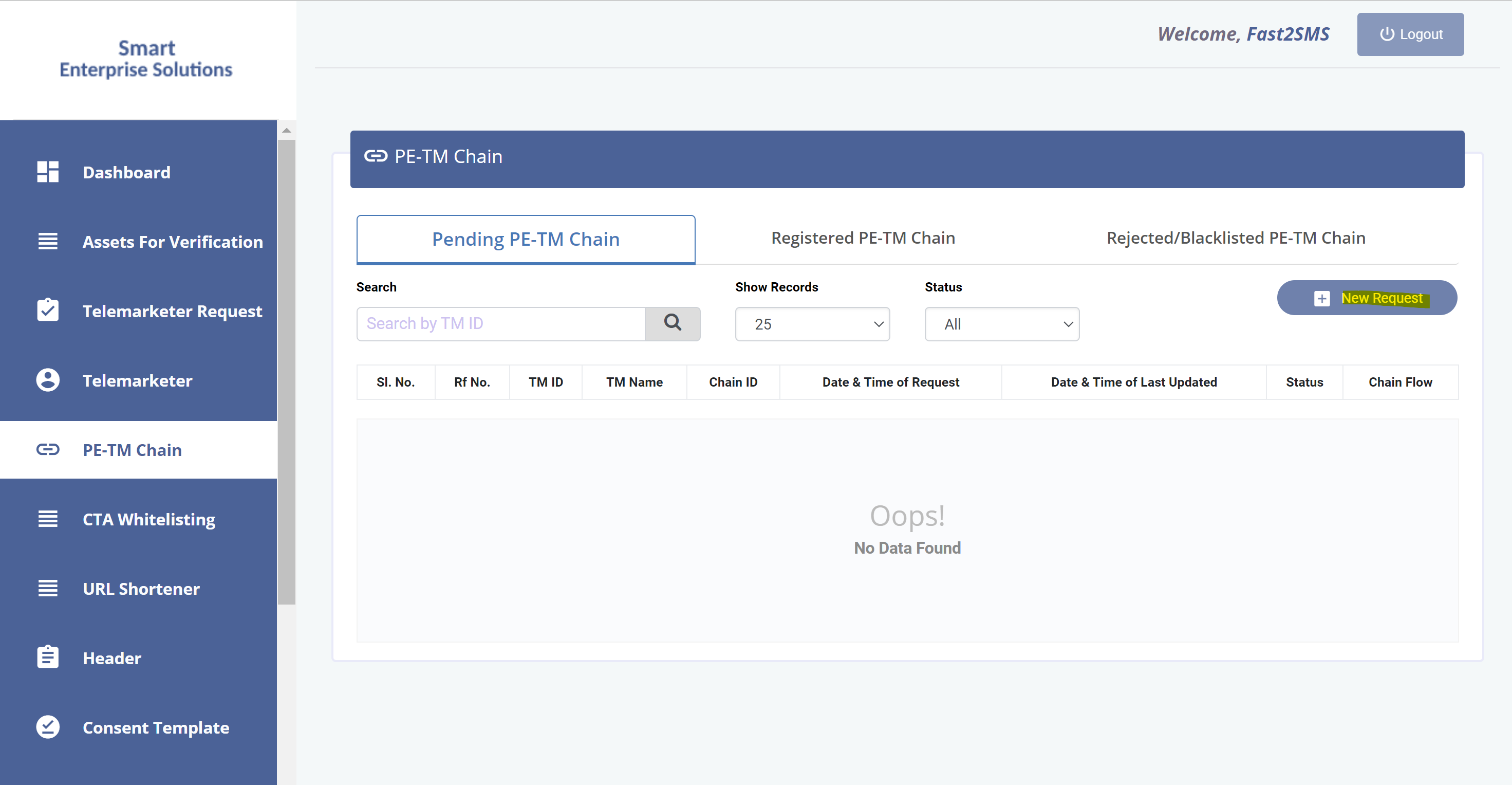
3. Click on the “New Request”
4. Enter the “Telemarketer ID” 1702178720558766591.
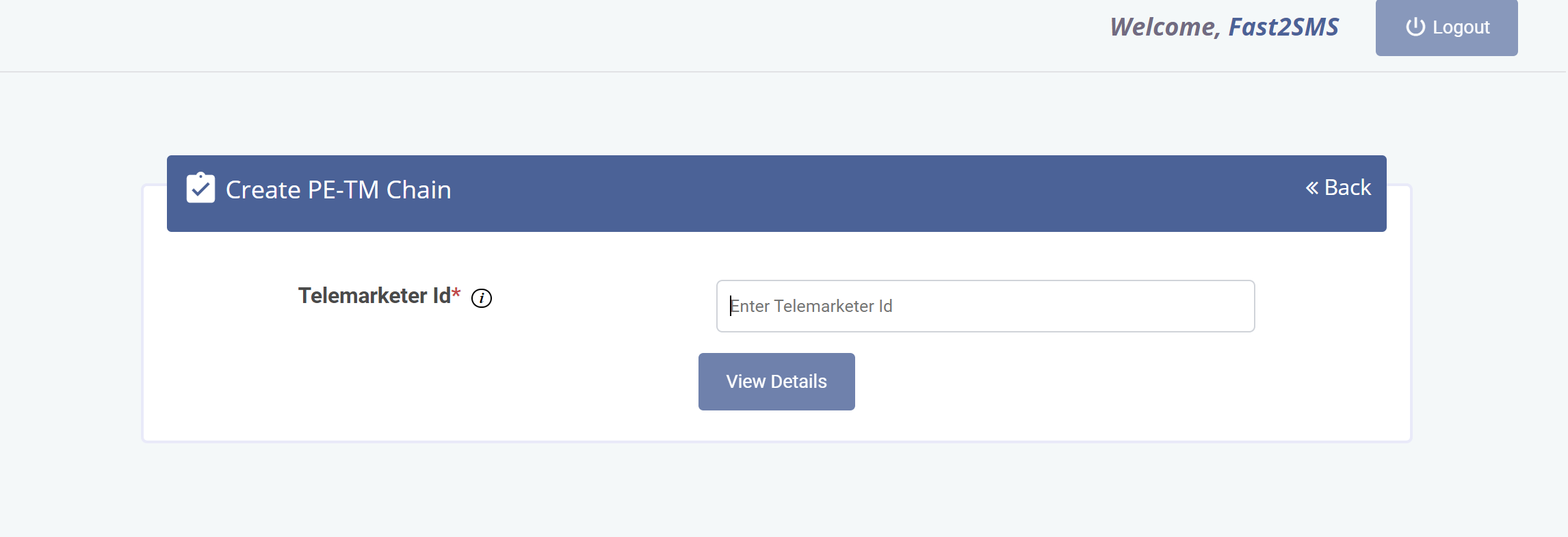
Note: The telemarketer name will show up as SID GROUPS PRIVATE LIMITED. This is because Fast2SMS is a brand of SID GROUPS PRIVATE LIMITED.
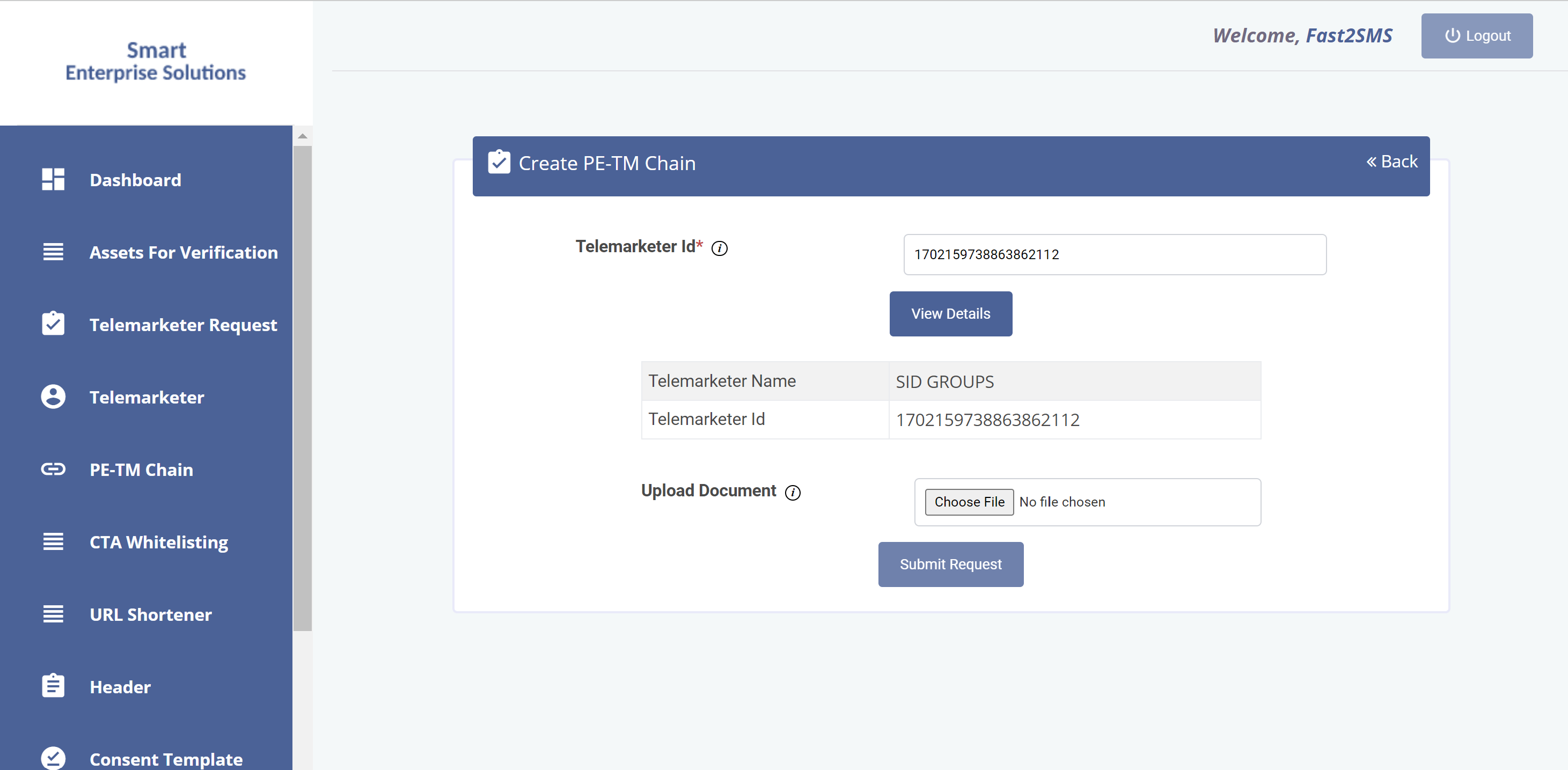
5. Click “Submit”
The upload document is optional you can avoid the step as of now. After submission, the process status appears to be pending.
6. Upload the screenshot of the pending page, a registered document of your business and the address proof of the authorized person on the PE-TM Binding page in Fast2SMS (SMS app > DLT Manager > PE-TM Binding). Tick the box “I’ve sent the request to TM ID 1702178720558766591 from DLT Panel” to open the form and select your entity.
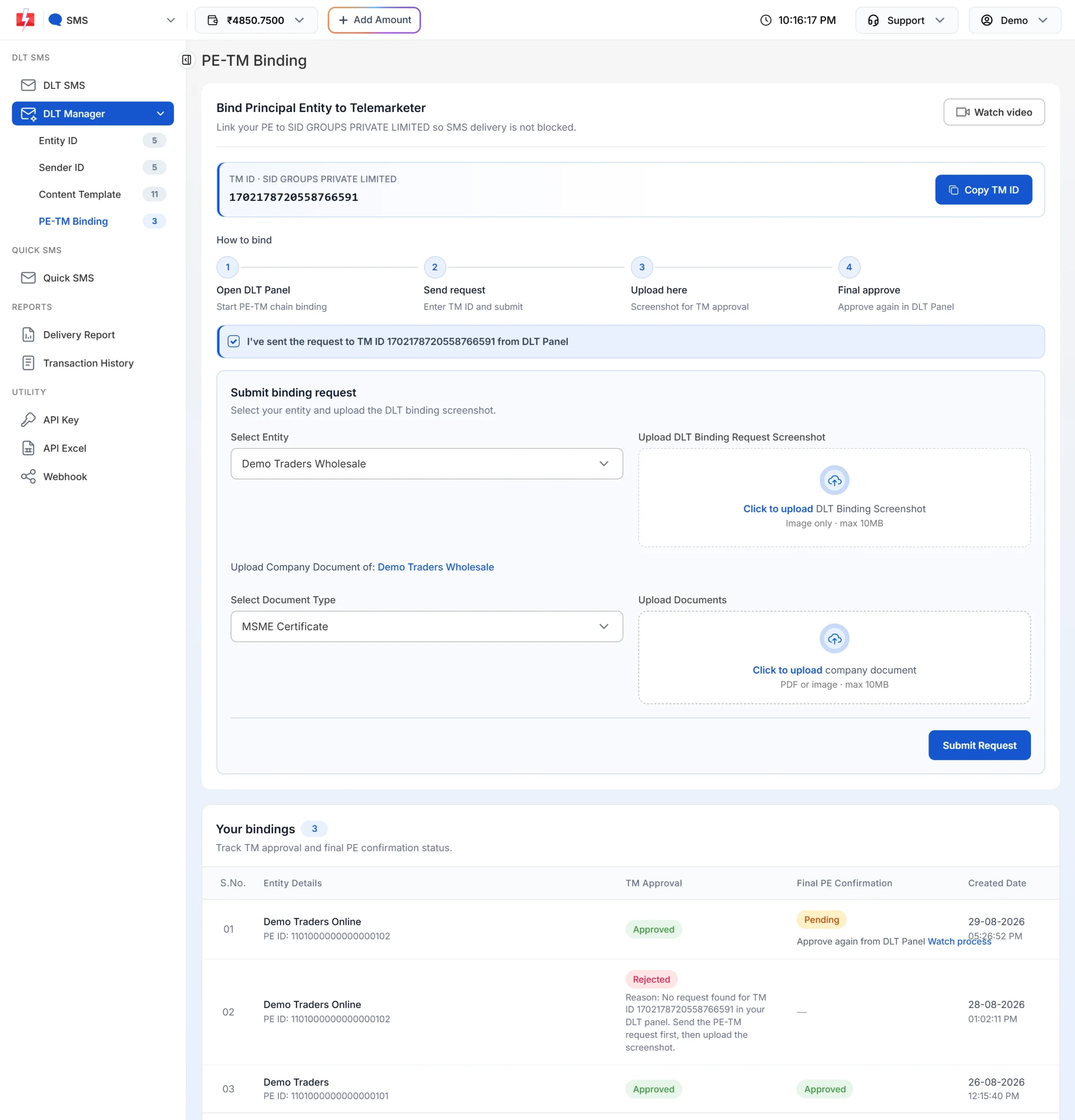
7. Click on Submit Request and wait for the team to verify and the TM Approval status to show approved.
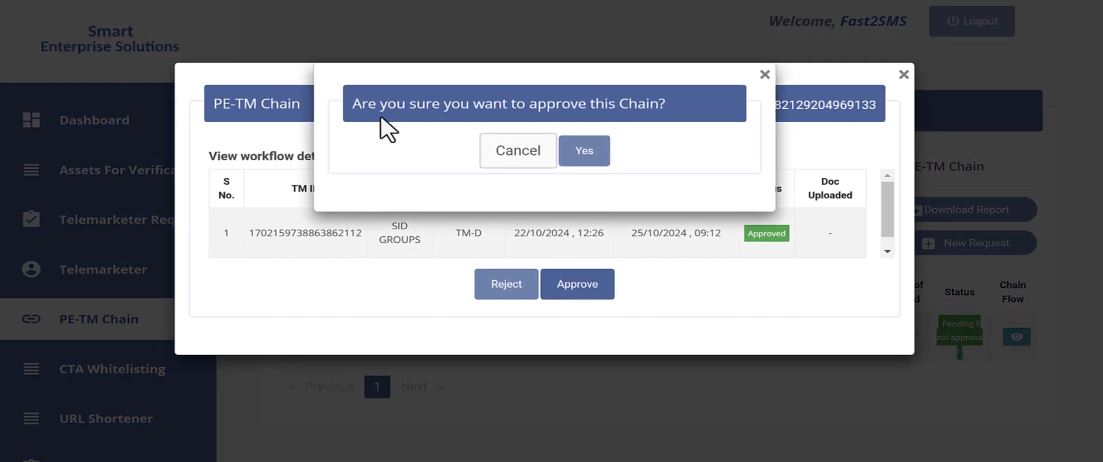
8. After SID GROUPS PRIVATE LIMITED approves the PE-TM Binding Chain, Login again on DLT portal for final approval.
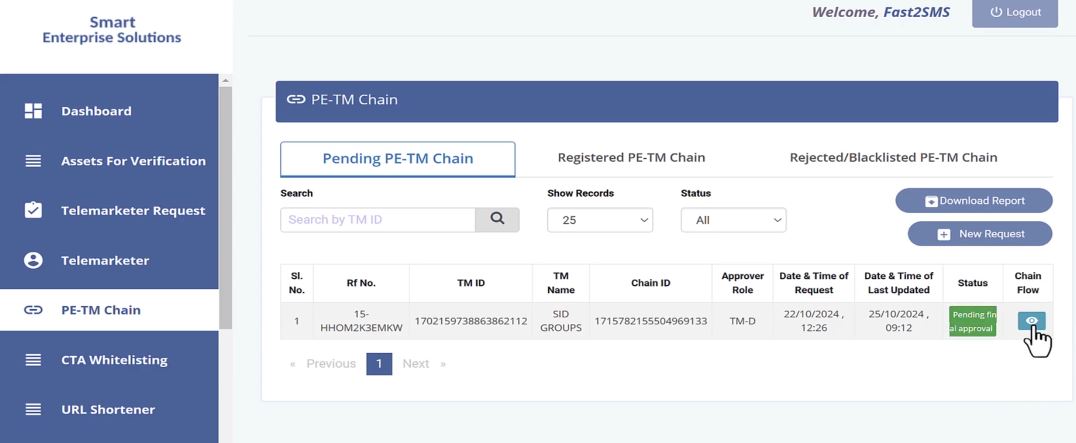
9. Click “Approve”
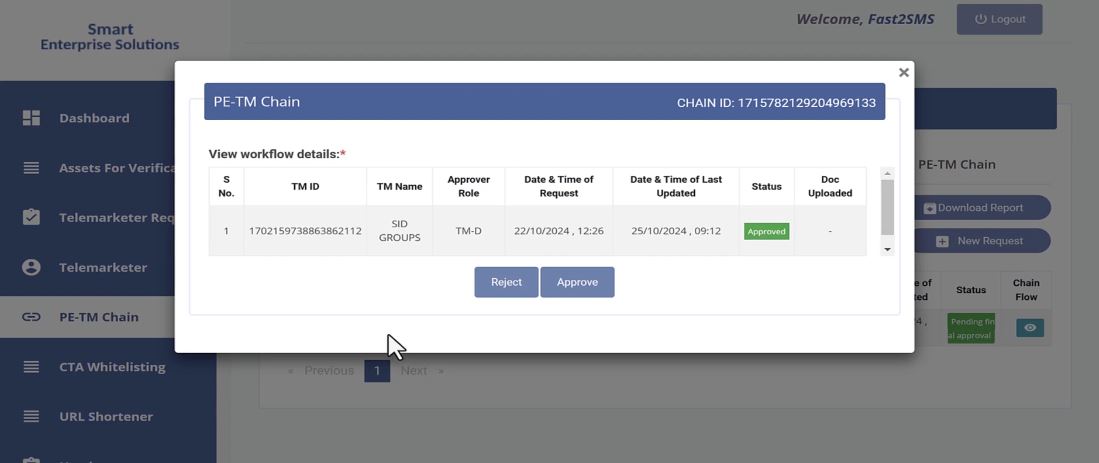
10. Click “Yes”
If you haven’t tried the Fast2SMS bulk SMS service yet, we invite you to explore our platform. Take advantage of our competitive pricing, starting at just 11 paisa per SMS at the time of writing (see the current rates on the pricing page).
Sending in bulk? For high SMS volumes our team offers discounted rates. Talk to our team or see SMS pricing.
You’ll also enjoy excellent customer support, free DLT assistance, and the ability to send bulk SMS through the fastest telemarketer in India, using advanced SMS routing systems.
For any further assistance and queries you can contact Fast2SMS support team.

Watch: the PE-TM mismatch warning explained on screen

Facing a PE-TM chain issue? Talk to our team, free.
Fast2SMS is a registered TM-D (SID GROUPS PRIVATE LIMITED, TMD ID 1702178720558766591) with direct connectivity to Airtel, Jio, Smartping, BSNL and Tata. Our team is happy to help with binding, hash code or mismatch problems on any operator portal, at no cost. Schedule a free meeting, call +91-6262778811 or email [email protected].
Frequently asked questions
Is Smartping the same as Pingconnect?
Yes. Smartping (smartping.live) is the portal also known as Pingconnect. Entities registered there log in at smartping.live and add telemarketers from the PE-TE Chain tab.
Which telemarketer ID do I enter on Smartping?
Enter 1702178720558766591. The name SID GROUPS PRIVATE LIMITED appears, because Fast2SMS is a brand of that company.
Why does Final PE Confirmation show Pending in Fast2SMS?
The telemarketer has approved, and you still need to approve the request on Smartping. Log in, open the chain request and click Approve, then the status updates.
Does a Smartping chain work for SMS to Jio and Airtel numbers?
Yes. One chain on the portal where you registered covers all operators. You do not set up the chain again on Jio, Airtel or any other portal.
What if my Smartping chain request is rejected?
Check the reason shown in the PE-TM Binding list in Fast2SMS, fix it and submit a new request for the same entity. Our team can help you if the reason is not clear.
Is the PE-TM chain still mandatory after December 2024?
Yes. The deadline has passed, and operators now deliver commercial SMS only when the full chain from your entity to the telemarketer is registered and active. Without it, your SMS fail at the operator.