
RCS business messages reach Android phones that use Google Messages with RCS chats turned on, and iPhones on iOS 18 or later where the mobile operator supports RCS on iPhone. Phones without RCS show as Non-RCS in your Fast2SMS report. Every number is charged when you send, and Non-RCS numbers are refunded automatically within 48 hours.
This guide explains which phones can receive RCS, how your customers turn it on, what happens to numbers that cannot receive it, and how to find those numbers in your report.
Which phones can receive RCS messages?
| Phone | Can it receive RCS business messages? |
|---|---|
| Android with Google Messages | Yes, when RCS chats are turned on and show Connected. |
| iPhone on iOS 18 or later | Yes, if the customer’s mobile operator supports RCS on iPhone and RCS Messaging is on. Availability varies by region and operator. |
| iPhone on an older iOS | No. |
| Basic feature phones | No. |
RCS needs mobile data or Wi-Fi to arrive. A phone that is offline for a long time gets the message when it is back online, up to the 6-hour expiry described below.
Does RCS work on iPhone?
Yes, with conditions. Apple added RCS to the Messages app in iOS 18. It works only when the customer’s mobile plan is from an operator that supports RCS on iPhone, and availability differs by region and operator. In India this was still rolling out at the time of writing, so expect some iPhone users to show as Non-RCS.
iPhone users can also switch business messages off. Apple’s settings have a separate RCS Business Messages switch under Settings > Apps > Messages > RCS Messaging.
How do customers turn on RCS?
On Android (Google Messages)
- Open Google Messages.
- Tap the profile picture or initial, then Messages settings, then RCS chats.
- Turn RCS chats on. The status should change to Connected.
On iPhone
- Open Settings and tap Apps.
- Tap Messages, then RCS Messaging.
- Turn RCS Messaging on. If the option is missing, the operator does not offer RCS on that line yet.
You cannot turn RCS on for a customer. If many of your customers show as Non-RCS, reach them on SMS or WhatsApp instead.
What happens when a number does not support RCS?
- The number shows Non-RCS in the delivery report with the description “Number is unreachable / not RCS enabled”.
- Fast2SMS does not send an SMS in its place. There is no automatic SMS fallback for RCS.
- The amount for that number is refunded to your wallet automatically within 48 hours.
- If a message cannot be delivered within 6 hours, it expires and shows Failed with “Not Reachable”. This is also refunded.
Important messages: If every customer must get a message, such as a payment reminder, send RCS first and then send the Non-RCS and failed numbers by SMS or WhatsApp.
How to find your Non-RCS numbers in Fast2SMS
-
Open the RCS report
Go to Delivery Report > RCS Report. The Total RCS donut shows how many messages ended as Delivered, Non-RCS, Failed, Sent and Pending for the selected dates.
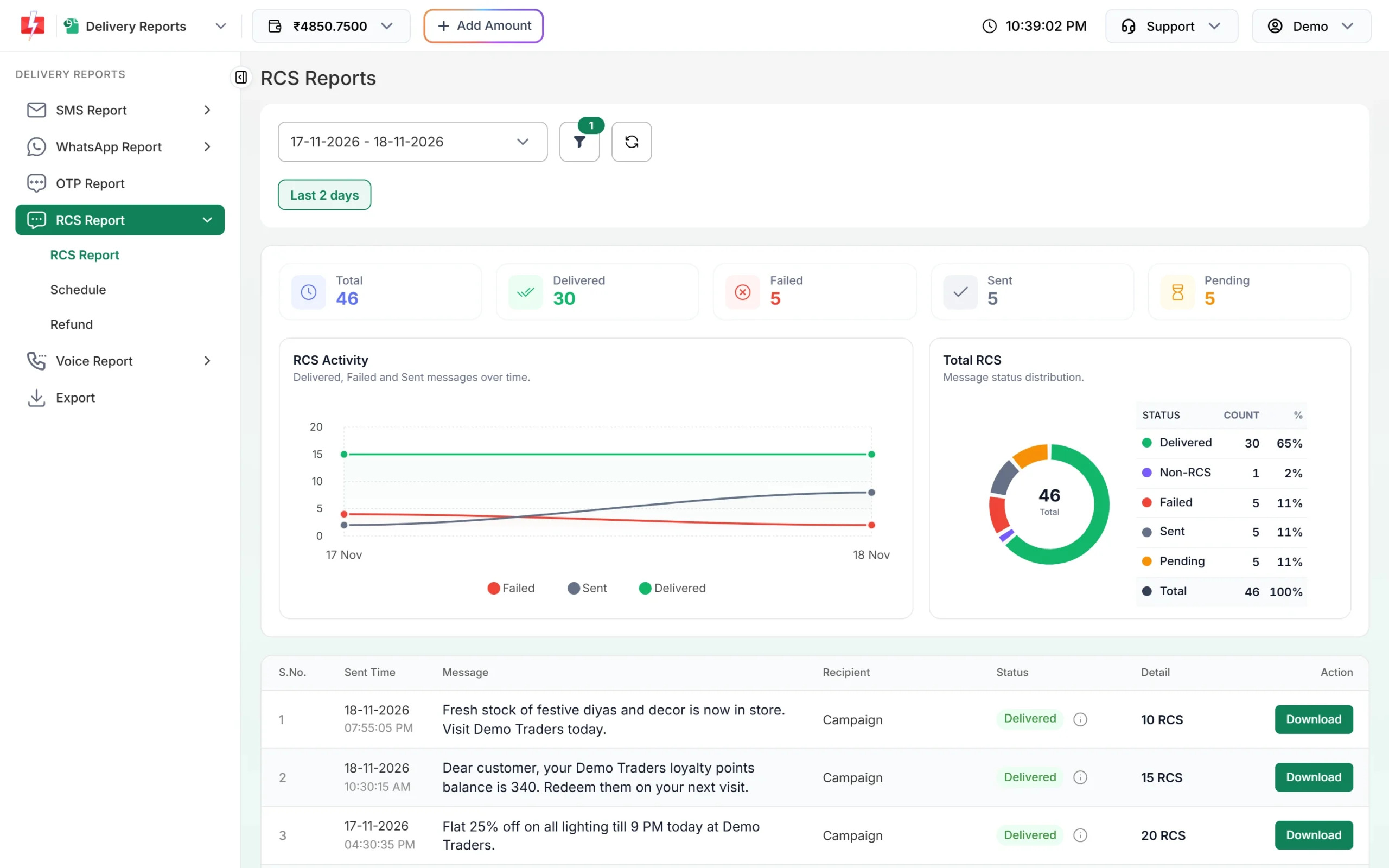
Non-RCS is counted separately in the donut. -
Filter by Non-RCS
Click the filter icon, open Delivery Status, choose Non-RCS and click Apply Filters. Pick a wider Date Range to cover more campaigns.
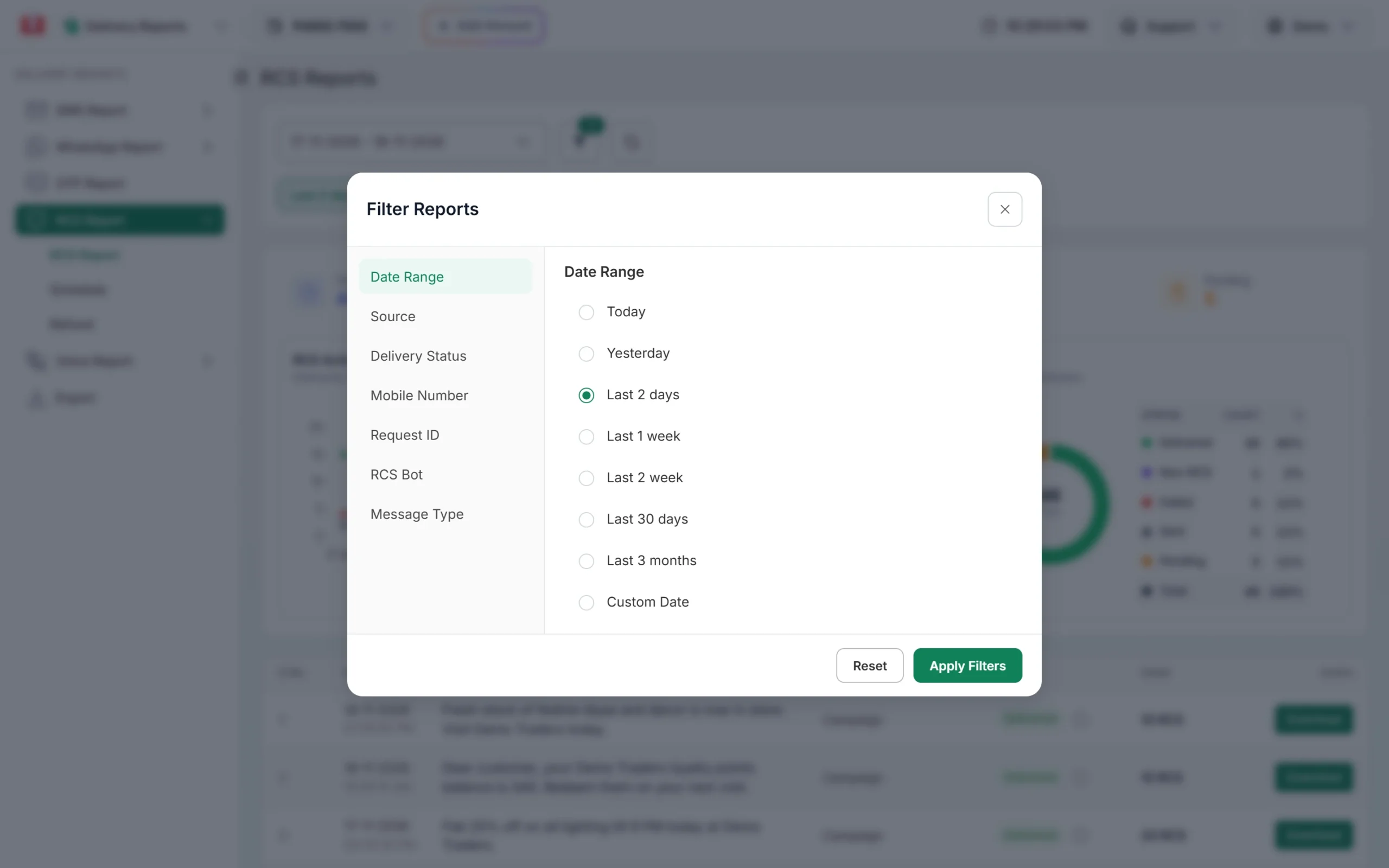
Use Delivery Status to list only Non-RCS messages. -
Check or download the numbers
Click a campaign to open Delivery Details. Non-RCS numbers show a purple Non-RCS tag. Click Download on the campaign row to get the full list as a file, then send those numbers by SMS or WhatsApp.
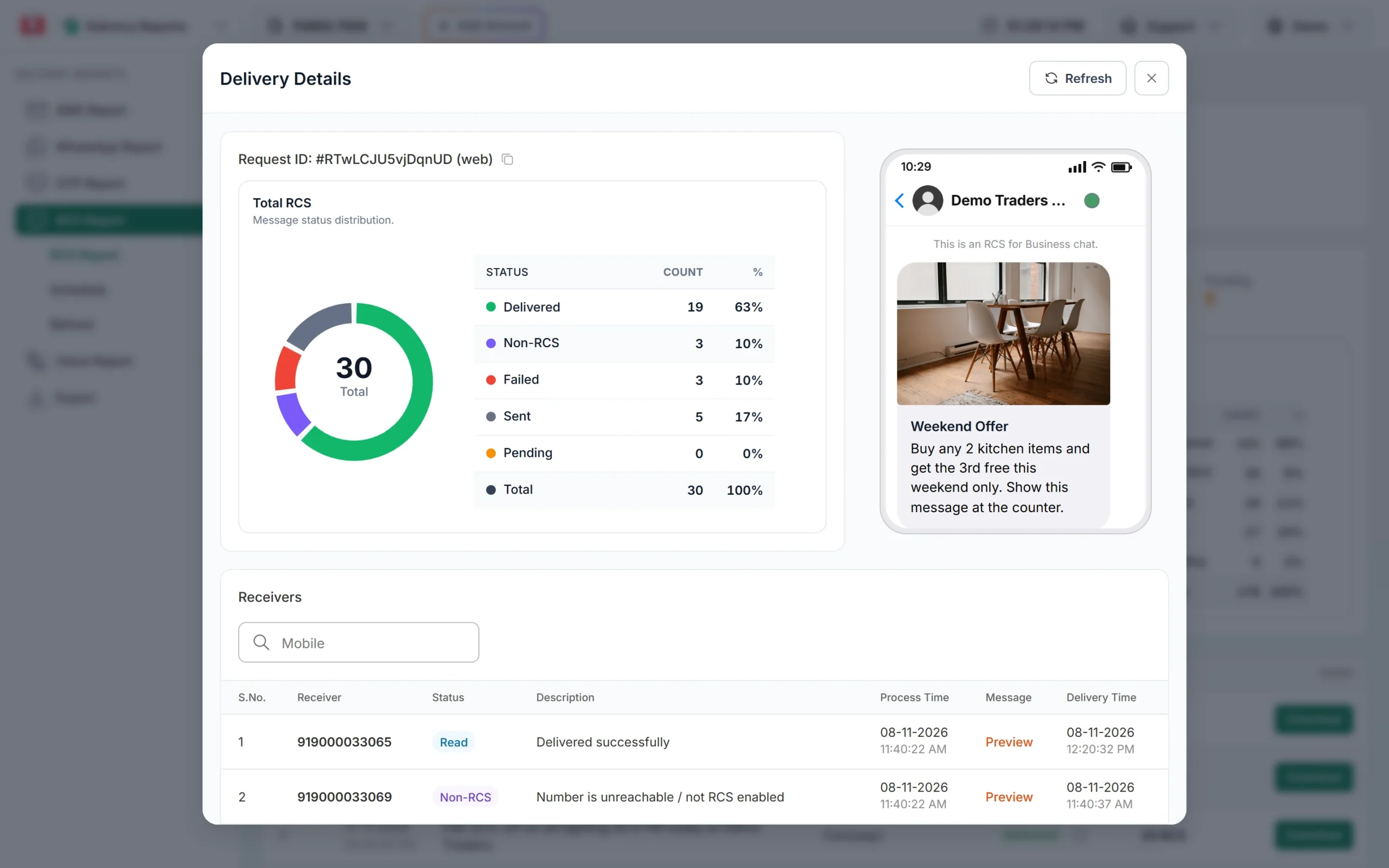
A Non-RCS number in the receivers list.
Frequently asked questions
Can iPhone users receive RCS business messages in India?
Only on iOS 18 or later, and only if their mobile operator supports RCS on iPhone. Support was still rolling out at the time of writing.
How do I know if a customer’s number supports RCS?
Send the message and check the report. Numbers that cannot receive RCS show as Non-RCS, and their charge is refunded automatically within 48 hours.
Does RCS need internet?
Yes. RCS messages arrive over mobile data or Wi-Fi. If the phone stays offline for 6 hours, the message expires and is refunded.
Will a Non-RCS customer get an SMS instead?
No. Fast2SMS does not send an automatic SMS for Non-RCS numbers. Send them an SMS or WhatsApp yourself if needed.
Am I charged for Non-RCS numbers?
The amount is taken when you send, and Non-RCS messages are refunded to your wallet automatically within 48 hours.
Why does RCS show as Not supported on a customer’s phone?
Google Messages shows Not supported when RCS chats cannot be used, often because of no internet connection. The customer should check data or Wi-Fi and try again.