
RCS is safe to use, but RCS messages from businesses are not end-to-end encrypted. They are encrypted on the way between the phone and Google’s servers, they come from a brand whose identity has been checked, and customers can block, report or unsubscribe with one tap. Chats between two people in Google Messages are a different case and can be end-to-end encrypted.
This page explains, in plain words, how safe RCS is for your customers, what “verified” means, who can see a business message, and what your business should never send over RCS.
Is RCS encrypted?
It depends on who is talking.
| Type of RCS chat | Encryption |
|---|---|
| Person to person in Google Messages | Can be end-to-end encrypted when both people use Google Messages with RCS on. A lock icon shows this. |
| Business to customer (RCS for Business) | Not end-to-end encrypted, so there is no lock icon. Messages are encrypted between the customer’s phone and Google’s servers, and between Google and the messaging provider. Stored messages are encrypted at rest. |
Because business chats are not end-to-end encrypted, the business, its messaging provider and in some cases the mobile operator can access the content to deliver it. Google scans messages that businesses send to catch spam and abuse, and checks links against unsafe sites. Google says it cannot read what a customer sends to a business, unless the customer reports the chat as spam.
What does the verified tick mean?
An RCS business chat shows the brand’s name, logo and a verified tick. The tick means Google, the mobile operator or an approved provider has confirmed that the business is who it says it is. A random number cannot copy that header.
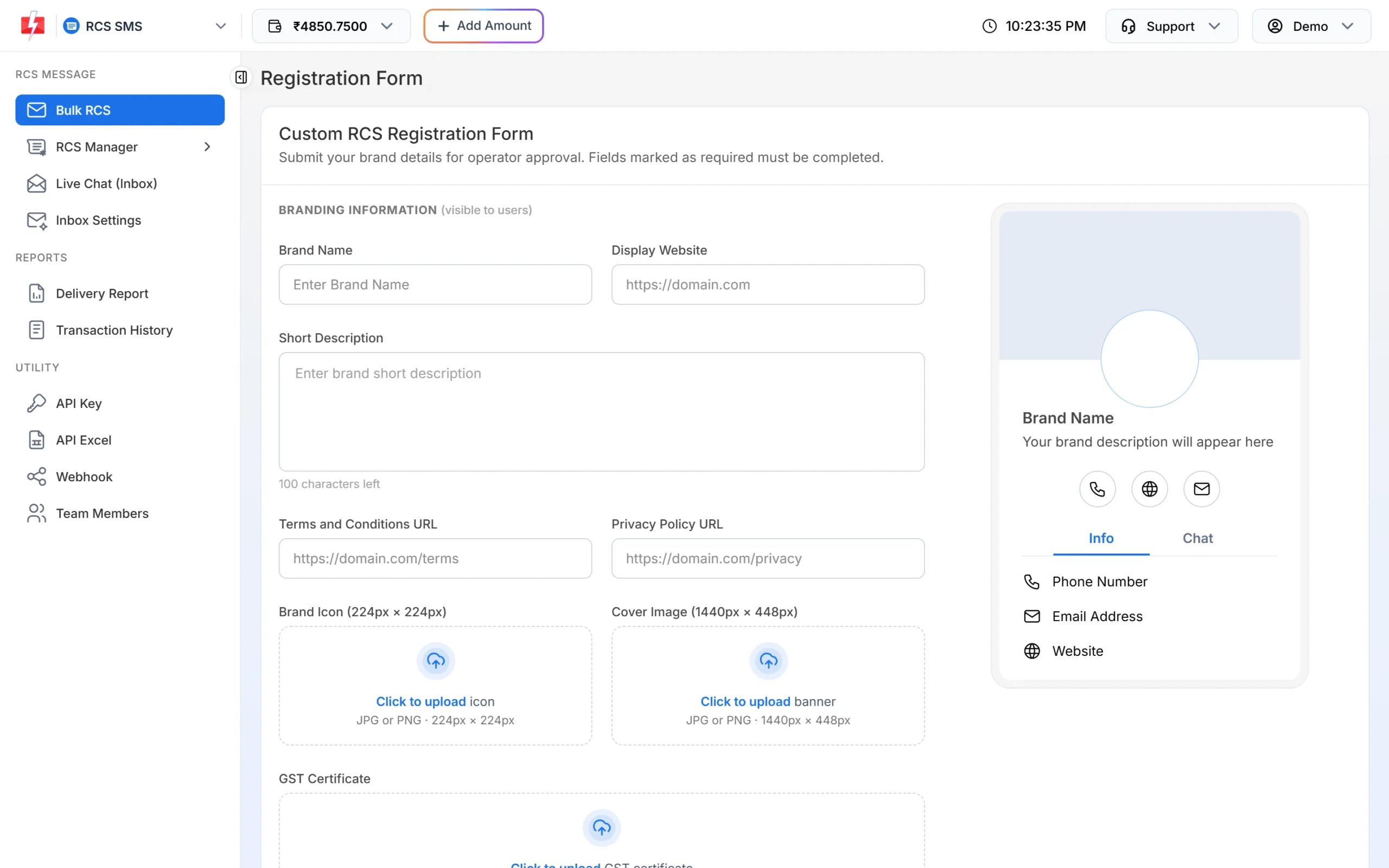
That check happens when the brand registers. In Fast2SMS, the RCS Registration Form asks for your brand name, website, Terms and Privacy pages, brand icon and cover image, GST certificate, a phone number and email that you confirm by OTP, and your customer opt-in page. The operator approves the brand before you can send.
How customers stay in control
- Block and report. In Google Messages, a customer can tap Block & report spam. The chat moves to Spam & blocked, and the report goes to Google and possibly the operator.
- Unsubscribe. In India, a customer can tap Unsubscribe in the chat menu. This sends a STOP message to the business, which must honour it. Important messages such as OTPs can still arrive.
- Read receipts. Businesses see when a message is read. Customers can turn read receipts off in settings.
- No group chats. Businesses cannot join group chats, so a “business” group invite is a warning sign.
What your business should and should not send
RCS is a good channel for order updates, appointment reminders, offers to opted-in customers and catalogues. Because business chats are not end-to-end encrypted, follow these rules:
- Never ask customers to reply with a password, card number, PIN, Aadhaar or OTP.
- Mask account and card numbers, for example XXXX1234.
- Send only to people who opted in. Your opt-in page is part of the RCS approval.
- Use the right bot. OTPs go from an OTP bot, offers from a promotional bot.
- Do not send content that breaks the RCS content rules, such as gambling, fake claims or impersonating a bank or government office.
Is RCS free?
For customers, receiving RCS uses mobile data or Wi-Fi, and Google notes that operator charges may apply depending on the plan. Businesses pay per message. In Fast2SMS, each RCS message costs ₹0.35 at the time of writing, charged when the campaign is sent. Messages that fail or reach numbers that cannot receive RCS are refunded automatically within 48 hours.
Sending in bulk? For high RCS volumes our team offers discounted rates. Talk to our team or see RCS pricing.
How Fast2SMS protects your RCS data
Every panel page and API call uses HTTPS (TLS 1.2 or newer). Contacts, templates and reports are encrypted in our database. You can rotate your API key, allow API calls only from your own IP addresses, and turn on OTP at login. Team members see only the chats assigned to them in RCS Live Chat.
Frequently asked questions
Is RCS safer than SMS?
For customers, RCS business messages show a verified brand name and logo, which makes fake messages easier to spot. Neither business RCS nor SMS is end-to-end encrypted.
Can a fraudster send RCS in my brand’s name?
Not with your verified header. A brand must be checked and approved before it gets a verified bot. Customers should still report any suspicious chat.
Why is there no lock icon on business RCS chats?
Because RCS for Business does not use end-to-end encryption. The lock icon appears only in end-to-end encrypted chats between people.
Can Google read business RCS messages?
Google can process messages that businesses send, to detect spam and abuse. It cannot read what customers send to a business unless the customer reports the chat.
How does a customer stop RCS messages from a business?
By tapping Unsubscribe in the chat menu, or Block & report spam. Your business must stop sending marketing messages after a STOP.
Is it safe to send OTPs over RCS?
Yes, from an OTP bot, and the code should never be asked back in a reply. For logins, also have SMS or WhatsApp as a fallback, because not every phone has RCS.