
An LOA (Letter of Authorization) names the person who can handle DLT work for your business. A CLI (Calling Line Identification) letter lists the headers (sender IDs) you want to register. Airtel DLT asks for both, on your company letterhead, signed and stamped.
Many people registering on DLT for the first time are not sure what these letters are or why they are needed. This guide explains both and shows how to fill them for Airtel DLT.
What is an LOA?
LOA stands for Letter of Authorization. It gives the details of the person who is authorized to handle DLT operations on behalf of the business.
Every operator has its own LOA format. In general, you fill in these details:
- Place and date
- Name and designation of the person giving the authority
- Details of the authorized person, such as name and identity proof
- Signature and company seal of the director or authorized signatory
How to fill an LOA
First, download the LOA format from the operator’s DLT site. The steps below are for Airtel.
Download the LOA format
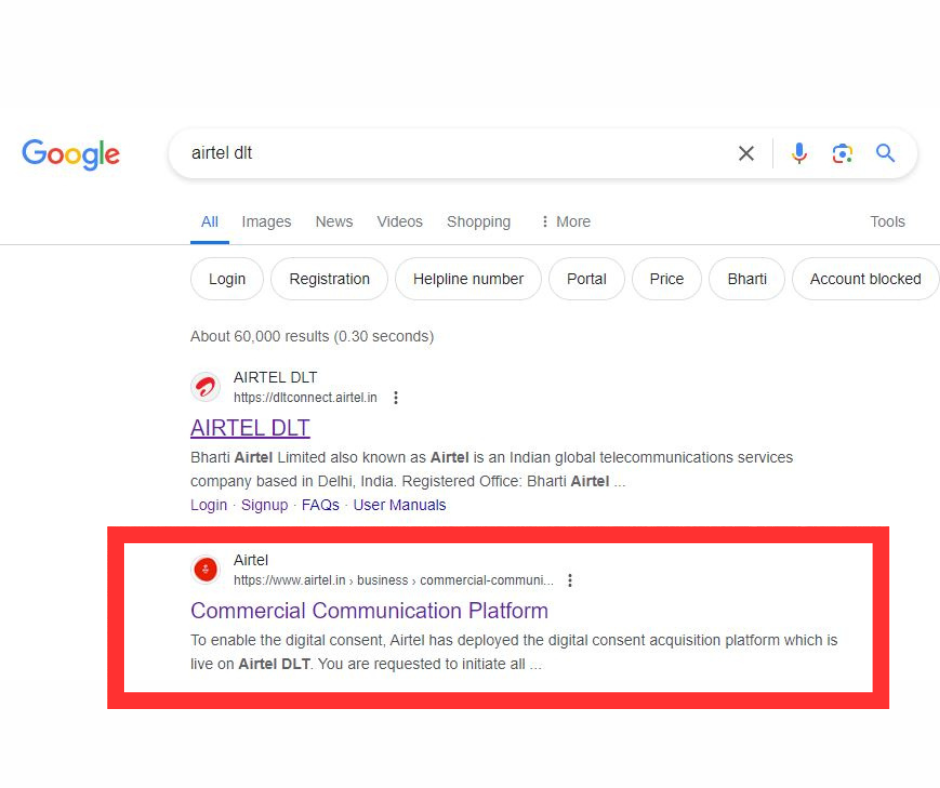
1. Search for “Airtel DLT” on Google, or open the Airtel DLT portal.
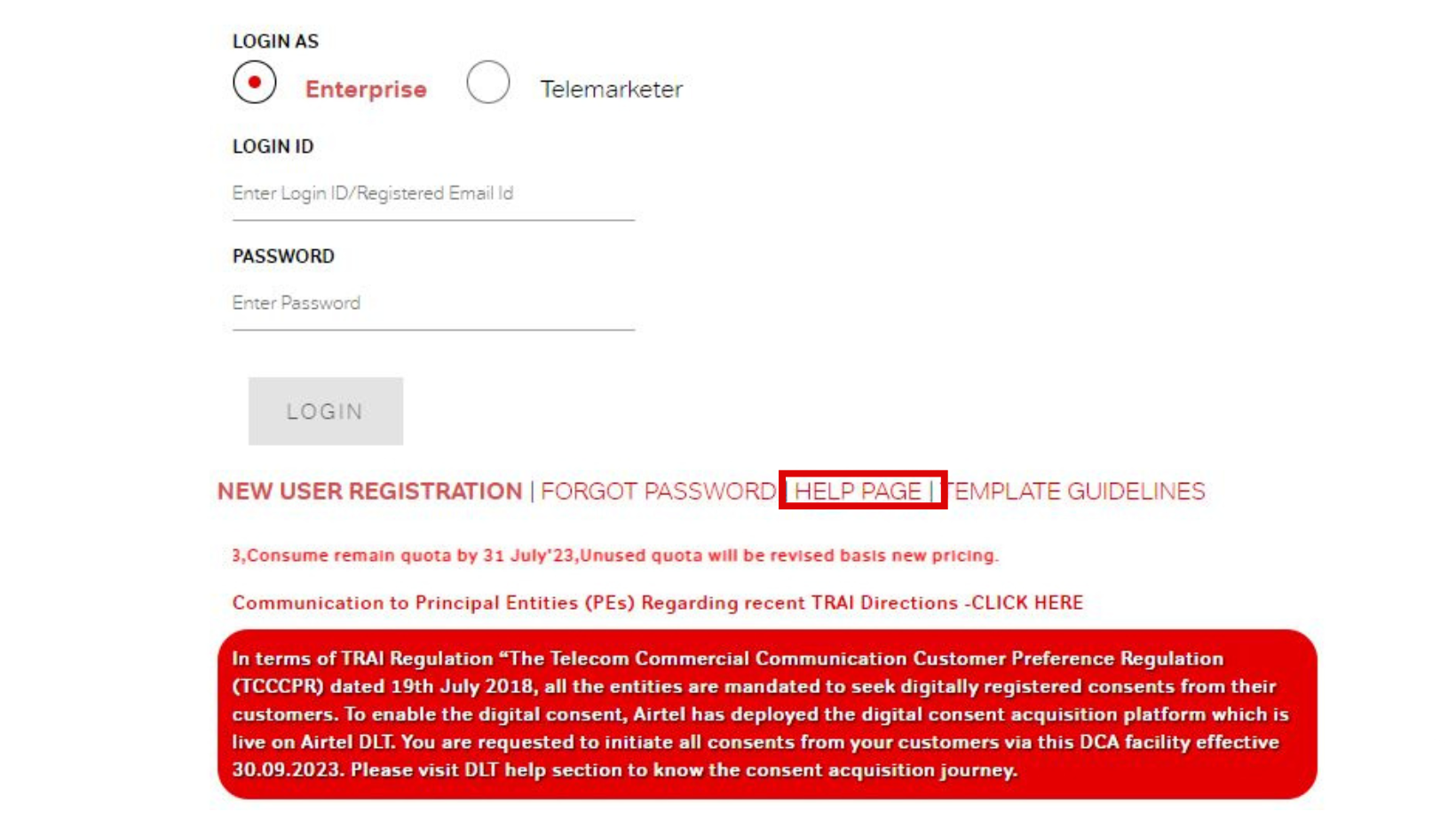
2. Open the Airtel DLT help page.
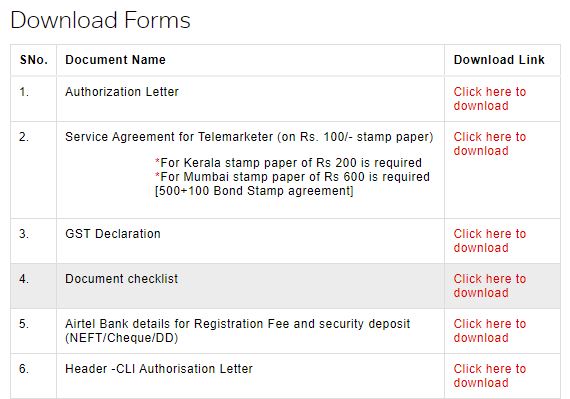
3. At the bottom you will find a list of “Download forms”. The first one is the LOA.
Fill in the LOA
1. Print the letter on your company letterhead, or copy it there. Keep the exact format and wording of the document.
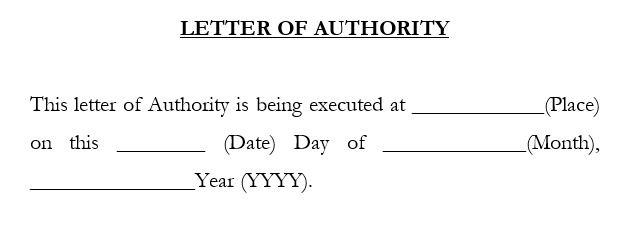
2. In the first section, write the place and the date on which you fill the form.
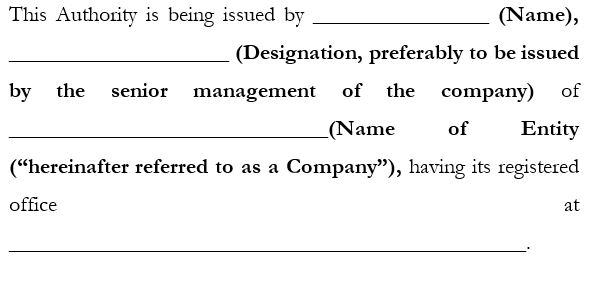
3. The next section asks for the person giving the authority: name, designation and the entity’s name.
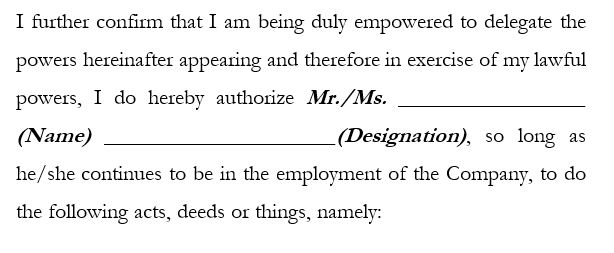
4. Then add the name and designation of the person you are giving the authority to.
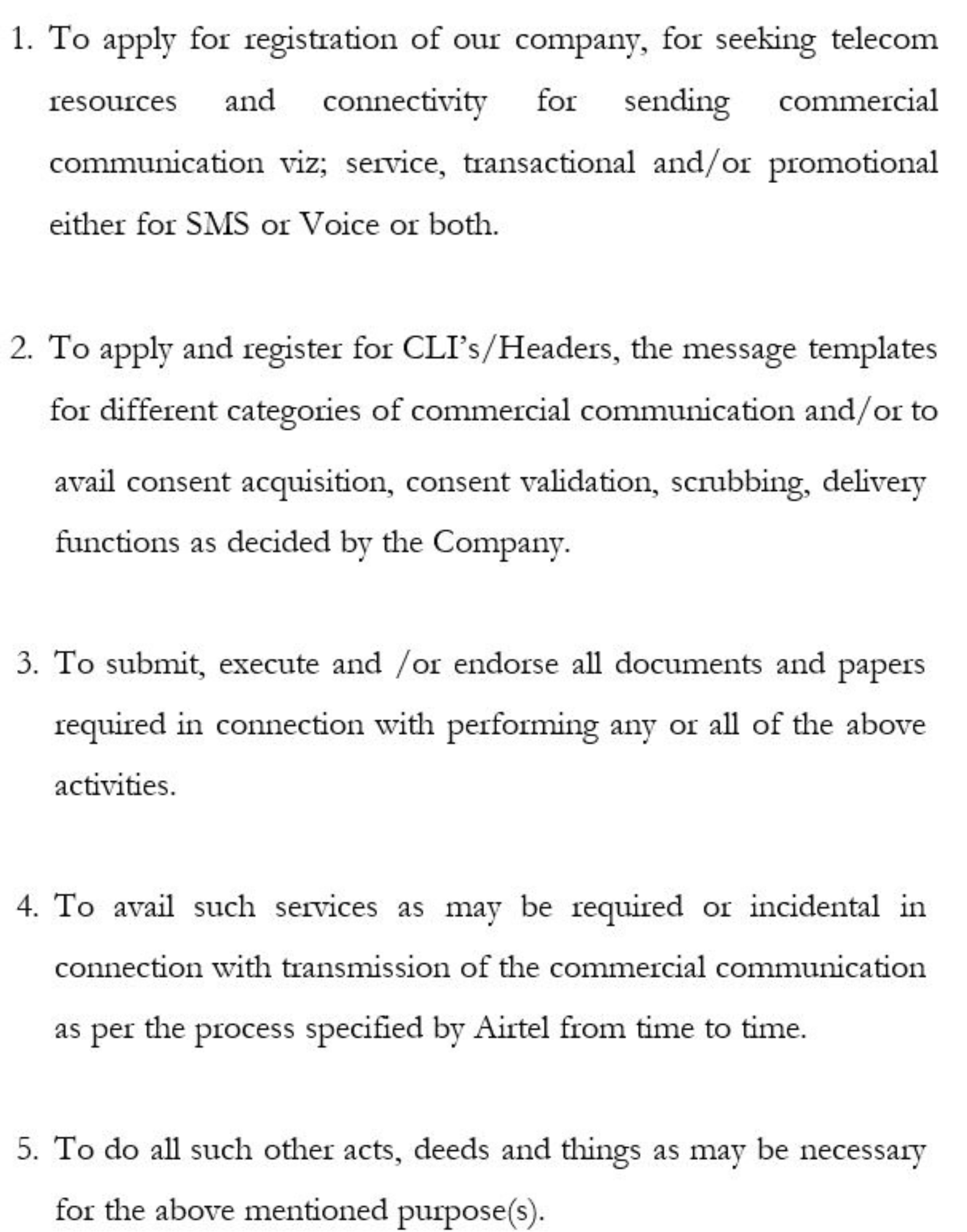
The next five points describe what the authorized person is allowed to do. You do not need to change them.
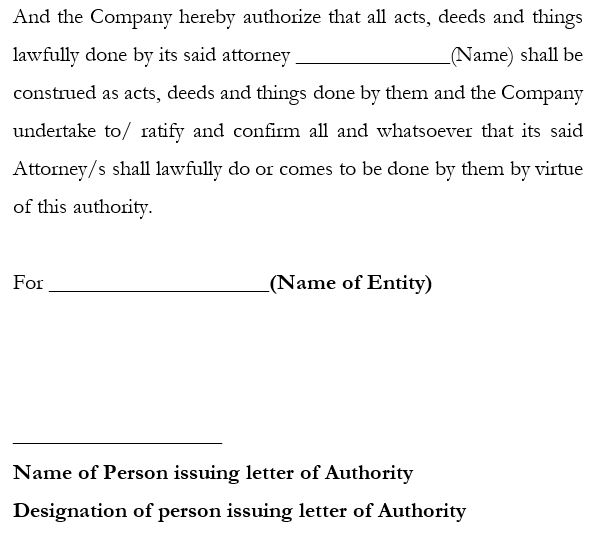
5. At the end, write the name of the authorized person again and the principal entity they will operate.
Example of a filled LOA (dummy details)
Here is how the main fields look when filled in. The business and names are dummy data. Use your own details exactly as they appear in your company documents.
| Field | Example |
|---|---|
| Place and date | Jaipur, 10 November 2026 |
| Person giving authority | Ravi Sharma, Director |
| Entity name | Demo Traders Private Limited |
| Authorized person | Anita Verma, Operations Manager |
| Identity proof of authorized person | PAN or Aadhaar number, as the form asks |
| Signature | Signature of the director with the company seal |
What is CLI?
CLI stands for Calling Line Identification. You need it when you apply for headers on the DLT portal.
The CLI letter only carries information about your headers. Not every DLT portal asks for it, but Airtel does.
How to fill the CLI
As with the LOA, first download the form from the DLT portal. The steps below are for Airtel DLT.
Download the CLI format
1. Go to the Airtel DLT portal.
2. Open the help page. The “Download forms” section is at the bottom.
3. Download the CLI form.
Fill in the CLI
1. Print the letter on your company letterhead, or copy it there.
2. Write the name of the company for which you want the headers.

3. Fill the headers table: each header, its category (such as promotional or transactional) and a remark about its use.
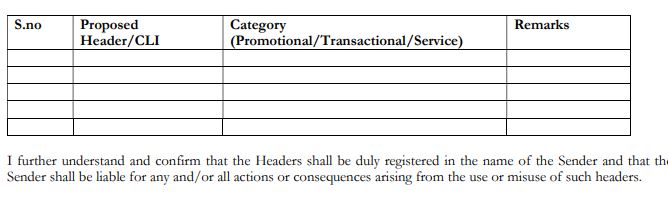
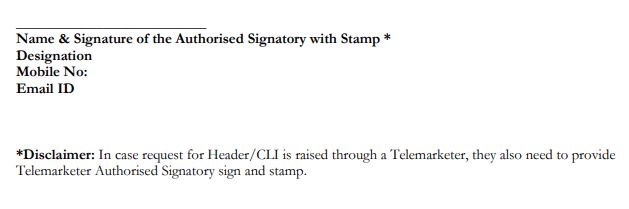
4. Finally, add the details of the authorized person or director, with signature and stamp.
Frequently asked questions
Do I need a new LOA for every operator?
No. You register on one DLT portal, and that registration works for all operators. Fill the LOA format of the portal where you register.
Who should sign the LOA?
The director, partner, proprietor or another authorized signatory of the business, with the company seal.
Can I type the LOA instead of printing the downloaded form?
Yes, you can copy it onto your letterhead. Keep the same format and wording as the operator’s document.
Related guides: Airtel DLT registration guide, Documents required for DLT registration, Complete the PE-TM chain on Airtel DLT, DLT registration fees and validity.