
TRAI has introduced a new compulsory step for DLT users, the PE-TM Binding chain. If you are using bulk SMS services in India, make sure to complete the PE TM Chain process by December 10th, 2024.
For this step principal entity needs to link itself with a telemarketer. PE-TM Binding chain process makes each SMS more traceable.

In this article, we will be discussing How to Add a Telemarketer in BSNL DLT for PE-TM Binding Chain.
Add Telemarketer in BSNL DLT for PE-TM Binding Chain
If you want to send bulk SMS in India it is crucial to complete the process of Principal entity and telemarketer binding chain process. To complete this process on BSNL DLT follow these steps:
1. Login in to “BSNL DLT” portal
2. Click on the “Chain” Tab
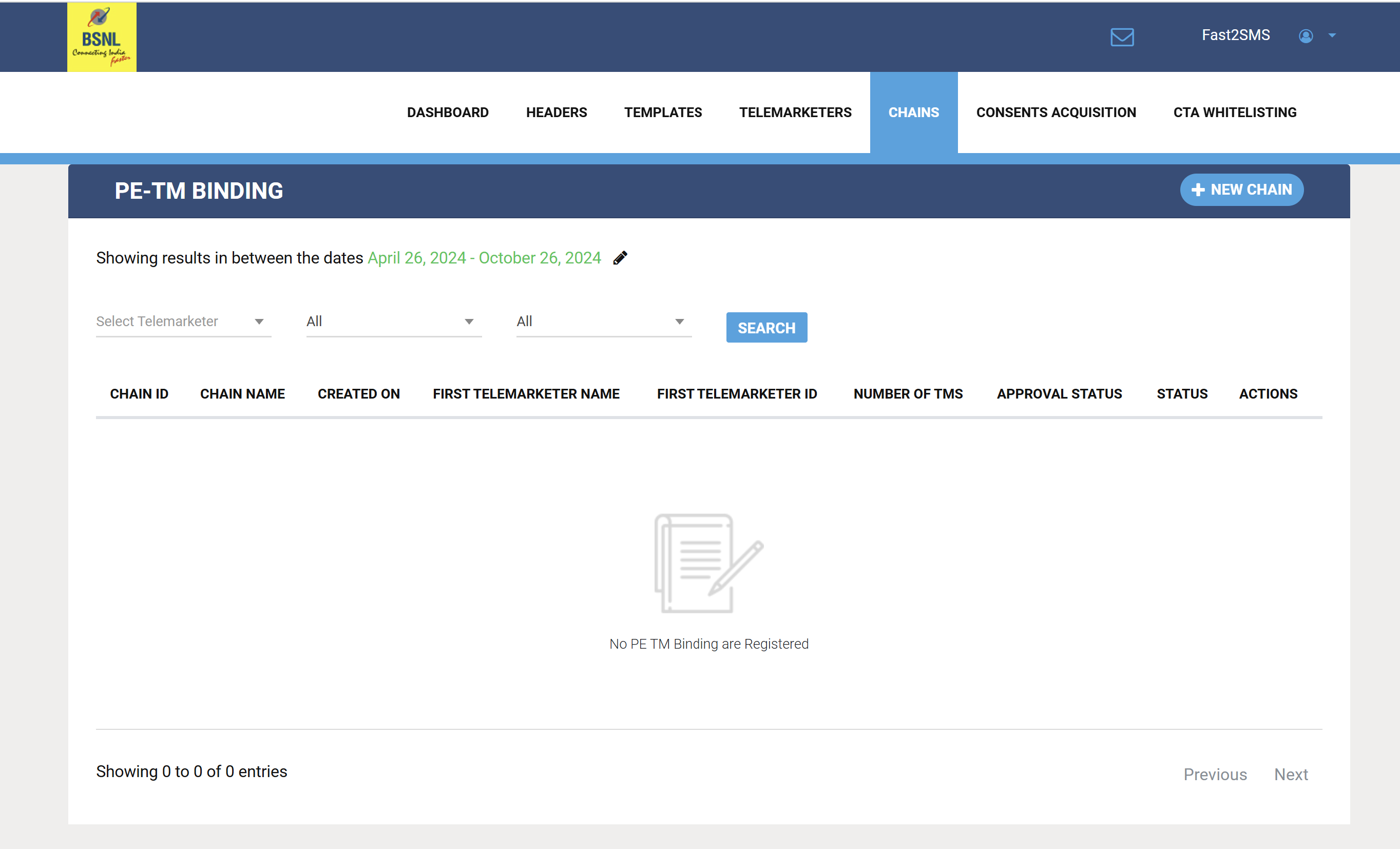
3. Enter the Telemarketer Name and the “Telemarketer”: 1702178720558766591-SID.
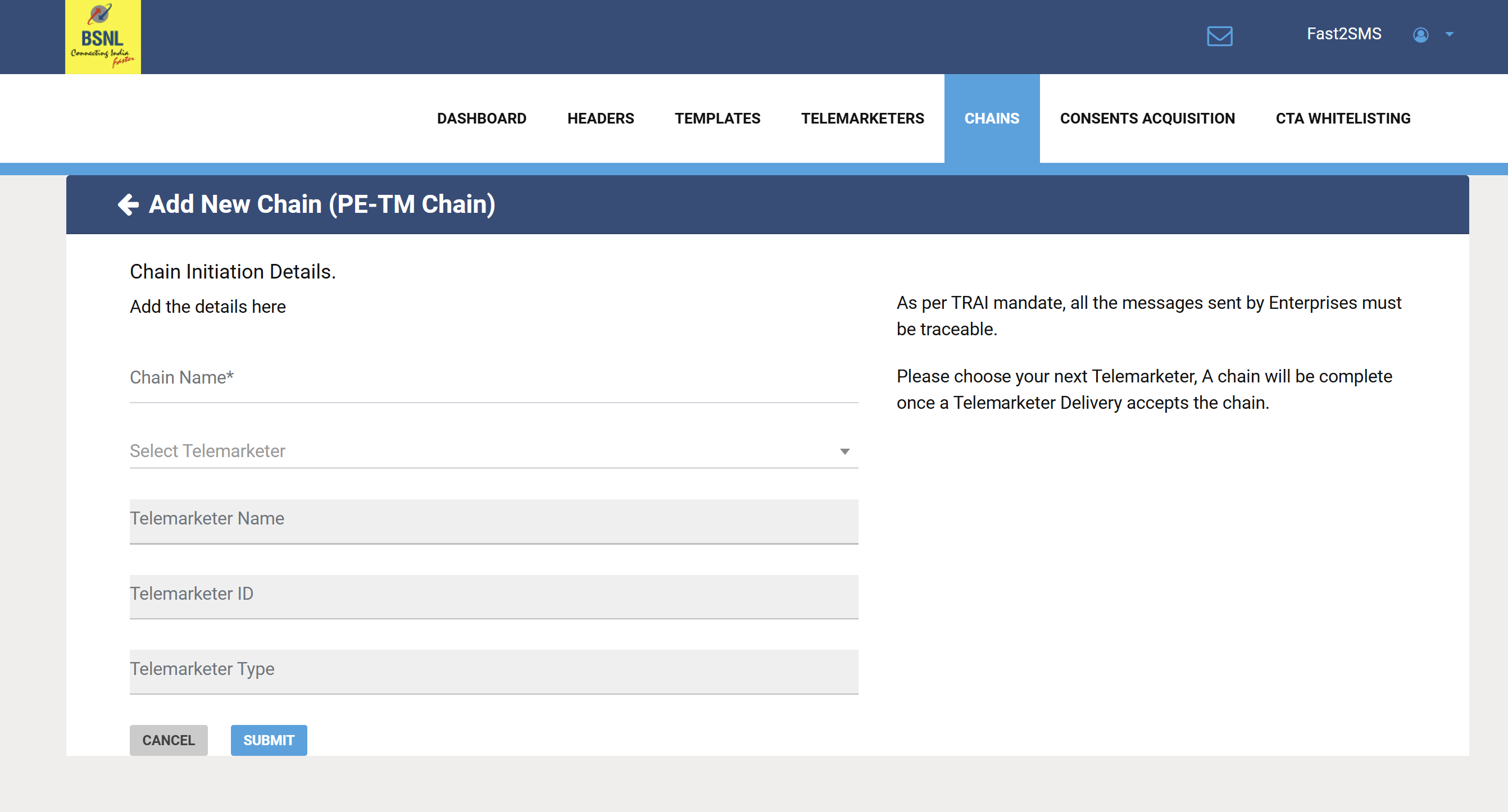
Note: Fast2SMS is the brand of SID GROUPS PRIVATE LIMITED. Hence the telemarketer ID of Fast2SMS is registered as SID GROUPS PRIVATE LIMITED.
4. Click “Submit”
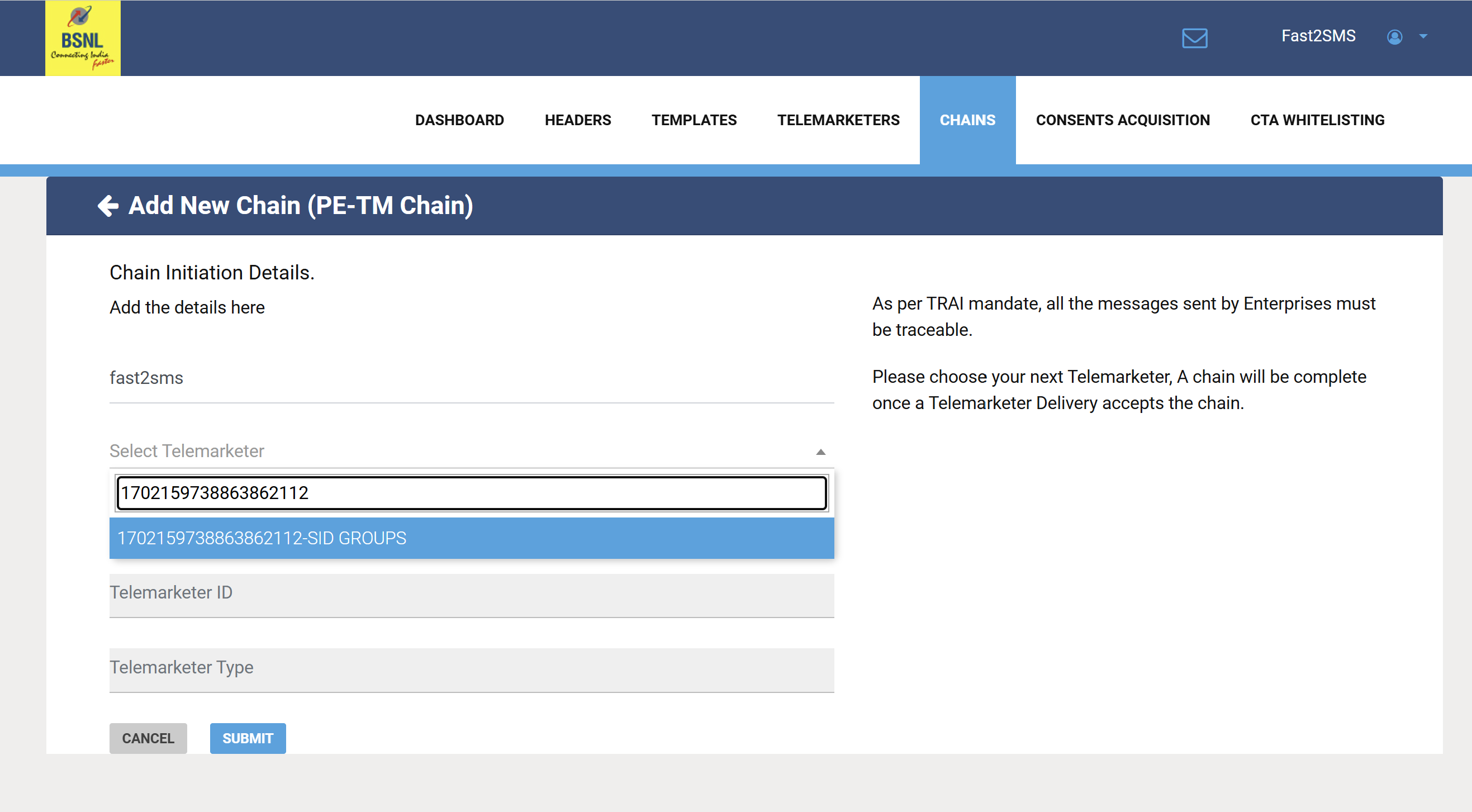
5. Click “Yes” on the pop-up appearing.
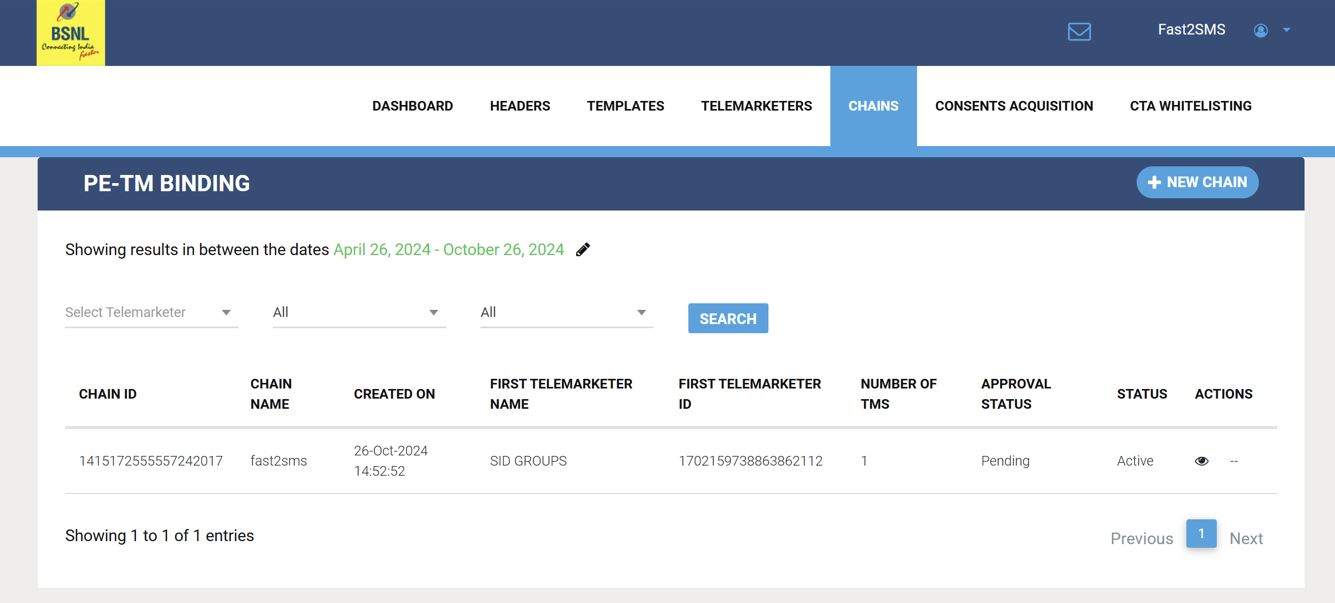
6. Your Request is shown “pending” Take a screenshot the the page like the following example image.
7. “Upload” the pending status screenshot, the company’s registered document, and the address proof of the authorized person in Fast2SMS under SMS > DLT Manager > PE-TM Binding.
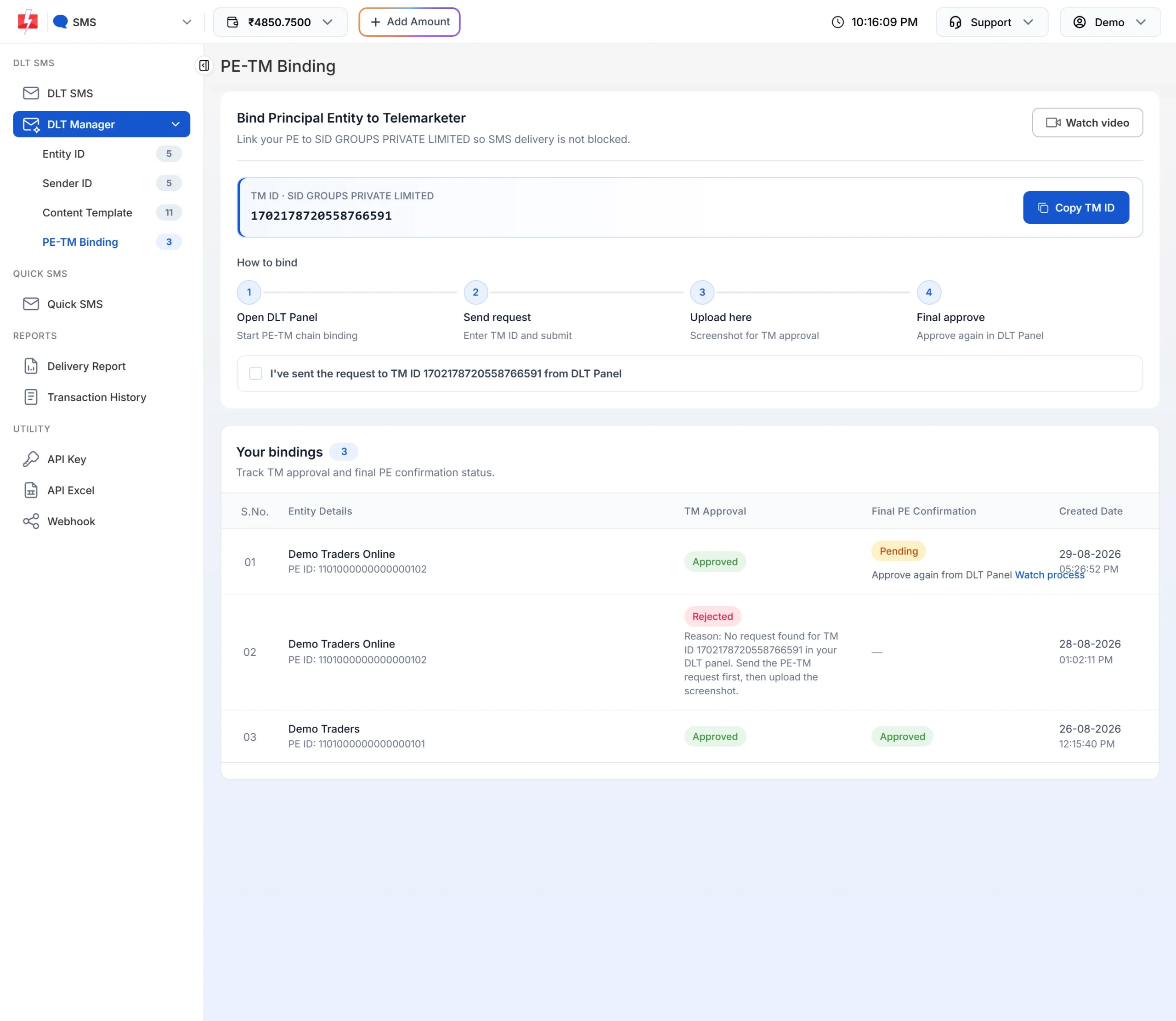
8. As SID GROUP (Fast2SMS) accepts the request. Go to the Chain section on BSNL DLT and re-request the for final approval.
If you are not a user of Fast2SMS then you are surely missing the best quality services at the most affordable pricing.
At Fast2SMS bulk SMS pricing starts at only 11 paise per SMS, which is the cheapest in the market without cutting SMS credits.
Moreover, you get the best support team who assist you with every DLT process free of cost.
In addition to this Fast2SMS bulk SMS provides intelligent routing systems that ensure no delay in SMS delivery.
What are you waiting for Check the best bulk SMS service provider in India Fast2SMS now!

Watch: the PE-TM mismatch warning explained on screen

Facing a PE-TM chain issue? Talk to our team, free.
Fast2SMS is a registered TM-D (SID GROUPS PRIVATE LIMITED, TMD ID 1702178720558766591) with direct connectivity to Airtel, Jio, Smartping, BSNL and Tata. Our team is happy to help with binding, hash code or mismatch problems on any operator portal, at no cost. Schedule a free meeting, call +91-6262778811 or email [email protected].
Frequently asked questions
Which telemarketer ID do I enter on BSNL DLT?
Enter 1702178720558766591 and pick SID GROUPS PRIVATE LIMITED. Fast2SMS is a brand of this company, so the chain shows the company name, not Fast2SMS.
Why is my BSNL chain still pending after the telemarketer approved it?
BSNL needs one last approval from you. Open the Chain section on the BSNL DLT portal and send the final approval request for the pending chain.
Does a BSNL PE-TM chain work for SMS to Jio and Airtel numbers?
Yes. You set up the chain once, on the portal where you registered, and it covers SMS to every operator. You do not need to repeat it on other portals.
Can I add more than one telemarketer on BSNL DLT?
Yes. An entity can create chains with more than one telemarketer, for example when it uses two SMS providers. Each provider can send only through its own approved chain.
Where do I track the binding status in Fast2SMS?
Open SMS > DLT Manager > PE-TM Binding. The list shows TM Approval and Final PE Confirmation for each entity, with the reason if a request is rejected. See PE-TM binding in Fast2SMS.