
Fast2SMS offers you the best quality services at the lowest price. In this article, we will explain to you how to pay online and what are the different payment modes in Fast2SMS.
Payment Modes in Fast2SMS
If you want to add wallet money in Fast2SMS, click on the Add Amount button in the top bar of the panel. When you click on it, the following screen will be shown.
Your per SMS cost and its validity depend on the amount you add:
- The more you add in one recharge, the lower your per SMS cost. Small recharges have unlimited validity.
- Bigger recharges get a lower per SMS cost with a validity of 6 months to 2 years. When that validity expires, the normal per SMS cost is debited again. You can renew the lower rate by doing another recharge in the same slab.
- See the current slabs and per SMS cost on the pricing page.
Sending in bulk? For high SMS volumes our team offers discounted rates. Talk to our team or see SMS pricing.
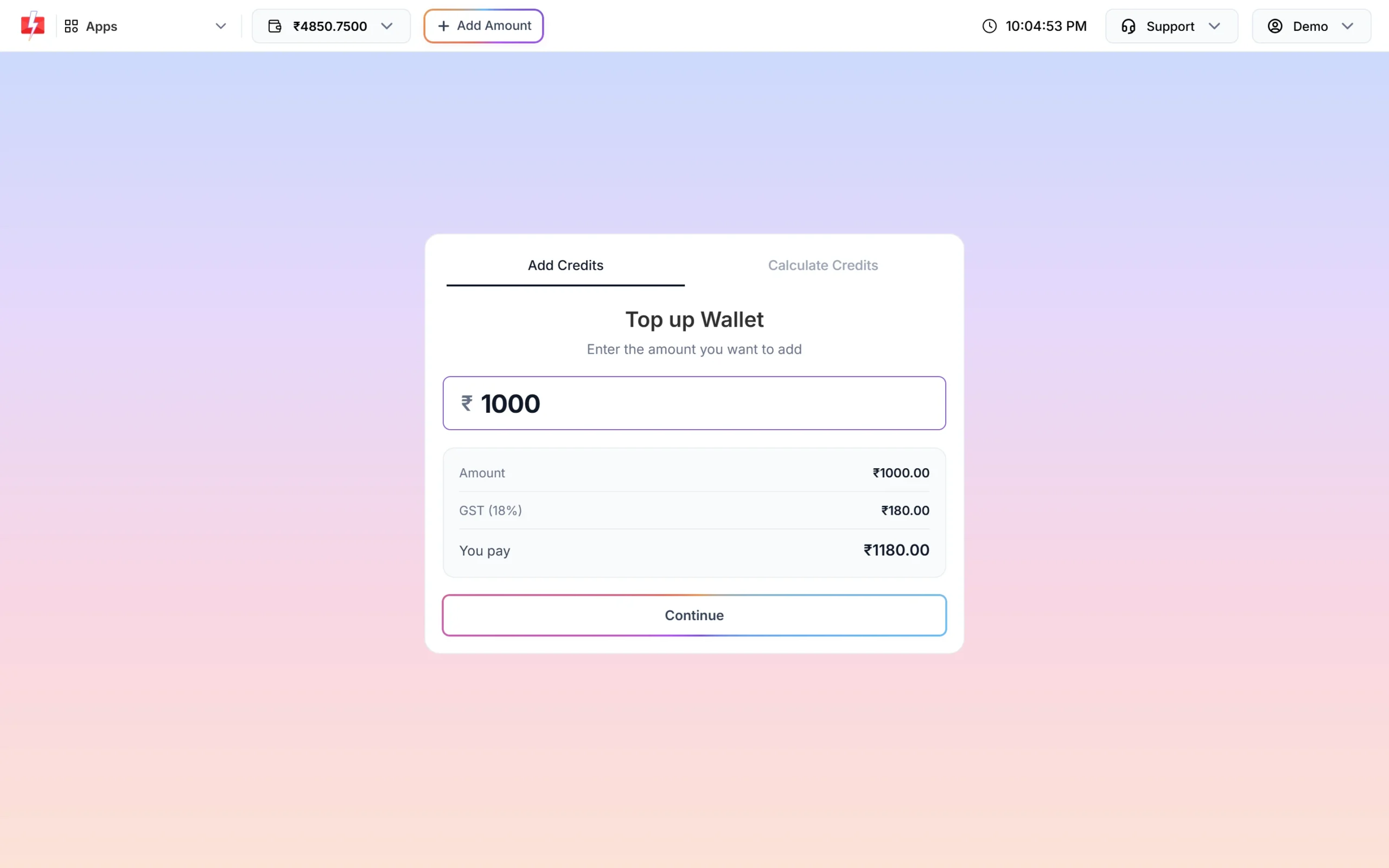
Now enter the amount you wish to start sending bulk SMS with. Suppose we want to add Rs. 5000. As soon as we enter Rs. 5000 in the amount box, the GST and the total are shown as in the image below.
Here we have entered Rs. 5000 in the amount box. The amount, GST (18%) and the total you pay are shown on the screen. To see the estimated SMS volume, use the Calculate Credits tab. Click the Continue button to proceed further with paying Rs. 5900.
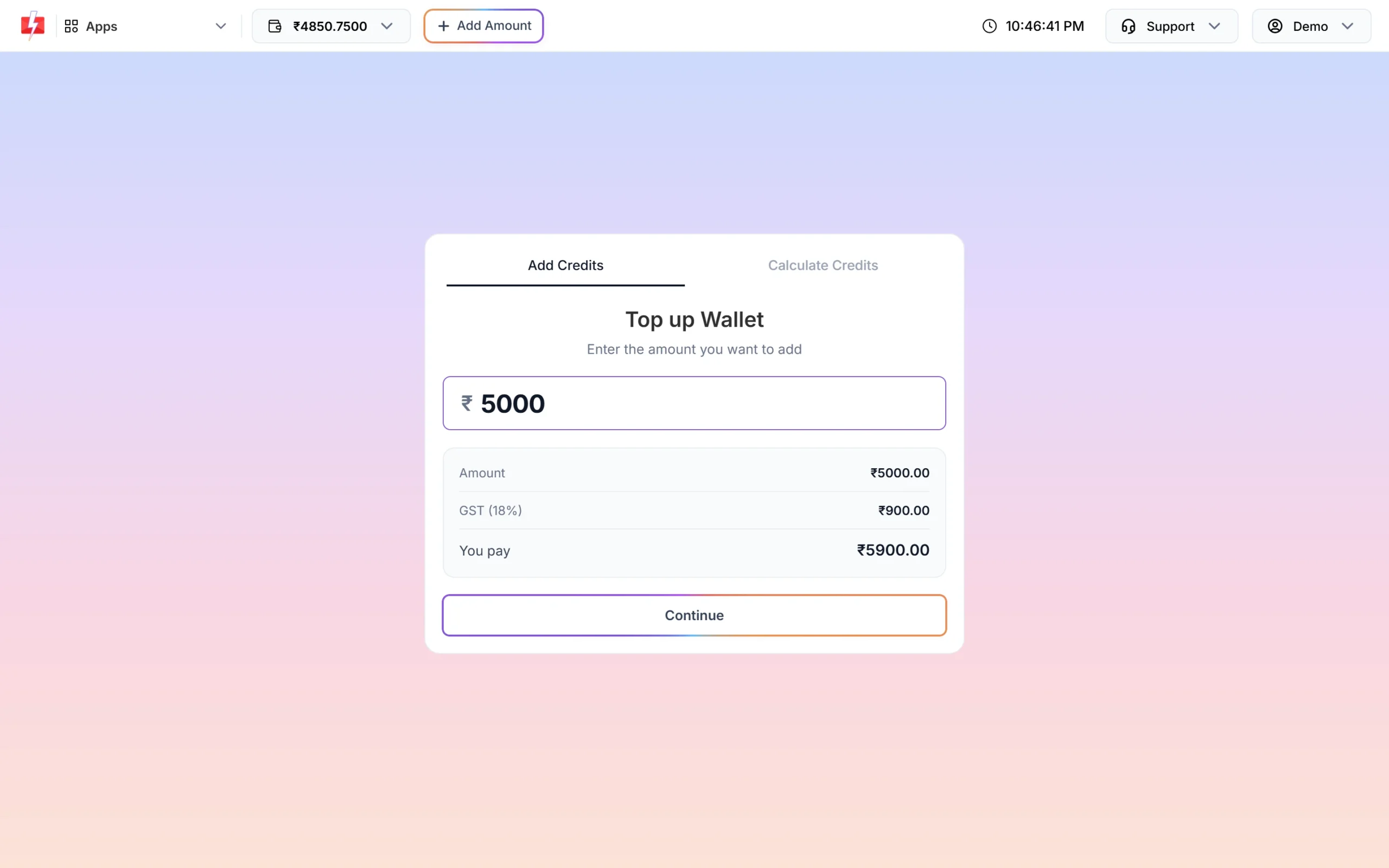
When you click on the Continue button, the Billing Details screen will be shown. If you have a company, enter the GST No. and Company name. Else leave them empty, they are optional.
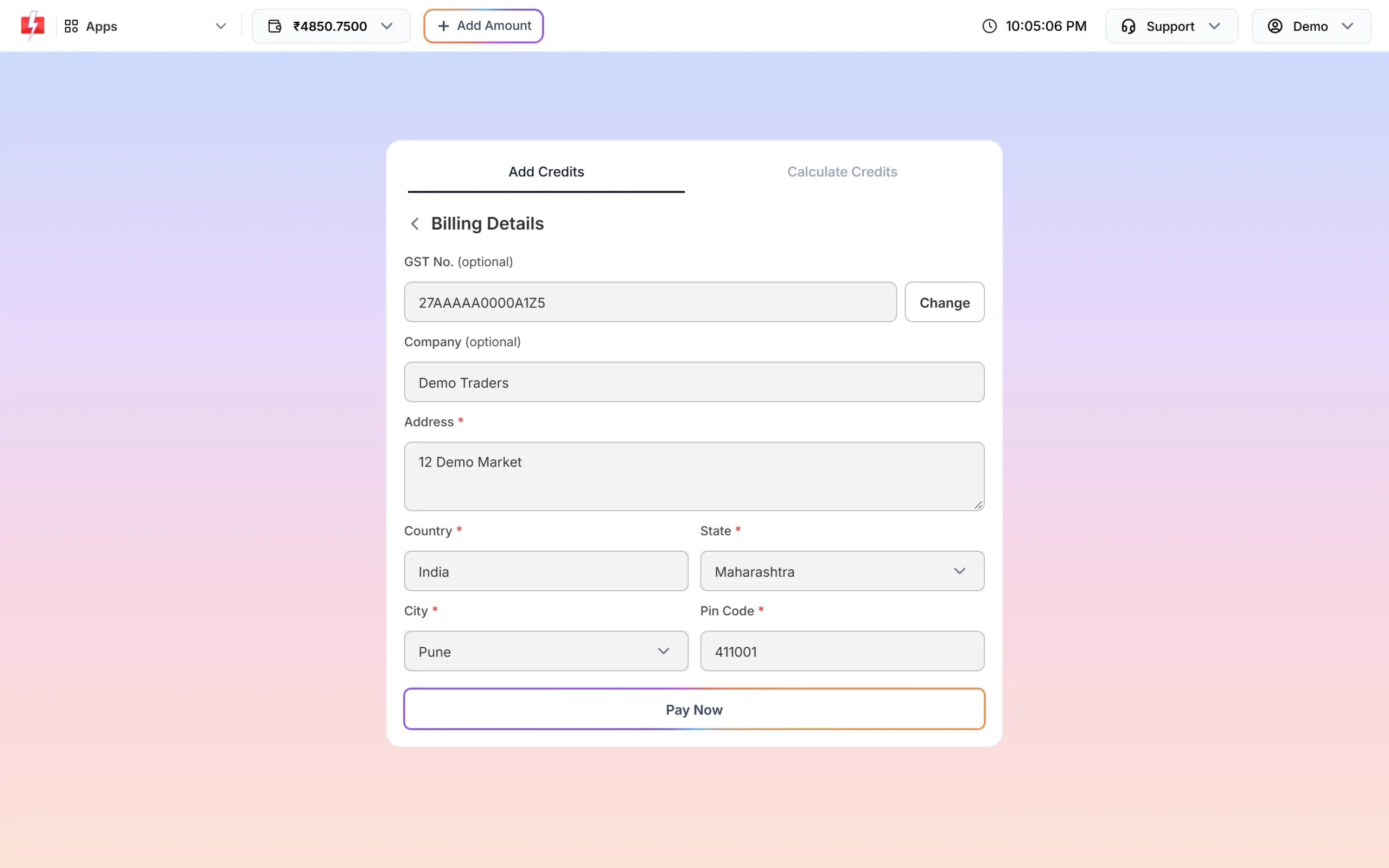
Fill in the other details on the same screen as well. Like address, state, city, and pin code. These details are compulsory. Then click on the Pay Now button.
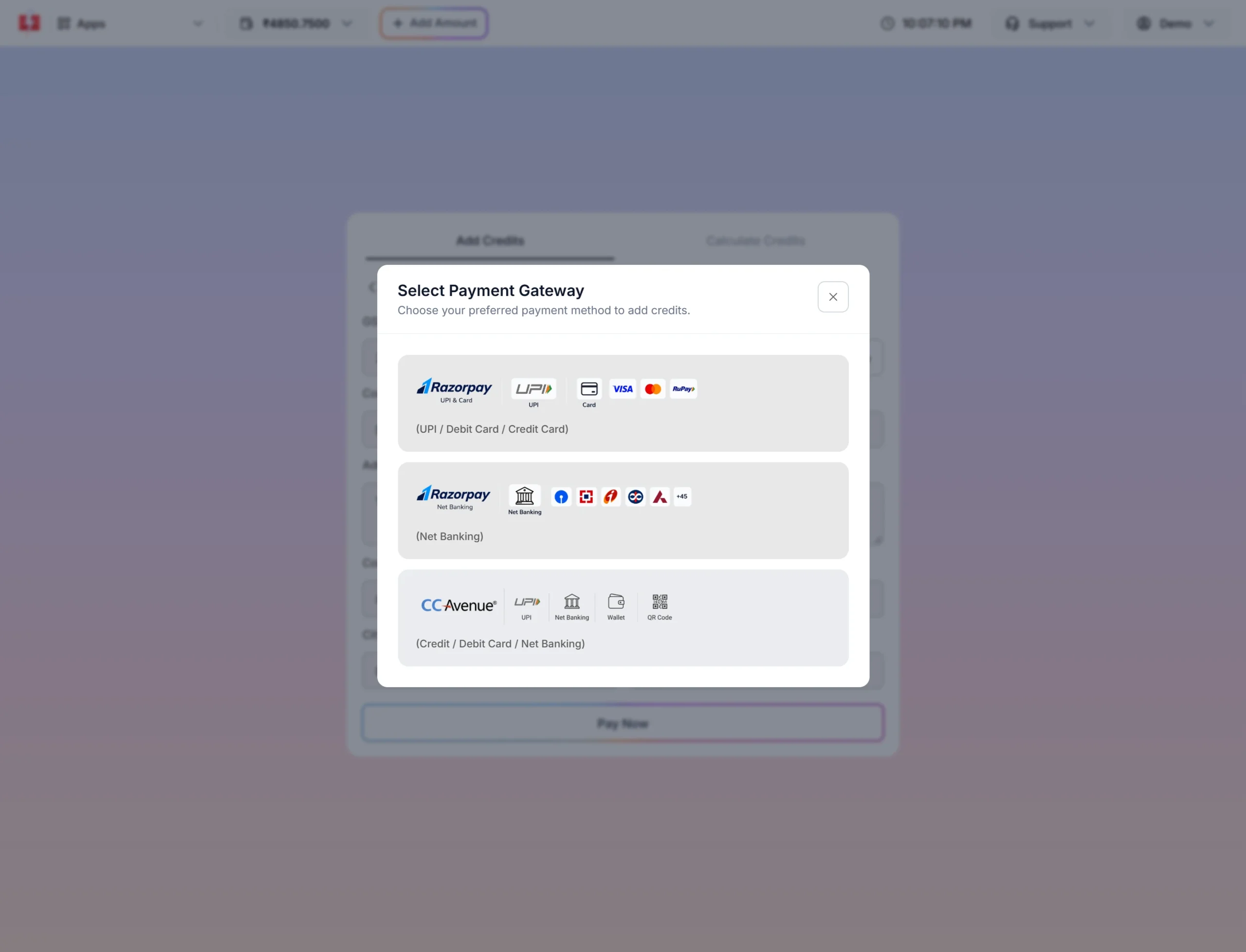
Next, choose your payment mode in the Select Payment Gateway box: Razorpay (UPI, debit card, credit card), Razorpay Net Banking, or CCAvenue (credit card, debit card, net banking).
Sign up now at Fast2SMS and reach your target audience within seconds. Our robust gateway and instant SMS delivery allow you to connect with your customers effortlessly.
Frequently asked questions
Is GST charged when I add money to my wallet?
Yes. GST of 18% is added on top of the amount you enter. Your wallet is credited the amount without GST, and you get a GST invoice for the recharge.
What if money was debited but not added to my wallet?
Late payments are checked again automatically and credited once the gateway confirms them. If the payment really failed, your bank refunds it, usually within 3 to 5 working days. Read what to do if the amount is not added.
Do I need a GST number to recharge?
No. The GST No. field in Billing Details is optional. Add it if you want your GSTIN on the invoice to claim input tax credit. See how to change your GST number or company name.
Why does my invoice show IGST instead of CGST and SGST?
IGST applies when your billing state is different from the seller’s state, Madhya Pradesh. Billing addresses in Madhya Pradesh get CGST and SGST instead. The total tax is the same 18%.
Where can I download my recharge invoice?
Open Transaction History and go to the Invoices tab, or click Invoice next to the recharge. The invoice is also emailed if your email is verified. See how to download your GST invoice.
Is there a minimum recharge amount?
Yes. The Add Amount page shows the minimum and stops you with a message if you enter less. Read about the minimum recharge for bulk SMS.