
To add or change your GST number and company name in Fast2SMS, go to Account Setting > Billing Address, enter the details and click Save. If a GST number is already saved, click Change GST and confirm with your password first. The new details print on the invoices of your next recharges.
Before you start
- Your 15-character GSTIN, for example 27AAAAA0000A1Z5.
- Your Fast2SMS account password, if you are changing a GST number that is already saved.
How to add or change the GST number
-
Open Billing Address
Click Account Setting on the dashboard and choose Billing Address in the left menu. You see GST No, Company, Address, Country, State, City and Zip Code.
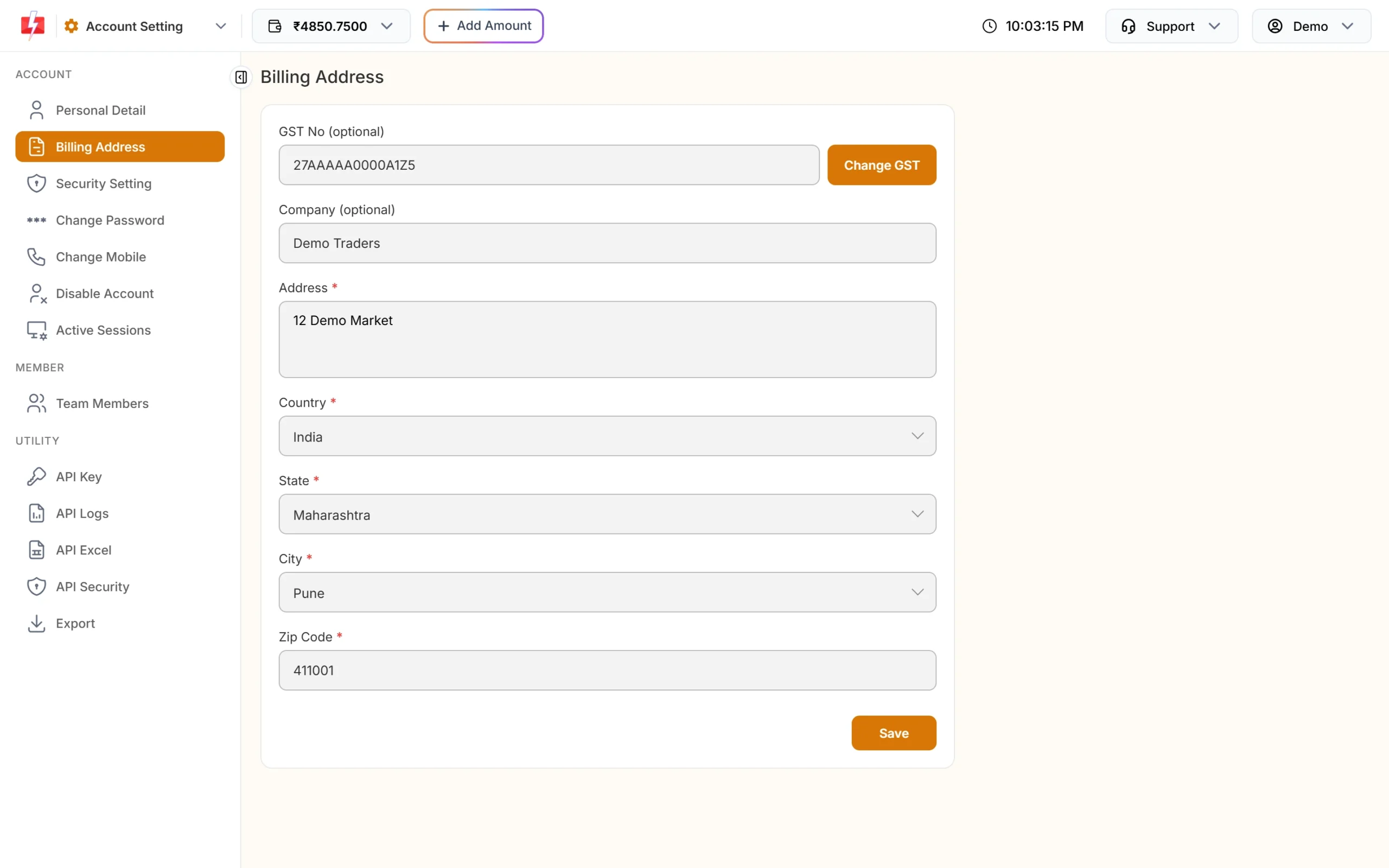
Billing Address with a GST number saved. The fields are locked. -
Click Change GST to edit the fields
If a GST number is already saved, the fields are locked. Click Change GST, enter your password and click Confirm. After “Password verified.” you can edit. If no GST number is saved, skip this step.
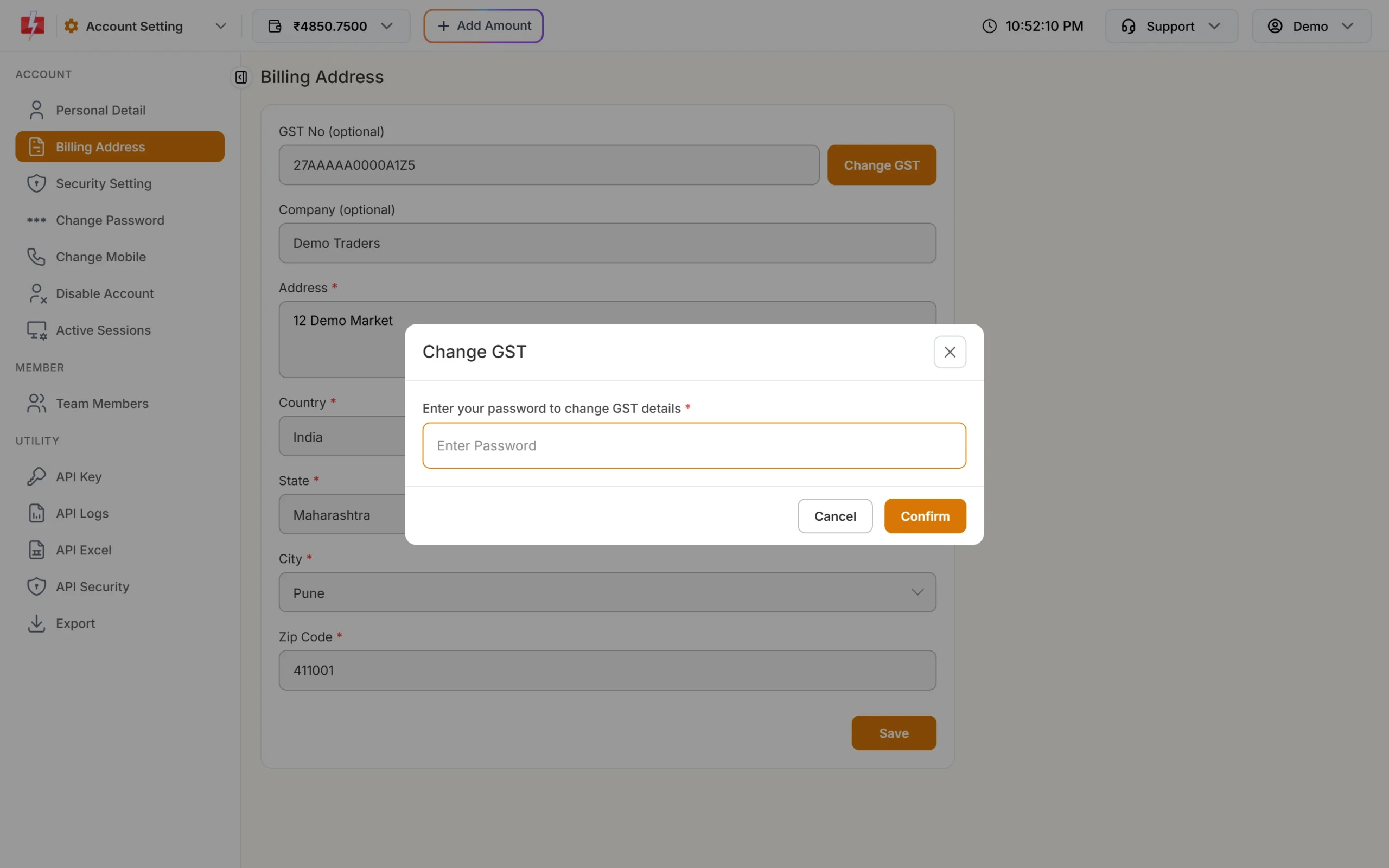
Your password is needed to change a saved GST number. -
Type the new GST number
Enter all 15 characters in GST No. Letters change to capitals. When the number is found, the company name, address, state, city and pin code fill in by themselves and you see “GST details verified.”
-
Check the company name and save
Check Company and the address, then click Save. You see “Billing Details Saved Successfully.”
Company name rules
- Optional, up to 80 characters.
- Must have at least 2 letters, in English.
- Allowed symbols:
& . , ' - ( ) / @ +. Other symbols give “Enter a valid company name in English”.
Common problems
| Message | Fix |
|---|---|
| GST number not found. | Check the 15 characters against your GST certificate |
| Daily GST search limit of 5 reached. | You can look up 5 new GST numbers a day. Try again tomorrow |
| Invalid password. | Use your Fast2SMS login password in the Change GST popup |
Each invoice keeps the billing details that were saved at the time of that recharge. Changing your GST number now does not change invoices you already have. It applies from your next recharge.
Frequently asked questions
Is a GST number required to use Fast2SMS?
No. GST No and Company are optional. Without them you get an invoice in your name.
Can I add GST while recharging?
Yes. The Billing Details step of Add Amount has the same GST No and Company fields.
Can I change the GST number on an old invoice?
No. Old invoices keep the details from the day of the recharge. Contact support through Contact Support if an invoice has a problem.
Can I change my company name without a GST number?
Yes. If no GST number is saved, edit Company and click Save.