
Fast2SMS has made email verification mandatory now. You need to verify registered email address before using Bulk SMS Services offered by Fast2SMS.
Process to verify your email in Fast2SMS
1. After sign up, when you login into your Fast2SMS account, you need to complete the email verification process in order to start sending Bulk SMS.

2. After login, open Account Setting from the Apps dashboard (in the Utility row). On the Personal Detail page you can see your email and whether it is verified.
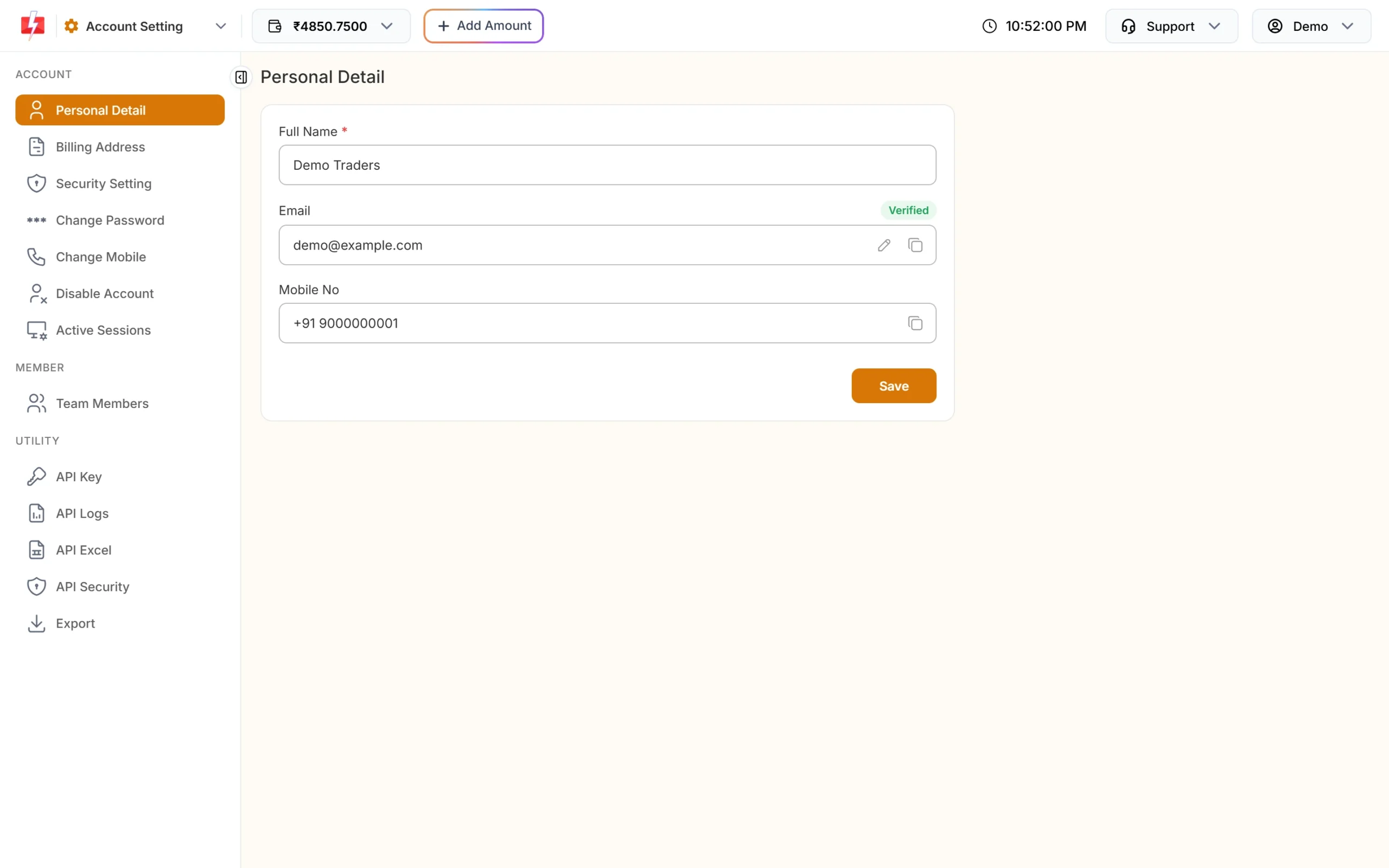
3. Note: If your registered email is incorrect or you want to change your registered email address, simply click on the pencil icon. Enter new email address & your current password then click the Change Email button. A verification link is sent to the new email.
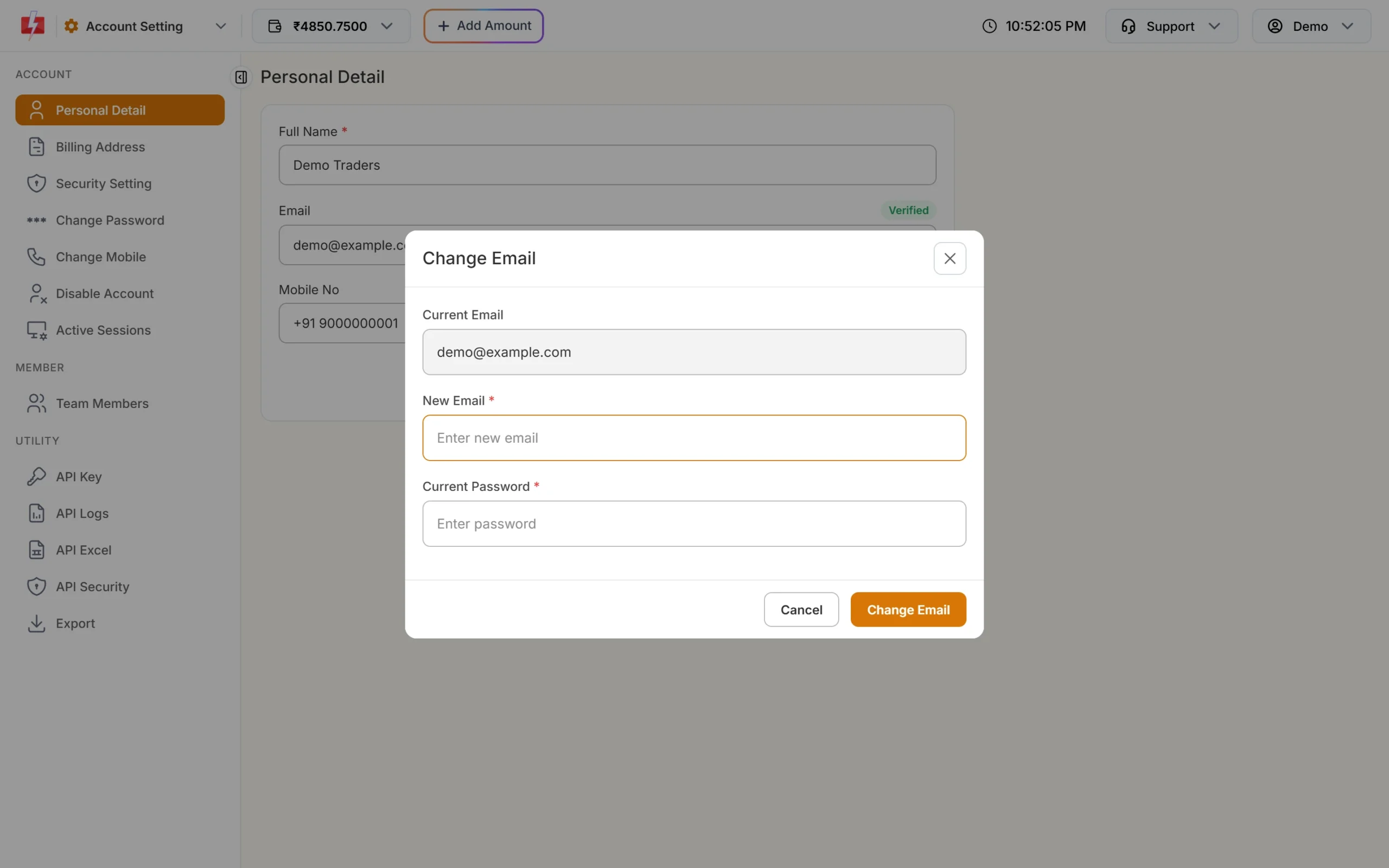
4. Now, click the resend link button next to your email to send the verification link to your email address. A message will confirm that the activation link has been sent to your email id. Now, you need to open your email account & click on the link provided in the mail.
5. Check your INBOX and SPAM folder for Fast2SMS email.
As you can see in the image below, you need to click on the link highlighted in red to complete your email verification. Click on ‘Click to verify’ button to verify your email address.
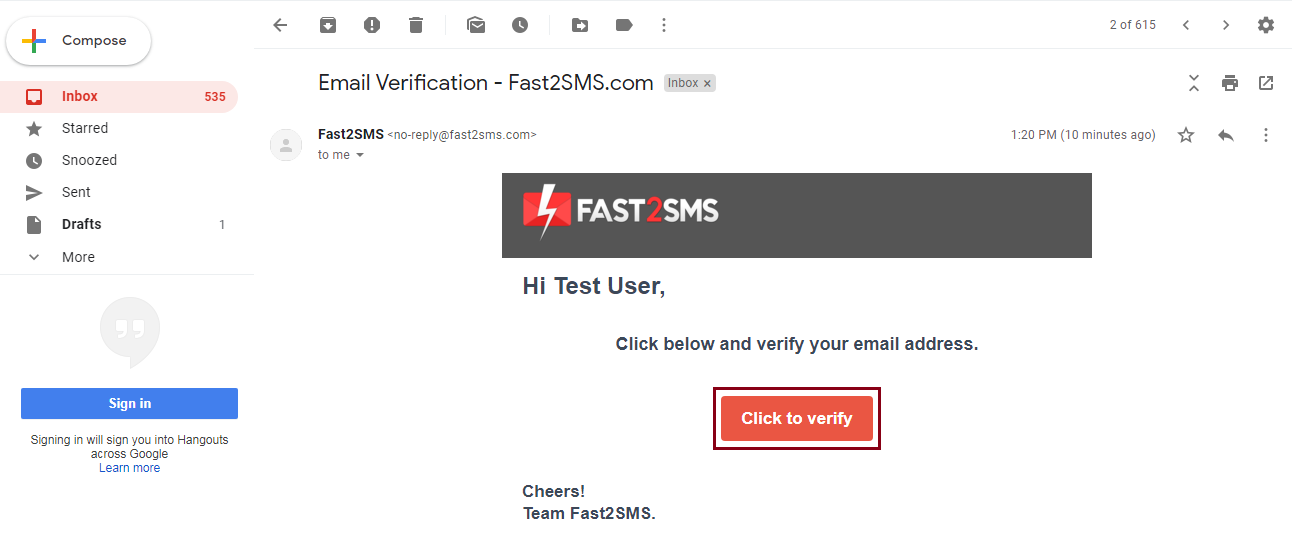
6. As you click on that link, this completes your email verification process. Now, you can access the Fast2SMS panel and start sending Bulk SMS.

7. Note: After email verification, a Verified badge shows next to your email on the Personal Detail page.
Errors in Email verification
If you have clicked twice or thrice on the ‘resend link’ button, you will get many emails regarding verification. But, only the link sent at the last email will be considered valid. So, click on the verification link sent at the last. If you click on any other previous links then the error will be displayed like shown in the image below.

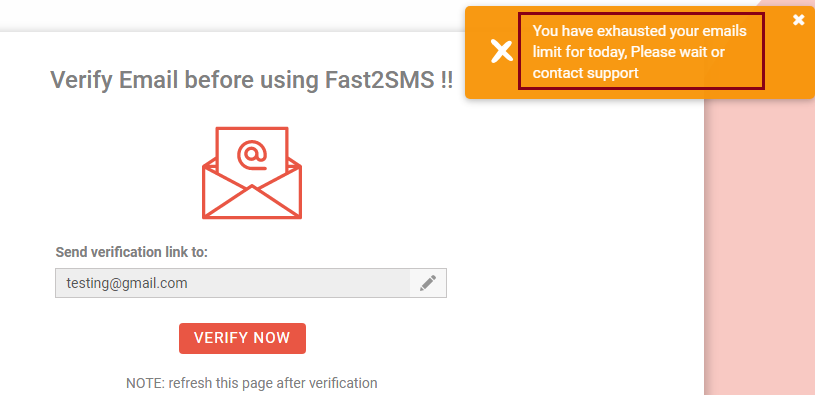
If you have clicked on the ‘resend link’ button multiple times, then the following message will appear on your screen. We allow maximum 5 attempts to get the verification email in a day. If this message appears on your screen then you can again try tomorrow for email verification or email us with your registered email id at [email protected] so that we can manually verify your email.
Frequently asked questions
Why have I not received the verification email?
Check the spam and promotions folders first and search for mail from Fast2SMS. Make sure the email shown on the Personal Detail page is spelled correctly. If it is wrong, change it with the pencil icon and a new link is sent.
Which link should I click if I got several verification emails?
Click the link in the latest email only. Each time you press resend, a new link is created and the older links stop working, so an old link shows an error.
Can I change my registered email address?
Yes. Open Account Setting, go to Personal Detail and click the pencil icon next to your email. Enter the new email and your current password, then verify the new address from the link sent to it. See how to change your email address.
How many times can I resend the verification email in a day?
There is a daily limit on verification emails. If you see a limit message, try again the next day, or write to [email protected] from your registered email so the team can help.
How do I know my email is verified?
Open Account Setting > Personal Detail. A Verified badge shows next to your email once it is done. If you still see a resend link, the email is not verified yet.