
The Fast2SMS app for Android lets you run your whole Fast2SMS account from your phone: send bulk SMS, WhatsApp, RCS and voice campaigns, check reports, add money and see your OTP templates. It is the same account, the same wallet and the same login as the website, so anything you do in the app shows on the website too, and the other way round. You can get the Fast2SMS app free from Google Play and sign in with your existing account or create a new one.
Below: what the new app does, how to install it, a home screen tour, and what is still easier on a computer.
What the Fast2SMS app does
It is a business messaging app for India that covers every Fast2SMS channel. The new app shows the same new Fast2SMS panel you see on the website, laid out for a phone screen. There is no separate mobile account and no separate balance. One wallet pays for every channel.
| Channel | What you can do from the app |
|---|---|
| SMS | Send DLT SMS with your approved sender ID and template, or Quick SMS for short business messages |
| Send bulk WhatsApp with approved templates from your connected number, reply in Live Chat | |
| RCS | Send plain, rich, carousel or media RCS messages from your RCS bot |
| Voice | Send bulk voice calls with a recorded voice file |
| Smart OTP | See and add OTP templates, see your OTP widgets |
There is no setup fee and no monthly fee. You pay per message, and for voice, per answered call.
Fast2SMS app download and login
-
Install the app from Google Play
Open Fast2SMS on Google Play on your Android phone and tap Install. The developer name is Fast2SMS.com and the app has more than 1 lakh downloads. Install it only from Google Play, not from an APK file someone sends you.
-
Sign in or create an account
Open the app and sign in with the same details you use on the website. If you are new, create an account in the app. New accounts get ₹50 sign-up credit to test sending. If you have turned on two-factor login, the app asks for the login OTP too. Trouble signing in? See login problems and forgot password.
-
Land on the home screen
After login you see a greeting with your name, your wallet balance at the top, and two groups of tiles: Apps and Utility.
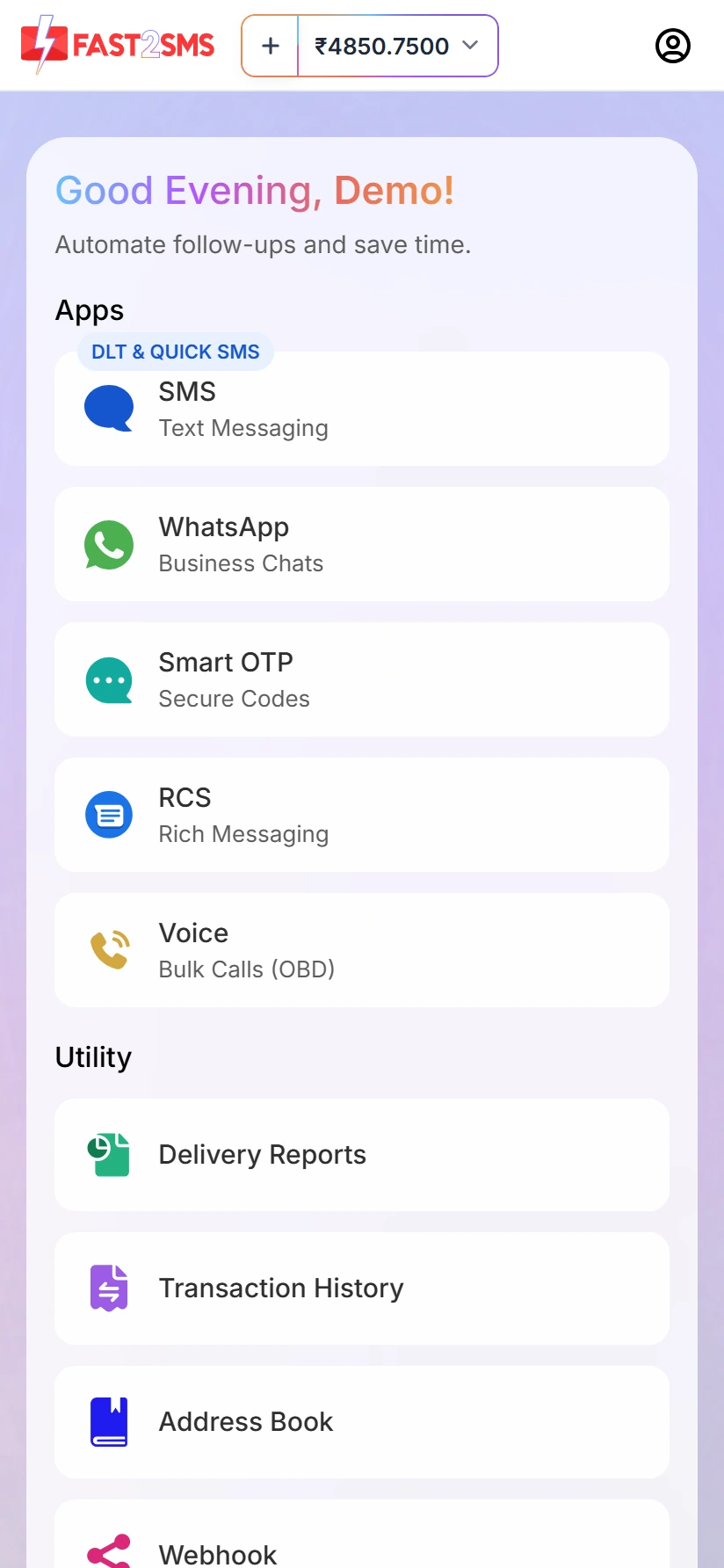
The new Fast2SMS app home screen (test account).
Home screen tour
| Tile | Label under it | What you find there |
|---|---|---|
| SMS | Text Messaging (badge DLT & QUICK SMS) | DLT SMS and Quick SMS |
| Business Chats | Bulk WhatsApp, Live Chat and your templates | |
| Smart OTP | Secure Codes | OTP templates and OTP widgets |
| RCS | Rich Messaging | RCS campaigns |
| Voice | Bulk Calls (OBD) | Bulk voice call campaigns |
| Delivery Reports | Utility | Reports for each channel |
| Transaction History | Utility | Every recharge, debit and refund |
| Address Book | Utility | Your saved contacts and groups |
| Webhook | Utility | Webhook settings |
Inside a section, the three-line icon at the top left opens the menu for that channel, and the icon next to it lets you switch to another channel. Your balance, with a + button to add money, stays at the top of every screen.
Send SMS, WhatsApp, RCS and voice from your phone
Every send screen follows the same pattern: choose who it comes from, choose who it goes to (List, Address Book or CSV File), choose the message, then tap Schedule or Send. Before anything goes out, a confirmation shows the number count and the cost.
Bulk SMS (DLT)
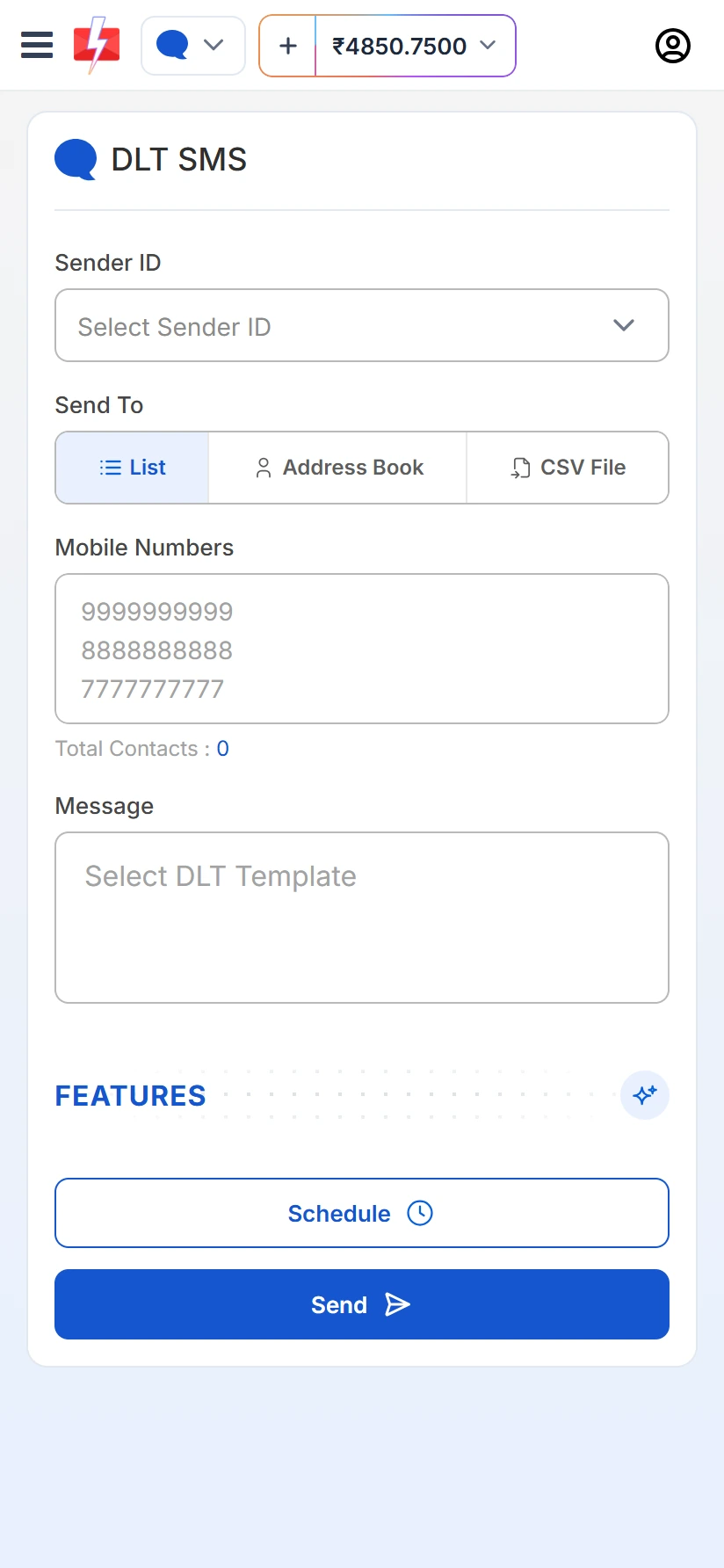
On DLT SMS, pick your Sender ID, add numbers, and tap Select DLT Template. Only templates approved for that sender appear. Messages go out through Fast2SMS’s DLT-registered routes, not your phone’s SIM. Full steps: bulk SMS app for Android with DLT.
Bulk WhatsApp
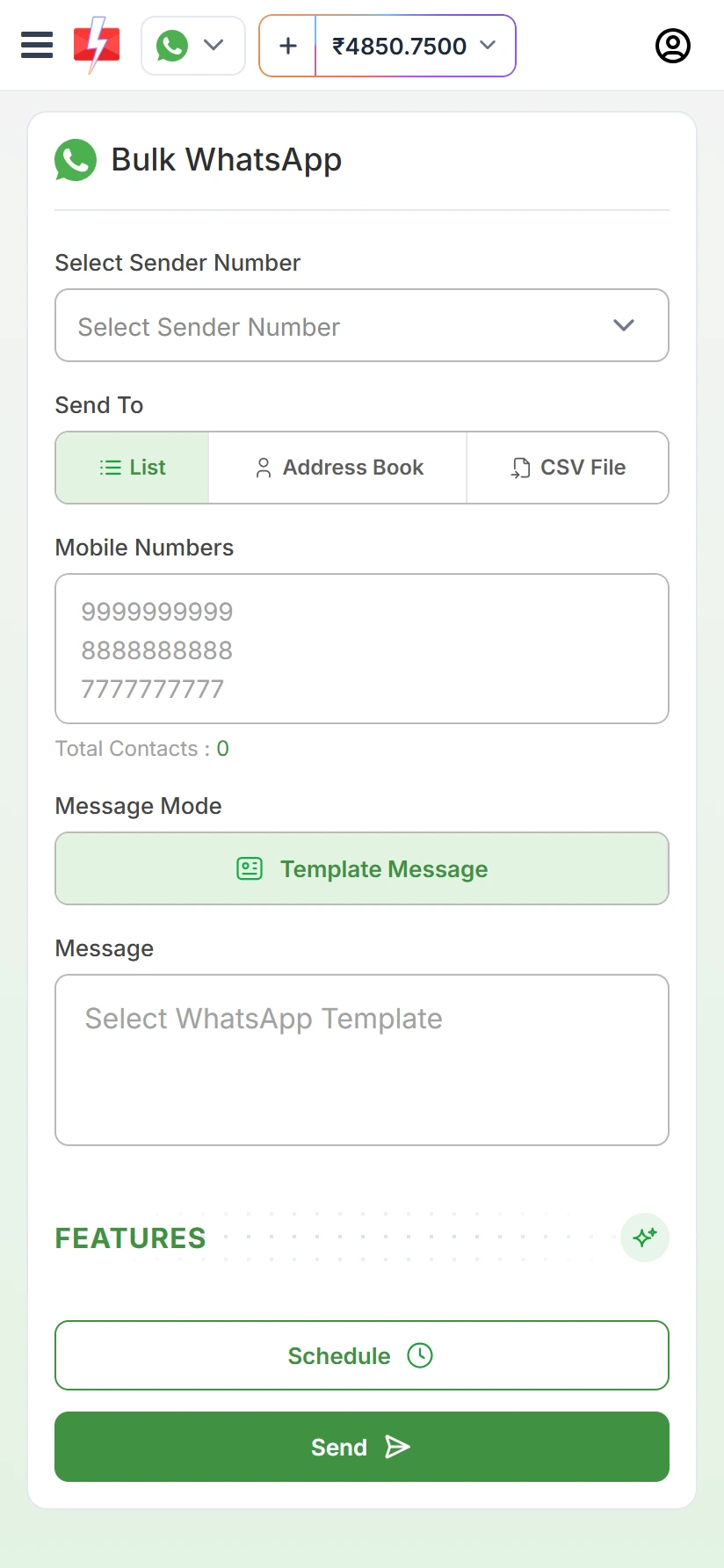
On Bulk WhatsApp, choose your sender number, add numbers, and pick an approved template under Template Message. It uses the official WhatsApp Business Platform, not the WhatsApp app on your phone. Full steps: bulk WhatsApp sender app for Android.
RCS
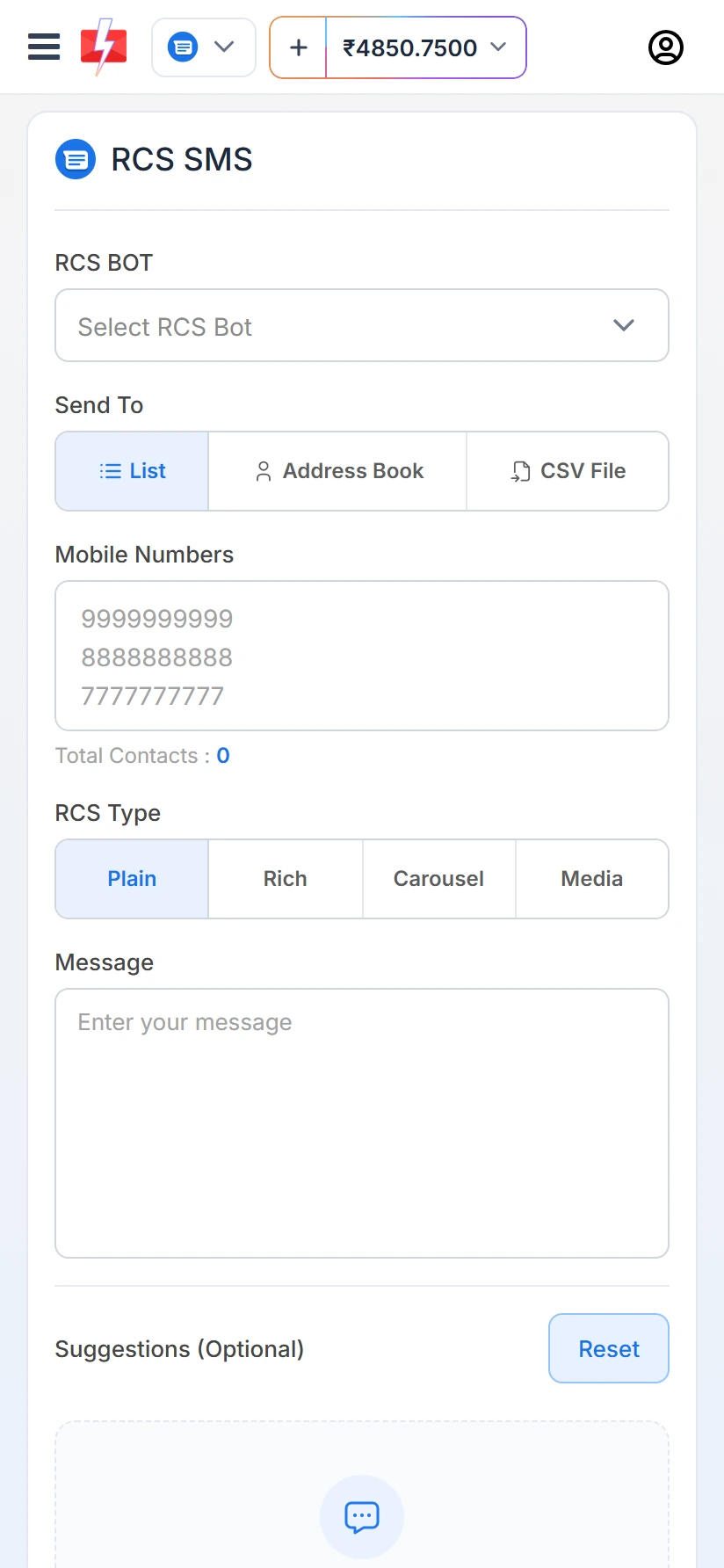
On RCS SMS, select your RCS BOT, add numbers, choose the RCS Type (Plain, Rich, Carousel or Media) and type the message. You can add suggestion buttons too. RCS is charged when the campaign is sent, and numbers that fail or cannot receive RCS are refunded automatically. There is no automatic SMS fallback today.
Bulk voice calls
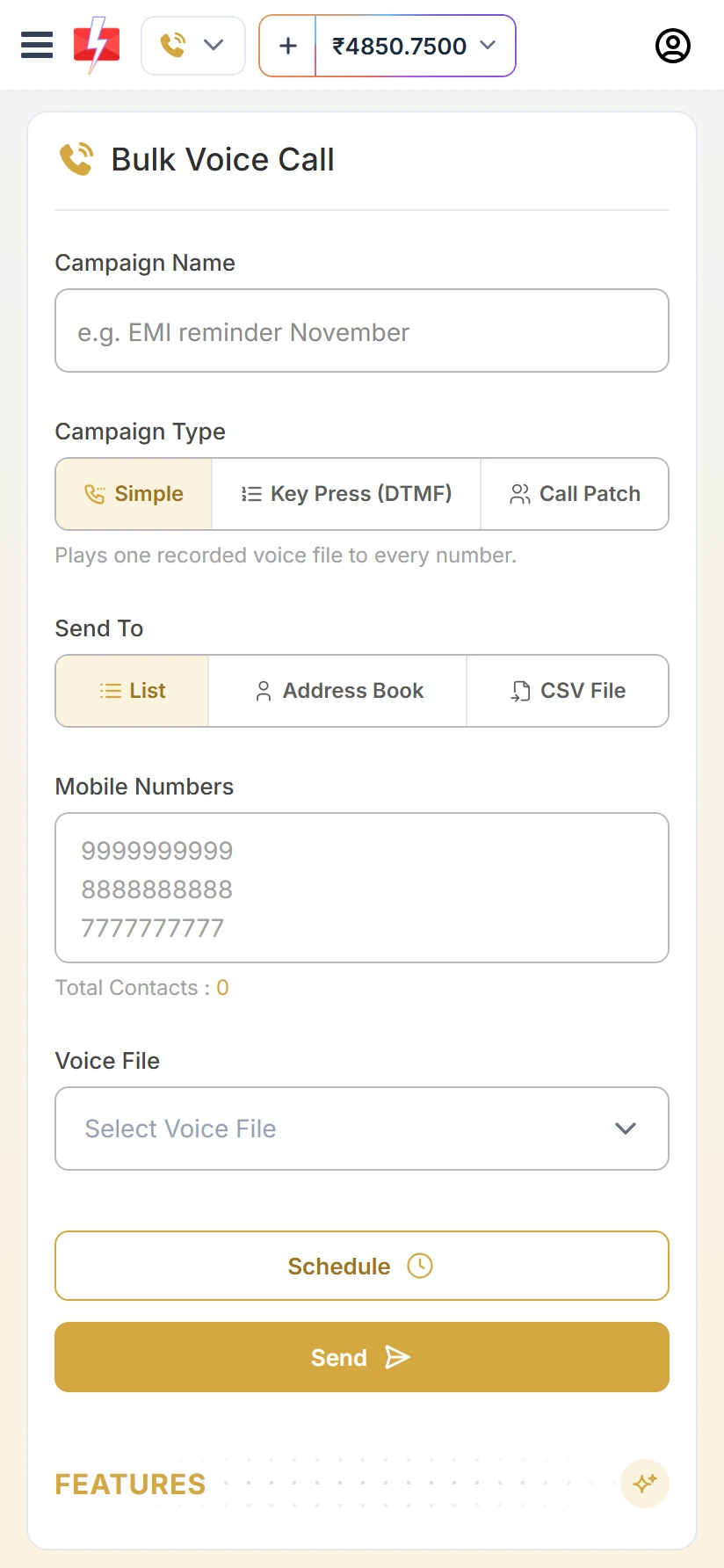
On Bulk Voice Call, give the campaign a name, pick the Campaign Type (Simple, Key Press (DTMF) or Call Patch), add numbers and choose your Voice File. Calls are dialled only between 10 AM and 9 PM IST. Only answered calls are charged, and the rest is refunded automatically about 1 hour after the campaign finishes.
Reports, wallet and contacts on the phone
Delivery reports
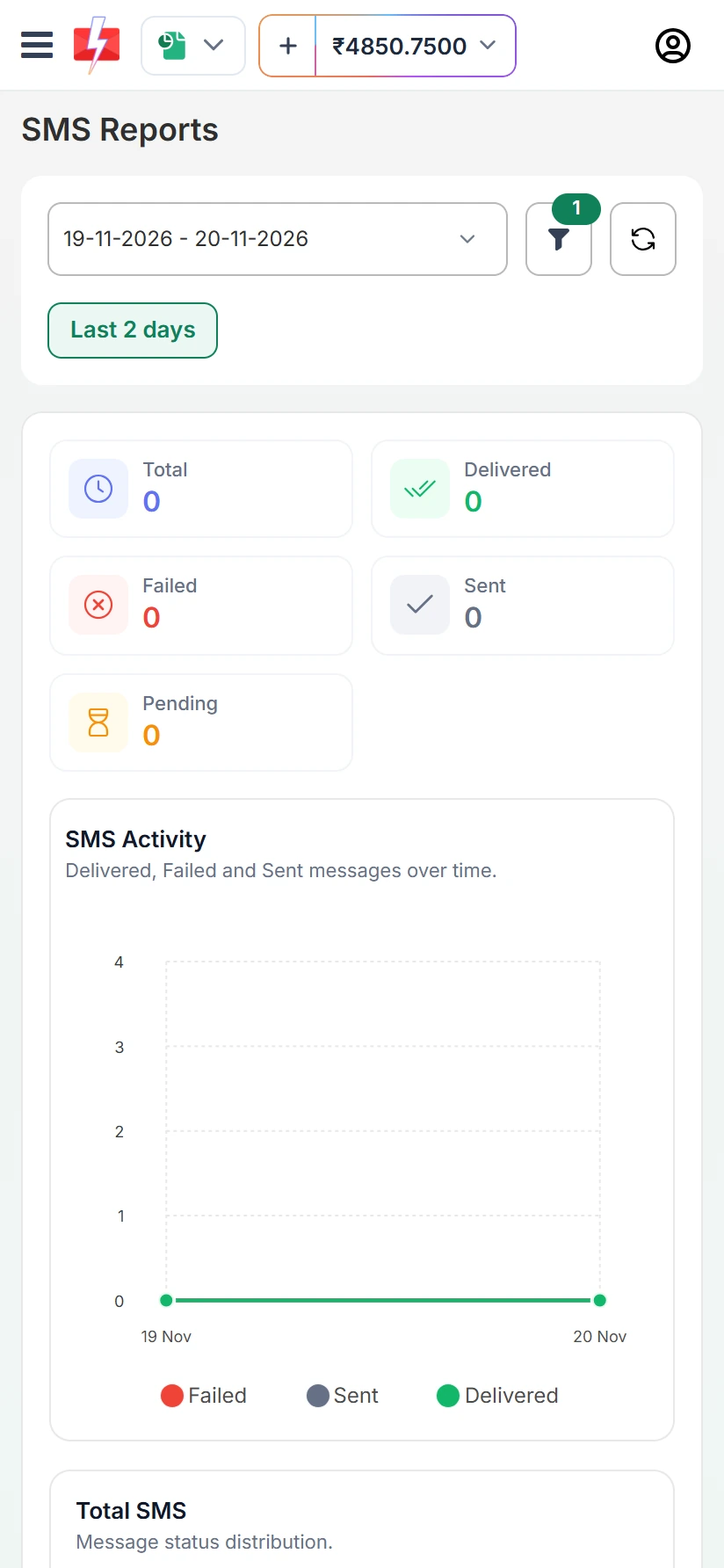
Tap Delivery Reports. SMS Reports shows Total, Delivered, Failed, Sent and Pending for the dates you pick, with an activity chart. WhatsApp Reports adds a Read count. Use the filter and refresh buttons at the top.
Add money to the wallet
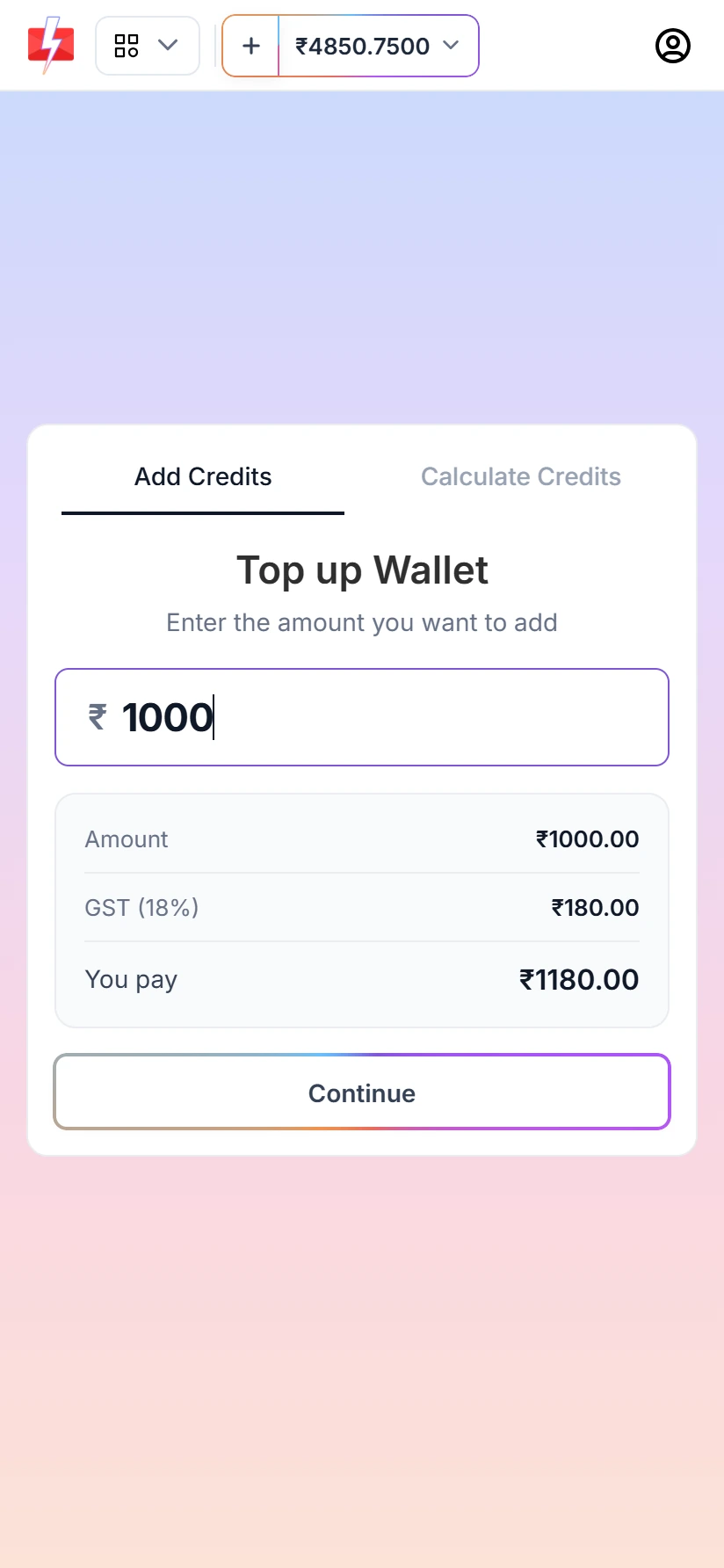
Tap the + next to your balance to open Top up Wallet. Type the amount. The screen shows GST (18%) and the total under You pay. Tap Continue and pay by UPI, card or net banking. You get a GST invoice for the recharge. See add money and get the GST invoice.
Address Book
Saved contacts and groups work on the phone too. You can search, add a contact and export. When you send, choose Address Book under Send To and tick contacts or whole groups.
OTP templates and OTP widgets on the phone
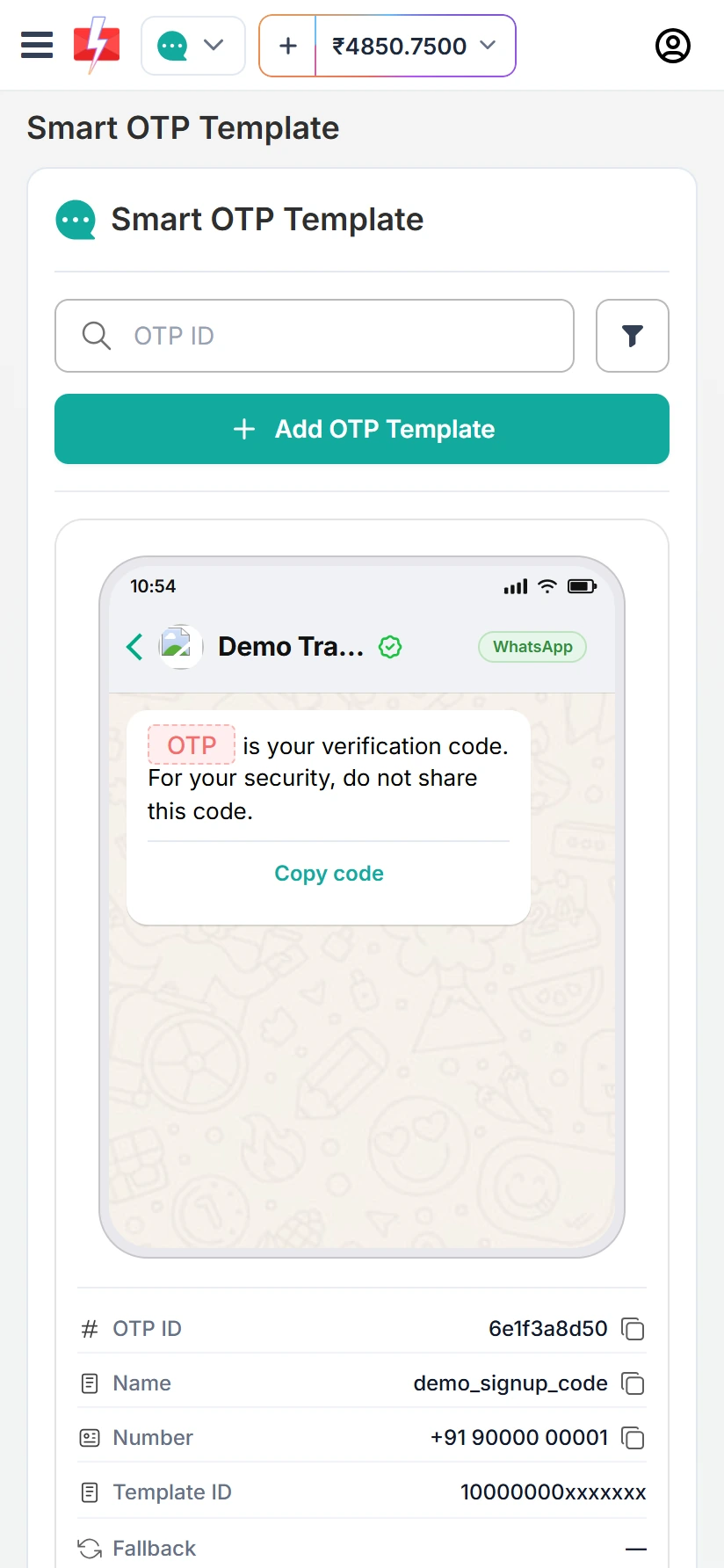
Open Smart OTP to see your OTP templates with a phone preview of each one, plus the OTP ID, name, number or sender ID, template ID and fallback. You can add a new OTP template from here with Add OTP Template. Smart OTP is our recommended way to send OTPs, on SMS and WhatsApp. See the Smart OTP setup guide.
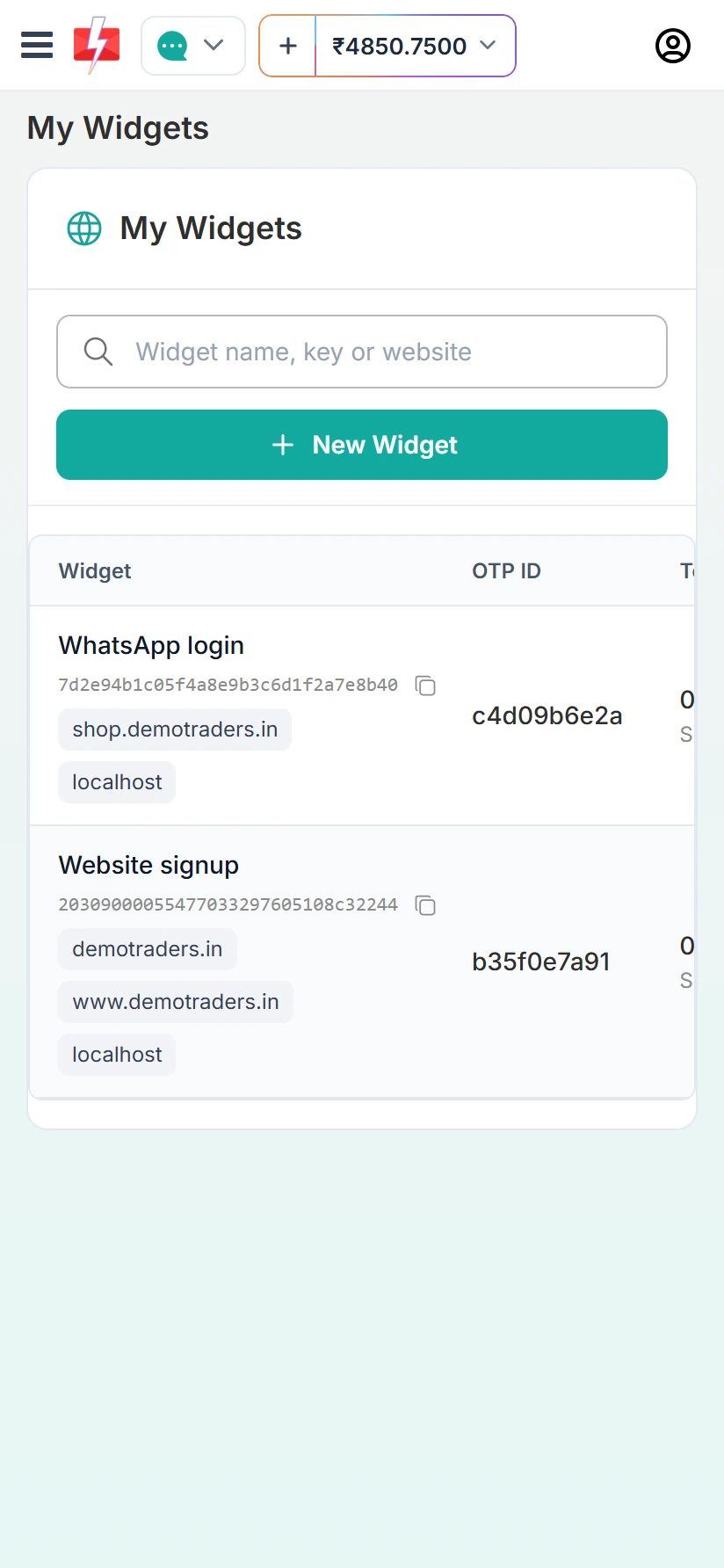
Your website OTP widgets are listed under My Widgets, with the widget key, websites and OTP ID. Setting up a widget and pasting its code into your website is easier on a computer. See the free OTP widget for your website.
Reply to WhatsApp customers from the app
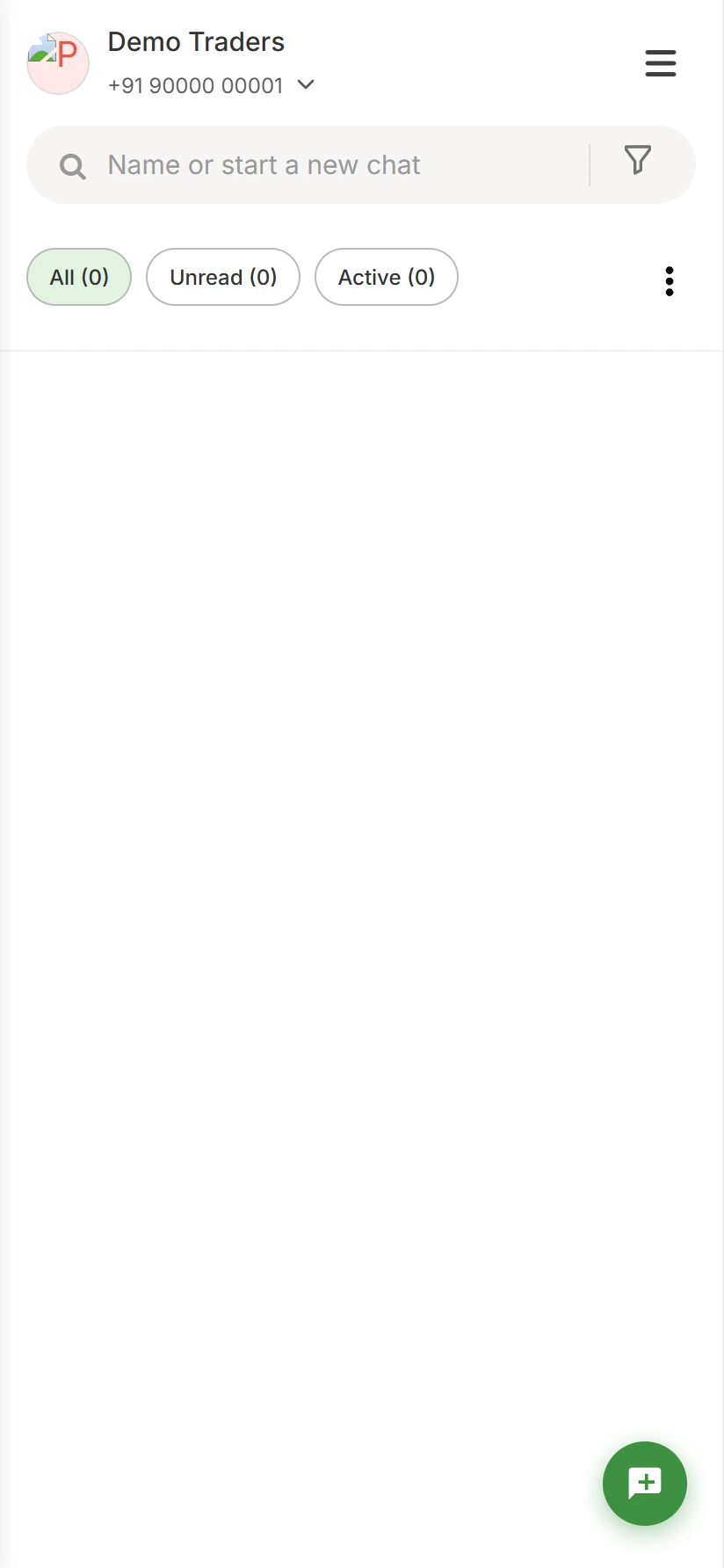
WhatsApp Live Chat opens in a phone layout with your number at the top, a search box and the All, Unread and Active filters. You can answer customers who write to you from your phone. If team members (agents) only handle chats, they can use the separate Fast2SMS Agent app on Google Play. See the WhatsApp Live Chat inbox.
What is easier on a computer
Everything you need for daily sending works in the app. A few jobs are simply easier on a bigger screen with a keyboard:
- Building WhatsApp chatbot flows. Flows have many steps and branches, and a laptop screen shows the whole flow at once.
- Big CSV uploads. Preparing a large Excel or CSV file with many columns, and matching each column to a template variable, is easier on a laptop.
- Connecting a WhatsApp number for the first time. It opens a Meta sign-in window, and you only do it once.
- Pasting OTP widget code into your website. You need your website editor open anyway.
Is the Fast2SMS app a SIM-based SMS sender?
No. The app does not send messages from your phone’s SIM card or from the WhatsApp app on your phone. SMS go through Fast2SMS’s DLT-registered routes with your own sender ID, and WhatsApp goes through the official WhatsApp Business Platform. Your mobile plan is not used, and your phone does not need to stay on while a campaign runs. To see why SIM-based bulk SMS apps are a problem in India, read Android SMS gateway apps and GSM modems in India.
Using an iPhone
There is no Fast2SMS app on the App Store. On an iPhone, open fast2sms.com in Safari and log in. The website panel shows the same screens you see in the Android app.
Frequently asked questions
Is the Fast2SMS app free to download?
Yes. The app is free on Google Play. There is no setup or monthly fee. You only pay for the messages you send, and for answered calls on voice.
Can I use the same login as the Fast2SMS website?
Yes. It is the same account, the same wallet and the same data. Campaigns you send from the app show in the website reports too.
Is the Fast2SMS app a bulk SMS app or a WhatsApp app?
Both. One business messaging app sends bulk SMS with DLT, bulk WhatsApp through the official API, RCS and voice calls, all paid from one wallet.
Does the app use my phone balance or SIM to send SMS?
No. Messages are sent by Fast2SMS, not your SIM, and are paid from your Fast2SMS wallet.
Is there a Fast2SMS app for iPhone?
Not at the moment. Use the website panel in Safari. It has the same screens.
I need help setting up. Can I talk to someone?
Yes. Book a meeting with our team and we will help you get DLT, WhatsApp or OTP ready.