
Only in a very small way. Without the WhatsApp Business API, the only allowed option is a broadcast list in the WhatsApp Business app: up to 256 contacts per list, and only people who saved your number receive it. Anything bigger, such as bulk sender software, extensions or modified apps, breaks WhatsApp’s terms and can get your number banned. The good news: using the API does not mean writing code. With Fast2SMS you send bulk WhatsApp from a web panel by uploading an Excel file.
Your options without the API
| Method | Allowed by WhatsApp? | Limits |
|---|---|---|
| Broadcast list in the WhatsApp Business app | Yes | 256 contacts per list; only contacts who saved your number get it |
| Forwarding one message to many chats | Yes, for normal use | A few chats at a time; slow and not meant for business campaigns |
| Bulk sender software or browser extensions | No | Breaks WhatsApp’s terms; numbers get banned |
| Modified WhatsApp apps | No | Not allowed at all; numbers get banned |
WhatsApp’s Terms of Service do not allow bulk messaging, auto-messaging or automated use of the normal app. That is why the tools that promise “bulk WhatsApp without API” are risky, whatever they claim.
The API without the technical part
Most people who search “without API” really mean “without coding” or “without a developer”. On Fast2SMS, the API runs in the background and you use a normal web panel:
- Connect your number with Login with Facebook.
- Create a template in WhatsApp Manager > Templates and wait for Meta’s approval.
- Open Bulk WhatsApp, choose CSV File and upload your Excel or CSV list (up to 20MB).
- Pick the template, map the variables to your columns, check the cost and click Confirm & Send.
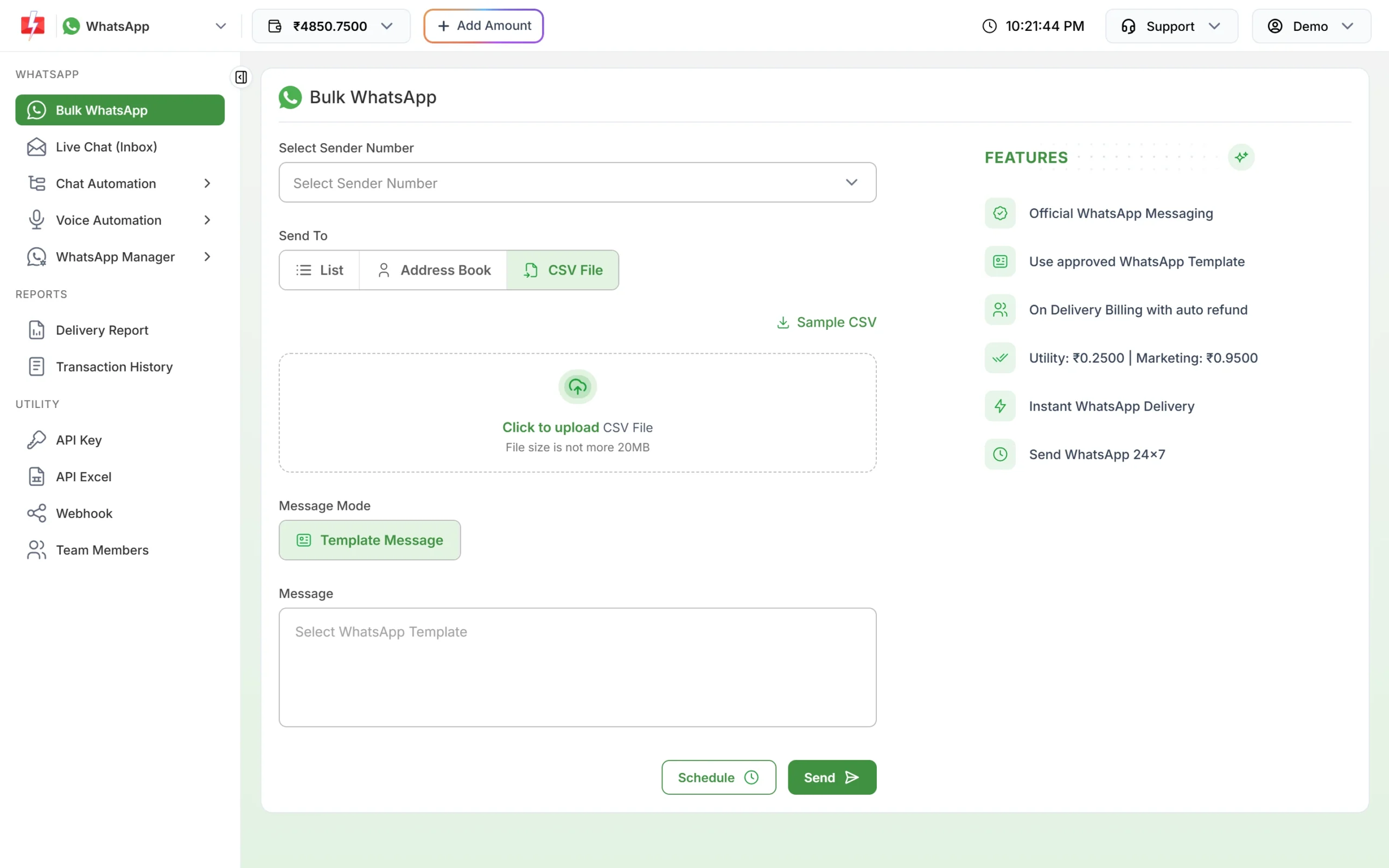
Customers do not need to save your number. Limits start at the tier Meta gives your business: often 250 unique customers per 24 hours for a new, unverified business and 2,000 (2K) once the business is verified (at the time of writing), and Meta raises the limit as you send good-quality messages.
Cost
There is no setup or monthly fee. At the time of writing a marketing message costs ₹0.95 and a utility message ₹0.25 on Fast2SMS. See the WhatsApp pricing page for current rates.
Sending in bulk? For high WhatsApp volumes our team offers discounted rates. Talk to our team or see WhatsApp pricing.
Frequently asked questions
Can I send bulk WhatsApp messages for free?
A broadcast list in the WhatsApp Business app is free but limited to 256 saved contacts per list. On the API you pay per message, with no monthly fee on Fast2SMS.
Can I send bulk WhatsApp from WhatsApp Web?
Not in bulk. Scripts and extensions that send from WhatsApp Web break WhatsApp’s terms and put your number at risk.
Do I need a developer to use the WhatsApp API?
No. The Fast2SMS panel handles sending, reports and replies. A developer is needed only if you want your own software to send messages.