
Yes, you can usually use your existing number for the WhatsApp Business API. If the number is on the WhatsApp Business app, Fast2SMS can connect it and you keep using the app on your phone at the same time (Meta calls this “coexistence”). If the number is on the regular WhatsApp app, talk to our team before you change anything, because it needs extra steps. A new number, or a landline that can receive a verification call, also works.
Which numbers can be used
| Your number today | Can it be used? | What happens |
|---|---|---|
| On the WhatsApp Business app | Yes | Connect it with Login with Facebook. It keeps working in the app, and also works on the API for campaigns, Live Chat and automation. |
| On the regular WhatsApp app | Yes, with extra steps | Do not delete anything yet. Book a free call and our team will tell you the safest way, or suggest a fresh number. |
| Not on WhatsApp | Yes | It becomes an API-only number. You verify it with a code by SMS or voice call. |
| Landline | Yes | Meta can send the verification code by voice call. |
| Already connected to another Fast2SMS account | Not until it is removed there | The panel says the number is already connected to another account. Remove it there first, or use a different number. |
The connect page advises: “Always use old Facebook account & old WhatsApp Business number”. An established number and Facebook account make the setup smoother.
How to connect your existing WhatsApp Business number
-
Open the registration page
Log in to Fast2SMS and switch to WhatsApp. With no number connected, you see the Official WhatsApp Business API Registration Process page.
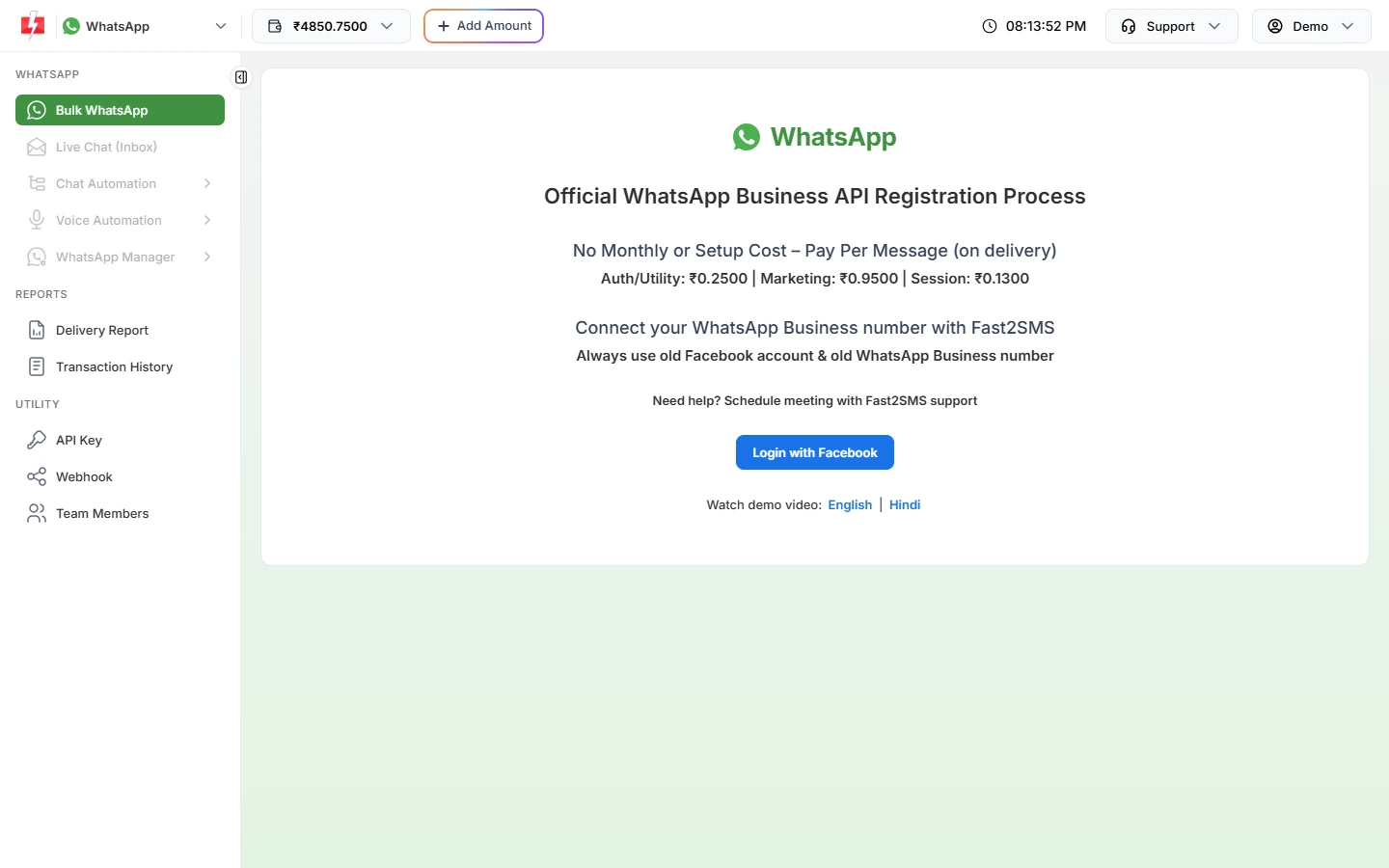
The connect page recommends an old WhatsApp Business number. -
Log in with Facebook and choose your number
Click Login with Facebook. In Meta’s pop-up, choose your business and follow the option to connect your existing WhatsApp Business app number, then confirm on your phone when Meta asks.
-
Check it in WhatsApp Manager
Open WhatsApp Manager > Numbers. A number that also runs on the WhatsApp Business app shows the WhatsApp Business logo instead of the Meta logo. Sending starts about 10 minutes after onboarding.
What changes when you use the app and the API together
- Messages you send from the Business app on your phone also appear in Live Chat, tagged “Business App”. You can switch this off with Disable Outgoing Business App Messages in the number’s incoming settings.
- Bulk campaigns, templates, reports and team replies run from Fast2SMS.
- Some API-only options, such as WhatsApp calling settings and AI voice call routing, are not offered for Business app numbers.
Cost
Connecting a number is free, with no setup or monthly fee. You pay per message sent; see current rates on the WhatsApp pricing page.
Sending in bulk? For high WhatsApp volumes our team offers discounted rates. Talk to our team or see WhatsApp pricing.
Frequently asked questions
Will I lose my WhatsApp chats if I move my number to the API?
With a WhatsApp Business app number connected through coexistence, you keep using the app. For a regular WhatsApp number, ask our team before you make any change.
Can I use my personal WhatsApp number for the Business API?
It needs extra steps, and a business number is usually better. Book a free call and we will suggest the safest option.
Can I connect more than one number?
Yes. Use Add New Number in WhatsApp Manager > Numbers to connect another.
Can I use a number that was banned on WhatsApp?
A banned number may not be accepted. Request a review from WhatsApp first, or use a different number.