
WhatsApp error 130497 means your WhatsApp Business Account is not allowed to message people in the recipient’s country. Meta returns it when a business in a restricted category, such as alcohol, gambling or over-the-counter medicines, sends to a country where that category is not permitted. Other recipients in allowed countries still get the message.
Here is why it happens, how to find the affected numbers in Fast2SMS, and how to stop it.
What WhatsApp error 130497 means
Meta’s short meaning is: the business account is restricted from messaging users in certain countries. Meta’s fix is to check the WhatsApp Business Messaging Policy for the countries allowed for your business category. It is a policy limit, so sending the same message again will fail the same way.
Why it happens
At the time of writing, the WhatsApp Business Messaging Policy treats some businesses as regulated. Messaging about these regulated categories is allowed only in a limited list of countries and only where local law allows it. The policy names separate country lists for:
- online gambling and gaming (which also needs Meta’s permission before you start),
- over-the-counter medicines,
- alcohol.
If your business falls in one of these and your list includes numbers from a country outside the allowed list, those numbers fail with 130497. Some other categories, such as dating services, are not allowed on the platform at all.
How to fix error 130497
-
Find the failed numbers
Open Delivery Report from the WhatsApp sidebar, set the date range and use the filter to show Delivery Status = Failed.
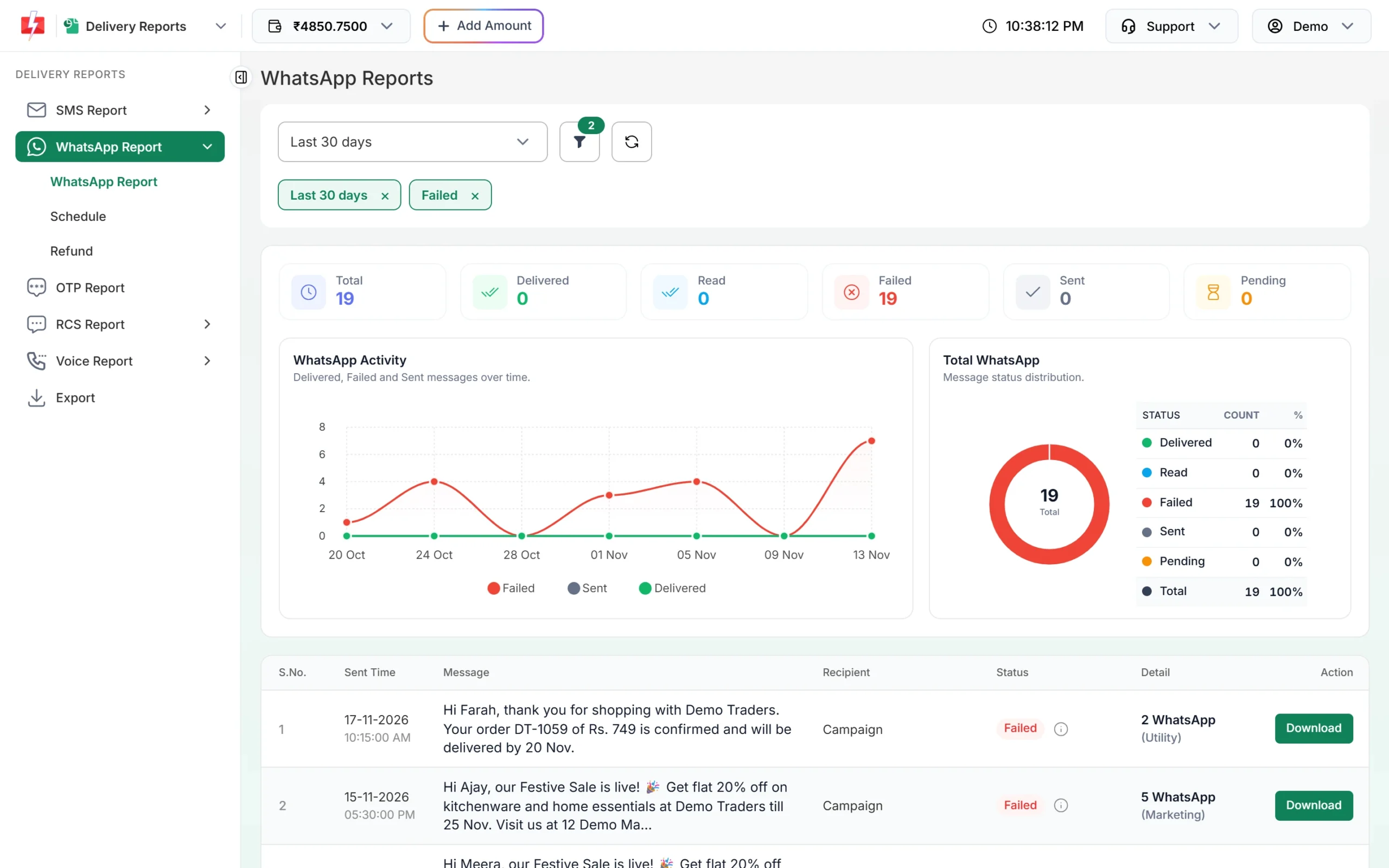
Filter the report to failed campaigns. -
Check the Description of each number
Click a campaign to open Delivery Details. Numbers blocked by this rule show Meta’s reason with the code 130497 in the Description column. Note their country codes. Use the Mobile search box to check a single number.
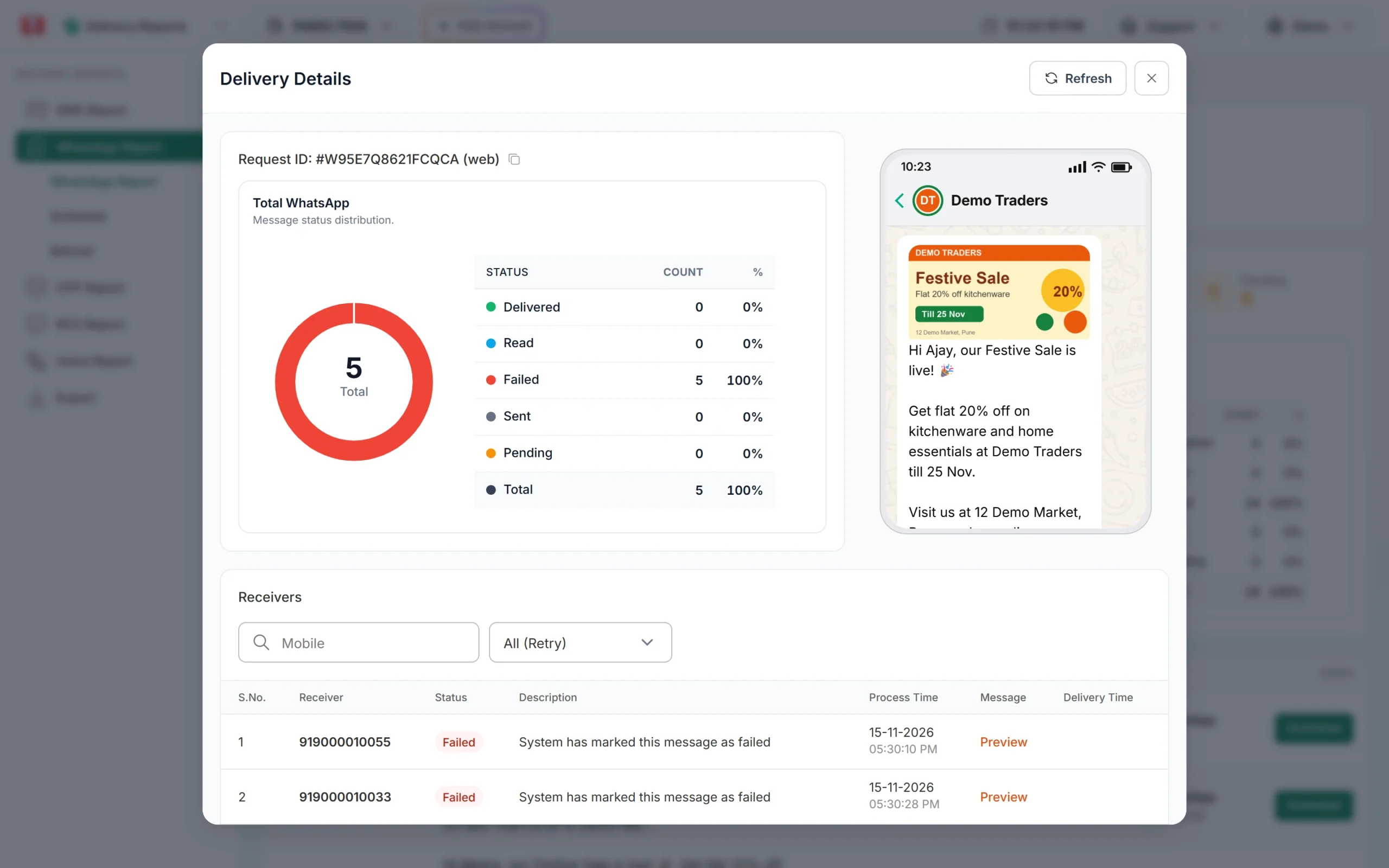
The Description column names the error for each number. -
Check the policy for your category
Read the regulated categories section of the WhatsApp Business Messaging Policy and find the allowed country list for your type of business. If the recipient’s country is not on it, you cannot message that person on WhatsApp for this purpose.
-
Clean your list and use another channel
Remove numbers from countries you are not allowed to message before your next campaign. For those customers, use another channel where your business and content are allowed by local law.
How to avoid it
- Know whether your products put you in a regulated category before you plan WhatsApp campaigns.
- Split contact lists by country and send only to allowed countries.
- If you run online gaming or gambling, get Meta’s permission first.
- Re-check the policy now and then, as Meta updates country lists.
Frequently asked questions
Does error 130497 mean my account is banned?
No. It only stops messages to users in certain countries. Messages to allowed countries keep going.
Will resending fix error 130497?
No. It is a policy limit for that country, so every resend fails the same way.
Which businesses see this error?
Mostly regulated categories such as alcohol, over-the-counter medicines and online gambling or gaming, which may message only listed countries.
Am I charged for messages that fail with 130497?
No. Failed WhatsApp messages are refunded to your Fast2SMS wallet automatically.
Can Fast2SMS remove the country limit?
No. The limit is set by Meta’s policy. Only Meta decides which countries a category may message.