
An SMS rejected status means the message was refused before it reached the phone. In Fast2SMS you can see it in two places: in Delivery Details, a number with status Failed and the description “Operator rejected” means the operator refused it, usually because it did not pass a DLT check or the content was blocked. Under Pending SMS, the status Rejected means a Quick SMS was not approved in review.
Here is what causes each one and how to fix it.
Where you see SMS rejected in Fast2SMS
| Where | What you see | What it means |
|---|---|---|
| Delivery Report > Delivery Details | Status Failed, Description “Operator rejected” | The operator refused your DLT SMS. |
| Delivery Report > Pending SMS | Status Rejected, reason in the Detail column | A Quick SMS was not approved in review and was not sent. |
| DLT Manager | Rejected badge with “Reason: …” | An Entity ID, Sender ID or template you added was not approved. This is not a delivery status. |
Operator rejected: DLT or content block
When the operator refuses a DLT SMS, the cause is usually one of these:
- A DLT check failed. The text did not match the template, the header or template was inactive, the Entity ID was wrong, a link was not whitelisted, or the PE-TM chain was missing. See how DLT scrubbing works.
- The content was flagged. Operators can block content they treat as spam. The texts include “Suspect inappropriate Content (SPAM)” (Airtel 690), “SPAM_Fail” (SmartPing 511) and “Spam content detected against Header” (SmartPing 629).
- The receiving connection refused it. “CUG reject” (Airtel 15, SmartPing 15) means the number is on a closed user group connection that did not accept the SMS. Nothing in your template causes this.
If all or most numbers show the same reason, the problem is your DLT setup or content. If only a few are affected, the cause is usually those numbers. Each code is explained in the Airtel, Jio and SmartPing lists.
How to fix an operator rejected SMS
-
Read the reason for each number
Open Delivery Report and click the message. In Delivery Details, read the Status and Description of each number in Receivers, and note the Request ID at the top.
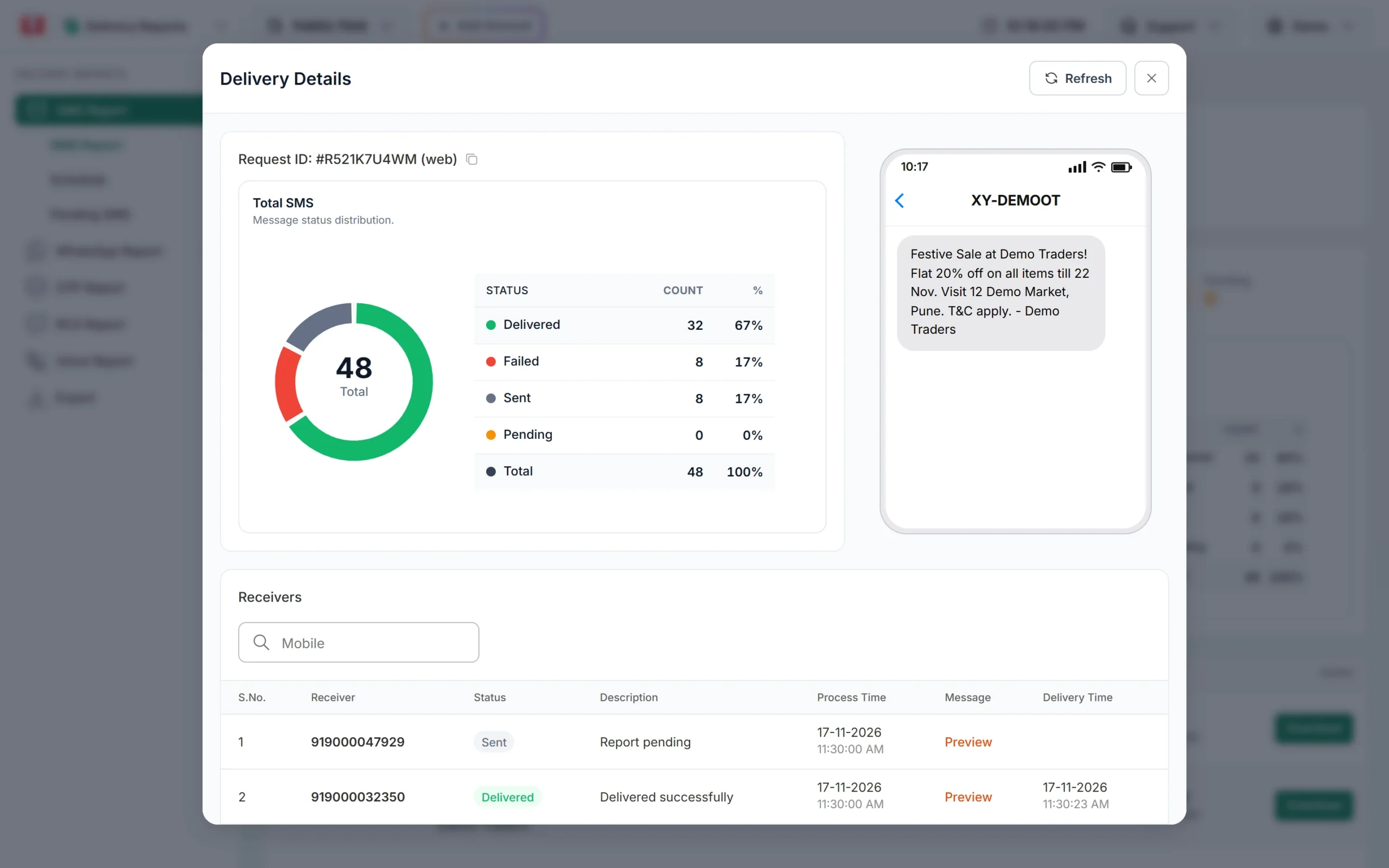
The Description column gives the reason for each number. -
Check the template and its records
In DLT Manager > Content Template, compare what you sent with the approved text, then check the header and template status on your DLT portal.
-
Review the content if it was flagged as spam
Remove misleading wording and links not whitelisted on DLT, and keep offers out of service templates. Repeated complaints can lead to action against your header.
-
Test, then send again
Click Test Template on the template card and send to your own number. This is a real SMS, so the normal SMS charge can apply. If it is still rejected, share the Request ID with Fast2SMS support. Once fixed, download the campaign report and send to the failed numbers again.
Quick SMS rejected in review
Quick SMS can be held for a manual check before sending. Open Delivery Report > Pending SMS and pick Rejected in the dropdown. The reason is shown in the Detail column.
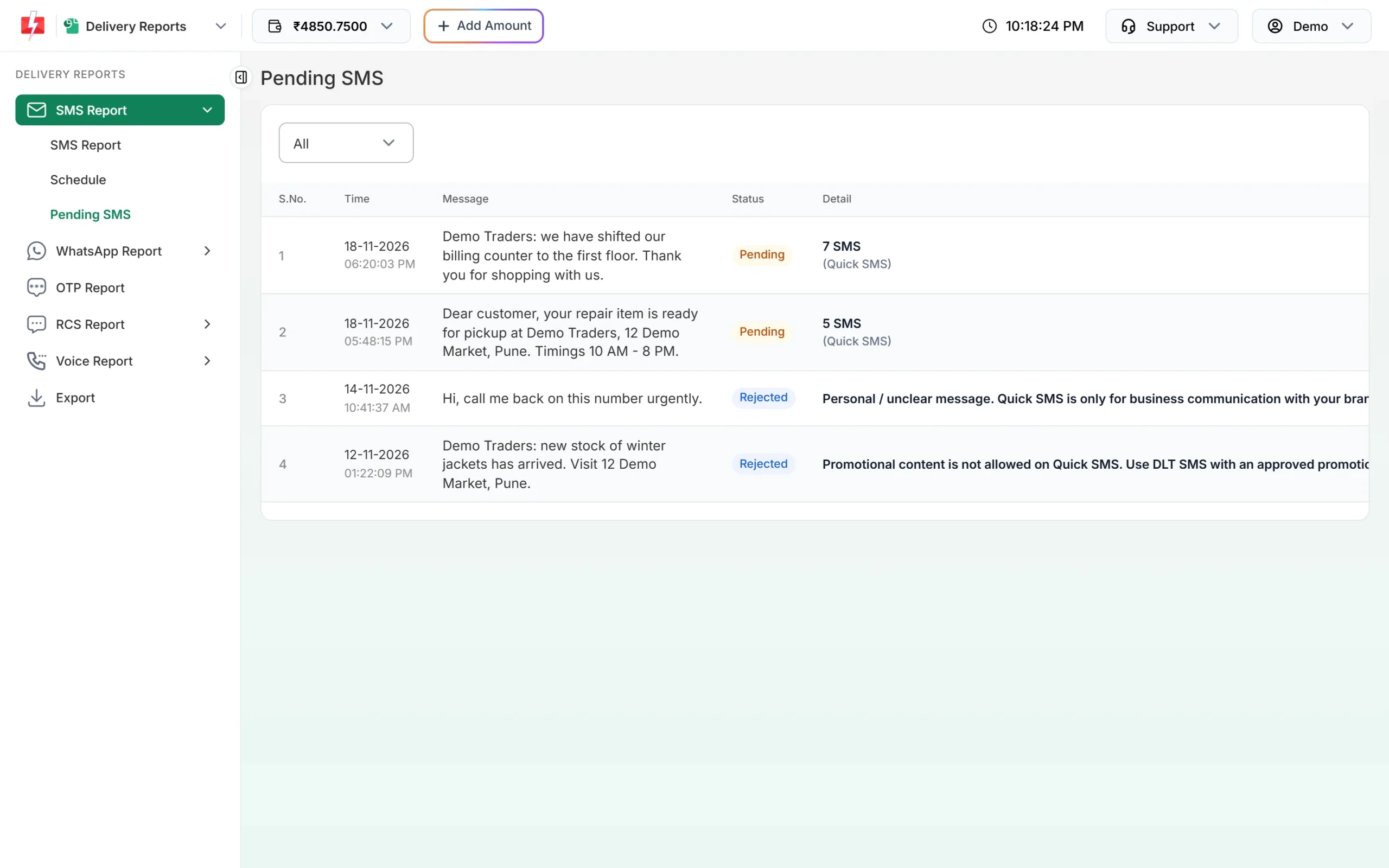
Quick SMS is meant for business messages. Personal and spam content is not allowed. If five of your last six Quick SMS were rejected, you see “Your last 5 SMS got rejected in past. You need to wait 15 days before using Quick SMS.” For regular business messages, use DLT SMS with your own approved template. More in why Quick SMS shows Pending or Rejected.
Frequently asked questions
What does rejected mean in an SMS report?
The SMS was refused before it reached the phone, by the operator or in review. In Fast2SMS, an operator refusal shows as Failed with “Operator rejected”, and a refused Quick SMS shows as Rejected under Pending SMS.
Why are all my SMS showing Operator rejected?
When every number fails, the cause is your DLT setup or content: template text, header, entity, links or PE-TM chain. Test the template on your own number first.
Am I charged for operator rejected SMS?
Yes. DLT SMS are charged when the campaign is sent, for every valid number, and numbers that later fail at the operator are not refunded automatically.
Is a rejected template the same as a rejected SMS?
No. A rejected template in DLT Manager was not approved, so you cannot send with it. See DLT template rejected.
Why was my Quick SMS rejected?
It did not pass the manual check, for example because it looked personal or like spam. The reason is in the Detail column under Pending SMS.