
You only need to register your business on one DLT portal. India has six operator DLT portals (Jio, Airtel, Vi, BSNL, Tata and Smartping), they all follow the same TRAI rules and share one ledger, so a registration on any one of them lets your SMS reach every network. The fee is the same everywhere, so pick the portal whose screens and support suit you best. This page compares the choice in plain words and explains PE-TM chain binding, which you also set up once, on the portal where you registered.
Which DLT portals are there?
| Portal | Run by | Fast2SMS guide |
|---|---|---|
| Jio TrueConnect | Reliance Jio | Jio DLT guide |
| Airtel DLT | Bharti Airtel | Airtel DLT registration |
| Vilpower | Vodafone Idea (Vi) | Header registration on Vilpower |
| BSNL DLT | BSNL | Add telemarketer in BSNL DLT |
| Tata DLT | Tata Teleservices | Add telemarketer in Tata DLT |
| Smartping (Pingconnect) | Smartping (the portal known earlier as Videocon DLT) | Header registration on Videocon DLT |
Does one DLT registration work for all operators?
Yes. Under TRAI’s commercial communication regulations, a business (Principal Entity) registers with any one access provider. The records sit on a shared distributed ledger that every operator reads, so your entity, headers and templates registered on Jio also work for SMS delivered to Airtel, Vi, BSNL and other numbers. You do not need to register the same business again on other portals.
PE-TM binding: set up once, on your own portal
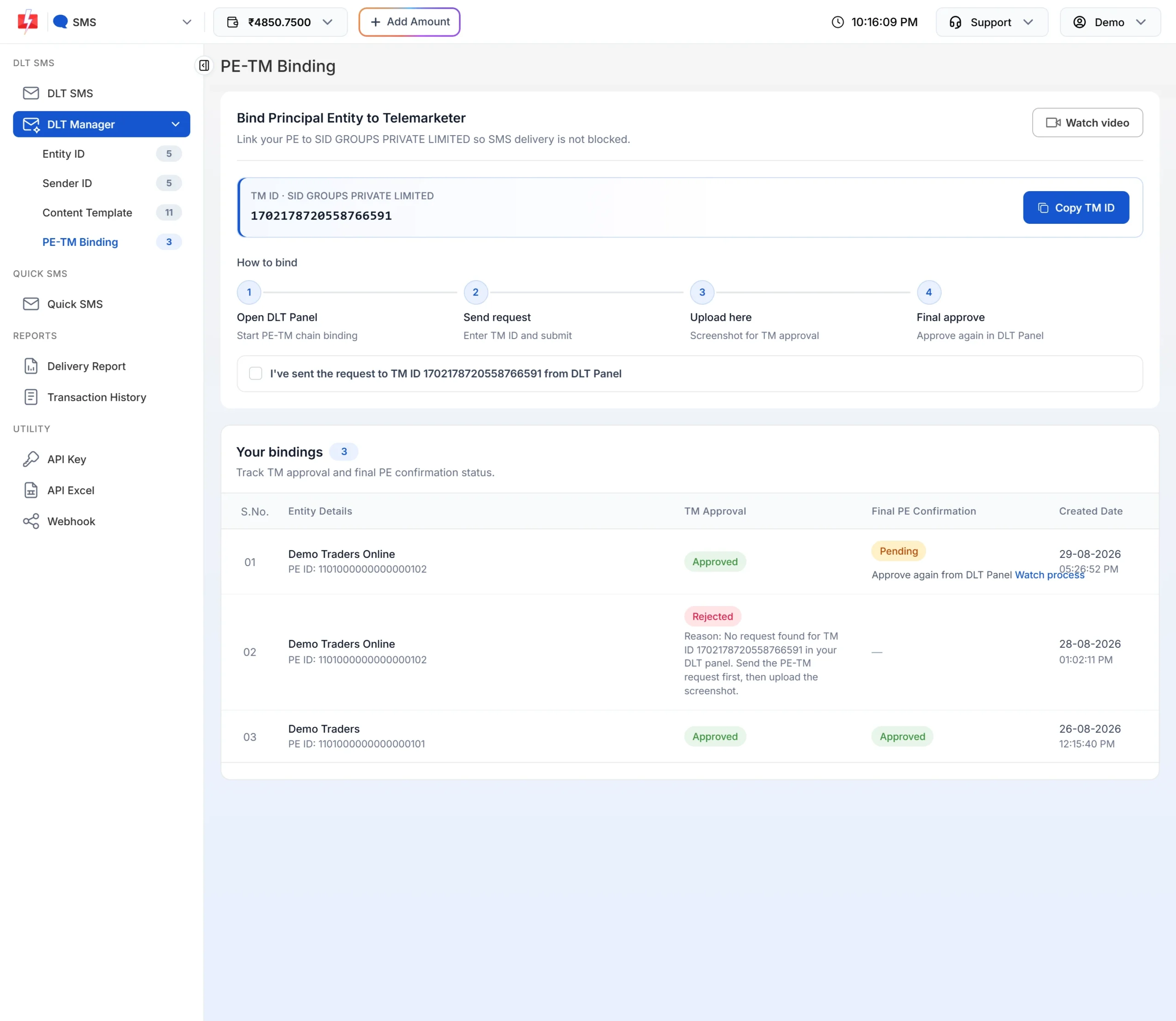
The PE-TM chain lists the telemarketers that carry your SMS. You set it up on the one portal where your business registered, and like your entity, headers and templates, it then works for all operators. If the chain is missing or not approved, your DLT SMS can be blocked, OTPs included. See PE-TM binding in Fast2SMS for the steps.
How to choose a DLT portal
All portals follow the same rules, so the choice is about convenience:
- Fees. The entity registration fee is ₹5,900 per year including GST (at the time of writing) on every portal, so the fee does not decide the choice. Check the portal’s renewal terms before you apply.
- Screens you find easy. The forms ask for the same information but look different. Pick one where you can find headers, templates and CTA whitelisting without trouble.
- Support. You will raise tickets for rejections and reactivations. A portal whose support you can reach easily saves time.
- Guides from your SMS provider. If your provider has step-by-step guides for a portal, starting there is simpler.
- Stay on one portal. Once you choose, keep all your headers and templates there. Moving later usually means fresh registration work.
Sending in bulk? For high SMS volumes our team offers discounted rates. Talk to our team or see SMS pricing.
Since TRAI’s February 2025 amendment, the registration process for senders is to include physical verification of the business, biometric authentication of the authorised person and linking the entity to a unique mobile number, in the manner TRAI specifies. Expect these checks on whichever portal you choose.
How to add your DLT details in Fast2SMS
Fast2SMS works with registrations from every portal. After your entity is approved:
-
Open DLT SMS and click “If yes, add details”
In the SMS app, click DLT SMS. If you have not added an entity yet, the DLT Registration Required screen appears. Click If yes, add details. Not registered yet? Click Check DLT signup process.
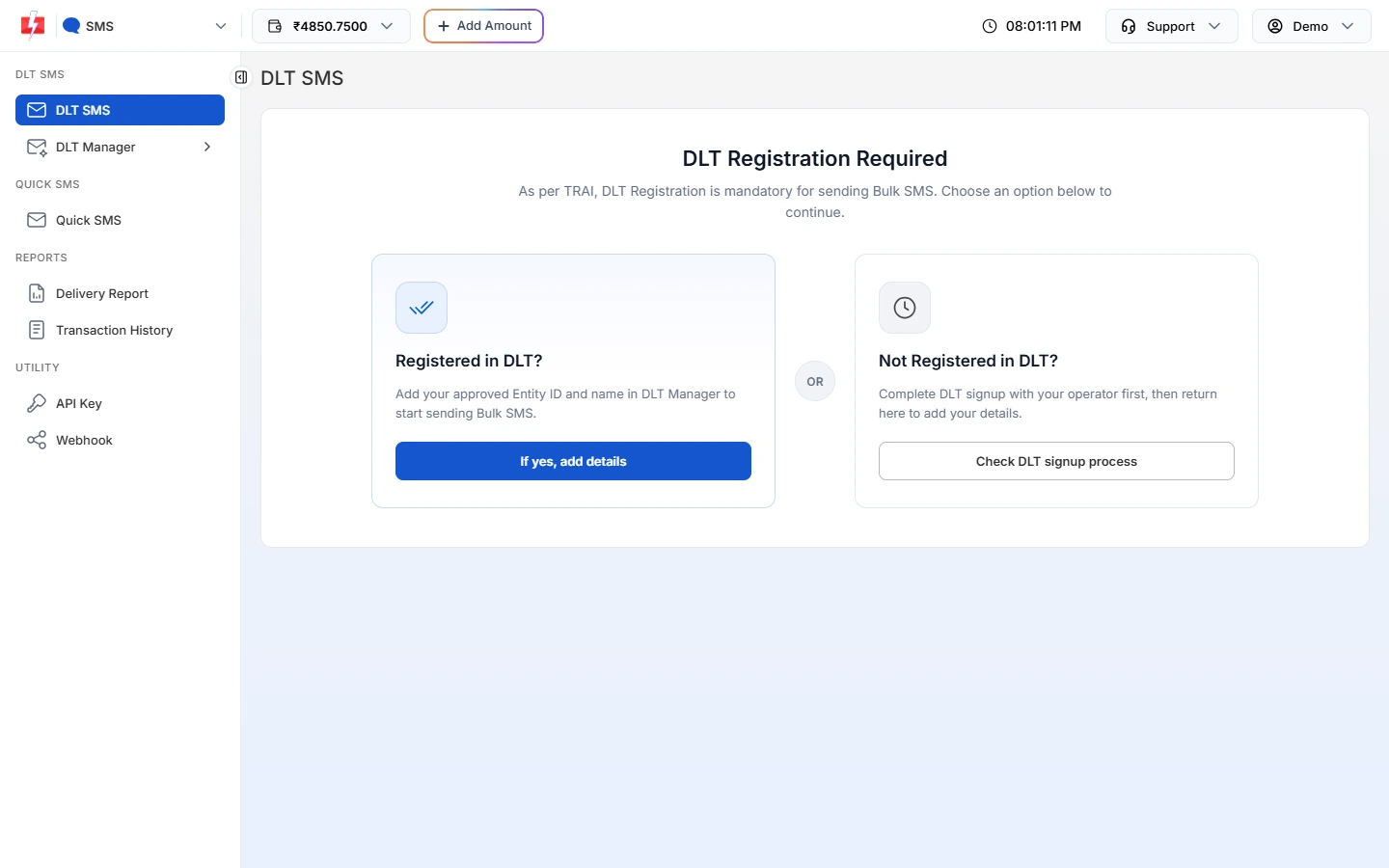
This screen shows until you add your first Entity ID. -
Enter your Entity ID and name
Type your Entity ID and Entity Name and click Submit. If the ID is found on the DLT platform, the entity is approved straight away. If not, upload a screenshot from your portal and it is checked by our team.
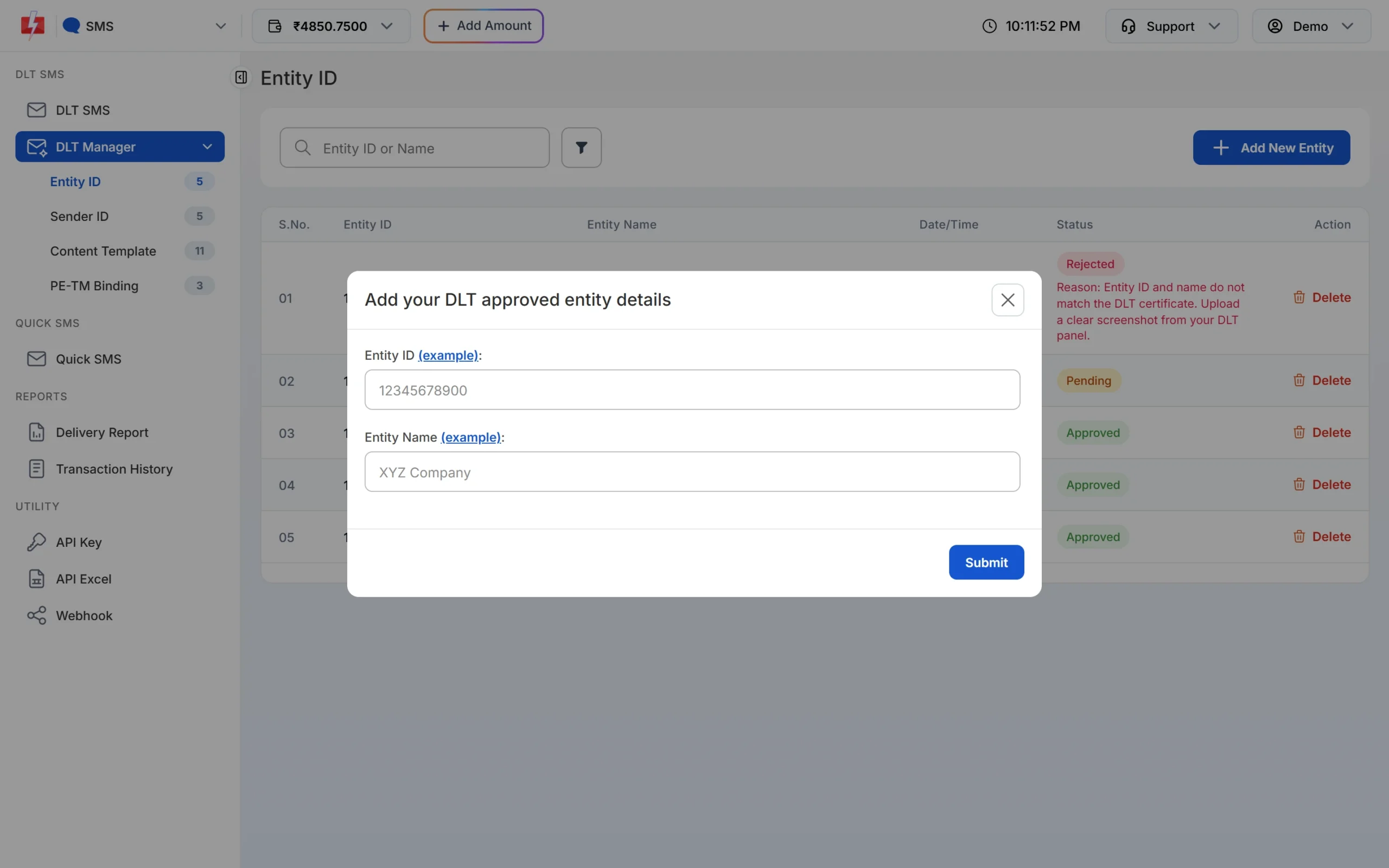
The same form works for every DLT portal. -
Add headers and templates, then bind PE-TM
Add your Sender IDs and content templates in DLT Manager. You can upload the Excel export from Airtel, Jio, Vi, BSNL or Smartping instead of typing each one. Then complete PE-TM binding on your DLT portal.
Frequently asked questions
Which DLT portal is best?
No portal is better for delivery, because all follow the same TRAI rules and share one ledger. The fee is the same too, so choose based on ease of use and support.
Do I need to register on Jio, Airtel and Vi separately?
No. One entity registration on any portal works for all networks. The PE-TM chain is also set up only once, on the portal where you registered.
Can I send SMS to Airtel numbers if I registered on Jio DLT?
Yes. Your registration is shared with all operators. Once your PE-TM chain is approved on your Jio DLT account, your SMS can go to Airtel, Vi, BSNL and other numbers.
Can I move my DLT registration to another portal?
Most portals do not offer a simple transfer, so moving usually means registering again. Most businesses never need to move.
How much does DLT registration cost?
₹5,900 per year including GST at the time of writing, the same on every DLT portal. Check the portal for renewal terms before you apply. Fast2SMS does not charge for DLT help.
Does Fast2SMS work with every DLT portal?
Yes. You can add Entity IDs, headers and templates from any of the six portals in Fast2SMS DLT Manager.