
Skip to content
Fast2SMS Help Center
API Docs Contact Us Sign up free

How to change registered email address?

Steps to change registered email address in Fast2SMS

1. Login to Fast2SMS.


2. On the Apps dashboard, open Account Setting (in the Utility row).


3.  By default, Personal Detail tab will be active. In the personal detail tab, your name, email id and mobile number will get displayed. Next to your email id, a pencil icon will be shown. Click on that icon.
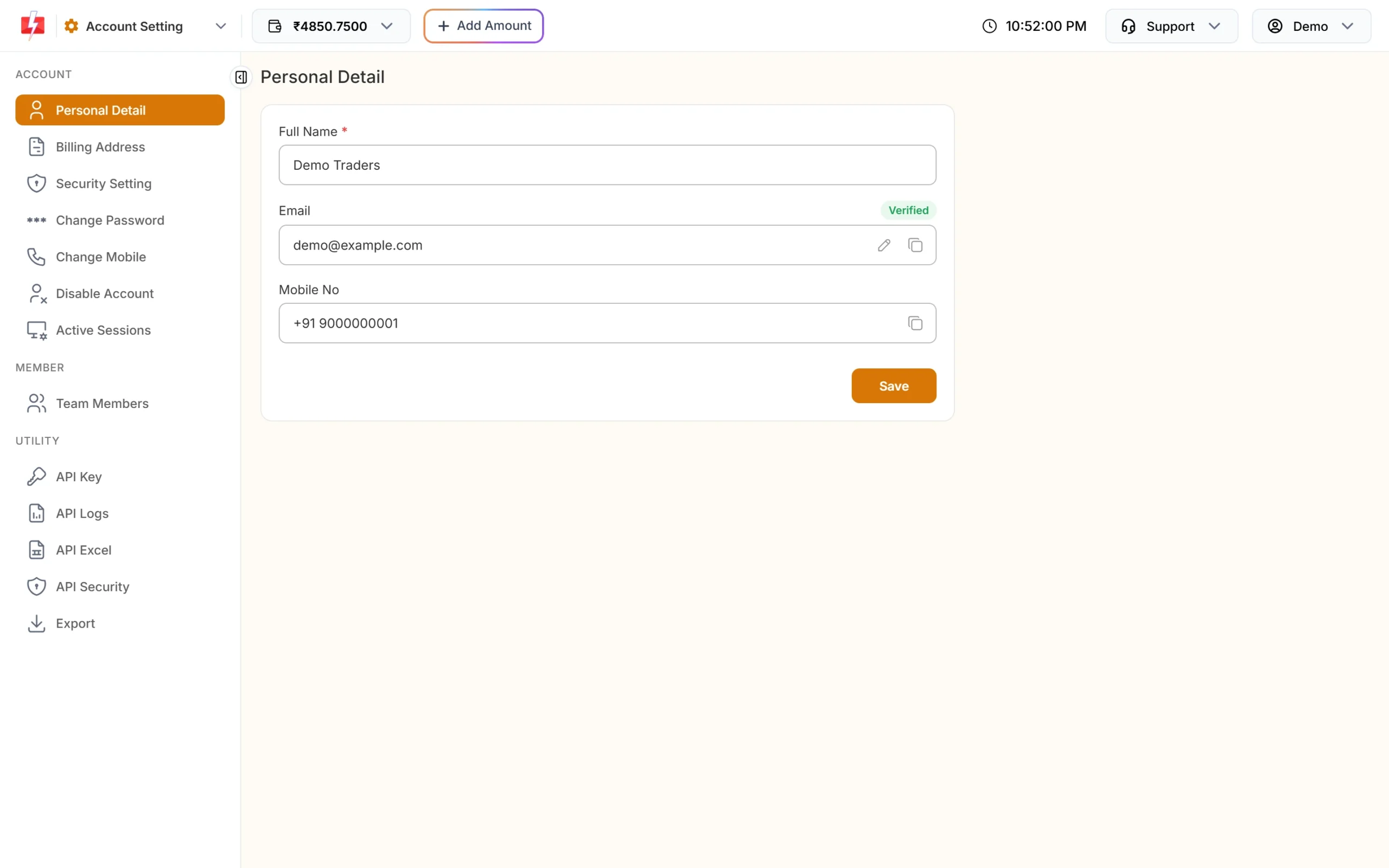
Fast2SMS panel: Personal Detail: name, email (Verified), mobile, Save; account settings sidebar


4. After clicking the icon, a dialog box will pop up. Enter your new email, current password and then click on Change Email button.
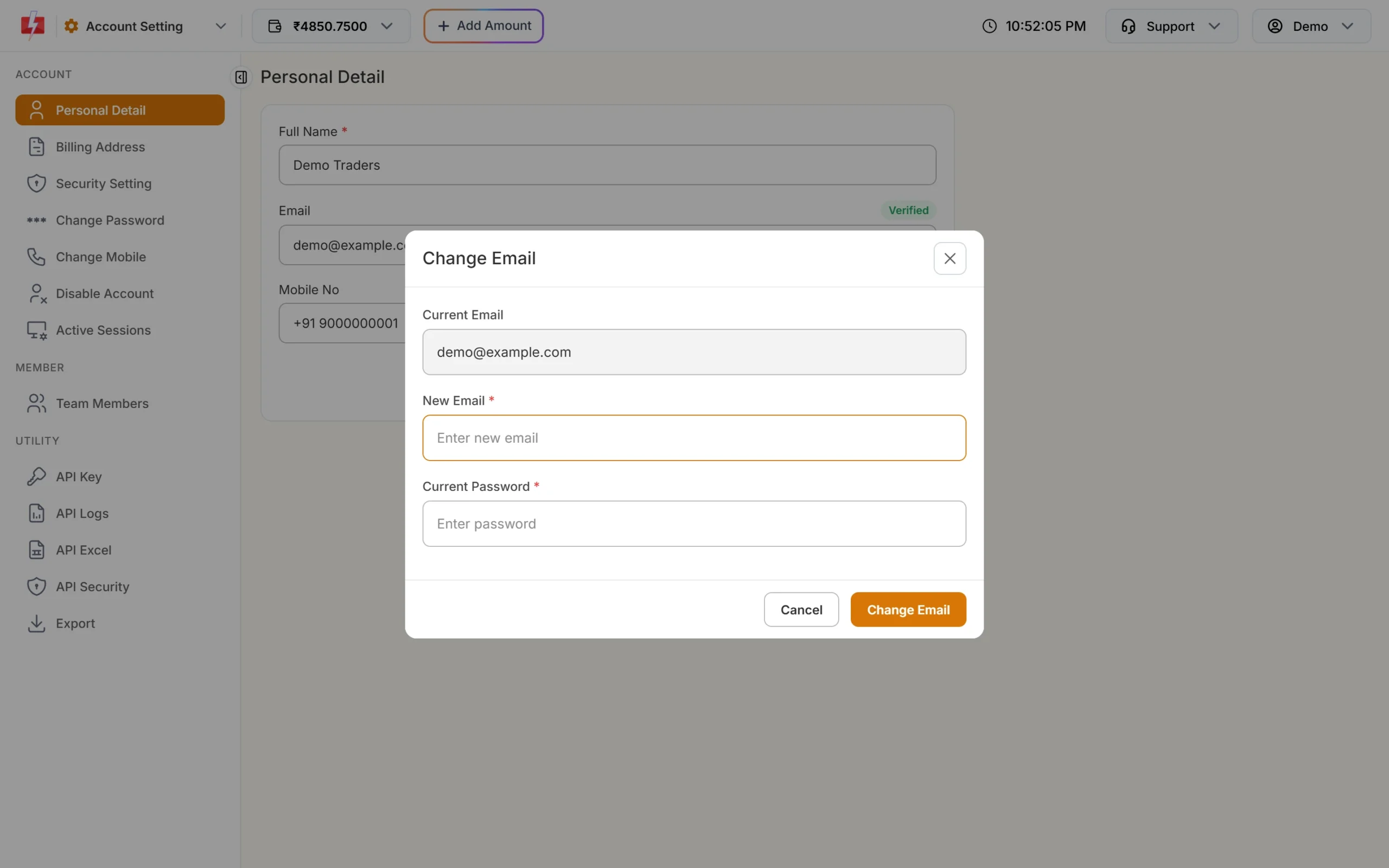
Fast2SMS panel: Change Email modal: current email, new email, password


5. A verification link by Fast2SMS will be sent to your new email address like shown below. Click on it to verify.
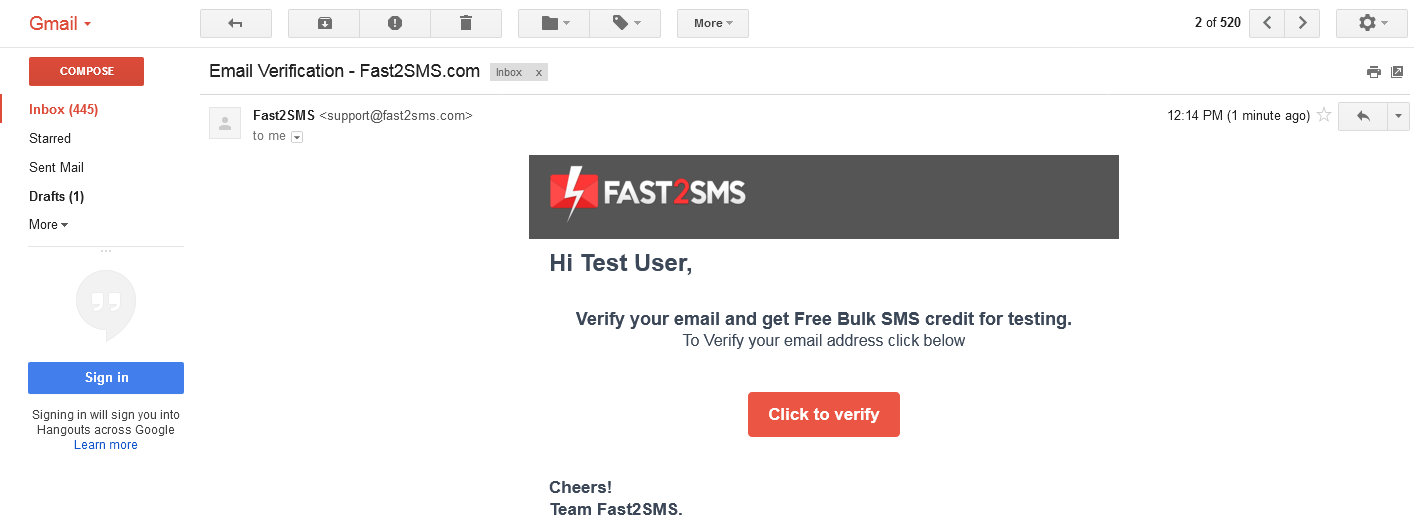
How to change email id in Fast2SMS?


That’s it. Now your email address gets changed. Do visit Fast2SMS for sending bulk SMS and connect with your audience instantly.

https://files.fast2sms.com/help/uploads/2018/03/Try-Fast2SMS-service.jpg

Frequently asked questions

Do I need my password to change my email address?

Yes. The Change Email box asks for the new email and your current password. If the password is wrong you see “Current Password is wrong.” and the email is not changed.

Why does my email show Not verified after the change?

The new email is saved at once but stays unverified until you click the link sent to it. If the mail did not arrive, use the resend link next to your email in Personal Detail. See how to verify your email.

Can I use an email that is already linked to another account?

No. Each email address can belong to only one account, so the change is refused if the address is already in use. Use a different email or free it from the other account first.

Why do I see Daily email limit exhausted?

There is a daily limit on email changes and verification mails. Wait and try again the next day. Your old email stays active until a change goes through.

Related articles

  • Fast2SMS app for Android: send SMS, WhatsApp, RCS and voice from your phone
  • Team member can’t see WhatsApp chats or numbers? Live Chat access problems fixed
  • How to contact Fast2SMS support: ticket, email, meeting and feature requests
  • Fast2SMS new panel tour: dashboard, apps, wallet rates and where everything moved

    New to Fast2SMS?

    Get ₹50 free credit when you sign up.

    Sign up free or book a free meeting

    Topics

    • Bulk SMS
    • WhatsApp
    • OTP
    • RCS
    • Voice Call
    • DLT
    • Delivery Report
    • Transaction
    • Address Book
    • Webhooks

    Products

    • Bulk SMS Service
    • WhatsApp Business API
    • OTP SMS
    • RCS Messaging
    • Voice Call (OBD)
    • Cloud Telephony
    • Quick SMS without DLT
    • Campaign Flow Builder
    • Integrations

    Pricing

    • Bulk SMS Pricing
    • WhatsApp Pricing
    • RCS Pricing
    • Voice Call Pricing
    • Cloud Telephony Pricing

    Guides

    • How to send bulk SMS in India
    • Send bulk WhatsApp messages
    • Official WhatsApp Business API
    • WhatsApp OTP API
    • RCS business messaging
    • Bulk voice call service
    • WooCommerce SMS & WhatsApp plugin
    • Shopify SMS & WhatsApp app
    • DLT Registration

    Bulk SMS for

    • Bulk SMS API
    • OTP SMS provider in India
    • Bulk SMS for marketing
    • Bulk SMS for E-commerce
    • Bulk SMS for Schools
    • Bulk SMS for Hospitals
    • Bulk SMS for Real Estate
    • Bulk SMS in Delhi
    • Bulk SMS in Mumbai

    Company

    • About Us
    • Why Fast2SMS
    • Certificates
    • SMS Reseller
    • Contact Us
    • API Docs
    • Sitemap
    Fast2SMS [email protected] +91 6262778822

    Social links

    Meta Business Partner
    © 2026 Fast2SMS. All rights reserved. Privacy Policy · Terms · Article sitemap · Page sitemap