
Steps to disable your account in Fast2SMS
1. Login to Fast2SMS, and then open Account Setting from the Apps dashboard (in the Utility row).
2. Click on Disable Account option. When it is selected your mobile number will be displayed.
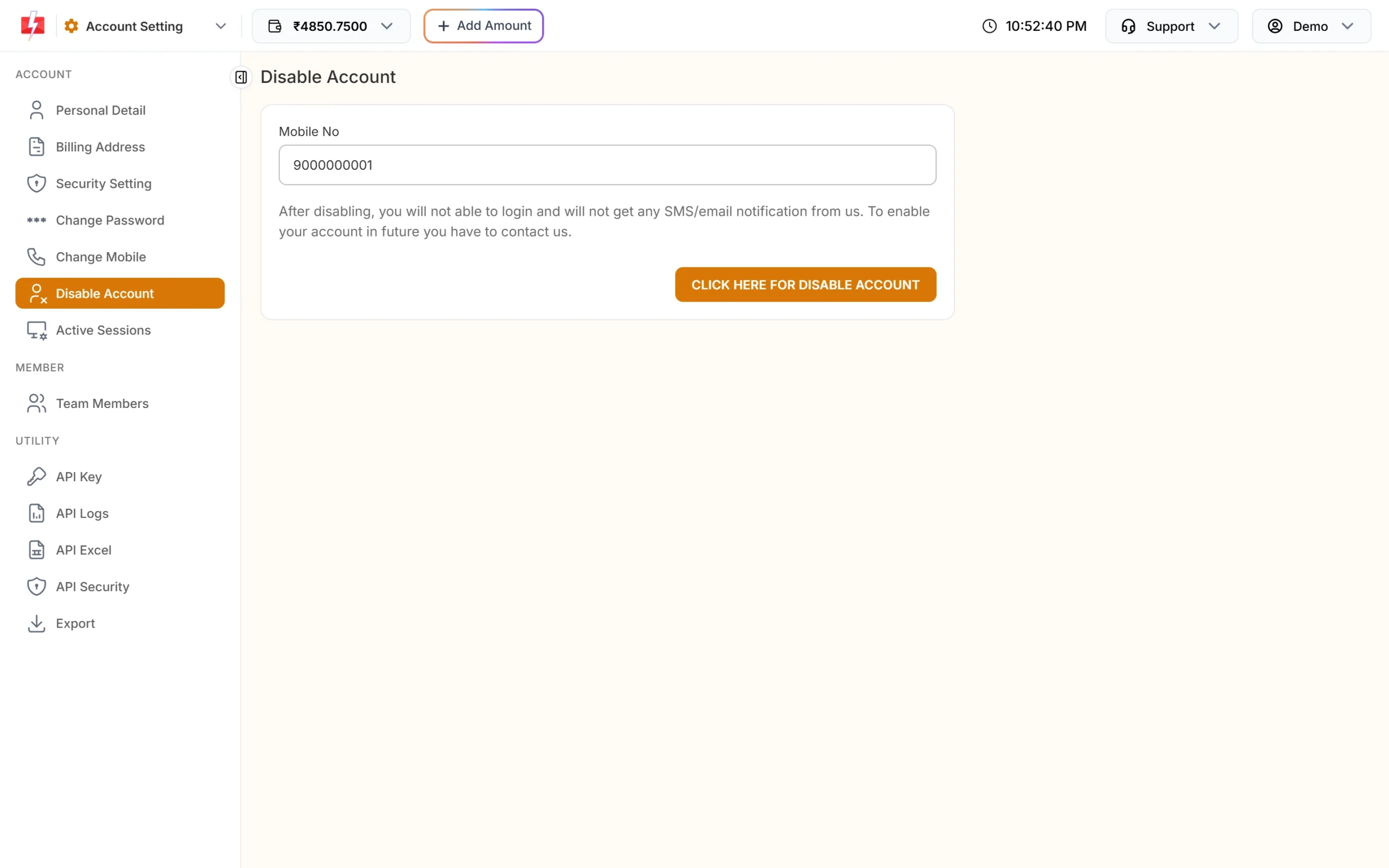
3. Now click on the ‘click here for disable account’ button.
4. An OTP will be sent to your registered mobile number by SMS and WhatsApp. Enter that OTP and your current password, then click on Verify OTP.
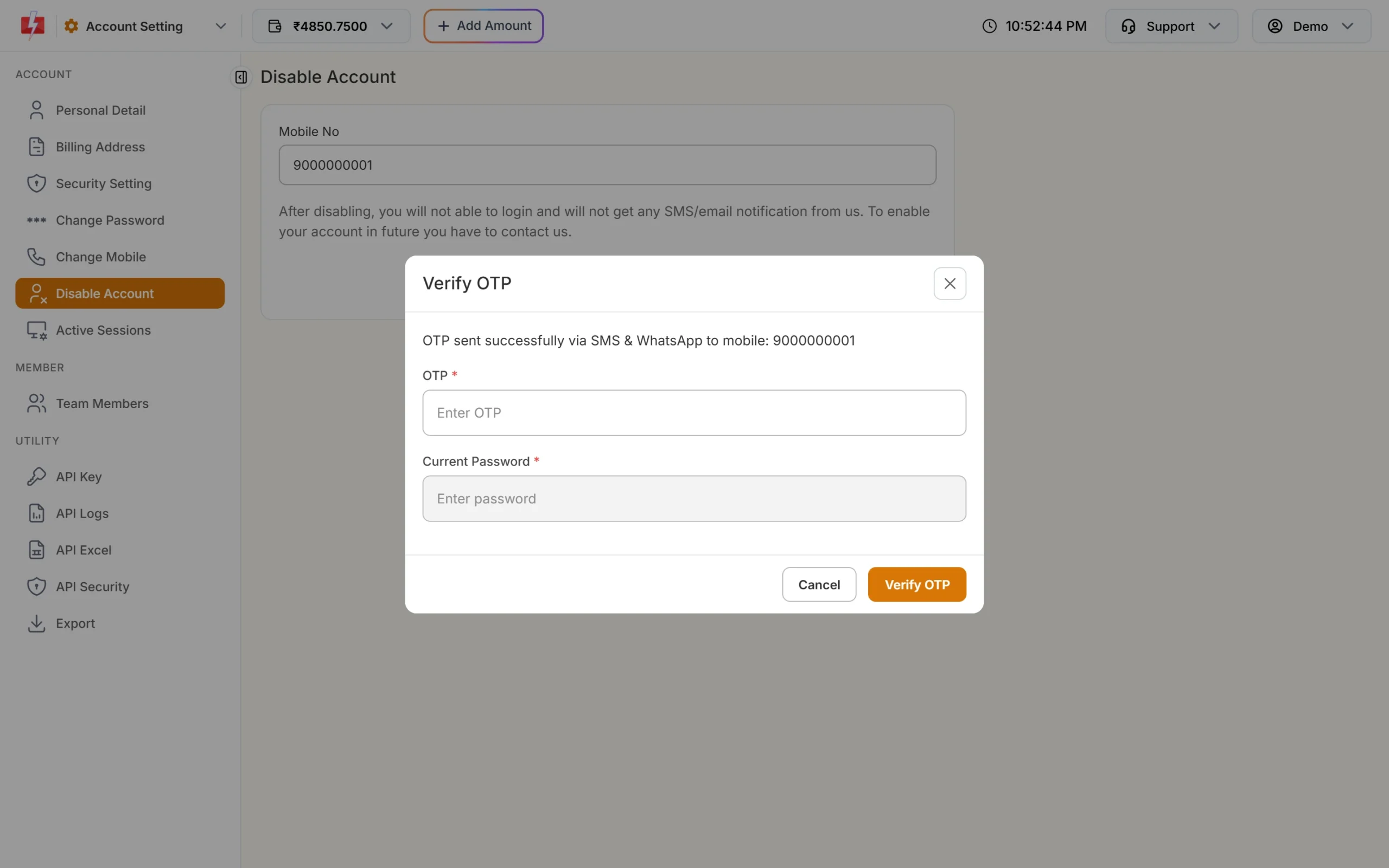
5. Once verified, your account is disabled and you will get logout of Fast2SMS.
Note : Once you disable your account your data will get freeze and you will not be able to recover your numbers or SMS. So please be careful while disabling your account.
You cannot use your account or login again if you have disabled your account.
If you want to enable your account again, then contact support team that is [email protected].
Frequently asked questions
Can I enable my account again after disabling it?
Yes, but only through support. There is no self-service option, and at login you will see a message asking you to contact Fast2SMS support. Email [email protected] and mention your registered mobile number.
Will I get SMS or email notifications after disabling my account?
No. Once the account is disabled, you cannot log in and you will not get SMS or email notifications. You only get one last SMS, and an email if your email is verified, confirming that the account is blocked.
Why am I asked for an OTP to disable my account?
The OTP confirms that the account owner is making the request. It is a 6-digit code sent to your registered mobile by SMS and WhatsApp, and it is valid for 10 minutes. After 3 wrong tries you need to request a new OTP.
Is disabling an account the same as deleting it?
Not exactly. Disabling blocks the login and stops all notifications, but support can enable the account again later. If you only want to secure the account, you can change your password or turn on two-factor login instead.