
The Fast2SMS app is a bulk SMS app for Android that sends DLT SMS from your phone through Fast2SMS’s DLT-registered routes, under your own sender ID, not from your SIM card. Open DLT SMS, pick your sender ID, add numbers from a list, your Address Book or a CSV file, choose your approved DLT template, then send or schedule. Your SIM and mobile plan are not used at all.
This guide explains DLT in plain words, then shows each step on the phone, plus Quick SMS for businesses that are not on DLT yet.
Why a DLT SMS app, not a SIM-based sender
Some Android apps send bulk SMS from your own SIM, one message at a time. In India that is a problem. Business SMS must come from a registered header under DLT rules, and a personal SIM used for bulk sending can get barred. Customers are also less likely to trust a message from an unknown 10-digit number. Read Android SMS gateway apps and GSM modems in India for the details.
The Fast2SMS app only gives you the screens. The messages go out from Fast2SMS through DLT-registered routes, with your brand name as the sender, for example DEMOTR. Your phone does not need to stay on while a campaign runs. See also why you cannot use your mobile number as sender ID.
DLT in one minute
DLT is the system Indian telecom operators use to register businesses that send SMS. You register three things:
| What | What it means | Example |
|---|---|---|
| Entity (PE ID) | Your business, registered once on a DLT portal | Demo Traders |
| Header (sender ID) | The name the SMS comes from, up to 6 characters | DEMOTR |
| Content template | The exact message text, with variables for the parts that change | Dear {#var#}, your order is shipped. |
You register on one operator portal (Jio, Airtel, Vi, BSNL, SmartPing or Tata), and it works for all operators. Entity registration costs ₹5,900 per year including GST (at the time of writing), the same on every portal. You then link Fast2SMS as your telemarketer (PE-TM binding) and add your entity, headers and templates in DLT Manager. See DLT registration fees and validity and DLT Manager guide. If you want help, our team can do the setup with you at DLT registration.
Sending in bulk? For high SMS volumes our team offers discounted rates. Talk to our team or see SMS pricing.
Before you start
- The Fast2SMS app from Fast2SMS on Google Play, signed in. See the Fast2SMS app guide.
- An approved entity, sender ID and content template in DLT Manager, with PE-TM binding done.
- Enough wallet balance. Tap the + next to your balance to add money.
- Your customer numbers: copied as a list, saved in the Address Book, or in a CSV file on your phone.
How to send bulk SMS from mobile with DLT
-
Open SMS on the home screen
Tap SMS. The tile has the badge DLT & QUICK SMS. Open DLT SMS.
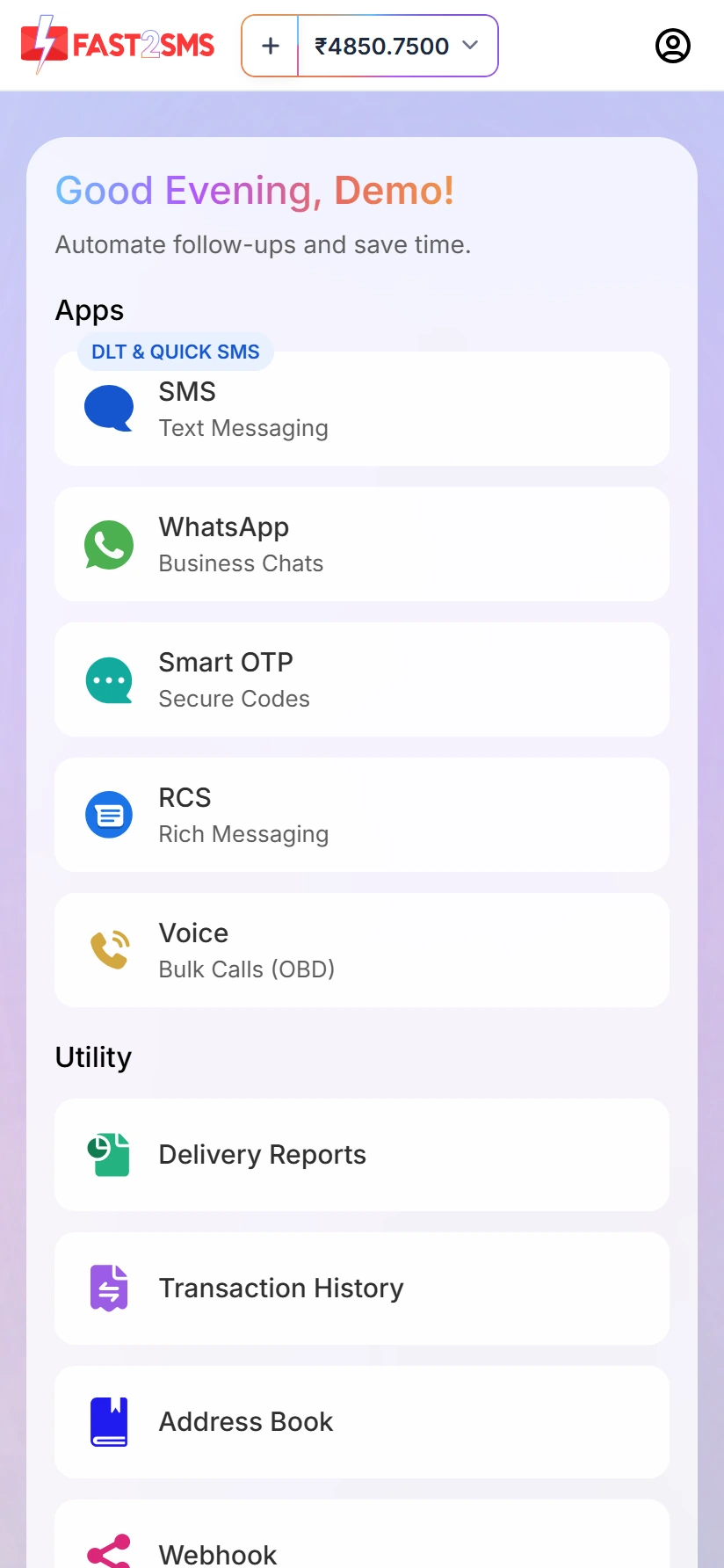
The SMS tile on the app home screen (test account). -
Choose your sender ID
Tap Select Sender ID and pick your approved header.
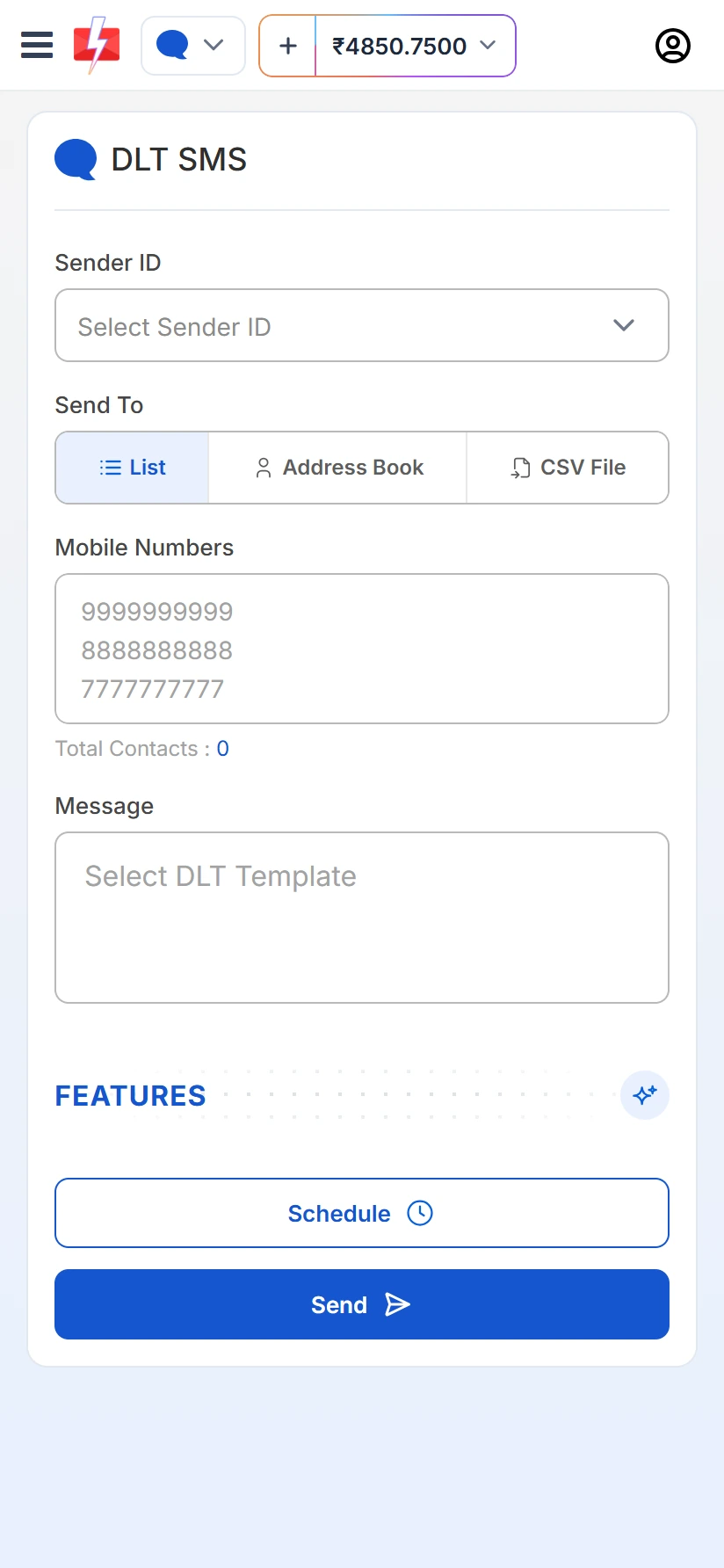
The DLT SMS screen on a phone (test account). -
Add the numbers
Under Send To, choose List and paste numbers one per line, Address Book to tick contacts or groups, or CSV File to upload a file from your phone (up to 20 MB) and choose the column that has the mobile numbers. Total Contacts shows the count.
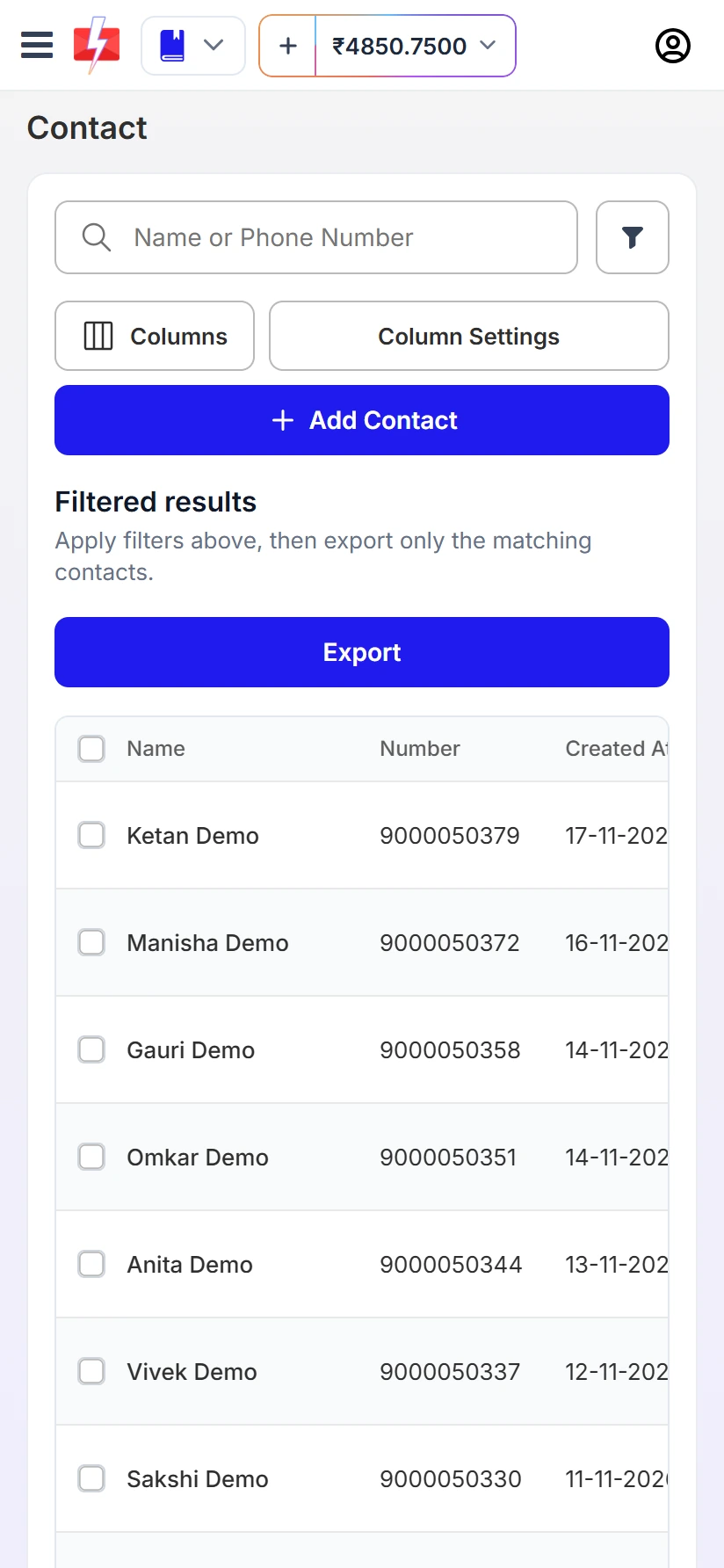
Contacts saved in the Address Book (test account, dummy names). -
Select the DLT template
Tap Select DLT Template. Only approved templates linked to the chosen sender ID appear. Pick one and fill each variable, or match variables to columns if you uploaded a CSV. To check your templates on the phone, open DLT Manager > Content Template in the SMS menu. Each card shows a phone preview and the Message ID, Sender ID, Template ID and Entity.
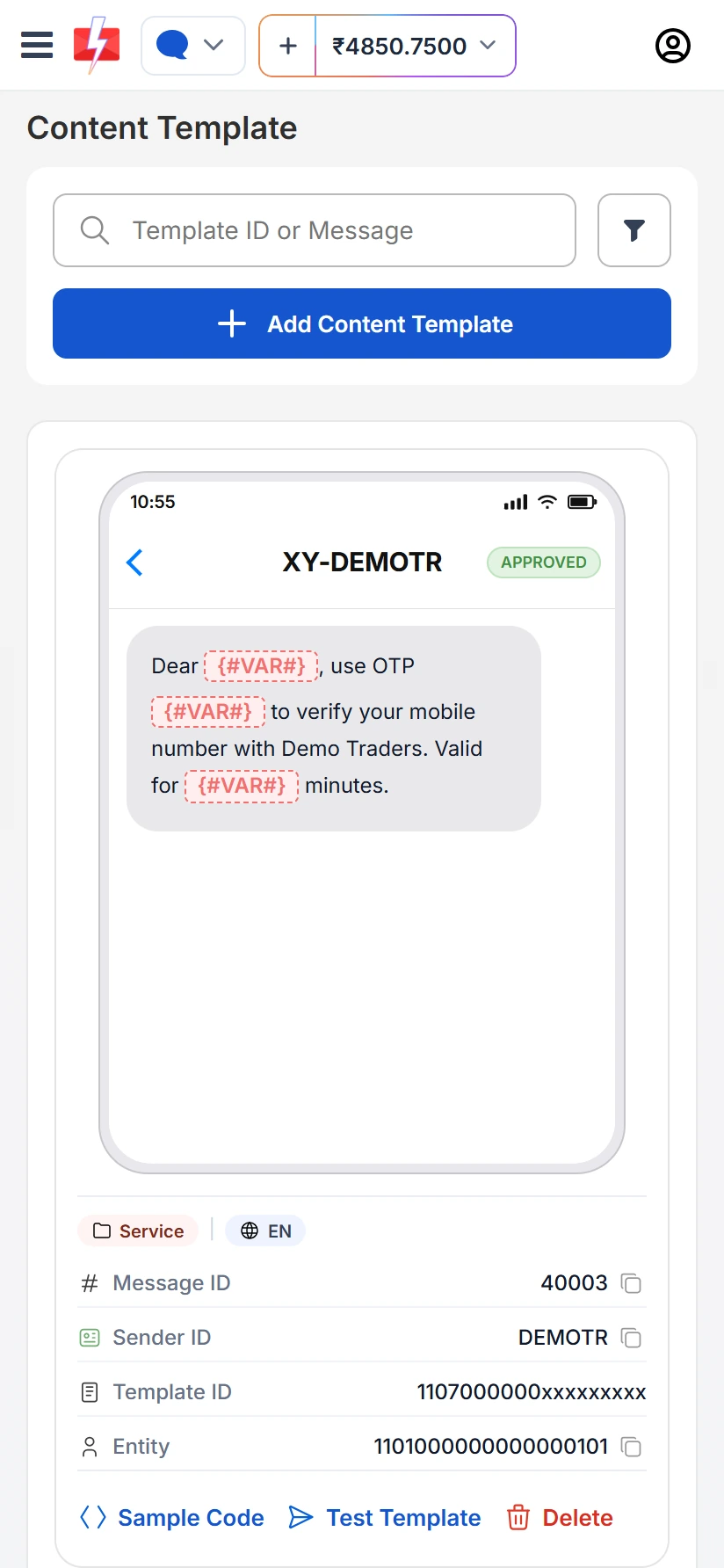
An approved DLT content template on the phone (test account). -
Send or schedule
Tap Send, or Schedule to choose the date and time. The Message Preview & Confirmation box shows the cost per SMS, total messages, total numbers, duplicates, valid and invalid numbers, and the total cost. Duplicates and invalid numbers are not charged. Tap Confirm & Send. A scheduled send can be cancelled before it goes out.
-
Check the SMS report
Open Delivery Reports. SMS Reports shows Total, Delivered, Failed, Sent and Pending for the dates you pick, with an activity chart.
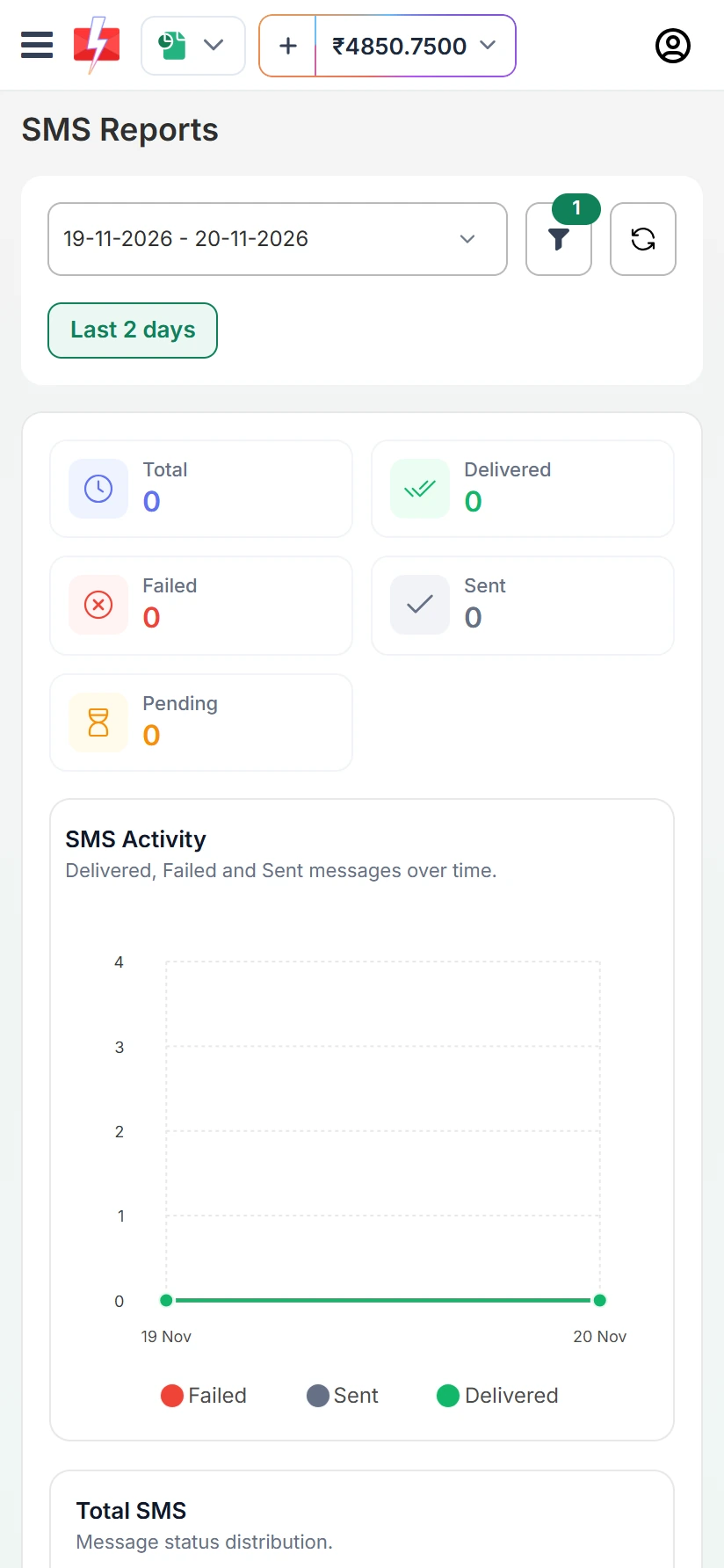
SMS Reports on the phone (test account).
Quick SMS: sending without DLT
If you are not registered on DLT yet, Quick SMS (in the SMS menu) lets you send short business messages without your own DLT template. A few rules apply:
- Messages may be reviewed before delivery. Personal or spam content is not allowed.
- You need to have completed one recharge of ₹100 or more before you can use Quick SMS.
- If 3 of your Quick SMS requests are waiting for approval, wait before sending more.
- Messages waiting for review show under Pending SMS in Delivery Reports.
For regular campaigns, DLT SMS with your own sender ID is the better choice. See Quick SMS pending or rejected.
Using the app for SMS marketing in India
- Promotional timing. Promotional SMS sent at night are held and go out the next morning.
- Template type. Offers need a promotional or service explicit template. Order updates and reminders use service implicit or transactional.
- Groups. Put customers in Address Book groups once, then tick the group each time.
- Big files. Preparing a large Excel file with many columns is easier on a laptop. Save it as CSV and send from either.
Common problems
| What you see | What to do |
|---|---|
| No sender ID in the list | The header is not approved in DLT Manager yet, or PE-TM binding is pending. |
| Template not showing | It must be approved and linked to that sender ID. |
| Insufficient wallet balance | Add money with the + next to your balance, then send again. |
| Quick SMS stuck in Pending SMS | It is waiting for review. Rejected ones show the reason there. |
Frequently asked questions
Is there a DLT SMS app for Android?
Yes. The Fast2SMS app sends DLT SMS with your registered sender ID and approved templates, from your phone.
Does the bulk SMS sender app use my SIM or mobile balance?
No. SMS go out from Fast2SMS through DLT-registered routes and are paid from your Fast2SMS wallet.
Can I send bulk SMS without DLT registration?
Only through Quick SMS, which is reviewed before delivery. For regular business sending, DLT registration is required in India.
Can I register on DLT from the app?
DLT registration is done on an operator’s DLT portal. After approval, you add the entity, headers and templates in DLT Manager, on the app or the website.
Can I upload Excel from my phone?
Upload a CSV file of up to 20 MB from your phone’s files. Save Excel sheets as CSV first.
Is bulk SMS legal in India?
Yes, when you send through DLT with registered headers and templates and follow the timing and consent rules. See is bulk SMS legal in India.