
No. In India, bulk SMS sent through a provider cannot show your personal 10-digit mobile number as the sender. Business SMS go out under a sender ID (also called a header), a short name such as DMTRDS that you register for your business on a DLT portal. If you want customers to see and reply to your own business number, use WhatsApp Business API instead.
This page explains why your mobile number cannot be the sender, what your customers see instead, and the options you do have.
Why your mobile number cannot be the sender
TRAI’s rules for commercial SMS require every business message to go out under a header approved for your business entity on a DLT portal. A header is up to 6 characters. Each content template you register is linked to one or more headers, and the operator checks the header, template and entity on every SMS before delivery.
A 10-digit mobile number is not a DLT header, so operators do not deliver business SMS with it as the sender. Sending promotional messages in bulk from a normal 10-digit SIM counts as unregistered telemarketing under TRAI’s rules. For a first violation, outgoing services can be barred for 15 days, and repeat violations can lead to disconnection and blacklisting. See TRAI TCCCPR rules explained.
What your customers see instead
When you send DLT SMS from Fast2SMS, the customer sees your header with a few letters added by the network. For example, the header DMTRDS can appear as VM-DMTRDS-S. The letters in front show the operator and circle, and the letter at the end shows the message type.
- Letter headers (for example DMTRDS) carry OTPs, alerts and service updates.
- Numeric headers (6 digits) have traditionally been used for promotional SMS. In Fast2SMS, a template linked to a numeric header is always treated as promotional.
Pick a header that looks like your business name, so customers recognise you. See DLT header rules for naming tips.
How to send SMS with your own sender ID in Fast2SMS
-
Register the header on your DLT portal
Register your business entity and then the header on a DLT portal such as Jio, Airtel, Vi or BSNL. Link the header to your content templates there. Also complete the PE-TM binding with Fast2SMS on the portal.
-
Add the approved header in DLT Manager
In the SMS app, open DLT Manager > Sender ID and click Add New Sender ID. Choose the entity, type the header exactly as approved (3 to 6 characters) and upload a screenshot of the approved header from the portal. It shows as Pending until Fast2SMS checks it, then Approved.
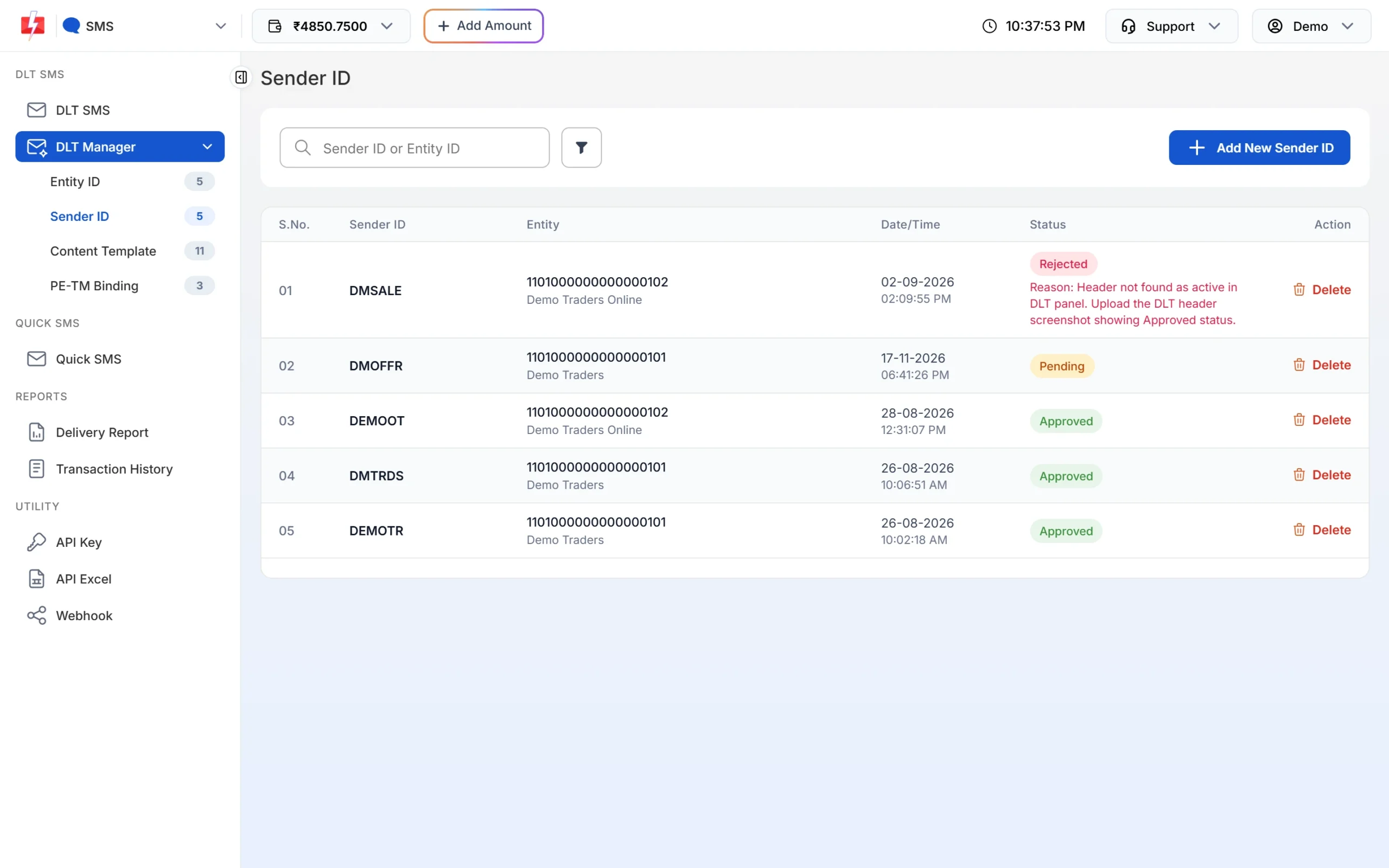
Your approved headers appear in DLT Manager > Sender ID. -
Pick the header when you send
On the DLT SMS page, choose your header in the Sender ID list. Only approved headers appear, and only templates linked to that header can be picked. With the API, pass the same header in
sender_id. It is case-sensitive.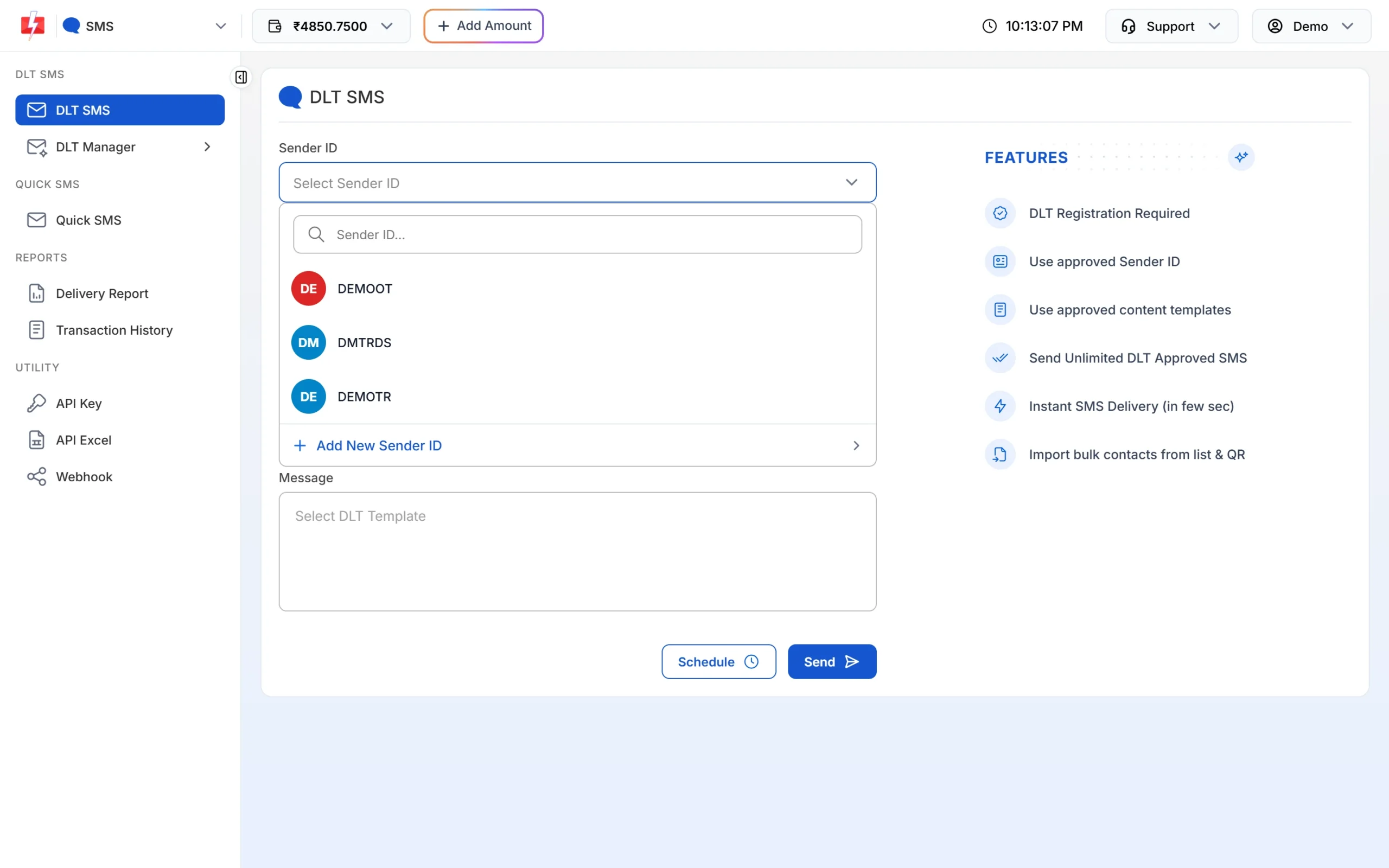
Choose your approved header as the sender.
What about Quick SMS?
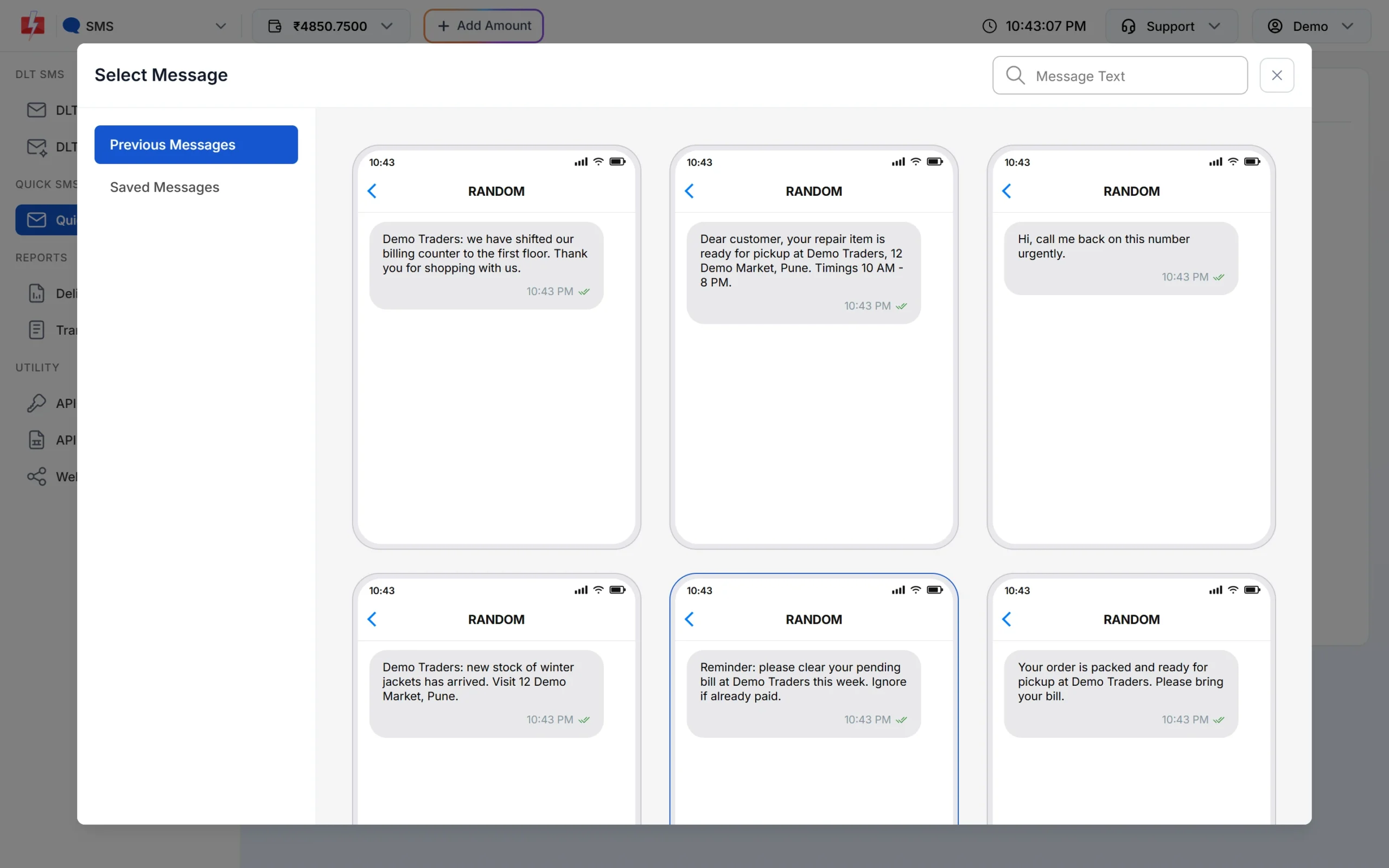
Quick SMS lets you send without DLT approval, but you cannot choose the sender. The panel and reports show the sender as RANDOM. Quick SMS is meant for short business messages. Personal and spam messages are not allowed, and messages may be reviewed before delivery. If your customers need to recognise who the SMS is from, use DLT SMS with your own header.
If you want customers to see your own number
Use WhatsApp Business API. Your messages come from your business WhatsApp number with your business name and profile, and customers can reply to you in the same chat. Fast2SMS gives you a live chat inbox for those replies. See how to start with WhatsApp Business API.
Frequently asked questions
Can I use my company landline number as the sender ID?
No. The sender is always a DLT header of up to 6 characters, not a phone number.
Can customers reply to an SMS sent with a sender ID?
No. A header cannot receive replies. Add a phone number or link in the message (whitelisted on DLT) if you want customers to contact you, or use WhatsApp for two-way chat.
Why does my sender ID show extra letters on the phone?
The network adds two letters in front for the operator and circle, and one letter at the end for the message type, such as -S or -T.
Can I change my sender ID name later?
You register a new header on the DLT portal, link your templates to it, and add it in Fast2SMS DLT Manager.
Can I send SMS with my name instead of a sender ID?
Only if that name is your registered DLT header. It must fit in 6 characters and relate to your business.
Is there a sender ID without DLT registration?
No. Quick SMS works without DLT, but the sender is random and you cannot choose it.