
If your DLT header or template suddenly shows as inactive, the most common reason is that it was not used for 90 days. Since TRAI’s 2025 rules, operators deactivate unused headers and templates automatically, and you can ask for them to be reactivated on your DLT portal. A header can also be suspended or blacklisted after complaints or rule breaks. This page explains each case, how to get your header or template working again, and what you will see in Fast2SMS.
Why was my header or template deactivated?
| Reason | What happens | How to get it back |
|---|---|---|
| Not used for 90 days | The operator temporarily deactivates the header or template through an automated process. | Ask for reactivation on your DLT portal. |
| Header blacklisted for a rule break | Traffic from the business is suspended at once. | Traffic resumes after the registrar reviews all your headers and templates, or after seven days, whichever comes first. Fix the cause. |
| Repeat violations | The business can be blacklisted across all operators for at least one year. | Avoid this: fix complaints and wrong-category templates early. |
| Entity registration lapsed | Headers and templates under it stop being valid. | Renew your entity on the portal, then check that headers and templates show active again. |
| You or a team member deactivated it | The header or template is inactive on the portal. | Reactivate it on the portal if it is still needed. |
The 90-day rule and the blacklisting steps come from the Telecom Commercial Communications Customer Preference (Second Amendment) Regulations, 2025. TRAI added the 90-day deactivation to stop old, forgotten headers and templates from being misused.
How to reactivate an inactive DLT header or template
-
Check the status on your DLT portal
Log in to the portal where your entity is registered (Jio, Airtel, Vi, BSNL, Tata or Smartping). Open your headers and templates list and look at the status and any remark next to the item.
-
Request reactivation
The regulation asks operators to reactivate unused headers and templates on the sender’s request. Use the portal’s reactivation option for that item, or raise a ticket with the portal’s support if you cannot find it. Screens differ by portal.
-
For a blacklisted header, find the cause first
A blacklisted header usually follows complaints or misuse, for example promotional content sent from a service template, or messages sent to people who did not expect them. Review the templates on that header and fix the cause before you ask the portal to restore it. If the message mentions ILDO traffic, read header and template blacklisting for ILDO traffic.
-
Check it in Fast2SMS
Once the header and templates are active again on DLT, check them in DLT Manager. If Fast2SMS shows the header or template as blocked or rejected, contact Fast2SMS support and mention that it is active again on DLT.
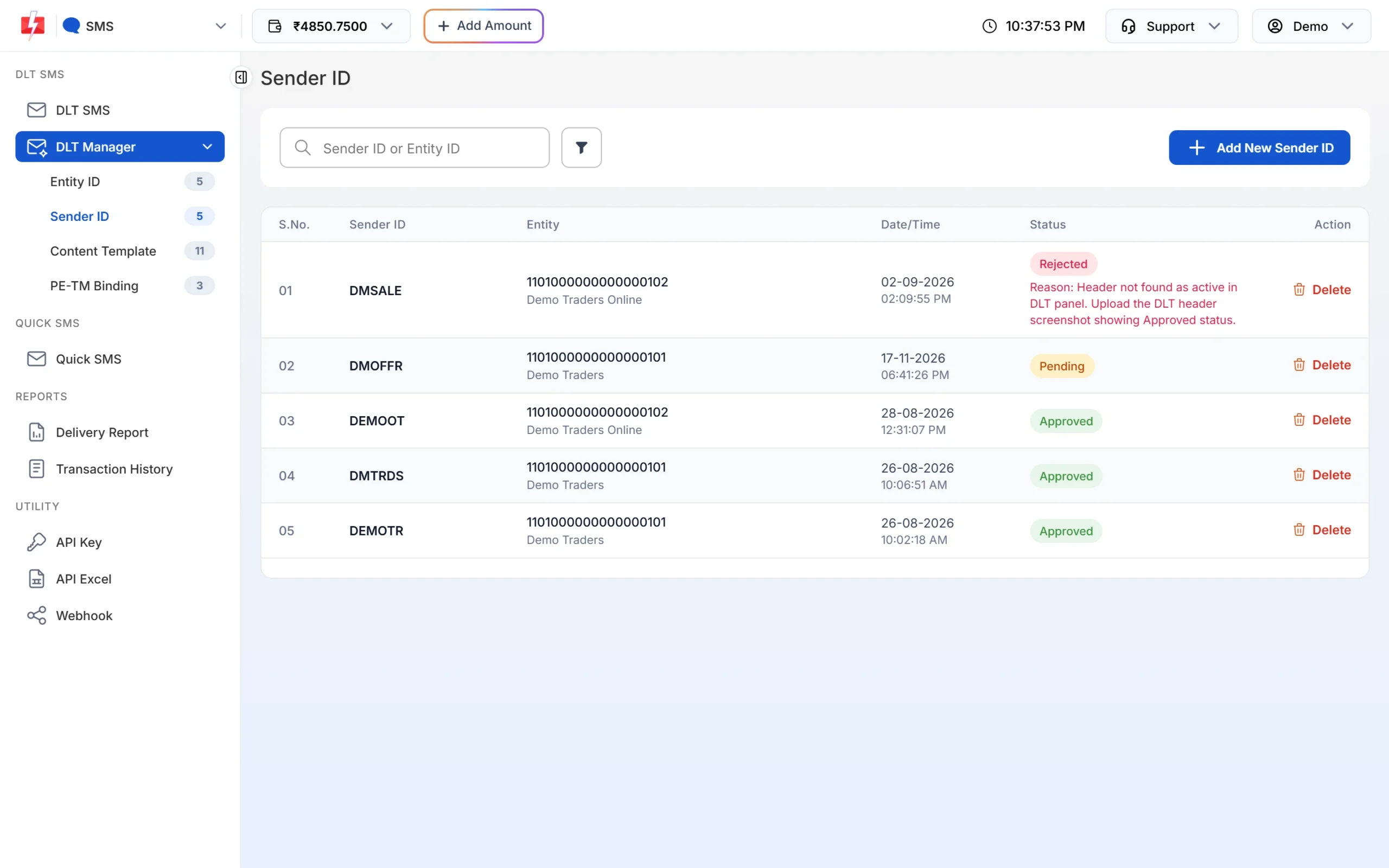
A rejected header shows the reason in red under the status. -
Send a test before your campaign
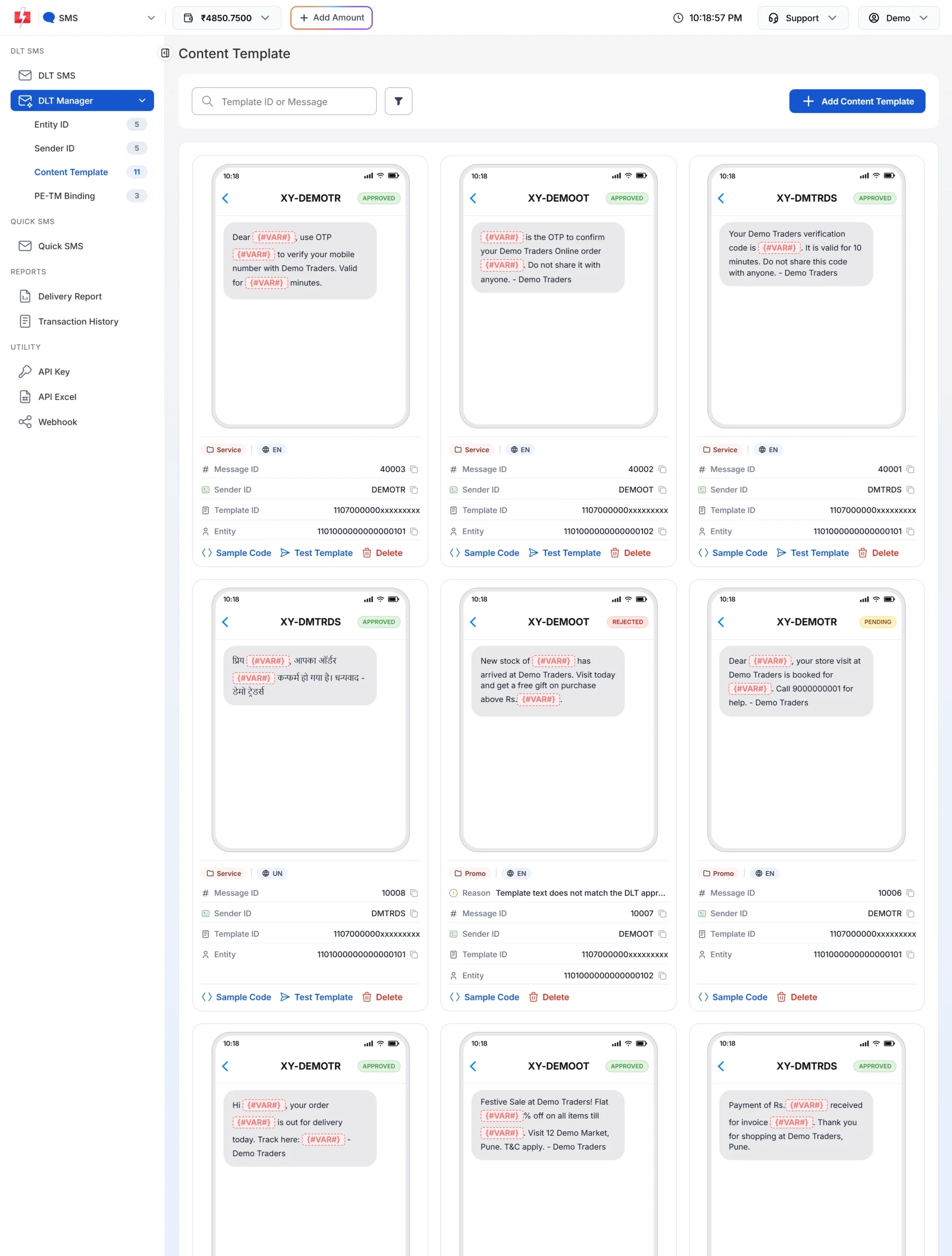
Open DLT Manager > Content Template, find the template and click Test Template. Send it to your own number and wait until the test shows it was delivered before you send to customers.
What you see in Fast2SMS
Fast2SMS keeps a block list of entities, headers and template IDs. If one of yours is on it, you see one of these messages:
| Message | Where | What to do |
|---|---|---|
| Sender ID blocked, contact Fast2SMS support. | Adding a Sender ID, or sending | Contact support. If the header is active on DLT, say so. |
| Content template blocked, contact Fast2SMS support. | Adding a template, or sending | Contact support with the template ID. |
| Entity blocked | Adding an entity, or sending | Contact support with your Entity ID. |
| A blacklist reason, followed by “If header is active at DLT then contact Fast2SMS support.” | Adding a Sender ID | Check the header on your portal. If it is active, contact support. |
| Sender ID is not valid. | Sending | The header is not approved in your Fast2SMS account, or the spelling or capital letters differ. |
A header or template that is inactive on DLT may still look approved in Fast2SMS, because DLT Manager shows the status of your Fast2SMS record. In that case the SMS fails at the operator. Check the failure reason in the Delivery Report and the status on your DLT portal.
How to avoid deactivation
- Keep a list of your headers and templates with the date each was last used.
- For seasonal campaigns (Diwali, sale days, admissions), check the header and template status a few days before you plan to send.
- Remove headers and templates you no longer need, so your list stays clean when a reviewer looks at it.
- Keep service templates free of offers, and send promotions only to people who expect them. This keeps complaints, and the risk of blacklisting, low.
Frequently asked questions
Why did my DLT header become inactive?
Most often because it was not used for 90 days. Operators deactivate unused headers automatically and reactivate them on request.
Do unused DLT templates expire?
They are temporarily deactivated after 90 days without use. You can ask the portal to reactivate them.
How long does a header suspension last?
Under the 2025 rules, traffic resumes after the registrar reviews your headers and templates, or after seven days, whichever is earlier.
Can my whole business be blacklisted?
Yes. Repeat violations can lead to the business being blacklisted across all operators for at least one year.
My header is active on DLT but Fast2SMS says blocked. What now?
Contact Fast2SMS support and tell them the header is active on DLT. Include the header and your Entity ID.
Do I need to add the header again in Fast2SMS after reactivation?
Not if the header is still approved in DLT Manager. If you registered a new header instead, add the new one.