
Fast2SMS API error 990 means your code is still calling an old SMS route. The reply is {"return":false,"status_code":990,"message":"You're hitting old API. Refer updated documentation here: docs.fast2sms.com"} and no SMS is sent. To fix it, change your request to one of today’s routes: dlt, dlt_manual or q for SMS, and the Smart OTP API for OTPs. This page shows which one to pick and what to change.
Why you get error 990
The /dev/bulkV2 endpoint still exists, but the old route values v3, t, p and s are closed. Any request that sends one of them gets status_code 990. Old reports call the t and s traffic “Transactional” and p “Promotional”. The current DLT routes send with your own DLT entity, sender ID and approved content template instead.
Which new route should you use?
| What your old integration sent | Use now | What you need |
|---|---|---|
| Transactional, service or promotional SMS with a DLT-registered sender and template | route=dlt on /dev/bulkV2 |
Entity, sender ID and template added and approved in DLT Manager. You send the template’s Message ID and the variable values. |
| Full message text that you build in your own code | route=dlt_manual on /dev/bulkV2 |
The exact approved DLT text, your entity_id and template_id. |
| Text without DLT registration | route=q (Quick SMS) |
Quick API Access turned on and one recharge of ₹100 or more. Requests with 10 or more numbers are held for manual approval. |
| OTP codes | Smart OTP API (/dev/otp/send, /verify, /resend) |
A Smart OTP template (OTP ID) linked to your approved DLT OTP template or a WhatsApp template. You can also send OTPs with route=dlt and your own OTP template. |
Smart OTP is the recommended way to send OTPs: it creates and verifies the code for you and can fall back to WhatsApp or SMS. Do not move OTP traffic to any other OTP route.
How to move to the new API
-
Copy your API key
In the panel open Account Setting, then API Key. Click View (an OTP is sent to your mobile) and copy the Authorization Key. Make sure the API Access switch is on.
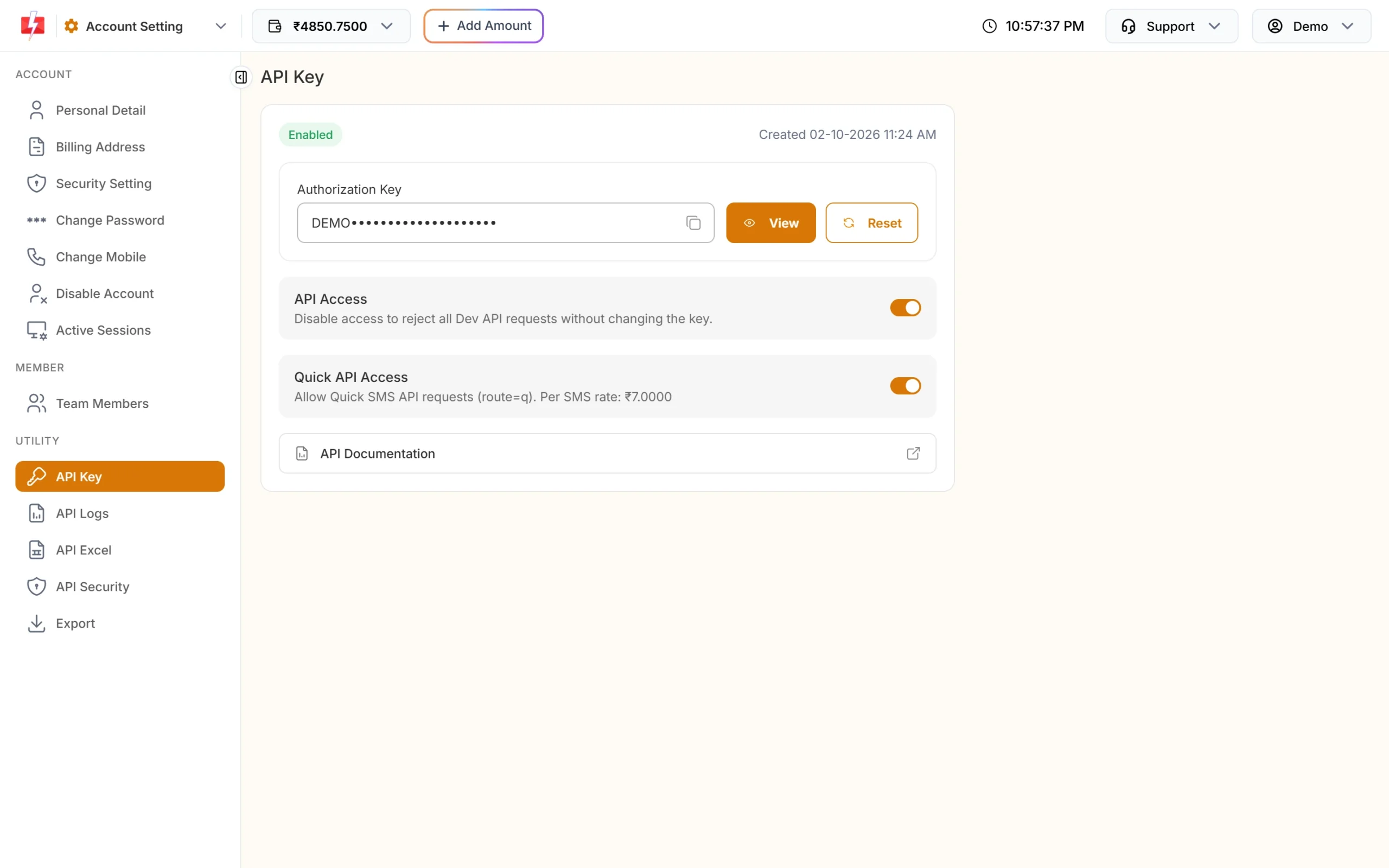
Your key and the API Access switches. -
Add your DLT details in DLT Manager
For
route=dlt, add your Entity ID, sender ID and content templates under SMS, DLT Manager. Each approved template card shows a Message ID. That number goes in themessageparameter, not the 19-digit DLT Template ID. -
Get ready-made URLs from API Excel
Open API Excel under Account Setting, choose SMS and click Download Excel. The file lists your approved DLT templates with sender IDs and sample API URLs, so you only fill in numbers and variable values.
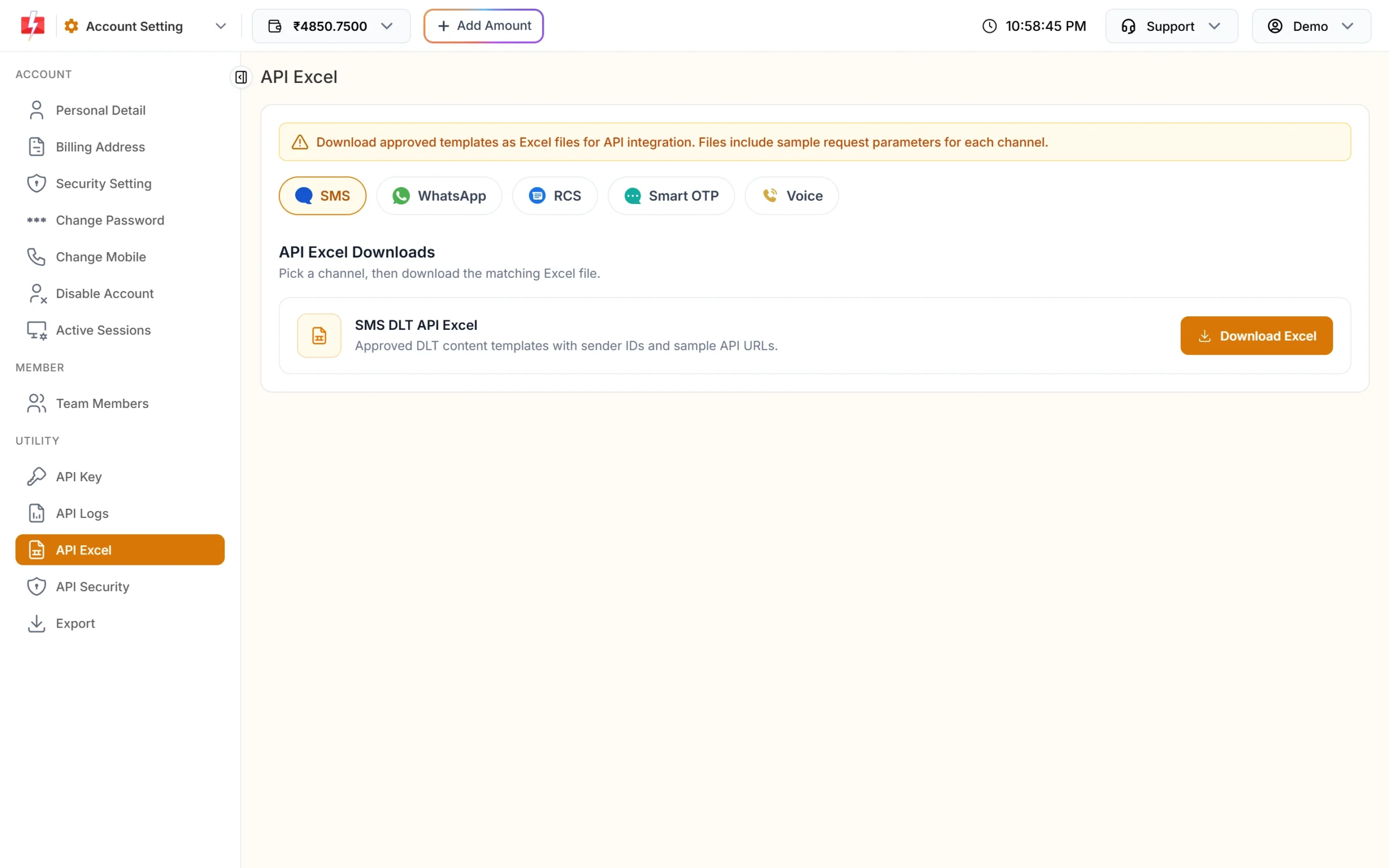
API Excel gives you sample URLs for your own templates. -
Change the request in your code
Replace the old route and parameters with the new ones. A DLT SMS request looks like this:
curl -X POST "https://www.fast2sms.com/dev/bulkV2" \
  -H "authorization: YOUR_API_KEY" -H "Content-Type: application/json" \
  -d '{"route":"dlt","sender_id":"FSTSMS","message":"111111","variables_values":"Rahul|4821","numbers":"9999999999"}'
A successful reply is
{"return":true,"request_id":"S...","message":["SMS sent successfully."]}. Send the key in theauthorizationheader, not in the URL, so it does not end up in server logs. -
Check the result in API Logs
Open API Logs under Account Setting. Each call shows the API, HTTP code, response message and Success or Failed. Click View Details on a row to see the full request and response.
Old error codes you may still check for
Some codes are still listed in older documentation but today’s /dev/bulkV2 no longer returns them. If your code looks only for these, update it to read return and status_code from the current list.
| Old code | Old message |
|---|---|
| 401 | Sender ID Missing |
| 402 | Message Text Missing |
| 403 | Route Missing |
| 407 | Invalid words used in message |
| 409 | Invalid Route Authentication |
| 410 | Invalid Language |
| 417 | Use english letters or change language to unicode |
Always check the return field, not only the HTTP status. For example, error 416 (low wallet balance) can come back with HTTP 200 and "return": false.
The old voice API (/dev/voice)
The old /dev/voice endpoint is also closed. After authentication it always returns HTTP 500 with status_code 998: “As per TRAI, we’ve closed our voice call service.” This is not the same as error 998 on the SMS API (“Route is blocked in your account, use DLT SMS route.”).
- If you used it to send OTPs, move to the Smart OTP API.
- If you want recorded bulk voice calls, use the bulk voice API
/dev/voice/bulkwith an approved voice file. Calls are dialled between 10 AM and 9 PM.
Frequently asked questions
What does Fast2SMS error 990 mean?
Your request uses an old route (v3, t, p or s) that is closed. Change it to route=dlt, dlt_manual or q, or use the Smart OTP API for OTPs.
Can I keep my old code and only change the route?
Usually not. route=dlt needs your approved sender ID and the template’s Message ID, and route=dlt_manual needs the entity and template IDs. Check the parameters against the current docs at docs.fast2sms.com.
Do I need DLT registration to use the new API?
For route=dlt and dlt_manual, yes. Only Quick SMS (route=q) works without DLT, with its own conditions such as Quick API Access and manual approval of larger sends.
Which API should I use for OTP now?
Use the Smart OTP API. It sends the OTP on SMS or WhatsApp, verifies it, and can fall back to the other channel. You can also send OTPs with route=dlt and your own DLT OTP template.
Where do I find the Message ID for route=dlt?
On each approved template card in DLT Manager, and in the SMS file from API Excel.
Is my API key the same after moving?
Yes. The same Authorization Key works for all current endpoints. Reset it only if you think it has leaked.
Why does /dev/voice return error 998?
The old voice API is closed and always answers “As per TRAI, we’ve closed our voice call service.” Use Smart OTP for OTPs or /dev/voice/bulk for recorded bulk calls.
Related guides
- Fast2SMS DLT SMS API: send SMS with your DLT template (route=dlt)
- Fast2SMS DLT Manual API: send full DLT text with entity_id and template_id
- Fast2SMS Quick SMS API (route=q): send SMS without DLT
- Fast2SMS Send OTP API: parameters, code examples and response
- Fast2SMS API error codes: what each one means and how to fix it
- Send bulk voice calls with the Fast2SMS API