
API Excel in Fast2SMS gives you a ready-made Excel file of API URLs for your own approved templates, for SMS, WhatsApp, Smart OTP, RCS and voice calls. Instead of building each request by hand, you download the file, copy the URL for the template you want, and fill in your API key and the mobile number. This guide shows where to find it, when each channel appears, what each file contains and how to use the URLs safely.
Where to find API Excel
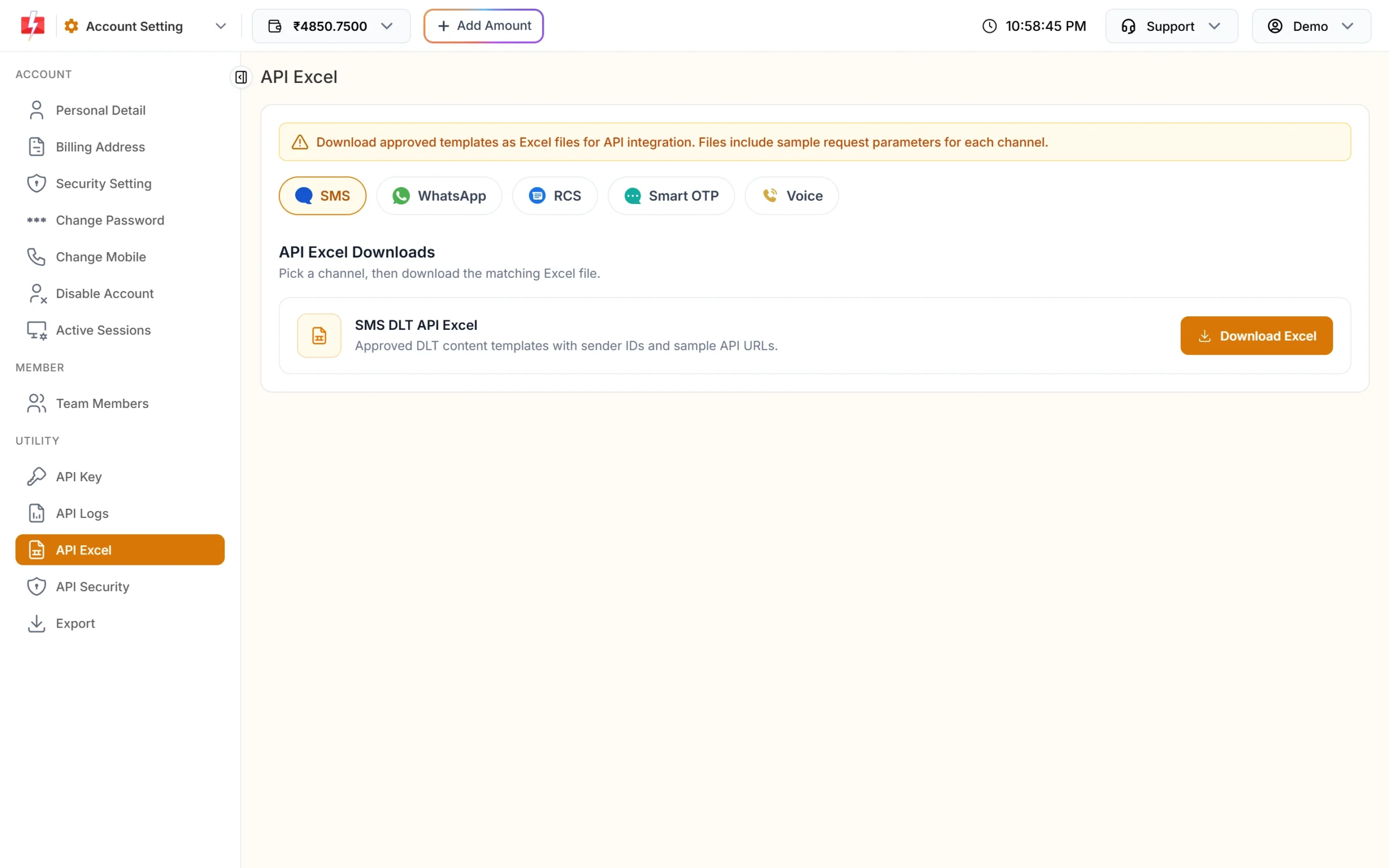
Open Account Setting and click API Excel under UTILITY. Each app (SMS, WhatsApp, Smart OTP, RCS, Voice) also has an API Excel link in its own left menu that opens the same page with that channel selected. The banner says: “Download approved templates as Excel files for API integration. Files include sample request parameters for each channel.”
How to download your API Excel
-
Pick a channel
Click the channel pill at the top: SMS, WhatsApp, RCS, Smart OTP or Voice. Only channels that are ready on your account are shown (see the table below).
-
Click Download Excel
Under API Excel Downloads, click Download Excel on the card. WhatsApp has two cards, one for template messages and one for session messages.
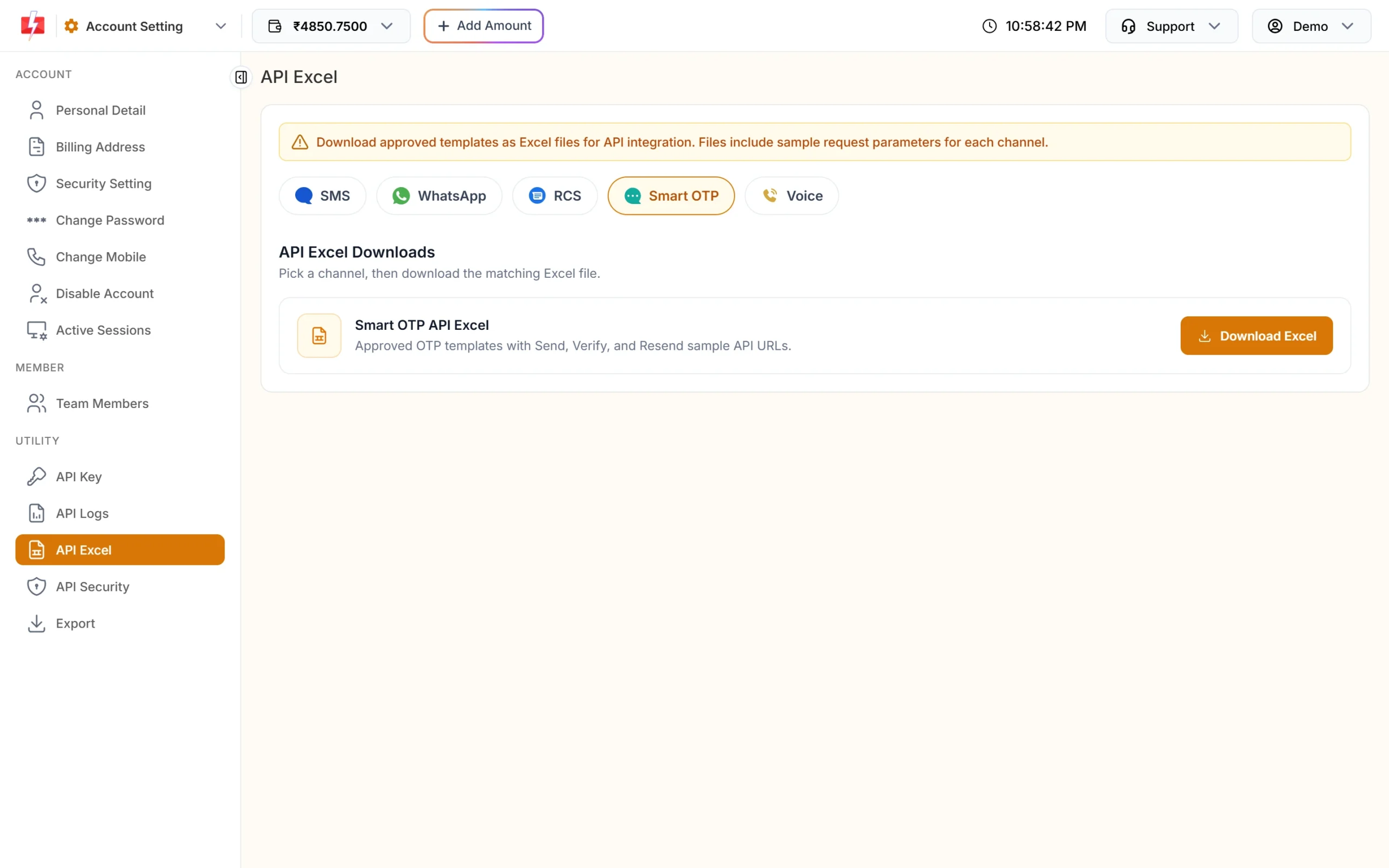
The Smart OTP file has Send, Verify and Resend URLs. -
Fill in the placeholders
Open the file and find the row for your template. The sample URLs use placeholders, for example
<YOUR_API_KEY>and<MOBILE_NUMBER>in the Smart OTP and WhatsApp files. Replace them with your API key (from API Key) and the customer’s number, and fill in the variable values the template needs. -
Test one request and check API Logs
Send one test to your own number, then open API Logs to see the reply. A test is a real send and is charged like any other message.
When each channel appears
| Channel pill | Shown when | Card |
|---|---|---|
| SMS | You have at least one approved DLT content template of your own in DLT Manager. | SMS DLT API Excel: “Approved DLT content templates with sender IDs and sample API URLs.” |
| You have a WhatsApp number on the account. | WhatsApp Template API Excel and WhatsApp Session API Excel | |
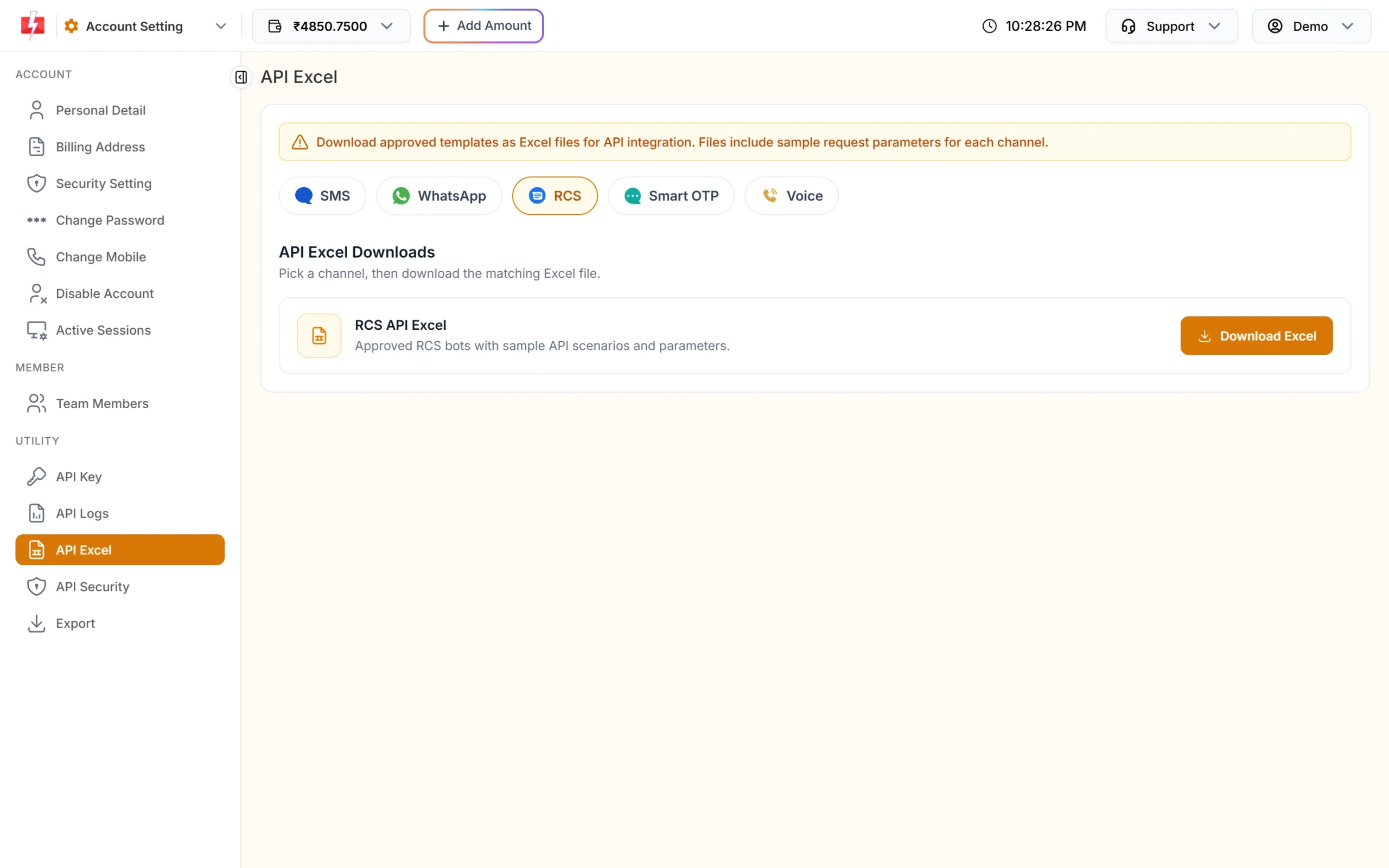
| RCS | You have an approved RCS bot. | RCS API Excel: “Approved RCS bots with sample API scenarios and parameters.” |
| Smart OTP | You have an active Smart OTP template. | Smart OTP API Excel: “Approved OTP templates with Send, Verify, and Resend sample API URLs.” |
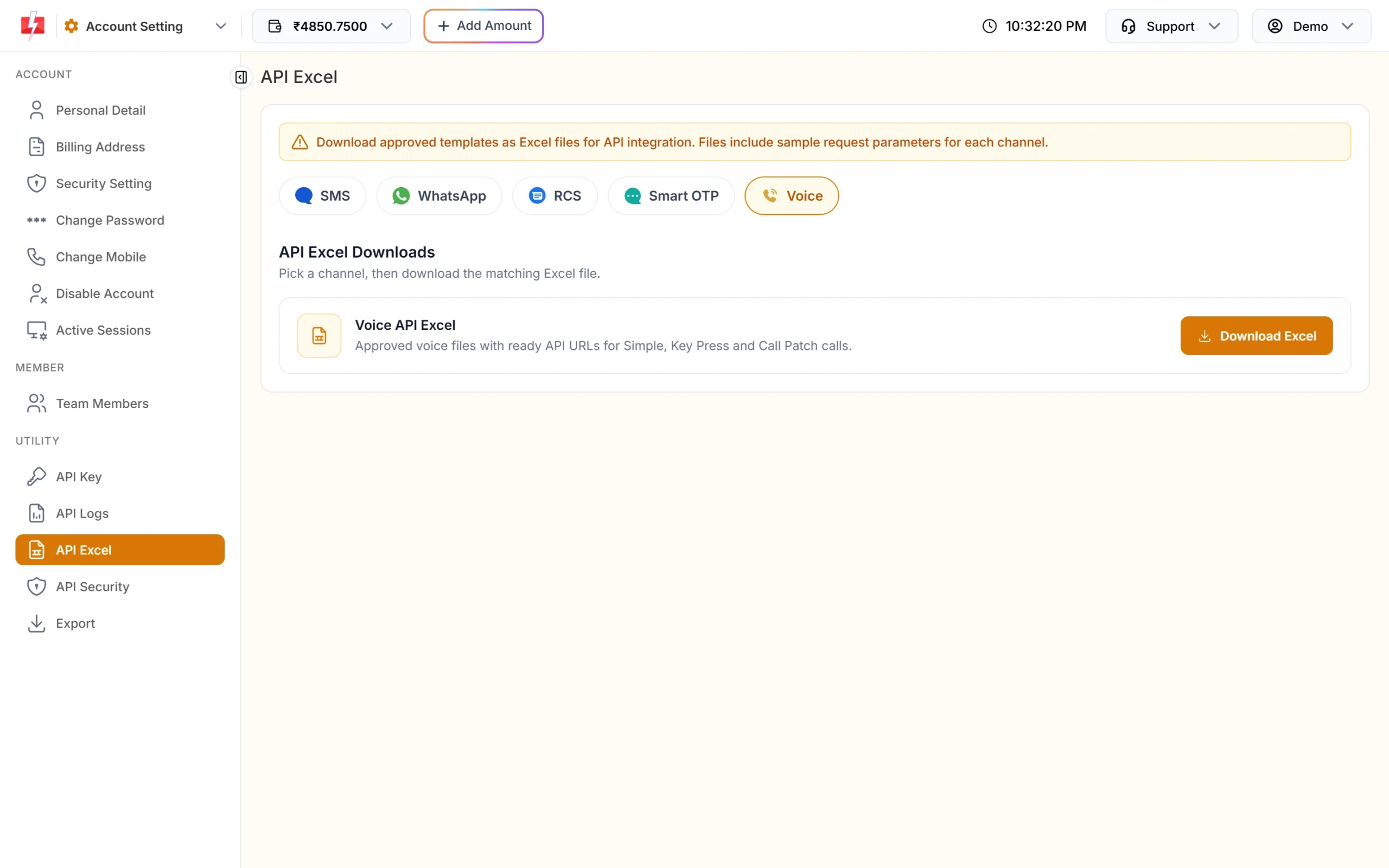
| Voice | Bulk voice calls are enabled on your account. | Voice API Excel: “Approved voice files with ready API URLs for Simple, Key Press and Call Patch calls.” |
If none of these is ready, the page says: “API Excel is unavailable until you have at least one approved channel.” In the WhatsApp app, the API Excel menu item stays hidden until a WhatsApp number is connected, and in the SMS app it shows only once you have an approved DLT template.
What is inside each file
Smart OTP
The file is named “Fast2SMS OTP API date.xlsx”. It has one row per OTP template with the columns otp_id, channel, status, otp_variable, template_ref, message, whatsapp_number, fallback_channel, is_static, send_api_url, verify_api_url, resend_api_url and send_api_notes. The send URL looks like this:
https://www.fast2sms.com/dev/otp/send?authorization=<YOUR_API_KEY>&mobile=<MOBILE_NUMBER>&otp_id=<OTP_ID>&otp_expiry=15&otp_length=6The notes column says “POST JSON also supported. Optional: otp, variables_values (pipe-separated).”
WhatsApp template messages
One row per template on a connected number with status Approved, Pending or Flagged. Columns: message_id, template_name, number, category, status, variable_count, variable_values, media_requirements, document_filename, api_url and message_content. The api_url uses /dev/whatsapp with your template’s message_id, phone_number_id and numbers, plus variables_values, media_url or document_filename when the template needs them. Only Approved templates can actually be sent.
WhatsApp session messages
One row per connected number for each message type: text, image, document, audio, video, location, sticker and reaction, using /dev/whatsapp-session. Session messages can be sent only within 24 hours of the customer’s last message.
RCS
For each approved bot, the file lists sample scenarios with the columns Bot Name, Bot ID, Type, Scenario, Description, API URL, Parameters and Notes.
SMS and voice
The SMS file lists your approved DLT content templates with their sender IDs and sample route=dlt URLs. The voice file lists your approved voice files with URLs for Simple, Key Press and Call Patch calls.
“No data” messages inside the file
| Message in the file | What to do |
|---|---|
| “Create and approve Smart OTP templates before exporting for API.” | Create a Smart OTP template in Smart OTP, OTP Template List, then download again. |
| “No approved WhatsApp Business Templates found. Please create and get approval for templates before exporting for API.” | Create a template in WhatsApp Manager and wait for Meta’s approval. |
| “No connected WhatsApp numbers found for Session API.” | Your WhatsApp number is not connected. Reconnect it in WhatsApp Manager. |
| “No connected WhatsApp number with a messaging limit of 100K or more – Direct Send is not available.” | Direct Send URLs need a connected number with a 100K or higher messaging limit. Use template messages until then. |
Keep your API key safe when you use these URLs
The URLs in the file carry your key as authorization= in the query string. That is handy for no-code tools that cannot set headers. In your own code, send the key in the authorization request header instead, because full URLs often end up in server and proxy logs.
Do not share a filled-in file or paste URLs with your key in chats or tickets. If a key has leaked, reset it on the API Key page. The old key stops working at once.
Frequently asked questions
What is API Excel in Fast2SMS?
It is a page in Account Setting where you download Excel files with ready API URLs for your approved SMS, WhatsApp, Smart OTP, RCS and voice templates.
Why is API Excel empty or unavailable?
No channel is ready yet. You need at least one approved DLT template, a WhatsApp number, an approved RCS bot, an active Smart OTP template or bulk voice enabled.
Why don’t I see the SMS option?
The SMS pill appears only when you have at least one approved DLT content template of your own in DLT Manager.
Does the file contain my real API key?
The Smart OTP and WhatsApp files use the placeholder <YOUR_API_KEY>, and you add your own key from the API Key page. Once you put your key in, keep the file private.
Can I use the URLs in Google Sheets, Zapier or Pabbly?
Yes, the GET URLs work in tools that call a web address. In your own code, prefer sending the key in the authorization header.
Why is a pending WhatsApp template in my file?
The template file lists Approved, Pending and Flagged templates so you can prepare. Only Approved templates can be sent.
Are sends from these URLs charged?
Yes. Every message sent through the API, including tests, is charged at your normal rate.
Related guides
- How to find, view and reset your Fast2SMS API key
- Fast2SMS DLT SMS API: send SMS with your DLT template (route=dlt)
- Send WhatsApp template messages with the Fast2SMS API
- Fast2SMS Send OTP API: parameters, code examples and response
- Send RCS messages with the Fast2SMS API
- Connect Fast2SMS with Pabbly Connect, Zapier and n8n